Best membership website builder in 2026
Our team of experts and researchers rigorously test and evaluate website builders through transparent, in-depth testing procedures and methods using both in-house and industry-approved tools.
Drawing on cybersecurity insights, we provide unbiased, empirical rankings and analysis to help users make informed digital platform choices.
Learn more

Building a website with members-only content can be a smart move for many businesses. Whether you already have a loyal audience or are launching your first paid course, a membership website lets you quickly start monetizing your work.
However, choosing the right platform can be tricky, as membership website builders vary widely in features, pricing, and ease of use. To help you decide, I rounded up the 5 best membership website builders in 2026.
5 best subscription website builder options
- Wix – best membership website builder with design flexibility, from $17.00/month
- Hostinger Website Builder – AI-powered membership website builder, from $2.69/month
- SITE123 – membership website builder with beginner-friendly tools, from $4.60/month
- Shopify – membership website builder that’s built for eCommerce, from $29.00/month
- Squarespace – premium subscription website builder, from $16.00/month




Our in-house research team and expert writers work hand in hand to regularly test website builders and provide accurate and fact-checked information. Discover the ins and outs of how we test and evaluate website builders.
Best membership website builders: detailed list
To shortlist high-quality website builders for membership sites, our research team and I evaluated the 37 most popular website builders on the market. After vigorously testing our top selections, their features, and the site creation process, I compiled a list of the 5 best website builders for membership sites for you to choose from.
1. Wix – best membership website builder in 2026 overall

| Membership area: | Specialized member area |
| Membership features: | Event calendars, forums, gated content |
| Dedicated templates: | No |
| Current deal: | Get Wix with 50% OFF |
Wix is my top pick for its design flexibility. Not many website builders can match its customization capabilities and the number of templates it has to offer. Other than that, Wix allows you to create pages specifically for members, add free content, control the level of access, and offer access to several membership-related features.
Creating a membership website with Wix
Wix makes creating a membership website easy. All you have to do is follow these simple steps:
- Create an account
- Click Create New Site in your dashboard
- Choose a topic for your site
- Pick whether you want to build your website using AI or an existing template
- Add a member area from your editor by selecting Add Elements > Community > Members Area
Whether you choose to edit your website first or create a member area, it’s entirely up to you. However, you have to create an account before you can create your website.
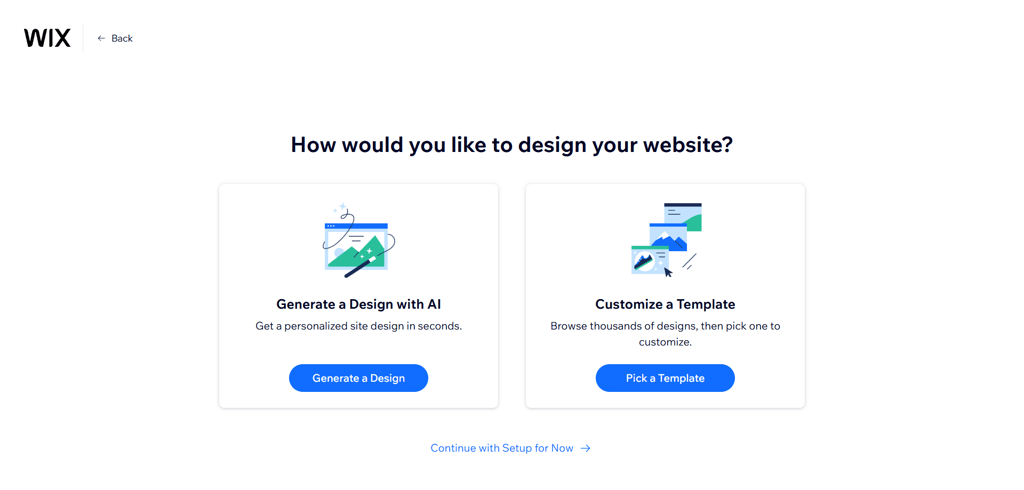
When it comes to building, Wix first asks if you prefer to do it yourself by choosing a template or if you want to build a website with AI. Wix AI Website Builder (formerly Artificial Design Intelligence, ADI) creates a website based on your answers to some questions. If you decide to use the Wix AI Website Builder, you can make some modifications.
Once the website is created, you’ll come across the editor.
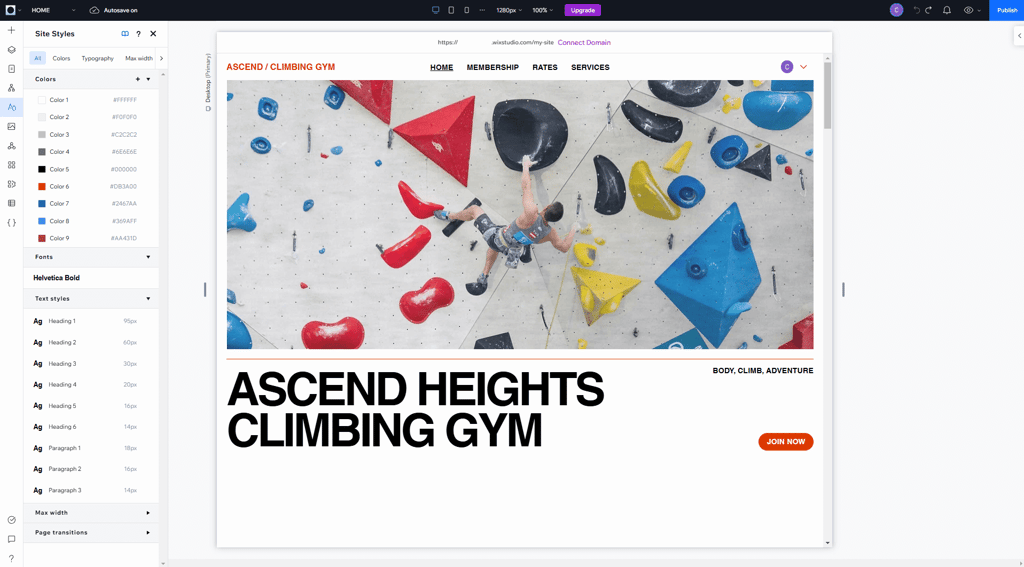
A detailed review of Wix’s user experience reveals that while you can edit your entire site with the ADI editor, it is pretty limited. Due to this reason, I chose to test the traditional drag-and-drop editor here.
Wix’s drag-and-drop editor is not difficult to use. Although some people may argue that the design flexibility can prove to be confusing for beginners, I believe it is the opposite. Once you figure out where everything is and what it does, it’s all pretty straightforward. You can change the background, play with the colors and layout, and customize the images to your liking.
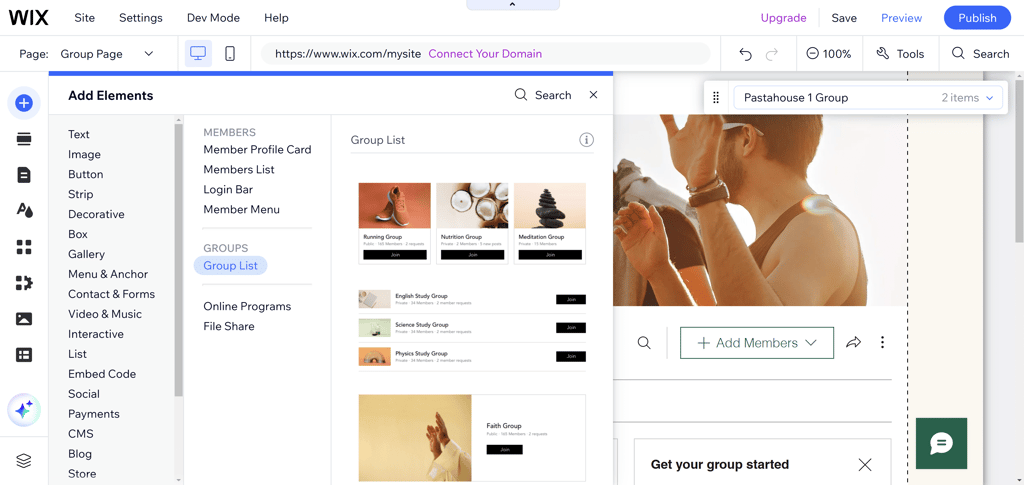
Also, Wix allows you to create a member area within your website. To do that, click on the Add Elements button, scroll down, and select Community to find the Members area.
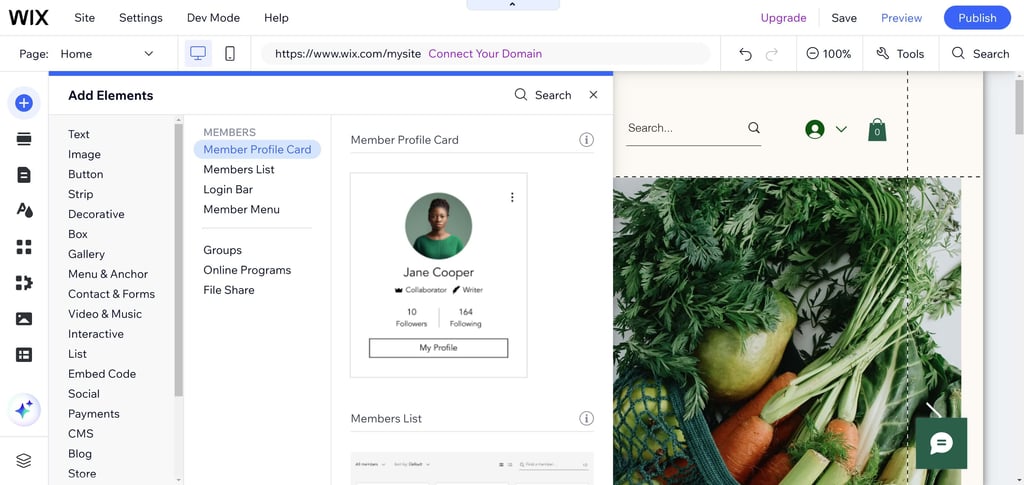
You can also see some related features as you scroll down. For example, Wix allows you to post free content for unregistered visitors.
After the member area is created, you can access a menu that includes members’ Cards, Members List, Login Bar, and Member Menu.
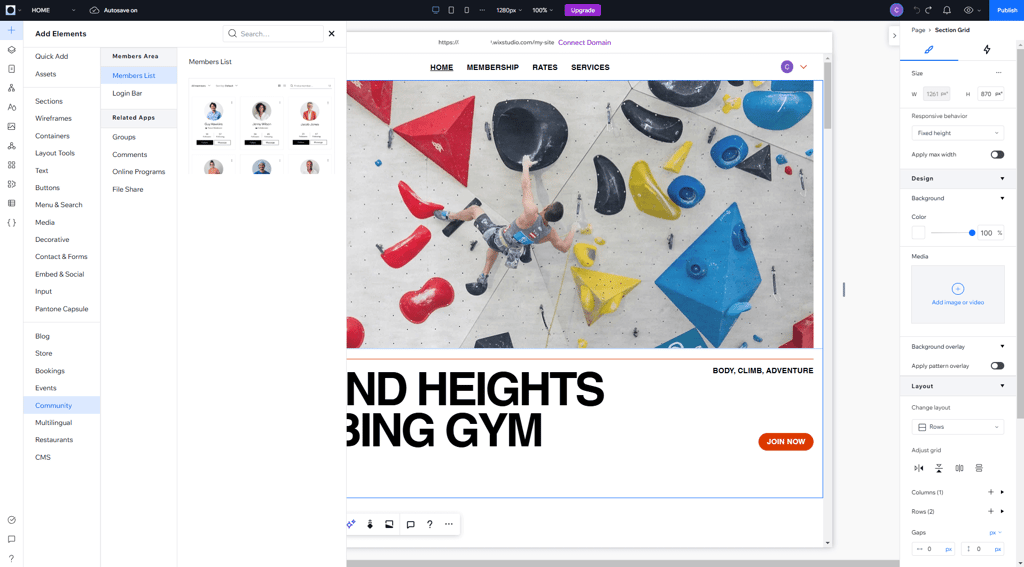
Additionally, Wix provides some membership-related features. One of them allows you to create a forum for your online community. Others include group lists, file sharing, and online programs.
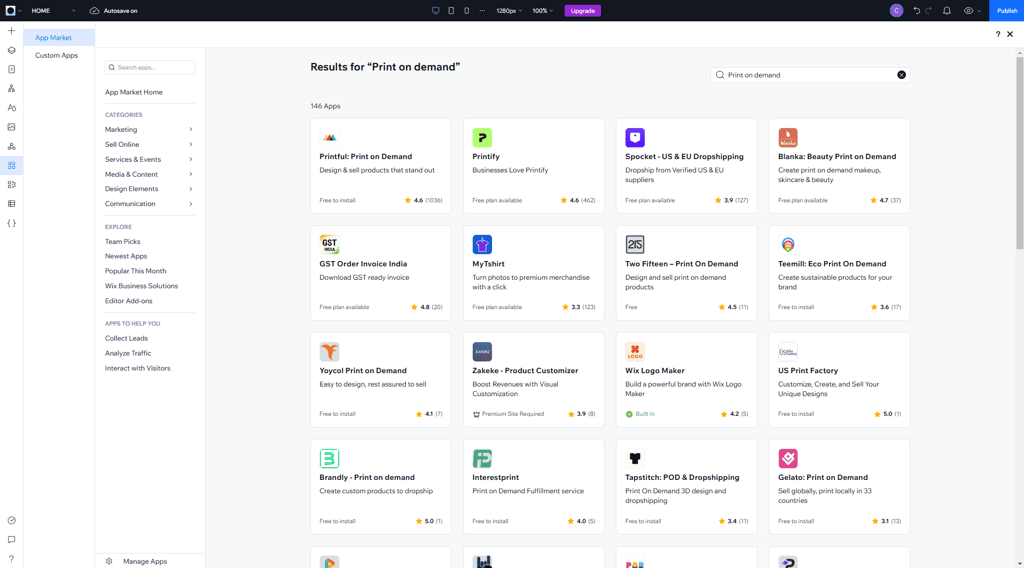
In case you don’t find what you need in your editor, visit Wix’s App Market for additional features. For instance, if you want to sell artwork, you can choose between a few free print-on-demand apps.
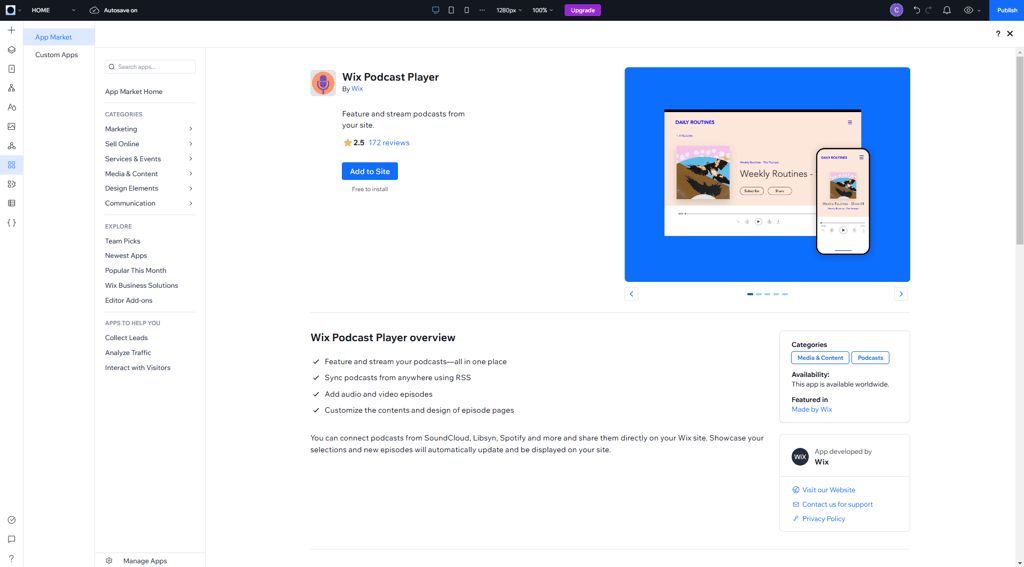
For other types of media, like audio files, Wix has a podcast player.
Anything you may need for a membership website can be found either in the editor or the App Market, making Wix an all-in-one solution.
Additionally, an events calendar can be used to showcase upcoming events on your website. These events could be anything from a new subscriber-only product launch to a new online course.
To do this on a Wix website, I recommend 2 apps – Google Calendar or the Wix Bookings app.
When it comes to eCommerce, Wix has specific plans for it and a wide selection of additional features that allow you to sell both physical goods and digital content.
In terms of templates, Wix doesn’t have any specially designed for membership websites. However, the provider has 2700+ templates for all major niches, and they are all professionally made.
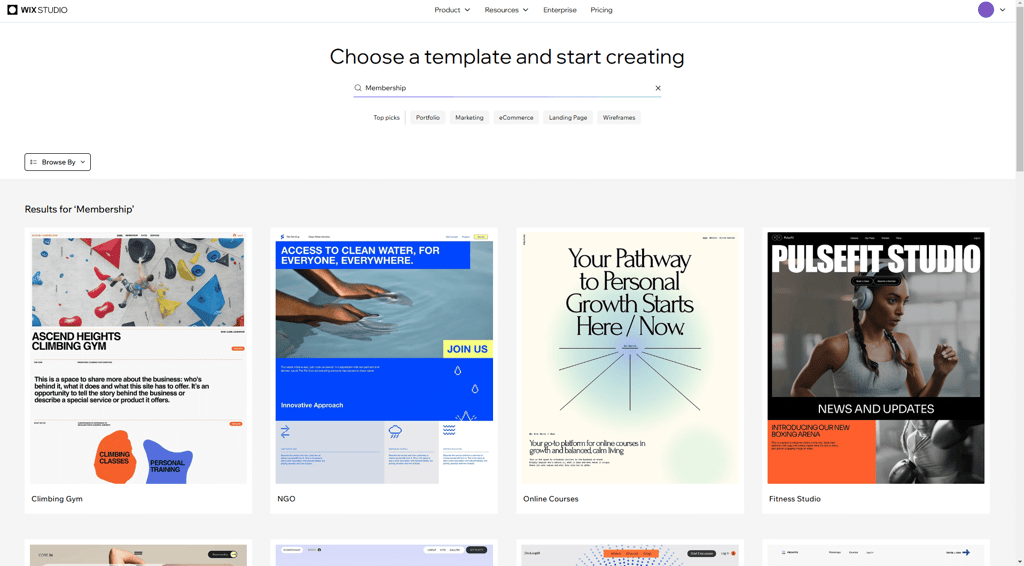
Wix’s templates not only look appealing, but they’re also highly customizable. This makes it easy to find the one that suits you best.
Overall, Wix is an excellent choice if you want to build a membership site. It comes with a member area, the templates look amazing, and a wide range of membership features help you create a community around what you have to offer.
Wix pricing
Wix has 4 plans ranging from $17.00/month to $159.00/month. All of the plans come with a free domain, multi-cloud hosting, and a marketing suite. However, the most basic plan doesn’t include eCommerce features.
2. Hostinger Website Builder – fast membership site builder with AI tools

| Membership area: | Specialized member area |
| Membership features: | Social media integration and email marketing |
| Dedicated templates: | No |
| Current deal: | Get Hostinger Website Builder, 81% OFF + free months |
Hostinger Website Builder has a variety of helpful AI tools, such as an image generator, assistant, and write, that provide assistance in every step of website building. Its simplicity, user-friendly design, and AI tools make Hostinger Website Builder a great option for fast membership site building.
Creating a membership site with Hostinger Website Builder
With Hostinger Website Builder, you can create a membership site in a few minutes by following these steps:
- Create an account
- Choose if you want AI to create a website for you or select one of the pre-made templates
- Click Membership in Website overview
- Manage your member area
After creating the account, Hostinger Website Builder lets you choose to work on an already existing website or create a new one. If you decide to build a website from scratch, after you log in to your account, go to Websites in the menu on the left and click Add website.
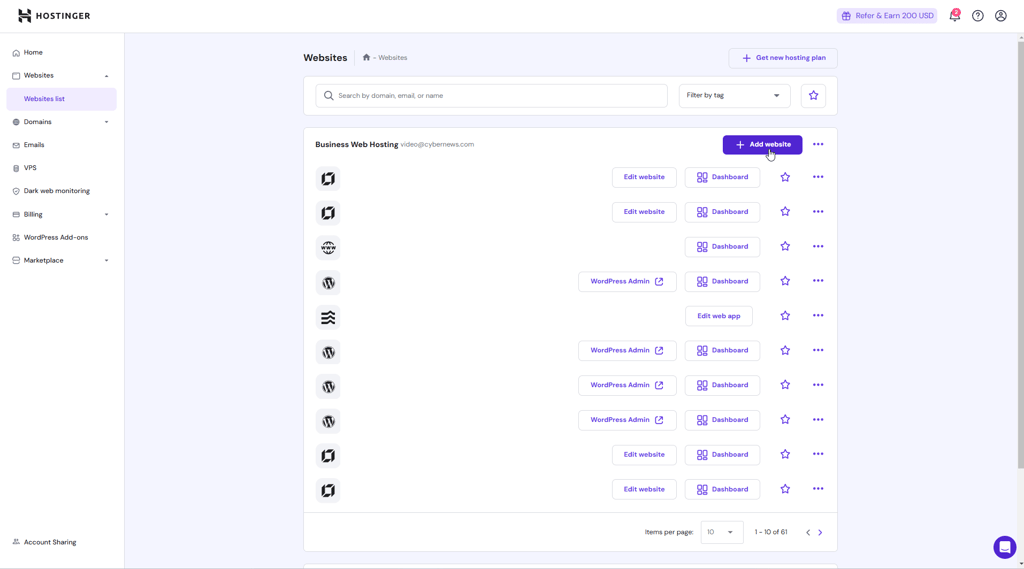
You’ll immediately be asked some questions about what type of website you want to create. After making a few selections and shortly describing your brand and the goal of your website, AI promptly designs a website for you.
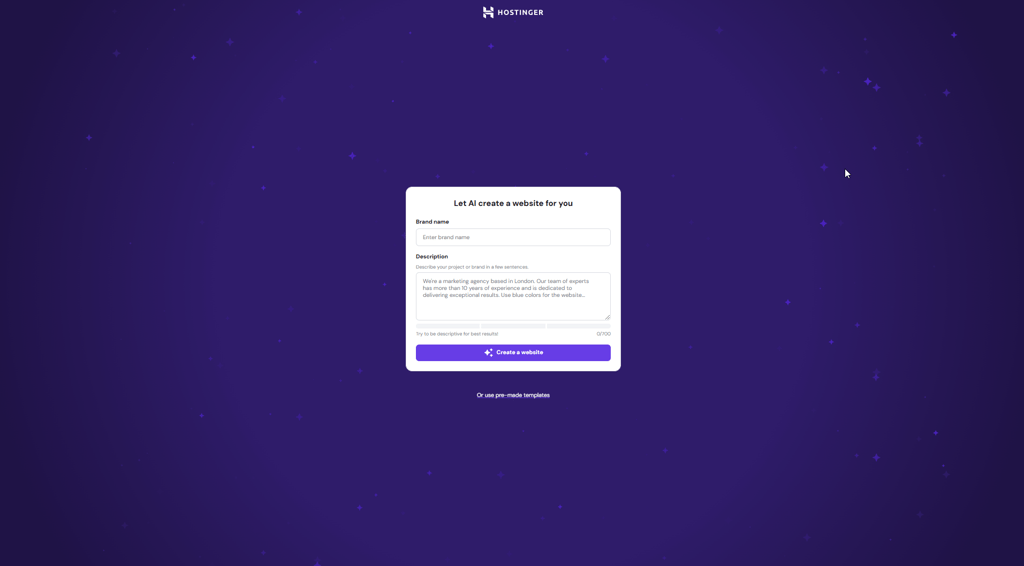
Also, if you prefer, you can choose from pre-made templates instead. Selecting a ready-made template still gives you the freedom to customize your website. You can easily add or rearrange elements using the website builder’s drag-and-drop editor.

Moving on to membership sites, Hostinger Website Builder has customizable templates with built-in membership areas, which allow you to build a community. To manage a site's member area, you need to go to Website overview and click Membership.
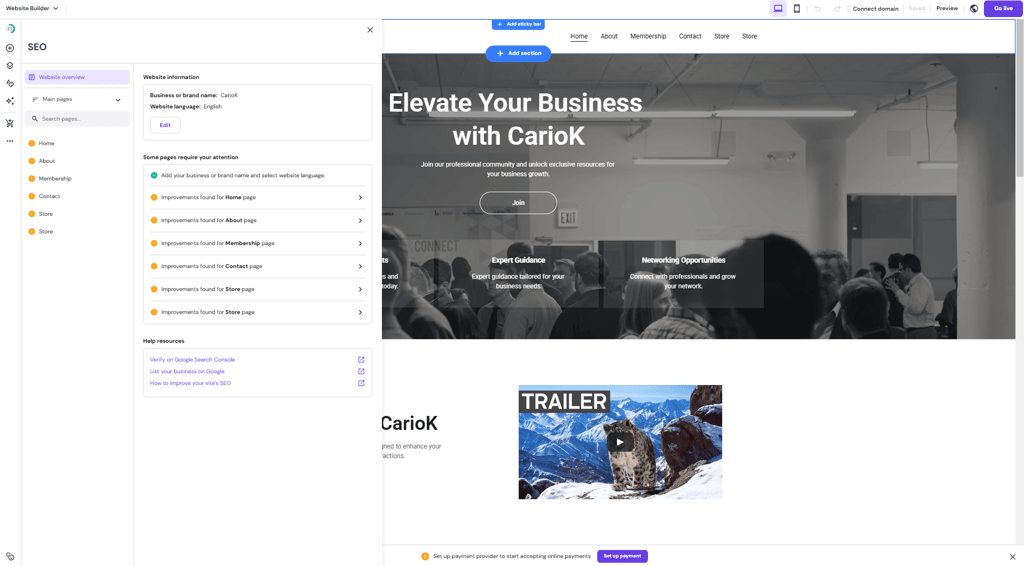
Directly from there, you can set up payments and improve your membership page. Also, whenever you need assistance, you can always rely on helpful Hostinger’s AI tools, such as the Kodee AI assistant. An in-depth look at all Hostinger Website Builder’s tools provides more insights into how useful they are for user experience.
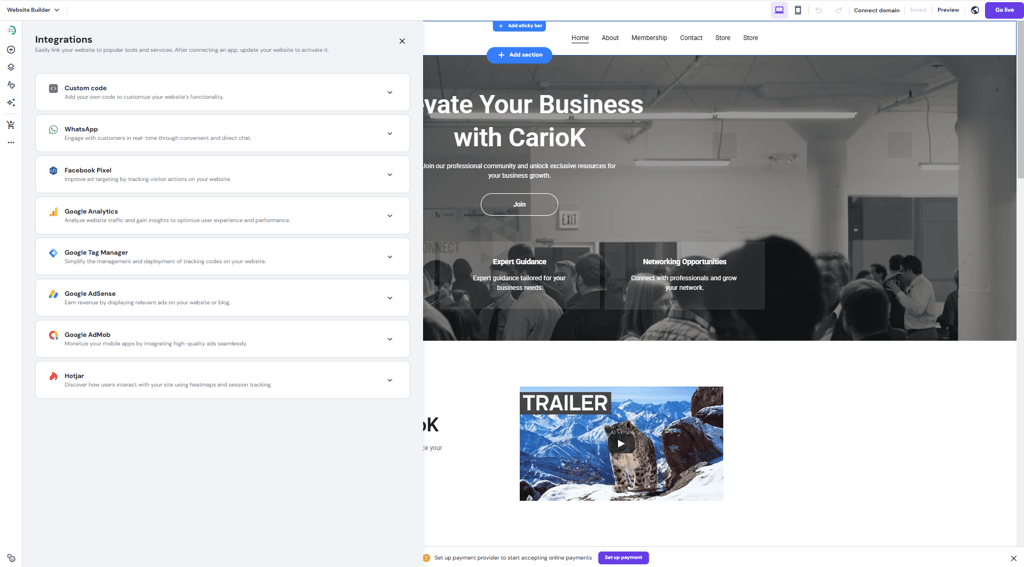
Additionally, Hostinger Website Builder has some useful integrations, including WhatsApp for engaging with customers in real-time, Facebook Pixel, Google Analytics, and Google AdSense. This way, you can link your website to popular tools and services, helping you reach a bigger audience.
All in all, Hostinger Website Builder is a great website builder with solid options for building a membership website. It’s designed for users with different experience levels in mind. Therefore, it has an intuitive interface, and it’s also equipped with plenty of useful AI tools. Most of the features are readily available, so you don’t have to search for third-party apps.
Hostinger Website Builder pricing
Hostinger Website Builder is one of the cheapest website builders on my list. It has 2 plans with prices ranging from $2.69/month to $3.59/month. While the cheaper plan already offers plenty, I recommend opting for the upgraded option. This plan offers an eCommerce suite and comes with more AI tools, which can significantly improve your website-building experience. What's great is that you can get it for even less with our exclusive Hostinger promo code CNSPECIAL. New users can also use the Hostinger code CNHOSTFIRST. Note that if you want to give it a try before fully committing, Hostinger Website Builder has a 30-day money-back guarantee for both of its plans.
3. SITE123 – beginner-friendly membership option

| Membership area: | Entire membership website |
| Membership features: | Forums, email marketing, gated content |
| Dedicated templates: | No |
| Current deal: | Get SITE123 now 50% OFF |
SITE123 is a reliable website builder for membership sites that is easy to master. It allows you to create an entire site available for members only, and it’s suitable for all kinds of membership content. Plus, the provider is affordable and allows both physical and digital sales.
Creating a membership site with SITE123
Building a membership site with SITE123 is a process that doesn’t take much of your time and doesn’t make you work hard for it. You only have to go through a few steps:
- Create an account
- Click the New Website button in your dashboard
- Select a niche for your site
- Give your website a name
- Go to your dashboard, click Settings, and make your website accessible for members only
After that, SITE123 builds your website, and you’re free to edit at will.
Now, SITE123 doesn’t give you the option of creating one specific section for your paying customers. You have to make the entire website for members only. To do that, click on the Settings button in your dashboard and then the Website Access button.
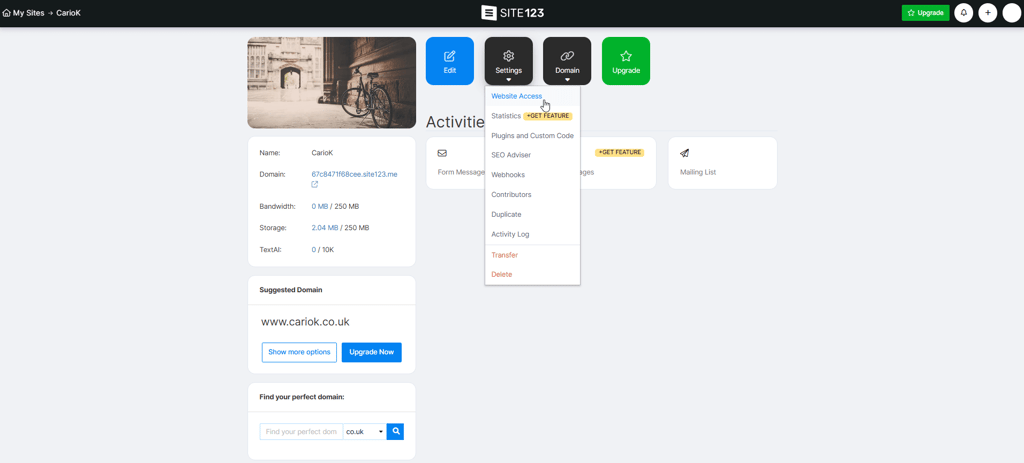
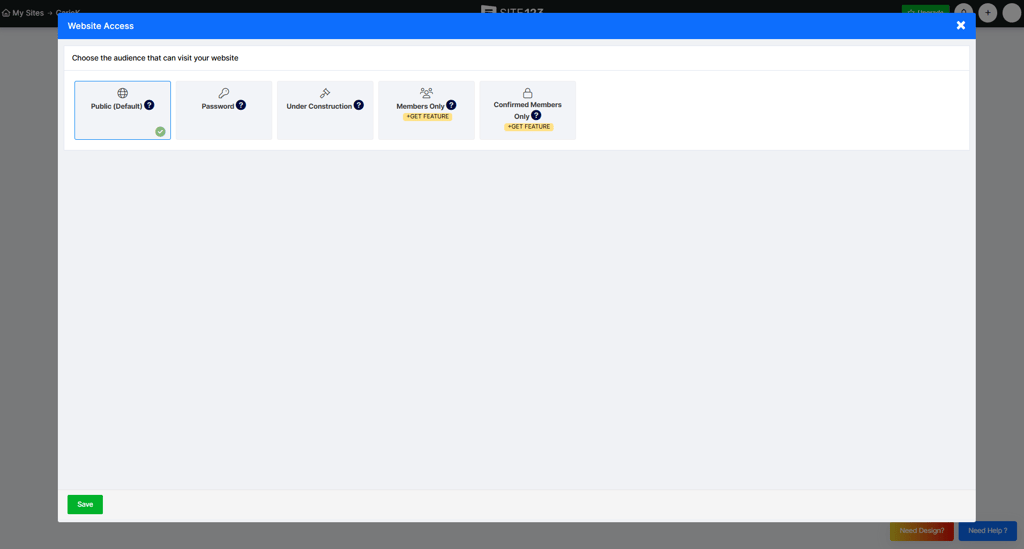
With the free plan, the best thing you can do is set a password for your website. If you want visitors to become members and access restricted content, you need a premium plan, which allows you to select the option Confirmed Members Only.
When you build a membership site with SITE123, there’s no recurring payment functionality. One more thing to keep in mind, members will not be automatically charged on their credit card for every month of use.
As soon as all previous steps are completed, you’re free to create your website. Click on the New Website button in your dashboard, select a niche, and you can start editing your website.
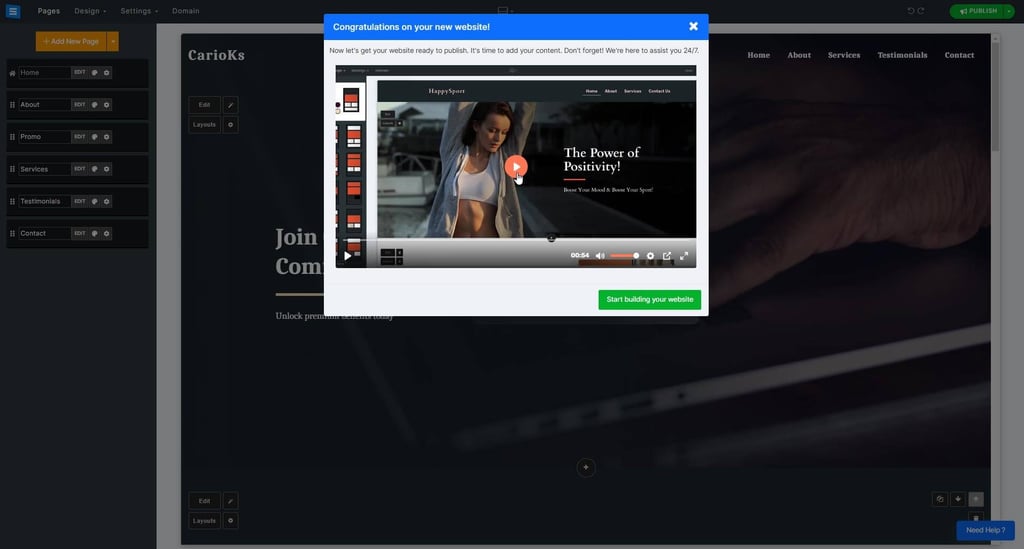
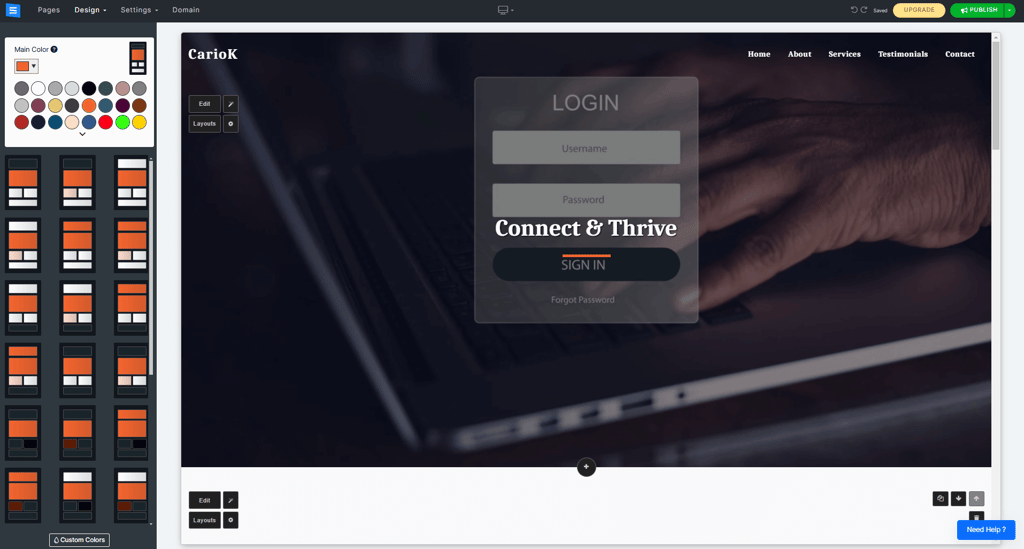
SITE123’s editor is minimalistic. You don’t have a lot of design freedom, so there’s not much you can change. But that also makes it easy to use, which is why I think SITE123 is ideal for beginners.
While there is not a lot of design flexibility, you can still add images, change the color palette and layout, and select a different font. Still, for a cheap and easy-to-use website builder, SITE123 offers plenty.
You can read our detailed SITE123 platform breakdown to learn more about SITE123 capabilities.
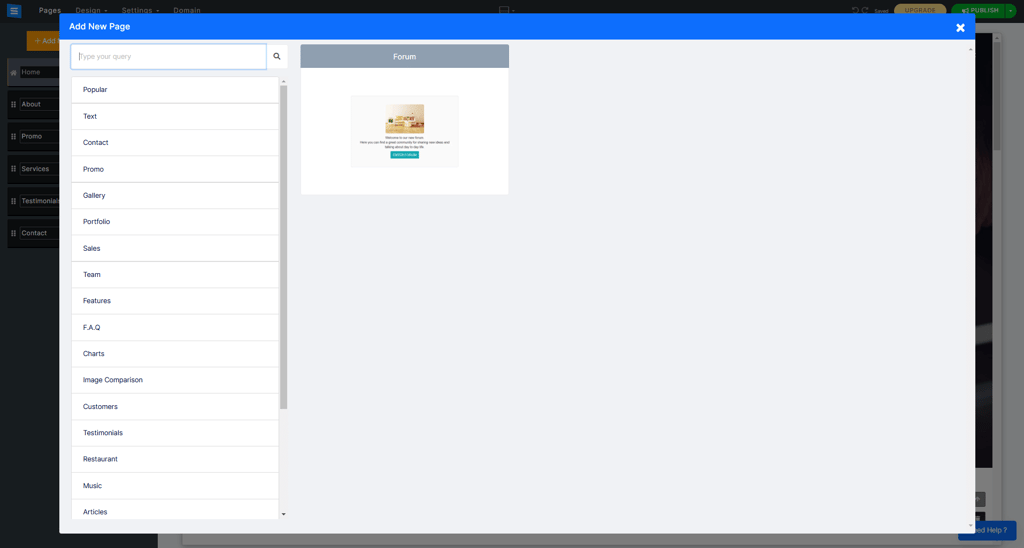
In terms of membership-related features, SITE123 offers you the option to create a forum. To do that, access the Pages section in your editor, go to the Popular category, and you’ll see the Forum option.
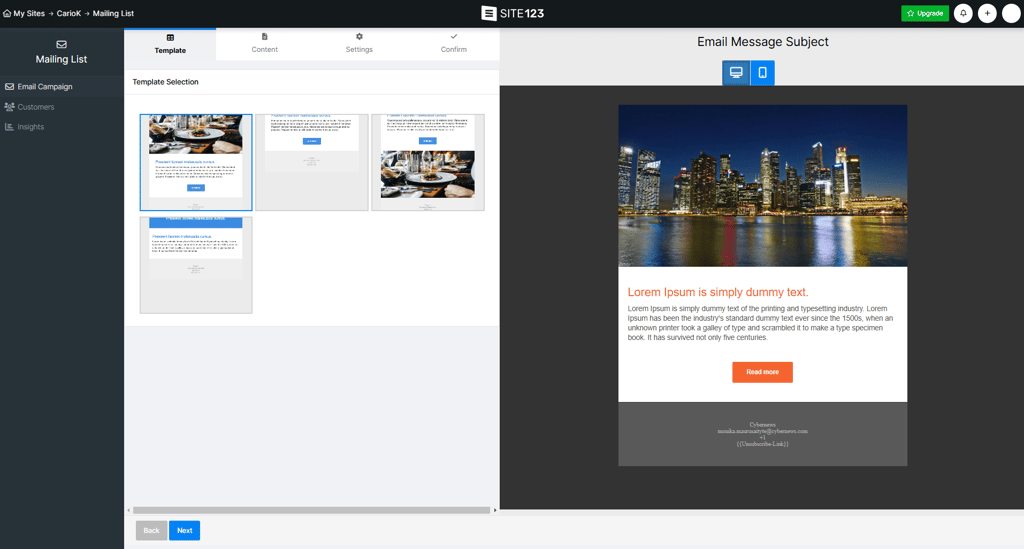
While forums are great for speaking directly to your membership site’s subscribers, email marketing could be an even better way. By utilizing email marketing, it’s possible to build relationships with current subscribers and even past subscribers – it gives you a chance to speak directly to them at a time that is convenient for them. SITE123 has a reliable email marketing solution – found on your website's dashboard, the mailing list lets you easily import your subscriber list and send them marketing messages.
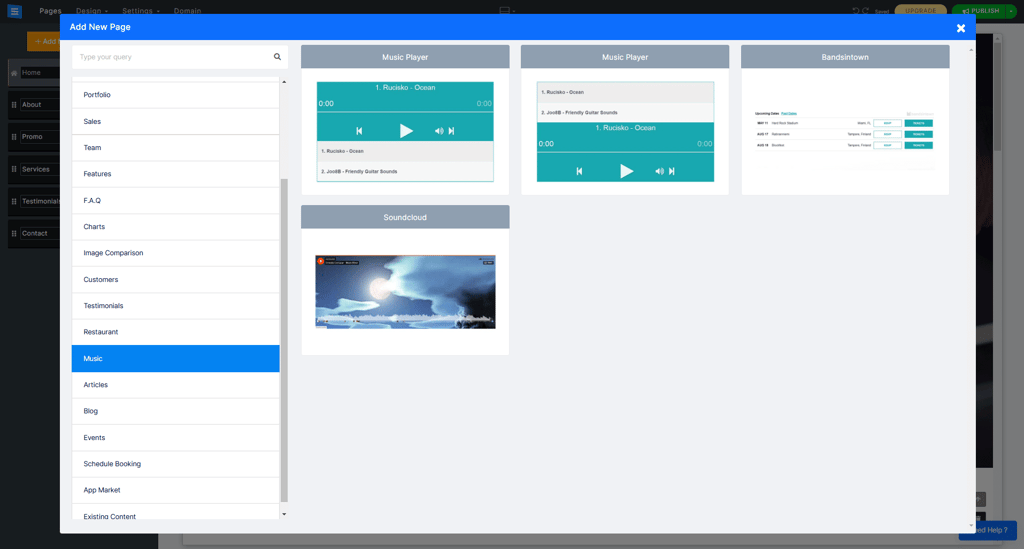
It’s also worth noting that SITE123 can accommodate several types of content. For instance, SITE123 makes an excellent website builder for musicians. If you want to provide your gated community with your music, the builder comes with a few music players.
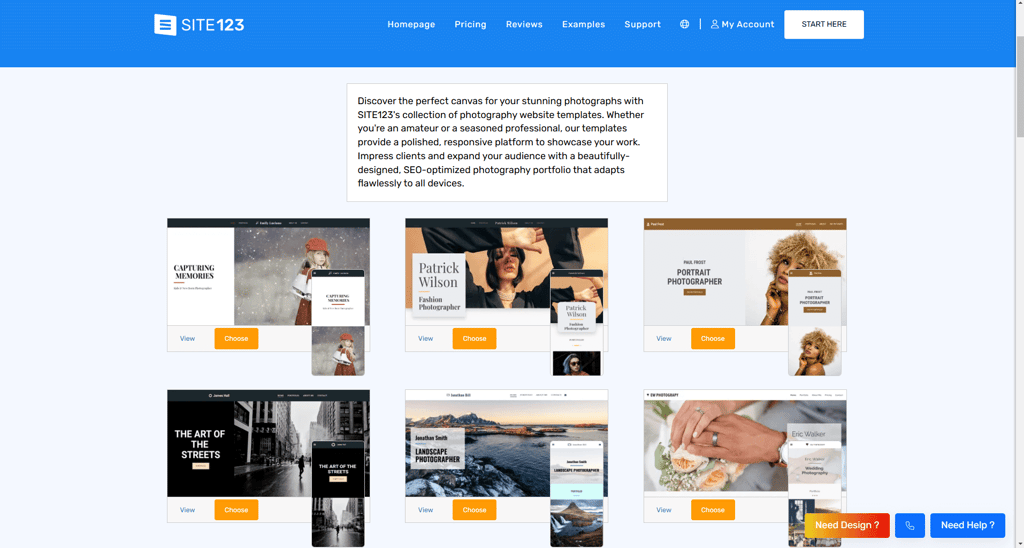
Photography and other visual arts are supported as well. Once again, when you create a new page, you can select photography, and you’re presented with a few gallery options.
If you’re interested in monetizing your membership website, SITE123 allows you to sell both physical and digital products. However, not all premium plans support eCommerce. You’ll have to purchase at least the Professional plan.

While there are no dedicated templates for membership sites, you still have plenty of options to choose from. Below are a few examples of photography themes. They’re all free and look very appealing. However, this is where Wix outperforms SITE123, offering considerably more customization freedom and template variety.
The bottom line is that SITE123 is a solid choice for a membership website. You can make an entire website for members only providing them with exclusive benefits.
SITE123 pricing
SITE123 falls under the category of budget-friendly website builders. The pricing of SITE123 ranges from $4.60/month to $32.00/month. All premium plans come with a free domain for a year, allowing you to connect your domain and remove the SITE123 floating tag. Also, SITE123 offers a free plan, though it comes with limited storage.
4. Shopify – membership builder with powerful eCommerce features

| Membership area: | Entire membership website or a specialized member area |
| Membership features: | Customer tags, forums, easy selling |
| Dedicated templates: | No |
| Current deal: | Try Shopify free for 3 days + 3 months for $1 |
Shopify is the go-to solution for all those who want a wide range of eCommerce features. Plus, it’s also very useful for a membership website. It allows you to make parts of your website unavailable to unregistered users. Plus, with Shopify, you can create a forum.
Creating a membership website with Shopify
Creating a membership website with Shopify is a bit different because this is an eCommerce-oriented website building platform. Consequently, you’ll rely more on apps than on in-house features. To create a membership website, you have to:
- Create a Shopify account
- Click Online Store in the menu on the left
- Customize your website
- Download an app to create member areas or customer tags so that only members have access to certain products
Once you create your account, you are initially redirected to your dashboard. The first thing you’ll notice is that you won’t find an editor but a blog-like area instead.
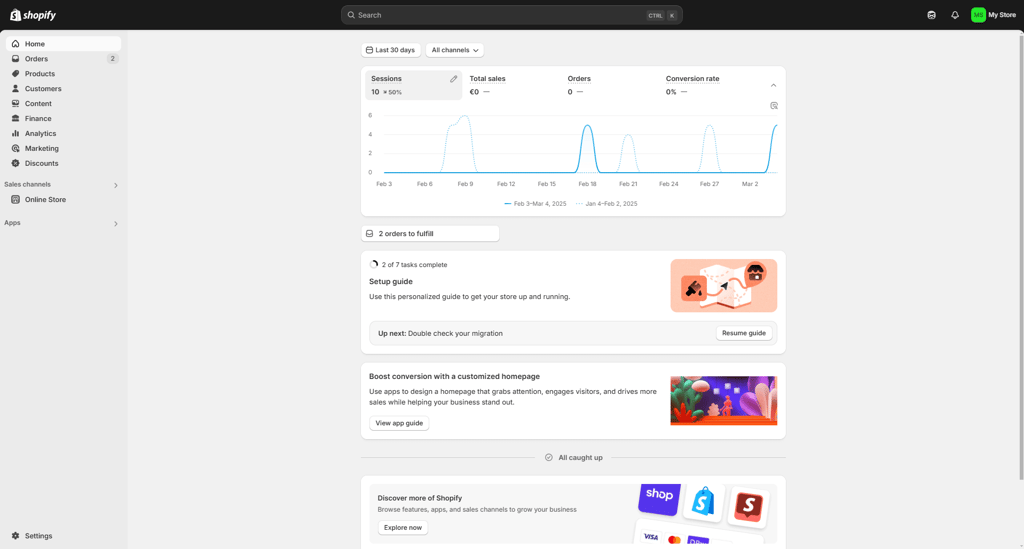
To customize your online store, you have to click the Online Store button on the left. There, you can make blog posts as well as add and manage pages. You can also change your theme, and while Shopify has free templates, some of them are paid and can be pretty expensive.
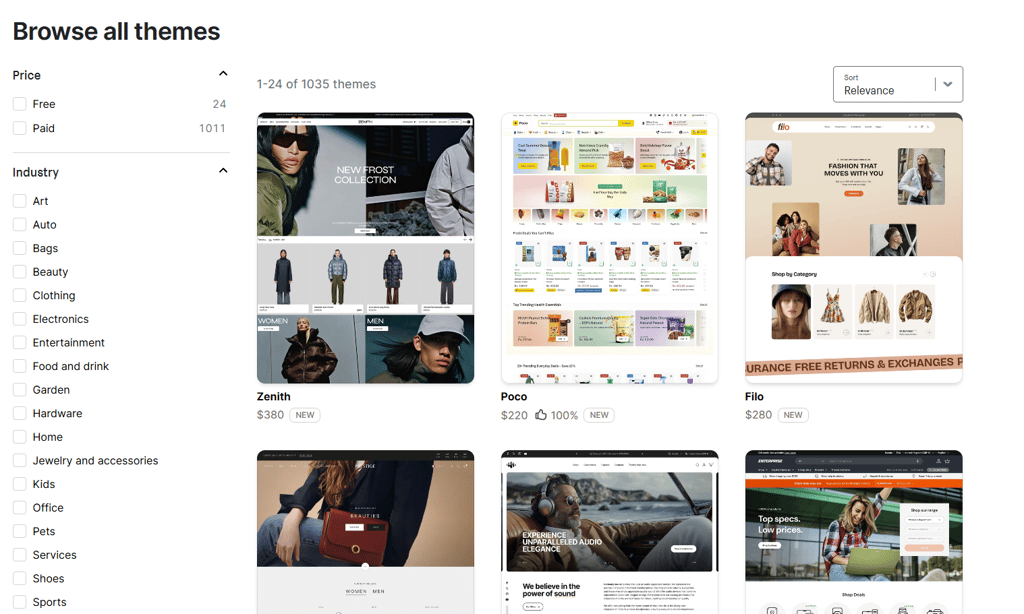
If you want to see how the paid and free templates compare, take a look at our comprehensive review of Shopify’s features.
Shopify also allows you to create member areas. However, not in the usual way. To create a members area, you’ll have to rely on apps.
For that, here are a few membership plugin recommendations:
- Helium Customer Fields ($12.00/month) – an app that allows customers to submit their information, which you have to approve. Once you do that, the exclusive content in the member area becomes available to them. You can also assign customer tags. The tagged customers can access parts of your website that unregistered users can’t.
- Locksmith ($12.00/month) – similar to Helium Customer Fields, it’s an app that allows you to make some parts of your website accessible only with a password. Customer tags are present here as well.
- Xenforum ($19.00/month) – a forum-building app that allows creating a membership community in the center of your store. It has numerous benefits, some of which are revenue-related.
- FetchApp (from $5.00/month, free plan available) – an app for selling digital products, such as artwork or music.
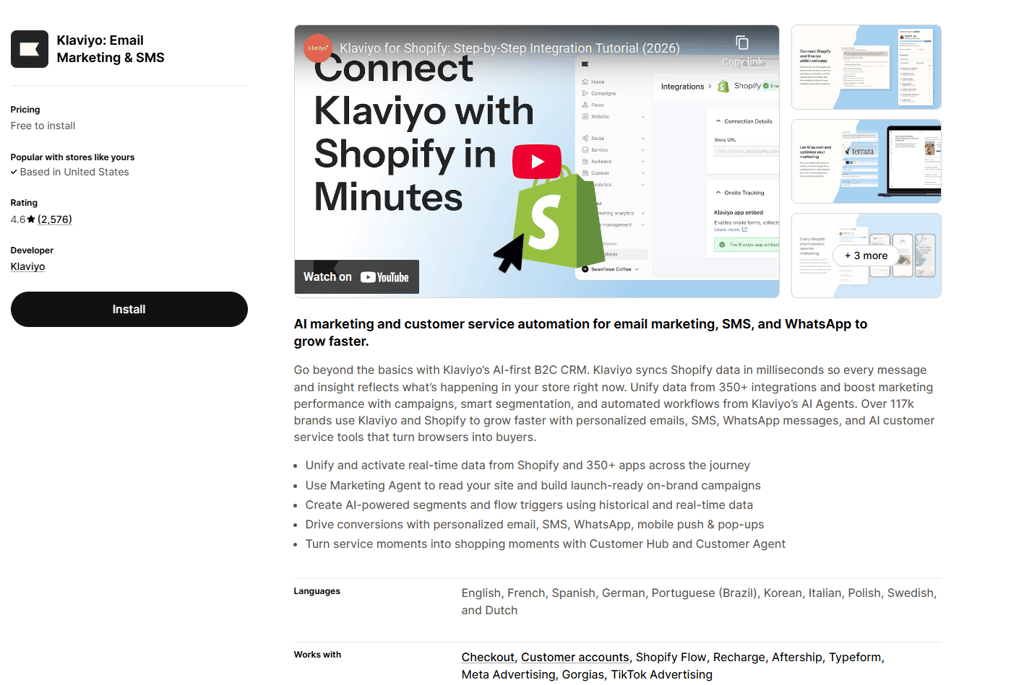
To get the most out of your membership site, using only these apps is not enough. I recommend using email marketing too. While there is a Shopify in-house solution for email marketing, you can always look into third-party apps. For instance, I suggest checking out Klaviyo – this app offers precise targeting, in-depth analytics, and better audience segmentation.
Lastly, Shopify has a file area where you can upload all kinds of media, such as images, videos, and blog posts, that only members can access. To upload a file of any kind, just go to Settings in your dashboard.
Overall, Shopify may not be your traditional membership platform. For this reason, Wix is a better choice as it is more membership-platform focused. Still, if you want to offer members-only access to your online shop, Shopify gives you the chance. That said, while most features require an app (and come at an extra cost), you’ll end up with a professional end product.
Shopify pricing
Shopify is on the more expensive end of website builders. There are 3 plans, and the prices range between $29.00/month and $2,300.00/month.
All 3 plans allow you to create an online store and sell unlimited products. Also, many apps to expand Shopify’s capabilities are available for an additional price.
5. Squarespace – premium website builder for memberships

| Membership area: | Specialized member area |
| Membership features: | Social media integration, gated content |
| Dedicated templates: | Yes |
| Current deal: | Get up to 36% OFF Squarespace |
If you’re looking for a more premium website builder for your membership website, you may want to consider Squarespace. It allows you to add a member area on your website, there are dedicated templates for membership websites, and you can offer discounts to your subscribers.
Creating a membership website with Squarespace
Just like most website builders, Squarespace is easy to use. To create a membership website, you have to follow the steps below:
- Create a Squarespace account
- Click the Create Website button in your account dashboard
- Select a membership template
- Click Members Area in the editor’s settings (left menu)
- Set up and manage your member area
First, after you create an account, you’ll be taken to your dashboard. Then, click the Create Website button and select a template.
The good news is that Squarespace has dedicated templates for membership websites, and they look beautiful. You can see what the templates look like in action in our Squarespace review based on real user experience.
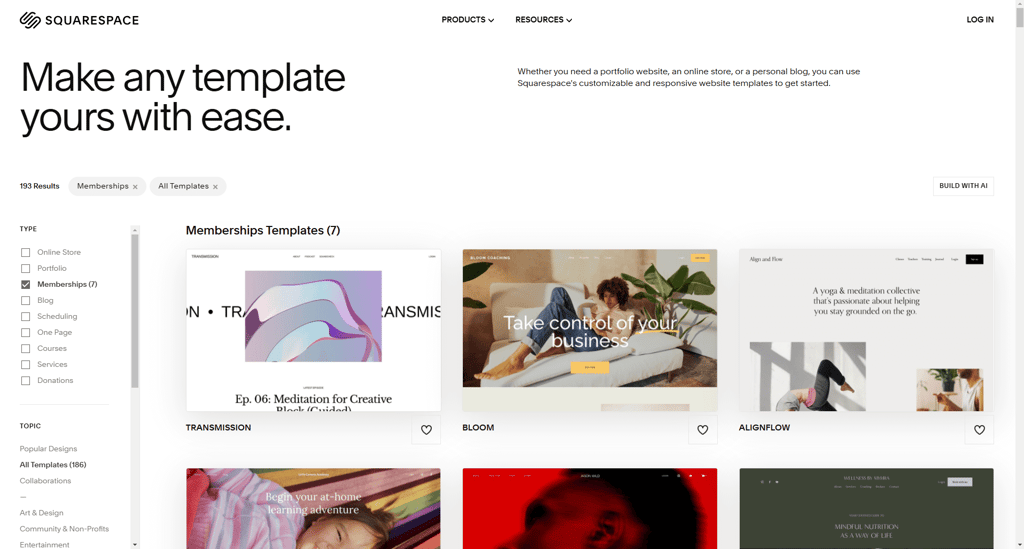
After choosing your template, you have to name your website, and then you’re taken to a beginner-friendly editor.
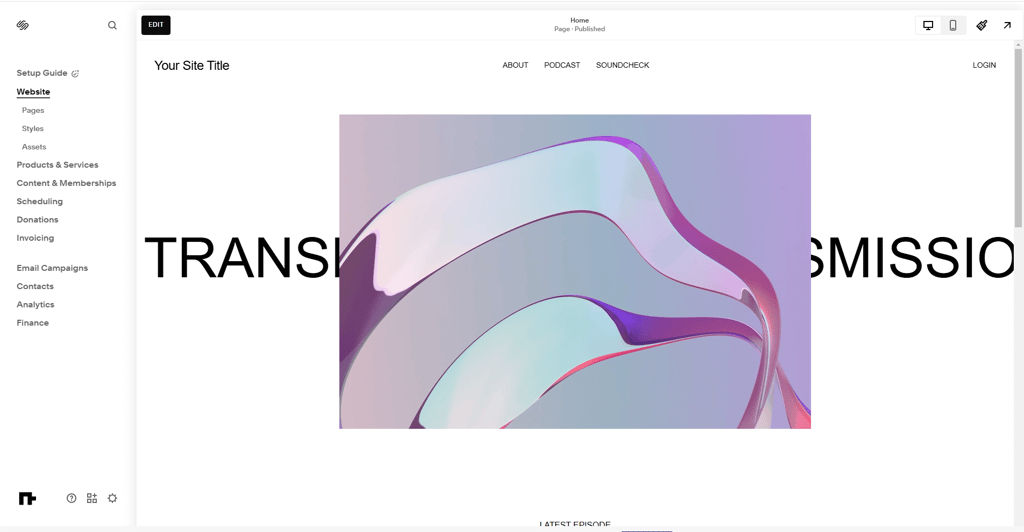
I would also like to mention here that Squarespace relies primarily on built-in integrations rather than an app market. Hence, the editor includes pretty much everything you need.
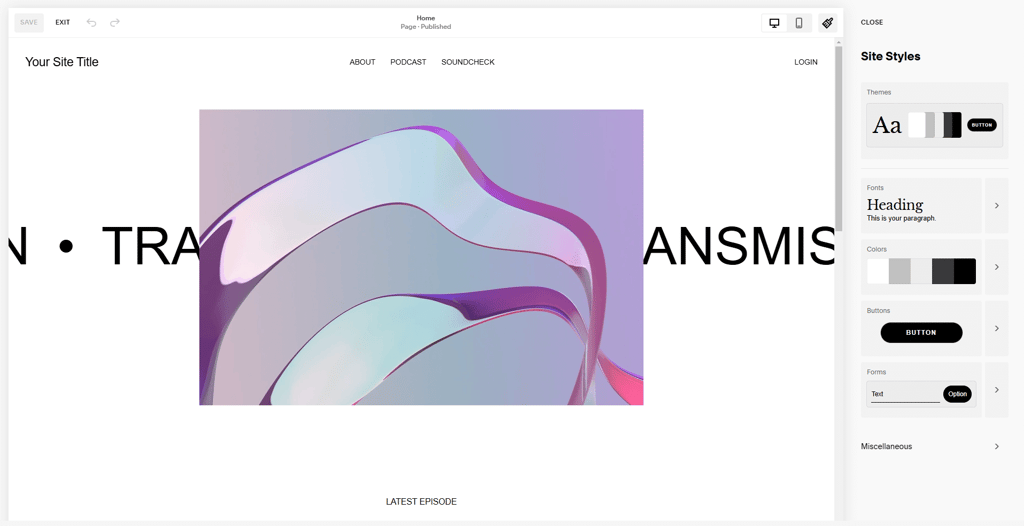
As for design flexibility, Squarespace has just enough. It allows you to play with images, fonts, and colors. However, that can be said about most website builders. Recently, the provider added a new feature called Site Styles, which allows you to manage everything design-related globally.
Moving to membership-related features, Squarespace allows you to create an area for members only. You can still offer free content, but people can pay to access the community you want to build.
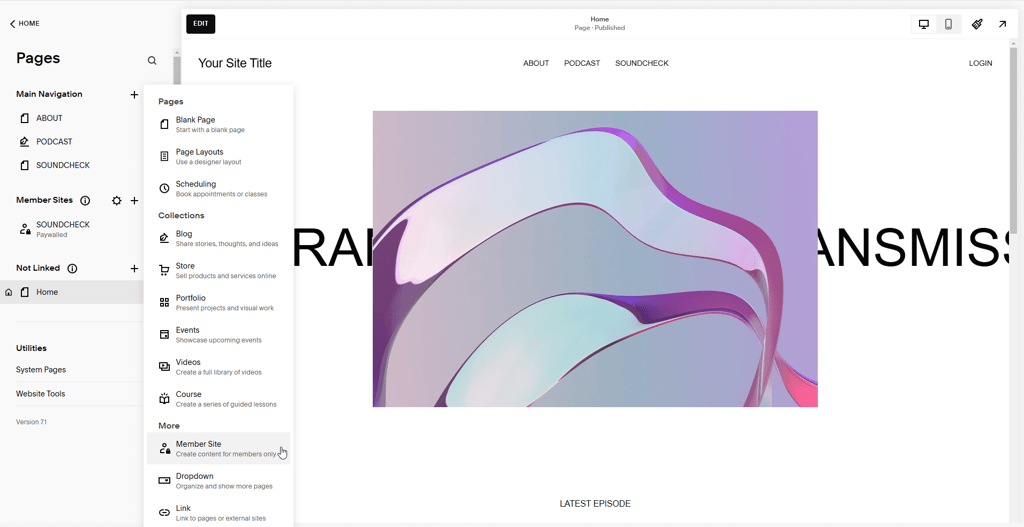
To create a member area, just go to the Home section in your editor, and there you’ll see the option for Member Site.
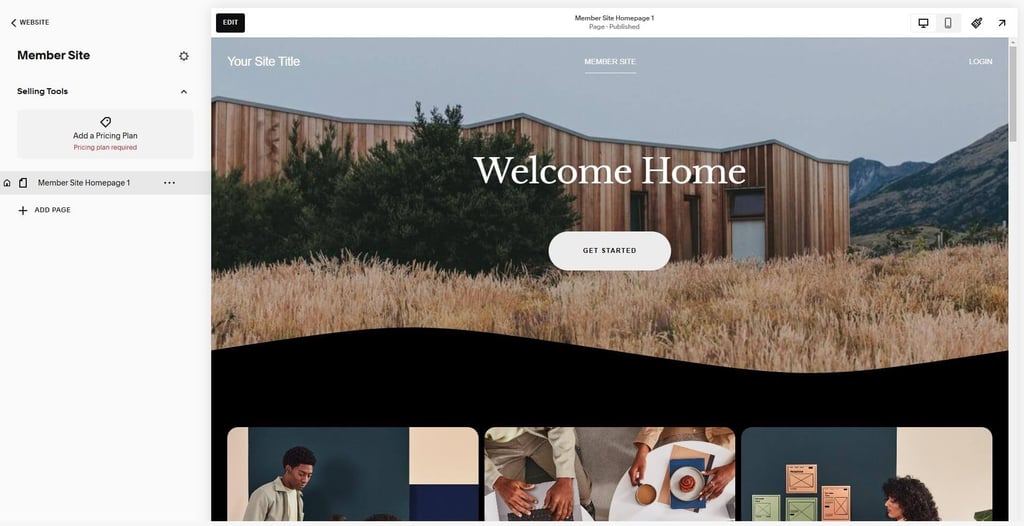
After you select the option, you’re redirected to a page where you can manage your members, set up payments, and offer discounts. The whole process is pretty intuitive, and Squarespace also offers some tips. There’s even a quick tutorial on the matter.
This is also where you can set up a price and membership fees, whether a particular member can access your website’s content for a set amount, a recurring fee, or free.
Besides creating a member area, Squarespace allows you to build a forum. However, not how you’d expect – Squarespace makes you use a third-party solution you’ll have to integrate. A few examples include Invision Community, Florum, and Discourse.
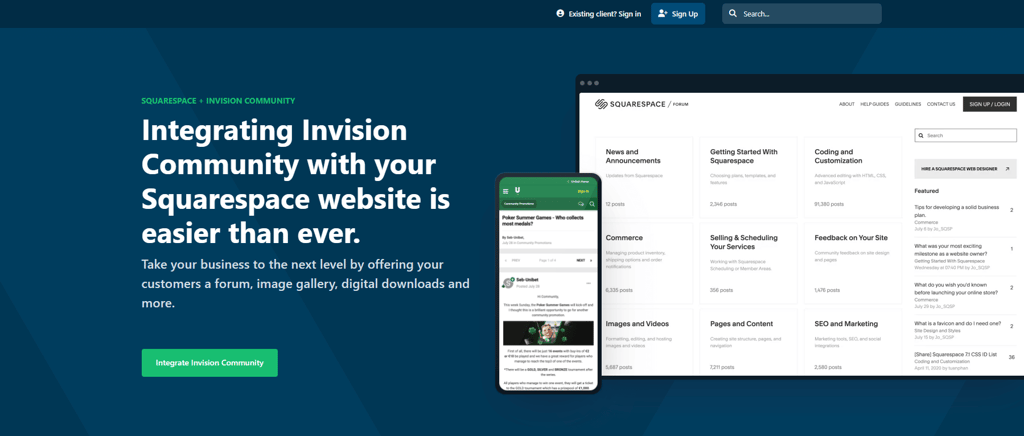
Of course, that means you have to pay for having a forum. Invision Community, for instance, has a free trial, but it costs $89.00/month afterward.
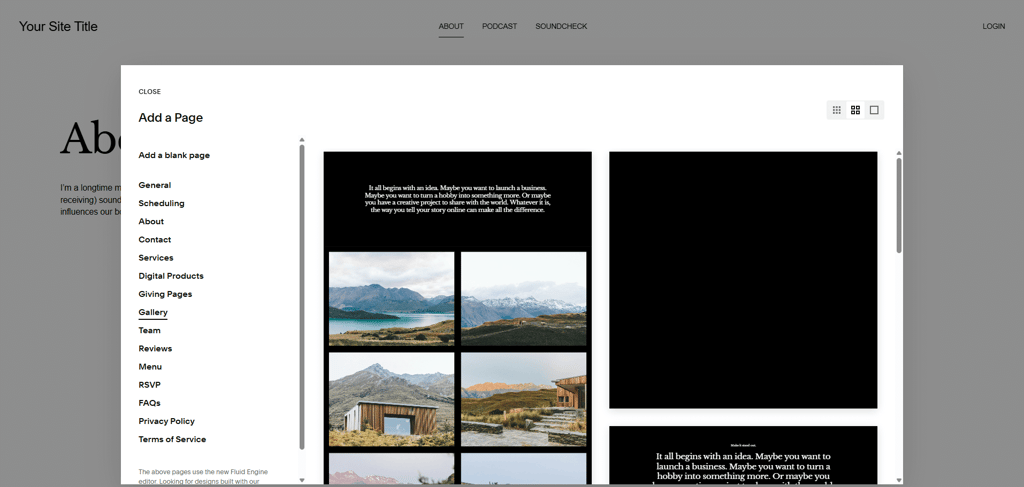
Another important mention is that Squarespace can accommodate different kinds of content. You can add audio files and videos. If you want to create a gallery, the provider made some tasteful-looking ones.
Additionally, a good online presence is extremely important for any kind of website, not only a membership one. In that case, Squarespace offers social media integration. There’s the social share for blog posts and new products to your store, which could be a great way to announce new gated content for your subscribers.

Not to mention, there are also share buttons. You can place them anywhere on your page for users to quickly share your site on Facebook, X, or LinkedIn.
Squarespace also allows you to sell online. However, you’d have to choose the more expensive Core plan to be able to make a sale. Still, the provider offers everything you need for your store, such as customer accounts, orders, discounts, and print on demand.
Overall, Squarespace can help you build and run a successful membership website, and the editor is easy to use. Most features are in-house, there are dedicated templates, and you can create a member area and provide free content for non-paying visitors. All these features make Squarespace a good website builder for small businesses.
Squarespace pricing
There are 4 plans you can choose from, and Squarespace prices range from $16.00/month to $99.00/month. All of Squarespace’s plans include a free domain for a year, SSL certificates, unlimited bandwidth and storage, SEO tools, access to extensions, and basic metrics.
Best website builder for membership sites compared
| Rating | Templates | Free plan | Starting price | Free domain | Blogging | eCommerce | Custom email | Live chat | |
|---|---|---|---|---|---|---|---|---|---|
| Wix | 2700+ | ✅ Yes | From $17.00/month | ✅ Yes | ✅ Yes | ✅ Yes | ✅ Yes | ✅ Yes | |
| Hostinger Website Builder |
300+
| ❌ No | From $2.69/month | ✅ Yes | ✅ Yes | ✅ Yes | ✅ Yes | ✅ Yes | |
| SITE123 |
160+
| ✅ Yes | From $4.60/month | ✅ Yes | ✅ Yes | ✅ Yes | ✅ Yes | ✅ Yes | |
| Shopify |
1050+
| ✅ Yes | From $29.00/month | ✅ Yes | ✅ Yes | ✅ Yes | ✅ Yes | ✅ Yes | |
| Squarespace |
199+
| ❌ No | From $16.00/month | ✅ Yes | ✅ Yes | ✅ Yes | ✅ Yes | ✅ Yes |

Best website builder for membership sites: final thoughts
All things considered, a good website builder for membership sites should be easy to use, reasonably priced, and support user profile creation. After reviewing the most popular builders on the market, I have determined that Wix is the most suitable option for membership site building.
Wix comes with one of the most flexible drag-and-drop editors out there. It offers a variety of templates, a free domain, eCommerce features, and custom email, and you also get to create a member area within your website.
FAQ
How do I create a membership website?
To create a membership site, you’ll first need to decide on your membership model (an entire site or just an area). Then, choose a membership platform – I highly suggest trying out Wix, Hostinger Website Builder, or SITE123. After that, publish your membership site and announce your new membership offering via social media or email marketing.
How do I create a free membership website?
You can’t create a free membership website with a website builder. While some builders have free plans, they usually don’t offer membership-related features with those plans.
Do membership sites make money?
Yes, membership sites make money. Most earn through subscriptions, paid content, or exclusive product sales. How much you make depends on your niche and what your site offers.