
-
Stake is an online betting platform that's restricted in 44 countries worldwide, including the UK. Because of local gambling regulations, you won't be able to access Stake if you're in the UK.
-
A VPN can help you access Stake in the UK by changing your IP address and virtual location. When you connect to a VPN server in a country where Stake is available, the platform sees you as browsing from that location and unlocks the site.
-
Based on my testing, NordVPN, Surfshark, and Proton VPN are the best VPNs for Stake users in the UK, thanks to their excellent unblocking capabilities, robust security, and reliable speeds.
Note. The goal of this article is to show how a VPN can help you access Stake securely. It does not provide advice on placing bets where gambling is illegal. Always make sure your use of online betting services complies with the regulations in your region and the platform's Terms of Service (ToS).
Our top Stake VPNs
| VPN for Stake | Rating: | Best for | Key features | Price | Free trial/version |
| 1. NordVPN | Best VPN overall for accessing Stake in the UK | Obfuscated servers, dedicated IP, split tunnelling, leak protection, kill switch | From £2.69/month | ✅ Yes, 3-day free trial | |
| 2. Surfshark | Budget-friendly Stake VPN | Camouflage Mode (obfuscation), Static IP, Bypasser (split tunnelling), leak protection, kill switch | From £2.49/month | ✅ Yes, 7-day free trial | |
| 3. Proton VPN | Secure VPN for playing Stake | Stealth protocol (obfuscation), split tunnelling, leak protection, kill switch | From £1.99/month | ✅ Yes, free version with limited features |
Why is Stake blocked in the UK?
In the UK, gambling operators must comply with rules set by the UK Gambling Commission (UKGC), which regulates licensing, consumer protection, and responsible gambling. Since Stake isn't licensed to operate in the UK, it restricts access from UK IP addresses to comply with local regulations.
If you try to visit Stake while connected to a UK network, you'll see a geo-block message instead of the website.
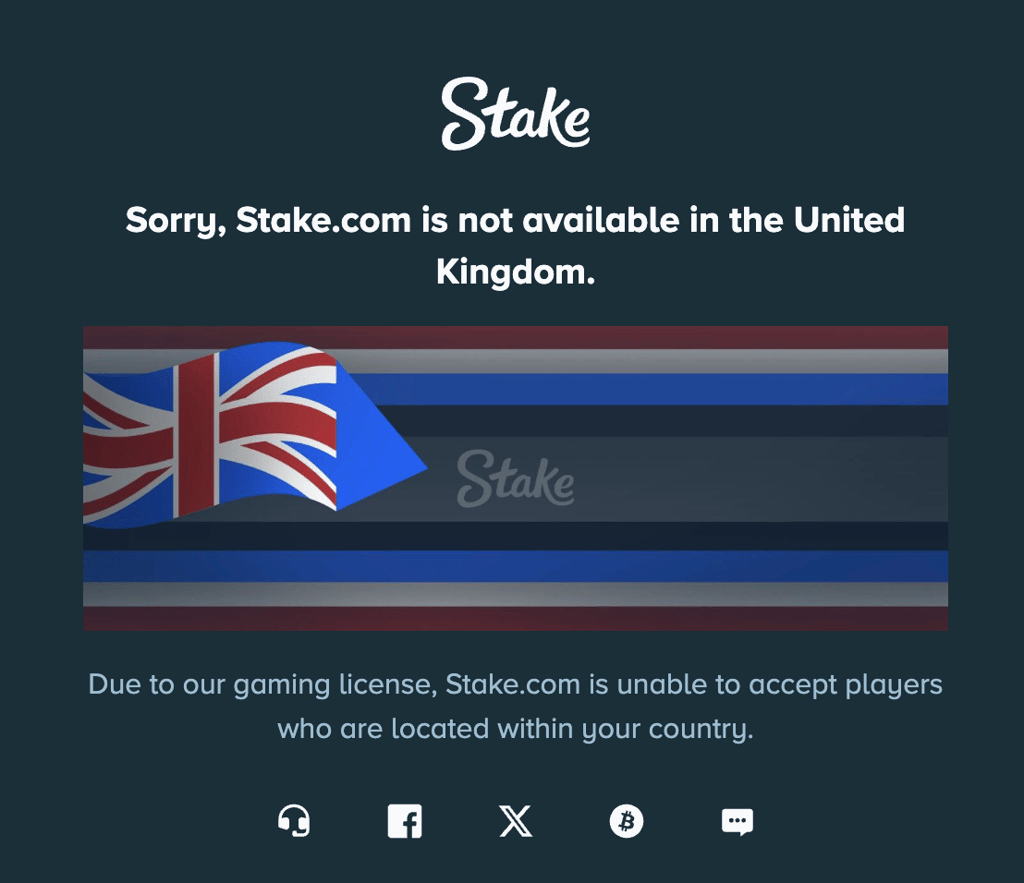
The only way to play Stake in the UK is by using a VPN. A VPN can help by changing your IP address to one from a country where Stake is available, making it appear as though you're browsing from that location.
Can you use Stake in the UK with a VPN?
Yes, you can use Stake in the UK with a VPN. By connecting to a server in a country where Stake is available, you'll receive an IP address from that location, allowing you to visit the website.
However, there are a few important caveats. Using a VPN to access Stake from a restricted location may violate the platform's ToS. Specifically, Stake's terms state that users must not access the service from a prohibited jurisdiction. In addition, Stake reserves the right to perform Know Your Customer (KYC) verification before processing withdrawals, which may require you to verify your identity and location.
Based on my own testing, it's best to use the same VPN location consistently rather than frequently switching between countries. Location changes may increase the likelihood of additional account verification or other security checks.
How to access Stake in the UK with a VPN
If you want to access Stake from the UK, using the right VPN setup makes all the difference. Simply installing any VPN is usually not enough. Follow the steps below to get started.
Step 1. Choose a reliable VPN
To use Stake in the UK safely, you need a VPN with a kill switch, DNS and IP leak protection, strong encryption (AES-256 or ChaCha20), a large server network, and fast, stable connection speeds. These features will help keep your real IP address hidden while providing a smooth browsing experience.
If you plan to use Stake regularly, it's also worth looking for a few advanced features. For example:
- Obfuscated servers help disguise VPN traffic, which can be useful on networks that restrict VPN usage.
- Dedicated or static IP addresses give you the same IP address every time you connect, which can provide a more consistent experience than constantly switching between shared IP addresses.
- Split tunnelling lets you route only Stake through the VPN while the rest of your apps and websites use your normal internet connection. This can improve overall speeds, reduce unnecessary VPN traffic, and avoid issues with apps or websites that don't work well over a VPN.
My honest recommendation is NordVPN, which offers all the features mentioned above and more, helping you access Stake in the UK securely and protect your identity online.
Step 2. Download and install the VPN
Once you've chosen a VPN and signed up for a plan, download the app on every device you'll use to access Stake. A good VPN should support all major platforms, including Windows, macOS, Linux, Android, and iOS. Many providers also offer browser extensions if you prefer protecting only your browser instead of your entire device.
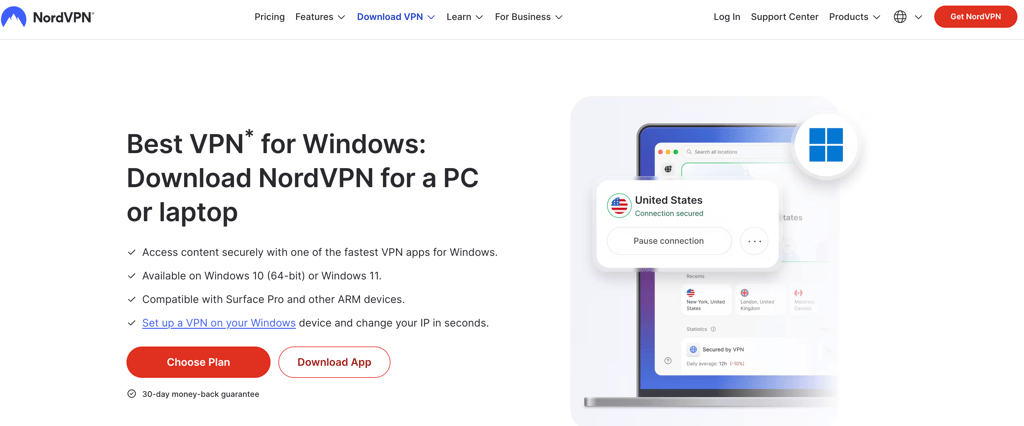
To avoid fake apps, download your VPN only from the official website (e.g., www.nordvpn.com). If you use an app store, make sure the developer is the VPN provider's official account.
Step 3. Connect to a server in a country where Stake is available
Before connecting, enable your VPN's kill switch and DNS leak protection if they aren't already turned on. These features help ensure your real IP address isn't exposed if the VPN connection unexpectedly drops.
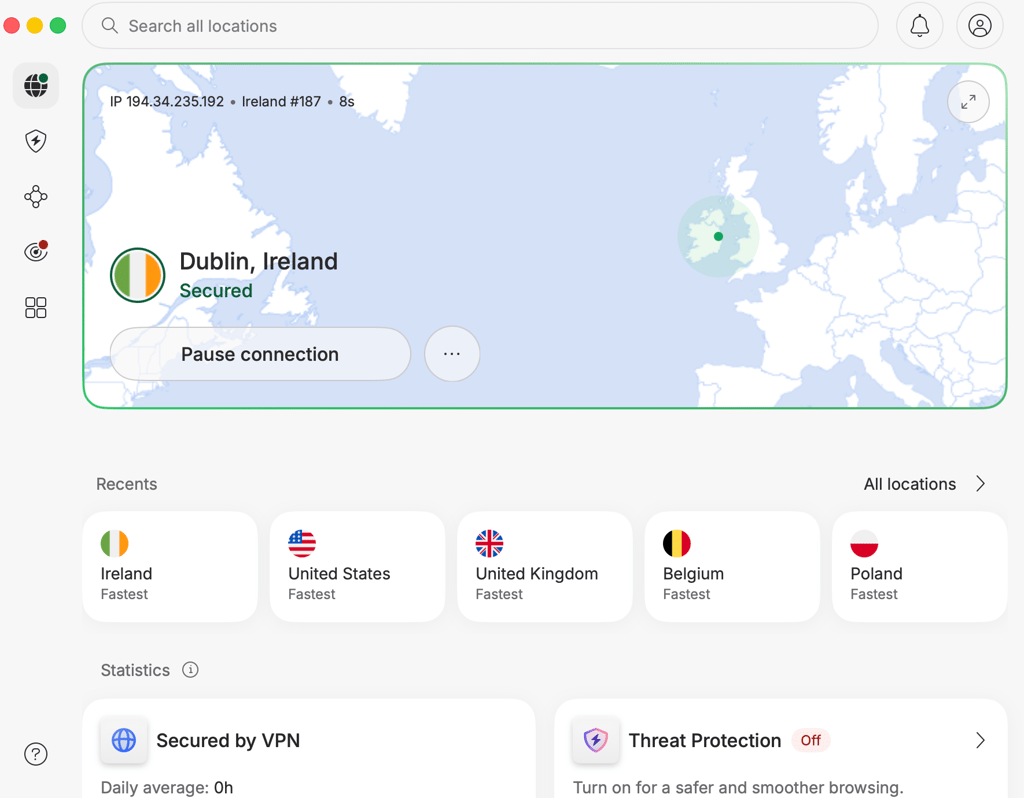
Next, connect to a server in a country where Stake is available. Some European options include:
- Ireland
- Switzerland
- Monaco
- Bulgaria
- Estonia
- Finland
- Hungary
- Latvia
- Norway
- Romania
As a rule of thumb, choose a server that's geographically closest to your actual location. Nearby servers typically provide lower latency and faster speeds, which generally results in a smoother experience. If one server doesn't work well, don't hesitate to try another. Server performance can vary depending on current traffic and load.
Step 4. Open Stake and start playing
Once you're connected, open Stake and sign in. At this point, you should be able to play Stake in the UK using your VPN connection.I also recommend using incognito mode, especially if you've previously visited Stake without a VPN. This prevents old cookies and cached location data from affecting your session.
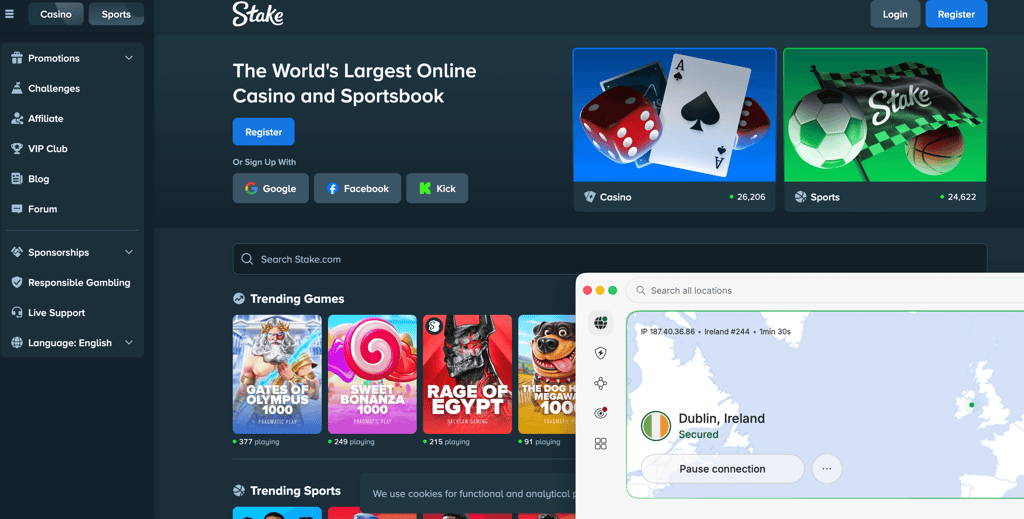
If you're still having trouble accessing the site, here are a few things that have worked during my testing:
- Try another VPN server. Sometimes it takes several attempts before you find one that works reliably.
- Use a different browser. Cached data or browser settings can sometimes cause problems.
- Check for interfering apps. Running multiple VPNs, proxies, or certain antivirus network filters at the same time can conflict with your VPN connection.
- Temporarily disable your ad blocker. Some VPNs include built-in ad and tracker blockers that may occasionally interfere with certain websites. Turning the feature off briefly is an easy way to rule it out.
Best VPNs for Stake UK
Choosing a Stake VPN isn't just about finding one that can unblock the website. If you're planning to use Stake in the UK regularly, you'll also want fast speeds for a smooth betting experience, reliable connections that won't disconnect mid-session, and strong privacy features to keep your traffic secure.
I tested multiple gambling VPNs to see which worked most consistently with Stake. Based on my results, NordVPN, Surfshark, and Proton VPN were the three most reliable options. Here's how they compare.
1. NordVPN – best VPN for accessing Stake UK overall

| Rating: | |
| Pricing: | From £2.69/month |
| Free trial: | ✅ Yes, 3-day free trial |
| Servers: | Thousands of servers in 225 locations |
NordVPN was the most reliable VPN I tested for accessing Stake from the UK. It consistently unblocked Stake when I connected to servers in Dublin or Zurich and maintained stable connections throughout my testing. Starting from my baseline connection of 940Mbps, it averaged 791Mbps, retaining 84% of my original speed. Average ping was 97ms, making it the fastest VPN of the ones I tested.
During testing, these NordVPN servers worked best for accessing Stake form the UK:
- Ireland (Dublin)
- Switzerland (Zurich)
- Monaco (Monte Carlo)
- Estonia (Tallinn)
Security is another area where NordVPN stands out. Beyond its fast server network, features like the kill switch and DNS, IP, and WebRTC leak protection helped maintain a stable connection and prevented my real IP address from being exposed if the VPN disconnected unexpectedly. It also has an independently audited no-logs policy, uses AES-256 and ChaCha20 encryption, and is headquartered in privacy-friendly Panama. If you'd like to learn more about these features, check out our full NordVPN review.
One feature I found particularly useful while using Stake was split tunnelling. It allowed me to route only Stake through the VPN while keeping everything else on my regular internet connection, so I didn't have to disconnect and reconnect the VPN whenever I wanted to access local websites or services.
If you want even more consistency, NordVPN also offers dedicated IP addresses as an optional add-on starting at £2.69/month. Since the IP address never changes, it's less likely to raise suspicion than frequently switching VPN addresses.
NordVPN is the best VPN for accessing Stake in the UK thanks to its excellent speeds, reliable servers, and industry-leading security. Plans start at £2.69/month, and you can try it risk-free with a 3-day Android free trial and a 30-day money-back guarantee.
2. Surfshark – affordable VPN for accessing stake in the UK

| Rating: | |
| Pricing: | From £2.49/month |
| Free trial: | ✅ Yes, 7-day free trial |
| Servers: | 4,500+ servers in 100 countries |
Surfshark is the best budget VPN to use Stake in the UK. It consistently provided reliable access to Stake, delivered fast speeds on nearby servers, such as Dublin and Helsinki, and maintained a stable connection throughout my testing – all at £2.49/month.
These Surfshark VPN servers worked best for accessing Stake in the UK:
- Ireland (Dublin)
- Finland (Helsinki)
- Hungary (Budapest)
- Latvia (Riga)
Performance was only slightly behind NordVPN. From my 940Mbps baseline, Surfshark averaged 780Mbps, retaining 83% of my connection speed. Average ping was 103ms, which is still more than fast enough for browsing and live betting.
When using Surfshark as a VPN to access Stake from the UK, its security features helped prevent common connection issues. The kill switch and leak protection tools helped maintain a secure connection, while strong encryption and a no-logs policy added extra privacy when using Stake through a VPN.
The Surfshark feature I liked most was static IP. Unlike a regular VPN server that assigns you a different IP address each time, a static IP server gives you the same IP address. This isn't the same as a dedicated IP address, which assigns you a unique IP and is typically a paid add-on. However, it can provide a more consistent experience than regular VPN servers because you reconnect to the same server each time at no additional cost.
Surfshark is the best budget VPN for accessing Stake in the UK. Plans start at £2.49/month and include a 7-day free trial on up to 3 devices, plus a 30-day money-back guarantee.
3. Proton VPN – best privacy-focused VPN for Stake

| Rating: | |
| Pricing: | From £1.99/month |
| Free trial: | ✅ Yes, free version with limited features |
| Servers: | 21,200+ servers in 149 countries |
Visit Proton VPN
If you need a secure VPN to access Stake in the UK, Proton VPN is one of the best privacy-focused options available. Its Swiss jurisdiction, open-source apps, and advanced security features help protect your connection while accessing Stake. During my testing, I was able to access Stake reliably using Proton VPN’s Ireland, Switzerland, and Norway servers, which provided stable connections and consistent performance.
In my testing, these Proton VPN servers worked best with Stake in the UK:
- Ireland (Dublin)
- Switzerland (Zurich)
- Norway (Oslo)
- Romania (Bucharest)
Proton VPN also delivered impressive speeds. From my 940Mbps baseline, it averaged 767Mbps, retaining 82% of my original speed. Average ping came in at 110ms, making it slightly slower than NordVPN and Surfshark but still fast enough for smooth betting.
When I used Proton VPN to access Stake in the UK, I was particularly impressed by its strong focus on privacy and security. Its Swiss jurisdiction, independently audited no-logs policy, and open-source apps gave me confidence that my data was well protected. On top of that, features like the kill switch and leak protection ensured my real IP address stayed hidden, even if the VPN connection unexpectedly dropped.
One of the main advantages we noted in our Proton VPN review is that it offers a free plan. Unlike most free VPNs, it includes unlimited bandwidth and offers strong privacy protections. However, I didn't find it particularly practical for Stake because you can't manually choose your server location. Instead, the app automatically assigns one, meaning you may need to reconnect several times before landing on a server where Stake is available.
Proton VPN is one of the most secure VPNs for accessing Stake in the UK. While its free version is excellent for testing the service, the paid plans provide much more reliable access to Stake. Premium subscriptions start at £1.99/month and include a 30-day money-back guarantee.
Which country VPN for Stake works best with
For accessing Stake in the UK, the best VPN server locations I found were Ireland, Luxembourg, and Switzerland, as they consistently delivered the fastest speeds during my testing. Because these servers are relatively close to the UK, they typically deliver the best balance of fast speeds, low latency, and stable connections.
In my testing, Ireland consistently delivered the best results across every VPN provider I tried. That isn't surprising since it's one of the closest locations to the UK where Stake is available, so your data has less distance to travel, which usually translates to better performance.
That said, VPN performance can vary depending on your provider, internet connection, and even temporary server congestion. If one location feels slow or doesn't work as expected, try another nearby country. Testing a few servers is often the quickest way to find the fastest and most reliable connection for your setup.
Risks of using Stake with a VPN in the UK
Using a VPN to access Stake from the UK isn't risk-free. Since Stake doesn't operate in the UK, accessing the platform with a VPN violates its ToS, specifically Clause 5. If Stake detects that you're bypassing regional restrictions, it can limit, suspend, or even permanently close your account.
Stake also has the right to request KYC verification at any time to confirm your identity and location. Until that process is completed, the platform may temporarily restrict your account, deposits, or withdrawals.
In my experience testing VPNs, KYC requests are often triggered by connection patterns that don't look natural. For example, constantly switching countries, logging in from different IP addresses every session, or using multiple devices from different locations can make your account appear suspicious. While there's no guaranteed way to avoid verification, you can reduce the chances of raising red flags by following a few best practices:
- Stick to one VPN location
- Consider a dedicated or static IP address
- Enable the VPN's kill switch
- Avoid unnecessary server hopping
- Use a reputable premium VPN
- Disable GPS location on mobile devices when possible
- Keep your browser and device consistent
Keep in mind that none of these steps eliminates the possibility of KYC checks or account restrictions. They simply help you maintain a more consistent connection profile, which is generally less likely to attract automated fraud or security checks.
Can you use a free VPN to access Stake in the UK?
Yes, you can technically use a free Stake VPN to access the website in the UK. However, I wouldn't recommend it.
The biggest problem is that free VPNs usually have very small server networks. Since thousands of users share the same IP addresses, those IPs are much more likely to be detected and blocked by Stake. Even if you do connect, the experience is often slow and unreliable due to overcrowded servers.
Security is another concern. Operating a VPN costs money, so if the service is free, the provider has to generate revenue elsewhere. Some free VPNs collect user data for advertising, while others cut corners on security and privacy. In some cases, using a low-quality free VPN is worse than using no VPN at all.
If you want a free option, Proton VPN is the only one I'd recommend because it's transparent about its privacy practices and doesn't sell user data. That said, its free servers aren't the most reliable for accessing Stake. A better alternative is to use a premium VPN's free trial or money-back guarantee.
Conclusion
Using a VPN is one of the most reliable ways to access Stake from the UK. If you're looking for how to get Stake in the UK or how to play on Stake in the UK, connecting to a server in a supported country is currently the most reliable method. On top of that, a VPN encrypts your internet traffic, protecting your connection from cybercriminals, ISP monitoring, and other potential privacy risks.
Based on my testing, NordVPN is the best VPN for Stake in the UK. It consistently unblocked the platform, maintained the fastest connection speeds, and provided the smoothest performance during gameplay. If you're looking for a more affordable option, Surfshark offers excellent value without sacrificing reliability. For users who prioritise privacy above all else, Proton VPN stands out thanks to its strong security features and transparent approach to user dat
Related articles:
Best VPN for UK online casinos abroad
Best VPN for UK Polymarket
Stake UK VPN FAQ
Can you use Stake in the UK?
No, Stake isn't officially available in the UK because the platform doesn't hold a UKGC license. That said, you can access Stake from the UK by connecting to a VPN server in a country where the platform is available. However, keep in mind that doing so goes against Stake's ToS.
Why did Stake leave the UK?
Stake stopped operating in the UK because it doesn't have a UKGC license. This means there isn't an official Stake UK version or Stake.co.uk website for UK users.
Will Stake UK work if I use a VPN?
Yes, Stake UK can work with a VPN if you connect to a server in one of the Stake countries allowed by the platform. Keep in mind that accessing Stake from a restricted region may violate its Terms of Service.
How to use Stake on iPhone with VPN?
To use Stake on an iPhone with a VPN, install a trusted VPN app, connect to a server in a country where Stake is available, then open Stake in your browser, and sign in. If the site doesn't load, simply switch to a different server.
Is Stake legal in the UK?
Stake isn't licensed by the UKGC, so it doesn't legally offer gambling services in the UK. Because of this, UK users can't officially access the platform without using a VPN, which may violate Stake's ToS.