Never out of reach: the tech behind HeyPolo’s SOS alerts system
Being behind major reports like The Mother of All Breaches and RockYou2024, our in-house cybersecurity experts and journalists provide unbiased, real-world testing and in-depth analysis.
We maintain complete transparency by openly sharing our testing methodologies with our audience.
Learn more
Have you ever found yourself in a situation where you wanted to quickly let your family know where you are and that you need help, without having to call or explain what’s happening? Maybe you don’t need emergency services, but you still don’t feel comfortable handling the situation alone.
Location-sharing apps can help with this, but they usually require you to keep your location visible all the time. That may be convenient, but it also means giving up more privacy than you actually need. And for teenagers, older family members, or anyone who’s privacy-conscious, constantly sharing your whereabouts may not be an option they’re comfortable with.
The problem is that emergencies and unexpected situations can still happen. Sometimes, you need a simple way to share your location with someone you trust, even if you don’t want to share it every other day. Luckily, now you can have the best of both worlds with HeyPolo SOS Alerts.
HeyPolo SOS alert feature
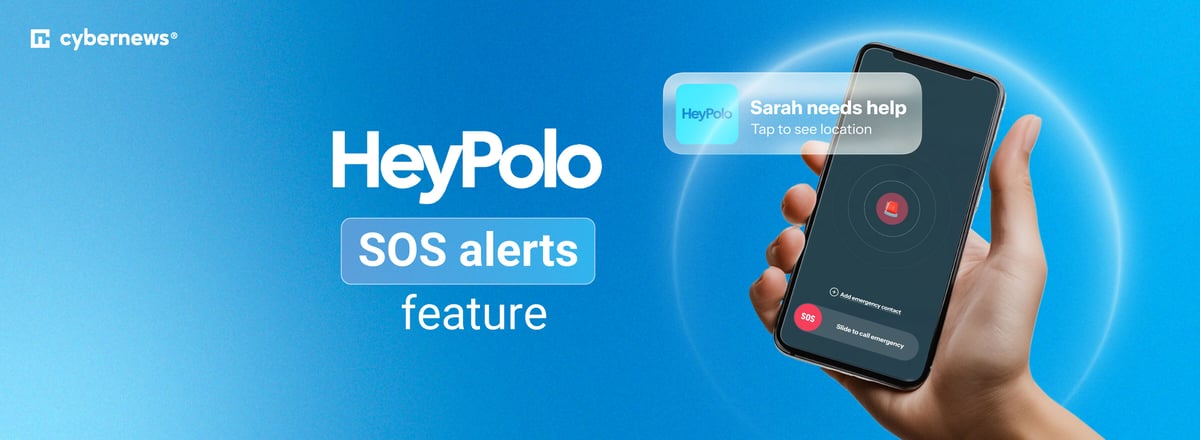
HeyPolo SOS Alerts are designed for those moments when you need to get someone's attention quickly. With a single tap, you can send an SOS to your trusted group, along with your live location. This gives the people you’ve chosen the information they need to see where you are and know that you’re asking for help.
What makes the feature particularly useful is how it handles the alert on the recipient’s phone. Even if they have their phone on Silent Mode, Do Not Disturb, or Focus, HeyPolo can deliver an audible siren to make sure the alert doesn't get lost among other notifications.
How HeyPolo's SOS system works
Unlike other safety apps that rely on constant location sharing, HeyPolo SOS alerts let you decide who to share with and when. Here’s exactly how it works:
- Tap SOS. The SOS button is available directly from the map screen. Tapping it opens the emergency alert screen, so you can review the alert before sending it.
- Slide to confirm. Slide the SOS button to send the alert. This extra step helps prevent accidental alerts, and you can see who will receive the alert before you confirm.
- Your group is notified. Your HeyPolo group receives the SOS alert along with your live location. Your location continues updating every 5 seconds while the alert is active, giving your contacts a clearer picture of where you are.
- Your contacts can respond. Recipients can call or message you, see who is closest, and use your location to find you. If emergency services are needed, they can also use the information from the alert to contact them.
Who is HeyPolo SOS for?
Almost anyone can find themselves in a situation where HeyPolo SOS could come in handy. Here are a few examples:
- Families. Parents can use it when their children are out on their own, while older family members can use it if they need help. It's a simple family safety SOS option for situations like walking home alone or going somewhere unfamiliar.
- Travelers. Exploring a new city or traveling somewhere unfamiliar can bring unexpected situations. An SOS alert lets travelers quickly share their location with people they trust if they need assistance.
- Partners. Couples can use SOS alerts to let each other know when something has gone wrong, whether one person is traveling alone, commuting home late, or finds themselves in an uncomfortable situation.
- Friends. Friends can add each other to their trusted groups for situations like hiking, nights out, festivals, or getting home safely. Critical alerts for iPhone/Android can help important SOS notifications stand out from ordinary notifications.
- People on the move. Hikers, cyclists, commuters, and city-dwellers can use SOS when they're in unfamiliar or isolated places and need to reach someone they trust.
- Privacy-conscious users. For people who don't want to share their precise location all the time, HeyPolo provides a way to share it when they actually need help with people that matter the most, without making everyday location sharing a requirement.
- Privacy-conscious users. HeyPolo gives you control over when you share your location and who can see it. You can choose the people who receive your SOS alerts, while your location is encrypted as it travels to them. HeyPolo never sells your location data to advertisers, insurers, or data brokers.
What is HeyPolo?
HeyPolo is a family safety app created by Surfshark. It helps families stay connected and look out for each other while giving every user control over when they share their location. With features like location sharing, low-battery alerts, and car-crash detection, it lets families and friends stay informed and quickly check in when something seems off.
FAQ
What happens when I send an SOS alert in HeyPolo?
When you send an SOS alert in HeyPolo, your selected family members receive an alert immediately. They can see your location and decide how to respond, whether that means calling you, coming to your location, or contacting emergency services.
Who receives a HeyPolo SOS alert?
Before sending an SOS alert, you can choose which family members should receive it. Once you confirm the alert, only the people you selected will be notified.
Does HeyPolo contact emergency services for me?
No, HeyPolo doesn’t contact emergency services directly. When you send an SOS alert, it notifies your selected trusted contacts, who can contact emergency services on your behalf if needed.
Will an SOS alert work without phone signal or internet access?
No, HeyPolo needs a phone signal or internet connection to send an SOS alert. However, the app can notify your family when you have a poor connection or go offline, so they know you may be in an area with limited or no coverage.
What location does an SOS alert share?
An SOS alert shares your device’s precise location, with up to 5-meter accuracy, with the family members you selected.
Can I choose who gets my SOS alerts?
Yes, you can choose who receives your SOS alerts in the HeyPolo app. After tapping the SOS button, select the family members you want to notify, then slide to confirm and send the alert.
Is an SOS alert the same as an arrival alert?
No. An arrival alert automatically notifies selected family members when you arrive at a chosen location. An SOS alert is sent manually when you need help and shares your location with the people you select.
Can older parents and teenagers control their own sharing?
Yes, HeyPolo gives every family member control over their own location sharing. Each person can decide what they share, when they share it, and who they share it with.