Free eCommerce website builders: what’s actually free in 2026

Setting up a full eCommerce website can get expensive fast. You’ve got developers, designers, writers, and all kinds of extras to think about. That’s why so many people look for free eCommerce website builders. But here’s the thing – “free” isn’t always what it sounds like.
Most platforms use the word “free” very loosely, and they don’t always mention the extra costs that show up once you actually try to run your store. The best free eCommerce website builders let you design your site, add products, and test features without paying anything upfront. But before you can start accepting orders and making sales, there are usually some unavoidable costs.In this guide, I’ll uncover what you really get for free with free eCommerce website builders. Plus, I’ll show you the 3 best options in 2026.
Are there any truly free eCommerce website builders?
The short answer is no, there aren’t any truly free eCommerce website builders. When people think of a “free eCommerce website builder,” what they’re really imagining is a free selling tool. Basically, something they can use to create a website, accept payments, and process orders at zero cost.
But that doesn’t exist. You’ll always run into unavoidable costs when deploying an eCommerce website. For example, banks and payment gateways charge payment processing fees every time a customer pays. There are also costs tied to security and compliance, reliable hosting infrastructure, databases, backups, and keeping your site online.
What actually exists are free builder tools that let you design your store and add products at no cost. You only start paying when you’re ready to accept orders. A popular example is Wix.

Aside from Wix, there are other website builders that follow the same model. You can build for free and only pay when you want to start selling.
3 best free eCommerce website builders in 2026
- Wix – overall best free eCommerce website builder
- Weebly – best for simplicity
- WordPress – best budget option
What “free eCommerce” usually means in practice
A free eCommerce builder usually does not mean you can run a full online store without paying anything. The best free eCommerce website builders let you build and customize your store for free. But once you are ready to start selling and accepting payments, you will need to upgrade to a paid plan. This setup lets you experiment and prepare for launch without spending money up front.
3 best free eCommerce web builders – in-depth review
In this section, I’ll walk you through an in-depth review of the best free eCommerce website builders currently available on the market.
1. Wix – best free builder for creativity and control

| Rating | 4.8/5 |
| Free version | Yes (offers an unlimited $0 free plan) |
| Paid plans | From $17/month |
| Special deal | 50% off on Wix premium plans |
Wix is a cloud-based website builder that lets users create complete websites from scratch in minutes. It’s perfect for non-technical users who want full control over their creations without worrying about the technical aspects of hosting and maintenance.
Wix eCommerce features
Wix comes with plenty of features to help you go from a beginner to the creator of your own professional-looking, fully functional website in minutes. You can choose from over 500 free, professionally designed eCommerce templates and use its super-intuitive drag-and-drop editor. Wix also supports more than 80 payment gateways, including Stripe, Square, and PayPal, so you can pick the one that works best for your region and business.
Wix also includes built-in SEO tools to boost your store’s visibility, powerful store management tools for catalog and inventory, and analytics tools for better business insights. All of these eCommerce features are available for free while you’re building your site. You’ll just need to upgrade before you can start accepting payments.
Why Wix is on this list
I rank Wix as the best free eCommerce website builder in 2026 because it offers the best free website-building experience for both beginners and pros, allowing users to create, customize and test their website without time limitations and upgrade only when ready to sell.
My experience with Wix
Of all the eCommerce website builders I tested, Wix is by far the best option. Its speed, ease of use, and flexibility really set it apart. Here are some features that particularly stood out to me.
Wix AI features. Wix Harmony, Wix's flagship AI website builder is one feature that really sets Wix apart from other free eCommerce builders. I found that to build a site from scratch, all I had to do was describe what I wanted, and the AI created it for me. It was super easy to tweak any page I didn’t like and add more pages. The best part is that the AI is free to use, so I didn’t need to subscribe to a paid package to access it.
An additional AI-powered feature is creating and optimizing product titles and descriptions, which gives store owners the flexibility to test variations rapidly and drive meaningful conversion improvements.
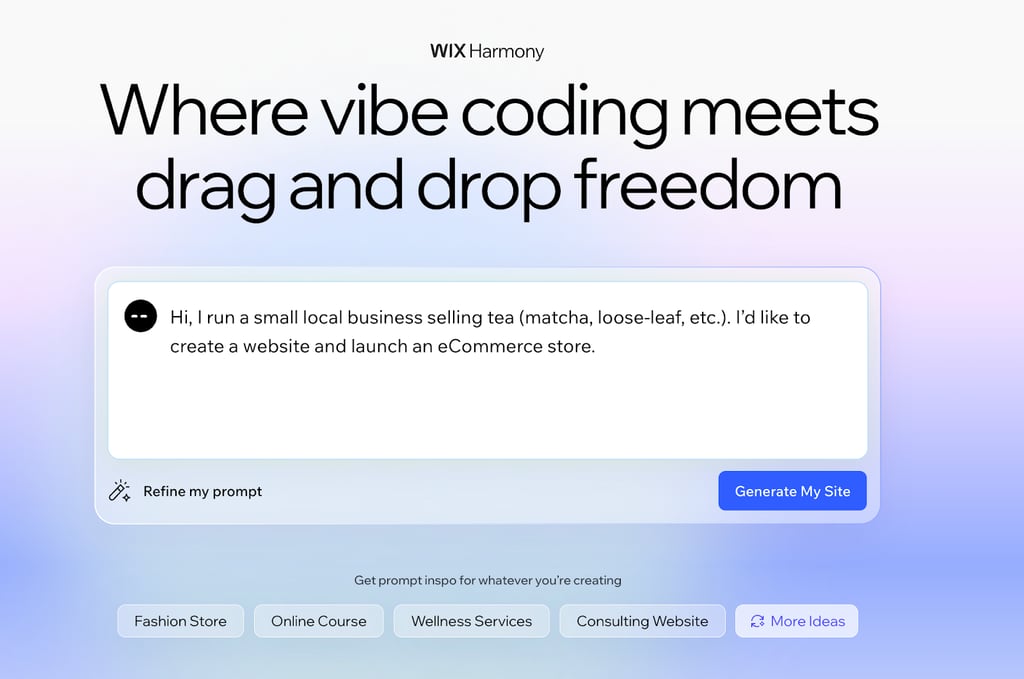
Easy layout control. Another thing I like about Wix is the amount of freedom it gives you when building. Wix offers a drag-and-drop editor that lets you add sections, move elements, and adjust spacing. Core tools like pages, design settings, apps, media, and eCommerce features sit in a fixed left-hand panel, keeping the workflow simple. You can also switch between desktop and mobile views instantly.
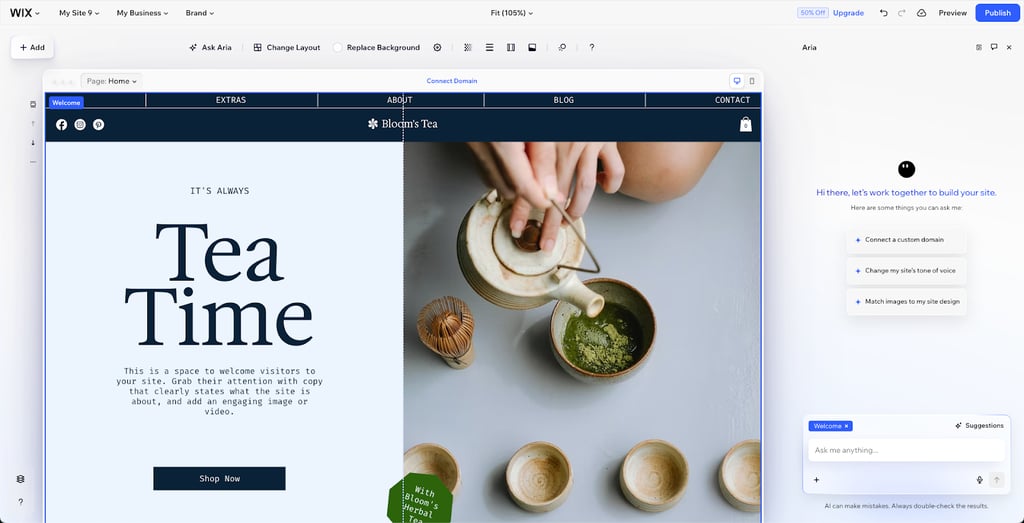
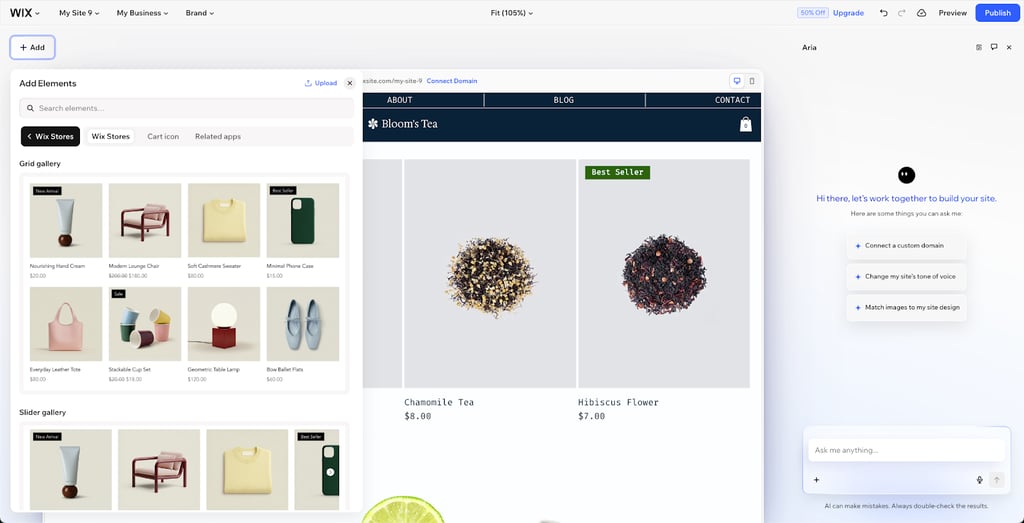
Broad element library. I also discovered that Wix actually has a broad element library. This allows you to add images, text, buttons, containers, galleries, videos, and eCommerce components directly to the page. The elements are also well grouped, so you can easily find what you need, making it easy to build sections quickly.
2. Weebly – best for simple website design

| Rating | 4.2/5 |
| Free version | Yes (offers a $0 free plan) |
| Paid plans | From $10/month |
| Special deal | 25% off Weebly website builder |
Weebly is a simple, beginner-focused website builder designed for building basic online stores. However, this simplicity comes at the cost of advanced functionality, and reviews indicate it is not ideal for building larger, high-volume eCommerce sites.
eCommerce features
Weebly lets you build eCommerce websites with fully integrated shopping carts and secure checkout. It also includes inventory trackers to manage hundreds of products, as well as a powerful product search filter you can add. Additionally, Weebly offers several modern design templates users can choose from, and free eCommerce website hosting.
I should also mention that because this eCommerce website builder is powered by Square, you’ll be able to set up different payment options. This includes popular options like Stripe, PayPal, Authorize.net, and Square itself.
Why it’s on this list
Weebly takes the second spot in this eCommerce website review because it’s so simple to use. That makes it a great choice for anyone who wants to build a basic online store quickly, with minimal setup and a very low learning curve. It also offers a decent range of eCommerce features to help you build and grow your website.
My experience with Weebly
From my assessment, Weebly is a standout option when it comes to eCommerce website building simplicity. Here are some key features I discovered that make this possible.
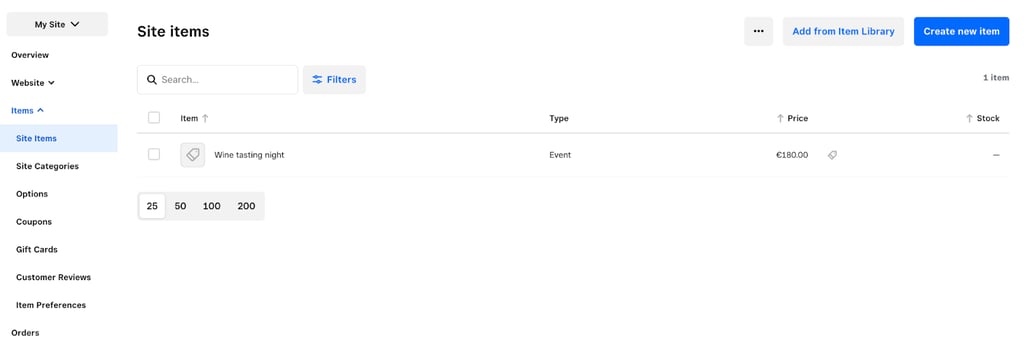
Streamlined store management and items dashboard. Weebly has a straightforward store management interface. At a glance, I could see the products I had added to the site, including the type, quantity, and price. However, I noticed it lacks some of the more advanced store management features you’ll find in alternatives like Wix. This includes tools like AI assistance and more detailed product variant controls.
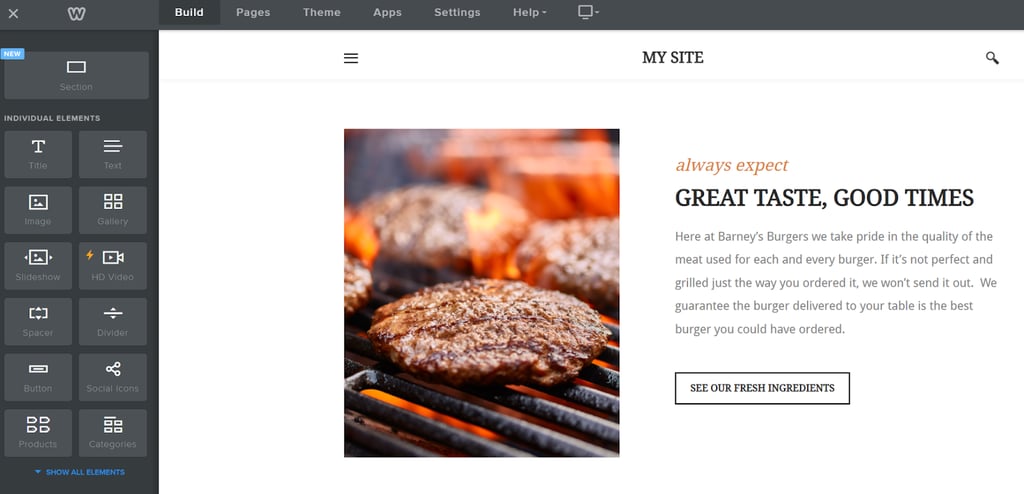
Simple page-building interface. I discovered that the page builder interface is really simple to understand. You can quickly add different elements like text, images, and even HD videos to any page you’re working on. I also noticed that Weebly has a wide range of elements to choose from. However, since there’s no AI assistance, you’ll need to build each part of the website yourself.
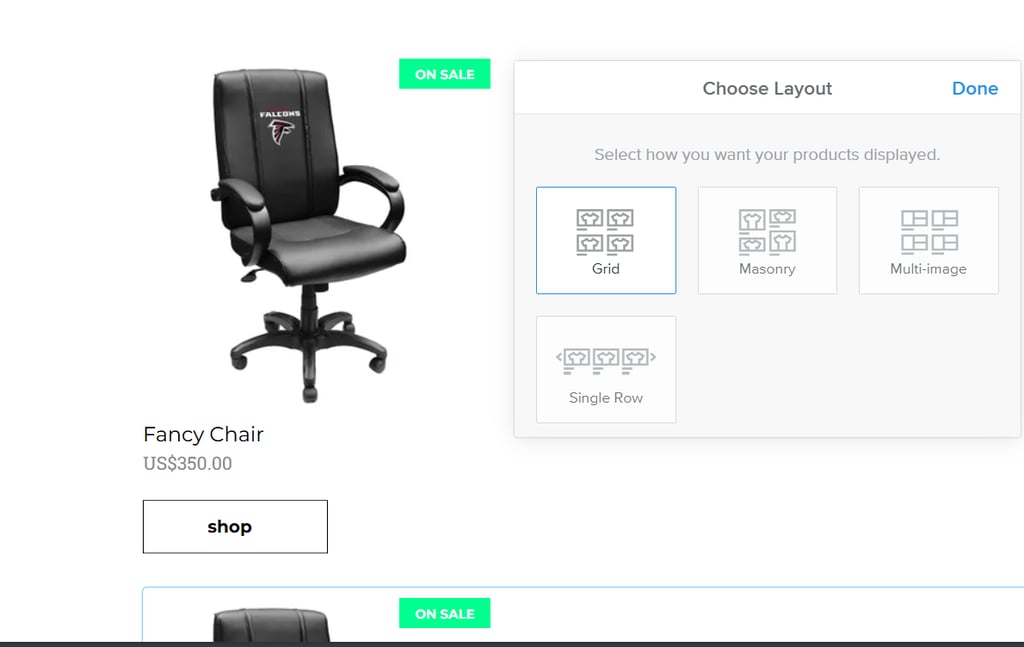
Broad product layout options. I like that Weebly actually offers several different product display options, so you can always choose the one that best fits the product you’re listing. For example, you get options like grid-style layout, masonry, multi-image, and the classic single row design.
3. WordPress.com – the most affordable, but also the most complex option

| Rating | 4.0/5 |
| Free version | Yes (personal-use only, trial/credits based) |
| Paid plans | From $4/month |
| Special deal | Up to 55% off yearly plan |
WordPress.com is a content management system that gives users full control over their website. According to statistics, more than 40% of all websites are built with WordPress, making it the most popular website builder.
Unfortunately, WordPress.com isn’t fully free: plugins and hosting cost money. Unlike Wix, which is free to start building and use until users actually start selling, WordPress.com is limited by functionality and/or by trial.
eCommerce features
WordPress.com has a WooCommerce plugin that lets you easily turn a website into a store. This plugin is free and open-source. Apart from WooCommerce, WordPress also supports thousands of other plugins you can use to add advanced eCommerce features to your website. This includes plugins for product management, payment processing, and even shipping.
I also discovered that WordPress provides access to detailed sales and buyer behavior analytics. This means you’ll have insights you can use to further tweak your store for the best results. Then there are other features, such as built-in tracking, order management tools, and SEO tools like Yoast.
Why it’s on this list
When it comes to cost, WordPress is easily the most affordable eCommerce website builder available. Plans start from as low as $4 per month, and WordPress also offers a completely free plan you can use to get started from scratch. It also makes it easier to scale your website affordably as your business grows.
My experience with WordPress
While WordPress is the most popular, it is also significantly more complex to use. As an open-source platform, it is best suited for users with technical expertise who are comfortable with a steep learning curve and managing numerous plugins.
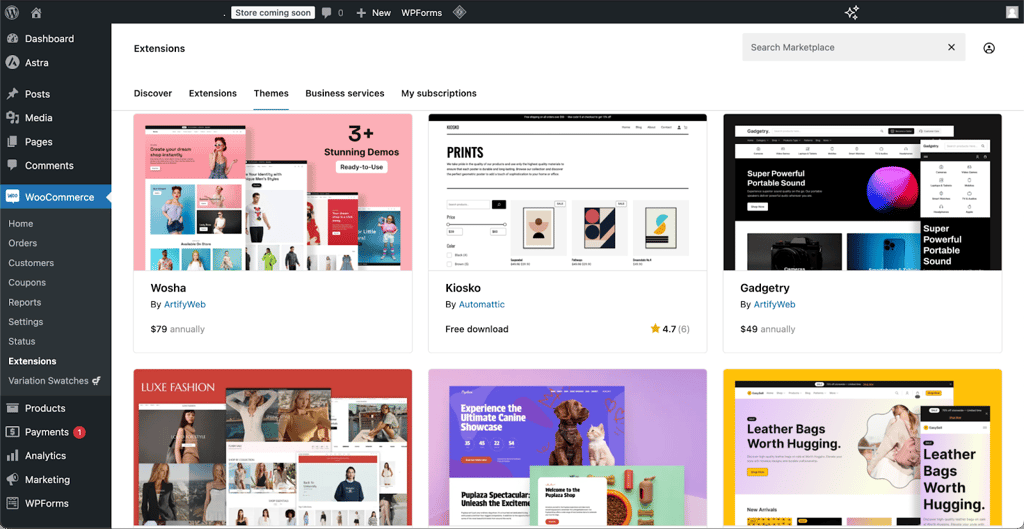
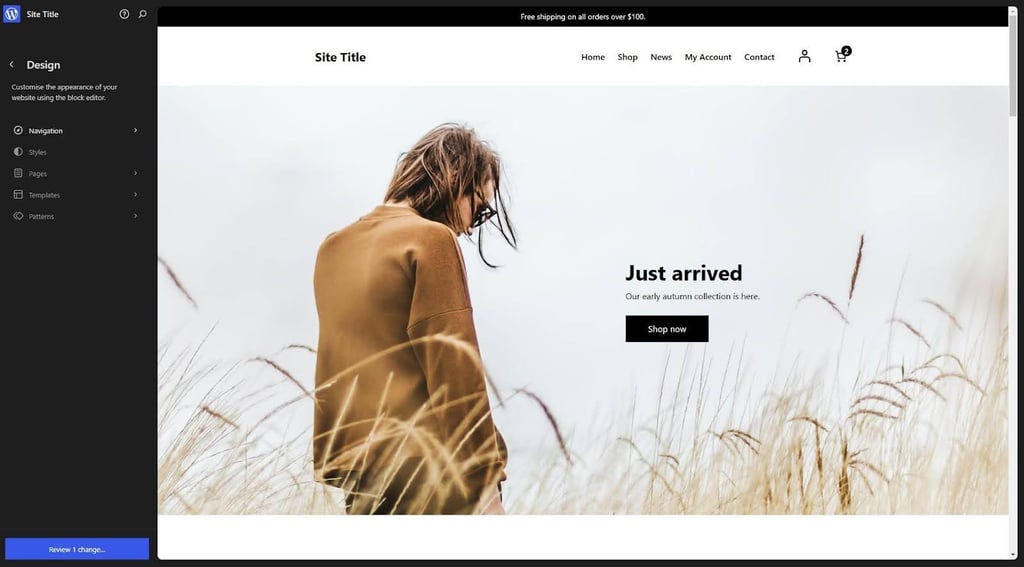
WooCommerce templates. One thing that really stood out to me while assessing WordPress is the variety you get. WordPress uses WooCommerce to offer different design styles, and there are plenty of templates for different types of eCommerce stores. The templates are organized by category, making it easy to browse and find the one you want. In many cases, having too many options leads to outdated solutions that are not optimized for page speed and can ultimately harm your store’s performance instead of improving sales.
Broad element library. From my experience, building an eCommerce website with WordPress can be overwhelmingly complex due to the sheer volume of plugins and elements, often leading to a confusing setup experience. That said, I did discover that WordPress has an AI website builder you can use to avoid this, but it is locked behind paid plans. You only get a free trial with limited credits.
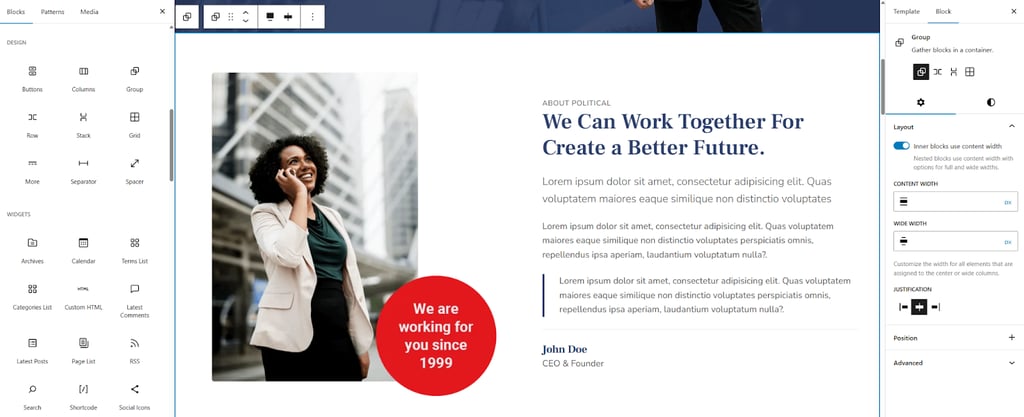
Full website design control. This is one of the best WordPress features in my experience. WordPress gives you a significant amount of design control over your website. You can choose to use existing templates, combine plugins to build what you want from scratch, or pick a template and edit it to your taste. However, it does feel a bit advanced, so I wouldn’t necessarily recommend it for beginners who just want to get an eCommerce site up and running.
Methodology
To determine the best free eCommerce website builders, the Cybernews team and I applied our standard web builder testing methodology. We started by reviewing 20 popular free eCommerce website builders, selected based on expert and user reviews. From these, we narrowed the list down to 3 that offered the best free website-building experience for further testing. These top builders were then evaluated and ranked according to the following criteria:
- Free plan/free trial (30%). We focused on shortlisting eCommerce website builders that offer completely free plans to ensure you have free tools you can use at your own pace, without a time limit. Website builders that only offer free trials were excluded from this list.
- eCommerce features (20%). We prioritized builders that provide the most free eCommerce tools at no additional cost. This includes store management, product catalogs, built-in SEO, payment integrations, shipping, and tax tools.
- Template library size (20%). A larger template library increases the chances of finding a design that fits your style. As such, builders with more templates were ranked higher.
- Ease of use and simplicity (15%). Next, we evaluated how beginner-friendly each builder is, considering the simplicity of the editor interface, customization flow, and whether AI-assisted website building is supported. We ranked builders with the best user experience and simplicity higher.
- Cost (15%). Finally, we checked to see how much it would cost users to fully launch their eCommerce websites. We also considered any special deals, discounts, or coupon codes that could help reduce these costs. Builders with the lowest fees and overall costs were ranked higher.
Free eCommerce builders vs free trials
When it comes to free plans for users, free eCommerce website builders often offer one of two types. These are free plans and free trials. A free trial gives you access to all the features of the eCommerce website builder, but only for a very limited time. Users will then have the option of deciding if they want to pay to continue using the website’s full features.
On the other hand, a free plan gives you access to a limited number of features, but with no time limit. This ensures you can explore the tool at your own pace. You can always switch to a paid plan with more features whenever you’re ready.
From my research, I discovered that many users prefer using eCommerce website builders that offer free plans to those with only free trials. According to users, free trials come with a lot of pressure, which makes the website-building experience tense. Meanwhile, with free plans, they get more freedom of expression.
Who should use a free eCommerce website builder?
A free eCommerce website builder is ideal for you if you’re an absolute beginner at website building or if you run a small business. It may also be the ideal choice if you’re working with a tight budget or just need to spin up a website quickly.
Based on my analysis, Wix is the best free eCommerce website builder you can use in 2026. It offers tons of templates and design features that can help streamline your entire creation process.
However, a free eCommerce website builder may not be the best option if you are trying to build a high-volume store. It is also not ideal if you want to build a more complex store with advanced inventory needs.
Best free eCommerce web builders FAQ
Can I sell online for free?
No, you can’t. What you typically get for free from eCommerce website builders is the ability to build your website and set up all the features you’d like to see. However, once you want to accept payments and start selling, you’ll need to upgrade to a paid plan and cover payment processing fees.
Is Wix eCommerce really free?
Partly. Wix offers a free plan that lets you build and customize your eCommerce website using its tools and templates. However, you won’t be able to process payments or remove Wix branding until you upgrade to a paid eCommerce plan.
Do free eCommerce builders charge transaction fees?
It depends on the platform. Some builders don’t charge additional transaction fees, but you’ll still pay standard payment processor fees (e.g., card processing). Others may charge a small percentage on top of those fees, especially on lower-tier plans.
Is it safe to start free?
Yes, it is. Starting with a free plan lets you test ideas, build your store structure, and explore features without a financial commitment. It’s a practical way to validate your setup with no financial liability, and you can always upgrade to a paid plan when you’re ready to sell.