Best budget gaming laptops: top picks for 2026


Gaming laptops do not necessarily have to cost a fortune to be perfectly usable. If you’re fine with playing at Full HD and adjusting a few graphics settings, then a budget rig can make as much sense for gaming as for studying or everyday work. That said, even when picking an affordable gaming laptop, you still have to look for certain things to get it right, including the graphics card, screen, cooling, and the exact configuration you are getting.
After digging deep into specification sheets and conducting my hands-on tests, I chose the Lenovo LOQ as my top overall budget gaming laptop in 2026. Its RTX 4050 graphics, 144Hz Full HD screen, and 16GB of memory give it a good starting point for gaming without breaking the bank. That said, this particular version comes with a couple of compromises, especially if you need long battery life.
In this article, I’ll review the 5 top budget gaming laptops for 2026, each offering a different balance of features. And, although I know which one I’d choose, the best choice for you depends on the games you play, your budget, and the battery life you need.
Top budget gaming laptops 2026: shortlist
- Lenovo LOQ – best overall budget gaming laptop for affordable Full HD gaming
- Alienware 16 Aurora – budget gaming laptop with a sharp screen and plenty of storage
- Asus ROG Strix G16 – an affordable gaming laptop with a fast 16-inch display
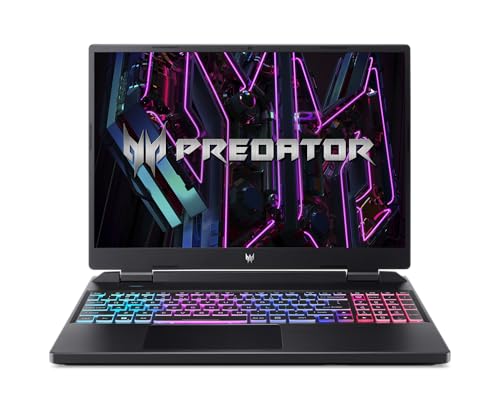
- Acer Predator Helios Neo 16 – a powerful gaming laptop for a home setup
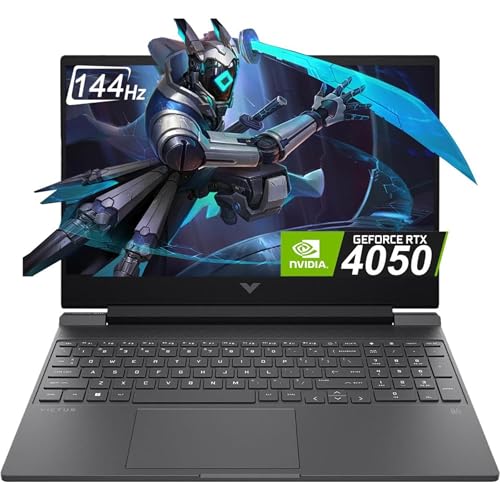
- HP Victus 15 – straightforward budget gaming laptop for casual use
What to look for in budget gaming laptops?
While there is such a thing as a truly affordable gaming laptop, choosing one still comes with a few compromises. For example, while a powerful graphics card is more than useful, it still won’t make a dim screen easier to see or a heavy laptop nicer to carry around. Before purchasing one, I’d also check the complete product listing rather than just the model name, as different versions often come with surprisingly different components.
Below, you’ll find the main things I’d pay attention to when picking out a solid budget gaming laptop:
- Graphics and gaming performance. Start with the games you actually want to play and the settings you’re happy using. I’d look at gaming tests of the specific configuration, including its GPU power limit, rather than assuming that a newer graphics card is always faster. Also, check whether reported frame rates use upscaling or frame generation, as those results aren’t directly comparable with native rendering.
- Screen quality. Full HD, at 1920 × 1200, is typically a good enough resolution for any affordable gaming laptop. At the same time, a 144Hz or 165Hz display can show smoother motion when the laptop produces enough frames. That said, the refresh rate alone doesn’t tell you about brightness, colors, or response times. I’d pay attention to those details if the laptop will also be your main device for work or movies.
- Memory and storage. I’d start with 16GB of RAM and a 512GB SSD, but opt for 1TB if you plan to install several large games. Checking whether memory and storage can be upgraded, and how many slots are available, is also a good idea. Be as it may, an affordable laptop can soon become expensive if you need to spend more on upgrades just to use it comfortably.
- Cooling and everyday practicality. Small things, such as fan noise, keyboard temperature, weight, and battery life, probably matter most in actual everyday use. I’d also check that the right connections are in place if you plan to use any additional hardware, such as a mouse, headset, external monitor, or wired internet connection.
Top 5 affordable gaming laptops in 2026: detailed list
My top 5 affordable gaming laptop list covers different priorities, including Full HD gaming, sharper displays, and a more permanent home setup. I’ve tested these laptops myself, checked manufacturer information, and compared all these findings with real user reviews. My short descriptions of each best budget gaming laptop include both their standout features and their trade-offs, so you’d know the compromise you might get into.
1. Lenovo LOQ – overall best budget gaming laptop
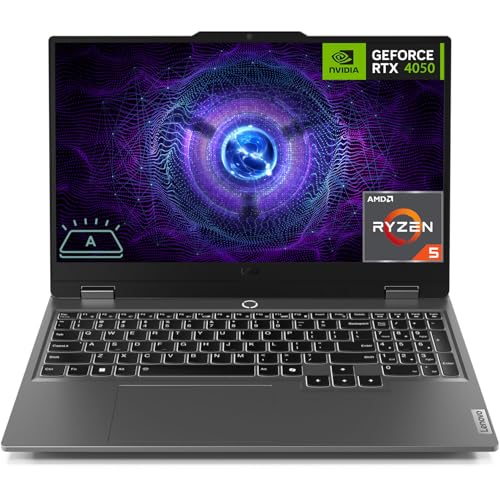
The Lenovo LOQ is the laptop I’d start with if keeping costs down is your main priority. It combines an AMD Ryzen 5 7235HS processor, an RTX 4050 GPU, 16GB of DDR5 memory, and a 512GB SSD. Its 15.6-inch Full HD display also runs at 144Hz, giving it a good starting point for a setup meant for casual gaming.
In my opinion, the Lenovo LOQ’s main appeal is the balance between dedicated graphics and a fairly straightforward design. I’d rather put a limited budget toward usable gaming hardware than pay extra for decorative features. The Full HD resolution also makes more sense for this configuration than a higher-resolution panel, which would put additional pressure on the GPU.
The LOQ 15ARP9’s build quality is on par with some of the more expensive laptops, which is definitely a plus for a budget-tier device. As for actual gaming, I found this configuration was perfectly fine for games like Fortnite and Valorant. That said, more demanding titles like Cyberpunk 2077 required more extensive adjustments to graphics settings to achieve smooth gameplay.
Probably the biggest compromise I found with the Lenovo LOQ was its processor. It has four cores and no integrated graphics, so the laptop cannot switch to a low-power integrated GPU for lighter tasks. That might make it a much less attractive choice if you usually game away from a socket. But, be as it may, the Lenovo LOQ is still my top choice for a reasonably-priced gaming laptop.
2. Alienware 16 Aurora – affordable gaming laptop with a sharper display
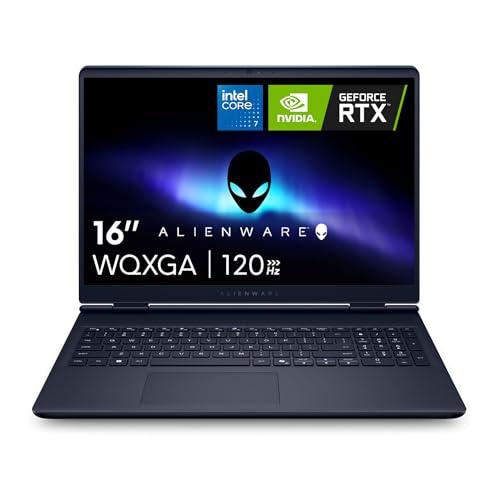
If you want an affordable laptop for both everyday work and casual gaming, the Alienware 16 Aurora may be a solid option. It includes an Intel Core i7 240H processor, RTX 5060 graphics, 16GB of DDR5 memory, and a 1TB SSD. Its 16-inch, 2560 × 1600 display has a 120Hz refresh rate and is capable of more screen detail than the Full HD models here.
I thought the larger SSD was an especially practical addition to the Aurora, given its affordable price. The 1TB drive gives you enough room to keep heavier games installed; however, I wouldn’t assume the GPU can run every demanding game smoothly at the display’s native resolution and maximum settings. Another nice thing I found was that the taller screen is great for reading documents and browsing, which may be compelling if you plan to use the Aurora for work too.
In my opinion, the Aurora makes quite a lot of sense for demanding games like Forza Horizon 5 and Red Dead Redemption 2 if you are okay with lowering the resolution. For example, it was enough for me to lower the screen’s native resolution to 1080p to get smooth performance. That said, I’d also keep Aurora’s relatively low 80W power limit in mind, as it restricts how much performance this configuration can deliver.
Before we go to the drawbacks, I should also note the Aurora’s solid battery performance, which gave me around 10 hours of use for casual browsing. Sure, with pure gaming, you’ll get less, but this is another point for Aurora’s versatility. That said, I was not as impressed by the limited GPU power and the very basic 720p webcam.
3. Asus ROG Strix G16 – budget gaming laptop with a 16-inch screen
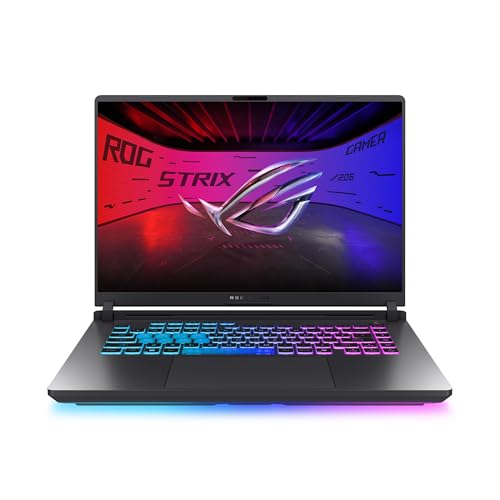
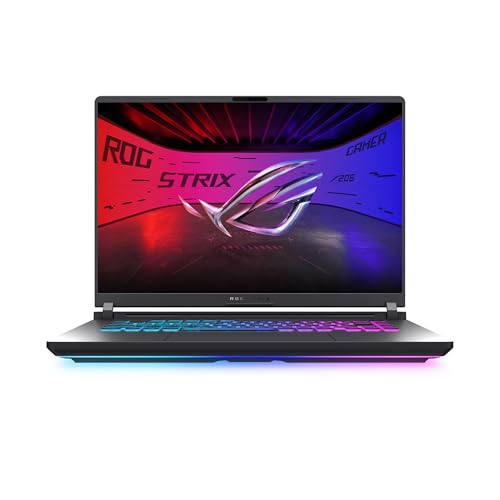
Third on my list is the Asus ROG Strix G16, which I think is worth considering if you want a budget gaming laptop with a larger display. The G615JHR-DS53 configuration pairs an Intel Core i5-14450HX processor with RTX 5050 graphics, 16GB of DDR5 memory, and a 512GB SSD. Its 16-inch display runs at 1920 × 1200 and 165Hz.
As for the screen, the 16:10 aspect ratio gave me some nice extra vertical space, which was useful not only for gaming but also for work with documents. Meanwhile, the resolution kept up with the gaming workload better than a typical budget 2560 x 1600 panel. Additionally, the higher refresh rate is a solid benefit, especially for games like Overwatch 2. That said, I still needed to tweak the settings a bit to produce frames that make the most of them.
The RTX 5050 has 8GB of video memory, compared with the 6GB available on the RTX 4050 laptops in this list. That extra capacity is useful for texture settings, but I wouldn’t treat it as proof of better performance in every game. It’s a fact that cooling, GPU power, and the processor still influence the overall experience probably more than they reasonably should.
Lastly, because the Strix G16 includes 16GB of DDR5 memory, it gave me more room to keep a browser or a voice chat open and running alongside my games. However, I found that the 512GB SSD can fill up quickly if I install several large games, and I’d still expect to lower graphics settings on demanding titles to get smoother gameplay.
4. Acer Predator Helios Neo 16 – reliable gaming laptop for a home setup
The Acer Predator Helios Neo 16 is the laptop I’d take a look at if you want a more permanent gaming setup. It includes an Intel Core i7-13650HX processor, an RTX 4060 graphics card, 16GB of DDR5 memory, and a 512GB SSD. Its 16-inch, 1920 × 1200 display runs at 165Hz and supports Nvidia G-SYNC.
First of all, I thought the display combination was one of the better options on my list of affordable gaming laptops. For example, G-SYNC helps reduce tearing when frame rates fluctuate, making gameplay smoother overall. Meanwhile, the resolution avoids asking the GPU to drive a much sharper panel. Plus, the RTX 4060 includes a solid 8GB of video memory, which gives it more room for demanding texture settings compared to the RTX 4050 options on my list.
Overall, I’d say my gaming experience with the Acer Predator Helios Neo 16 was maybe a bit better than that of other budget gaming laptops. Gameplay felt smoother, and the keyboard was especially comfortable to use. As for the games, this Acer handled Valorant and Baldur’s Gate 3 well, but Hogwarts Legacy required lowering graphics and enabling DLSS.
From what I saw, portability is the most obvious trade-off. The Acer Predator Helios Neo 16 weighs around 2.6kg, plus there’s also a substantial 330W power adapter. So, carrying the combo around might not be a fun experience. Another trade-off is battery life, as I got only about 3 hours of mixed use. Given this, I’d recommend the Predator for desk-based gaming, rather than something truly portable.
5. HP Victus 15 – straightforward budget gaming laptop
I’m rounding up my budget gaming laptop list with the HP Victus 15, which gives a nice entry point into casual gaming. It includes an Intel Core i5-13420H processor, RTX 4050 graphics with 6GB of video memory, 16GB of DDR4 RAM, and a 512GB SSD. The 15.6-inch Full HD screen has a 144Hz refresh rate.
For me, the Victus 15's biggest appeal was having the key gaming essentials in one place. You really don’t have to start with an 8GB memory configuration and immediately plan an upgrade. I’d also be comfortable considering DDR4 here, provided the total price is right, rather than ruling out the laptop simply because some alternatives use newer memory.
When I used the Victus 15, I thought its screen could be brighter, and I wasn’t too happy about the limited connections. That said, even though this budget gaming laptop might not be as capable as some of the others on my list, I could still comfortably play Counter-Strike 2 and Elden Ring on it. That said, anything heavier than that, and I do not guarantee this laptop would cope with it.
The compromises here are pretty much clear – the 512GB SSD can fill quickly, and the GPU’s 6GB of video memory means I’d be prepared to reduce texture quality in more demanding games. That said, I’d still choose the Victus for affordable Full HD gaming and general use if you prefer it over the Lenovo LOQ.
Budget gaming laptops compared (2026)
Below, you’ll find my side-by-side comparison of the top 5 budget gaming laptops. For your convenience, I’ve highlighted their main hardware differences and prices. That said, each of these laptops comes in different configurations, so if you plan to purchase one of them elsewhere, check that the specifications match my descriptions.
|
|
|
|
|
|
| Title | Lenovo LOQ Gaming Laptop, GeForce RTX 4050 | Alienware 16 Aurora AC16250 | ASUS ROG Strix G16 | Acer Predator Helios Neo 16 Gaming Laptop | HP Victus 15.6 inch |
| Price | $1,034.50 | $1,599.00 | $1,899.99 | $799.00 | |
| Processor | AMD Ryzen 5 7235HS | Intel Core 7 240H | Intel Core i5-14450HX | Intel Core i7-13650HX | Intel Core i5-13420H |
| Graphics | RTX 4050, 6GB | RTX 5060, 8GB | RTX 5050, 8GB | RTX 4060, 8GB | RTX 4050, 6GB |
| RAM and storage | 16GB DDR5; 512GB SSD | 16GB DDR5; 1TB SSD | 16GB DDR5; 512GB SSD | 16GB DDR5; 512GB SSD | 16GB DDR4; 512GB SSD |
| Display | 15.6-inch, 1920 × 1080, 144Hz | 16-inch, 2560 × 1600, 120Hz | 16-inch, 1920 × 1200, 165Hz | 16-inch, 1920 × 1200, 165Hz, G-SYNC | 15.6-inch, 1920 × 1080, 144Hz |
| More info | Buy on Amazon | Buy on Amazon | Buy on Amazon | Buy on Amazon | Buy on Amazon |
How I chose the best budget gaming laptops
To choose these budget gaming laptops, I first checked their configurations, did my own tests, and compared my findings with real user reviews. My main focus was on hardware, gaming behavior, and also everyday practicality. Here are the main criteria I based my choices on:
- Price and value (30%). I checked what each configuration offers for the money, including its GPU, display, memory, and storage. And while you can absolutely get an even cheaper laptop, I considered whether my choices are actually good for gaming.
- Gaming performance (25%). I tested these laptops hands-on, paying most attention to the CPU and GPU under review, resolution, graphics settings, and performance mode. I also considered GPU power limits and separated the results for frame generation from those for conventional rendering.
- Display quality (20%). I looked at the screen size, resolution, refresh rate, and adaptive-sync support. I also checked how these specifications perform under real-world gaming conditions, considering factors like screen brightness and sharpness.
- Cooling, build, and controls (15%). I looked at how the laptops perform with sustained use, checked keyboard comfort, fan behavior, and build quality. I also considered connections and whether memory and storage could be expanded if needed.
- Battery life and portability (10%). Last but not least, I compared dimensions, weight, power adapters, and relevant battery testing. I treated browsing or video runtimes separately from gaming endurance, as they describe very different workloads.
Final thoughts
After reviewing and testing these laptops for gaming, I can firmly say the Lenovo LOQ is my top choice for budget gaming laptops. For the price, its RTX 4050, 144Hz display, and 16GB of RAM are a solid starting point, even though its four-core processor and lack of integrated graphics make it better suited for plugged use.
If the LOQ is not up your alley, the Alienware 16 Aurora might be a better choice with its sharper screen and larger SSD, while the ASUS ROG Strix G16 might win you over with its practical 165Hz, 16-inch display. If you don’t mind spending more and need a more permanent home setup, then the Acer Predator with its G-SYNC could be your top choice. As it stands, the HP Victus 15 could be the best if you want something truly casual and straightforward.
FAQ
Which budget gaming laptop is the best?
Lenovo LOQ is the overall best budget gaming laptop. It offers RTX 4050 graphics, 16GB of RAM, and 144Hz Full HD, and given its price, it’s a very solid configuration. However, I’d consider the Alienware 16 Aurora or Asus ROG Strix G16 if you can spend more and want a different balance of graphics hardware and display features.
Which budget gaming laptop has the best gaming performance?
The Alienware 16 Aurora and Acer Predator Helios Neo 16 offer the best gaming performance among budget gaming laptops. Their RTX 5060 and RTX 4060 graphics cards, respectively, include 8GB of dedicated video memory, making them solid options even for demanding games such as Cyberpunk 2077 and Red Dead Redemption 2 at Full HD or 1200p resolution.
Are cheap gaming laptops any good?
Yes, cheap gaming laptops can be good if your expectations match their hardware. When choosing an affordable gaming laptop, I’d mostly focus on Full HD gaming, a dedicated GPU, 16GB of RAM, and enough SSD storage for your games. That said, you should still be prepared to adjust demanding graphics settings and use the power adapter during gaming.
What are the best gaming laptops under $1,000?
The Lenovo LOQ and HP Victus 15 are the first models on this list I’d check for offers below and around $1,000. However, their prices may go higher if you choose their more capable versions.