Building High-Converting Online Stores with Elementor: Your Guide to Ecommerce Excellence

 Follow us
Creating an online store that converts means crafting an experience that seamlessly guides visitors from browsing to buying.
From the first click to checkout, every detail should build trust, reduce friction, and keep customers moving forward. With the right tools, like those built into Elementor, you can design a seamless shopping experience that looks polished and performs where it counts.
Why Your Store Needs More Than Good Looks
Building a successful ecommerce store starts with understanding that every element serves a purpose.
Your design choices, layout decisions, and feature implementations should all work together to eliminate friction and build customer trust.
Customizing your WooCommerce store shouldn’t mean wrestling with rigid templates or platform limitations.
With Elementor’s WooCommerce solutions, you can use intuitive, drag-and-drop controls to shape every part of the shopping journey, from product pages to checkout.
That means more flexibility in designing around your goals and more freedom to create a polished experience that feels tailored, not templated.
Tap into Design That Converts
Creating customer-centric experiences is essential because they build trust, meet real needs, and keep people coming back. Compelling journeys will turn one-time visitors into loyal customers. Let’s explore how:
1. Product Pages That Drive Sales
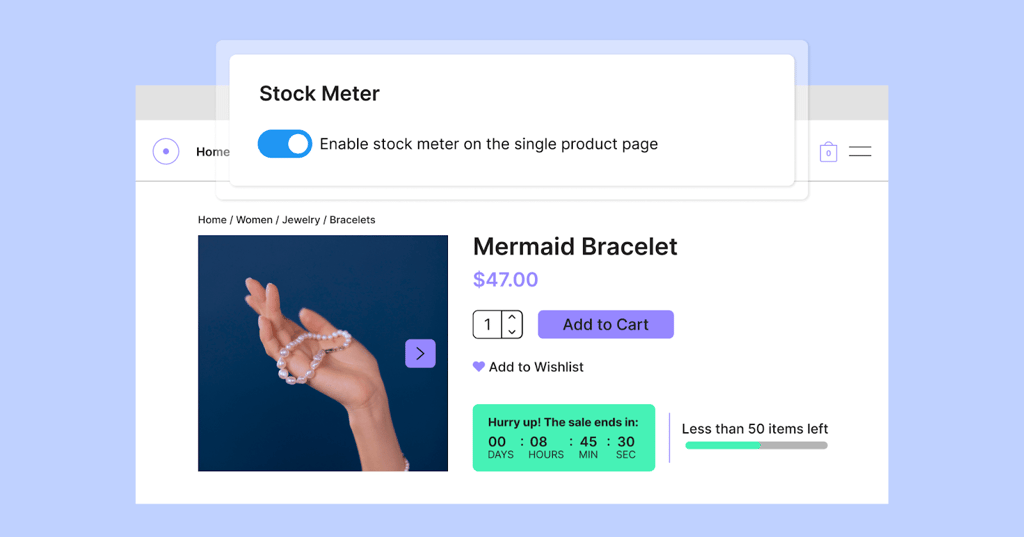
Your product pages turn browsers into buyers. Every detail matters.
With Elementor's WooCommerce Builder, you can customize every aspect of your product pages using drag-and-drop tools.
- Create layouts that showcase products effectively and guide customers toward purchase decisions.
- Present information in a logical hierarchy. Price, availability, key features, and purchase options should be immediately visible.
- Use Elementor's flexible layout system to create product pages that guide attention naturally toward the buy button.
2. Navigation That Works
Straightforward navigation reduces decision fatigue and keeps customers moving toward checkout.
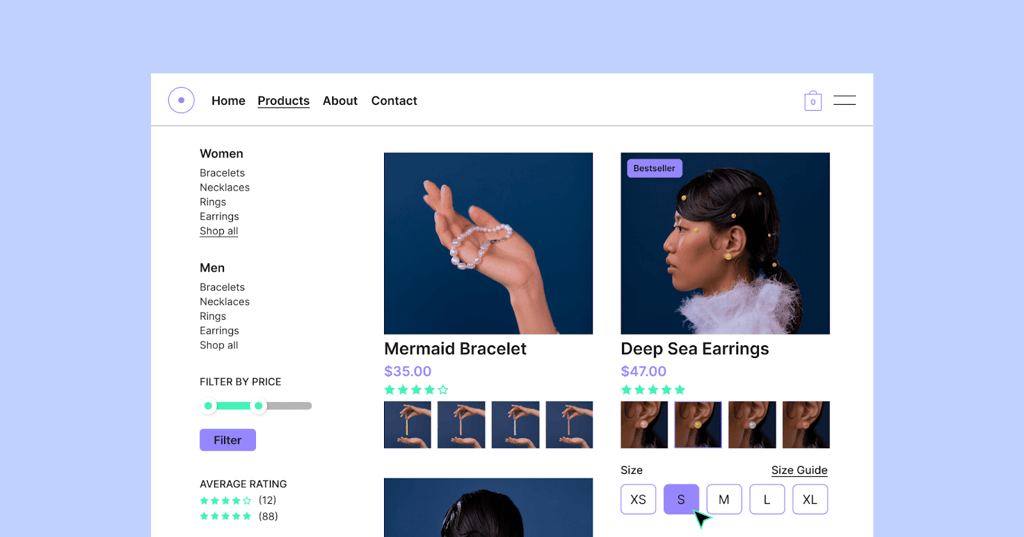
With Elementor's Loop Builder, you can create custom product listings and category pages that present your inventory exactly how you want it.
- This gives you complete control over how customers discover and browse products.
- Add breadcrumb navigation and clear category structures to make exploration easy.
- Every click should feel purposeful and bring customers closer to finding their perfect product.
Conversion Optimization Strategies
To convert browsers into buyers, you’ll need to carefully shape every interaction to build trust, create helpful urgency, and streamline the path to purchase.
1. Build Trust at Every Touchpoint
Trust is the foundation of online sales. Customers need to feel confident about their purchase decisions and be secure about their personal information. Make security visible without cluttering your design:
- Security badges, money-back guarantees, and clear return policies build customer confidence.
- Elementor's Advanced Shop Plan includes built-in trust badges you can display strategically throughout your checkout process.
- Use Elementor's design flexibility to make these trust signals prominent at key decision points.
2. Create Urgency Without Pressure
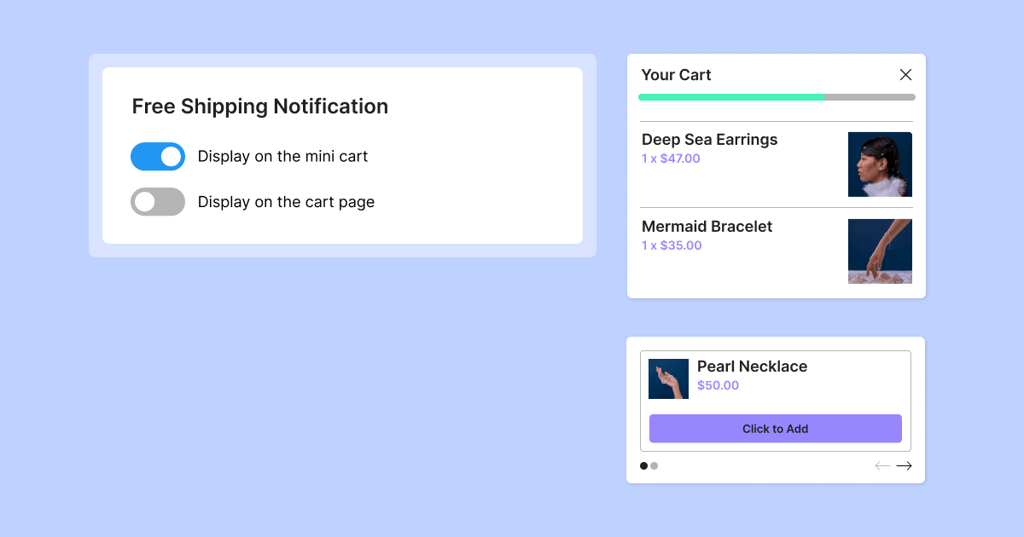
Elementor's Advanced Shop Plan includes countdown timers and stock level displays that encourage decision-making when used authentically.
- If you're running a genuine sale, countdown timers create helpful urgency.
- If inventory is limited, stock meters help customers understand they shouldn't wait.
The goal is to provide helpful information that assists purchasing decisions, not to manipulate through false scarcity.
3. Optimize Your Purchase Path
Every step between product discovery and completed purchase is an opportunity for optimization.
With Elementor's WooCommerce Builder, you can customize your entire checkout process, reducing form fields to essentials and clearly displaying security information.
Here are specific conversion-focused features you’ll find in Elementor's Advanced Shop Plan:
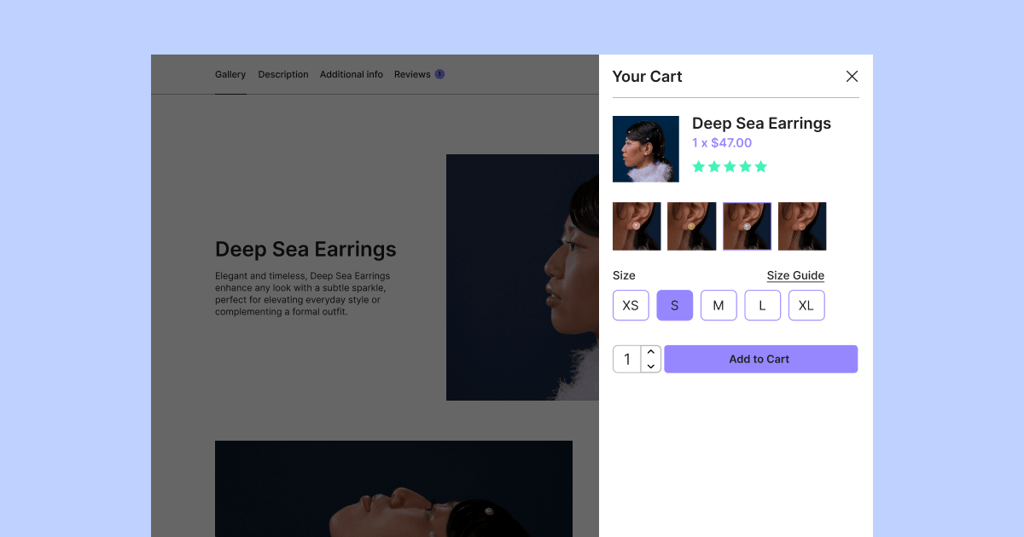
- Sticky add-to-cart buttons that remain visible as customers scroll through product pages.
- Free shipping progress bars that encourage customers to add more items to reach shipping thresholds.
- Order bumps at checkout for complementary products or upsells.
- Trust badges that are integrated into the cart and checkout pages.
- Custom WooCommerce notices that you can style and position exactly where needed.
Advanced Features That Set Your Store Apart
A seamless checkout experience, mobile-optimized design, and fast performance are essential for keeping customers engaged and driving conversions. So let’s dive in:
1. Custom Checkout Experiences
With Elementor's WooCommerce Builder, you can create custom checkout flows tailored to your business needs and match your brand and customer expectations.
- Design checkout pages that reduce friction and increase completion rates by customizing the layout, fields, and messaging.
- Create custom templates for dashboard pages and cart empty states, ensuring every touchpoint maintains your brand consistency.
These features help guide your customers toward purchasing.
2. Mobile-First Design
Mobile commerce continues growing, so your store must perform flawlessly on smaller screens.
Elementor's responsive design tools ensure your store looks and functions perfectly across all devices and goes beyond basic responsiveness.
Here are some great mobile-specific features you can utilize:
- Automatic responsive layouts that adapt your design to different screen sizes.
- Custom breakpoints for precise control over how your store appears on tablets, phones, and desktop.
- Device-specific editing so you can fine-tune the experience for each screen size.
- Mobile-first design approach that ensures optimal performance across all devices.
3. Speed Equals Sales
Site speed directly impacts conversion rates.
Customers abandon slow-loading stores, and search engines penalize poor performance.
- Element caching reduces Time to First Byte (TTFB) by up to 70%, making your pages load significantly faster.
- Font preloading and minimal DOM size ensure clean, efficient code that browsers can process quickly.
- Lazy loading delays loading images and elements until needed, improving initial page load times.
- Optimized code output keeps your store running smoothly without bloat.
Scale Your Success
As your business grows, your store should evolve with it.
Elementor's flexible WooCommerce Builder allows you to continuously customize and optimize your store. You can add new product page layouts, test different checkout flows, and refine your customer experience as you learn what works best.
The modular nature of Elementor's approach means you can start with essential features and layer on advanced capabilities from the Advanced Shop Plan as your business requirements grow.
Start Building Your Winning Store
Building an exceptional ecommerce store with Elementor is about blending thoughtful design, smart functionality, and intentional optimization to serve your unique business and audience.
Start with Elementor's Full WooCommerce Builder to create a solid foundation: customizable product pages, streamlined checkout flows, and professional design. Then layer on advanced features from the Advanced Shop Plan like countdown timers, sticky add-to-cart buttons, and conversion-optimized elements that serve your customers and support your business goals.
Your store should reflect your brand and values while delivering the seamless experience shoppers expect. With Elementor’s flexible tools and your insight into what your audience truly needs, you have everything it takes to build a store that sets the standard, not just follows it.
Ready to build something exceptional? Your customers are waiting.
FAQs
How do I customize WooCommerce product pages with Elementor?
Use Elementor's WooCommerce Builder to customize every aspect of your product pages with drag-and-drop tools. You can modify layouts, add custom fields, adjust product galleries, and create unique designs that match your brand while optimizing for conversions.
What advanced ecommerce features does Elementor offer?
Elementor's Advanced Shop Plan includes sticky add-to-cart buttons, countdown timers, stock level displays, free shipping progress bars, order bumps at checkout, integrated trust badges, and custom WooCommerce notices—all designed to boost conversions.
Can I create a mobile-optimized ecommerce store with Elementor?
Yes, Elementor's responsive design tools ensure your store performs flawlessly on all devices. You can customize mobile layouts separately, optimize touch interactions, simplify navigation for smaller screens, and provide fast loading times for mobile users.
How do I improve my ecommerce store's conversion rate?
Focus on building trust with security badges and clear policies. Optimize your checkout process to reduce friction. Use authentic urgency tactics like countdown timers. Ensure fast loading speeds. Continuously test different layouts and elements to see what works best for your customers.