Cloudways Review 2024: Advanced Hosting for High-Performance

 Follow us
Cloudways is a managed web hosting solution that offers managed WordPress hosting and the ability to deploy applications with just one click operation and zero downtime.
With a focus on performance, flexibility, and user-friendly management, it's an ideal platform for businesses and developers seeking a robust hosting solution without the headaches of server management. With a client satisfaction rate of over 96% and a growing user base of over 75,000 websites, Cloudways is a definite choice for businesses seeking speed, security, and scalability.
It's not just a managed web hosting service for Wordpress—it also hosts other open-source applications such as PHP, Laravel, and Magento for online businesses.
In this Cloudways review, we'll discuss its features, latest product updates, pros and cons, and pricing. Hopefully, by the end, you'll be convinced that Cloudways is better than other hosting providers.
Cloudways Features and Specifications
Cloudways offers a robust suite of tools tailored for performance and ease of use. Key highlights include:
- Multi-Cloud Platform: Supports leading providers like AWS, Google Cloud, DigitalOcean, Linode, and Vultr.
- Ease of Use: A simple, user-friendly dashboard for deploying, managing, and scaling applications.
- Performance Optimizations: Features such as built-in CDN, SSD storage, HTTP/2, and auto-healing servers ensure fast, reliable sites.
- Application Support: Compatible with WordPress, Magento, PHP, Laravel, and more.
- One-Click Staging and Backups: Developers and agencies can test changes without risks, with the ability to create backups instantly.
- Team Collaboration Tools: Advanced permissions allow seamless collaboration within teams. These features make Cloudways stand out among tech-savvy users looking for reliability and customizability.
Cloudways Account Setup
Setting up your hosting on Cloudways is surprisingly simple:
- Sign Up: Create an account on the Cloudways platform and choose a cloud provider (AWS, Google Cloud, Vultr, Linode, etc.).
- Launch Server: Select your server size, location, and applications (e.g., WordPress).
-
Go Live: The platform provisions your server in minutes, and you're ready to deploy your website.
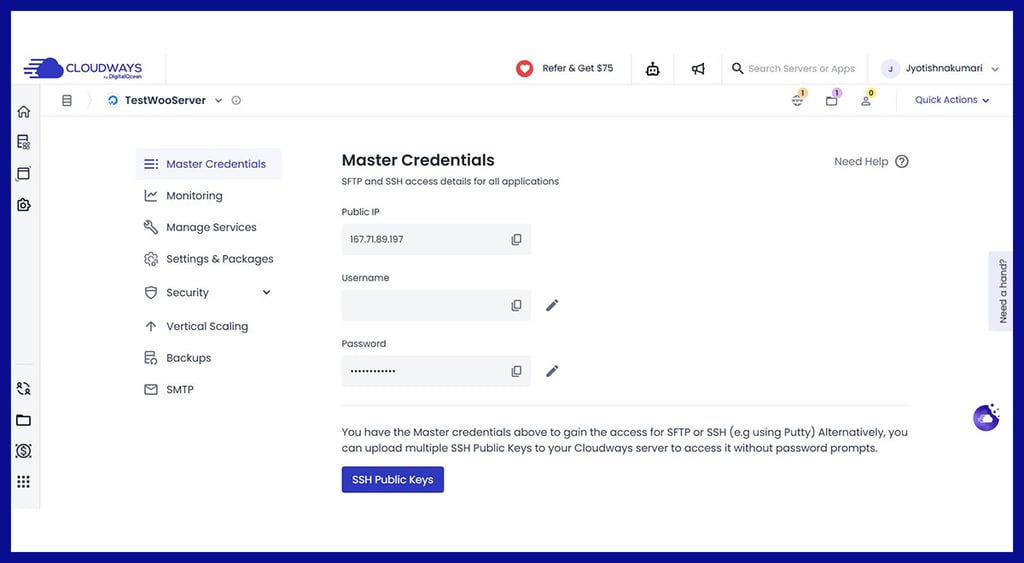
- It is just this simple.
Cloudways offers a free 3-day trial that lets you explore everything they offer before committing to a paid subscription.
Creating a Website with Cloudways
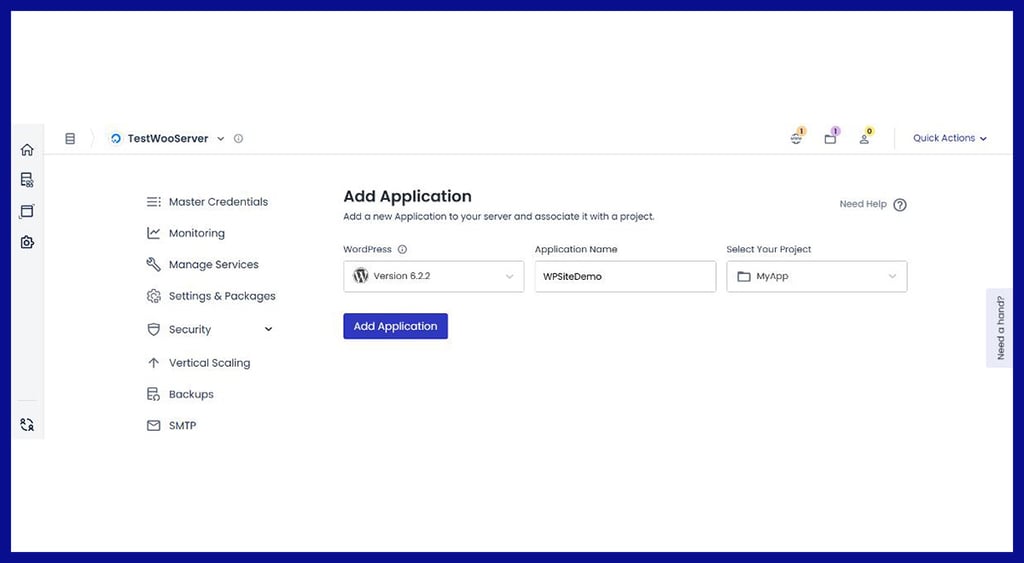
Cloudways simplifies website creation with one-click installers for WordPress, WooCommerce, and other CMS platforms. Let’s see how easy it is.
- Navigate to the "Applications" tab.
- Select "Add Application" and choose your desired CMS.
-
Fill in your website details, and within minutes, your website is live.
Manage Your Website With Cloudways Dashboard
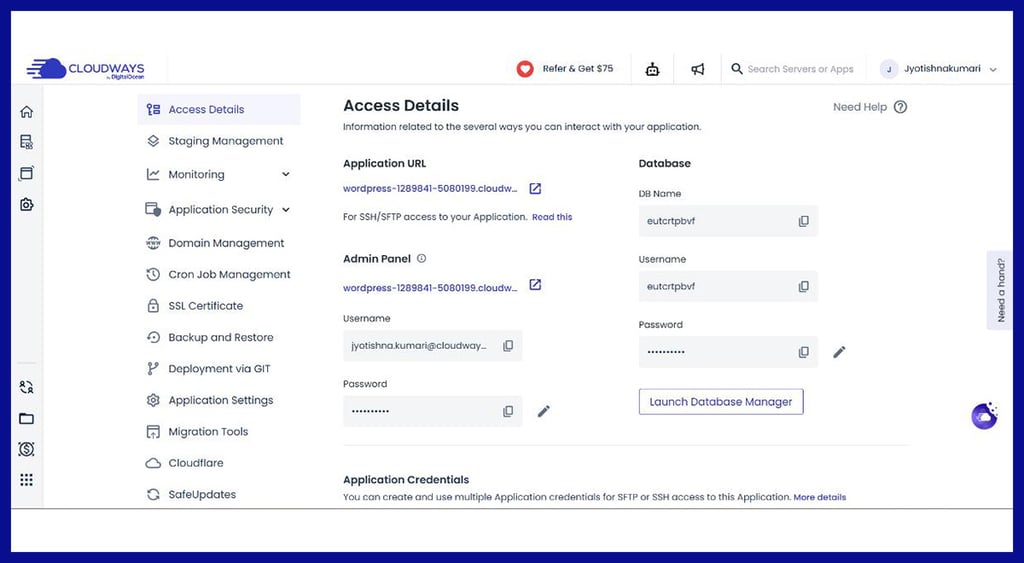
Cloudways provides an intuitive dashboard for server and application management:
- Monitor resource usage in real time.
- Built-in tools like Staging Environment can be used to test site changes.
- Perform regular backups with automated scheduling.
-
Track traffic, disk usage, and server health in real time.
Free One-Time Migration with Cloudways
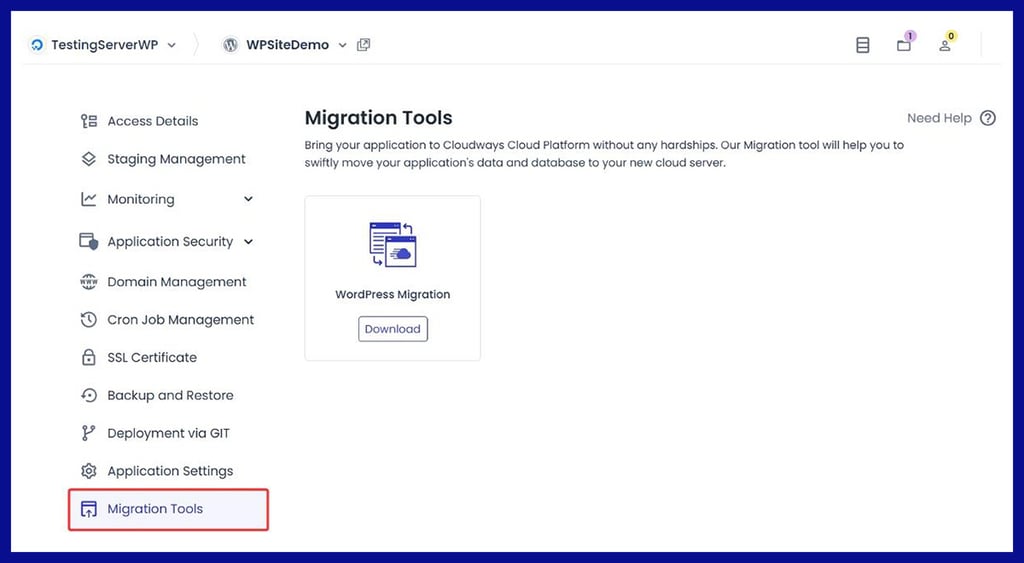
Many users find website migration a pain point, but Cloudways offers new customers a free one-time migration. Their expert team ensures seamless data transfer without downtime.Migrating to Cloudways is a seamless process using their Cloudways Migrator Plugin for WordPress or the expert-managed migration service. Begin by signing up for a Cloudways account and selecting your server.
Install the Cloudways Migrator Plugin on your WordPress site, enter your email and server details, and start the migration. The plugin handles the transfer while you monitor the progress and receive updates via email.
Once complete, test your site using the provided staging URL, and finally, update your DNS settings to point your domain to Cloudways for a smooth transition.
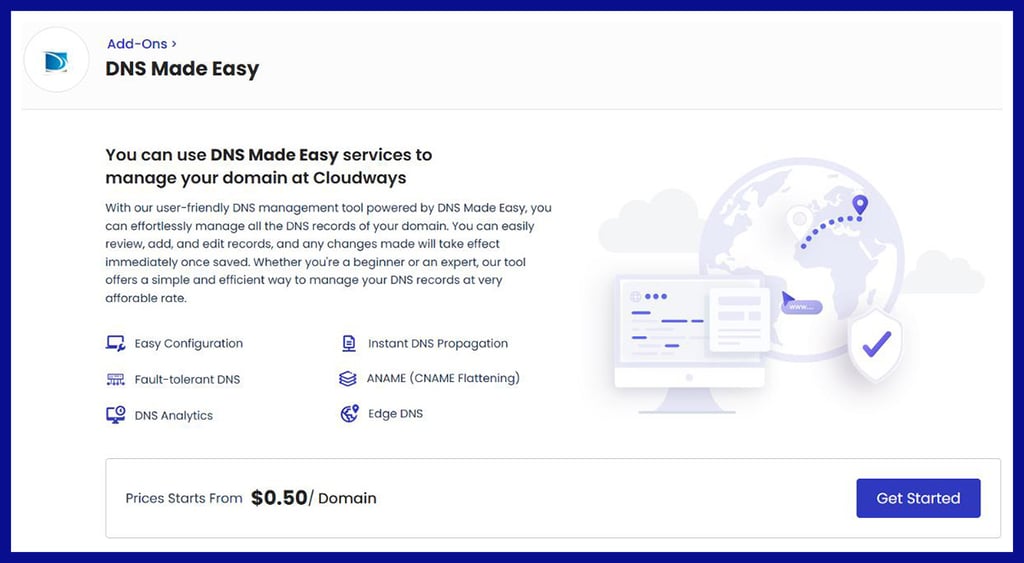
DNS Made Easy
Cloudways makes DNS management simple by guiding users to update their domain's DNS records to point to the Cloudways server. After deploying your application on Cloudways, access the Server Management tab to find your server's IP address.
Log in to your domain registrar, navigate to the DNS settings, and update the A Record to point to the Cloudways server IP. If necessary, add the necessary MX Records for email configurations.
Once updated, propagation typically takes a few hours, ensuring your domain is correctly linked to your Cloudways-hosted application.
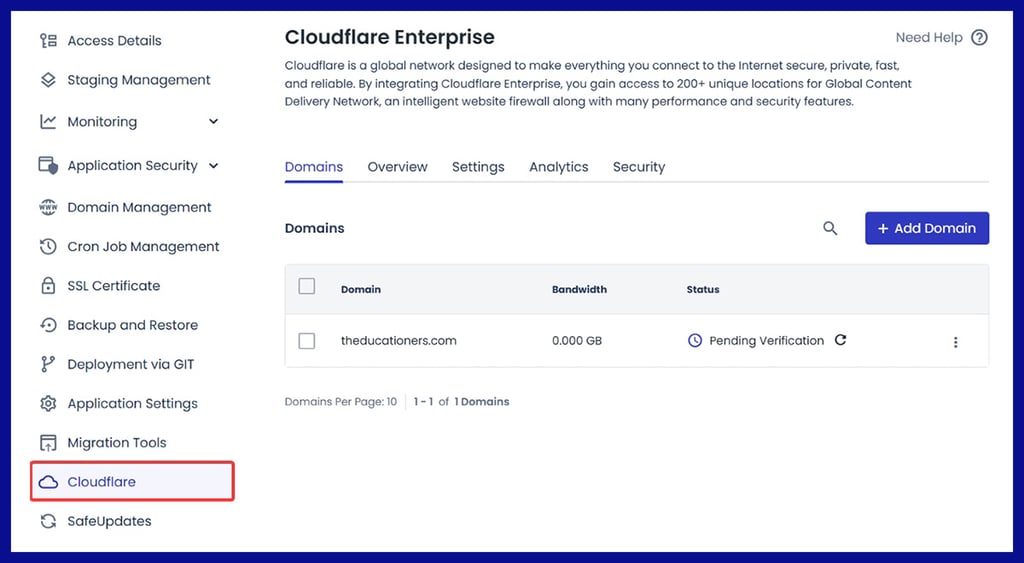
Cloudflare Enterprise
Cloudways Cloudflare Enterprise integrates solutions for website performance, security, and reliability. You simply log in to your Cloudways account and activate it by going to the Cloudflare Enterprise Add-on under the Add-ons menu and enabling it for your application.
As a service, it accounts for enterprise-level features such as advanced caching, Web Application Firewall (WAF), image optimization, bot protection, and DDoS mitigation, all of which provide faster load times and improved security for your site. After that, get your DNS records configured to forward.
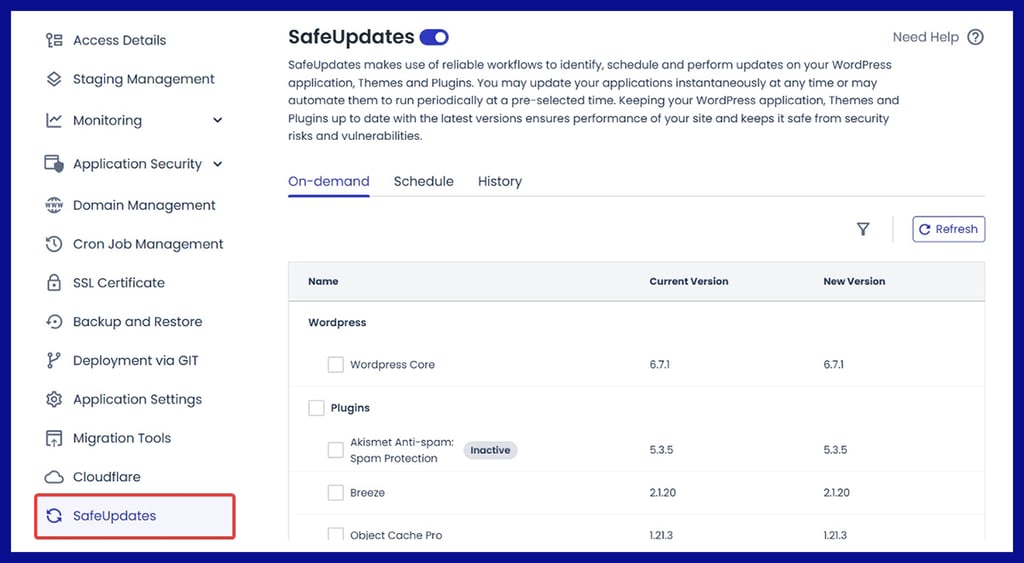
Safe Updates
Cloudways SafeUpdates is another useful feature that automates the updating of your WordPress site and makes it easier and more secure to do so.
It automatically creates a backup of your website before undertaking updates, runs visual regression tests to identify potential issues before they go live, and checks the updated site to make sure it works as expected.
If any issues are detected during the update, it then automatically restores that backup so your site stays safe and running without you needing to do anything.
Latest Updates in 2024
Now let's check out one new feature that we love, which Cloudways offered in 2024.
Web Application Firewall (WAF)
Cyberattacks are becoming more sophisticated, and a WAF is now essential. Cloudways' 2024 update introduces a powerful Web Application Firewall that actively monitors and blocks malicious traffic, protecting your site from DDoS attacks, SQL injections, and cross-site scripting.
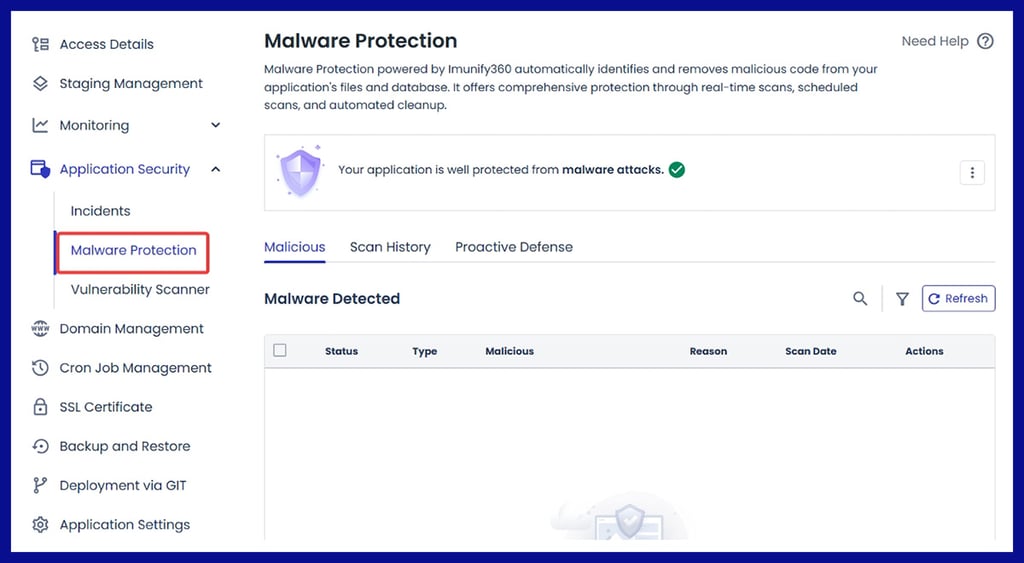
Cloudways now integrates with MalCare, a premier malware scanner and remover. This enhancement enables proactive malware detection and instant cleanup. The system works seamlessly in the background, ensuring your site remains safe without slowing it down.
Pros and Cons of Cloudways Hosting
As with any hosting service, there are pros and cons. Let's also check them out.
- Scalability: Easily upgrade resources to match your growth
- Flexibility: Choose from top cloud providers based on your budget and requirements
- Security Enhancements: WAF, SSL support, and regular patch updates keep your sites secure
- Performance-Focused: Advanced caching and CDN integrations ensure optimal speed
- Transparent Pricing: No hidden fees and pay-as-you-go flexibility
- No Domain Registration: You'll need to register domains elsewhere
- No Email Hosting: Requires third-party email providers
Cloudways Pricing and Flexibility
Cloudways operates on a flexible pay-as-you-go model, meaning you only pay for the resources you use. Pricing for Cloudways varies depending on the server you choose. Plans start as low as $11/month, making it a cost-effective solution for businesses of all sizes.One of Cloudways' biggest draws is its transparent pricing. You only pay for the resources you use, and plans start at as little as $12/month.
| Cloud Provider | Starting Price | Included Features | Additional Cost (Optional) |
| DigitalOcean | $12/month | 1GB RAM, 1TB Bandwidth, 25GB Storage | MalCare Malware Protection: $1/site |
| Vultr | $13/month | 1GB RAM, 1TB Bandwidth, 25GB Storage | WAF Add-On: Free |
| Linode | $12/month | 1GB RAM, 1TB Bandwidth, 25GB Storage | Cloudflare CDN: $5/month |
| AWS | $36.51/month | 2GB RAM, 2TB Bandwidth, 20GB Storage | Email Hosting: $1/month per email |
| Google Cloud | $33.18/month | 1.7GB RAM, 1GB Bandwidth, 20GB Storage | Premium Support: $100/month |
With this pricing model, you can easily adjust resources as your website grows, ensuring you never overpay for unused resources.
Conclusion
In conclusion, Cloudways stands out as a robust, flexible, and performance-driven hosting solution tailored for businesses, developers, and agencies alike. Its intuitive dashboard, advanced security features like WAF, and scalable pricing model make it an excellent choice for managing multiple applications and websites.
While it has limitations, such as no domain registration or email hosting, the platform’s overall benefits, including a free trial and comprehensive support, make it a compelling choice for hosting needs in 2024.
For more details, visit Cloudways.
Cloudways Review FAQs
Does Cloudways offer free trials?
Yes, Cloudways offers a 3-day free trial without requiring a credit card.
Can I host multiple websites on Cloudways?
Absolutely! You can host multiple sites on a single server.
Does Cloudways support email hosting?
Email hosting isn't included but can be added via Rackspace.