How to Create Stunning AI Art Without Exposing Your Data

 Follow us
AI art generators have quickly become popular tools for creators, designers, and everyday users. With just a few prompts, anyone can generate impressive visuals. However, many users overlook an important aspect: how their data is handled. Understanding this is essential if you want to create AI art safely without exposing personal or sensitive information.
How AI Art Generators Handle Your Data
While the output of AI art is magical, the backend process involves significant data consumption. Generative AI models require vast datasets for training, which often raises complex questions about data provenance and user privacy. Understanding the lifecycle of your input is the first step toward secure digital creation.
For those prioritizing security, using a streamlined AI art generator like a1.art can help mitigate these risks by focusing on output quality rather than aggressive data harvesting. Here is how most standard platforms manage your information:
- Training Data Retention: Many free-to-use generators store your text prompts and uploaded images to further refine their machine-learning models.
- User Profiling: Platforms often link your creative output to your IP address or account profile, creating a digital trail of your aesthetic preferences and interests.
- Cloud Storage Vulnerabilities: Images generated or uploaded are frequently stored in cloud databases, which, if improperly secured, could be subject to unauthorized access.
- Metadata Embedding: Generated files may contain hidden metadata that reveals information about the software, time of creation, and potentially the user's hardware.
How to Create Stunning AI Art Without Exposing Your Data
Creating high-quality AI art does not have to come at the cost of your privacy. By following a few careful steps, you can enjoy the creative process while keeping your data protected.
Choosing a Privacy-First AI Art Generator
When selecting a tool, look for platforms that prioritize user anonymity and minimize data collection. A professional-grade generator should allow you to experiment with various styles without requiring excessive personal documentation or invasive permissions.
a1.art is an example of an AI art generator designed for this modern balance. It provides a streamlined, secure environment where the focus remains on the output quality rather than the collection of user data. By offering a vast library of pre-set styles, it allows creators to achieve specific aesthetic results without needing to upload sensitive personal reference files.
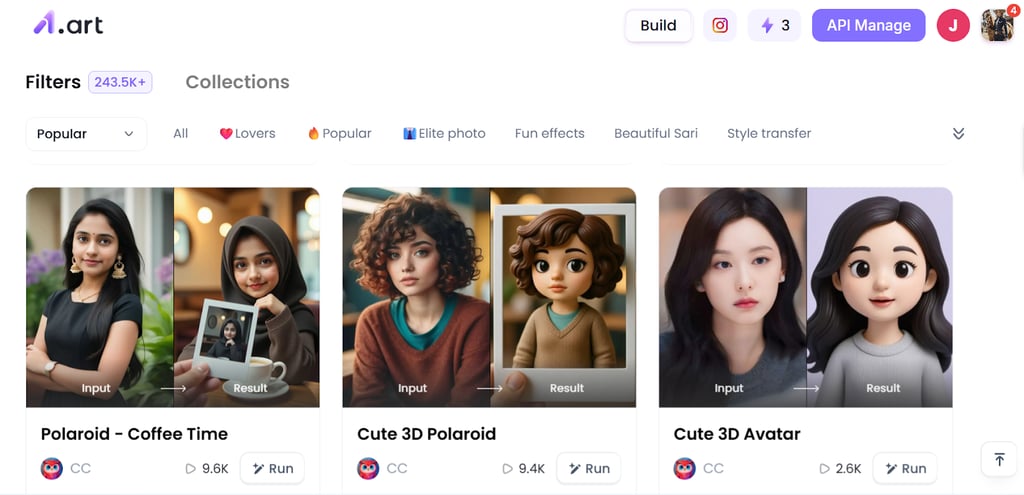
How to Create a Stunning AI Art Using a1.art
a1.art is an ai art generator designed to make image generation simple and accessible for users of all skill levels. Here’s how to generate your first artwork safely using the tool.
- Select a Style: Navigate through the available style filters to find the exact "look" you need, from hyper-realism to digital 3D.
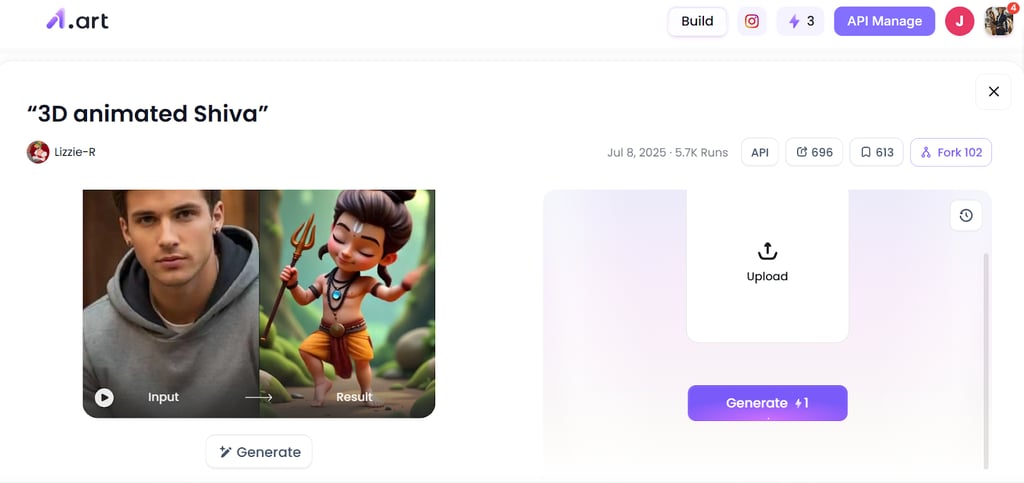
- Input Your Prompt: Enter a descriptive text prompt or upload an image into the generator.
- Generate and Refine: Click “Generate“ to see your vision come to life. Once created, you can download the result and share it with your friends.
Practical Tips to Generate AI Art Safely
Maintaining your privacy is an ongoing process of smart habits. Use these strategies to ensure your creative journey remains secure and your personal data stays under your control:
- Avoid Uploading Personal Photos: Use text-to-image features whenever possible. If you must use a reference, ensure it does not contain identifiable faces or private locations.
- Use Descriptive Keywords Instead of Names: Rather than using specific names of people or private entities in prompts, use descriptive terms for features and styles to achieve the same visual effect.
- Leverage Pre-set Style Filters: Use the built-in filters provided by platforms like a1.art. These are professionally tuned to give you high-end results without requiring you to "feed" the AI your own private style assets.
- Check Output Metadata: Before sharing your AI-generated art on social media, use a metadata scrubber to ensure no hardware or location info is attached to the file.
- Opt for Platforms with Guest Access: Whenever possible, use tools that do not force a deep integration with your primary social media or email accounts.
In Conclusion
AI art generators offer exciting creative possibilities, but they also come with important considerations around data privacy. By understanding how these AI tools handle your information and applying safe usage practices, you can create stunning AI-generated visuals without compromising your data.