Incogni vs Optery: which data removal service is best for you?
Being behind major reports like The Mother of All Breaches and RockYou2024, our in-house cybersecurity experts and journalists provide unbiased, real-world testing and in-depth analysis.
We maintain complete transparency by openly sharing our testing methodologies with our audience.
Learn more

Whether it’s platforms like Whitepages or credit bureaus like Experian or TransUnion, data brokers are always a serious threat to your data privacy because they frequently store your personal information, such as phone numbers, addresses, and other details.
Data removal tools like Incogni and Optery not only successfully erase your data but also monitor the web as a precaution, so you can continuously remove exposed information based on their reports. If that sounds like something you could use, you just need to decide on which one to go with.
To give you a hand, I’ve dug deep into the Incogni vs Optery debate. Together with my team of Cybernews experts, I’ve reviewed and compared the two best data removal tools to see how they stack up, as well as to give you firsthand perspective on their pros and cons.
Incogni vs Optery overview
To help you develop your own perspective on the Optery vs Incogni comparison, I’ve decided to do a head-to-head comparison. You can take a peek at my overviews of both below to see which one stands out in which aspects:
| Data removal tool | Incogni | Optery |
| Rating | 4.8 | 4.1 |
| Price | From $7.19/month (with a code CNDEAL) | From $3.99/month |
| Free version | ❌ No | ✅ Yes |
| Free trial | ✅ Yes (30-day money-back guarantee available) | ❌ No (free version is available) |
| Platforms | Android, iOS, Windows, macOS | Android, iOS, Windows |
| Credit monitoring | ❌ No | ❌ No |
| Insurance | ❌ No | ❌ No |




The Cybernews team consists of professional and highly skilled writers and an in-house research team. They’re the core of all our reviews, bringing the performance of each tool closer to you. Additionally, we stick to a transparent testing process, which includes investigating various services, their features, and disclosing our testing methodology with everyone. Discover more about our testing process.
About Incogni
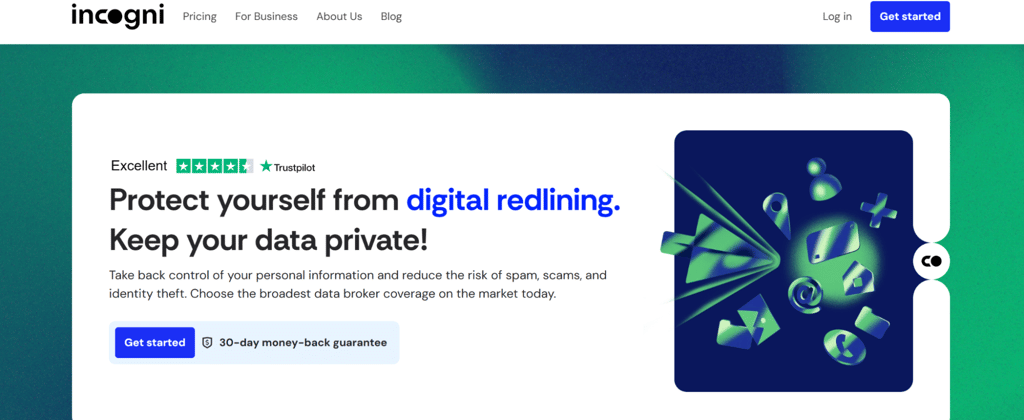
Incogni is one of the best data removal tools you can subscribe to, and it's operated by the Surfshark team. Not only does it bring you some customization options with all the bundles available, but it also adds another layer of trustworthiness. It’s the first data removal service to undergo an independent Deloitte assessment, further confirming its reliability and adherence to industry standards.
It helps with information stalking, doxxing, spam calls, robocalls, and identity theft scams. As a data removal tool, it covers more than 420+ (3,420 with custom removals) of the most recognizable data broker sites, including credit bureaus and a wide range of other websites that might be collecting your information.
The main perk I’d like to highlight about this one is the automated removal process, which relies on conducting frequent data monitoring and sending repetitive data removal requests. Plus, once you set the process in motion, there’s also the chance to monitor its progress.
About Optery
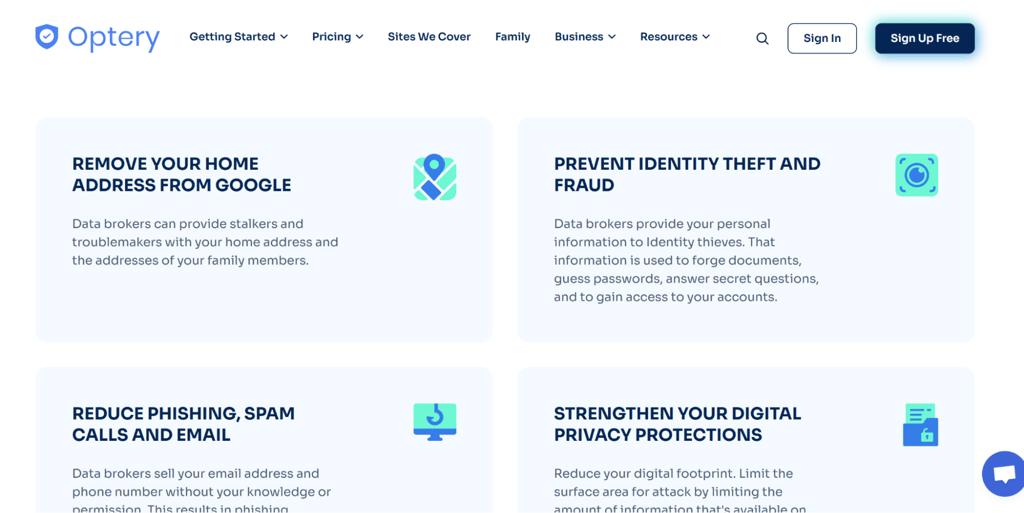
Unlike Incogni, Optery offers a completely free version, which you can use to remove your home address, phone number, and other personal details from the web. On top of that, it monitors over 640 different websites, including all the main data brokers.
Optery helps prevent identity theft and scams like phishing and spam with enhanced digital protection. Its opt-out system constantly submits data removal forms, all while solving CAPTCHA and even responding to emails.
With the top-tier plans, you can get AI-generated reports, custom removals, and even exposure reports.
The service also offers a family plan, similar to Incogni, but it’s more optimized for manual search. The combination of user-assisted and automated search functions makes it a perfect option for all types of users.
Incogni vs Optery: features comparison
Although differences between the Incogni data removal tool and Optery are subtle, they can still influence your choice. That’s why I’ve compared them in terms of key features:
| Feature | Incogni | Optery |
| Number of data brokers covered | 420+ (3,420 with custom removals) | 640+ (covers hundreds of sites, but not all are data brokers) |
| Automated vs manual opt-outs | Automated | Manual and automated (full manual function is only available with higher-tier plans) |
| Reporting dashboards | Available with detailed reports | Available with screenshot confirmation |
| Data request management | Custom removal at your request | Automated data requests sent using the AI-powered system |
| Extra tools | Re-scans and repetitive removal requests, progress reports to keep you informed | Real-time dashboard status updates, activity log, ID verification |
Incogni vs Optery: pricing and plans
Before comparing Incogni and Optery in terms of pricing, I would first like to cover the details of each option individually.
Incogni doesn’t have a free plan, so you’ll have to go with the subscription right off the bat. Monthly Incogni pricing starts at $7.19 (with a code CNDEAL), offering total coverage of over 420+ (3,420 with custom removals) data brokers, custom email and address removal, and around-the-clock support.
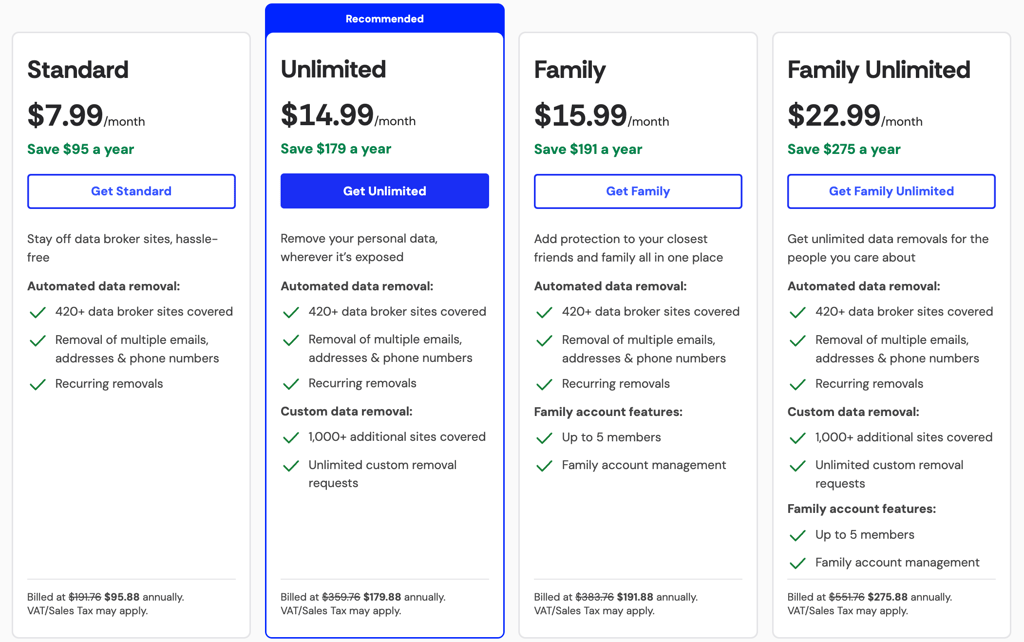
If you wish to go for more advanced features, you can choose the Unlimited or the Family plan with customizable removal requests and an unlimited number of inquiries.
Besides, Incogni doesn’t offer a traditional free trial, but you can try it out for up to 30 days and receive a full refund if you’re not satisfied.
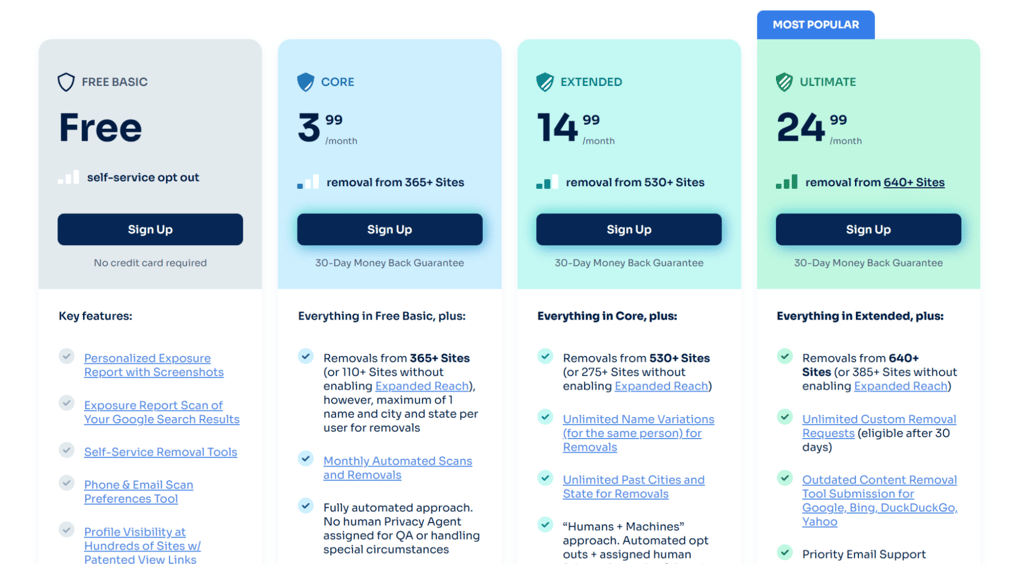
In comparison, Optery is a significantly more affordable option, offering a completely free plan. While it doesn’t provide the full coverage, it still allows you to get tailored exposure reports and use the brand’s manual removal tools. The full array of over 640 data broker and people search websites can only be unlocked with the Ultimate plan.

Incogni vs Optery: security
When it comes to security, both Incogni and Optery rely on AES-256 GCM encryption, but Optery also uses TLS to keep your data safe while in transit. Neither of these two options collects your data, and they both feature minimal third-party sharing.
Another difference lies in verification methods. Even though both feature 2FA, Optery also comes with multi-factor authentication.
Looking at things from the legal perspective, Incogni is designed to comply with data privacy laws like the GDPR and the CCPA. Optery also follows these regulations, as well as other guidelines, such as the CPRA and CPA.
Additionally, it tops Incogni when it comes to protection of individuals in vulnerable situations across several US states.
Incogni vs Optery: user experience
In terms of user experience, Optery is a bit more intuitive option, while Incogni can be a bit dull at times. The difference is mainly visible when it comes to data removal reports and dashboards. Incogni focuses on simplicity, while Optery features visual elements and even screenshots of the progress.
On a side note, Incogni also has progress-tracking tools, which makes it on par with Optery in that sense.
What’s not the same for these two is platform compatibility. Incogni is best used on PC devices using Windows, while Optery is a bit more mobile-focused. In fact, it has a dedicated app, which Incogni lacks. Still, you can use both via a mobile browser, which evens the playing field.
In terms of features, Incogni is significantly more intuitive for newcomers, especially when it comes to setting up automated removal.
Incogni vs Optery: customer support
When speaking about customer support, Incogni and Optery don't differ much at first glance, each offering live chat and email support. However, the latter is a slightly better option thanks to its sheer variety of support options.
If you wish to get help and assistance using Incogni, the best way is to fill out the help form and refer to [email protected]. For a slightly faster response, you can also use the live chat system. Incogni states that you can expect a reply within 24 hours.
Optery also offers a live chat function, and many users report way quicker response times compared to Incogni.
On top of that, Optery has a bit more advanced Help Desk support, which provides quick answers for all your burning questions regarding data removal and reports.
It’s also a huge plus that you can refer to Optery’s support representatives via social media like Instagram, Facebook, and even LinkedIn.
How we tested these services
Before I give you my final take on the Incogni vs Optery debate, I wanted to share a few details concerning my methodology. I’ve compared these two solutions based on the following aspects:
- Features and scope (40%). Although I mainly looked for basic data removal functions, I also paid extra attention to additional features, such as re-scans and repetitive removal requests, custom reports, and ID verification. In this aspect, I’d rank Incogni a bit higher, mainly due to automation options.
- Pricing and value (25%). I also focused on the pricing, as I wanted to give you both affordable and professional options. So, you can go with Optery if you’re looking for a free version or opt for Incogni’s automated data removal plans with full functionality unlocked.
- Security and compliance (20%). Moving on, I checked data encryption level and features, as well as compliance with major data privacy laws and regulations like the GDPR and the CCPA.
- Ease of use (15%). Lastly, I wanted to bring you an intuitive tool for beginners, which is where Optery outshines Incogni. However, I also looked for a more polished option, which Incogni certainly is with its advanced removal features.
Video review
If you want to see them side by side in action, check out our full Incogni vs Optery comparison video below.
Incogni vs Optery: which one should you choose?
When the time comes to choose a winner, I’d say that Incogni makes a more complete option, especially for those who would like to set up automated scans and conduct re-scans on a regular basis.
Who should choose Incogni: I’d recommend Incogni to all users looking for advanced and automated data removal. It monitors some of the world’s largest data brokers and successfully files removal requests in your name. You can also get some extra cushion with a 30-day money-back guarantee. Plus, customizable removal requests make it a superior choice.
Who should choose Optery: Optery is like a lighter version of Incogni, offering you the chance to get an affordable solution or even submit removal requests for free. However, pricing can vary depending on your choice of scanned data broker sites, and the effectiveness of this tool largely depends on the plan that you choose to go with. Plus, it has limited automated removal options.
FAQs
How long does it take for Incogni to remove your data?
In most cases, it takes around two weeks for data brokers to remove your data after Incogni’s requests. You can check the average resolution time within the dashboard.
Is Optery safe to use with sensitive information?
Yes, Optery is safe to use with sensitive information, as it complies with the highest data security and privacy standards.
Does Incogni work outside the US?
Yes, Incogni is also available outside the US, mainly in the UK and Canada. Plus, it even works in some European countries, such as Switzerland.
Can Optery remove your data permanently?
No, Optery doesn’t remove your data permanently, as data brokers and people search websites constantly update their databases. However, you can send repeated removal requests for a higher success rate.
Which is more cost-effective, Incogni or Optery?
Optery is a more cost-effective data removal tool than Incogni due to its completely free plan. Plus, the Basic package costs just $3.99, which is way more affordable than Incogni.