How to bypass Twitter (X) age verification in the UK in 2026

-
The UK government is enforcing social media restrictions, forcing age verification from services like X.
-
With new regulations on the horizon, Twitter may be forced to implement verification just to access its services, rather than access specific content.
-
Privacy and civil rights advocates are against these verifications due to their intrusive nature and risks of data leaks.
-
Age verification can be bypassed by using a reliable VPN like Proton VPN.
The UK government has announced plans to ban social media for children under 16, with platforms like X (formerly Twitter) expected to introduce stricter age verification. While X currently relies on age estimation and only requests verification in some cases, it may soon require users to submit an ID or complete AI facial verification, similar to the systems now used by porn websites.
These measures have been widely criticized by privacy advocates, who warn they could expose users to unnecessary data collection and increase the risk of sensitive information leaks.
Regardless of the future, X still restricts some content from non-verified accounts. If that’s the case for you, you may see messages like “Due to local laws, we are temporarily restricting access to this content until X estimates your age.”
Luckily, there’s a solution. If you don’t want to show your documents or face to X, you can use a VPN to change your virtual location to a country without age verification laws, and maintain both your privacy and your access to your favorite posts.
How to bypass Twitter (X) age verification in the UK?
If you want to protect your personal data and bypass strict regional age -checks on X (formerly Twitter), you can use a VPN to spoof your location to a country without these regulations, such as the US or Canada. Here is how to set it up:
- Select a reliable VPN. Choose a provider that has servers located outside of the EU, UK, and Australia. I recommend Proton VPN.
- Install the software. Download the VPN application onto the device you use for X.
- Connect to an unrestricted region. Pick a server in a country that does not enforce social media ID checks, like the US, Canada, or Switzerland.
- Update your location on X. Open the app or website and change your account's country to match your current VPN location.
- Adjust your media preferences. Turn on “Display media that may contain sensitive content”.
- Refresh the app. Reload X or reopen the application. The age verification blocks should now be bypassed, granting you access to the restricted content.

Why is X (Twitter) asking UK users to verify their age?
X is asking UK users to verify their age due to the UK’s Online Safety Act, a law passed in 2023 that came into force in 2025. The law requires social media companies and other companies, like porn companies, to verify the age of their users to avoid exposing children to harmful content. In addition, the UK government has announced that it will seek further regulation, including a ban on children under 16 accessing social media.
What is the UK's Online Safety Act?
The UK’s Online Safety Act is a law passed in 2023 and enacted in 2025. It’s a law regulating how children interact with the internet. Since being implemented, it has faced criticism from privacy advocates due to its extensive ID requirements, which may lead to privacy violations and leaks.
How does X verify users' ages?
X uses several factors to establish your age:
- Facial age estimation. A live selfie analyzed by AI to estimate your age.
- Government ID upload. A scanned photo of your passport or driving license.
- Account longevity. Accounts created in 2012 or earlier are automatically presumed to be 18+.
- X Premium status. Reuses the identity verification you already did for a paid tier.
- Official badges. Gold (business) or gray (government) checkmarks are automatically trusted.
- Self-declared birthdate. Uses the manual date of birth you saved in your profile settings.
- Digital footprint signals. Behind-the-scenes checks on the age and history of your linked email address.
What happens if you don't verify your age?
As of right now, X will restrict your access to content it deems inappropriate. However, if the UK implements the new social media restrictions, it’s very likely that your account will be totally restricted, and you won’t be able to view your X timeline.
How to bypass Twitter (X) age verification in the UK: detailed guide
Here’s a step-by-step guide on how to quickly bypass X’s age verification using a VPN.
Step 1. Choose a reliable VPN
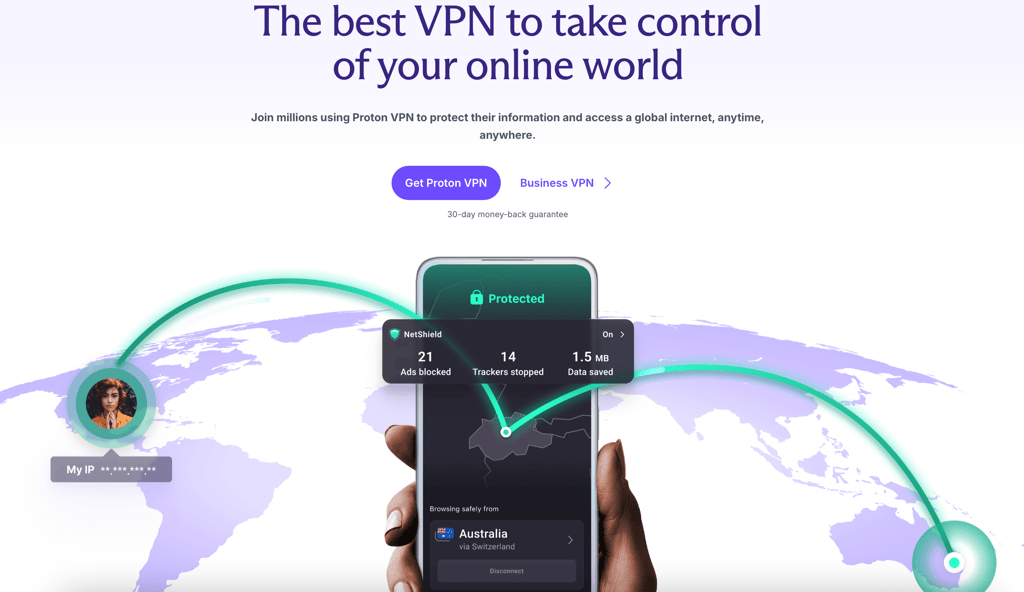
Pick a VPN with servers in locations like the US, Canada, or Switzerland. I recommend Proton VPN, now 70% OFF. Sign up for the service following the prompts.
Step 2. Download and install the VPN app
Next, download your selected VPN app, and install it on your computer or mobile device following the instructions from the provider.
Step 3. Connect to a server outside the UK and EU
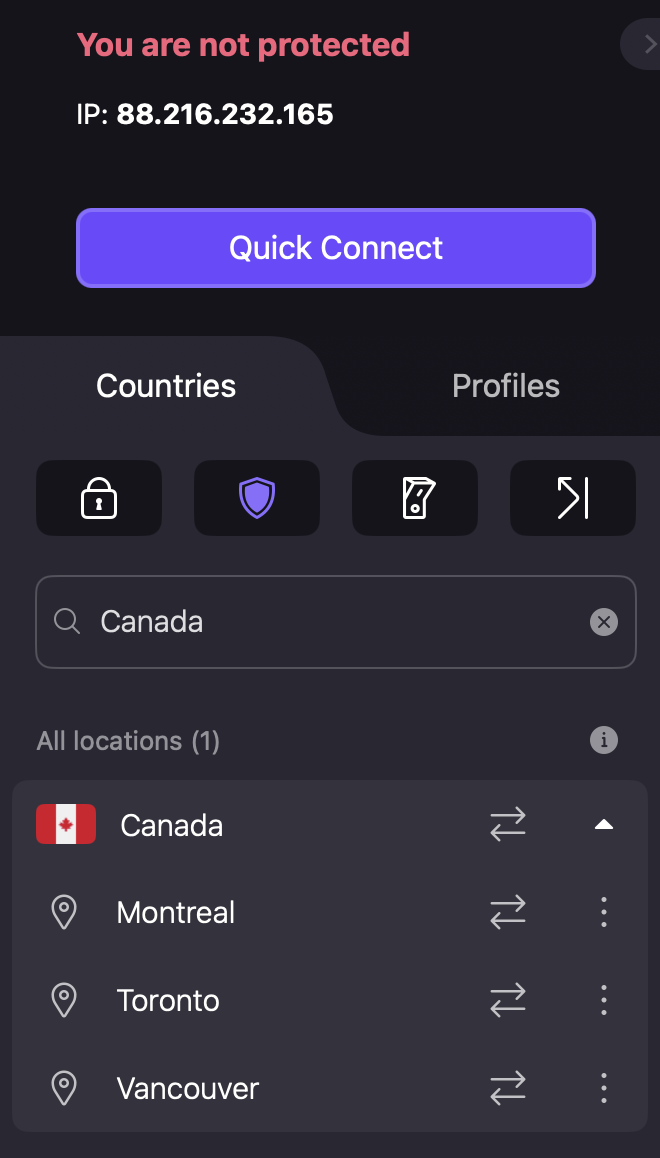
Pick a server in a country that doesn’t have social media age restrictions. I recommend Canada, Switzerland, or the US. Avoid the UK, EU countries, and Australia.
Step 4. Open X (Twitter) and sign in
Head to X and register or log in to your account. You may also need to change your location information in X’s settings by heading to Settings and privacy > Your account > Account information. You may also have to change your settings in terms of displaying sensitive content.
Step 5. Access age-restricted content
Once you complete all the steps, you should be able to access all the content posted on X, regardless of whether it’s been tagged as age restricted or not.
Best VPNs for Twitter (X) age verification in the UK
If you’re looking for a reliable VPN, I recommend the following providers to keep your access to x secure.
- Proton VPN – best VPN for Twitter (X) age verification
- ExpressVPN – privacy-focused alternative
- IPVanish – best value option
What information does X use for age verification?
X uses a variety of data points to establish your age. These include the following:
- Date of birth and account information. X uses the date of birth you give it to establish your age. If your account was opened before 2012, X assumes that you’re old enough to view sensitive material with no additional checks.
- IP address and location data. X will also track your IP address and location data to see if it's required to verify your age by local laws. These verifications are currently being implemented in the UK, EU, and Australia.
- ID checks and facial age estimation. If your account is flagged for verification, X may ask you to produce your ID or perform a face-based verification.
Can free VPNs bypass Twitter (X) age verification?
Yes, some free VPNs can bypass Twitter’s age verification. In particular, Proton VPN’s free version has servers in the US and should work well with X. Proton VPN is the only free provider I’d recommend, since most other unpaid products come with privacy policies that enable selling your data, or simply aren’t secure enough for day-to-day use.
Also note that while Proton VPN’s free servers work right now, should X implement VPN detection, it’s very likely that the free server addresses would be put on a black list, restricting your access. That’s why, I recommend using Proton VPN’s paid version, which has additional obfuscation features that stop detectors.
Is it legal to bypass Twitter (X) age verification in the UK?
As of the time of writing, it is not illegal to bypass X’s age verification restrictions in the UK using a VPN. However, the UK is currently considering VPN age restrictions that would perhaps make using a VPN to bypass age verification illegal.
Twitter (X) age verification not working: common fixes
If you’re having trouble verifying your age or accessing restricted content on X, here are a few steps you can try to take:
- Clear cookies and cache. Head to your browser settings and clear your cookies and browser cache. This may make X stop prompting you to verify your age.
- Try a different VPN server. Reconnect to a different VPN server in a non-verifying location.
- Check your X content and location settings. Check whether your location is set to a non-verifying country, and whether you allowed X to show you sensitive information.
- Update the X app. Head to your mobile device’s app store and download the latest X update.
Summary
With the UK constantly introducing new restrictions in terms of social media and internet usage, it’s natural to think about how to avoid having to expose your private information to third parties.
Fortunately, using a reliable VPN like Proton VPN is an excellent way to avoid age verification and maintain privacy online. The VPN will change your virtual location to one where age verification isn’t required, thus avoiding the need to share your ID or face with unknown third parties, risking privacy violations and leaks.
FAQ
Why does X require age verification in the UK?
X requires age verification in the UK due to the 2023 Online Safety Act requiring websites to protect children from pornography and other harmful content.
Can I view sensitive content on X without verifying my age?
Yes, you can do so by using a reliable VPN like Proton VPN to move your virtual location to a country like the US that doesn’t require age verification.
Does X require a photo ID for age verification?
Yes, X requires a photo ID for age verification in certain locations like the UK, Australia, and the EU if your account is flagged for verification.
Can a VPN help bypass X age verification?
Yes, a VPN will help bypass X age verification by changing your virtual location to a country where age verification isn’t required, like the US or Canada.
What is the best VPN for bypassing X age verification in the UK?
Proton VPN is the best VPN for bypassing X age verification in the UK. It has an excellent privacy policy, an open-source client, and a reliable free version.