Bluehost OpenClaw coupon October 2026
If you’re looking to save on OpenClaw hosting with Bluehost, you’re in the right place. You can get 55% off Bluehost OpenClaw hosting with our coupon. There’s no coupon code to enter – simply click the coupon link and the discount will be applied automatically.
💡 Get 55% OFF with Bluehost OpenClaw coupon
✅ The coupon is verified and active for August 2026.

Get up to 55% off eligible Bluehost OpenClaw hosting plans. No coupon code is required – click the coupon link to apply the discount automatically. Terms and availability may vary.
Is it worth getting Bluehost OpenClaw hosting?
Bluehost offers VPS hosting that provides OpenClaw users with the resources and control needed to run their own instance. It can be a good option if you want to keep your OpenClaw deployment on your own hosting environment rather than relying on a third-party managed service.
Here’s why Bluehost is worth considering:
- VPS hosting. Get dedicated virtualized resources for running your OpenClaw instance.
- Scalable resources. Upgrade your VPS as your OpenClaw workload and automation needs grow.
- Full server control. Manage your hosting environment and configure your OpenClaw setup to suit your needs.
- Reliable infrastructure. Bluehost provides VPS infrastructure designed for hosting websites, applications, and other workloads.
- Hosting and management tools. Manage your VPS and other hosting services through Bluehost’s platform.
- 55% discount. Our Bluehost OpenClaw coupon lets you save 55% without entering a separate promo code.
How to use Bluehost OpenClaw coupon (step-by-step guide)
Applying the Bluehost OpenClaw coupon is simple. You don’t need to enter a coupon code – the discount is applied automatically when you access Bluehost through our coupon link.
- Redeem the coupon. Click Redeem above, and you’ll be redirected to the Bluehost website.
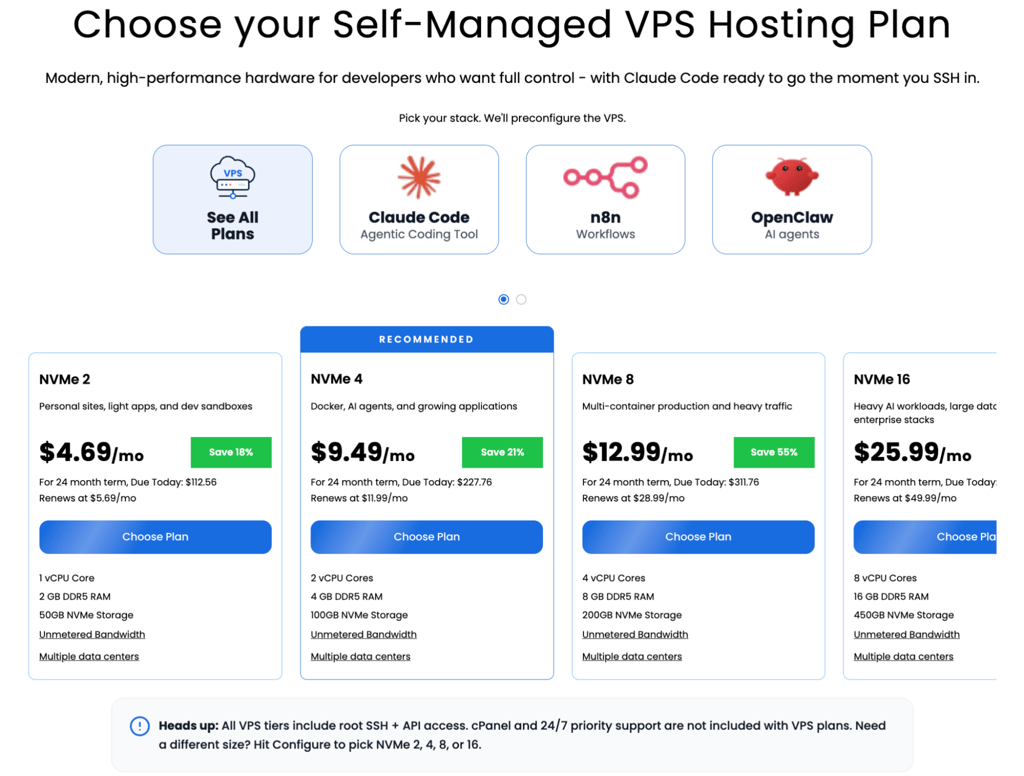
- Choose your OpenClaw hosting plan. You will find that Bluehost offers the NVMe 4 plan for OpenClaw, but a smaller one can work too, depending on your needs.
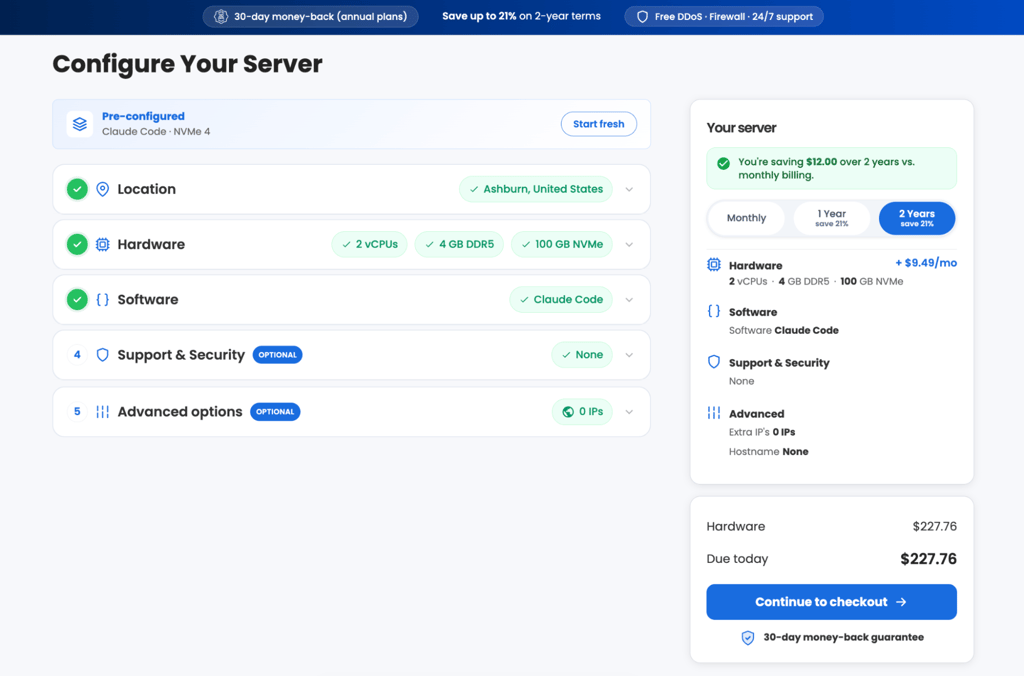
- Configure your server. Once you’re done, click Continue to checkout.
- Create or log in to your Bluehost account. Enter your account and billing information to proceed with your purchase.
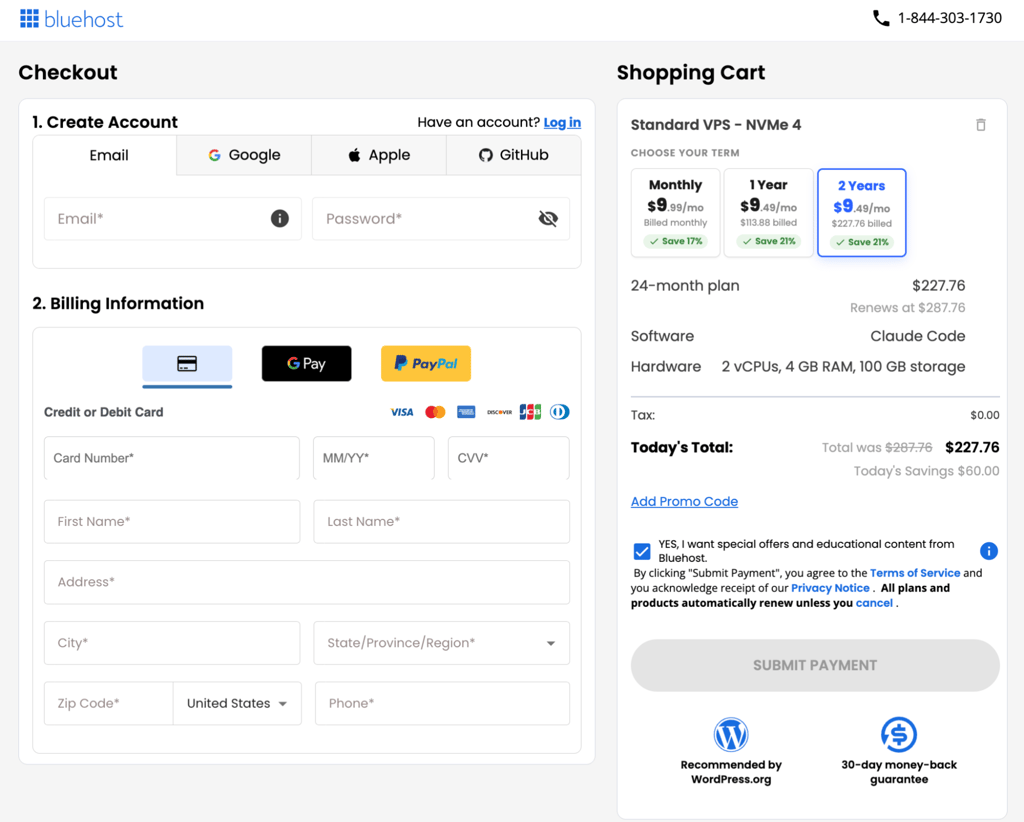
- Complete your purchase. Review the final price and order details, then complete your Bluehost purchase – the discount is applied automatically with our coupon.
Disclaimer: Prices, plans, and availability may vary. Always check the exact terms and final price on Bluehost’s website before completing your order.
How to set up OpenClaw on Bluehost VPS
Once you’ve purchased a Bluehost VPS, you can use your server to host your OpenClaw instance. The exact setup process depends on your selected VPS configuration and the OpenClaw installation method you use.
Start by accessing your Bluehost VPS and preparing the server environment. You can then install the required dependencies and deploy OpenClaw according to its installation requirements. After installation, configure your preferred messaging channels, credentials, and other OpenClaw settings.
Because VPS hosting gives you control over the server environment, you can also manage your OpenClaw configuration and resources as your automation needs change. Make sure your server is secured and that sensitive credentials, API keys, and access tokens are stored appropriately.
How we source Bluehost OpenClaw hosting deals
We work directly with Bluehost and other hosting providers to find verified and relevant hosting deals. Our team checks coupon links regularly to make sure they are working and that the advertised discount is available.
We also update our listings to highlight the latest OpenClaw hosting discounts, helping you find the best available deal without having to search across multiple sources.
FAQ
What is the coupon code for Bluehost OpenClaw hosting?
There is no coupon code required for the Bluehost OpenClaw deal. Click the coupon link above to be redirected to Bluehost, and the 55% discount is applied automatically.
What is the Bluehost OpenClaw coupon with the biggest discount?
Currently, our Bluehost OpenClaw coupon offers 55% off. You don’t need to enter a promo code manually, as the discount is applied automatically when you use our coupon link.
Why is my Bluehost OpenClaw coupon not working?
Make sure you accessed Bluehost through the coupon link provided above. The discount is tied to the coupon link, so there is no code to enter manually. If the discount does not appear, check the selected plan, billing period, and offer terms before completing your purchase.
Can I run OpenClaw on Bluehost VPS plans?
Yes. OpenClaw can be hosted on a VPS, giving you control over the server environment and resources needed for your deployment. Make sure your selected Bluehost VPS configuration meets OpenClaw’s current system requirements.
Is the Bluehost OpenClaw coupon available without a promo code?
Yes, no promo code is needed. Simply click the Bluehost OpenClaw coupon above and the 55% discount will be applied automatically.
How much can I save with the Bluehost OpenClaw coupon?
You can currently save up to 55% on the eligible Bluehost offer when you use our coupon link.