LightPDF
Last updated: June 16, 2026
What is LightPDF?
LightPDF stands out as a powerful yet user-friendly PDF management platform that covers everything from basic viewing and annotation to advanced AI-powered functions. Whether you need to convert, edit, sign, or summarize PDF files, LightPDF makes the process seamless through its web-based interface and dedicated desktop applications.
Originally designed for everyday office users, LightPDF has grown into a comprehensive productivity suite. With its inclusion of AI features—such as document summarization, chat-based PDF assistance, and OCR—LightPDF aims to save users time and streamline tedious document tasks, making it a smart choice for professionals, students, and educators alike.
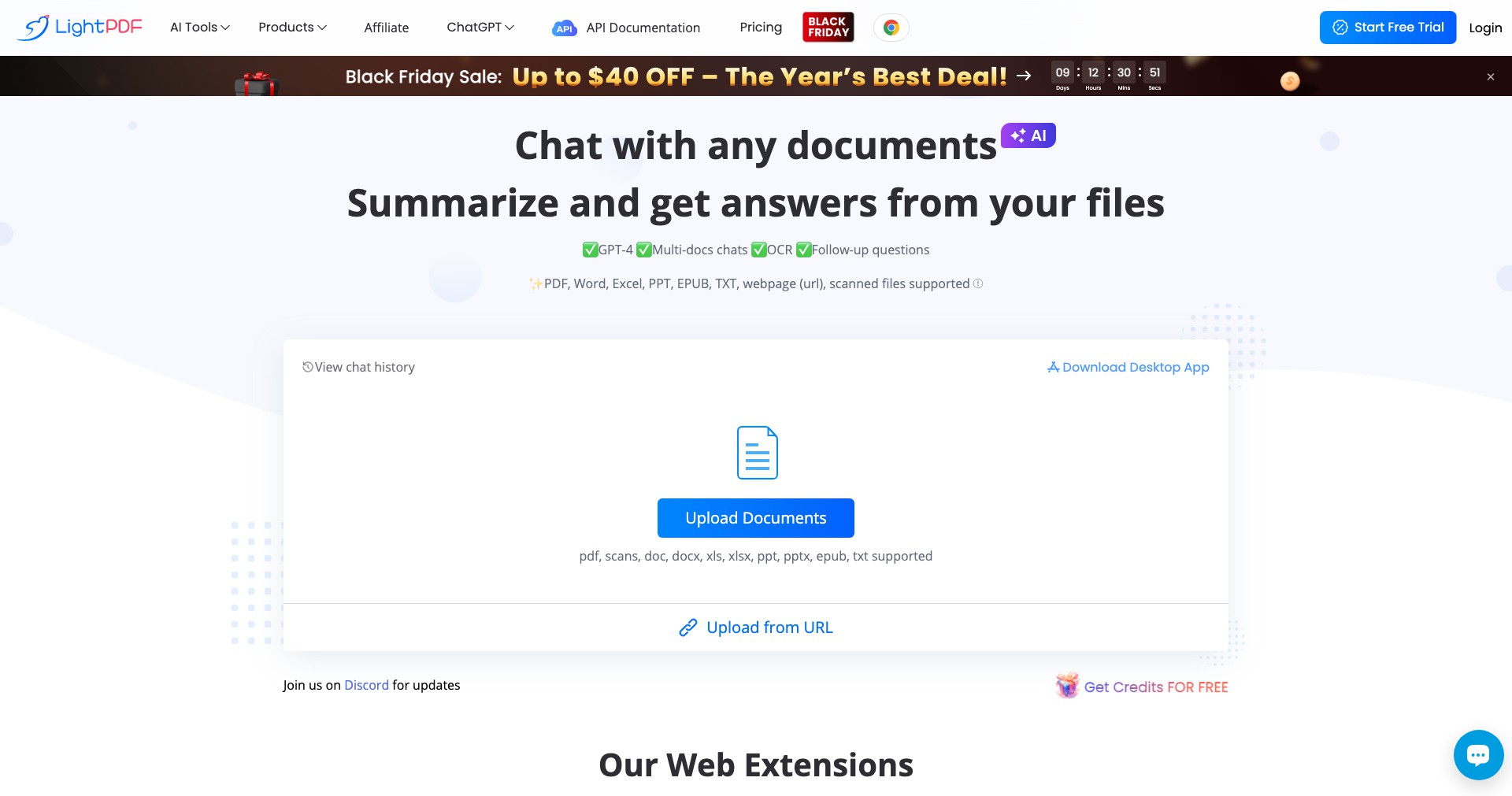
Key Features:
-
Wide Format Conversion:
Easily converts PDFs to and from a variety of formats including Word, Excel, PowerPoint, images, and more, retaining original quality and layout. This accelerates workflow and ensures compatibility with other file types. -
Built-in AI Chat Assistant:
Ask questions about your PDF, summarize content, extract data or translate text within a PDF using a conversational AI bot built directly into the platform. This helps users extract key information efficiently and without manual reviewing. -
Seamless PDF Editing:
Edit text, images, and links directly in your PDF or annotate with highlights, comments, and shapes. This feature empowers easy collaboration and error correction without switching files. -
OCR and Scanned PDF Handling:
Advanced Optical Character Recognition (OCR) technology lets users convert scanned images or photos of documents into fully searchable and editable PDFs, enhancing productivity for users working with paper archives. -
E-signature and Security:
Sign documents electronically, add watermarks, encrypt PDFs, and set password protections. Perfect for businesses needing secure, legally-binding document workflows.
What makes LightPDF unique?
What sets LightPDF apart from many competing PDF tools is its deep integration of AI technology. Features like chat-based PDF assistance, instant summarization, and translation powered by artificial intelligence provide next-level interaction with documents that goes beyond basic viewing and editing.
Moreover, LightPDF's cross-platform availability—with web, Windows, and Mac clients—combined with a clear, intuitive interface ensures that both novices and tech-savvy users can get started immediately without a steep learning curve. Regularly updated features and robust online support further distinguish it from more static or complex alternatives.
Pros and Cons
Who is using LightPDF?
Business Professionals: HR, legal, and administrative staff benefit from streamlined document signing, editing, and secure sharing, simplifying contract processing and record management.
Educators and Students: Teachers and learners use LightPDF for annotating study materials, converting notes, generating summaries, and collaborating on assignments, boosting productivity in academic workflows.
Freelancers and Creators: Writers, designers, and marketers utilize LightPDF's conversion, e-signature, and AI tools to accelerate content creation, project documentation, and client communications.
Evolution and Improvements
LightPDF began as a straightforward online PDF conversion tool, focusing on fast format conversions and basic PDF manipulations.
Over time, the platform expanded its suite to encompass advanced editing tools, powerful OCR for scanned documents, and file security enhancements, making it a legitimate competitor to legacy PDF software brands.
The most significant evolution came with the integration of AI-powered features, notably the Chat with PDF and summarization tools, as well as desktop and mobile applications for expanded device compatibility. Frequent updates continue to improve performance, security, and usability.
Pricing
| Plan | Price | About |
| Free | Free | Basic conversion, editing, and AI-chat capabilities with daily usage limits. |
| Premium Monthly | $19.90/month | Unlocks unlimited access to all AI, editing, conversion, OCR, and security tools. |
| Premium Yearly | $79.90/year | Significant discount for annual payment, full access to all features and updates. |
| Pay-as-you-go Credits | Varies | Purchase credits for specific operations like OCR or AI chat for occasional users. |
Verdict
LightPDF offers a robust, user-friendly toolkit for handling all types of PDF workflows, from basic conversions and editing to advanced AI-driven document understanding. Its cross-platform availability and flexible pricing make it attractive to individuals and organizations alike.
While the best capabilities are behind a paywall and offline limitations persist, its surface simplicity belies impressive power—particularly in AI functions. LightPDF is highly recommended for anyone seeking a modern, affordable, and versatile PDF solution.


