Best adware removal tools in 2026 – tested and ranked
Backed by leading cybersecurity experts and investigative journalists, we deliver independent, real-world antivirus testing and analysis, guaranteeing objective evaluations without undue influence or bias from outside parties.
Our transparent and consistent methodologies ensure objective, up-to-date reviews, empowering readers to make well-informed decisions.
Learn more
Adware has long been just a nuisance – a small piece of software unknowingly installed on your device to show annoying ads. Recently, however, it’s been more dangerous than that, as it can track your personal information, modify your browser settings, and monitor your online behavior.
Downloading free tools doesn’t have to be a gamble. You can safeguard yourself from accidentally installing adware by using an adware removal tool. It immediately flags dangerous files and doesn’t let them crawl into your system.
To help you choose the best one, the Cybernews research team and I tested the 10 most popular adware tools’ real-time protection, anti-hijack, and PUP detection capabilities. Based on our findings, Malware AdwCleaner, ESET, and Norton proved to be the strongest for comprehensive adware protection. Read all about the testing process and its results below.
Top 7 best adware removal tools
- Malwarebytes AdwCleaner – overall best for adware removal
- ESET – best AI-powered adware protection
- Norton – adware removal with deepfake and scam security
- Bitdefender – minimal impact adware protection with a VPN
- Sophos – most cost-efficient for families
- Avira – best free plan for all adware types
- Avast One – most affordable adware removal for Mac
How we tested adware removal software
The Cybernews research team and I tested 10 adware removal programs on a Windows 11 Home x64 VirtualBox VM with 4 CPUs and 8 GB of RAM. We used 10 adware files from MalwareBazaar to assess their detection rates and the Ask Toolbar app to run the anti-hijacking tests.
Also, we identified 12 most important features for device protection offered on top of the manual and real-time adware scans. They include pop-up, ad, and notification blockers; download, Wi-Fi, and network scanners; browser extensions; an anti-hijacking tool; email protection; an automatic update scanner; scheduled scans; and a safe browsing mode. We then checked how many of these extra features each tool includes.
Here’s the full report with all testing results:
Malwarebytes AdwCleaner ranked first with the strongest overall balance: 100% lab results, 11/12 features, 89.4% performance, 78.1% pricing, and 100% usability. ESET followed with 100% lab results, 9/12 features, and the highest pricing score among the top tools (82.4%), but lower performance (36.2%). Norton and Bitdefender showed similar results, as the latter stood out for system efficiency, occupying 47% of RAM and 34% of CPU, and usability (100%). Avira, Avast One, and Trend Micro had the most complete feature sets (12/12 features) but weaker performance (48.8–63.7%).
Our in-house tests weren’t the only assessment criteria – we were also guided by independent lab results from AV-Comparatives, as it used a much larger sample size. The in-house tests, in turn, narrowed down the lab results to a specific context.
Here are the weighted criteria we used for assessment:
- Adware detection (35%). We tested how effectively adware removal tools detect adware, potentially unwanted programs (PUPs), and browser hijack apps, specifically Ask Toolbar.
- Features (25%). We checked how many of the 12 adware protection features each tool offers.
- Performance (20%). We measured the RAM and CPU usage of the tool when running in the background.
- Pricing (10%). We checked the price-and-value ratio, availability of free tiers, and the number of devices in the cheapest plans.
- Usability (10%). We assessed how easy it is to use the software without prior experience.
The best adware removal tools for 2026
Below are the test results of the 7 best adware removal tools for 2026. I made sure to include precise data on their adware detection rate and their performance.
1. Malwarebytes AdwCleaner – best overall for adware scan and removal
| Rating: | |
| Max devices covered: | 3 |
| Platforms: | Windows, Android, macOS, ChromeOS, iOS |
| Price: | $26.99/month |
| Today's best deal: | Get Malwarebytes, now 40% OFF |
Malwarebytes AdwCleaner is the best adware removal tool. In our tests, it achieved a cumulative score of 85% based on all testing criteria, which is better than the rest of the tested tools by a large margin. Its PUP detection rate was the highest among all providers at 60%, while its real-time protection feature detected and blocked the hijacking app download. Our results are confirmed by the perfect 100% score in AV-Comparatives’ lab tests.
Malwarebytes protects your device from top to bottom, including a browser extension, cleanup tools, an online ad blocker, and download and Wi-Fi scanners. I was glad that despite a wide range of features, it was very easy to use, as it didn’t require any technical setup – just downloading and pushing buttons.
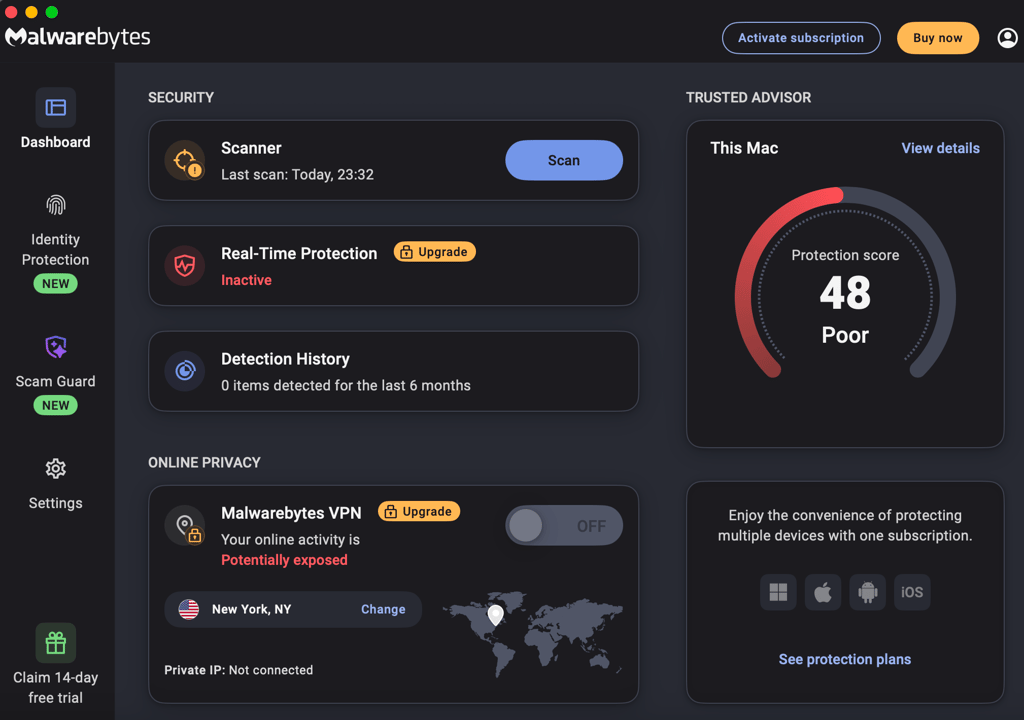
It didn’t affect my computer's speed, using less than 47% of the CPU and 49% of RAM when active. The full scan took only 12m 22s, which is one of the best scores among the 10 best tools.
As for the price, Malwarebytes AdwCleaner is free to use, and the program doesn’t overwhelm you with upselling pop-ups. If needed, you can go with Malwarebytes antivirus for full device protection against all malware types for $26.99/year per device.
2. ESET – best AI-powered adware detection

| Rating: | |
| Max devices covered: | 10 |
| Platforms: | Windows, macOS, Linux, Android, iOS |
| Price: | $34.99/month |
| Today's best deal: | Get ESET, save up to 30% |
ESET is powered by AI to detect and remove different malware types, including adware. In our tests, it scored 72.2% for adware protection, successfully detecting 40% of PUPs and 20% of adware files in real time. Most importantly, it successfully caught the hijacking app – a result achieved only by ESET and Malwarebytes. ESET’s effectiveness is also supported by its AV-Comparatives 100% detection rate.
As for features, ESET offers 9 out of 12 essentials, including cleanup tools, a browser extension, a download scanner, and a pop-up blocker. However, unlike Malwarebytes, it doesn’t have an ad blocker and an automatic update checker, which helps to avoid security risks via timely software updates.
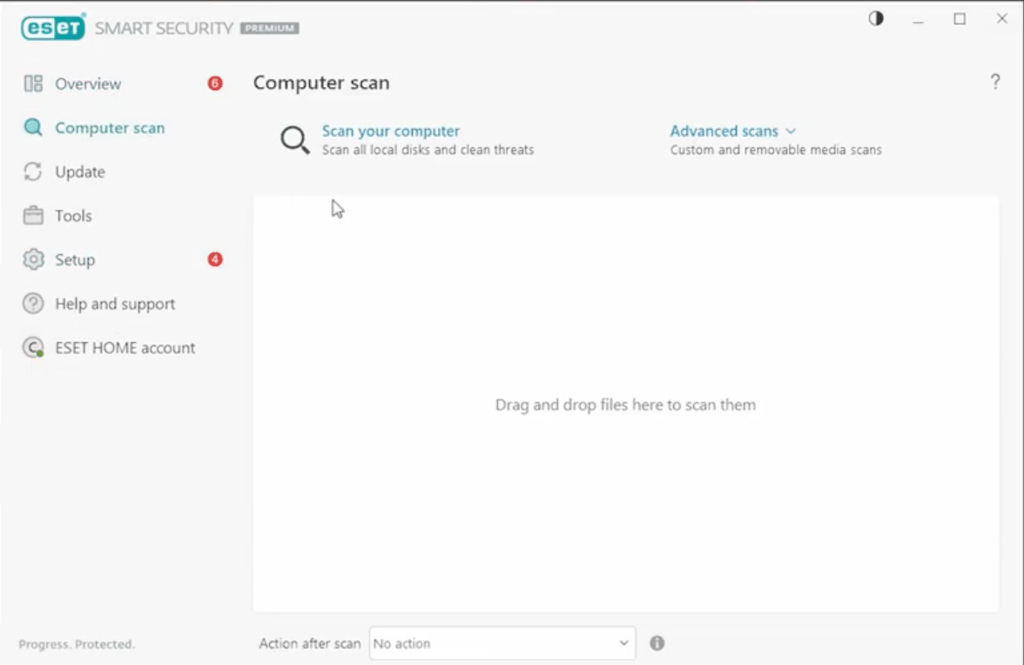
Overall, ESET has a simple, plain interface without unnecessary design details. Finding the quarantine zone with dangerous files took me some time, but it didn’t make my experience worse.
Surprisingly, the decent adware scan results didn’t affect the scan speed – ESET was the fastest of the 5 best tools, checking the whole system in 11m 28s. However, compared to Malwarebytes, it slowed down our testing computer, occupying up to 63% while running in the background.
ESET’s price is average for the market. It starts at $34.99/year and covers 1 device. You can choose the protection for up to 3 years for long-term savings, and up to 10 devices cover your family members. Also, you have 30 days to request a refund if you don’t like how it worked.
3. Norton – adware removal with scam and deepfake protection

| Rating: | |
| Max devices covered: | 10 |
| Platforms: | Windows, macOS, iOS, Android |
| Price: | $29.99/month |
| Today's best deal: | Get up to 60% OFF Norton Antivirus |
Norton offers the largest security package on the list, with extra protection against scams and deepfakes on top of its adware removal tools. In our testing, it captured 20% of real-time threats and 30% of PUPs, which is an average result among all the tools we evaluated. However, AV-Comparatives has rated its overall security capabilities at 99.50%, confirming its high real-time effectiveness.
When it comes to functionality, Norton checked off all 12 out of 12 essential features. I like that it gives you everything you need under one subscription, including a password manager, cloud backup, and dark web monitoring. Basically, you don't have to look for other add-ons to secure all aspects of your digital life.
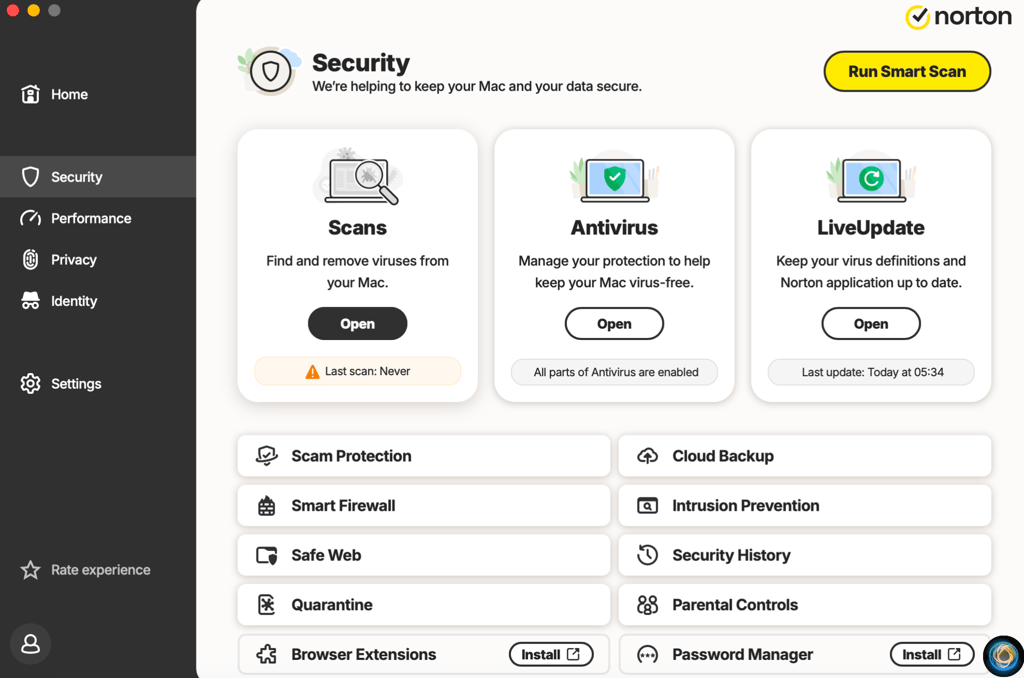
Since Norton bundles many features, the interface can feel denser than those of other tools on my list. Similar to ESET, I had trouble finding the quarantine section, and it generally takes time to learn how to use every Norton feature.
I like that it completed the full scan relatively quickly, finishing in 15m 15s. However, it occupied 62% of RAM and 88% of CPU during testing, so I recommend using it on powerful hardware to avoid system slowdowns.
Overall, Norton offers four plans starting at $29.99/year that protect 1 PC, Mac, tablet, or phone and include a 60-day money-back guarantee. The more expensive plans cover up to 10 devices and offer a wider feature range.
4. Bitdefender – low-impact adware protection with a VPN

| Rating: | |
| Max devices covered: | 5 |
| Platforms: | Windows, macOS, Android, iOS |
| Price: | $12.99/month |
| Today's best deal: | Get Bitdefender for up to 78% OFF |
Bitdefender showed the lowest system impact in my tests, making it perfect for older computers and users who want a silent security tool. Our tests showed that it detected 20% of PUPs and 20% of adware in real time. A 99.50% score from AV-Comparatives further backs its overall security capabilities.
Bitdefender offers 11 adware-protection tools, lacking only a pop-up blocker. On top of that, it has a VPN along with identity and scam protection features, even on the cheapest plans. I like that while it doesn’t overwhelm you with features, it has all the security basics for everyday use.
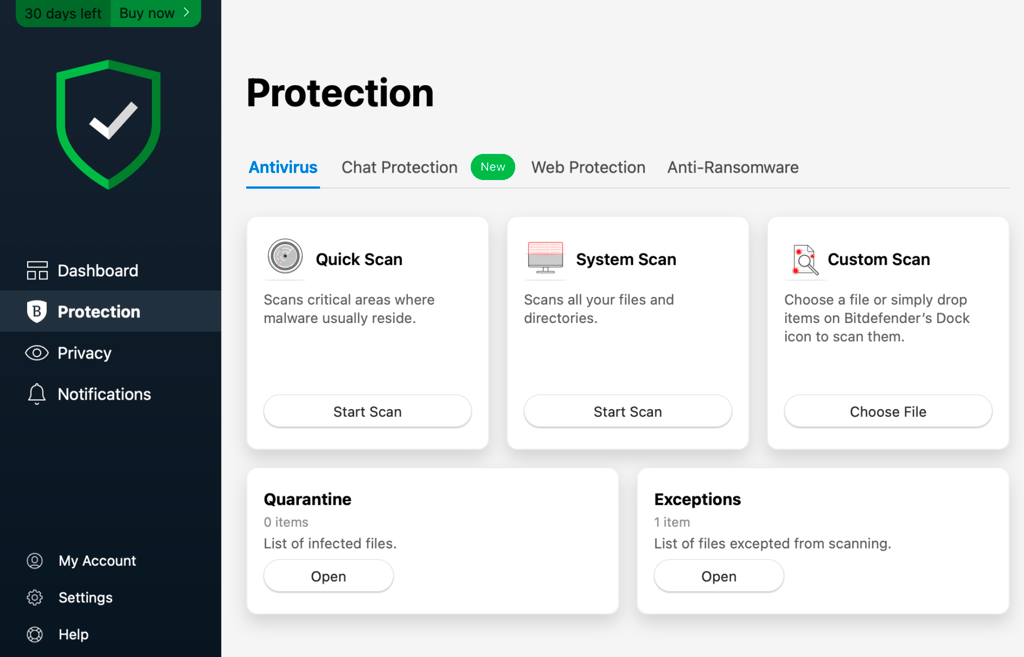
Its interface is very simple and doesn’t require learning. Even if you don’t have experience with adware removal tools, you’ll easily run scans, manage quarantined files, and check your security status.
The best thing about Bitdefender is how quietly it runs, keeping RAM usage at 47% and CPU impact at 34%. The trade-off, however, is the scanning speed, as the full system scan took 1h 30m. Still, because it barely touches your system resources, you can play games or work while the scan is running without experiencing any lag.
Bitdefender offers the lowest first-year prices, with the cheapest plan starting at $12.99/year and covering 1 device. You can easily cancel the subscription after the first year by simply turning off the automatic renewal in your account. Also, there’s a 30-day money-back guarantee on first-time purchases.
5. Sophos – best price for families with up to 10 devices
| Rating: | |
| Max devices covered: | 10 |
| Platforms: | Windows, Mac, Android, iOS |
| Price: | $44.99/month |
| Today's best deal: | Get Sophos Home, now 25% OFF! |
Sophos is a strong adware removal tool with the cheapest plan offering protection for up to 10 Mac and Windows computers, plus unlimited iOS and Android devices. In our tests, it scored 40% for real-time detection and 50% for catching PUPs, which is better than average compared to the rest of the tools. In independent AV-comparative tests, it blocked 98% of malicious downloads in real time, confirming its solid performance.
Sophos offers a standard browser extension and cleanup tools, along with an anti-hijacking feature and an automated update checker. However, it’s a bit more technical than the other tools. For example, it lacks a simple on-and-off switch for ad and pop-up blockers. Instead, you need to manually configure firewall rules to block specific types of online content, like advertisements.
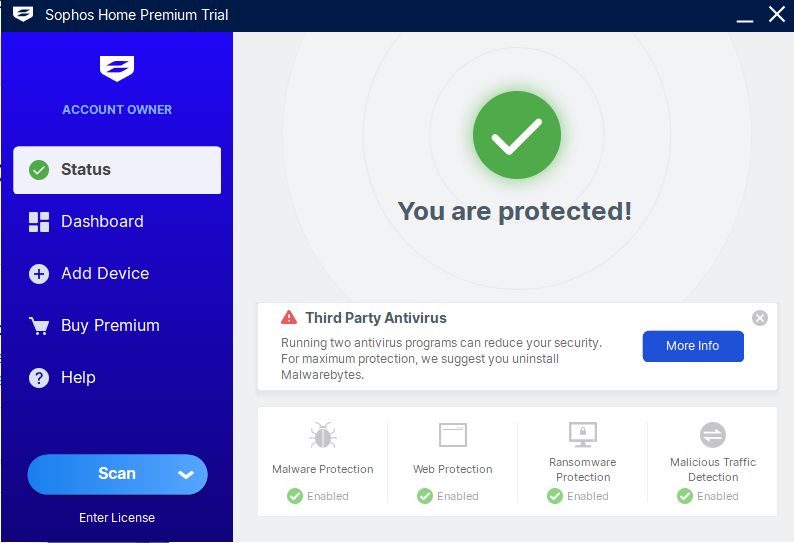
Despite the manual setup of parental controls and ad blocking, I found Sophos’ interface straightforward, clearly showing which features are enabled at the moment. Also, I liked how easy it was to add new devices to my account – I only had to enter an email address and a phone number for each device.
The full Sophos scan took 1h 24m, which is rather long, compared to ESET and Malwarebytes. The overall RAM usage didn’t exceed 67%, while the CPU remained below 73% – such resource usage was quite intense, but I didn’t experience any device lag.
As for the pricing, the cheapest plan with up to 10 devices starts at $44.99/year. It’s an incredibly low price for the number of devices on one account. Before paying, you can test Sophos for 30 days, the longest free trial among the tested tools.
6. Avira – best free tier for all adware types
| Rating: | |
| Max devices covered: | 5 |
| Platforms: | Windows, macOS, Android, iOS |
| Price: | $22.99/month |
| Today's best deal: | Get 1 year of Avira at 65% OFF |
Avira is a feature-rich tool with a generous free plan. While it caught 20% of adware files in real time and 20% of PUPs in our tests, AV-Comparatives assessed its real-time protection features at 99.50%. Such results make it an overall solid option for everyday protection.
Generally, Avira offers all 12 features we’ve been looking for. Along with the standard anti-adware tools, it also includes a notification blocker that Malwarebytes lacks and an ad blocker unavailable in ESET. Moreover, each plan comes with a VPN and a password manager, which makes Avira an all-in-one security solution.
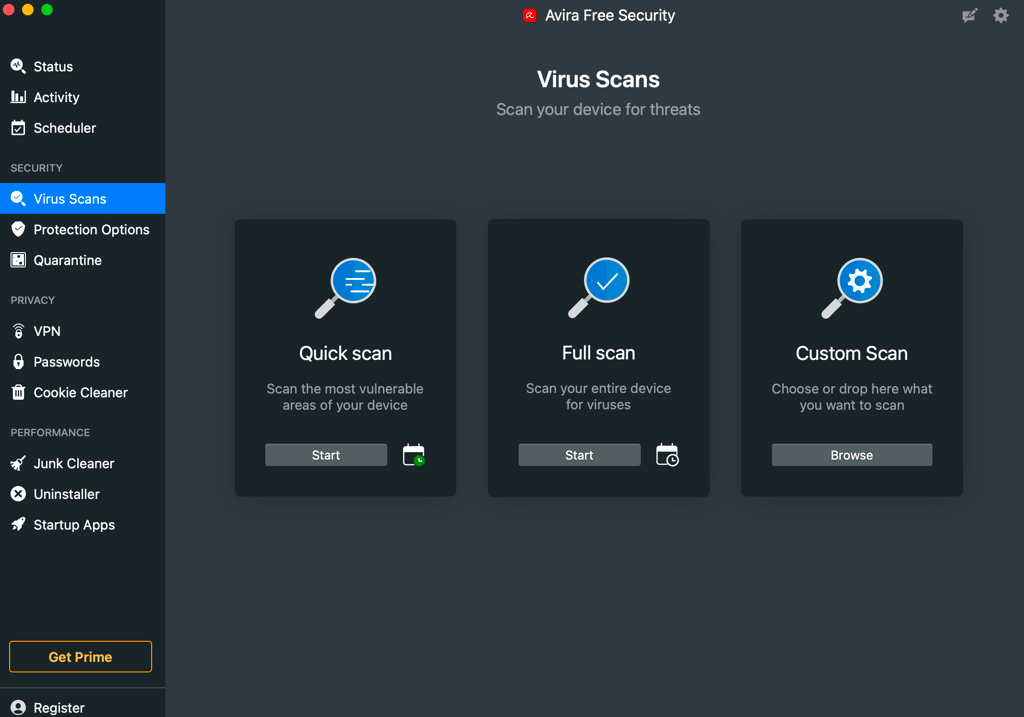
Avira’s interface is very straightforward, and all the main features are located in the left sidebar. The only thing that bothered me was the constant upselling pop-ups in the free plan.
In my test, the full system scan took 26m 13s, which is better than Sophos but longer than Malwarebytes. Running Avira used a lot of resources – up to 88% of RAM and 100% of CPU. That said, I didn’t notice any system slowdown.
Avira Free Security ranks second on our list of the best free antivirus tools because its free tier includes both on-demand scans and real-time protection for various threats, including adware. The paid plan starts at $22.99/year with a 60-day money-back guarantee, offering web protection in addition to the full suite.
7. Avast One – cheapest adware removal tool for Mac

| Rating: | |
| Max devices covered: | 10 |
| Platforms: | Windows, Mac, Linux, Android, iOS |
| Price: | $31.20/month |
| Today's best deal: | Get up to 60% OFF Avast Antivirus |
Avast One offers a full adware protection suite dedicated to Mac and iOS devices, with a more expensive tier for other operating systems. In our tests, it detected just 10% of PUPs and 10% of adware files in real-time mode. Despite the low in-house results, the independent AV-Comparatives gave it a much better score of 99.50%. So, overall, it provides reliable protection against basic adware threats.
I really like that Avast One offers 11 essential web and real-time protection features. Along with the cleanup tools and ad blockers, it also blocks scam SMS, emails, and phone calls. It’s a great feature, because in my experience, dangerous adware is often installed on devices via SMS links.
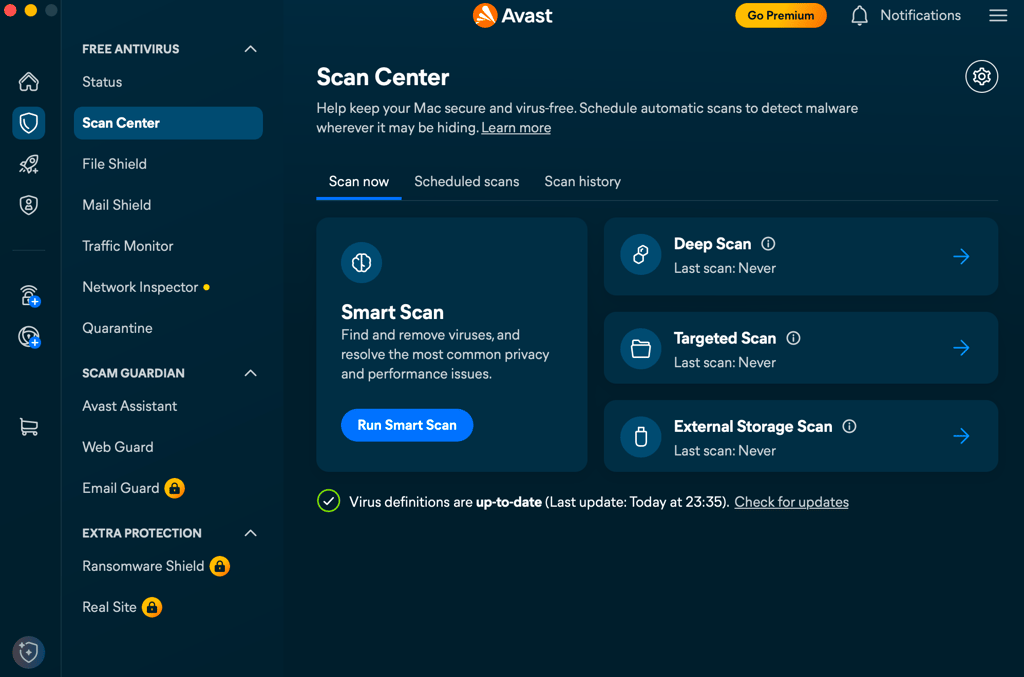
Overall, Avast One has the most pleasant, modern-looking interface, similar to Malwarebytes'. It displays all the important features right on the main dashboard, where I could run different types of scans and schedule them with a single click.
As for performance, it finished the full scan in 21m 21s while occupying 69% of RAM and 96% of CPU. Similar to Sophos, the resource usage was high, but it didn’t cause system slowdown.
Avast One’s cheapest plan protects 1 Mac device plus 1 mobile device (iOS or Android) and costs $31.20/year. The best thing is that it also has a completely free tier with comprehensive web and on-demand protection.
Notable providers outside of the top 7
While the rest of the tested providers didn’t pass the hijacking test, they still have good real-time protection features according to AV-Comparatives' lab results. For example, Trend Micro didn’t make it into our top 5, but it achieved an overall adware detection score of 47.2% in our in-house tests and 100% with AV-Comparatives. Moreover, it includes all 12 features important for robust adware protection.
I’d like to give a special highlight to the lightweight Hitman Pro. It achieved a 30% PUP detection rate in our in-house tests – a result comparable to the top 5 tools on my list. While it has only 2 out of the 12 features (a pop-up blocker and a download scanner), it has the lowest impact on the system (using just 43% of RAM and 63% of CPU) and runs the fastest system scans (1m 27s).
Quick comparison table
Here’s a quick comparison table of the 7 best adware removal tools:
| Adware blocking test results | Starting price per year | Free plan | Ad blocker | Browser extension | |
| Malwarebytes AdwCleaner | 66.7% | $26.99 | ✅ Yes | ✅ Yes | ✅ Yes |
| ESET | 72.2% | $34.99 | ❌ No | ❌ No | ✅ Yes |
| Norton | 49.83% | $29.99 | ❌ No | ✅ Yes | ✅ Yes |
| Bitdefender | 46.5% | $12.99 | ❌ No | ✅ Yes | ✅ Yes |
| Sophos | 61.1% | $44.99 | ❌ No | ❌ No | ✅ Yes |
| Avira | 52.8% | $22.99 | ✅ Yes | ✅ Yes | ✅ Yes |
| Avast One | 38.9% | $31.20 | ✅ Yes | ✅ Yes | ✅ Yes |
Quick steps to clean adware
You can always remove adware manually by checking the list of installed browser extensions and apps for suspicious files. However, specialized tools do it better and faster as they know where to look for hidden files.
Here, I’ll show you how to clean adware from your device using an adware removal tool. Since Malwarebytes performed best in my tests, I’ll use it as an example.
Step 1: run a scan in the adware removal tool
First, you need to run a scan in your adware removal tool. In Malwarebytes, the Scan button is located at the top of the main dashboard.
Step 2: quarantine detected adware
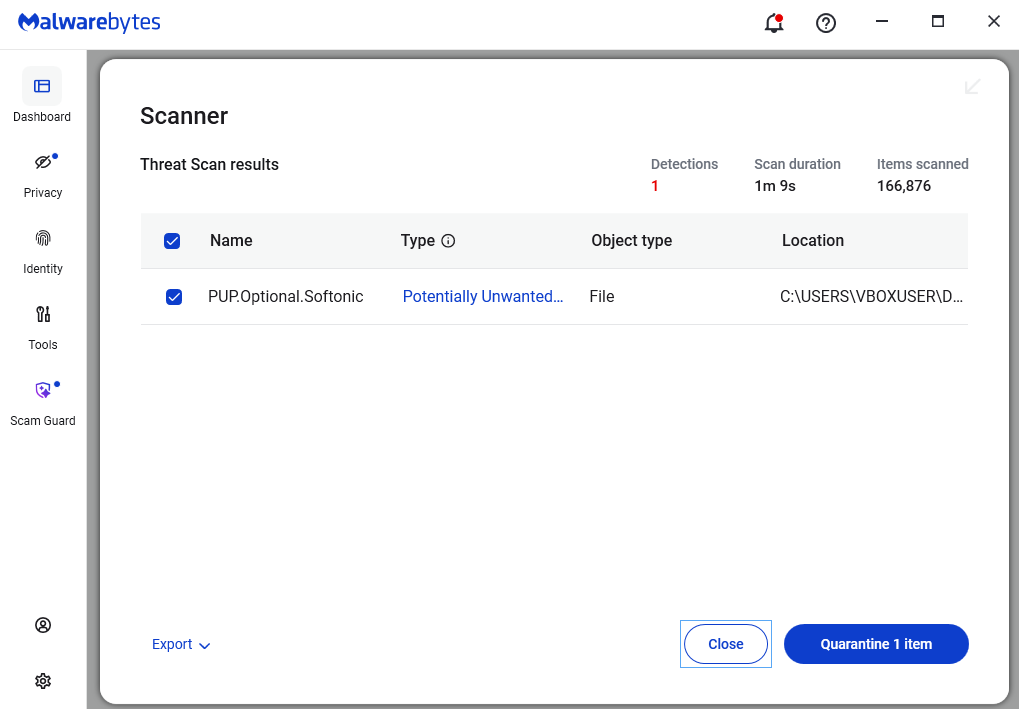
As Malwarebytes finds adware files, you need to select them and click Quarantine [number of files] items. In my case, it was just one file.
Step 3: enjoy the safe device
Since the adware is quarantined, it’s trapped in the tool and can’t cause any harm. Now, you can use the clean device!
Conclusion
Intrusive adware pop-ups aren’t just annoying. They can track your personal data and browser activity and open the door for more dangerous forms of malware. Practicing good online habits is everything here: don’t rush to install free software without checking the terms, and make sure you have a good adware removal tool.
I recommend Malwarebytes AdwCleaner as the best adware removal tool – it’s free and caught the highest number of adware files in our tests. You can also consider ESET for AI-powered protection, check Norton for its anti-scam features, and try out Sophos with a 30-day free trial. All in all, I believe that combining common sense and a good antivirus is the easiest way to keep your devices clean.
FAQ
What is the best adware blocker?
According to Cybernews in-house testing, Malwarebytes AdwCleaner proved to be the best for blocking adware. ESET and Sophos also showed good results in both in-house and independent lab tests by AV-Comparatives.
Is there a free adware remover for PC?
Yes, Malwarebytes AdwCleaner is a completely free adware remover for PC. Avira and Avast One also have generous free tiers with basic adware-blocking functionality.