Ubigi review 2026
Our in-house expert researchers and journalists conduct independent, unbiased testing of eSIM services, assessing their real-life effectiveness and usability.
By staying current with industry developments and openly sharing our transparent testing methodologies, we ensure readers receive accurate, up-to-date insights so they can make informed choices about eSIM solutions.
Learn more
Traveling abroad often comes with expensive roaming charges, unreliable Wi-Fi, and the inconvenience of switching physical SIM cards. Fortunately, travel eSIMs can help you stay connected more conveniently by providing affordable mobile data without the need for a physical SIM.
In this Ubigi review, I tested the service across several key areas, including network coverage, pricing, setup process, app experience, and overall performance. I also compared it with other eSIM providers to determine whether it’s a good choice for travelers. Read on to see my full findings.
| ⭐ Rating: | |
| 🥇 Overall rank: | #9 out of #12 |
| 💵 Price: | From $4.00 (prices vary depending on your destination) |
| 🌏 Countries and regions: | 200+ |
| 🛜 Offered cellular networks: | 5G, 4G, 3G, and LTE |
| 📱 Does it allow phone calls: | ❌ No |
| 🔗 Does it support mobile hotspot: | ✅ Yes |
Ubigi Pros and Cons
Ubigi overview and features
Ubigi is a travel eSIM service developed by Transatel, a France-based mobile virtual network operator (MVNO) owned by the NTT Group, one of the world's largest telecommunications companies. Unlike many eSIM providers that rely on third-party platforms, Ubigi benefits from Transatel's own mobile infrastructure and direct carrier partnerships. This helps it deliver reliable connectivity and affordable data plans across more than 200 destinations.
One feature that sets Ubigi apart is its reusable eSIM. I especially liked this feature because you don’t need to install a new eSIM for every trip. Instead, you install it once and simply top it up with data plans for different destinations whenever you need them. Ubigi also includes several other useful features:
- Smart Start. Your data plan activates automatically when you arrive at your destination, so you can purchase it up to 6 months in advance without worrying about losing validity.
- Smart IP. In select destinations, including the US and UK, you can choose between a local IP address or one from your home country.
- Smart Share. Mobile hotspot and tethering without restrictions are supported at no extra cost.
- Data-free top-ups. You can purchase a top-up in the Ubigi app even if you've run out of mobile data or don't have Wi-Fi access.
- Biometric login. The app supports Face ID and fingerprint authentication for faster sign-ins.
- UbiClub. Ubigi's loyalty program rewards you with UbiCoins that can be redeemed for discounts on future purchases.
Finally, Ubigi also supports 5G connectivity where available and offers unlimited data plans in more than 90 destinations. In many countries, it can connect to multiple 4G and 5G networks to improve coverage and reliability.
What type of plans does Ubigi offer?
Ubigi offers an array of plans, including local, regional, and global options, to suit different travel needs. These plans vary in price, data allowance, and validity period, so you can choose the option that fits your trip and data needs. Here’s a breakdown of some of Ubigi’s available plans.
Local plans
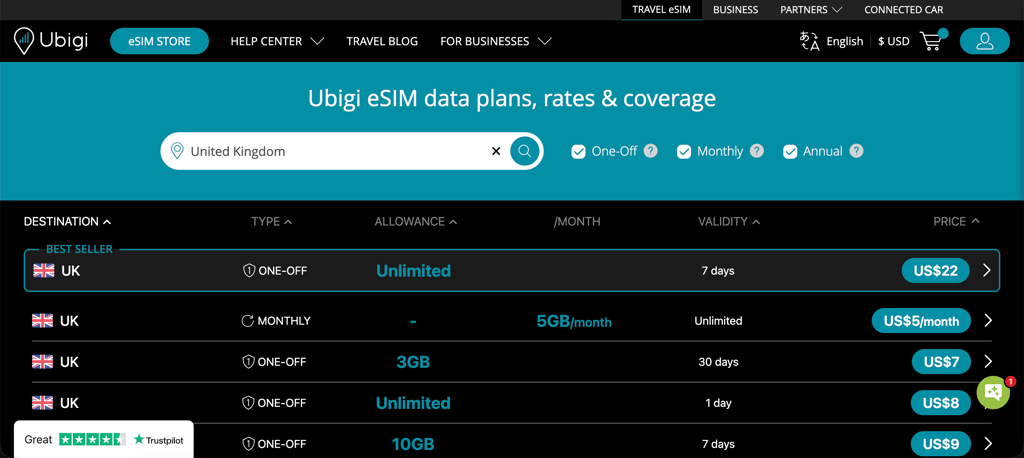
A local plan is ideal if you’re visiting just one country. Overall, Ubigi offers local plans for more than 200 destinations worldwide. For example, if you’re traveling to the US, here are some of the available options:
| Local US plan | Price |
| 500MB for 1 day | $2.90 |
| 1GB for 7 days | $4.00 |
| 3GB for 15 days | $7.00 |
| 10GB for 30 days | $14.00 |
| 25GB for 30 days | $32.00 |
| 50GB for 30 days | $48.00 |
| Unlimited data for 1 day | $9.00 |
| Unlimited data for 7 days | $25.00 |
| 5GB/month | $6.00 |
| 20GB/month | $18.00 |
| Unlimited data/month | $36.00 |
| 60GB/year (5GB/month) | $70.00 |
Regional plans
Ubigi’s regional plans cover multiple destinations within the same region, making them a great option if you’re visiting more than one country during your trip. You can choose a regional plan for Asia, Africa, Europe, the Americas, the Caribbean, the Middle East, or Oceania. Here’s an overview of Ubigi’s regional plans for Europe:
| Regional Europe plan | Price |
| 500MB for 2 days | $2.00 |
| 3GB for 30 days | $7.00 |
| 10GB for 30 days | $15.00 |
| 50GB for 30 days | $54.00 |
| Unlimited data for 7 days | $23.00 |
| Unlimited data for 15 days | $38.00 |
| Unlimited data for 30 days | $62.00 |
| 5GB/month | $7.00 |
| 20GB/month | $19.00 |
| Unlimited data/month | $49.00 |
| 240GB/year (20GB/month) | $199.00 |
Global plans
Ubigi’s global eSIM plans let you stay connected in more than 200 countries and regions worldwide. You can choose between the Best World plan, which covers 178 destinations, and the World plan, which covers 201 destinations. Here are some of the available World plan options:
| Global plan | Price |
| 500MB for 30 days | $9.00 |
| 3GB for 30 days | $26.00 |
| 10GB for 30 days | $59.00 |
| 50GB for 180 days | $188.00 |
| 5GB/month | $17.00 |
| 20GB/month | $44.00 |
| Unlimited data/month | $140.00 |
| 60GB/year (5GB/month) | $199.00 |
| 240GB/year (20GB/month) | $390.00 |
How much does Ubigi cost?
Ubigi’s plans start at around $3.00. The cost of Ubigi eSIM plans varies depending on the destination, region, data allowance, and plan duration. Here’s a quick look at the prices of some Ubigi plans for popular travel destinations:
| Local eSIM plan | Price |
| The US (1GB for 7 days) | $4.00 |
| Japan (1GB for 3 days) | $3.50 |
| The UK (3GB for 30 days) | $7.00 |
| Italy (3GB for 30 days) | $5.00 |
| Mexico (500MB for 2 days) | $3.00 |
| France (3GB for 30 days) | $4.00 |
| Spain (3GB for 30 days) | $5.00 |
Does Ubigi allow phone calls?
No, Ubigi is a data-only service, so its eSIMs don’t support traditional phone calls or text messages. This was one of the biggest drawbacks I found during my testing. However, you can still make voice and video calls and send messages over the internet using apps like WhatsApp, Telegram, Zoom, and Facebook Messenger.
Customer support
Ubigi offers various support channels, including live chat and a ticket system for email support, if you ever need assistance. Though phone support isn’t available. Here’s how you can reach Ubigi’s support team:
| Live chat | ✅ Yes |
| Email support | ✅ Yes |
| Knowledge base | ✅ Yes |
| FAQs | ✅ Yes |
| Phone number | ❌ No |
For most common questions, Ubigi has a vast knowledge base. Here you can quickly find answers or even watch detailed video tutorials that show how to use the service. If you don’t find what you’re looking for, you can use Ubigi’s AI-powered live chat, which can also connect you with a human support agent if needed, or contact the support team by email. For email support, go to Ubigi’s website, click on Contact support, and fill in the form with any questions you have. From my experience, the company usually replies within 24 hours.
What devices support Ubigi eSIM?
Most recent smartphones support eSIM, but compatibility varies by model, region, and carrier. If your device was released within the past five years, it might support Ubigi, but you should check your exact model on the eSIM-compatible phones list or confirm through your device specifications. The table below shows some devices that are compatible with the Ubigi eSIM service:
| iPhone | SE 2, SE 3, XR, XS, 11, 12, 13, 14, 15, 16, 17 |
| Google Pixel | 4, 5, 6, 7, 8, 9, 10 |
| Samsung Galaxy | S Series, Note Series, Z Fold Series, Z Flip Series, Galaxy A16 5G, Galaxy A26 5G, Galaxy A35 5G, Galaxy A36 5G, Galaxy A54 5G, Galaxy A55 5G, Galaxy A56 5G, Galaxy XCover7, and Galaxy XCover7 Pro |
| Huawei | P40, P40 Pro, and Mate 40 Pro |
| Xiaomi | 12T Pro, 13 Series, 14 Series, 15 Series |
How to use and activate Ubigi eSIM
Ubigi eSIM is easy to set up and only takes a few steps. While you can install and activate it using either the Ubigi website or mobile app, I found the app much more intuitive. The website feels clunky and slow compared to other eSIM providers', so I recommend using the app whenever possible.Before you begin, make sure your device supports eSIM and isn’t carrier-locked. If you prefer using the website, here’s how to set up Ubigi:
-
Go to the Ubigi website, select a data plan, and purchase it.
- You’ll receive an email with a QR code.
-
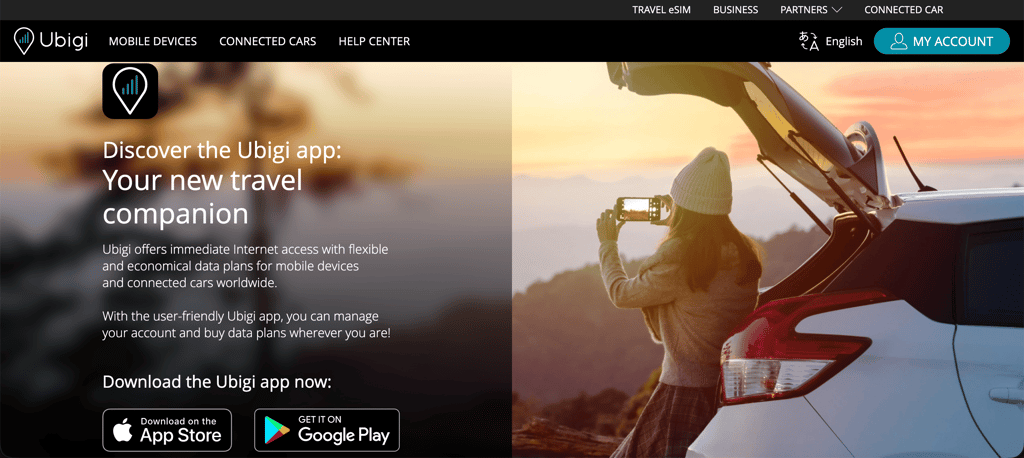
Download the Ubigi app and create an account to manage your eSIM and monitor your data usage.
- Follow the on-screen instructions to install and activate your Ubigi eSIM. When prompted, scan the QR code.
- Before you travel, turn off Data Roaming for your primary SIM to avoid unexpected roaming charges.
- When you arrive at your destination, ensure the Ubigi eSIM is selected as your Cellular Data line. Your data plan will activate automatically once you reach your destination.
You can also set up Ubigi directly through the app:
-
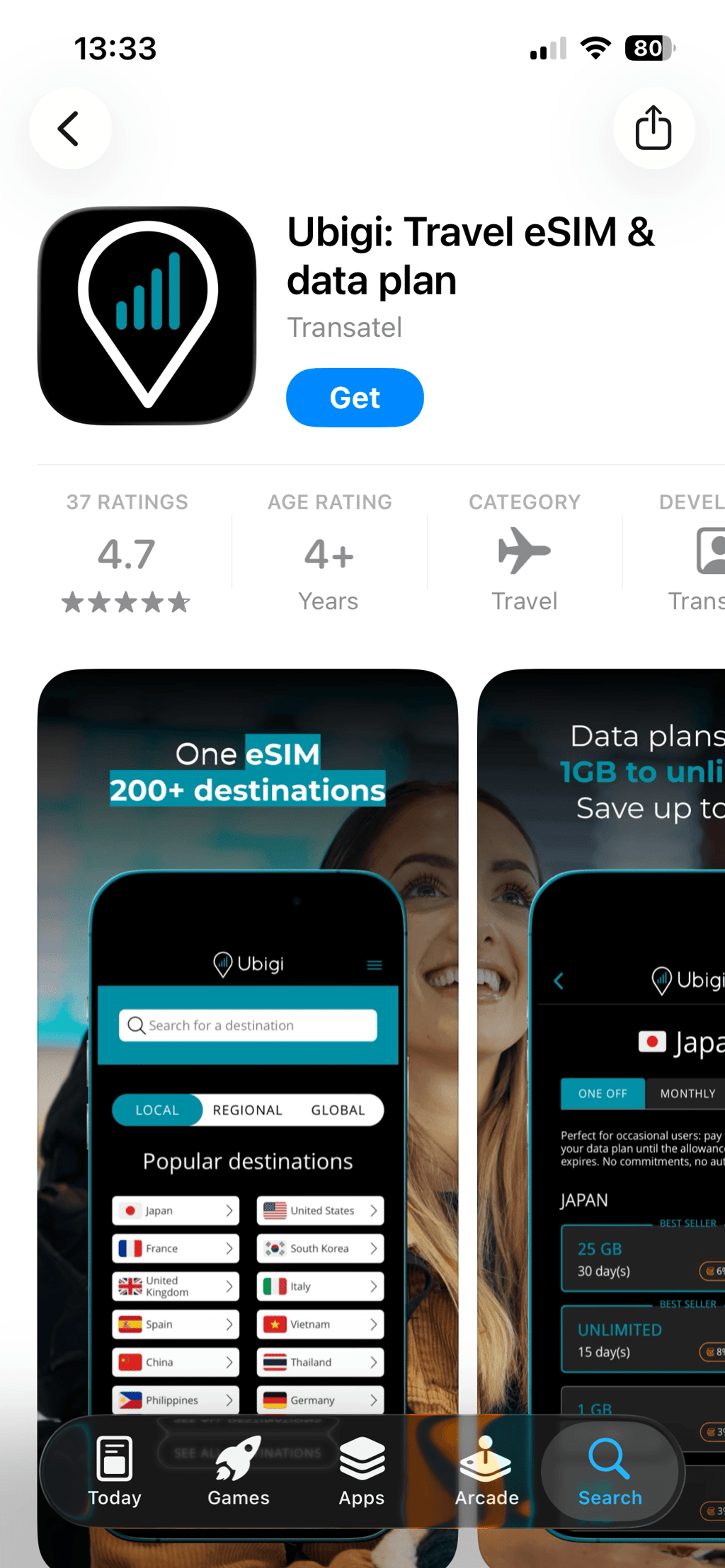
Download the Ubigi app from the Apple App Store or Google Play Store.
-
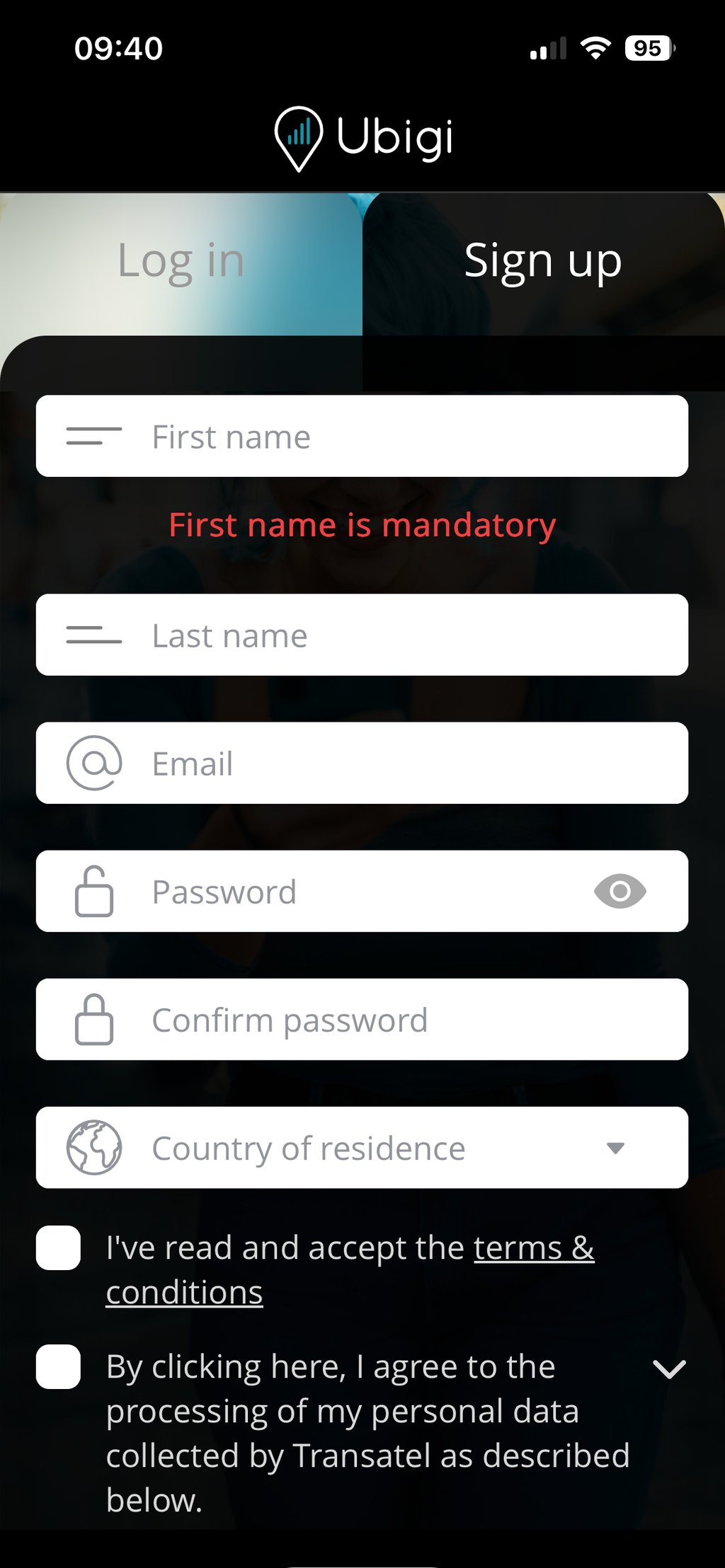
Create an account, verify your email address, and select your device.
-
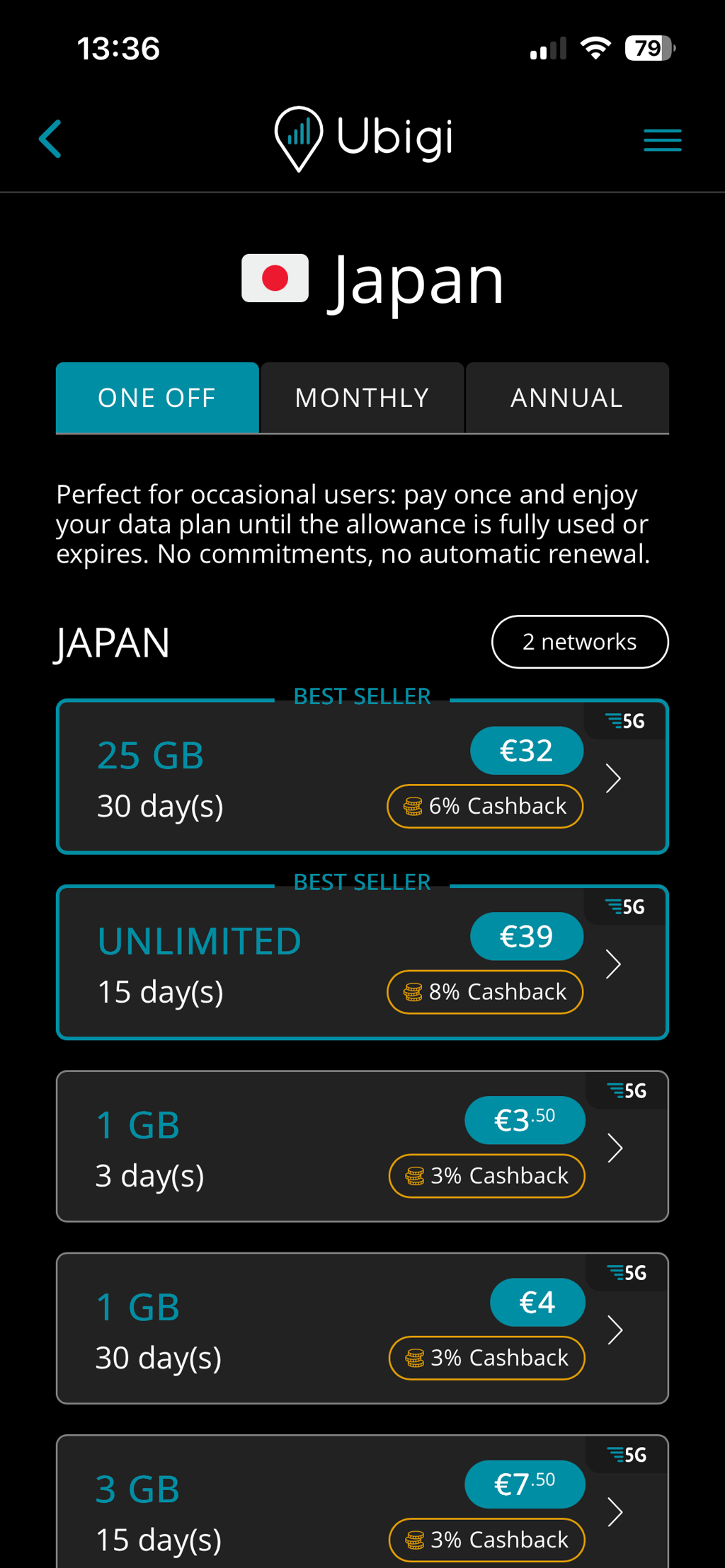
Select Buy a new Ubigi eSIM and purchase a preferred plan.
- Install the Ubigi eSIM by following the in-app instructions.
- Before you travel, turn off Data Roaming for your primary SIM to avoid roaming charges.
- Once you arrive at your destination, make sure the Ubigi eSIM is selected as your Cellular Data line. Your data plan will activate automatically, and you can start using mobile data right away.
How to buy the Ubigi eSIM card
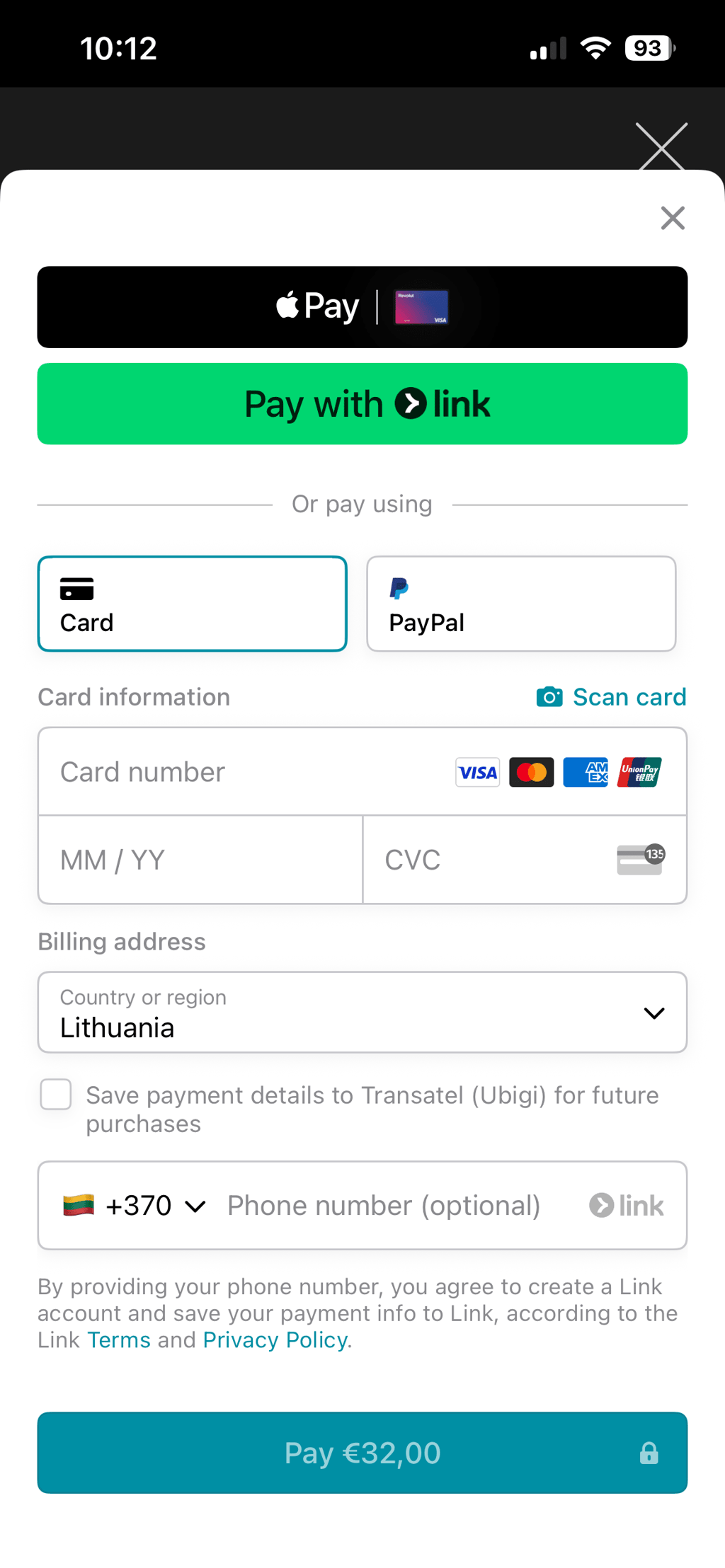
You can purchase a Ubigi eSIM through the company’s website or mobile app. Ubigi accepts Apple Pay, Google Pay, Visa, Mastercard, American Express, Discover, Diners Club, and UnionPay. PayPal and JCB are also supported for purchases made through the Ubigi app.
How to activate the Ubigi eSIM card
Like most travel eSIMs, Ubigi requires you to install the eSIM profile and enable it in your device's mobile settings. Once you arrive at your destination, Ubigi's Smart Start feature automatically activates your data plan.
Here’s how to activate a Ubigi eSIM on an iPhone:
- Go to Settings > Mobile Data
- Select the Ubigi eSIM and turn on This Line
- Enable Data Roaming for the Ubigi line
- Make sure Ubigi is selected as your Mobile Data line
Here’s how to activate Ubigi eSIM on an Android device:
- Go to Settings and open SIM Manager, Network & Internet, or Mobile Network (the exact menu depends on your device)
- Select the Ubigi eSIM and turn it on
- Set Ubigi as your mobile data SIM
- Enable Data Roaming for the Ubigi eSIM
Final thoughts
Ubigi is a solid travel eSIM with coverage in more than 200 destinations, flexible local, regional, and global plans, and reliable performance. The main drawback is that it’s a data-only service, so you won’t get traditional calls or SMS through the eSIM itself. While the app is easy to use, the website feels slower and less polished than those of some other competitors.
Overall, Ubigi is a great option for staying connected abroad, but if you’re looking for extra features or a smoother overall experience, it’s worth comparing it with alternatives like Saily and Airalo before making your final decision.
FAQ
Is Ubigi trusted?
Yes, Ubigi is a trusted eSIM provider that has been operating since 2017 and is used by travelers worldwide. You can find user reviews and discussions about Ubigi on travel forums and platforms like Reddit.
What is the difference between Ubigi and Airalo?
Ubigi and Airalo are similar in many ways, as both offer eSIM data plans for travelers. One of the main differences is that Airalo offers voice and SMS support on select plans, while Ubigi focuses on data-only eSIMs. Another difference is that Airalo mainly offers prepaid plans with fixed validity periods, whereas Ubigi also provides monthly subscription options for certain plans. Additionally, with Ubigi, you only need to install the eSIM once and can then top it up with data plans for more than 200 destinations. With Airalo, you may need to install a new eSIM when purchasing a plan for a different destination.
Is there a downside to using eSIM?
eSIMs work similarly to physical SIM cards, but switching between devices can be less convenient because you might need to transfer or reinstall the eSIM profile. Device compatibility can also be a limitation.
Can I make calls with Ubigi eSIM?
No, Ubigi doesn’t support calls and text messages. You can only use it to access the internet.