How to fix “Samsung News isn't available in your current country or region”
Our in-house cybersecurity experts and journalists, renowned for major reports like The Mother of All Breaches, conduct transparent, unbiased VPN testing and in-depth analysis.
With 750+ articles crafted based on real-world research, we empower readers to make informed purchasing decisions through first-hand expertise.


-
Samsung News is officially available in 3 countries: the US, the UK, and Canada.
-
If your Samsung Account is registered in another country, you'll see the "Samsung News isn't available in your current country or region" error.
-
The easiest solution to bypass this block is to connect to a VPN server in a supported country, such as the UK, and then reopen Samsung News.
-
NordVPN is the most reliable and secure option to unblock Samsung News.
“Samsung News isn't available in your current country or region” is a common message faced by users trying to access Samsung’s built-in news service. The platform is only supported in selected countries, meaning users in many parts of Europe, Asia, Australia, and other regions may find that Samsung News is unavailable on their devices despite having compatible hardware.
Samsung determines access based on several location signals, including your Samsung Account region, IP address, and whether Samsung News is officially supported in your country. These checks help Samsung apply regional restrictions and control where the service can be used.
If you are travelling or living in a country where Samsung News isn’t available, connecting to a VPN server in a supported location such as the UK, the US, or Canada may help restore access. Keep on reading to find a detailed guide on how to unblock Samsung News from anywhere.

How to fix “Samsung News isn't available in your current country or region”

- Pick a VPN – I recommend NordVPN, now 78% OFF
- Download VPN app on your Samsung device
- Open the VPN app and log in or sign up
- Connect to a server in a country where Samsung News is available
- Open Samsung News and enjoy
Why is Samsung News not available in my country?
If you try to access Samsung News and the page returns an error message “Can’t show news. Samsung News isn’t available in your current country or region”, it’s not broken. The reason is simple – it’s only available in selected markets, including the US, the UK, and Canada, and hasn’t rolled out worldwide yet.
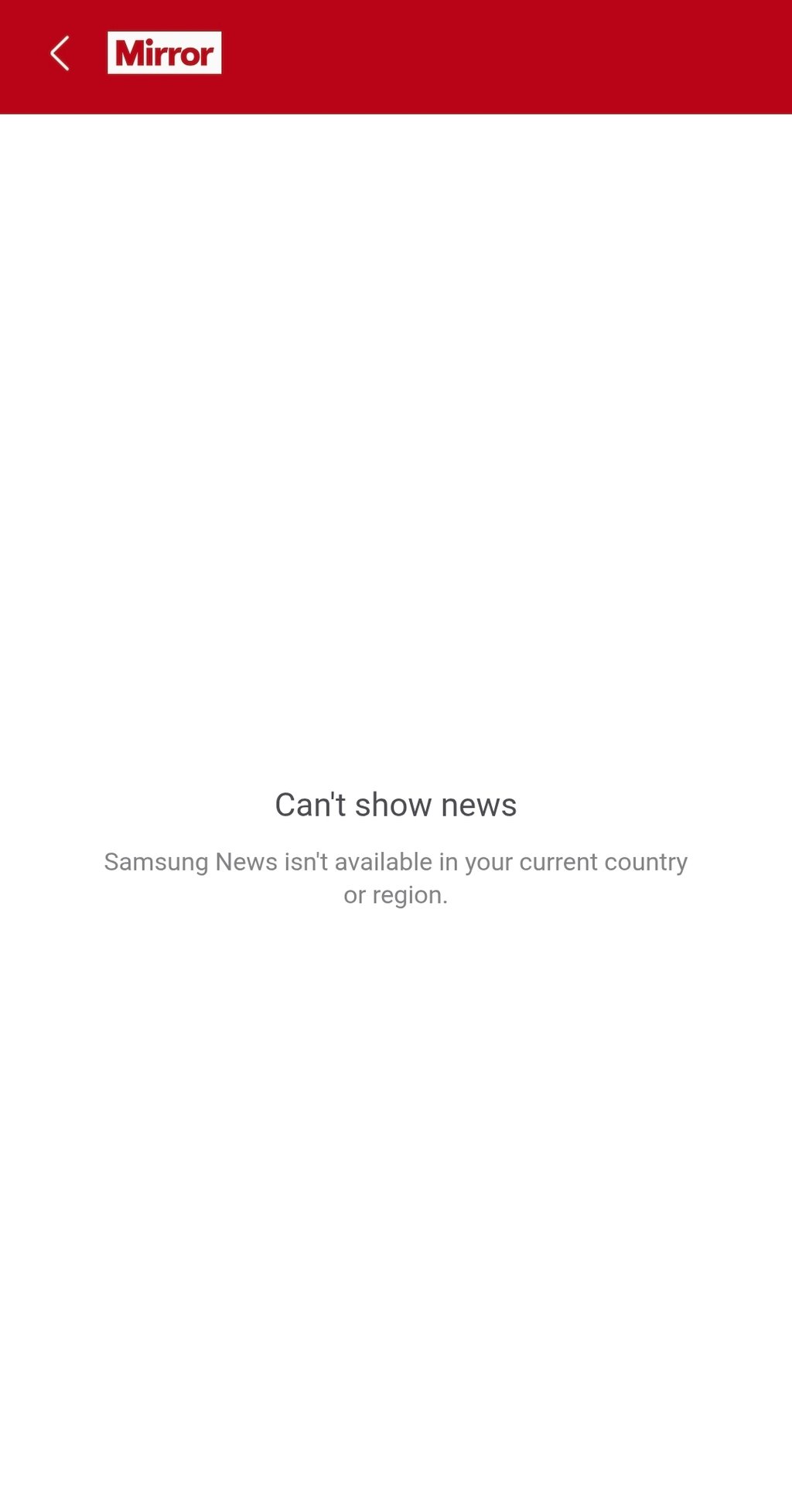
To determine the user’s access availability, the Samsung app checks several things. The first is the Samsung Account region, which indicates the country where your account is registered. It can also look at your device region, since phones are configured for different markets. Another important factor is the IP address, which reveals your current location online.
If you’re traveling or want to access Samsung News from outside supported markets, a reliable VPN, such as NordVPN, can help by giving you an IP address in the US, the UK, or Canada, where Samsung News is officially available. However, if your Samsung Account region or device firmware is also restricted, you may need to adjust those settings or wait until Samsung officially expands support to your country.
Where is Samsung News available?
Samsung News isn’t yet available worldwide. Therefore, you can access it without a VPN in a few selected countries. The table below summarizes which countries Samsung News is available in and which it isn’t as of October 2026.
| Country | Is Samsung News supported? |
| United States | ✅ Yes |
| United Kingdom | ✅ Yes |
| Canada | ✅ Yes |
| Germany | ❌ No |
| France | ❌ No |
| Australia | ❌ No |
| Other countries | ❌ No |
While there are only 3 countries with official support for Samsung News, it doesn’t mean that the list is definitive. Samsung may expand the service’s availability in the future.
Best VPNs to access Samsung News
To find the best VPN to access Samsung News, I joined forces with our research team to test over a dozen providers. Then I selected the 3 top VPNs that consistently unblock Samsung News, are affordable, and are easy to use.
- NordVPN – overall best VPN to unblock Samsung News
- Surfshark – budget-friendly Samsung News VPN
- Proton VPN – security-focused Samsung News VPN
How to access Samsung News from anywhere: step by step
If you’re traveling or Samsung News isn’t yet available in your region, you can still get access to it. Below, I share with you a detailed step-by-step guide on how to do it easily.
Step 1. Choose a VPN provider
The very first step is choosing a VPN provider that has servers in the countries where Samsung News is available. My top choice is NordVPN due to its security features, high speeds, and vast server fleet in the US, the UK, and Canada.
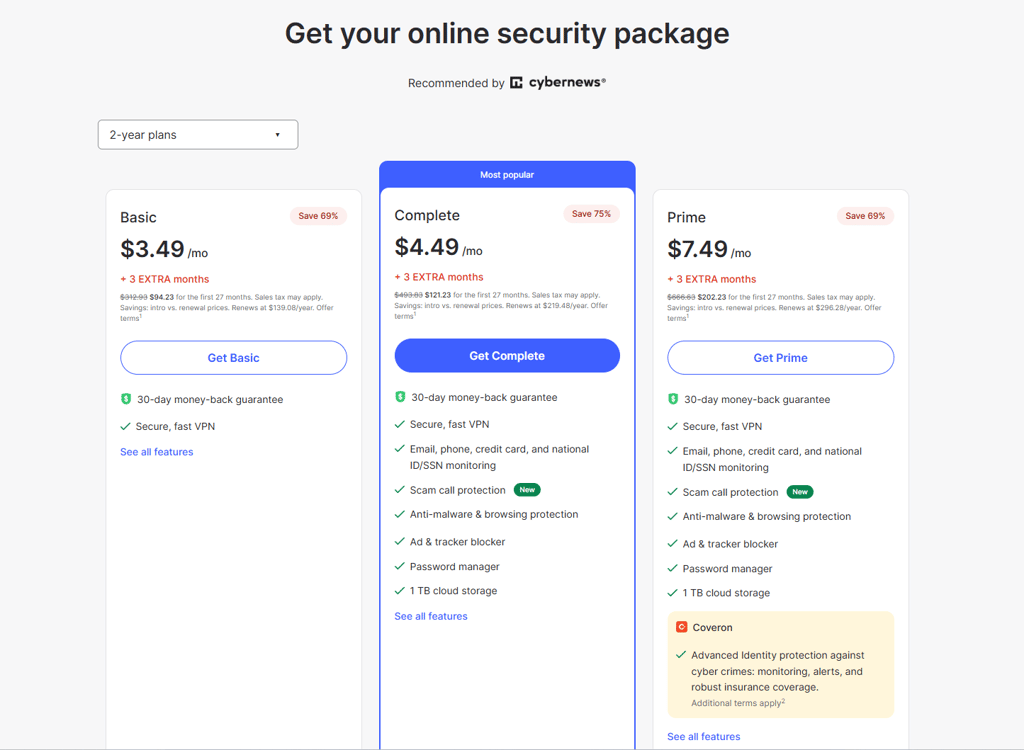
Step 2. Download and install a VPN on your device
Once you pick a VPN provider that best suits you, download its app on your Samsung device. Then proceed with installation and log in or sign up to the VPN’s account.
Step 3. Connect to a server in a supported country
After you’ve successfully set up a VPN on your Samsung device, open the app. Next, connect to a server in a country where Samsung News is supported, such as the UK.
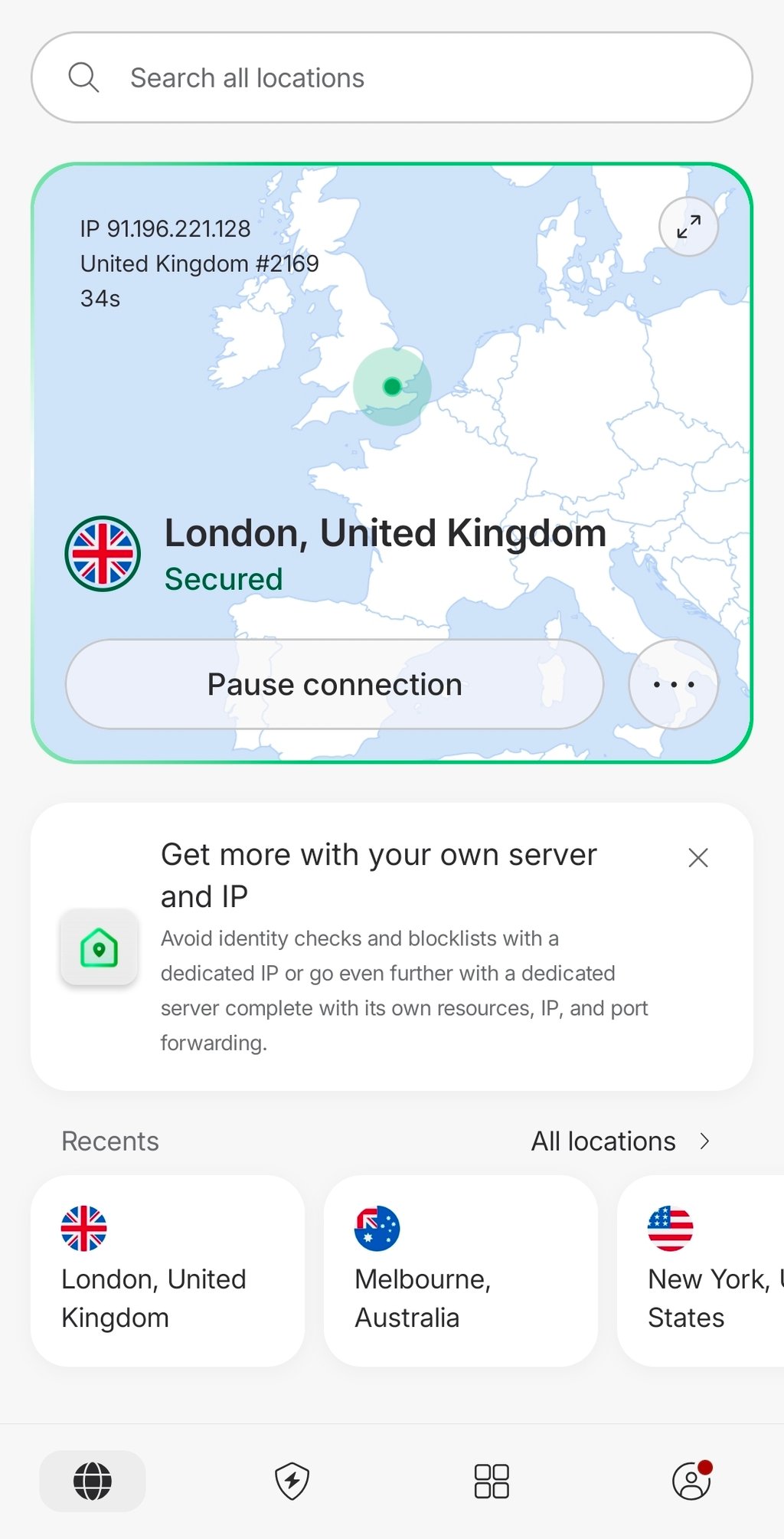
Step 4. Restart the Samsung News app
Close the Samsung News app completely if it's already running, then open it again after connecting to the VPN. If the app still doesn't reflect the new connection, restart your device before trying to access Samsung News again.
Step 5. Enjoy access to Samsung News
Open Samsung News on your Samsung device. Browse the content and enjoy.

Samsung News not working: quick fixes
If Samsung News isn't loading or you can’t access certain content, the issue can be related to your network, app settings, or device configuration. Before trying more advanced troubleshooting, check these quick fixes for the most common problems:
- Region unavailable. Connect to a VPN server in the country where Samsung News is available and reopen the app.
- App won’t load. Close Samsung News and open it again to restart the connection.
- Content still blocked. Clear the Samsung News app cache from your device's settings.
- Wrong Samsung Account region. Sign out of your Samsung Account and sign back in using the correct regional settings associated with your account.
- VPN server is blocked. Switch to a different VPN server if the current one is detected or unable to access Samsung News.
- DNS cache. Restart your phone to refresh the device's network settings and clear any cached DNS information that may be causing connection issues.
Can I change Samsung News country?
Yes, you can change Samsung News country by switching your account region, changing your device’s country-specific code (CSC), or using a SIM card from another region. However, these methods can be complicated as they are limited to specific situations, requiring reset and advanced configuration.
Often, connecting to a VPN is the easiest solution. It gives you the IP address of Samsung News available countries, which is much faster and simpler than other advanced configurations.
Does Samsung News work while traveling?
Samsung News may not work if you’re traveling in countries where it’s not officially supported. Because this service's availability is tied to your location, the app may become completely unavailable or display limited content.
If Samsung News is not working while you’re traveling, a traveling VPN connected to your home country may resolve the issue. By making it appear as if you’re browsing from one of the Samsung News-supported countries, such as the US, the UK, or Canada, a VPN can restore access to Samsung News when you’re abroad.
Can I access Samsung News without a VPN?
There are several alternative ways you can access Samsung News without a VPN. First, you can try changing your Samsung Account region, yet it might not always be possible and can affect access to other Samsung services.
You can also try using more technical methods, such as changing your device’s CSC or firmware. Keep in mind that such configurations may require resetting your device and can affect software updates or warranty support. Another option is to sideload the Samsung News APK, which allows manual app installation. However, downloading APK files from unofficial sources carries security risks, and the app may still not work if regional restrictions remain in place.
Despite available alternative routes, using a VPN remains the easiest and safest way to access Samsung News. It requires minimal setup, doesn’t alter your device’s software, and is safe to use.
Summary
If you’re trying to access Samsung News from outside the 3 supported countries, that is, the US, the UK, or Canada, you’ll be met with an error message stating that the service is not available in your region. Yet, you can bypass the geo-restrictions using a VPN.
I recommend NordVPN for its reliability, strong security features, Android compatibility, and servers in all 3 countries where Samsung News is officially available. In the UK alone, it has over 440 servers, so you have many connection options, fast speeds, and low chances of blocked or crowded servers.
FAQ
Why does Samsung News say it isn't available in my current country or region?
Samsung News is officially supported only in the US, the UK, and Canada. So, if you try to access it outside of these countries, you’ll run into restrictions. However, it’s expected that Samsung News's availability may expand in the fut
Where is Samsung News available?
Currently, Samsung News is available in 3 countries: the US, the UK, and Canada.
Can I use Samsung News outside supported countries?
Yes, you can access Samsung News outside supported countries with a VPN, such as NordVPN. A VPN gives you an IP address in the country where Samsung News is available, allowing you to unblock it even when you’re abroad.
Does a VPN work with Samsung News?
Yes, a VPN can work with Samsung News by connecting to a server in a country where the service is available, helping bypass regional restrictions. However, it isn't guaranteed in every case, but it's generally the easiest and most effective way to restore access.
How do I change the Samsung News country?
You can change the Samsung News country by switching your account region, changing your device’s CSC, or using a SIM from another region. However, the easiest way is to use a reliable VPN with servers in countries where Samsung News is supported.
Why is Samsung News not working?
Samsung News may not be working because you might be in a region where it’s not yet supported, or you’re experiencing app settings and device configuration issues. Check our guide for quick fixes to this problem.
Is Samsung News free?
Yes, Samsung News is free to use on supported Samsung devices. You don't need a paid subscription, though some articles may link to third-party content that requires one.
Can I use Samsung News while traveling?
Yes, you can use Samsung News while traveling by connecting to a VPN server in your home country or another supported region. This can help restore access if the app is unavailable due to regional restrictions.