EaseUS Partition Master Review 2026: Your Disk's Lifecycle Partner
 Follow us
With the development of AI PCs and continuous Windows operating system updates, and the surging prices of storage devices, more users prefer to stay with their current disk with a comprehensive disk partition management solution.
EaseUS Partition Master, as one of the reliable Windows disk management software, stands out for offering a smart, safe, and reliable service to help global Windows users maximize disk value and extend disk lifespan.
Brief on EaseUS Partition Master
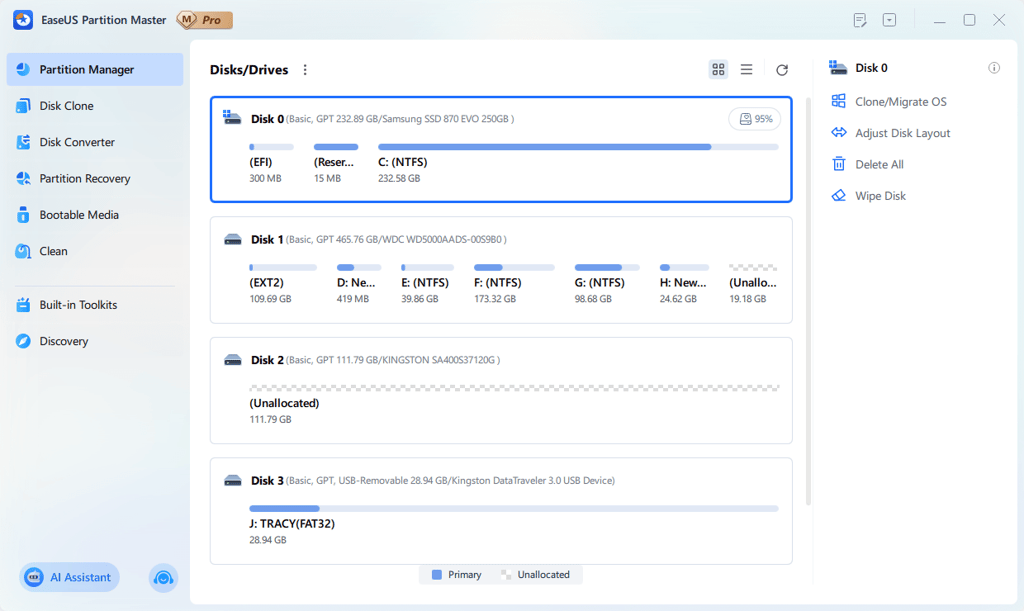
EaseUS Partition Master is one of the most popular partition manager software introduced by EaseUS software in 2004, with over 22 years' accumulated expertise in Disk Partitioning and Management Technology.
Key Features of EaseUS Partition Master
So, what features make EaseUS Partition Master outstanding among hundreds of similar partition manager software? Check this list out here:
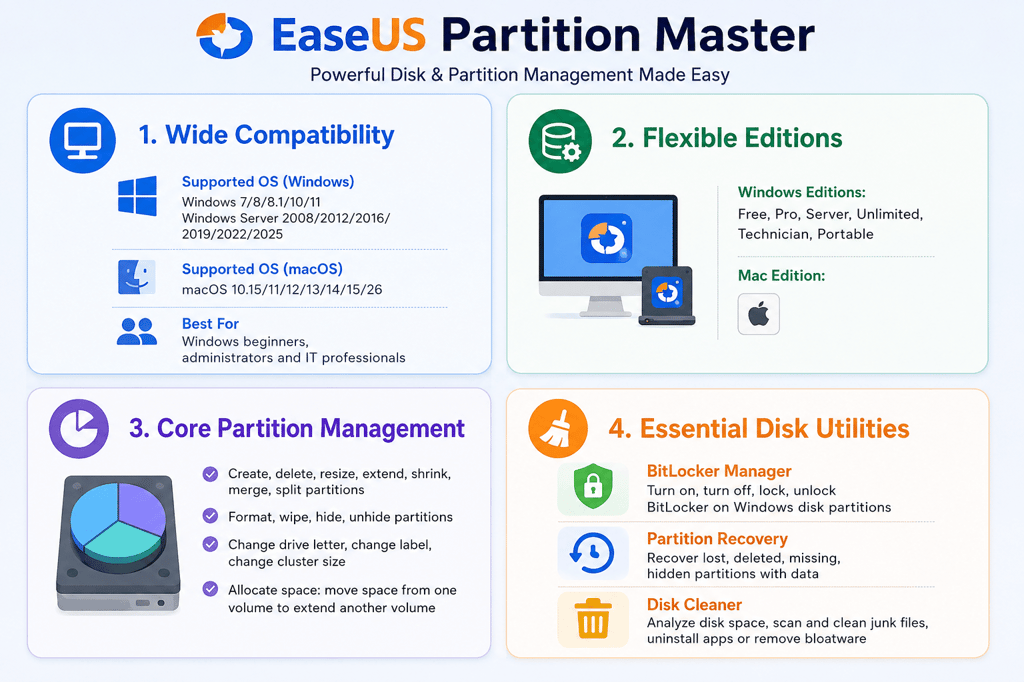
| Items | EaseUS Partition Master |
| Best for | Windows beginners, administrators, and IT professionals |
| Supported OS | Windows 7/8/8.1/10/11, Windows Server 2008/2012/2016/2019/2022/2025, macOS10.15/11/12/13/14/15/26 |
| Editions |
|
| Basic Features |
|
Advanced and Pro Features That Make EaseUS Partition Master Unique
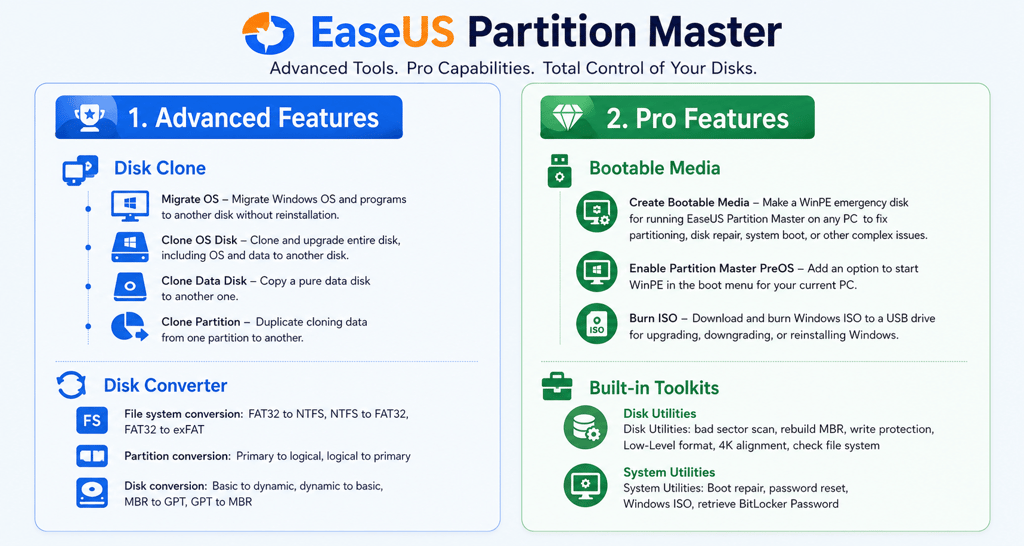
Alongside basic partitioning, EaseUS Partition Master also provides some advanced and pro features for resolving complex disk management and system boot issues. Check the details here:
| Features | EaseUS Partition Master |
| Advanced Features |
|
| Pro Features |
|
What Makes EaseUS Partition Master Different?
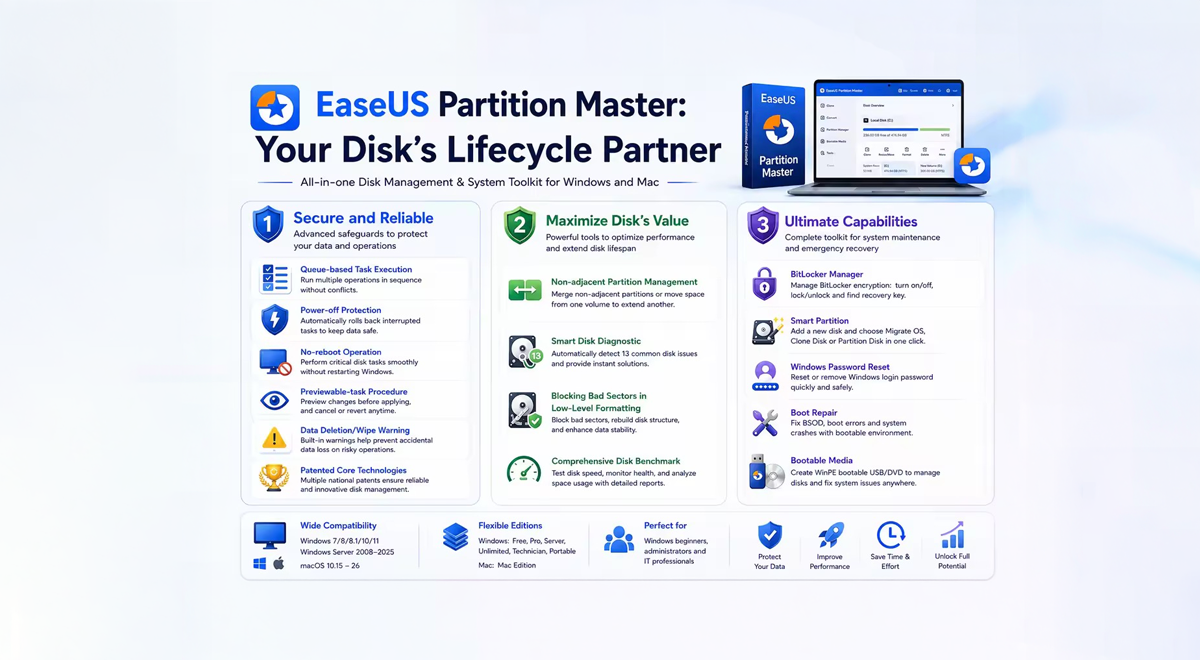
The core value of EaseUS Partition Master is to be "Your Disk's Lifecycle Partner". With over 22 years of disk partitioning and PC issue-solving experience, it has developed sophisticated technology to help users worldwide manage disk space and optimize disk performance.
Let's see what makes this partitioning software different.
1. Secure and Reliable
EaseUS Partition Master builds a strong and stable foundation to secure users' disk data and privacy on PCs via 6 practical data security protection mechanisms.
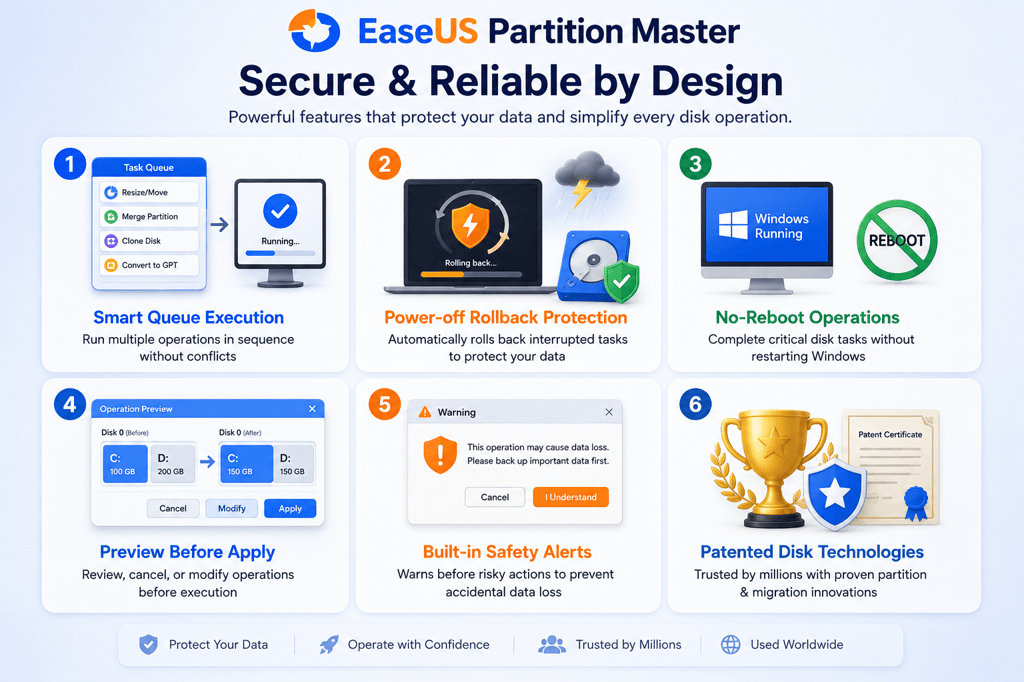
- Queue-based task execution: Execute multiple disk operations simultaneously while keeping every task organized and in sequence.
- Power-off protection: Automatically rolls back ongoing operations after unexpected power loss to protect data integrity.
- No-reboot operation: Complete key tasks like resizing C drive, MBR to GPT conversion, OS migration, and disk cloning without restarting Windows.
- Previewable-task procedure: Preview results before execution and cancel or modify tasks anytime for safer disk management.
- Data deletion/wipe warning notice: Alerts users before high-risk operations and reminds them to back up important data.
- Deep technical expertise with multiple national patent awards: Backed by patented disk technologies that ensure secure data migration, reliable partition management, and optimized PC performance.
2. Maximize Disk's Value
Aside from securing disk data security, EaseUS Partition Master also offers 4 unique features to help disk owners to improve and maximize their disk performance at an expert level:
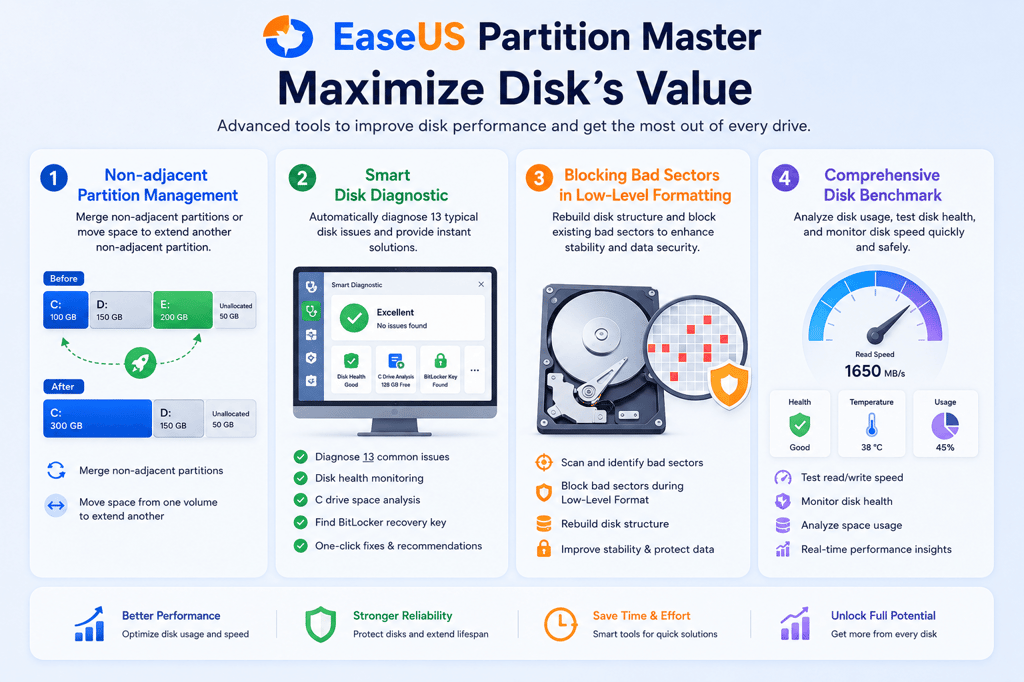
- Non-adjacent Partition Management: Merge non-adjacent partitions or allocate free space to extend another partition without data loss.
- Smart Disk Diagnostic: Automatically detects disk issues and provides instant solutions for 13 common problems, including disk health, C drive analysis, and BitLocker key recovery.
- Blocking Bad Sectors in Low-Level Formatting: Rebuild disk structure and isolate bad sectors to improve stability and protect data.
- Comprehensive Disk Benchmark: Analyze disk usage, monitor disk health, and test read/write performance with one comprehensive tool.
3. Ultimate Capabilities
To assist worldwide PC owners in solving complex disk management issues, EaseUS builds its Partition Master not only as a partition manager software, but also as a powerful toolkit for computer system maintenance.
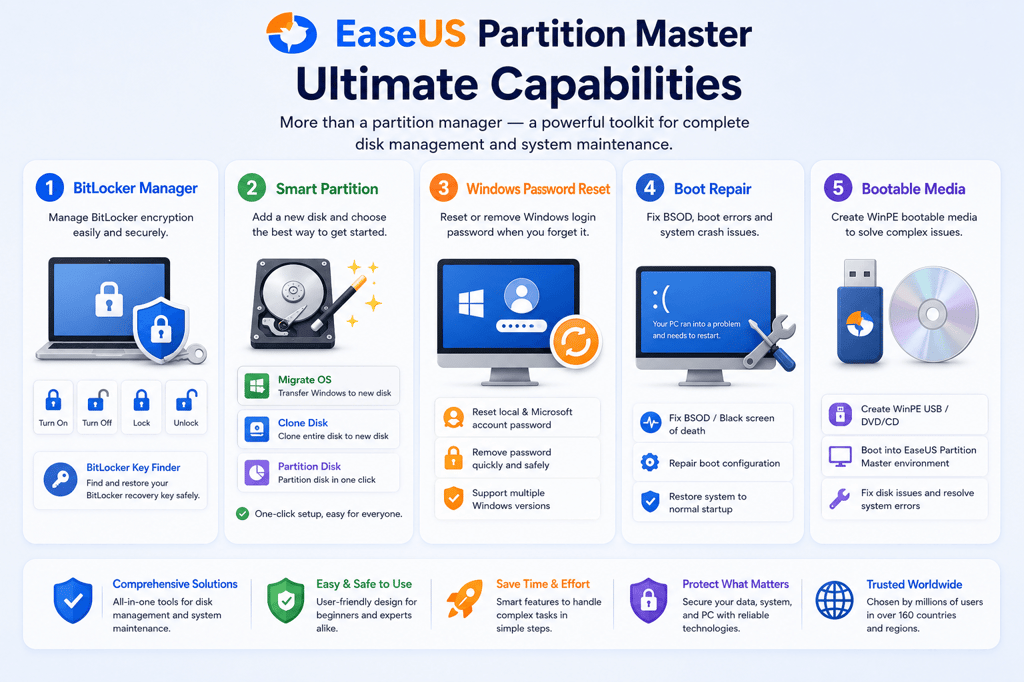
- BitLocker Manager: Enable, disable, lock, and unlock BitLocker encryption. The built-in BitLocker Key Finder helps safely locate lost recovery keys.
- Smart Partition: Instantly choose to Migrate OS, Clone Disk, or Partition Disk with one-click guidance for new drives.
- Windows Password Reset: Reset or remove Windows login passwords without requiring a backup password or PIN.
- Boot Repair: Create a WinPE bootable USB to repair BSOD, boot failures, and unexpected system crashes.
- Bootable Media: Build a bootable USB or CD/DVD to troubleshoot disk issues and recover unbootable Windows PCs.
EaseUS Partition Master Free Download and Installation
So, which version to select, and where can you download the official version of EaseUS Partition Master? Check the list here.
Two Options to Download EaseUS Partition Master
-
Search "EaseUS Partition Master" in Google or your browser, visit its official website: www.easeus.com, then locate and download EaseUS Partition Master.
- Follow this link and open it in your browser, then select the right version to download the official EaseUS Partition Master: https://www.easeus.com/partition-manager/.
Which Edition of EaseUS Partition Master Should You Choose and Install?
Here's a checklist that you can take as a reference for selecting the correct editions of this partition software based on your problems:
- EaseUS Partition Master Free: to create, resize, merge, delete, or convert a partition on a disk or external storage device.
- EaseUS Partition Master Pro Edition: to extend or replace the C drive with a larger or faster SSD by migrating the OS or cloning the OS disk, or if your PC has BSOD, boot problems, or password issues.
- EaseUS Partition Master Enterprise Editions: for Server managers or advanced IT service providers; you need a serial code of EaseUS Partition Master for several computers or to serve more of your clients.
EaseUS Partition Master Alternatives and Why Choose It
Some advanced users may want a list of alternative utilities and tools that could perfectly replace EaseUS Partition Master.
That's why we collect a list for you:
| Features | EaseUS Partition Master | Altrnatives |
| Basic partition management | Yes | Disk Management, Command Prompt, Gparted |
| OS migration, disk clone | Yes | Clonezilla |
| Disk health monitoring, disk speed test | Yes | Crystal DiskMark, Crystal DiskInfo |
| Disk space analyzer | Yes | WinDirStat, WizTree |
| Windows password reset | Yes | Microsoft Account |
| BitLocker Manager | Yes | Windows Settings |
| Low-Level Format | Yes (with bad sector isolation) | HDD Low-Level Format Guru (no bad sector isolation) |
| Boot Repair | Yes | Windows startup repair |
According to this table, it's clear that there are plenty of tools that could replace EaseUS Partition Master in solving some specific issues. But if you prefer a more reliable and all-in-one solution, it deserves a try.
Summary of EaseUS Partition Master Review 2026
Though EaseUS Partition Master has now gained plenty of supporters, it still isn't perfect yet. Still, it has some obvious cons, for example:
- It lacks a clear and direct beginner's guide to show new users how to master this tool.
- Its free version requires payment to unlock some pro features.
- This software doesn't support task abortion.
As a partition manager software, EaseUS Partition Master stands out with its complete partition management features. Moreover, being an OS migration or disk conversion tool, it does the whole safeguarding work by keeping users' data safe and intact.
So, if you are trying to gain a professional and safe disk management assistant for converting MBR to GPT for Windows 11 upgrade, converting NTFS to FAT32 or exFAT, rebuilding the Master Boot Record, checking file system integrity, and 4K SSD alignment, etc, you can trust this tool.