1Password vs Dashlane comparison in 2026


-
1Password is the stronger overall pick if you want deeper security and better value, with its Secret Key, Travel Mode, and independent audits backing up a lower price than Dashlane. Choose it if you want a full native desktop app on Windows, macOS, and Linux, plus easier account recovery if you ever get locked out.
-
Dashlane makes more sense if you want everything in one subscription, since it bundles in a VPN, identity theft insurance, and credit monitoring that 1Password does not offer at all. Choose it if you need a family plan covering up to 10 people, prefer live chat support, or would rather try before you buy with its 14-day free trial.
When it comes to 1Password vs Dashlane, both companies have been in password management for years, and both cover the core features well, an encrypted vault, autofill that works reliably, and apps that are easy to set up without instructions. The real differences show up beyond that. 1Password focuses more on security, with its Secret Key system and Travel Mode as standout tools, while Dashlane focuses more on convenience, bundling in a VPN and supporting larger family plans.
I tested both on security, pricing, features, and everyday use, then checked those results against how each provider is currently structured. 1Password comes out ahead overall on value and consistency across platforms, but Dashlane is still a strong choice if you specifically want a built-in VPN or need to cover a bigger household.
1Password vs Dashlane comparison 2026 – at a glance
1Password and Dashlane both rank among the best password managers you can get right now. Both use zero-knowledge architecture and AES-256 encryption, so security is solid on either side, and both stay easy to use across the devices and browsers most people actually use.
In my testing, 1Password came out on top overall. It costs less and packs in stronger security tools, which adds up to better overall value. Dashlane is still worth considering, though. It gives you a 14-day trial on its premium plans and throws in a built-in VPN, which is a real plus if you want password protection and basic privacy tools under one subscription.
| 1Password | Dashlane | |
| ⭐ Rating: | ||
| 🥇 Overall rank: | #2 out of #20 | #5 out of #20 |
| 🔥 Coupons: | 1Password coupon 50% OFF | Dashlane coupon 25% OFF |
| 💵 Price: | From $2.99/month | From $4.06/month |
| ✂️ Free version: | 14-day trial | No, but there's a free trial and a 30-day money-back guarantee |
| 🔒 Encryption: | AES-256 | AES-256 |
| 🖥️ Platforms: | Windows, macOS, Linux, Android, iOS | Web app/browser extension, macOS, Android, iOS |
| 🌐 Browser extensions: | Chrome, Firefox, Edge, Brave, Safari | Chrome, Safari, Firefox, Edge, Brave, Opera, Vivaldi |

Recent Updates
Key differences between 1Password and Dashlane
1Password and Dashlane both deliver strong security, apps that are easy to pick up, and autofill that works consistently across your devices. Where they split is in the details, and those details decide which one actually fits you better.
Choose 1Password if:
- You want a more affordable option than Dashlane. 1Password currently costs $4.49/month which is less than Dashlane at $4.06/month while still offering premium security and a rich feature set. This makes it a better overall value if you want a powerful password manager without paying extra.
- You need the Travel Mode feature. 1Password includes Travel Mode, which lets you temporarily remove sensitive vaults from your devices when crossing borders. Your data stays safe in your account and can be restored later, reducing the risk of exposing confidential information while traveling.
- You want to secure your online shopping. 1Password offers Privacy Cards, which generate virtual payment cards for safer online purchases. This helps protect your real card details and adds an extra layer of security when shopping online.
- You want full desktop support across platforms. 1Password provides native desktop apps for Windows, macOS, and Linux, while Dashlane no longer offers desktop apps, relying mostly on browser extensions and mobile apps.
For a deeper look at this tool, check out our 1Password review, where we test its security, features, and usability in detail.
Choose Dashlane if:
- You want a password manager bundled with a VPN. Dashlane includes a built-in VPN with its plans. This helps encrypt your internet connection and adds an extra layer of privacy when browsing on public or unsecured networks.
- You want to try before committing. Dashlane offers a free 14-day trial that comes with premium plans. It's a good option to try out the password management service without committing to a subscription.
- You want a family plan with up to 10 users. Dashlane’s Family plan supports up to 10 members, making it a strong option for larger households that want to manage passwords securely in one shared subscription.
- You want extra identity protection. Dashlane’s Premium Plus plan includes credit monitoring, identity theft insurance, and an identity restoration service, giving you peace of mind in case your personal information is compromised – features that 1Password doesn’t offer.
Read our Dashlane review to see how the service performed in our full security and usability tests.
Dashlane vs 1Password: plans and pricing
Both 1Password and Dashlane offer personal, family, and business plans, but their pricing structures differ. In general, 1Password is more affordable, especially for individual and family subscriptions, while still including advanced security features like Travel Mode. Dashlane, on the other hand, tends to cost more but adds extra tools like a built-in VPN and a free trial for premium password management plans.
| Plan | 1Password | Dashlane |
| Free | ❌ No, only a 14-day free trial | ❌ No, 14-day trial for premium plans |
| Premium | $2.99/month | $4.06 |
| Family | $4.49/month | $6.09/month |
| Business | $8.99/month per user | $8.00/month per user |
If you’re considering premium plans, 1Password’s Individual plan costs $2.99/month, while Dashlane’s Premium plan costs $4.06/month. Both include essential password manager features like unlimited password storage, autofill, password sharing, and security tools, but 1Password comes at a noticeably lower price. They also offer a 14-day free trial, allowing you to test their full feature sets before committing to a subscription.
For family use, Dashlane’s Friends & Family plan costs $4.06/month (cheaper than its Premium plan) and supports up to 10 users. On the other hand, 1Password’s Families plan costs $4.49/month and supports up to 5 users. In my view, 1Password offers better value for smaller households. However, if you need to cover more than five people, Dashlane quickly becomes the better password manager for families.
Both options offer private accounts, secure password sharing, and account recovery, making them suitable for keeping the whole family’s passwords secure.
For business, I noticed 1Password is slightly cheaper at $8.99/month/user, compared to Dashlane’s $8.00/month/user, and both include a free family plan, which adds value.
If you're interested in how 1Password compares against another premium password manager, check out our in-depth 1Password vs NordPass comparison.
1Password vs Dashlane: security comparison
Both 1Password and Dashlane offer strong protection for your credentials, using AES-256 encryption and a zero-knowledge architecture to ensure that no one else can access your vault. They also support multi-factor authentication and biometric logins for additional account security. However, 1Password adds an extra layer of protection with its Secret Key and regularly undergoes independent third-party security audits.
| Security measures | 1Password | Dashlane |
| Encryption protocol | AES-256 | AES-256 |
| Zero-knowledge architecture | ✅ Yes | ✅ Yes |
| Multi-factor security | ✅ Yes (email, authentication app, YubiKey, Titan) | ✅ Yes (email, authentication app, Duo Security) |
| Biometric authentication | ✅ Yes (facial, iris, or fingerprint recognition) | ✅ Yes (facial and fingerprint recognition) |
| Security audits | ✅ Yes (audited by ISE, Onica, Secfault Security, Security Labs, and Cure53) | ✅ Yes (SOC 2 Type II and ISO 27001:2022 certified) |
| Secret Key | ✅ Yes | ❌ No |
The main difference lies in how each provider adds extra protection on top of these standards. As I mentioned above, 1Password uses a unique Secret Key alongside your master password, which is required when signing in on a new device. This two-key system adds another layer of security and helps protect your vault even if someone obtains your master password.
Dashlane, on the other hand, relies on strong encryption and modern authentication methods, including optional passwordless login, while using Argon2 password hashing to secure accounts.
In everyday use, you won’t go wrong whichever you choose – both password managers are very secure and reliable. However, 1Password is better for its transparency and security architecture, including regular third-party audits and its additional Secret Key protection. Dashlane remains a highly secure option, but it prioritizes simplicity over adding extra authentication layers.
Dashlane vs 1Password: features overview
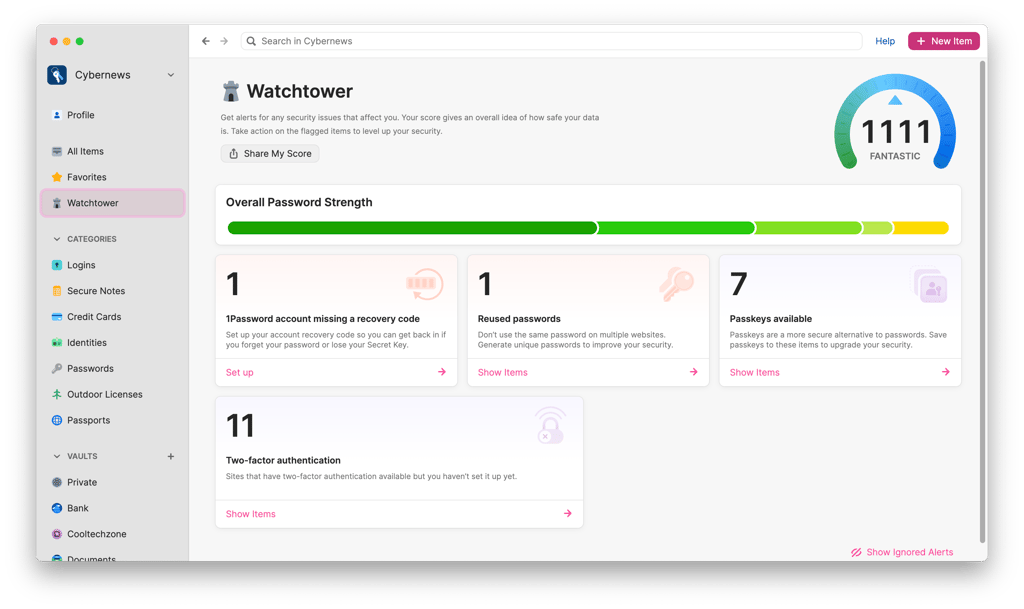
In terms of core functionality, 1Password and Dashlane both deliver the tools you’d expect from a modern password manager: password storage, autosave and autofill, password health checks, and dark web monitoring. However, 1Password takes it a step further with extras like automatic backups, Travel Mode for secure travel, and Privacy Cards for safer online payments.
| Feature | 1Password | Dashlane |
| Encrypted file storage | ✅ Yes | ✅ Yes |
| Travel Mode | ✅ Yes | ❌ No |
| Weak password monitoring | ✅ Yes | ✅ Yes |
| Automatic backups | ✅ Yes | ❌ No |
| Self-hosting | ❌ No | ❌ No |
| Payment card autofill | ✅ Yes | ✅ Yes |
| Automatic autofill | ✅ Yes | ✅ Yes |
| Password generator | ✅ Yes | ✅ Yes |
| Password sharing | ✅ Yes | ✅ Yes |
In my testing, I noticed that Dashlane shines with automated tools like its one-click password changer, which lets you update multiple passwords at once – a handy feature if a security breach occurs. Meanwhile, 1Password focuses on security and versatility, with extras like Travel Mode for safe travel and Privacy Cards for online shopping.
If you’re switching from another password manager, 1Password is more flexible with imports, supporting CSV, 1PIF, and 1PUX files. Dashlane requires CSV only, which can be slightly more work. Account recovery is another area where 1Password stands out: its Emergency Kit and team-assisted recovery options provide more safety nets if you forget your master password. Dashlane is more rigid – you need your master password to regain access, though recovery codes and biometrics offer some support.
Both services provide password generators and autofill functionality. 1Password’s autofill works across all operating systems and major browsers, while Dashlane relies on browser extensions and has more limited desktop app support. In practice, both are easy to use, but 1Password feels slightly more versatile, particularly for users with multiple device types.
All in all, Dashlane is strong for automated password management and families or users who prioritize simplicity and browser-based workflows. 1Password is the better all-around choice due to its broader compatibility, enhanced recovery options, and extra security-focused features like Travel Mode and Privacy Cards.
Platform compatibility
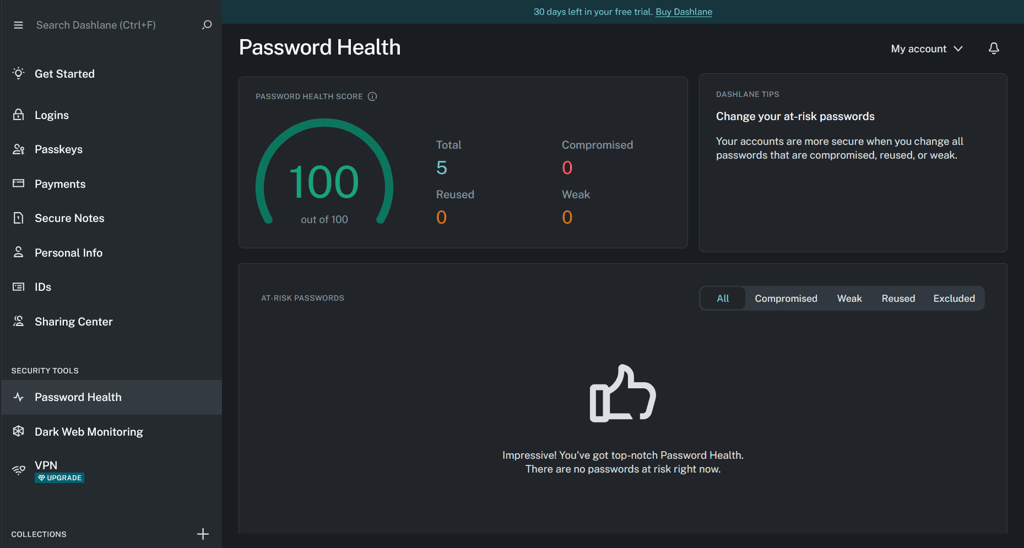
1Password and Dashlane work across major operating systems and browsers, including Windows, macOS, Android, iOS, and popular browsers like Chrome and Safari. From my experience, both services synchronized passwords smoothly across devices, so I could access my vault from multiple platforms without issues. The main difference is that 1Password offers a dedicated desktop app and a browser extension, while Dashlane focuses on its browser-based experience.
| 1Password | Dashlane | |
| Supported OS | Windows, macOS, Linux, Android, iOS | Web app/browser extension, macOS, Android, iOS |
| Desktop app | ✅ Yes | ✅ Yes |
| Browser extensions | Chrome, Firefox, Edge, Brave, Safari | Chrome, Safari, Firefox, Edge, Brave, Opera, Vivaldi |
| Number of users | Up to 5 | Up to 10 |
On mobile, both services perform well. I found that logging in with Face ID or biometrics is smooth on both apps, and managing passwords on iOS or Android is straightforward. However, 1Password’s mobile apps feel more in sync with the desktop versions, so you can easily switch between devices without losing context or features. Dashlane works fine, but the lack of a desktop app can make it feel like a partial experience for users who prefer native apps.
Browser extensions for both managers are reliable and cover the major browsers. 1Password supports Chrome, Firefox, Edge, Safari, and Brave, while Dashlane covers Chrome, Firefox, Safari, and Edge. Both allow autofill, quick password saving, and syncing across devices. Speaking of syncing, both services keep your data up to date across devices, though Dashlane has occasional reports of sync issues, whereas 1Password’s synchronization is generally seamless.
While both password managers are accessible on multiple platforms, 1Password offers a more cohesive experience with native desktop apps, mobile apps, and robust syncing. Dashlane is still functional via browser extensions and mobile apps, but if you’re seeking a consistent, full-featured desktop experience, you will find 1Password the better choice.
Interface and ease-of-use
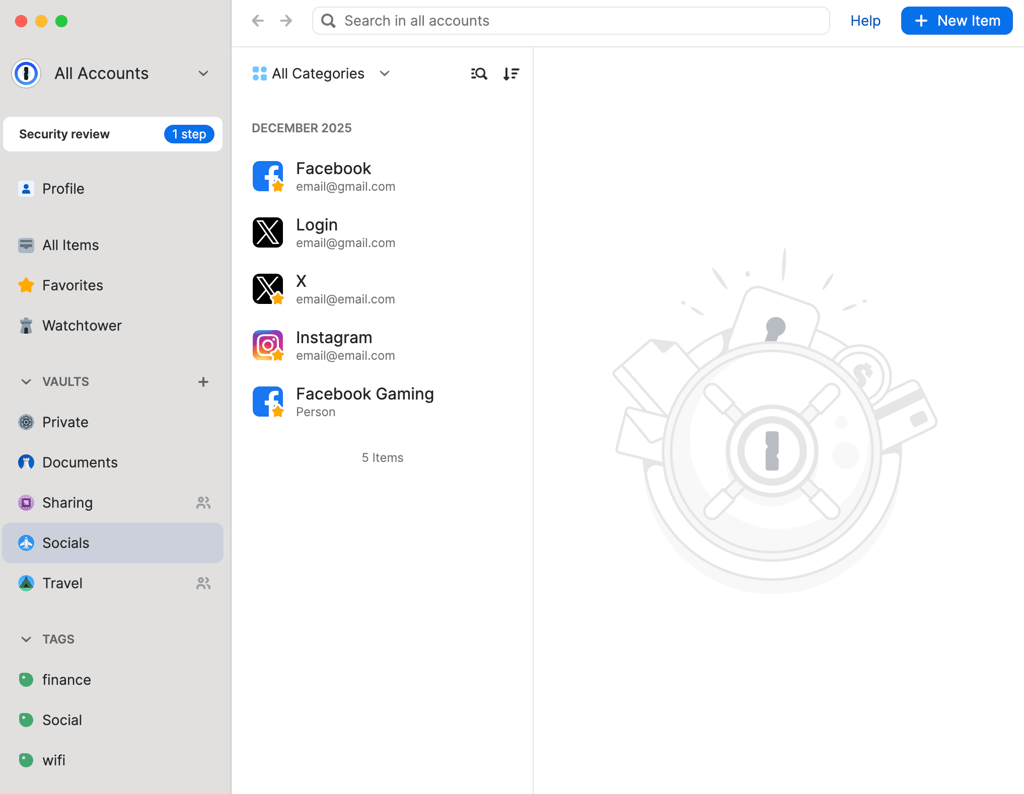
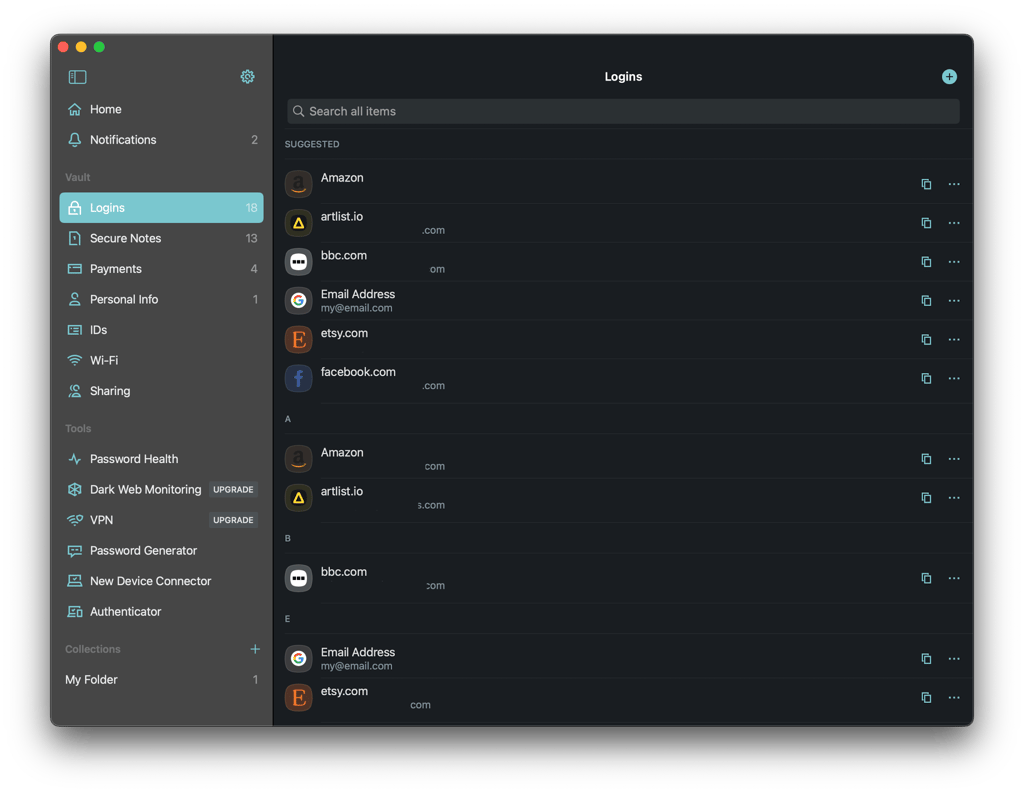
If you’re a beginner, you won’t find trouble navigating these password managers. Both are user-friendly, so you’ll intuitively understand how to store, access, and manage passwords. 1Password keeps things simple with a clean, easy-to-navigate interface, while Dashlane offers a slightly more modern, polished look.
Everyday tasks like adding new passwords, generating secure credentials, or managing vaults are straightforward on both apps. 1Password emphasizes clarity and minimalism, helping you find what you need without distractions. Dashlane leans into a sleeker, visually polished layout, but all key functions remain easy to locate and use.
Both services make autofill, password generation, and vault organization intuitive. Dashlane’s interface might appeal to users who like a modern, app-like feel, whereas 1Password’s layout prioritizes simplicity and efficiency. In practice, neither gets in the way of managing your passwords effectively, so it’s mostly a matter of personal preference.
1Password and Dashlane are easy to use and approachable for beginners and experienced users alike. The interfaces are clean and functional, making this category essentially a draw.
Customer support
1Password and Dashlane offer reliable customer support, making it easy to get help when needed. Each offers a detailed knowledge base and AI-assisted chat to answer common questions quickly. For more complex issues, you can always contact human support via email or chat.
| Support feature | Dashlane | 1Password |
| FAQ section | ✅ Yes | ✅ Yes |
| Email support | ✅ Yes | ✅ Yes |
| Live chat | ✅ Yes (starts with AI, escalates to human) | ❌ No |
| Community forum | ❌ No | ✅ Yes |
| Social media support | ✅ Yes (via X and other platforms) | ✅ Yes (via X) |
| Response time | Quick (within minutes on chat) | Moderate (varies by query) |

Dashlane has the added advantage of live chat, which makes real-time troubleshooting fast and convenient. 1Password doesn’t have a dedicated live chat in the same way, but its AI bot and email support are responsive, and the community forum can help you seek guidance from other users.
In practice, I found both services reliable. Whether you prefer self-service through FAQs or interacting with a support agent, neither provider leaves you stranded. The main difference is that Dashlane’s live chat can feel more immediate, especially if you need quick answers.
Customer support is strong for both 1Password and Dashlane, with knowledgeable teams and comprehensive resources. However, Dashlane wins this round due to its real-time live chat. Of course, for most users, support from either service is more than sufficient.
Video comparison
If you prefer to watch or listen, our team prepared this handy video Dashlane vs 1Password comparison:
1Password or Dashlane: final verdict
Both 1Password and Dashlane handle the essentials well: solid security, autofill that just works, and interfaces that do not take long to learn. 1Password pulls ahead thanks to extras like Travel Mode and the Secret Key, a consistent experience no matter which device you are on, a full desktop app alongside its browser extensions, and lower prices for individuals and small families. Dashlane still holds its own if you need a family plan for up to 10 people, want a VPN built right in, or prefer working mainly through the browser.
In my opinion, 1Password is the better all-around pick for most people. Dashlane becomes the smarter choice specifically when covering a large family or getting a bundled VPN matters more to you than anything else.
| Category | 1Password | Dashlane |
| Features | ✅ Password generator, password sharing features, Secret Key, Privacy Cards, Secure Remote Password (SRP), individual file storage up to 1GB, Travel Mode, 2FA, Password Health, Watchtower, security alerts | ❌ Password generator, password sharing, Password Health, dark web monitoring, 2FA, VPN, phishing alerts, scam protection; credit monitoring, identity theft insurance, identity restoration service (only on premium plans) |
| Pricing and plans | ✅ Cheaper but no free version; prices start at $2.99/month | ❌ 14-day free trial for premium plans starting at $6.09/month |
| Security | ✅ Employs the widely accepted AES-256 + SRP and Two-Key Derivation | ❌ Employs the widely accepted AES-256 |
| User-friendliness | ✅ Easy to use but a bit cluttered | ❌ Easy to use; web-based interface only (no desktop app) |
| Customer support | ❌ Email and knowledge base | ✅FAQ section, live chat support |
| Compatibility | ✅ Compatible with Windows, macOS, Linux, ChromeOS, iOS, and Android | ❌ Windows, macOS, Android, iOS, Linux |
FAQ
Is 1Password more secure than Dashlane?
Both 1Password and Dashlane have great encryption. However, 1Password’s security is confirmed by independent audits from multiple companies and is boosted by the presence of a Secret Key.
Is Dashlane or 1Password better for families?
Dashlane is the better pick for larger households, since its Friends & Family plan covers up to 10 users for less than 1Password's Families plan, which tops out at 5. If you only need to cover a smaller family, 1Password still offers better overall value and stronger security tools for the price.
Does 1Password or Dashlane have a free plan?
No, neither 1Password nor Dashlane offers a true free plan, both only give you a 14-day trial to test the premium features. If you want to try before you buy without a time limit, you will need to look at other password managers that offer a genuinely free tier.
How do I export from 1Password to Dashlane?
Data can be exported from 1Password using the 1Password app. Note that only one vault can be exported at a time, and you need export permissions if it is a Team or Business account. Open the vault you want to export and select File > Export > All Items. Choose to export as a CSV file. Go to Dashlane and select File > Import and click on the downloaded CSV file to import it into Dashlane.
Can I use 1Password and Dashlane on Linux?
Linux supports the 1Password app, but not the Dashlane app. This is true of Chrome OS as well. However, users of both operating systems can use the Dashlane web app using their preferred browser. The Dashlane plugin is compatible with Chrome, Firefox, Edge, and Safari.
Can I import passwords from Dashlane to 1Password?
Yes, you can import passwords from Dashlane to 1Password. To do this, you need to export your Dashlane passwords as a CSV file and then use 1Password's import feature to bring those passwords into your 1Password account.