iTagPro review: features, tracking capabilities, and real-world expectations

In this iTagPro review, I evaluate iTagPro’s car GPS tracker in-depth. It’s a plug-in device (OBD port) designed for vehicle tracking with multiple features – so you “never lose track of your vehicle again.” According to the company, it’s suitable for tracking personal cars 24/7, alerts you via the app when something’s off, and installs quickly. The company states it “works with any SIM (GSM).”
I’ll help you understand how iTagPro works, what it can realistically track, and whether it’s reliable or safe to use. I, together with the Cybernews research team, reviewed publicly available technical information, provider documentation, and aggregated user discussions to evaluate iTagPro.
This review will cover aspects including: iTagPro’s technical specifications and key features, its limitations, whether it’s legal, use case scenarios, what real users think, and whether it’s worth it.
Quick overview of iTagPro
It’s helpful to show a quick breakdown of the iTagPro before I dive in. Here’s a quick overview of the iTagPro car GPS tracker in table form – based on official published information, including my overall Cybernews rating, and other at-a-glance facts:
| Cybernews rating | 4.6/5 |
| Brief description | Compact OBD (On-Board Diagnostics) plug-in vehicle GPS tracker with alerts and trip history |
| Connectivity | GSM micro SIM (data and SMS required), no “monthly fee” from iTagPro, SIM plan costs apply |
| Key features | Live location, route history/playback, geofencing, movement/tamper (vibration) alerts |
| App | iOS/Android app |
| Pricing | Not clearly shown on the product page, may be revealed at checkout |
| Policies | Worldwide shipping, 30-day returns (conditions apply) |
Our methodology
At Cybernews, the team and I evaluate consumer GPS devices after thorough online research with the Cybernews weighted scoring system. I combined official specifications from iTagPro’s official website and fine print – with aggregated expert and user sentiment to give it a score. Here’s the criteria:
- Feature transparency and specification clarity (30%). I checked whether iTagPro lists essentials like accuracy compatibility limits, network requirements, and any certifications. It lost points if these were missing.
- Tracking performance claims vs reality (25%). I compared “real-time” alert claims with what users commonly report. I also considered coverage and GPS signal limitations.
- App usability and connectivity (15%). I considered whether the app was clearly listed and described. I checked whether the setup was intuitive.
- Build quality and hardware design (10%). I evaluated the practicality of the design, and searched for build quality specifications. It got extra points if the design was sturdy and high-quality.
- Price and value perception (10%). I weighed price and value vs what real users say. I checked if pricing is transparent and consistent across the website.
- User sentiment consistency (10%). I consolidated recurring user praise and criticism into my notes to come up with an opinion. I preferred comment patterns to isolated comments.
What is iTagPro and how does it work?
iTagPro GPS car tracker is a plug-in GPS tracking device that you insert into your vehicle’s OBD port. With it, you can see your car’s location and get alerts via its companion mobile app – like geofence entry/exit alerts.
Many GPS trackers function the same way – the device sees the location via GPS satellite signals (GPS positioning) and shares the location so you can view it remotely. The “sharing” step for the iTagPro GPS car tracker – according to the provider – is done over a GSM cellular/network connection using a micro SIM-card mobile data link (and SMS for setup). It shows you location updates on your phone when you’re not near the vehicle.
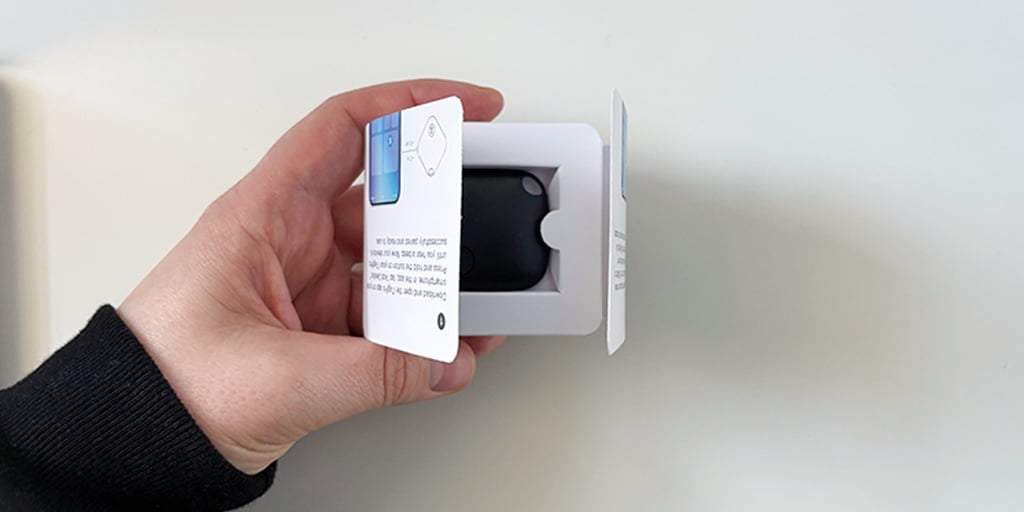
The dedicated iOS/Android mobile app is for monitoring – displaying location, storing trip or route history, and managing alerts and geofences. The company’s website displays images of app features like route history playback and geofence/alert settings. The provided website information lacks details about refresh rate and supported cellular bands.
Technical specifications and features of iTagPro
It’s important to go over the specifications and features of iTagPro – though quite a few nuances are missing. Here’s what I was able to dig up from the official information:
- Setup and power: The device plugs into the vehicle’s OBD port. There’s no charging required as it’s powered solely by the vehicle’s electronics.
- Positioning: It gathers GPS/satellite-based location – “connects to satellites.”
- Connectivity: It uses a GSM-compatible micro-SIM with mobile data and SMS. SMS is listed for setup. Works internationally if the SIM has a roaming plan.
- Monitoring: It pairs with a dedicated mobile app that’s compatible with both iOS and Android.
- Real-time tracking: It shows “Live/real-time” location updates in the app.
- Geo-fencing: You can set custom geo-zones – like home/office – and get entry/exit notifications.
- Movement/tamper alerts: It has motion/displacement/vibration detection with instant alerts. You’re notified if your car is “bumped, shaken, or tampered with while parked.”
- History: It includes travel history and route playback. There’s also driving behavior and trip logging.
- Speeding warning: The device warns you if you’re speeding.
- Optional accessory: iTagPro mentions an optional OBD extender – usually to fit the device properly or reposition it.
App interface and ease of use
The iTagPro’s app is the control center for the tracker. The company describes it as a dedicated iOS/Android app. You get “full mobile app control” – according to the website.
The app shows a live map view of your vehicle’s current GPS location with “live/real-time” changes. It also logs your trips – for travel history and route playback. From this interface, you can set up geo-fencing – like home or at a garage – and get entry/exit notifications, plus instant alerts for movement, displacement and vibration, and even suspected “tampering.”
Based on user reports, it seems to be easy to use. The official website confirms the three-step “easy installation in seconds” process: insert and activate your GSM micro-SIM, plug the device into your OBD port, and then monitor via the app. Overall, users say the app “works really well,” while another user said it helped them track a fleet of trucks – reducing “idling.”
Real-time tracking performance
In consumer GPS trackers, “real-time tracking” usually means the device can send location updates frequently enough that the app shows a near-actual position – rarely the actual position in that exact moment of time – so, with a slight delay. High-end GPS trackers typically update every 1-5 seconds – so your location is just a few seconds behind reality.
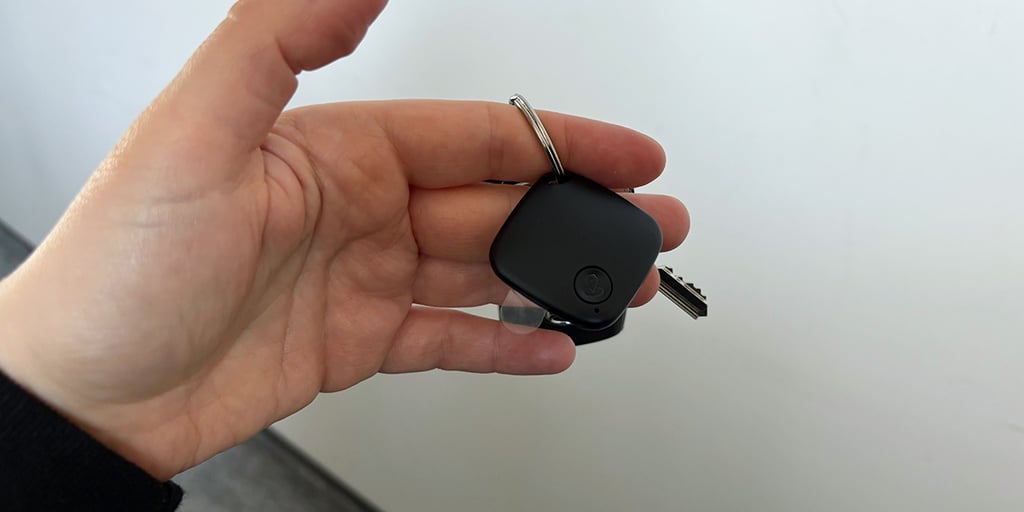
The effective location-refresh rate depends on the settings, reception (congested urban vs open rural environments), and data transmission. iTagPro claims “live” updates on its website. Based on the user reviews I’ve found, people say that checking the location is immediate – “boom” – and that they receive alerts quickly.
If you’re in underground parking, expect a slower refresh and accuracy due to a lower GPS and GSM signal. This also applies to crowded city centers where many signals converge. And since iTagPro uses GSM reception – that can introduce additional lag for alerts.
Geofencing and alert system
Geofencing is short for geographical fencing. In this context, it’s a virtual boundary you draw on a map via the app. When the tracked vehicle passes that boundary, you get a notification. In the iTagPro GPS car tracker, geofencing is described as “geo-fencing alerts” and “Geo Zones.” This means you can set zones like office, home, or car park in iTagPro’s companion app. The website cites an example: “Know when your teen arrives or leaves set zones, without need to call or text.”
The alert types for the iTagPro GPS car tracker are “instant app alerts.” According to the website, these include entry/exit notifications from geofencing setups, and anti-theft alerts. The anti-theft alerts are triggered by motion, displacement, or vibration – triggering even when the engine is off. According to the website, you receive an instant SMS in such cases. Beyond this, there isn’t much insightful information about the geofencing and alert system.
Anti-theft capabilities
The iTagPro GPS car tracker is cited as having detection and notification anti-theft features. According to the company, you’re instantly alerted if your vehicle is moved, shaken, or tampered with. What the iTagPro cannot do is contact law enforcement on your behalf or deter an intruder.
For example, the company displays an image showing a message delivered via iMessage for iOS: “Car GPS Tracker: Vibration Alert from Joe’s Car.” In case of theft, you can also check your vehicle’s current location and route history in the app.
Typically, GPS vehicle trackers help individuals and companies locate vehicles after movement. Even the most professional GPS tracker cannot physically prevent theft. Limitations include delayed updates, or device removal by a thief – if the OBD area typically located under the dash is broken into. Anti-theft reporting and tracking highly depends on OBD power and GSM SIM signal, plus whether there’s active data/SMS on your GSM plan.
Is iTagPro legal?
Legality highly depends on where the tracker is used – not the device itself. There are general legal principles that you should follow when using a GPS tracker like the iTagPro. For instance, in the US, tracking your own vehicle – or one you lease – is usually legal, including for theft recovery, oversight of teens, or company fleet purposes.
However, tracking someone else or someone else’s vehicle without consent may be illegal. For example, it could spell trouble if it’s reported to the authorities and the attempt resembles harassment or stalking.
For businesses, vehicle tracking that complies with regulations is acceptable on company-owned assets. This usually comes with policies that limit personal monitoring or off-duty use. Privacy and surveillance concerns also come into play if GPS tracking is combined with monitoring like audio/video recording – and if it reveals sensitive, personal patterns. State laws vary. Local rules can add extra requirements.
iTagPro use case scenarios
Let’s take a look at some use case scenarios for further insights into the iTagPro GPS car tracker. These range from vehicle tracking to business uses:
- Vehicle tracking: For locating a vehicle. You can check live location, status, and recent trips via the app. You can check the vehicle when parked in unfamiliar locations to see if it has moved unexpectedly.
- Fleet insights: GPS trackers are key for vehicle-heavy business operations. For instance, you can monitor multiple cars/trucks for routing, utilization, and movement purposes.
- Theft: The iTagPro sends you an instant SMS message when it detects tampering such as shaking or bumping.
Personal vehicle tracking and fleet tracking is a realistic scenario used by many people and businesses around the world. Riskier or less reliable scenarios include those that depend on perfect coverage – influenced by GPS/GSM signal – and theft tracking.
Caution: Remember, if your car is stolen or you receive a tamper alert, report it to the authorities – this is high risk. Don’t go and investigate yourself. Also, don’t use any GPS tracker to track someone or someone’s car without their explicit consent.
What do users think about iTagPro GPS tracker?
Based only on what I’ve read online, user reviews are very mixed when it comes to the iTagPro GPS tracker – both very positive, and negative. For instance – on the iTagPro website – reviews are shining: users praise quick alerts, “accurate” tracking, and simple setup. Some say it has helped them monitor their company fleet, teens’ cars, or help them see where their car is parked for added “peace of mind.”
On the other hand, criticism includes poor customer support responsiveness, refund headaches, cancellation request refusals, shipping delays, and checkout add-ons. Others mentioned the app is in another language – or that they can’t find it in app stores. One user said the device doesn’t function as advertised.
Setup and integration of iTagPro
Regarding setup and integration, it’s relatively easy to get started with the iTagPro GPS car tracker. Here’s a step-by-step setup flow you can use to begin – based on official documentation and user descriptions:
- Insert your micro SIM card into the device: Ensure it has an active data/SMS/roaming plan – roaming is key if you plan to monitor internationally. Ensure your phone allows SMS notifications.
- Plug it in: Plug the GPS tracker into your vehicle’s OBD port. The location of the OBD port may vary between vehicle manufacturers. Optionally, use the extender.
- Download the app: Download the iTagPro app for iOS/Android. If prompted, create an account. Then, complete the required steps within the app.
- Start monitoring: Once you’ve completed these steps, you should be able to see your vehicle in the app. Enable the features you need – like geofencing zones, or tamper alerts.
Some common problems users report during setup are difficulty finding the right app, app language mismatches, and random disconnections. Some say the device behaves like a Bluetooth tag – not a SIM/GPS tracker.
Bottom line: is iTagPro worth it?
Based on my research, the bottom line is that the iTagPro GPS car tracker may be suitable if you’re looking to track a vehicle you own, or for fleet purposes – with all the regulatory permissions checked off first.
Don’t expect a true real-time location and a perfect signal 24/7. GPS car trackers are helpful tools, but not 100% reliable all the time.
You also need to make sure your SIM card has an active data/SMS plan for it to work. Before purchasing this product, I highly recommend you compare GPS tracker alternatives. Always consider the legal/privacy implications of using any GPS tracker.
Other reviews from Cybernews:
Best GPS trackers for dogs: keeping your pet safe and secure
Best GPS tracker for a bike in 2026: expert picks to keep your ride safe
FAQ
Does iTagPro require a monthly subscription?
No – iTagPro explicitly states on its official website that there’s no monthly subscription for the device itself. You only need to have an active data/SMS plan – with enough data for the period you’ll use the tracker – for your micro SIM card for the device to work.
How accurate is iTagPro GPS tracking in real-world conditions?
The company claims “real-time GPS tracking,” instant alerts, and tracking “straight from your phone.” It adds that “you’ll see where it is right now, not a few minutes ago.” The company doesn’t add more specifics, but this usually means there will be a delay ranging from a few seconds to a minute compared to reality when locating your vehicle.
Can iTagPro be used to track a person legally?
No – the car GPS tracker only works through an OBD port – so it lives in the vehicle permanently. If you use another iTagPro tracker to track a person, this may be illegal and an invasion of that person’s privacy and security.
Does iTagPro work internationally?
Yes – the iTagPro GPS car tracker can work internationally because it requires a GSM micro SIM card with data/SMS. If your GSM package allows international roaming, it works internationally via the companion app.
What are safer alternatives to basic GPS trackers?
Safer alternatives should be less prone to misuse, with clear consent mechanisms and data privacy features. These may include factory/OEM vehicle telematics, physical anti-theft devices, and fleet-management systems.