AI Watermark Remover
Last updated: June 16, 2026
What is AI Watermark Remover?
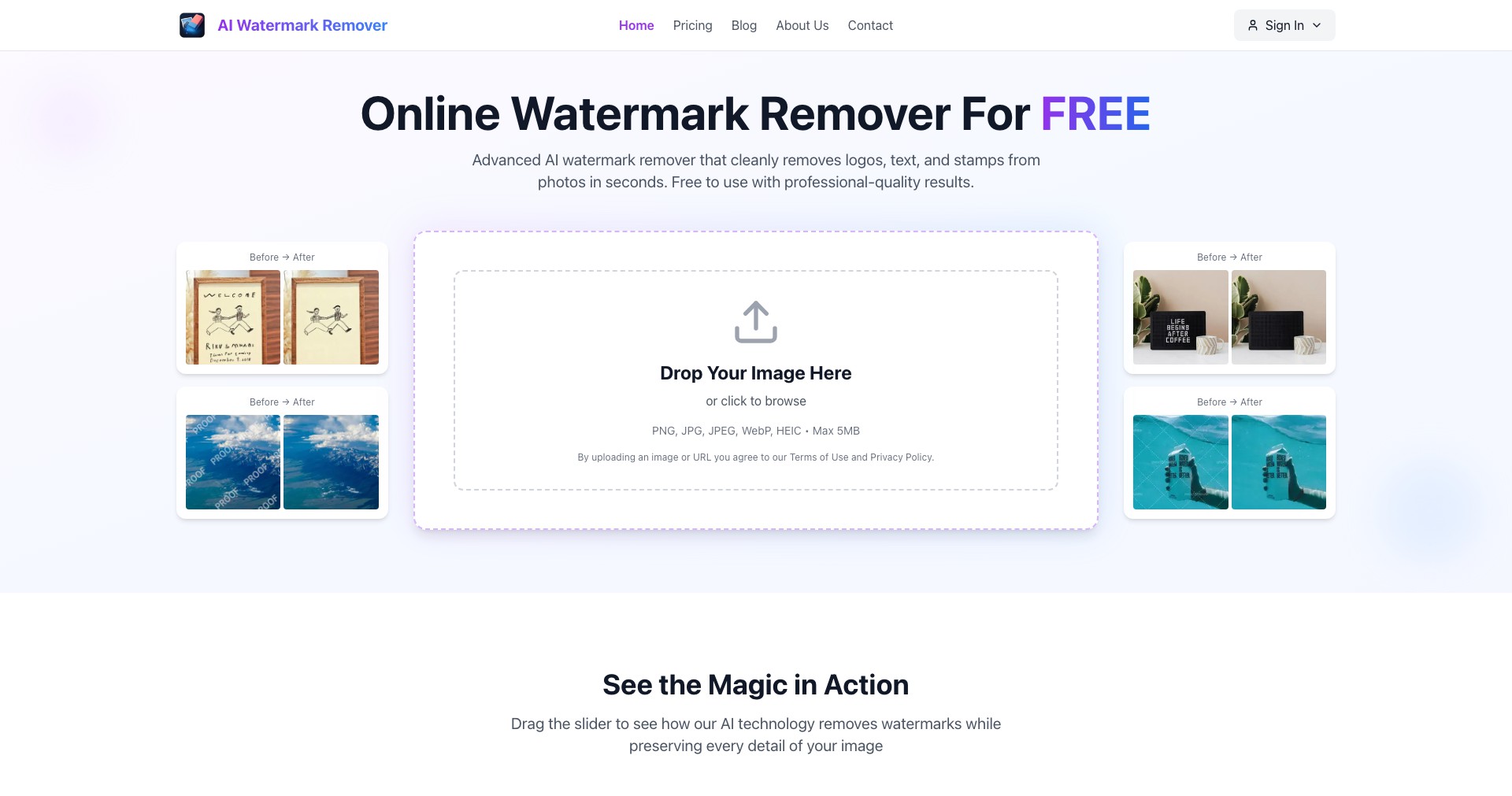
AI Watermark Remover is a web-based tool powered by advanced artificial intelligence techniques focused on removing unwanted watermarks, text, or logos from photographs and other images. The product is aimed at streamlining the editing process for individuals and professionals who regularly deal with watermarked stock images or seek to declutter their digital content. It offers a fast, user-friendly experience that requires no prior photo editing skills.
By leveraging machine learning algorithms, AI Watermark Remover automatically detects and inpaints the marked area with surrounding content, resulting in a natural-looking final image. The interface is designed for simplicity—just upload your image, highlight the watermark, and let the AI do the hard part. The tool is accessible directly from your browser, making it convenient for anyone working with images on the go.
Key Features:
-
Automatic Watermark Detection:
The AI algorithms can autonomously identify and highlight most common watermark patterns, saving users significant time and effort compared to manual selection. -
One-Click Removal Process:
Users simply upload their images and select the watermark area, after which the AI processes the image and delivers a cleaned version in seconds, maximizing productivity. -
Supports Multiple Image Formats:
The platform works with popular image file types like JPG, PNG, and BMP, offering flexibility for various user needs. -
Batch Processing Capability:
For premium plans, users can remove watermarks from multiple images at once, ideal for bulk editing tasks often encountered by photographers and agencies. -
Quality Retouch and Inpainting:
Using advanced inpainting technology, the removed area is intelligently filled in with plausible image details, ensuring the final result looks natural and seamless.
What makes AI Watermark Remover unique?
What truly sets AI Watermark Remover apart is its blend of powerful artificial intelligence with a simple, no-fuss interface. Compared to traditional photo-editing software, it requires no learning curve or complex tool selection; the process is mostly automated and intuitive, which is ideal for quick jobs as well as high-volume editing.
The addition of batch processing and support for high-resolution images positions it ahead of many free or basic competitors that often limit throughput and output quality. Furthermore, the AI behind its inpainting is constantly improving, resulting in cleaner, less detectable edits than most manual or template-based solutions.
Pros and Cons
Who is using AI Watermark Remover?
Photographers and Photo Editors: Professionals and enthusiasts who need to quickly clean up stock images or client photos benefit from batch watermark removal and high output quality.
Graphic Designers and Creators: Designers seeking to source clean images for marketing materials, social posts, or presentations can use the tool to remove distracting elements with minimal effort.
Casual Users and Social Media Managers: Anyone who wants to tidy up personal images before sharing online or repurposing content will appreciate the quick and easy results.
Evolving With User Needs
Initially, AI Watermark Remover launched as a simple tool focused only on manual watermark selection and removal for individual images. Over time, it adopted smarter AI models which improved both detection accuracy and the natural appearance of inpainted areas.
The addition of batch processing was a significant milestone, responding to requests from users dealing with large image sets. Support for higher resolutions and multiple file types has also broadened the tool’s professional appeal.
Recent updates have further enhanced the user interface, streamlined the removal workflow, and raised the free plan’s limits for basic users. The AI’s learning engine continues to improve with feedback and expanded datasets.
Pricing
| Plan | Price | About |
| Free Plan | $0 | Allows limited watermark removals per month and access to basic features. |
| Premium Subscription | From $5.99/month | Offers unlimited removals, batch processing, HD exports, and priority support. |
| Pay-Per-Use Credits | Varies (e.g., $2.99 for 10 credits) | Purchase credits for occasional use without a subscription; ideal for infrequent users. |
Verdict
AI Watermark Remover excels at delivering fast, high-quality watermark removal through an accessible, web-based interface. Its AI inpainting is among the most advanced, often producing seamless results even on challenging images. The presence of batch processing and flexible pricing further boosts its appeal for power users.
However, the tool is best suited to those seeking automation and does not replace more detailed manual retouching in sophisticated image editing software. Users requiring precision or advanced controls should look elsewhere, but for most people seeking a rapid, hassle-free solution, AI Watermark Remover is a top contender worth trying.


