ChatCSV
Last updated: June 16, 2026
What is ChatCSV?
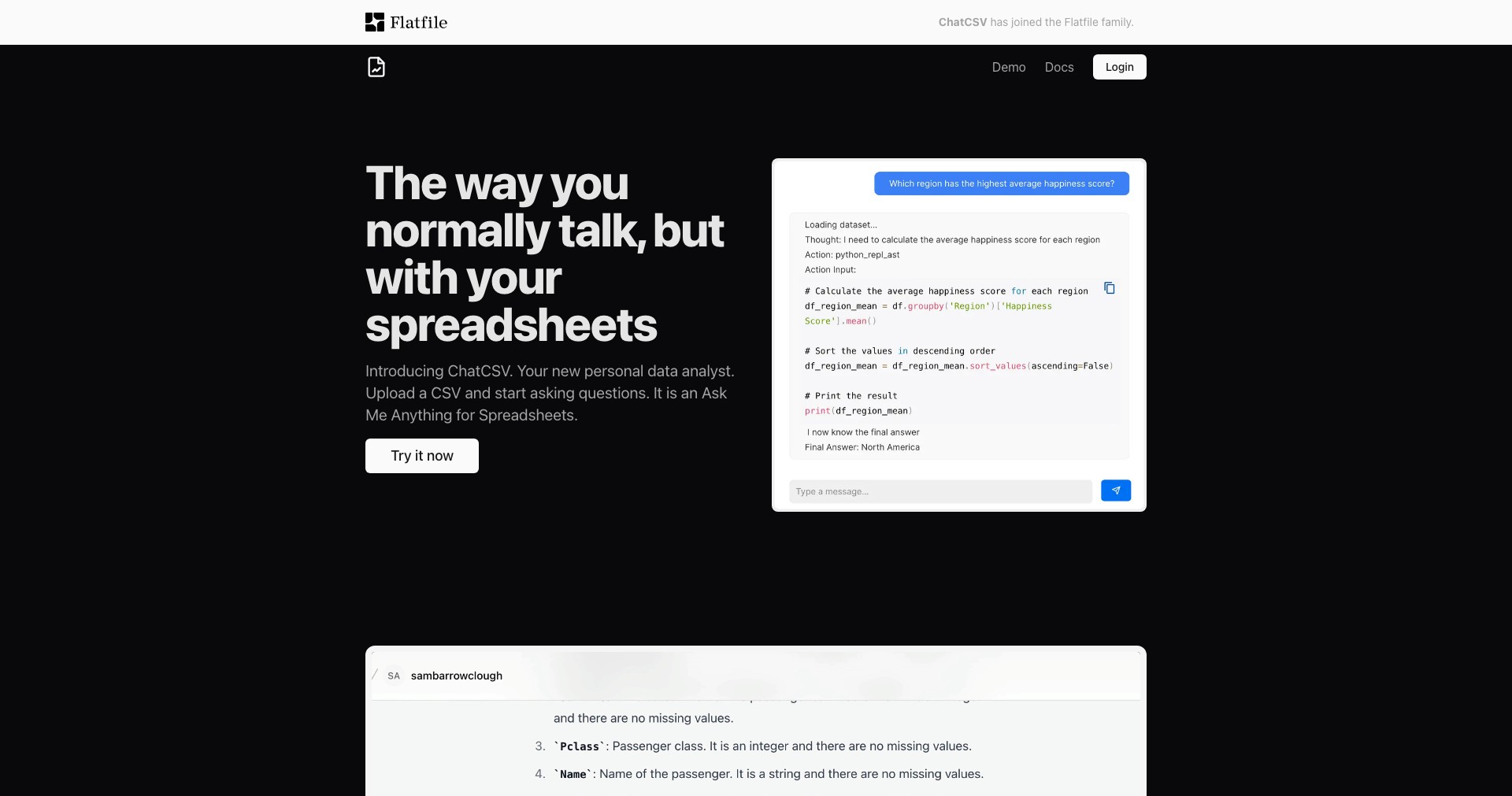
ChatCSV revolutionizes the way users work with CSV data by enabling conversational analysis using advanced AI. Instead of manually filtering or writing complicated formulas, users can simply upload their CSV files and ask questions in natural language—making data exploration more accessible to everyone.
Ideal for professionals who deal with data but lack programming experience, ChatCSV bridges the gap between raw data and actionable insights. Its browser-based interface streamlines tasks ranging from summarizing datasets to generating charts, offering a straightforward solution for making sense of complex information.
Key Features:
-
Conversational Data Query:
Allows users to ask questions in plain language about their CSV data and receive instant, accurate responses, removing the need for SQL or Excel knowledge. -
Instant Data Visualization:
Automatically generates visualizations like bar charts, pie charts, and trend lines from your queries, helping users spot patterns quickly and present findings effectively. -
Secure Data Handling:
Ensures uploaded CSV files are stored securely and are deleted after use according to their privacy policy, providing peace of mind for sensitive or proprietary data. -
Multi-File Support:
Users can upload multiple CSV files and analyze or join datasets, simplifying workflows that require merging various data sources. -
Exportable Insights:
Summaries, query results, and generated visualizations can be exported or downloaded, making it easy to incorporate insights into presentations or reports.
What makes ChatCSV unique?
What sets ChatCSV apart from other CSV tools is its seamless natural language interface powered by AI, eliminating technical barriers that often hinder data analysis. While many platforms offer visualization or querying features, few make them as accessible through simple conversation, allowing even non-technical users to derive value rapidly.
Additionally, ChatCSV's focus on security and the ability to handle multiple files at a time are significant differentiators. Its robust AI models are tuned for tabular data, ensuring both the accuracy of answers and versatility in handling various data shapes and queries.
Pros and Cons
Who is using ChatCSV?
Business Analysts: Analysts who frequently work with exported data can use ChatCSV to quickly derive insights, spot trends, and prepare presentation-ready visuals without technical barriers.
Non-Technical Professionals: Sales, marketing, and management professionals benefit from querying and understanding data without needing to learn Excel formulas or scripting languages.
Educators and Students: Those in academic or training settings can leverage ChatCSV to explore and analyze datasets for projects or lessons, making data literacy more approachable.
Evolution & Improvements
Since its debut, ChatCSV has expanded its capabilities from simple Q&A to supporting full-blown data visualization and multi-file handling, reacting to user feedback and needs.
Incremental improvements in the underlying AI have significantly increased response accuracy and the range of understood data-related queries.
Security protocols and data deletion policies have also been enhanced, addressing growing concerns over data privacy and compliance ensuring trust for business users.
Pricing
| Plan | Price | About |
| Free | $0/month | Allows users to try basic features with limitations on CSV file size and query count. |
| Pro | $19/month | Unlocks unlimited queries, larger file uploads, priority support, and advanced features for power users. |
Verdict
ChatCSV stands out as a powerful, user-friendly solution for anyone needing fast insights from CSV data without diving into code or spreadsheets. Its conversational approach makes data analysis more democratic, putting the power of AI at the fingertips of business pros and students alike.
While there are some limitations for advanced analytics and the free tier, the platform's blend of accessibility, accuracy, and security make it an excellent choice for routine data work, presentations, and quick decision-making across a variety of roles.


