Clipchamp
Last updated: June 16, 2026
What is Clipchamp?
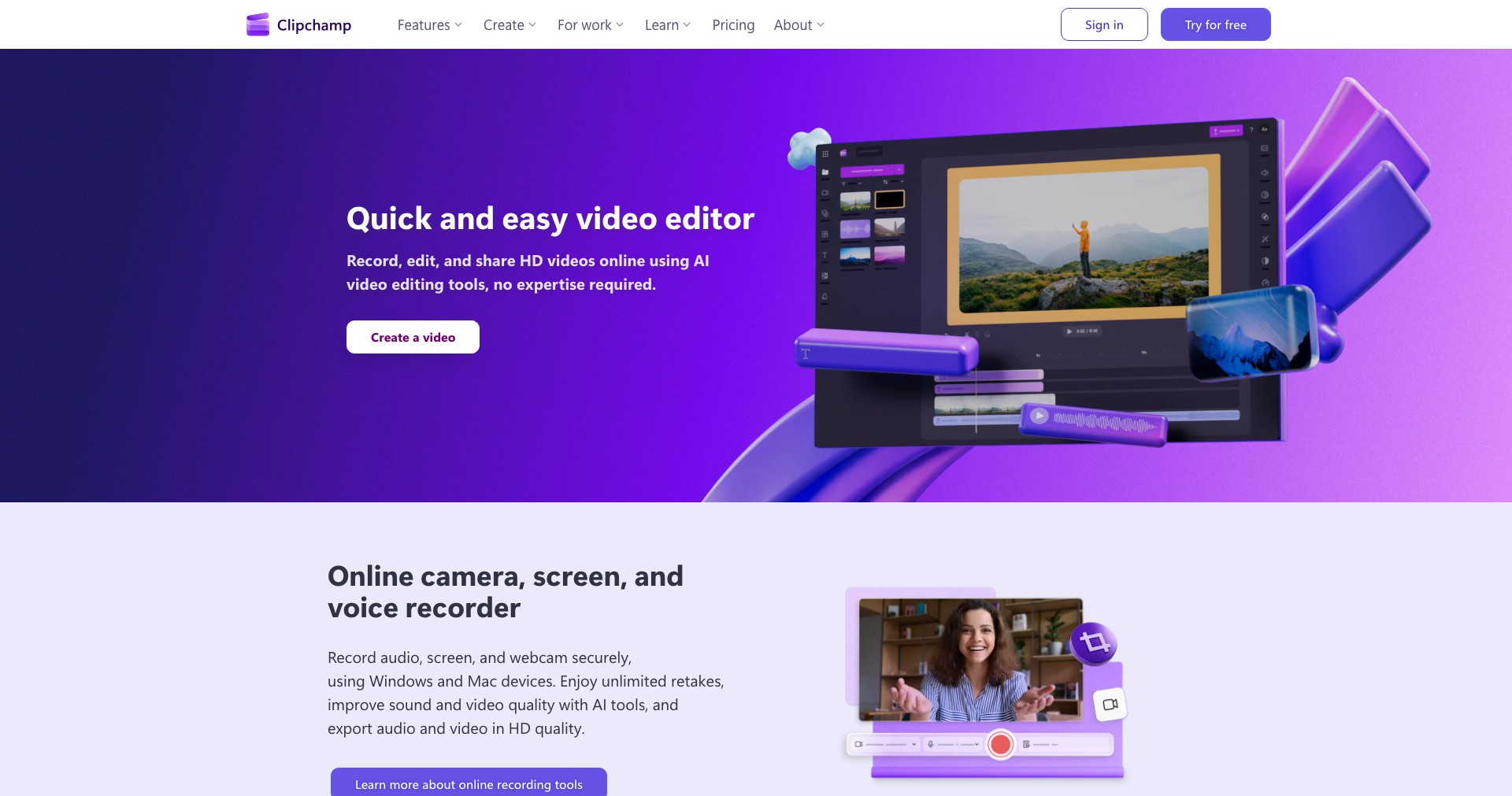
Clipchamp is a browser-based video editor acquired by Microsoft, designed to simplify the editing process for everyone from first-timers to seasoned creators. It lets you create everything from social media clips to detailed presentations directly in your web browser, eliminating the need for powerful hardware or complex software installations.
Packed with versatile tools, Clipchamp is popular for its drag-and-drop interface, customizable templates, and seamless integration with other Microsoft products such as OneDrive and Teams. Whether you're looking to craft marketing videos, online courses, or personal montages, Clipchamp puts professional video editing within anyone's reach.
Key Features:
-
Drag-and-Drop Editor:
The intuitive drag-and-drop timeline allows users to arrange and trim video clips, images, and audio effortlessly, making the editing process fast and accessible for all skill levels. -
Extensive Video Templates:
Clipchamp provides a wide array of customizable templates for YouTube, social media, business promos, and more, enabling quick video creation with professional layouts. -
Stock Library Access:
Users get access to a built-in library of royalty-free stock videos, images, and audio tracks, enhancing their projects without external downloads or additional costs. -
AI-Powered Features:
Features like auto-captions, text-to-speech, and smart video resizing use AI to save editing time and make videos more engaging and accessible to larger audiences. -
Direct Export and Sharing:
Clipchamp enables direct exports in multiple file formats and easy sharing options to platforms such as YouTube, Google Drive, OneDrive, and social networks.
What makes Clipchamp unique?
What sets Clipchamp apart in the crowded video editing space is its seamless web-based experience and deep integration with Microsoft’s ecosystem. Unlike many competitors, it doesn’t require powerful hardware—meaning you can edit high-quality videos even on modest laptops or Chromebooks.
The unique mix of AI-assisted workflows—such as smart captions, background removal, and text-to-speech—streamline production and cater to accessibility, making it possible to craft polished, inclusive videos without technical know-how. Its cloud storage sync and collaboration features further appeal to businesses and teams looking to work together regardless of location.
Pros and Cons
Who is using Clipchamp?
Content Creators: YouTubers, vloggers, and influencers who want a fast way to edit and share engaging video content for their audiences will appreciate Clipchamp's templates, AI tools, and platform integrations.
Educators and Trainers: Teachers, online course creators, and trainers benefit from the intuitive tools and stock content to prepare lectures, tutorials, and presentations with minimal editing expertise.
Small Business Marketers: Small business owners and digital marketers can quickly produce promotional content, ads, and branded videos using templates and the branding kit, making it easy to maintain a professional presence online.
Clipchamp’s Evolution
Originally launched as an independent startup, Clipchamp focused on simplifying video editing with an in-browser tool requiring no downloads. Early versions were mainly geared towards simple video conversions and basic trimming.
Significant milestones since then include the expansion into a full-featured video editor, the introduction of thousands of stock assets, and the addition of advanced features like AI-powered captioning and smart background removal.
After its acquisition by Microsoft, Clipchamp saw increased integration with Microsoft 365, deeper cloud storage support, and regular updates that enhance speed, collaboration, and overall editing functionality.
Pricing
| Plan | Price | About |
| Free Plan | $0 | Access to basic editing features, select stock assets, and exports at 1080p with watermark. |
| Essentials Plan | $11.99/month | Includes unlimited cloud backups, premium filters, branding kit, and watermark-free exports at up to 4K quality. |
Verdict
Clipchamp successfully democratizes video editing by making powerful tools accessible through a web browser, perfect for creators, educators, and businesses looking for speed and ease over granular controls. Its AI-powered features and Microsoft integration streamline content creation and help teams and individuals achieve professional results without the need for advanced skills or equipment.
However, advanced users seeking intricate visual effects and total control may find it less flexible than leading desktop editors. For most use cases—especially social media content and internal communications—Clipchamp strikes an ideal balance between usability, features, and affordability.


