Pgrammer
Last updated: June 16, 2026
What is Pgrammer?
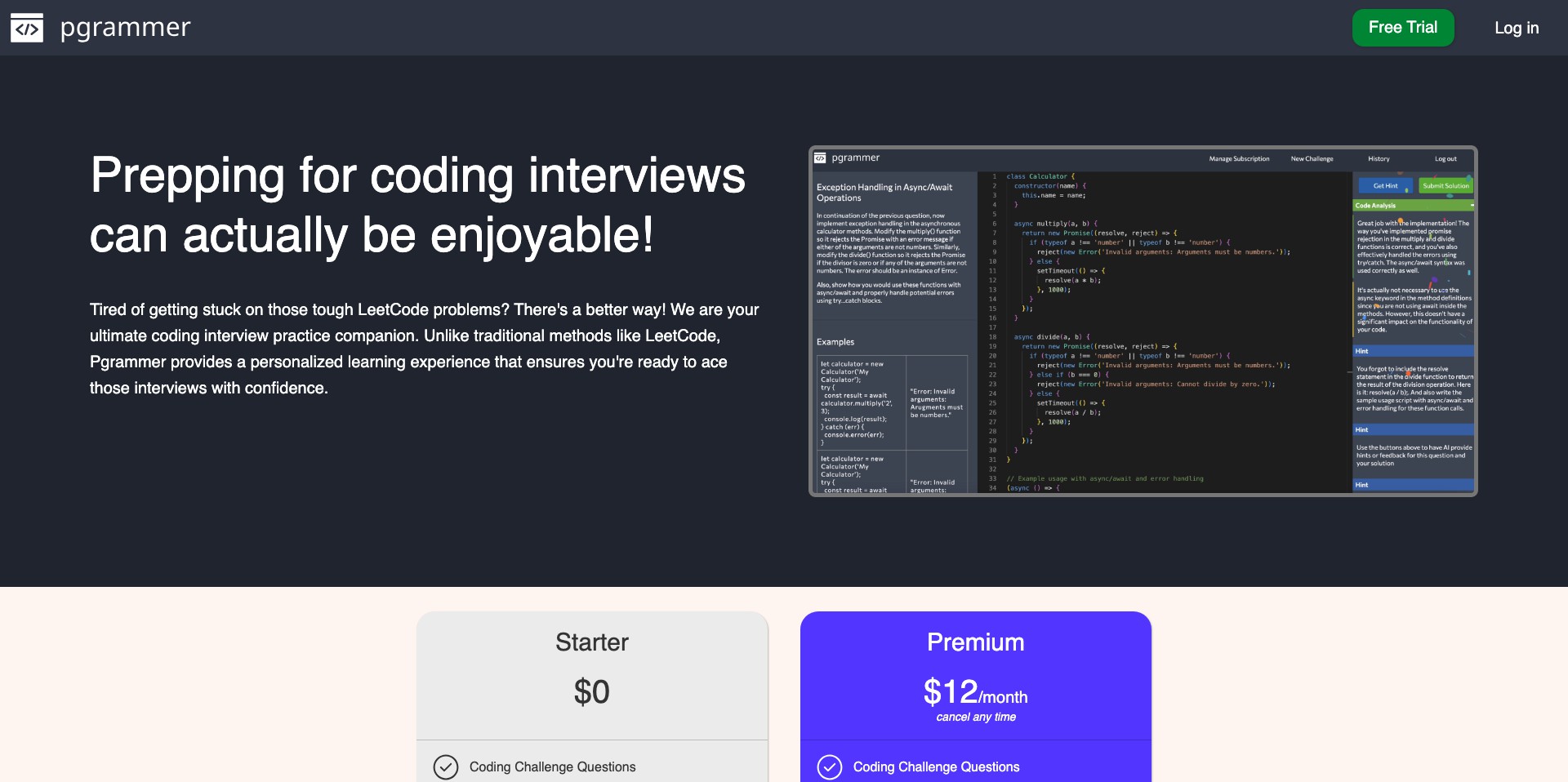
Pgrammer is an advanced AI coding assistant that helps developers generate, debug, and optimize code efficiently. Built to support a range of programming languages and frameworks, Pgrammer offers context-aware code generation, instant bug fixing, and intelligent suggestions, reducing the time spent on routine coding tasks.
Designed for both novice coders and seasoned software engineers, Pgrammer aims to simplify the coding workflow with its user-friendly interface and robust AI capabilities. Whether you're building a simple app or working on a complex enterprise project, Pgrammer integrates seamlessly into your coding environment to accelerate development while minimizing errors.
Key Features:
-
Multi-language Support:
Pgrammer understands and generates code in multiple popular programming languages, including Python, JavaScript, Java, C++, and more. This versatility allows users to switch between languages and projects without the need for additional tools. -
AI-Powered Code Generation:
With advanced artificial intelligence, Pgrammer can produce functional code snippets based on natural language prompts or partial code segments. This feature is invaluable for rapid prototyping and solving coding challenges on the fly. -
Automated Bug Detection and Fixing:
The tool can scan your code for potential errors and offer corrections or alternative implementations, reducing bug-hunting time and improving software reliability. -
Intelligent Code Suggestions:
Pgrammer provides contextual suggestions as you type, helping you write more efficient and idiomatic code. The AI leverages a vast dataset to recommend best practices and optimal solutions. -
Documentation and Explanation:
Besides code generation, Pgrammer can explain complex code snippets in plain language, making it easier for learners and collaborators to understand logic and intent.
What makes Pgrammer unique?
What sets Pgrammer apart from other code assistants is its blend of powerful multi-language support, deep contextual understanding, and ease of use. The tool’s ability to not only generate code but also to explain, debug, and optimize it creates an all-in-one programming companion.
Unlike some competitors focused solely on code completion, Pgrammer’s robust natural language processing allows developers to describe their intended logic and receive meaningful, executable code outputs. Its user-friendly interface and tutorial-driven onboarding make it especially approachable for learners, while the advanced features cater to power users and professionals.
Pros and Cons
Who is using Pgrammer?
Professional Developers: Experienced software engineers can leverage Pgrammer to accelerate development, quickly prototype features, and automate mundane coding tasks, boosting productivity.
Coding Students and Learners: Students and newcomers to programming can benefit from Pgrammer’s code explanations, debugging assistance, and interactive interface, making their learning curve smoother and more engaging.
Freelancers and Indie Hackers: Solo developers or small teams working on diverse projects can use Pgrammer to handle various languages and frameworks without the need for multiple specialized tools.
Pgrammer’s Evolution
Since launch, Pgrammer has steadily expanded its language support and refined its AI models, responding to user feedback and advances in machine learning.
Early versions focused on code completion, but subsequent updates brought in debugging, documentation, and NL-to-code features, making it a more versatile assistant.
Recent changes have improved collaboration tools and integration with widely-used IDEs, ensuring that Pgrammer remains relevant for both individual developers and teams.
Pricing
| Plan | Price | About |
| Free Tier | $0/month | Limited daily queries and access to core code generation features. |
| Pro Tier | $15/month | Increased query limits, priority AI processing, and advanced debugging support. |
| Enterprise Tier | Custom pricing | Tailored for organizations with large teams, offering unlimited access, enhanced support, and team management features. |
Verdict
Pgrammer stands out as a comprehensive and intuitive coding assistant, thanks to its strong multi-language support, robust code intelligence, and easy-to-use interface. It is well-suited for students, seasoned developers, and freelance coders alike.
While the free tier may not meet the demands of heavy users, and the AI sometimes errs on newer frameworks, the tool's continuous improvement, affordable plans, and powerful features make it a valuable addition to most coding toolkits.


