Sheetsy v1.4
Last updated: June 16, 2026
What is Sheetsy v1.4?
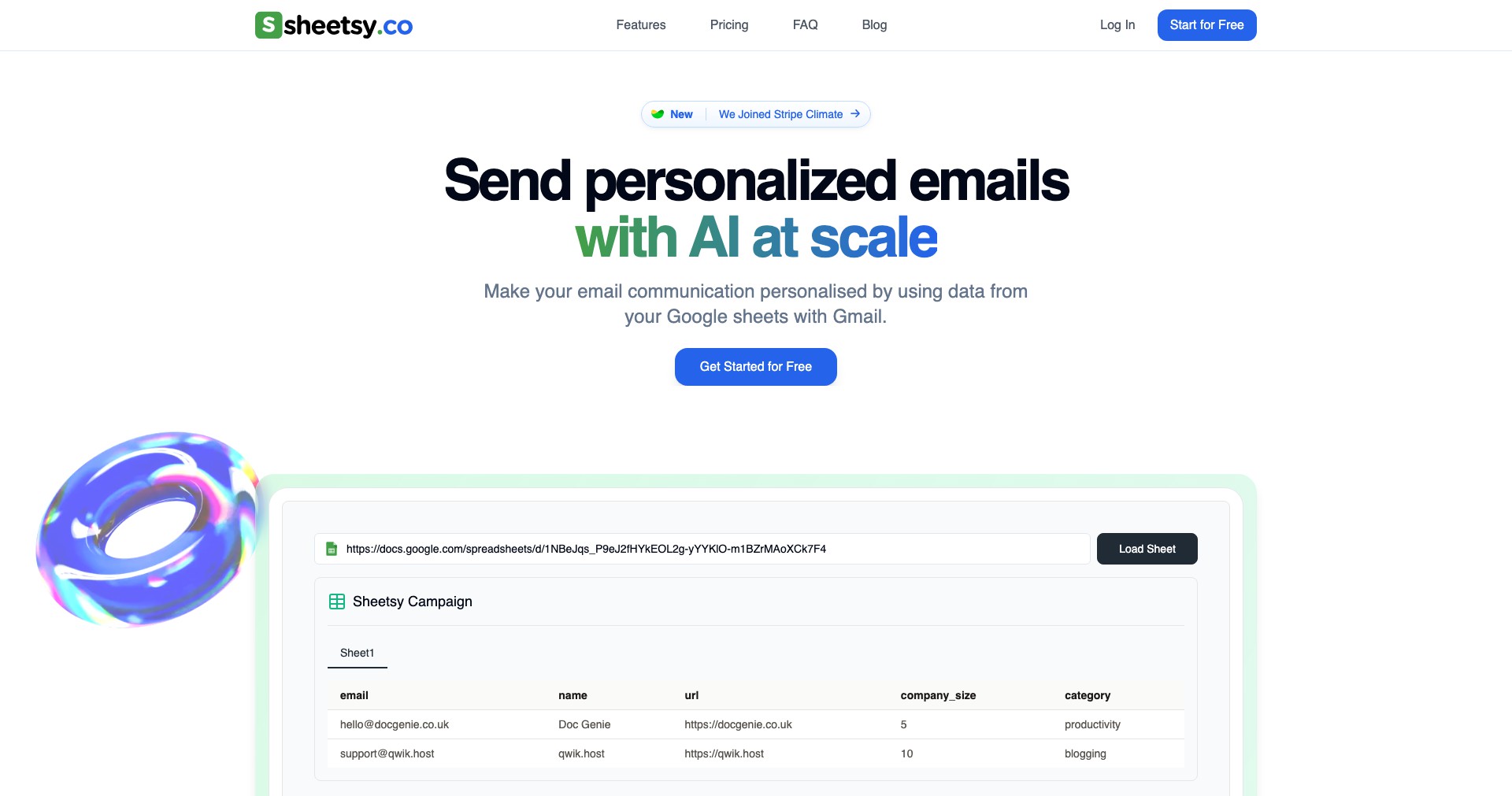
Sheetsy v1.4 is an innovative solution crafted for anyone dealing with large volumes of spreadsheet data, whether in Google Sheets or Excel. By leveraging AI and smart automation, it transforms tedious manual processes into smoother, efficient workflows, enabling users to focus on decision-making rather than repetitive data tasks.
This platform stands out for its robust set of tools—from AI-driven formula generation to error detection—geared toward making spreadsheet work more accessible and less error-prone. With Sheetsy, both beginners and seasoned data professionals can significantly boost their productivity and accuracy.
Key Features:
-
AI Formula Generator:
Automatically generates advanced formulas based on plain-language descriptions. Users simply type what they want to achieve, and Sheetsy crafts the formula—saving time on syntax and reducing errors. -
Smart Data Cleanup:
Identifies and cleans duplicate entries, inconsistencies, and formatting errors in large datasets. This feature ensures your data remains clean and reliable for analysis. -
Automated Reporting:
Transforms raw spreadsheet data into professional, customizable reports with a few clicks. This automation speeds up monthly, weekly, or ad-hoc report creation. -
Error Detection & Suggestions:
Scans sheets for formula errors, inconsistencies, and anomalous values, then offers actionable suggestions for correction. This reduces debugging time and improves data accuracy. -
Collaboration Tools:
Facilitates real-time collaboration with teammates via live comments, task assignments, and version tracking—ideal for teams managing complex spreadsheets together.
What makes Sheetsy v1.4 unique?
Sheetsy v1.4 stands out primarily due to its AI-powered approach to spreadsheet management. While many tools offer data cleaning and automation, Sheetsy’s natural language formula generation allows users without deep spreadsheet expertise to leverage complex functionalities with ease.
Moreover, its real-time collaboration tools and seamless integration with popular platforms like Google Sheets and Excel make it a versatile choice for distributed teams. These features, combined with ongoing updates focused on user feedback, give Sheetsy a dynamic edge in the productivity tool market.
Pros and Cons
Who is using Sheetsy v1.4?
Business Analysts: Analysts handling large datasets benefit from Sheetsy’s automation tools, saving time on data cleaning, formula writing, and reporting tasks.
Finance Teams: Finance professionals appreciate the error detection and reporting tools to ensure accuracy and efficiency in budgeting, forecasting, and reconciliation processes.
Collaborative Teams: Teams needing real-time collaboration on spreadsheets, such as project managers and product teams, gain from version control and live commenting features.
Evolving Feature Set
Since its launch, Sheetsy has expanded its feature set in direct response to user feedback, adding new AI-driven tools and enhancing integration options.
Version 1.4 introduced major improvements in formula generation accuracy and introduced automated reporting templates for a wider range of industries.
Ongoing updates have focused on strengthing security and optimizing performance, ensuring reliable operation even with larger, more complex datasets.
Pricing
| Plan | Price | About |
| Free Plan | $0 | Basic AI and automation features with usage limits; ideal for individuals or trying the service. |
| Pro Subscription | $9/month | Full access to AI tools, error detection, reporting, and collaboration features; suitable for professionals and teams. |
| Enterprise Plan | Custom Pricing | Custom integrations, dedicated support, and advanced collaboration for organizations with large teams. |
Verdict
Sheetsy v1.4 is a standout tool for anyone looking to streamline spreadsheet work with the help of AI. Its combination of ease-of-use, powerful automation, and collaboration features make it well-suited for both individual professionals and teams, especially those juggling large and complex datasets.
While there are minor drawbacks, such as advanced options being paywalled or occasional performance hiccups, the value it adds—particularly in reducing manual errors and freeing up user time—is impressive. If your work involves frequent spreadsheet management, Sheetsy is well worth trying.


