StatPecker
Last updated: June 16, 2026
What is StatPecker?
StatPecker is a modern statistics and data analysis platform designed to make complex analytics accessible to both beginners and experienced professionals. By automating much of the data processing workflow, StatPecker allows users to quickly import datasets, perform advanced analyses, and visualize results—all within a user-friendly environment.
Whether you are an academic researcher, business analyst, or student, StatPecker aims to replace cumbersome spreadsheets and legacy statistics tools with streamlined, AI-powered features. With its robust set of analytical options and customizable reports, it is positioned as a compelling choice for anyone seeking actionable insights from their data.
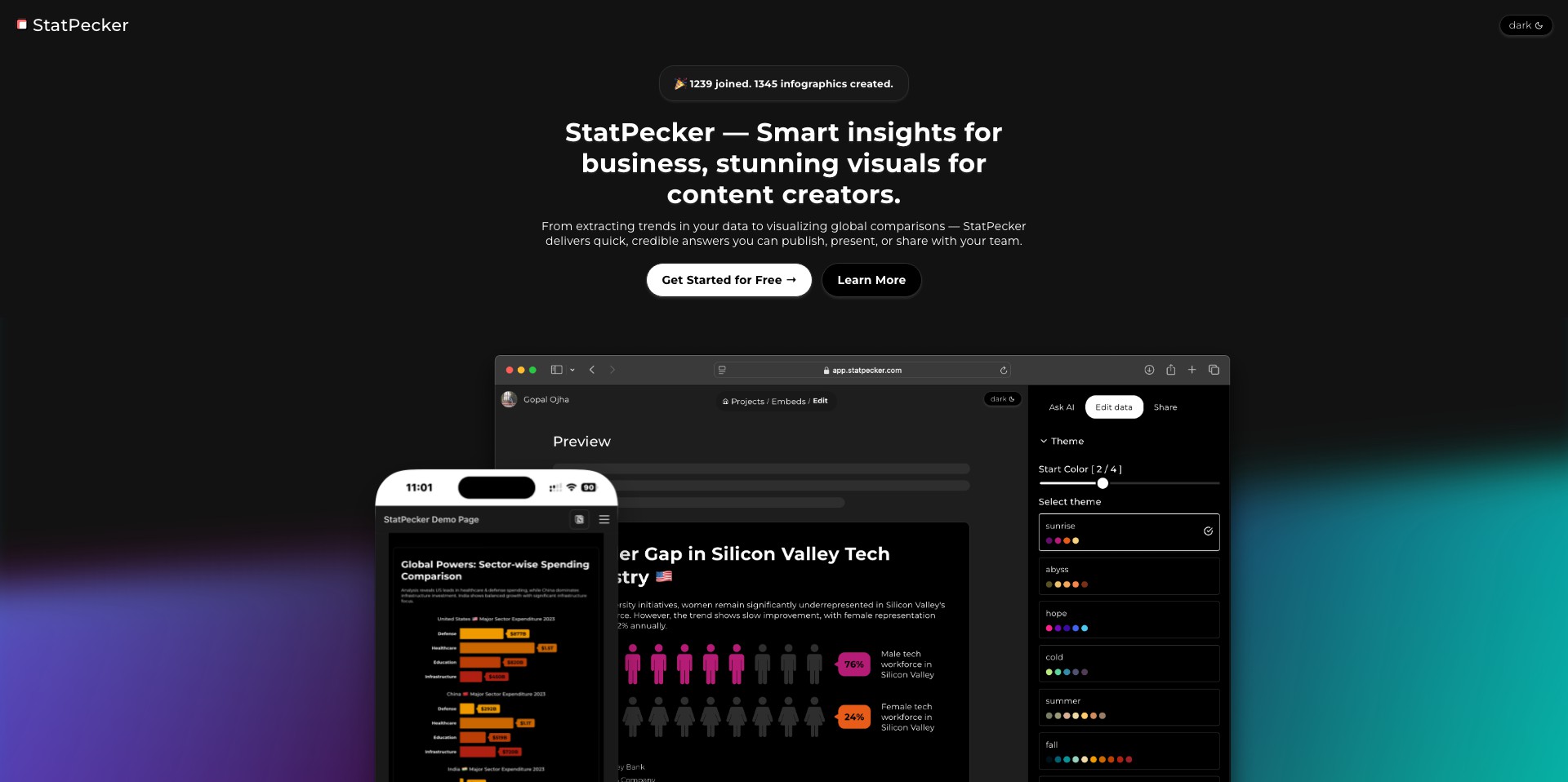
Key Features:
-
Automated Statistical Analysis:
StatPecker automatically detects data types and suggests appropriate statistical tests, allowing users to perform complex analyses without deep statistical knowledge. -
Visualization Suite:
Includes a comprehensive set of data visualization tools, enabling users to generate publication-ready graphs and charts with just a few clicks. -
Intelligent Report Generation:
StatPecker can generate customized reports summarizing statistical findings, complete with interpretable explanations and recommendations. -
Seamless Data Import and Export:
Easily import datasets from various formats (CSV, Excel, Google Sheets) and export analysis results in multiple formats for collaboration or publication. -
Collaboration Features:
Supports real-time collaboration, allowing multiple users to work together on the same dataset or projects, streamlining teamwork and review processes.
What makes StatPecker unique?
What sets StatPecker apart from other data analysis tools is its emphasis on automation and accessibility. Unlike traditional platforms that require manual setup and deep statistical knowledge, StatPecker's AI-driven suggestions and automated workflows remove common barriers to entry, making statistical analysis more approachable for non-experts.
Furthermore, its intelligent report generation and seamless collaboration tools cater directly to professionals and teams working in fast-paced environments. The customization options for reports and visualizations, along with user-friendly project management, give StatPecker a distinct edge for those seeking both simplicity and depth in their analytical tools.
Pros and Cons
Who is using StatPecker?
Academic Researchers: Researchers in universities and institutions seeking streamlined, accurate statistical analysis and easy report generation for publishing or presentations benefit from StatPecker's automated workflows and collaborative features.
Business Analysts: Professionals analyzing company or market data can leverage StatPecker's visualization tools and report generation to inform business decisions and share insights with their teams.
Students and Educators: StatPecker's ease of use and educational resources make it ideal for students learning statistics, as well as teachers who want to demonstrate concepts without heavy technical requirements.
Progress and Development
Since its inception, StatPecker has continuously refined its interface, responding to user feedback to enhance intuitiveness and accessibility. Early versions focused on basic statistical analyses; subsequent updates have introduced more advanced modeling and diagnostics.
Major milestones include the addition of collaboration features, allowing multiple users to work simultaneously, and the expansion of data import/export capabilities, making the tool viable for wider organizational use.
Recent development has leaned into AI-powered suggestions and intelligent report writing, further reducing effort on the user's part and increasing the quality of analytical outputs. Regular feature updates keep StatPecker competitive with leading data analysis software.
Pricing
| Plan | Price | About |
| Free | $0 | Access to basic statistical analysis and data visualization features. |
| Pro | $19/month | Unlocks advanced statistical tests, collaboration, and priority support. |
| Team | $49/month | Enables multi-user collaboration, shared projects, and organization-wide management features. |
Verdict
StatPecker stands out as a practical and compelling platform for users needing to analyze, visualize, and report on data without the steep learning curve of traditional statistical tools. Its automated features, user-friendly interface, and collaborative capabilities make it particularly attractive for teams and educators, while still accommodating the needs of solo researchers.
While power users may encounter limitations with deeply specialized statistical methods or very large datasets, StatPecker delivers excellent value for its target audience. The freemium model allows users to explore its capabilities before committing, and its ongoing development suggests that limitations will continue to be addressed in future updates.


