I delegated 5 annoying work tasks to Sintra AI. Was it worth it?

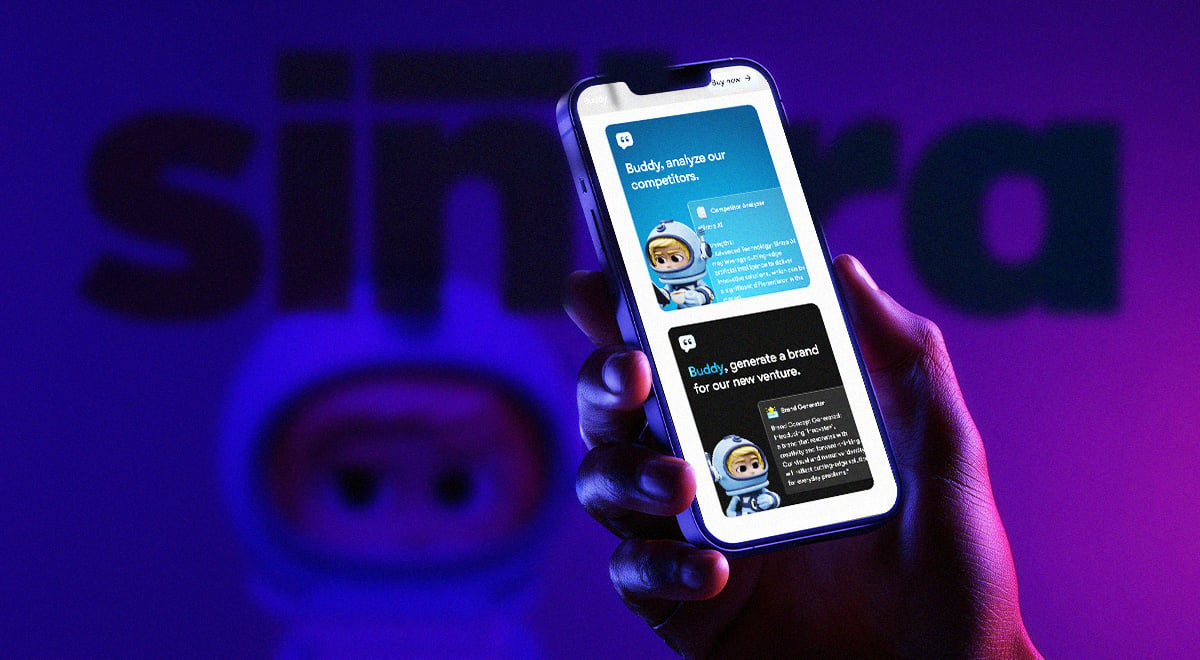
If you’re what they call a “knowledge worker” like me, you probably know the unofficial anthem of 2026: too much to do, not enough hours, and somehow, everything’s urgent. As a Lead Writer, my days are a blur of multiplying browser tabs and docs, tangled Slack threads, team meetings, and feedback loops. By Friday, “focus” feels like a luxury.
Don’t get me wrong – I love my job. But I can’t stop thinking about smarter and more efficient ways to approach it.
Recent research shows I’m not alone: workloads for knowledge workers shot up by 31% last year, and burnout is not just a buzzword. So when I heard about Sintra AI, a platform that promises to offload everything from research to meeting notes, I was both hopeful and skeptical. Is this the real helper I’ve been waiting for, or just another dashboard to manage?
For this experiment, I used the full version of Sintra, with access to all 12 AI agents and over 90 power-ups and features. Here’s what happened when I delegated my 5 most tedious tasks to this team of digital “co-workers.”
How I tested Sintra AI in my own workday
I’ll admit it straight away: while I’m no stranger to generative AI tools, such as Jasper, Claude, Perplexity, and ChatGPT, I’d never tried a full-blown AI assistant before Sintra.
To put Sintra to the test in my real workday, I focused on five key areas where I spend the most time: organizing and summarizing meetings, researching and fact-checking, drafting and outlining content, social media posting, and optimizing marketing strategy. I connected my Google Calendar and LinkedIn accounts so Sintra’s agents could automate routine scheduling, collaboration, and publishing tasks.
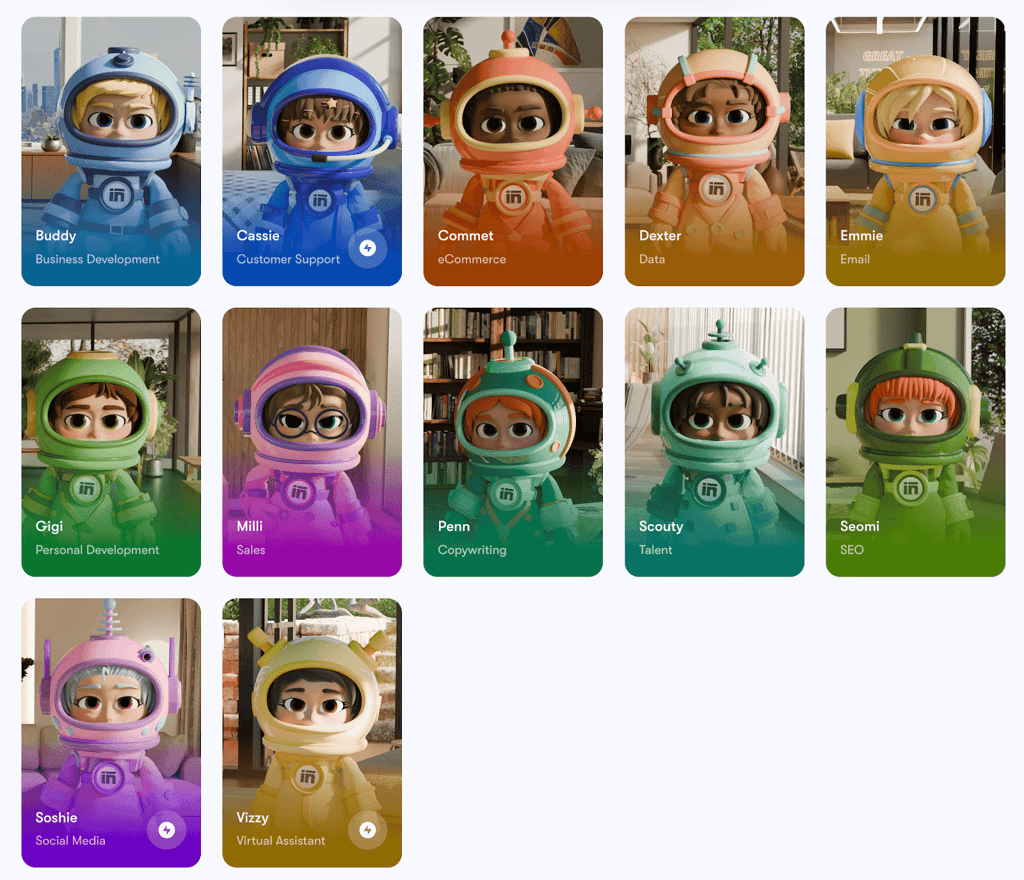
For each area, I ran typical work tasks through Sintra’s specialized AI helpers, logged the time spent, and then compared it to how long those same tasks usually take me without assistance.
I paid close attention to how user-friendly the interface felt, how easy it was to find and use features, and how factually accurate Sintra’s outputs were in everyday scenarios. This review is based on those hands-on, side-by-side comparisons using real connected accounts and tracking both the qualitative and quantitative impact on my workflow.
If you need more technical information about Sintra AI, read our comprehensive Sintra AI review.

5 tedious tasks Sintra AI handled for me
Here’s how Sintra stepped in to tackle the five work tasks that used to drain my focus – and why the difference turned out to be more than minor.

Organizing and summarizing meetings
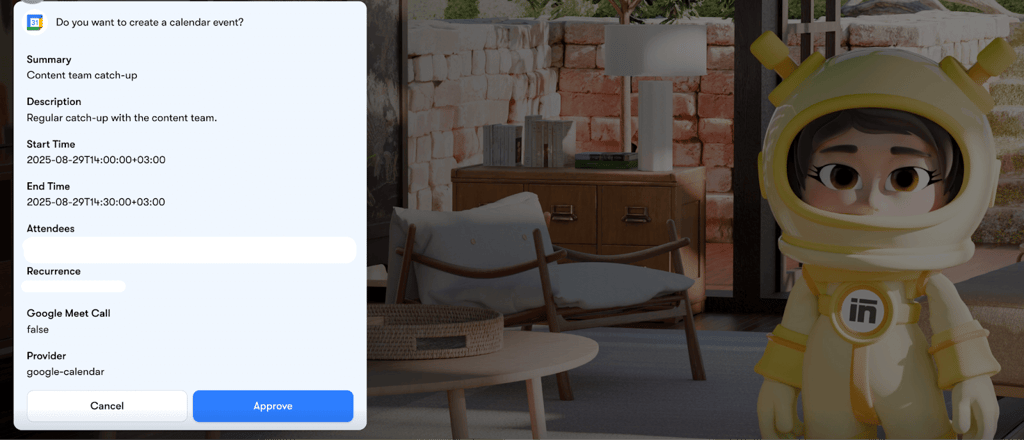
Meetings are a regular part of my work life, and, on average, I spend 1.4 hours in meetings daily. To streamline this, I first connected my work email’s Google Calendar to Sintra, which only took a moment in the settings panel. After that, I put Vizzy, Sintra’s AI assistant, in charge of organizing our recurring Content team catch-up. I simply shared the key details: who should attend, when it should happen, and how often to repeat.
Vizzy took care of the rest. It booked the meeting directly on my calendar and sent out invitations to everyone involved. The whole process felt truly hands-off – no more toggling between email, calendar, and chat apps, or worrying about forgetting someone. The event and reminders were instantly visible for my team, making meeting logistics almost invisible.
Some might wonder – does using Sintra to book meetings really save you that much time, especially when setting up a quick calendar invite only takes a minute or two? For a single, simple meeting, manual setup is fast. But once you layer in recurring meetings, multiple guests, reminders, and updates, the value of automation becomes clear.
After seeing how Vizzy took command of the scheduling, I wanted to see if Sintra could handle the post-meeting chaos just as smoothly. During our kickoff for the new newsletter project, I used Google Meet’s “Take notes with Gemini” feature, which automatically generated the meeting transcript. Then, I dropped this transcript straight into Sintra and prompted Buddy, the business development assistant, to turn it into a clear summary and actionable insights.
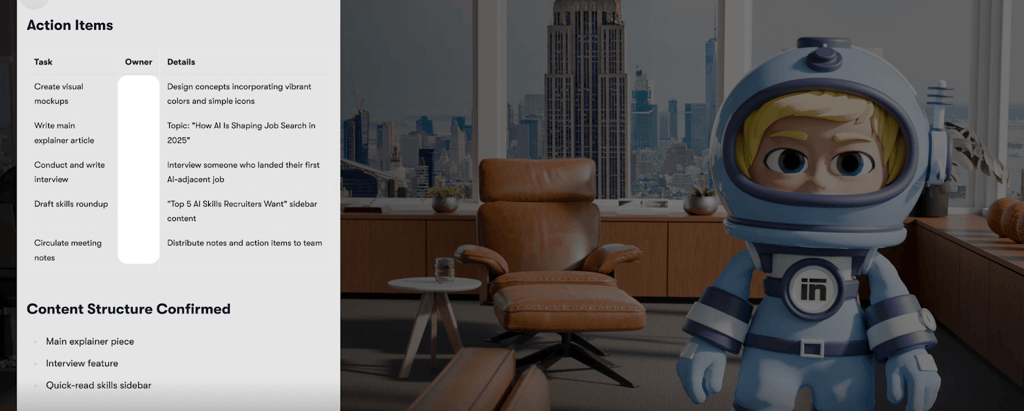
Buddy instantly delivered a clear set of notes highlighting our chosen newsletter name, visual branding decisions, publishing schedule, and a detailed breakdown of who was responsible for each next step. Having that actionable summary, without needing to relisten or dig through messy docs, was a real upgrade for project follow-up.
If there’s one feature I’d love to see next, it’s Sintra's ability to join and transcribe meetings on the fly without me having to provide any transcripts. For now, though, Sintra’s meeting summary workflow made follow-ups much easier and left me with notes I could actually use to manage our editorial process.
Pro tip:
Integrate your calendar for seamless Vizzy scheduling, let Gemini in Google Meet take live notes and send the transcript to Sintra Buddy for instant, organized meeting summaries and action points – this workflow saves you hours on coordination and manual note-taking.
Researching and fact-checking
Research is a big part of my job, and it can be surprisingly time-consuming. Normally, my usual research workflow would be a mix of opening endless tabs and experimenting with every generative AI tool out there. Those tools helped me get started, but I still had to piece things together myself and manually double-check everything, especially when it came to technical or business-related details.
With Sintra, I finally tried something different. I used Dexter, Sintra’s dedicated data analyst agent, to test a set of statements about the Saily eSIM provider. I intentionally mixed in both facts and common misconceptions. My prompt asked Dexter to fact-check each item, mark them as true or false, and cite the exact sources for each answer.
Dexter’s response was clear, structured, and impressively transparent: it flagged statements it could confirm (like Saily being data-only and owned by Nord Security), debunked a few myths, and directly listed reputable sources like Surfshark and provider support pages. If it couldn’t verify something right away, it didn’t guess – Dexter explained it needed more research before giving a definitive answer, which honestly made me trust it more.
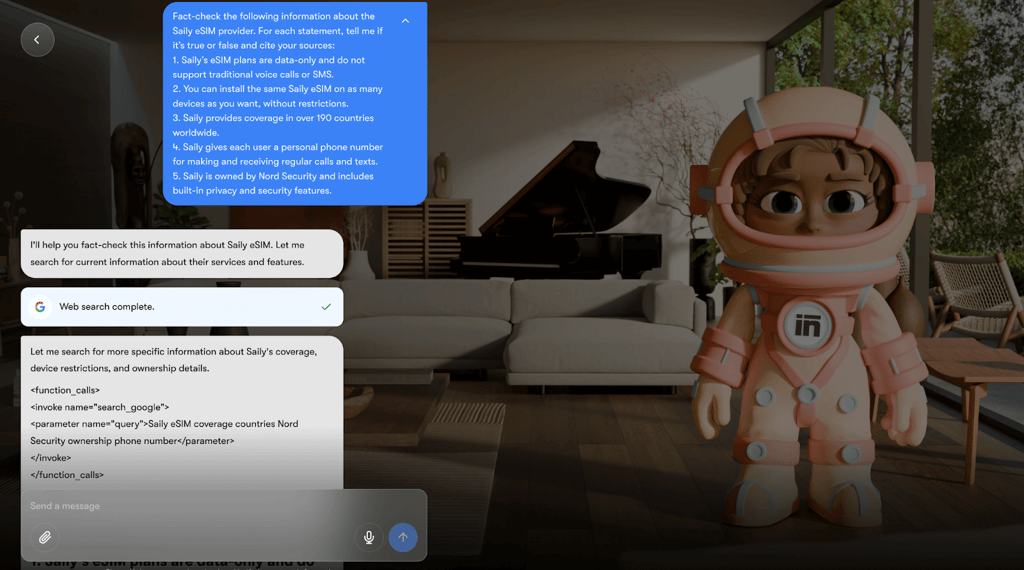
Accuracy-wise, I cross-checked Dexter’s results and found that its fact-checking lined up with what I saw on official websites and trusted review outlets. Still, whenever it came to specifics like exact pricing or the fine print on plan features, I made it a habit to click through Sintra’s links and check the provider’s site myself. This blend of smart automation for the heavy lifting and human diligence for the details made the whole process smoother and less stressful than my old patchwork approach.
I also experimented with fetching the current Saily eSIM pricing using Sintra. Initially, I asked Dexter, the platform’s data analyst agent, but got no response at all. It turns out Dexter specializes in research and data analysis, not retrieving live product or pricing information. When I tried the same question from Sintra’s home page, the prompt was automatically routed to Comet, Sintra’s eCommerce expert.

Comet not only responded but also provided an accurate list of plans and up-to-date prices that matched what I found on Saily’s own website. This made it clear that each Sintra agent focuses on a different part of the workflow: Dexter is best for fact-checking and research, while Comet is designed precisely for tasks like pulling current pricing from commercial providers.
Pro tip:
It’s important to direct your query to the right Sintra agent, since each one specializes in a specific field. If you’re not sure which agent will handle your task best, just send your request through the home page – Sintra will automatically assign it to the most suitable specialist for you.
Drafting and outlining content
Starting a new writing piece is never easy – sometimes I stare at a blank page far longer than I’d like, just trying to figure out what to write next. This time, I decided to see how Sintra would handle my request to draft a newsletter introduction about AI assistants in remote work.
I gave Emmie, Sintra’s email agent, a clear prompt: write a conversational, pain-point-focused introduction that would speak to hybrid teams. For the record, Emmie is powered by the same leading-edge GPT-4.1 and Claude 4 Sonnet language models that drive today’s top AI writing tools.
In seconds, Emmie delivered a draft that covered all the essentials – well organized, easy to digest, and addressing the challenges teams face when distance and digital tools come into play.
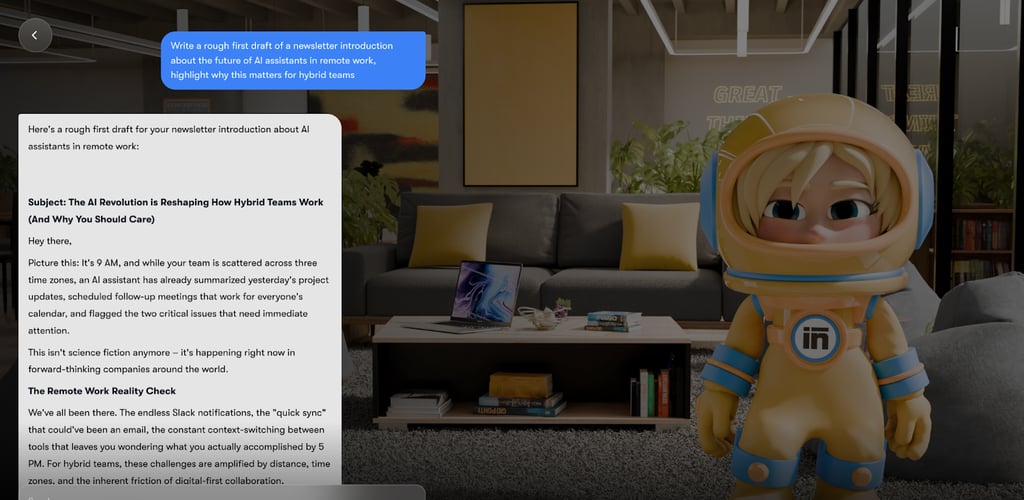
What makes Sintra stand out, though, is how this agent is integrated with broader workflows. Instead of having to copy text between apps or run multiple tools just to send or format an email, I could take Emmie’s draft and have Sintra send it directly to my contact list. While Emmie’s drafts might still need a personal touch, it was good enough to overcome the writer’s block.
Pro tip: The more detail you give in your prompt – about your audience, tone, structure, and topic – the better Emmie’s results will be.
Social media posting
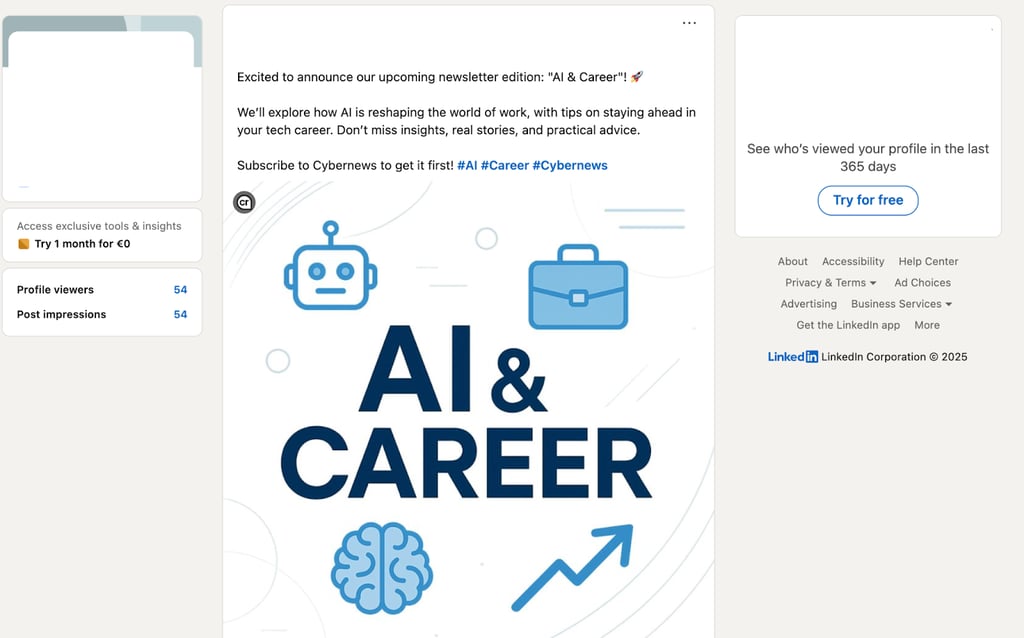
For the launch of our upcoming newsletter edition about AI and careers, I tried out Sintra’s social media assistant Soshie to handle my LinkedIn announcement. I asked Soshie to generate both the post text and an image, reviewed the drafts, and then approved everything for automatic posting directly to LinkedIn. The process was fast and convenient, making it easy to get a professional announcement out with minimal effort.
Pro tip:
While the image Soshie generated was fine for a quick post, its quality could be improved. If you need a more polished or custom look, you might prefer to create the visuals with a dedicated image generator or have your design team handle that part.
Optimizing marketing strategy
When I asked Sintra’s Emmie agent to lay out a marketing strategy for the new newsletter, I was genuinely impressed with how thoroughly it tackled the task. In less than a minute, Emmie delivered a detailed, step-by-step roadmap covering every modern best practice.
This included headline website CTAs, lead magnets, segmenting content pillars, planning landing pages, and even laying out a timeline for organic growth and monetization. The summary laid out actionable items and metrics to track and even prompted me to dive deeper if I needed a copy, a welcome sequence, or a full content calendar.
What really made it stand out was how quickly it turned my vague briefing into a campaign plan I could work with right away. Instead of spending hours piecing together a strategy from scratch, I now had a framework that was organized and shareable. Emmie even followed up with smart, clarifying questions – almost like having a junior strategist on my side.
That said, I did notice that much of what Emmie delivered followed a “best practices” outline, rather than something uniquely tailored to the Cybernews voice or our specific audience. While the structure and details saved me time, it still needed my editorial eye to inject real personality and our deep understanding of what our readers care about most.
Ultimately, I’d say Emmie is a great productivity booster for anyone looking to get their marketing plans off the ground at speed – or who just can't spare hours for blank-page brainstorming. For creative differentiation and deep brand alignment, I’m still glad to be the editor-in-chief.
Pro tip:
After Sintra generates your marketing strategy, share the plan as a collaborative doc with your team – run a quick review session, let people comment or remix sections, and treat it as a living roadmap. Combining AI-powered structure with team insights will help you iterate and launch campaigns faster, while making sure your strategy grows stronger with every cycle.
Sintra vs manual work – my before and after
Here’s a comparison table reflecting my experience with Sintra AI.
| Task | Before Sintra | With Sintra | Time spent | Notes |
| Organizing and summarizing meetings | Manually scheduling, sending invites, creating notes in docs | Vizzy auto-schedules, sends invites, Buddy summarizes and organizes follow-up | 1.5 hours → 30 minutes | Calendar/admin tasks now feel “invisible” – less stress and much faster follow-ups |
| Researching and fact-checking | Dozens of tabs, cross-checking AI and web, building resource lists by hand | Dexter summarizes, fact-checks claims, cites sources in one feed | 2 hours → 30 minutes | Saved my attention – just needed some double-checking |
| Drafting and outlining content | Blank pages, slow starts, struggling to build an outline or first draft | Emmie provides a structured draft in seconds, integrated with my workflow | 1 hour → 20 minutes | Drafts aren’t perfect but break writer’s block, personal edits needed for style |
| Social media posting | Write post, design image, schedule/post to LinkedIn manually | Soshie generates text and image, handles approval and live posting | 45 minutes → 10 minutes | Super quick for announcements, but image quality might be basic |
| Optimizing marketing strategy | Brainstorming, researching trends, hand-building campaign plans | Emmie generates detailed marketing strategy and reworks ideas on prompt | 4-6 hours → 20 minutes | Blueprint is solid but needs tweaks for voice/audience – huge time saver overall |
Would I keep using Sintra? My honest verdict
After running Sintra through my real work routines, I can say it’s earned a place in my toolkit. If your day involves managing meetings, research, content, or marketing admin, Sintra’s automation agents save substantial time and reduce hassle. It’s especially valuable for writers, marketers, team leads, and business owners who thrive with workflow automation.
That said, if you only need occasional automation or your job doesn’t involve a lot of repeatable admin, Sintra may be overkill. There’s a learning curve, and manual review is still needed for best results. But for most busy, multi-tasking professionals, the productivity boost is well worth the effort.
FAQ
Is Sintra secure with sensitive info?
Yes, Sintra uses AES-256 encryption, complies with EU data privacy laws, and enforces strict confidentiality for any authorized data processing. You remain in control of your information at all times.
Is Sintra’s setup easy for non-tech-savvy users?
Yes, Sintra is designed for easy, no-code setup and is quick to onboard for non-technical users. You connect your tools, select helpers, and start automating with no special skills needed.
Who is Sintra for and who is it not for?
Sintra is best for people managing lots of admin, content production, or project workflows: lead writers, editors, marketers, team managers, business owners, and busy freelancers. It’s not as necessary for those with simple, one-off, or basic workflows who only need light or occasional automation.
Can it really replace manual work, or will it just add more?
Yes, Sintra can meaningfully reduce manual work by automating routine, repetitive tasks – like scheduling, research, posting, and basic admin. You still need to review and guide outputs, but for most admin-heavy workflows, it cuts busywork and context-switching, not adds to it.