Best eSIM for New Zealand in 2026
Our in-house expert researchers and journalists conduct independent, unbiased testing of eSIM services, assessing their real-life effectiveness and usability.
By staying current with industry developments and openly sharing our transparent testing methodologies, we ensure readers receive accurate, up-to-date insights so they can make informed choices about eSIM solutions.
Learn more

If you’re heading to New Zealand, an eSIM is one of those small things that makes a big difference. No plastic cards, no setup stress – just instant data once you land. It keeps your phone ready for what actually matters: navigating, sharing, and finding your next stop.
Together with the Cybernews research team, I tested and compared eSIM providers to find the 7 best options for New Zealand in 2026. Each one was rated for coverage across regions, pricing, features, and customer support to help you pick the most reliable and affordable plan for your travel style.
So, whether you want constant 5G data for navigation and streaming or just a light plan to check in back home, keep reading – I’ll walk you through the best eSIMs for a seamless Kiwi adventure.
Best 7 eSIMs for New Zealand – shortlist
- Saily – overall the best eSIM New Zealand provider in 2026
- Airalo – great New Zealand eSIM with six top-up plans
- Jetpac – most budget-friendly eSIM for New Zealand
- aloSIM – top prepaid data plans NZ
- Nomad – eSIM with numerous plans for different needs




Our team of researchers thoroughly tests eSIM services using a clear and consistent process. We combine first-hand experience with expert analysis to evaluate features, performance, coverage, and pricing - so you can make confident decisions before your trip. Learn how we test eSIMs.
What to consider before choosing an eSIM for New Zealand travel
Choosing the best eSIM for New Zealand travel can be tricky with so many options available. To make it easier, I’ve identified the most important factors to help you select the right one and avoid common issues like compatibility or coverage gaps:
- Coverage in New Zealand. Ensure the eSIM provider offers a specific plan for New Zealand or a regional plan that covers the country. Some providers may offer global plans, but they might not provide optimal coverage or pricing for New Zealand.
- Compatibility. Verify that your smartphone or tablet supports eSIM technology by checking your device settings or the manufacturer's website.
- Data plans. Select a plan that matches your usage, whether for light browsing, streaming, or heavy data consumption. Ensure the subscription covers your needs without unexpected fees.
- Activation process. Review how easy it is to activate the eSIM. A simple setup can save time and prevent connectivity issues while abroad.
- Validity period. Check the duration the plan remains active. A plan that matches your travel time can prevent unnecessary renewals or interruptions.
- Price. Compare pricing structures to find a cost-effective option that offers the required data and features without hidden costs.
The best eSIMs for New Zealand in 2026 – detailed list
Finding the right eSIM for New Zealand isn’t just about picking the cheapest plan – it’s about choosing one that actually works where you’re going. I tried these best eSIM providers across different parts of New Zealand, from Auckland’s busy streets to the remote trails around Fiordland, to see which ones truly hold up.
During my tests, I focused on coverage reliability, data speed, pricing, and supported networks. Some providers offered surprisingly strong connections even in smaller towns, while others struggled once I left major cities.
Below, you’ll find a breakdown of the best-performing eSIMs based on real travel experience – so you can skip the guesswork and pick the one that fits your journey best.
1. Saily – the best eSIM for New Zealand in 2026

| Rating: | |
| Countries and regions: | 200+ countries and regions, including New Zealand |
| Supported networks: | LTE, 3G, 4G, and 5G |
| Starting price: | $3.59/GB for 7 days |
Why I recommend Saily for New Zealand. If you want great value and solid performance without overcomplicating things, Saily is the best eSIM for NZ travel. It’s backed by NordVPN, so you’re getting strong privacy features along with reliable mobile data. It just works – fast, secure, and no issues.
Network coverage. Saily doesn’t list its local partners, but from my experience, the coverage is strong in major cities like Auckland, Wellington, and Queenstown. Whether you're road-tripping or hiking through more remote spots, I rarely had a drop in connection. It runs on top NZ networks with support for LTE, 3G, 4G, and 5G.
Data plans and pricing. Saily keeps it simple with data-only plans: 1GB, 3GB, 5GB, 10GB, 20GB, as well as unlimited GB. You also get a regional plan that works across 19 Asia-Oceania countries – handy if you’re hopping around. A standout option is the Saily Ultra plan, which gives up to 30GB high-speed data, airport lounge access, fast-fract service, and adds cybersecurity tools. You can read more about it in our Saily Ultra review. Plans start at just $3.59 for 1GB (7 days) – great for short stays or backup data.
My experience with Saily. Setup was super quick – I scanned the QR code and was online in minutes. The app is clean and easy to navigate, and I liked being able to track my data in real time. Everything worked smoothly, and the speeds stayed solid throughout my trip.
Saily also offers a US (+1) phone number add-on, which allowed me to make calls without worrying about unexpected charges later.
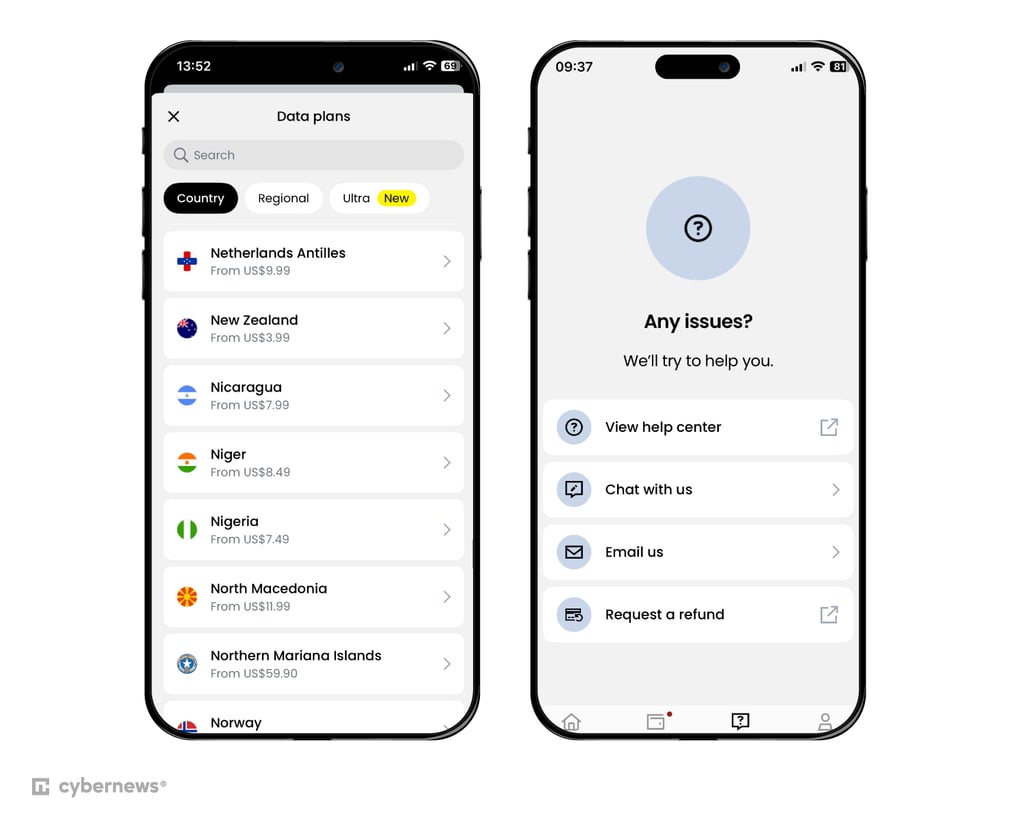
Customer support. Their live chat is available 24/7, which came in handy when I had a quick question about switching plans. Replies were fast, friendly, and helpful – no need to dig through forums or wait hours for help.
2. Airalo – incredible New Zealand eSIM with top-up options

| Rating: | |
| Countries and regions: | 200+ countries and regions, including New Zealand |
| Supported networks: | LTE, 3G, 4G, and 5G |
| Starting price: | $4.50/week for 3 days |
Why I recommend Airalo for New Zealand. If you’re after a hassle-free eSIM for New Zealand with decent speeds and great prices, Airalo is hard to beat. It’s my go-to when I want something reliable without overthinking it.
Network coverage. Airalo connects through the UpTheWahs network (One NZ), which gives you pretty solid LTE coverage across most of the country. I found it reliable for checking maps, booking tours, and uploading photos – even in more remote spots like the Coromandel and Wanaka. It’s not blazing fast, but it’s steady.
Data plans and pricing. You can choose between 1GB, 2GB, 3GB, 5GB, 10GB, and 20GB plans that last between 7 and 30 days. All plans are data-only, and they’re very reasonably priced – starting at just $4.00 for 3 days. It’s easy to top up if you need more data while you're on the road.
My experience with Airalo. Setting it up took maybe five minutes. Just scan the QR code, and you're online. The app’s super clean and shows your remaining data right on the home screen, which I really liked. I didn’t need to touch it again the whole trip.
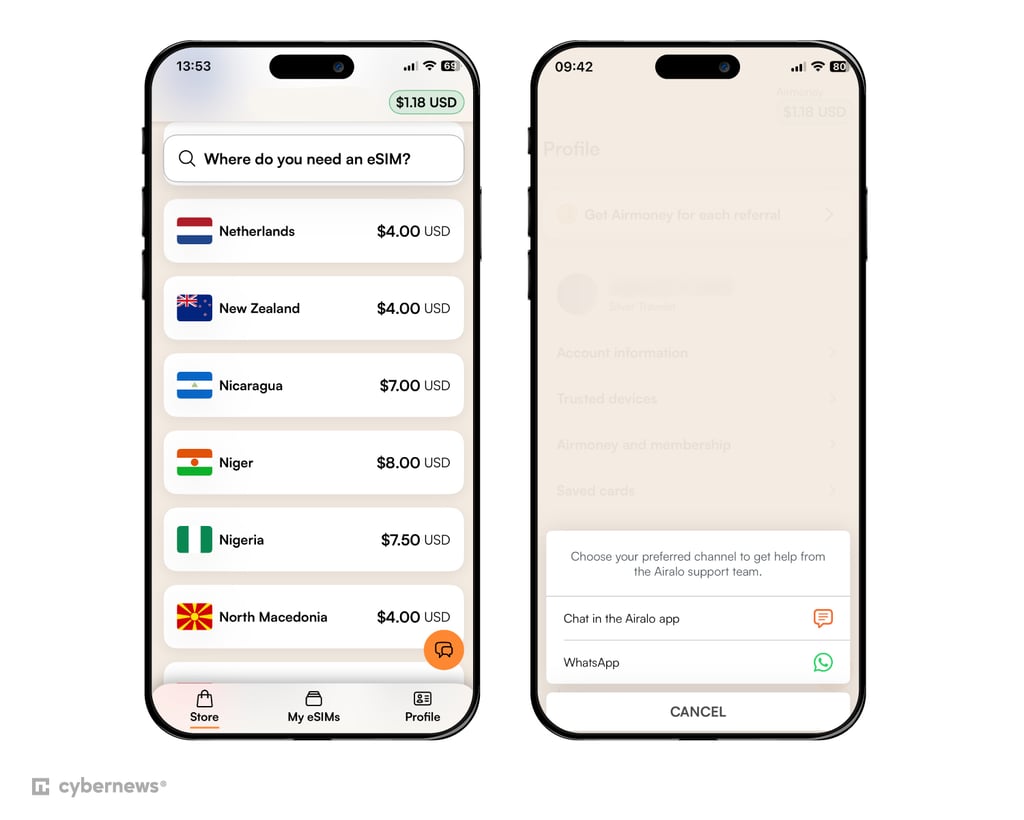
Customer support. Airalo has 24/7 live chat, which came in handy when I had a billing question. Response was also quick. You can also reach out by email or check its FAQs if you need help on the go.
3. Jetpac – cheapest eSIM for NZ

| Rating: | |
| Countries and regions: | 200+ countries, including New Zealand |
| Supported networks: | LTE, 3G, and 4G |
| Starting price: | $1.00 for 4 days |
Why I recommend Jetpac for New Zealand. If you’re looking for a simple and cheap way to stay connected in New Zealand, Jetpac is your best bet. It’s one of the most affordable eSIM options I’ve tried, and the connection quality across both islands genuinely surprised me for the price.
Network coverage. Jetpac connects to two major local networks – Spark New Zealand and 2degrees – which means solid coverage in most cities and popular tourist routes. In my experience, it held up well in central and coastal areas, though, like most providers, the connection got patchier in remote mountain regions. Still, for typical travel routes, it’s reliable enough to stream, navigate, and share your adventures on the go.
Data plans and pricing. Jetpac offers a wide range of data options – from 1GB for short getaways to 40GB plans for longer stays. I started with the 10GB plan, which easily lasted me through two weeks of travel, even with GPS and social media use. Prices are refreshingly low – starting at just $1.00 for 1GB (4 days) – making Jetpac one of the best-value eSIMs for New Zealand.
My experience with Jetpac. Activating Jetpac was quick and smooth – I just scanned the QR code and was online within minutes. The app interface is clean, and checking data usage feels effortless. I liked that I could top up directly without searching for a new plan each time.
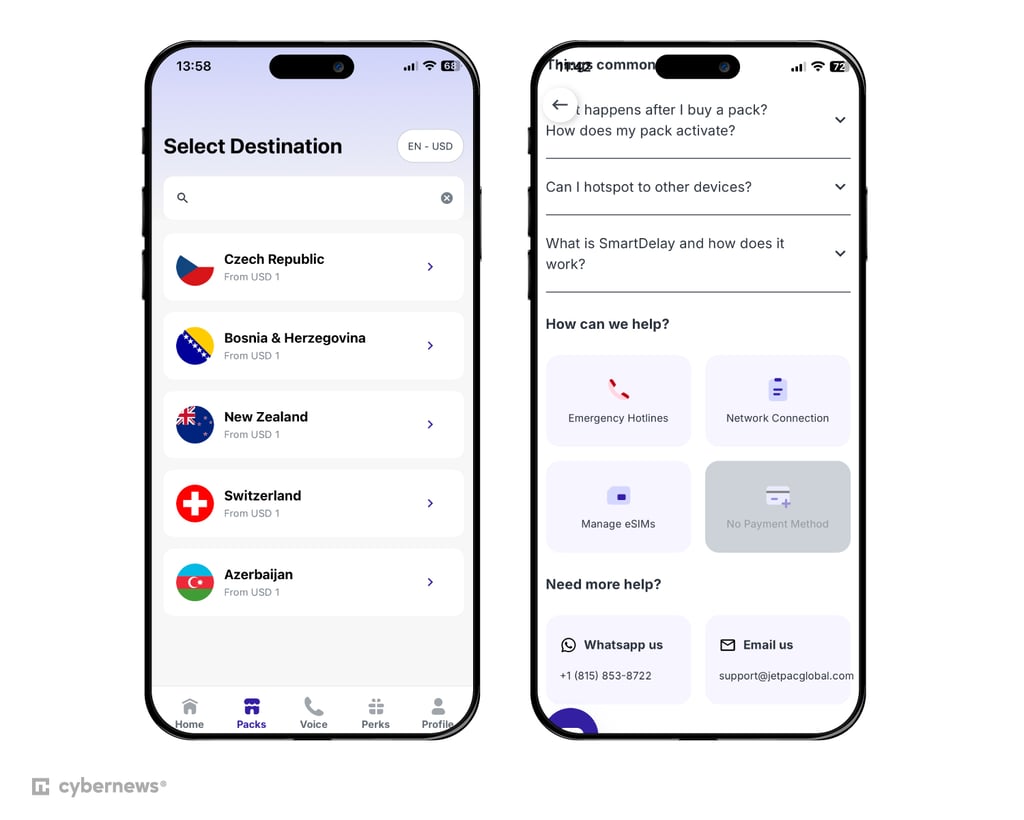
Customer support. Jetpac’s support team is available via live chat and email, and they actually respond quickly (which isn’t always the case with travel eSIMs). I used chat once when I wasn’t sure about my balance, and the reply came within minutes – friendly, short, and helpful. Overall, the experience felt simple and traveler-friendly – exactly what you need when hopping between New Zealand’s Wi-Fi dead zones.
4. aloSIM – 5G New Zealand eSIM with an international phone number

| Rating: | |
| Countries and regions: | 200+ countries and regions, including New Zealand |
| Supported networks: | LTE, 3G, 4G, and 5G |
| Starting price: | $4.50 for 7 days |
Why I recommend aloSIM for New Zealand. If you’re planning a trip to New Zealand and want something simple yet reliable, aloSIM is a great pick. It’s one of the best options if you’re looking for a New Zealand eSIM with a phone number, making it easy to stay connected wherever you go. Plus, it’s backed by Hushed, meaning you can get a VoIP number that works smoothly alongside your eSIM data.
Network coverage. In my experience, aloSIM performed well throughout most of New Zealand. It uses Vodafone NZ, one of the country’s strongest networks, so I rarely lost connection. Whether I was uploading photos over LTE or catching up on maps using 5G, the coverage felt consistent and reliable.
Data plans and pricing. aloSIM offers a nice range of plans for different travel lengths and budgets – from 1GB for $4.50 (7 days) to 20GB for $44.00 (30 days), plus an unlimited data plan for $35.00 (10 days) if you really want to stay online nonstop.
My experience with aloSIM. I found the setup pretty easy – scan, activate, and you’re online in minutes. The app interface is clean, and switching between plans felt intuitive. I liked how easy it was to check my balance and top up. On the other hand, using the free phone number required a separate app, which wasn’t very convenient.
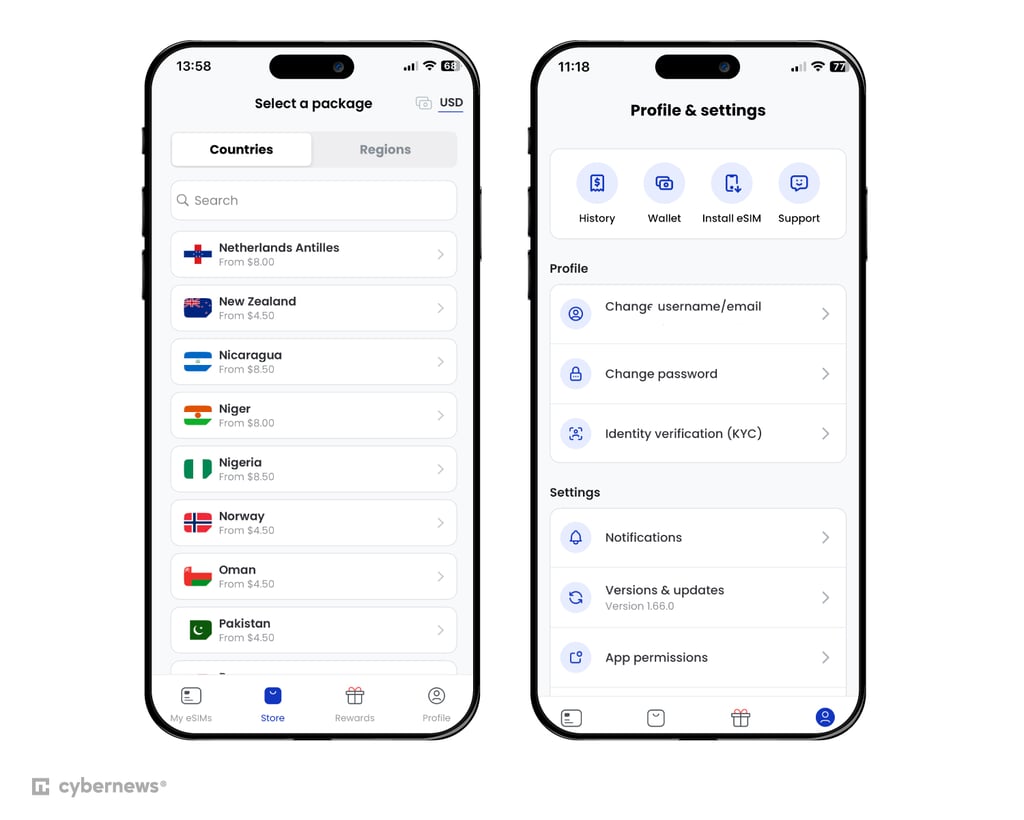
Customer support. aloSIM’s 24/7 live chat came in handy when I had a question about plan renewal. The support agent replied within minutes and guided me clearly through the process. You can also reach them by email or browse a detailed FAQ section – overall, the experience was friendly and quick.
5. Nomad – NZ eSIM with numerous plans

| Rating: | |
| Countries and regions: | 200+ countries and regions, including New Zealand |
| Supported networks: | LTE, 3G, 4G, and 5G |
| Starting price: | $4.50 for 7 days |
Why I recommend Nomad for New Zealand. If you’re the kind of traveler who likes flexibility and control, Nomad is a great choice. It offers both fixed and unlimited data plans, so you can tailor your eSIM to your travel style – whether you’re in New Zealand for a weekend getaway or a month-long road trip.
Network coverage. Nomad uses Spark NZ, one of the country’s most reliable networks. I found coverage strong across major cities like Auckland, Wellington, and Christchurch, and surprisingly steady in smaller towns and along the coast. Even when driving through rural stretches, I rarely lost signal or speed.
Data plans and pricing. Nomad offers two types of plans: Regular Plans with set data limits (1GB, 3GB, 5GB, 10GB, 15GB, 20GB) and Unlimited Plans, where you choose how much high-speed data you want per day. Once you hit your daily limit, you can still browse at reduced speeds – handy for checking maps or messages. Prices start at about $4.50 for 1GB, making it one of the more affordable options.
My experience with Nomad. I liked how simple Nomad’s setup was – scan, install, and you’re connected in under five minutes. The app is clean and lets you track usage in real time, which is great for planning your next top-up. The customizable unlimited plans also make it easy to balance cost and performance depending on how much you actually need each day.
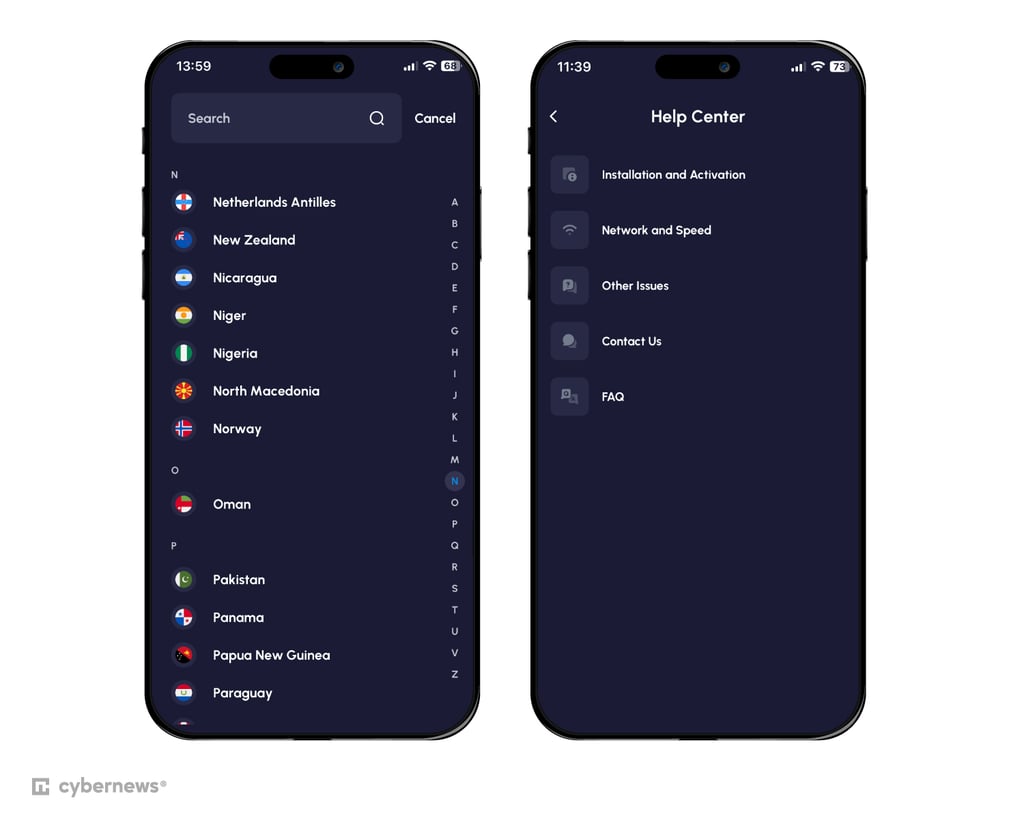
Customer support. Nomad doesn’t offer live chat, but their email support team was surprisingly quick. When I sent a ticket asking about plan renewals, they got back to me within a few hours with a clear, helpful reply. Their FAQ section also covers setup, activation, and troubleshooting steps, so even without chat, getting help felt straightforward and reliable.
6. GigSky – best for flexible international travel beyond New Zealand

| Rating: | |
| Countries and regions: | 200+ countries, including New Zealand |
| Supported networks: | LTE, 3G, 4G, and 5G |
| Starting price: | $4.99 for 7 days |
Why I recommend GigSky for New Zealand. If you’re visiting New Zealand and plan to explore nearby countries, GigSky is a great choice. What makes it stand out is its flexible international coverage. You can travel across multiple countries using just one eSIM, without the hassle of swapping or reinstalling new ones.
Network coverage. GigSky’s connection in New Zealand was stable and fast throughout my trip. Whether I was in Auckland’s city center or exploring the scenic routes near Lake Taupo, I had reliable 4G and occasional 5G speeds. The coverage is powered by trusted local networks, which makes it easy to stay online even in smaller towns.
Data plans and pricing. GigSky offers data-only plans, so you’ll need apps like WhatsApp or Messenger for calls and texts. The New Zealand options range from 1GB for 7 days ($4.99) up to unlimited data for 30 days ($71.99). GigSky also has a free trial option – 100MB for 7 days. The data limit is small, but if you just want to see how the app feels overall, it’s more than enough.
There’s also a handy Asia-Pacific bundle, perfect if you plan to continue your journey beyond New Zealand. While prices are mid-range, the convenience of using one eSIM across multiple regions easily makes it worth it.
My experience with GigSky. Setting it up was quick – I just downloaded the app, scanned the QR code, and got connected in minutes. The app itself is simple to use and lets you check your data balance or top up instantly. What I liked most was that I could switch regions without losing service, which saved time and stress while traveling.
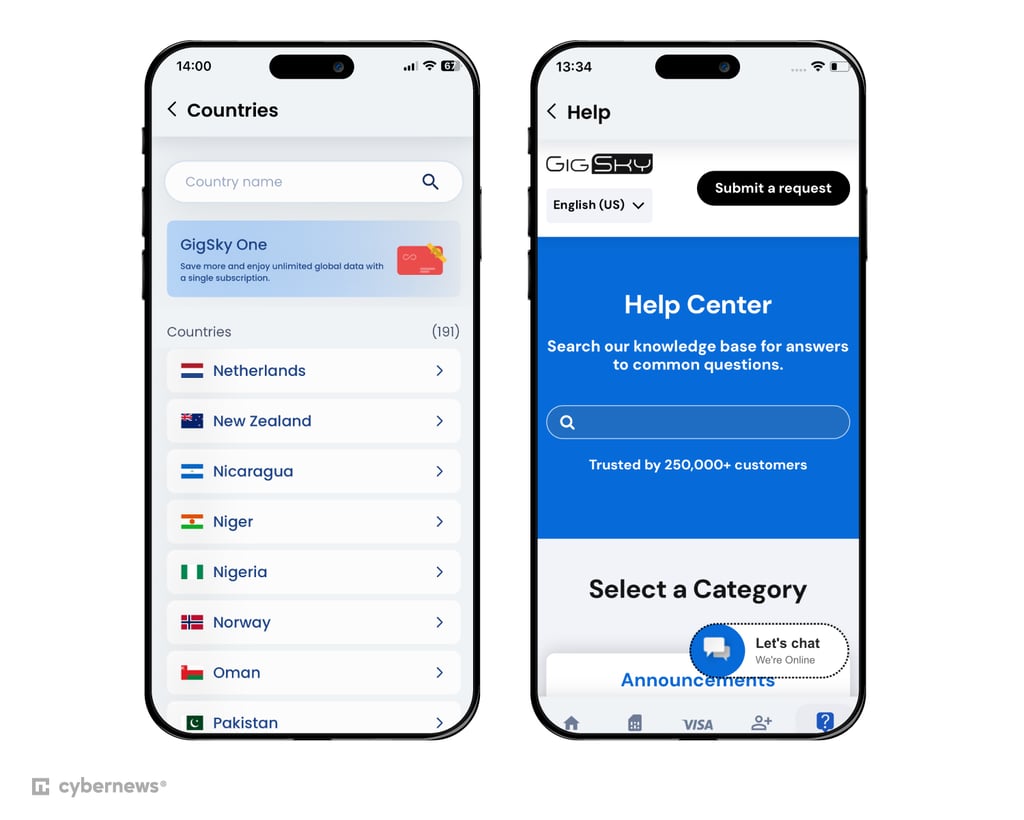
Customer support. GigSky doesn’t have 24/7 live chat, but its email support team is responsive, and the help center is full of clear setup guides and FAQs. When I had a minor question about data refresh timing, they replied within a few hours – professional and to the point. Overall, the support experience was smooth enough for a worry-free trip.
7. Holafly – top choice for unlimited data in New Zealand

| Rating: | |
| Countries and regions: | 200+ countries, including New Zealand |
| Supported networks: | LTE, 3G, 4G, and 5G |
| Starting price: | $3.79 for 1 day |
Why I recommend Holafly for New Zealand. If you want to explore New Zealand without constantly worrying about running out of data, Holafly is a solid pick. Its unlimited plans are ideal for travelers who rely on navigation, social media, and streaming – you can stay online from the moment you land to your very last hike.
Network coverage. Holafly uses some of New Zealand’s top networks, giving you stable internet across both the North and South Islands. I found it reliable in most tourist areas – Auckland, Rotorua, Queenstown, and even along longer road trips between cities. The connection was steady on 4G and LTE, and I didn’t experience major dropouts even in smaller towns.
Data plans and pricing. Holafly’s plans all come with unlimited data, which makes life easier when you don’t want to keep counting gigabytes. You can choose from 5 to 90-day options, starting at around $3.79 for a single day. While it’s a bit pricier than other providers, the peace of mind from not hitting data limits easily makes up for it.
My experience with Holafly. Setting up Holafly was smooth – I scanned the QR code and was online within minutes. The app keeps things simple: you can check activation status and get support without digging through menus. Having unlimited data felt liberating when I was using Google Maps, streaming Spotify on drives, or video-calling family back home.
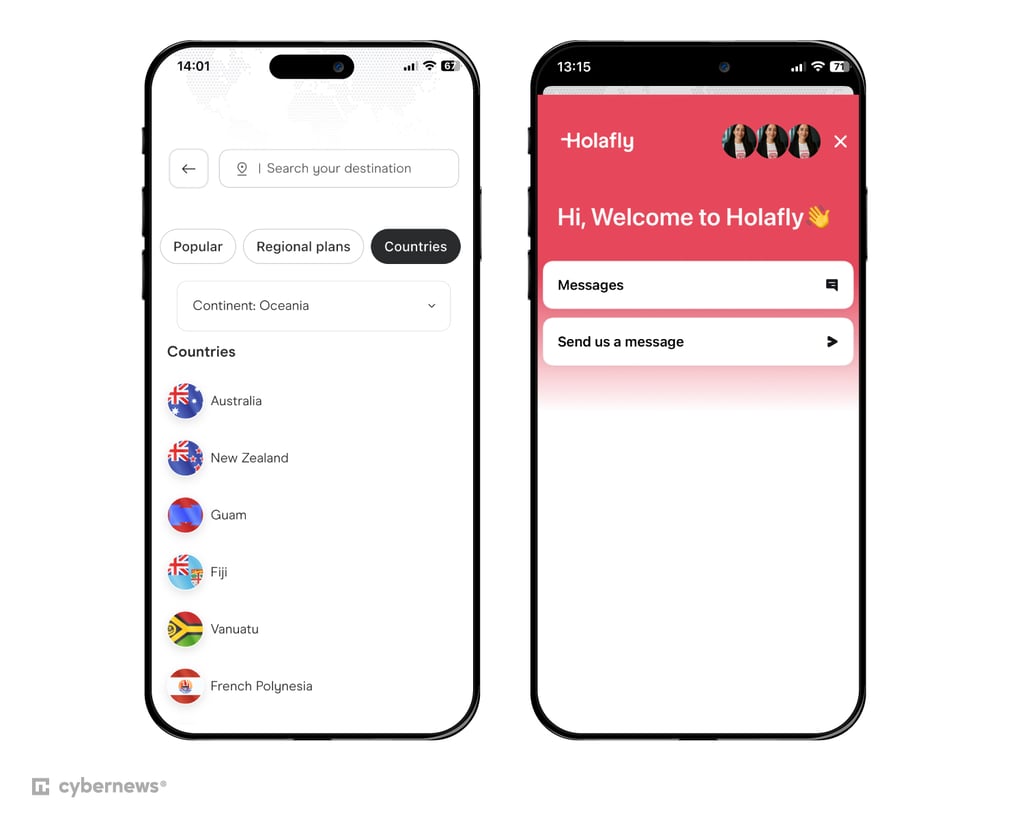
Customer support. Holafly’s 24/7 live chat was quick to respond when I had a setup question. The team was polite and solved my issue in under five minutes. You can also reach them via email or browse their FAQ, but honestly, the live chat felt the fastest and most efficient way to get help on the go.
Comparison of the best eSIM providers for New Zealand travel
If you just want a quick look at what each of the best NZ eSIM providers brings to the table, I’ve got you covered. Here’s a quick comparison of their key features so you can easily spot which one fits your travel needs best:
| Brand | Rating | Plan duration | Locations | Calls and texts | Support | Compatibility | Price |
| Saily | 7 and 30 days | 200 | ✅ Yes (US phone number) | In English via knowledge base, email, and FAQs | iOS, Android, Windows |
$3.59 to $64.79 | |
| Airalo | 7, 15, and 30 days | 200 | ✅ Yes (only on Discover+ global plan) | In English via live chat | iOS, Android, Windows |
$4.00 to $43.50
| |
| Jetpac | 4, 7, and 30 days | 200 | ❌ No | In English via live chat | iOS, Android, Windows |
$1.00 to $34.99
| |
| aloSIM | 7, 15, and 30 days | 200 | ✅ Yes | In English via live chat | iOS, Android, Windows |
$4.50 to $44.00
| |
| Nomad | 7 and 30 days | 200 | ❌ No | In English via the help center, email, and FAQs | iOS, Android, Windows |
$4.50 to $31.00
| |
| GigSky | 7, 15, and 30 days | 200 | ❌ No | Email, help center, setup guides, FAQ | iOS, Android, Windows |
$4.99 to $71.99
| |
| Holafly | Free choice | 200 | ❌ No | Email, live chat, FAQ section | iOS, Android, Windows |
$3.79 to $129.90
|

Benefits of using eSIM New Zealand
Travelers to New Zealand in 2026 can use eSIMs for easy and reliable connectivity. Key benefits include:
- Flexible data plans. You can choose from various eSIM data packages that fit both short trips and longer stays.
- Security. Public Wi-Fi isn’t always safe, but with an eSIM, you can use prepaid mobile data for secure online banking, maps, and communication.
- No need for a physical SIM card. eSIM is activated via an app, so there's no need to remove your current SIM card.
- Instant data access. Go online immediately upon arrival, avoiding delays at airport stores or reliance on unreliable Wi-Fi.
- Effortless activation. Skip the trip to a store – activate your eSIM directly from your phone’s app.
- Affordable connectivity. Save up to 90% compared to roaming fees, with plans starting at $3.79 for a week – cheaper than local SIM cards.
Now, let’s see the differences between a physical SIM and an eSIM:
| Operator | Price | eSIM provider | Price |
| 2Degrees | $20.18/week | Saily | From $3.79/week |
| Vodafone | $12.00/week | Airalo | From $4.50/week |
| Three | $5.00/day | Jetpac | From $1.00/4 days |
| AT&T | $2.05/MB | aloSIM | From $4.50/week |
| Rogers | $15.00/10MB | Holafly | From $3.79/day |
| Telstra | $15.00/week | GigSky | From $4.99/week |
| Optus | $5.001/day | Nomad | From $4.50/week |
Does my phone support an eSIM?
Most smartphones launched after 2019 are compatible with an eSIM. If you're not sure whether your phone supports it, we’ve got a handy guide to check eSIM compatibility. For a quick recap, here are the main ways to find out:
Samsung has widely adopted eSIM technology across its flagship devices. Models such as the Galaxy S21 series and newer, as well as foldable phones like the Galaxy Z Flip and Fold series, are eSIM-compatible. To verify compatibility, navigate to Settings > Connections > SIM card manager and look for the option to add an eSIM. Alternatively, check for IMEI (eSIM) in your phone's settings.
Not all iPhones support eSIMs, but models starting from the iPhone XR and later are equipped with this feature. For example, the iPhone 15 series primarily uses eSIMs and lacks a physical SIM slot. Older models like the iPhone 6, 7, and 8 do not support eSIMs. To check compatibility, refer to Apple’s official list of supported devices.
How to activate an eSIM in New Zealand
Need help activating your eSIM? I’ve got you covered. There are 3 main methods to activate your eSIM, depending on your provider.
This is one of the most common ways to activate eSIM. Here’s how you can do it:
- Sign up and choose a plan that suits your needs. I recommend Saily eSIM. Buy Saily eSIM 10+ GB data plan, get 10% off!
- Download and install the app from your eSIM provider
- Tap activate in the app to start the installation
The eSIM will be automatically installed on your device. You might need to adjust some settings to complete the activation.
QR-based installation is similar to the app-based method, but instead of using a button to activate, you'll scan a QR code. Here's how it works:
- Select a data plan to purchase
- Download your eSIM provider’s app
- After purchase, you will receive a QR code via email, along with clear instructions for installation and activation
- Scan the QR code to begin the process
- To activate the eSIM, set it as your primary data SIM and enable roaming
While less common, manual eSIM installation is still an option with some providers. Though it involves a few more steps, it’s still fairly straightforward:
- Purchase an eSIM plan directly from your provider’s website or app
- You'll get an eSIM activation code, along with an SM-DP+ address and additional details
- For iOS devices, go to Settings > Mobile Data, then input the provided eSIM details.
- For Android, navigate to Settings > Network and Internet, and look for the option to add a new eSIM manually
Providers will typically offer detailed instructions on setting up your eSIM. I recommend following their specific guide to ensure a smooth activation process.
The specific instructions will differ according to your particular device. We've got you covered if you need help using your eSIM on a Samsung device. Alternatively, if you want a hand with setting up your eSIM on your iPhone, we also have a guide for that.
How to manage your eSIM
Managing your eSIM properly ensures you stay connected without interruptions – no surprise data cut-offs, no roaming issues, and no juggling between plans mid-trip. Here’s how to keep things running smoothly:
- Monitor your data usage. Check your remaining data directly in your eSIM provider’s app. If you’re using an iPhone, you can also add a data widget to your home screen to see your usage at a glance.
- Top up your plan. When you’re running low, go to the app’s settings and look for a Top-Up or Recharge option. You can usually add data instantly and continue browsing without losing connection.
- Switch eSIM profiles. Open your phone’s settings, then find Connections (Android) or Network & Internet (iPhone). From there, select the eSIM profile you’d like to use – perfect if you’re juggling between travel and local plans.
Best eSIM for New Zealand: my final verdict
Staying connected abroad doesn’t have to be complicated – the best eSIM for travel to New Zealand makes it effortless. Whether you’re exploring Wellington’s cafés or chasing adventures in Queenstown, reliable data keeps your trip stress-free.
When picking your provider, focus on three things: coverage (especially in remote areas), data limits (so you don’t run out mid-journey), and ease of setup. There’s an eSIM for every traveler – from light users to digital nomads. Personally, I recommend Saily for its strong coverage, flexible data plans, and smooth setup process that gets you connected within minutes.
FAQ
Can you get eSIM in New Zealand?
Yes, eSIMs are available in New Zealand. Numerous providers offer affordable plans with fast activation, reliable 4G/5G coverage, and flexible options to suit your travel needs.
Which eSIM is best for travel to New Zealand?
Saily is the top choice for travel to New Zealand. It offers robust nationwide coverage, flexible data plans, and affordable pricing, ensuring reliable 4G/5G connectivity for streaming and staying connected.
Can I get an eSIM for Australia and New Zealand?
Yes, you can get an eSIM for both Australia and New Zealand from providers like Airalo, Jetpac, and others. These providers offer seamless coverage, flexible data plans, and easy activation, making it hassle-free to stay connected while traveling in both countries.
What is the cheapest eSIM for New Zealand?
One of the cheapest eSIM options for New Zealand is Saily, with plans starting at $3.79/week, offering great coverage at an affordable price. Airalo is another budget-friendly option, providing low-cost data plans. Nomad also offers competitive pricing for short-term stays, keeping you connected without high costs.
Does Airalo work in New Zealand?
Yes, Airalo works in New Zealand. More precisely, it offers six different NZ offers. It also has regional and global eSIMs for New Zealand and the surrounding region.