Best 5G Wi-Fi router with SIM card slot in 2026


If you don’t want to rely on fixed broadband but you need fast, flexible internet, a 5G Wi-Fi router with a SIM card slot is a practical solution. These devices connect to high-speed 5G mobile networks where fixed internet infrastructure like broadband may not be available. They’re the perfect companion for home office, travel, and temporary use.
Still, picking the “best” model isn’t an easy task. That’s because, not only are there many choices out there, but 5G Wi-Fi routers also have significantly different performance, network compatibility, portability, and price characteristics.
To make this as helpful as possible for buyers, I’ve worked with the Cybernews research team to compare nine powerful routers that take SIM cards. I’ll show you my top picks, provide you with individual reviews for each router, take you through setting up your 5G router, and end with my top pick.
Best 5G Wi-Fi router with SIM card slot – shortlist
- RYOKO PRO – best portable 5G option
- Wilflyer 5G Z8102AX-T-RM520NGL WiFi 6 CPE Router – best 5G modem with strong signal in rural areas
- GL.iNet GL-XE3000 (Puli AX) 5G Router – best for business, events, and fail-safe mobile internet
- D-Link AX3000 Wi-Fi 6 Portable VPN Travel Router – best for RVs, hotels, and shared networks
- Cudy P5 5G WiFi 6 Router – top 5G router with SIM slot for speed
- NETGEAR Nighthawk M6 5G – portable 5G SIM card router and long-lasting battery
- GL.iNet GL-X3000 (Spitz AX) Cellular Gateway 5G Router – 5G router with privacy features
- UOTEK 5G SIM Card Router CPE – affordable 5G router with SIM card slot
- KuWFi 5G Router AX3600 with SIM card slot – budget-friendly modem for traveling
The best 5G Wi-Fi router with SIM card slots compared
Before diving into detailed reviews, it is useful to compare routers side by side. The table below helps you quickly see the differences in key features, price range, speed, Wi-Fi standard, and best use cases, making it easier to find the perfect fit for your needs.
| Model name | Pricing | Best for | Speed and Wi-Fi standard | Built-in battery? |
| RYOKO PRO | Affordable | Best portable 5G option | Up to 150Mbps | Yes |
| Wilflyer 5G Z8102AX-T-RM520NGL WiFi 6 CPE Router | Mid-range | Rural coverage | Wi-Fi 6, dual band | No |
| GL.iNet GL-XE3000 (Puli AX) 5G Router | Premium | Business, events, and fail-safe mobile internet | Wi-Fi 6, dual-band | Yes |
| D-Link AX3000 Wi-Fi 6 Portable VPN Travel Router | Mid-range | Travel and remote work | Wi-Fi 6, dual-band | No |
| Cudy P5 5G WiFi 6 Router | Premium | Fast and reliable connectivity | Wi-Fi 6, dual band | No |
| NETGEAR Nighthawk M6 5G | Premium | User-friendly and portable Wi-Fi | Wi-Fi 6, dual band | Yes |
| GL.iNet GL-X3000 (Spitz AX) Cellular Gateway 5G Router | Mid-range | Privacy | Wi-Fi 6, dual-band | No |
| UOTEK 5G SIM Card Router CPE | Affordable | Budget-friendly option | 5G and 4G LTE | No |
| KuWFi KF-C160 5G Router | Affordable | Cheap 5G on the go | Wi-Fi 6, dual-band (backward compatible) | Yes |
9 best 5G Wi-Fi routers with SIM card slots – our detailed list
1. RYOKO PRO - best portable 5G option

| Wi-Fi standard: | Not specified |
| Frequency bands: | Not specified |
| Max speed: | Up to 150Mbps |
| Best for: | Traveling, commuting, portability, and for users who do light remote work |
The Ryoko Pro is a simple, portable device built to be convenient, rather than high-performance. It’s not trying to replace your home or office setup. Rather, this device is for portable internet access, with minimal controls and a quick setup. It’s about as portable as it gets for travel and temporary use.
During my research, I found that it was extremely easy to get going with the Ryoko Pro. You simply connect by scanning a QR code or by entering the Wi-Fi name and password you see on the screen. More advanced routers can get much more complicated than that to set up.
It also supports up to 10 connected devices simultaneously, so that would be enough for a phone, tablet, laptop, and even a few extra devices when you need it. This model has a built-in battery, which differentiates it from some larger routers here. Ryoko states that the battery lasts up to 8 hours. On the screen, you can see signal strength, connected devices, and battery level.
There’s also a browser-based management page for tweaking advanced controls. That lifts it above the most basic mobile hotspots.
An important thing to point out is that some of the extra features rely on the pre-installed Viaota SIM. The device’s official documentation says on-device data tracking and automatic ad blocking are tied to that SIM card. It may happen that the benefits don’t carry over in the same way if you use another provider.
The speed rating is modest, at 150Mbps, and technical detail is limited in the official materials. It’s certainly a practical portable 5G choice. It’s not the best if you require top performance and advanced controls.
2. Wilflyer 5G Z8102AX-T-RM520NGL WiFi 6 CPE Router – best overall
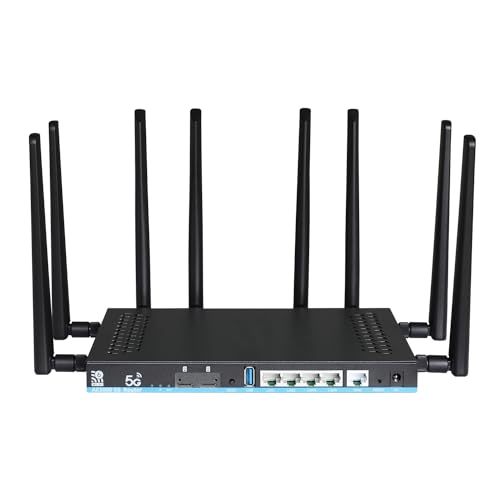
The Wilflyer 5G Z8102AX-T-RM520NGL WiFi 6 CPE Router is the perfect choice if you live in a rural area and need a strong 5G Wi-Fi connection.
Using its Quad 5 dBi foldable antennas, it provides a reliable signal in large homes, farms, and remote camping grounds. It also has an SMA external antenna port so that you can connect your own outdoor antenna for an even stronger signal.
It offers dual-SIM failover support, so if one network fails, you’ve another to fall back on. But that’s not its only optimization feature. The modem comes with band locking, which forces your device to use the best available frequency, and MU-MIMO technology that improves multi-user handling.
Unfortunately, it doesn’t have WPA3 encryption. However, you get MAC filtering, ad-blocking, and strong WPA2 for security.
3. GL.iNet GL-XE3000 (Puli AX) 5G Router – best for business, events, and fail-safe mobile internet
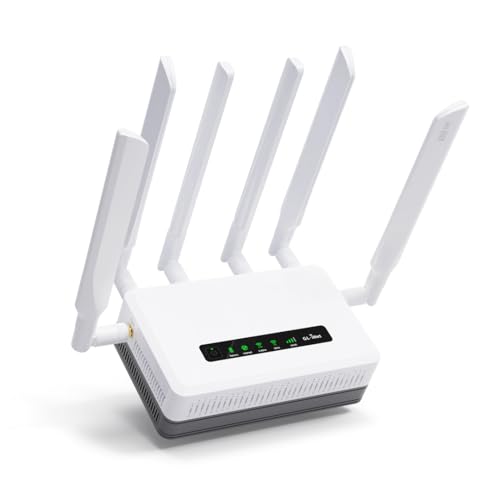
The GL.iNet GL-XE3000 (Puli AX) is an enterprise-geared 5G router, and the pricing reflects that. It suits offices, field teams, and work setups that require consistent internet uptime. Though the raw speed figures are indeed impressive, this router is built around reliability, control, and redundancy first. That’s why it’s more relevant for businesses and temporary professional setups, rather than casual home use.
What I noticed right away when I was doing my research is how flexible the connectivity options are according to reviews. People even tested it with two SIM cards, a wired Ethernet connection, and a repeater setup, and they said that the router handled switching between them without dropping the connection.
The dual-SIM setup with automatic failover makes a real difference in practice, because the router simply moves to the stronger network when the main one becomes unstable.
The built-in 6400mAh battery turned out to be more useful than many would have expected. During my research, reviews said it kept the network running for several hours without external power, which is exactly what you want at events, construction sites, or during short power outages.
On the software side, this is clearly a router for users who want to have the control. The OpenWrt-based firmware, built-in OpenVPN and WireGuard support, and options like DNS over TLS/HTTPS make it easy to lock down the network and route traffic securely.
4. D-Link AX3000 Wi-Fi 6 Portable VPN Travel Router – great router for travel and remote work
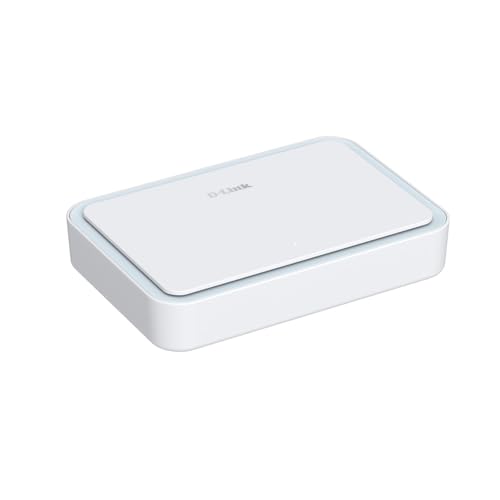
The D-Link AX3000 Wi-Fi 6 Portable VPN Travel Router is for when you need a light router with a security-focused connection when away from home. It’s not a full router replacement. Rather, this is a portability-focused unit, with flexible connection modes, and security features that satisfy remote work, travel, and shared networks.
During research, I found that D-Link markets this device around travel use. The official website highlights RVs, hotels, remote sites, as well as public Wi-Fi sharing. I found the feature set matches that well.
This device supports multi-WAN connectivity via Ethernet and Wi-Fi (WISP) modes. This makes it more flexible than a basic hotspot when you need different types of connection modes.
Performance-wise, it’s solid, supporting Wi-Fi 6 AX3000 with combined speeds up to 3Gbps. With that, you get dual-band support, a Gigabit Ethernet port with WAN/LAN auto-switching, plus an easy web-based setup. This way, I think it should be ideal for users looking for a strong but headache-free router. There’s also file sharing via USB or microSD, adding to the usefulness for work scenarios.
Security is very solid. It includes a built-in VPN client/server, WPA3 encryption, SPI firewall, and IP filtering. This is a good, private wall of security if you regularly connect through public Wi-Fi in hotels or airports. Lastly, I liked that it still remains compact, lightweight, and powered by USB-C.
5. Cudy P5 5G WiFi 6 Router – top pick for strong connectivity
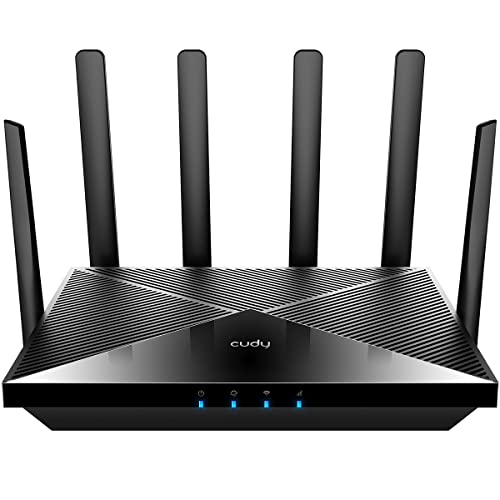
The Cudy P5 5G WiFi 6 Router performs best in large homes, rural areas, and on road trips, making it a top pick for most users. It is perfect for anyone who needs a reliable and powerful 5G internet connection.
Through my research, I found many reviews praising its impressive speeds, stable signal, and robust build quality. With download speeds up to 2.4Gbps over 5G, it easily handles 4K streaming, gaming, and lots of devices at the same time. Moreover, the device has four strong antennas and mesh-ready software for wide coverage.
It features a dual-SIM auto failover, so if the connection to your first network drops, it automatically switches to the second, reducing downtime. Plus, the router is great if you put security first, with built-in VPN support (OpenVPN, WireGuard, and Zerotier) and DNS encryption using Cloudflare.
6. NETGEAR Nighthawk M6 5G – best for traveling
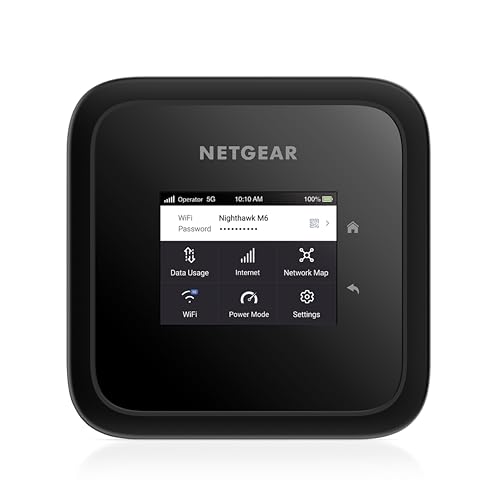
I recommend the NETGEAR Nighthawk M6 5G router for 5G Wi-Fi on the go. It’s portable enough to carry without issue, but it’s also much more than a basic mobile hotspot. This device supports up to 32 connected devices. So, it works for both solo travel, as well as portable work setups and when you need to hook up several devices to the internet at the same time.
During my research, I found that this is an unlocked modem, so you can connect to the network you pick. It includes a 5040mAh removable battery that packs up to 13 hours of battery life on one charge. Furthermore, this device uses MU-MIMO and OFDMA for efficiency when managing multiple connected devices. Speeds go up to 2.5Gbps.
However, I did find some negative user feedback during my research, such as concerns around reliability. Then again, NETGEAR has put out firmware updates for the Nighthawk M6 that include stability improvements, random disconnection fixes, and improved data usage displays. Still, I wouldn’t treat this device as the most dependable option here.
7. GL.iNet GL-X3000 (Spitz AX) Cellular Gateway 5G Router – best for privacy-focused users
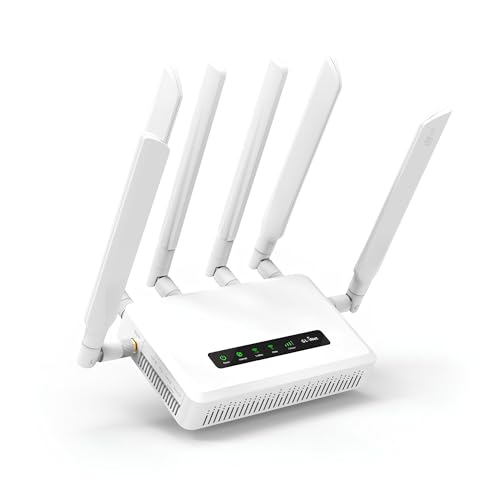
The cost-effective GL.iNet GL-X3000 (Spitz AX) Cellular Gateway 5G Router offers Wi-Fi 6 speeds of up to 3000Mbps (combined), which is fine for general home use. However, if you’re planning to run traffic through a VPN, remember that GL.iNet rates the device for up to 150Mbps on OpenVPN and up to 300Mbps via WireGuard.
Also, dual-band support allows for better device distribution on the web, decreasing interference and improving overall performance.
With its modern design and advanced features, GL.iNet GL-X3000 is an excellent choice for people who want to upgrade their network without spending much money.
This outstanding router comes with pre-installed OpenVPN and WireGuard support, allowing you to encrypt all web traffic. To be precise and clearer, you can use the internet safely, even on public Wi-Fi networks, without worrying about potential threats and risks.
Regarding connectivity flexibility, the Spitz AX supports multiple WAN connections, including Ethernet, repeater, cellular network, and tethering. This allows you to use multiple internet sources simultaneously, ensuring a stable and fast connection even if the initial source fails.
8. UOTEK 5G SIM Card Router CPE – best for budget-conscious users
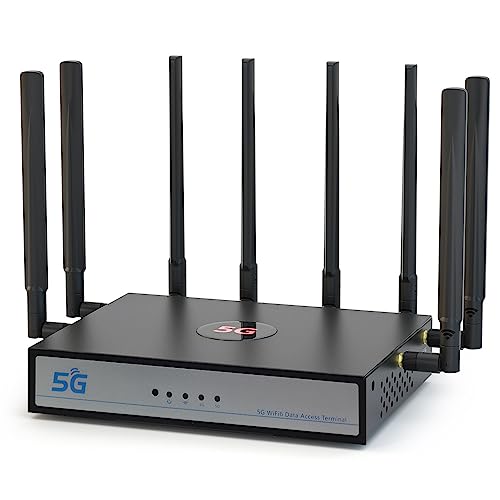
The UOTEK 5G SIM Card Router CPE is an excellent option for users seeking an affordable solution for basic internet needs without needing to experience complicated router setup. It’s a smart choice if you rely on a mobile network at home or don’t have stable fixed broadband. It’s also a good backup connection.
Setup is simple. You just insert a SIM card, turn on the router, and connect your devices. It’s much easier to work with than more advanced 5G routers, such as those with business features or more complex menus.
Clearly, this isn’t the router for you if you’re a demanding user, since it lacks some premium extras like advanced security and deep customization options, and high-end hardware features. It’s also not the fastest router out there, but speeds of up to 1.2Gbps are still impressive at this price range. This router is well-suited to streaming, browsing, remote work, and general home use rather than heavy internet usage.
It’s also quite portable. Based on my research, it costs less than many competing 5G routers but still provides reliable daily usability.
9. KuWFi KF-C160 5G Router – best for affordable and portable 5G
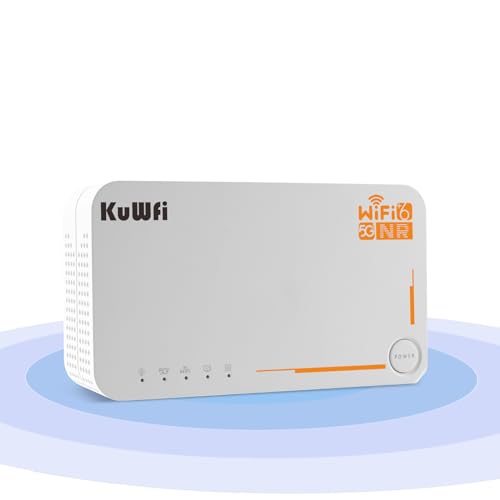
The KuWFi KF-C160 5G Router is a solid pick for anyone who needs flexibility. Thanks to its global SIM compatibility, you can get 5G coverage nearly anywhere in the world.
The modem includes a 4000mAh battery, providing up to 8 hours of continuous connectivity without the need for a power source. Moreover, it's very portable, weighing just 1.81lbs.
It performs well against other 2026 routers, offering speeds up to 2.5Gbps over 5G. Plus, with features such as Gigabit WAN and LAN ports, it’s easy to get a stable connection.
The device has built-in support for the most popular VPN protocols and DNS-over-TLS for encryption. There are also DMZ and port forwarding (network protection) settings, making it safe for remote work.
Unfortunately, I found some issues while reviewing feedback. Some users struggle with the setup, while others have problems with SIM compatibility or signal strength. However, considering its price, I think it’s worth considering if you’re on a budget.
How did we select the best 5G Wi-Fi router with SIM card slots
To understand why I chose these 9 routers as the best 5G Wi-Fi options with SIM card slots in 2026, here’s a look at the research process.
- Thorough research (30%). First, with help from the Cybernews team, I conducted in-depth research and compared multiple routers. I focused on key factors such as speed, reliability, and ease of use.
- Performance evaluation (30%). Performance evaluations often come up in conversations about technology. For this reason, I decided to do a detailed analysis of the 5G connection, Wi-Fi signal range, and the router's ability to support multiple devices simultaneously.
- Value for money (30%). We could not ignore the price, but we analyzed the price-to-quality ratio and evaluated which functions the router offers relative to its price. The price-to-quality ratio was most apparent through reviews based on user experience.
- Customization options (10%). I opt for routers with advanced options like VPN support and parental controls. Therefore, we focused on routers that offer customization and ranked the providers accordingly.
How routers and SIM cards work together
A SIM-enabled 5G router connects to a mobile network (cellular data) to provide internet access to multiple devices over its Wi-Fi system and doesn't depend on fixed broadband (like fiber or cable). Cellular data signals are practical in rural areas, temporary scenarios, and places where there’s no traditional home internet connection. You can also use these routers as your “backup internet” if your main line is unavailable. And you’re not always limited to just one network, since many SIM-enabled 5G routers support multiple carriers. Still, performance hinges on signal strength, congestion, and which data plan you’re on.
It’s worth explaining SA (Standalone) vs NSA 5G (Non-Standalone). SA 5G mode runs on a full 5G core network, while NSA 5G mode partly uses existing 4G infrastructure. NSA 5G mode is still more common, but SA 5G mode usually provides lower latency and better overall 5G performance.
Key features of 5G WIFI routers with sim card slots
When deciding between 5G home internet and alternatives such as cable, fiber, and satellite, it’s very useful analyze all features. 5G router choice has advantages that make it suitable for different purposes and homes.
Below is a breakdown of the key features you should consider when choosing a 5G Wi-Fi router with a SIM card slot in 2026:
- 5G connectivity. This means the router can tap into the latest 5G mobile networks, offering super-fast internet speeds. It's like having the speed of a wired connection without the cables, perfect for streaming, gaming, or working from home.
- SIM card slot compatibility. Think of this as giving your router a phone's ability to connect to mobile data. By inserting a SIM card, you can access the internet anywhere there's cellular coverage, making it versatile for home or on-the-go use.
- Dual or tri-band support. Routers broadcast Wi-Fi signals on different frequencies. Dual-band means 2 (2.4GHz and 5GHz), and tri-band adds another 5GHz or 6GHz.
- Signal boosting technology. Some routers have features to improve signal strength, ensuring better coverage throughout your space. This means fewer dead zones and a more reliable connection, even in larger homes.
- Advanced security. Modern routers often include features like VPN support, firewalls, and WPA3 encryption to protect your data from potential threats.
- LAN ports. These are the physical ports on your router where you can plug in devices directly using Ethernet cables. Wired connections provide faster and more stable internet access, which is great for gaming consoles or desktop computers.
- Optional battery backup. Some routers have built-in batteries, allowing them to function without being plugged into power. This is handy during power outages or when traveling, ensuring you stay connected even without a power source.
Benefits of 5G Wi-Fi routers
5G routers have several advantages that make them an excellent choice for many users. Below, I’ve highlighted the most important benefits to help you decide if a 5G Wi-Fi router is right for you:
- Ultra-fast internet speeds. 5G is way faster than 4G LTE and even traditional broadband in some cases. So, if you're into streaming, gaming, or browsing the web, things load very quickly.
- Mobility. With a 5G router, you can get internet access almost anywhere as long as there's cell service. It doesn't matter if you are in the countryside, on a road trip with your pals, or even camping. You've got an internet connection as long as there's a 5G signal. Simply put, it's like turning your router into a portable hotspot.
- Reliable backup connection. If your regular home internet happens to go down, a 5G router can be your lifesaver and work as a substitute, ensuring there is no downtime in crucial moments when you need the internet the most.
- Supports multiple devices. These routers are built to handle more than a single device. So, whether you've got a house full of friends using phones, laptops, tablets, or smart TVs, they all can connect without the internet slowing down.
- Easy setup. Setting up a 5G router is super simple. You don't need an installer and no messy cables – just pop in your SIM card, turn it on, and there it goes. Your Wi-Fi is up and running. It's one of those things you don't have to stress about.
How to choose the best 5G wifi router
When you’re picking out a 5G router, there are a few things you want to keep in mind to make sure you’re getting the best option for your needs:
- Compatibility with carriers. Make sure the router supports your mobile network. Not all routers work with every carrier, so check if it supports your carrier's bands and network types. Some areas have specific requirements, so don’t forget to double-check this.
- Speed requirements. Depending on what you do online, you need different speeds. For streaming or gaming, look for routers that support higher speeds and faster 5G connections.
- Coverage area. If you have a large home or work in a big office, make sure the router can cover all areas with a strong signal. Some routers are designed for larger spaces, while others may struggle with range.
- Number of supported devices. If you have many devices needing Wi-Fi, you need a router that can handle all of them without slowing down. Pay attention to how many devices the router supports simultaneously.
- Battery life for portable routers. If you plan to use the router on the go, make sure it has a long battery life or supports a battery backup. This is especially important if you’re traveling or need the internet during power outages.
- Security features. Look for advanced security options like WPA3 encryption and VPN support to keep your data safe, especially if you use the router for work or sensitive tasks.
How to set up your 5G router: a step-by-step guide
To make your life easier, here is a quick step-by-step guide on setting up your 5g WIFI router:
- Insert SIM card. First, you need to take the SIM card and insert it into the router's slot. Usually, a drawing on the router shows you how to do this. Some routers can be sensitive to this, so check this to install it correctly.
- Power on the router. Your next step is to connect the router to a power source. You can do this by pressing the power button, which is usually a simple button or switch. After this, the lights should come on. Sometimes, it can take a few minutes, so don’t despair if they fail to light up immediately.
- Access router settings. When the router turns on, open a browser on your phone or computer. Then, type in the router's IP address. This may be 192.168.1.1, depending on your router and address configuration. Check your manual for the correct address. Some routers have an app for a more straightforward setup, so you can download it and follow the instructions on your phone.
- Enter APN settings. Some providers require you to enter specific APN (access point name) settings for your router to connect to the Internet. If your router asks for these settings, check your router's manual or your provider's website for exact information.
- Secure your network. Now, it's time to protect yourself and your devices. I suggest setting a strong Wi-Fi password. For even better protection, you can turn on additional security options, such as WPA3 encryption.
- Test the connection. Finally, you can test the connection. Try connecting to Wi-Fi with your phone or laptop. If the router receives a 5G signal, you should now have fast internet.
If something doesn't work, try restarting the router or check if the SIM card is inserted correctly.
Final word on best 5G Wi-Fi router with SIM card slot
Choosing the best 5G Wi-Fi router with SIM card slot is about understanding how you’ll use it and where you’ll use it. Some of my top picks work better for business use or as a home backup internet connection, while others are geared towards minimal setup and portability.
After taking several days to weigh my top picks carefully, RYOKO PRO ended up as the winner of this roundup. RYOKO PRO is a minimal, portable, and travel-friendly 5G router with a SIM card slot. Nothing more, nothing less. It’s compact, has a built-in battery, is easy to set up, and can handle up to 10 connections simultaneously.
FAQ
What's the difference between a 5G router and a 5G modem?
A 5G modem receives the internet signal from a mobile network. A 5G router shares that connection with one or more devices via Wi-Fi or Ethernet, depending on the configuration. Some devices, including RYOKO PRO, combine both functions.
Do 5G routers work with any SIM card or only specific carriers?
That depends on the router. Some 5G routers are “unlocked” and work with various carriers, but others are limited to specific networks or perform better on specific bands. Always check supported bands, SIM size, and carrier compatibility before you buy.
Is 5G router internet good enough to replace fiber or cable?
Fiber or cable are more powerful for heavy, fixed use. A 5G router is fast enough to handle modern streaming, browsing, and heavy remote work. However, performance may drop if signal strength to the tower drops, or if the network becomes congested. Your data plan also plays a part.
Can I use any SIM card in a 5G Wi-Fi router?
Yes, you can use any SIM card, but the 5G Wi-Fi router must be compatible with your carrier’s network. Even if you have a 5G SIM card router and a 5G SIM card, you can only get 5G speeds if you live in an area with 5G coverage.
Is a 5G router faster than traditional broadband?
Yes, 5G routers offer faster speeds than traditional broadband, especially in areas with strong 5G coverage. 5G technology can provide upload rates faster than 4G LTE and many standard internet connections. Speeds can reach 1Gbps or more, allowing for flawless 4K streaming, online gaming, and quick file downloads.
How many devices can I connect to a 5G router?
That depends on the router model you have. Many modern 5G routers can process 10 to 30 devices without issue. Higher-end models support even more than that. In reality, the limit also depends on how much internet bandwidth each connected device is consuming.
Can I use a 5G router as my primary internet connection?
Yes, 5G routers can replace traditional broadband, especially if you live in an area with good coverage. If your location does not yet have 5G, you must wait until it is available before selecting a 5G home Wi-Fi plan.
Does a 5G router work internationally with different carriers?
It depends on the router's compatibility with international carriers. Some routers are locked to specific regions, while others are more flexible. So, a 5G router works internationally unless it does not comply with the other country's regulations. Aside from that, most Wi-Fi protocols are global, with a few exceptions.