Botpress AI review 2026


Botpress is a platform for building custom AI agents. These chatbots can handle workflows, customer support, sales conversations, or internal operations. When researching for this Botpress AI review, I found that the platform makes chatbot creation fairly accessible while still offering enough depth for more advanced use cases. It’s a capable platform that works well for both individuals and teams. On top of that, Botpress charges LLM usage at provider rates with no markup, which also makes it a reasonably priced option.
I tested Botpress AI with the Cybernews research team to see what it’s actually capable of in real-world scenarios. Here are my key findings.
- What it’s best at: building and maintaining production-ready chatbots
- Key limitations: not ideal for total beginners due to a steeper learning curve, doesn’t support self-hosting
- Who should buy Botpress AI: individuals and growing teams that want to build a production-ready chatbot that can scale, need granular control, and are comfortable with some complexity
- Who shouldn’t buy Botpress AI: total beginners or anyone looking to build a simple FAQ chatbot
In this Botpress AI review, I break down the platform inside and out, covering its pros and cons, how it works in real-life situations, and my final recommendations based on hands-on testing.
Quick overview of Botpress AI
| Ranking | 4.3/5 |
| Best for | Building and managing AI agents and chatbots |
| Key features | Agent studio, human handoff, knowledge bases, multi-channel deployment, API |
| Free version | ✅ Yes |
| Starting price | From $89.00/month |
Botpress AI pros and cons

What is Botpress AI, and how does it fit into the current AI landscape?
Botpress AI is a platform that helps businesses build and run AI agents and chatbots. You can use it to automate tasks like customer support, order management, or employee onboarding. Most importantly, you don’t need any coding skills. Everything is built visually, so even beginners can create a working AI agent.
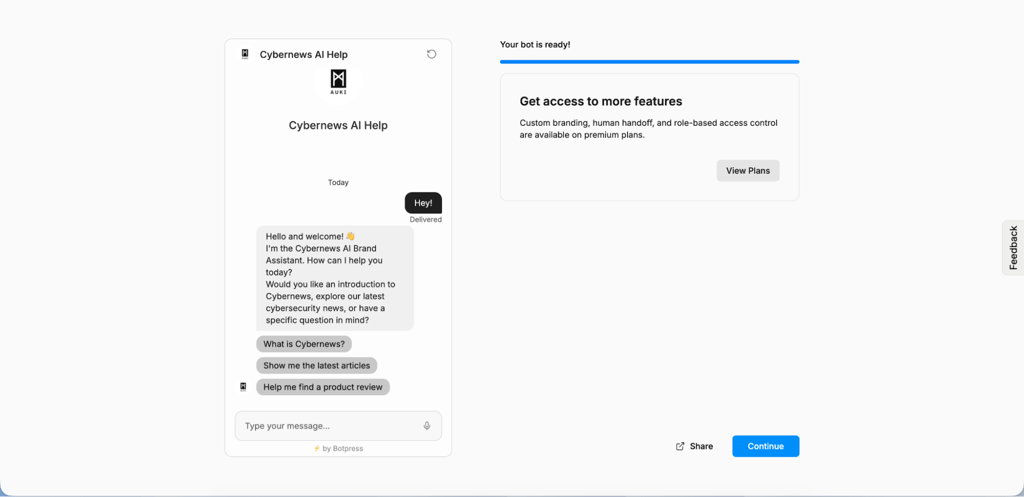
There are several types of AI tools on the market. Some chatbot builders focus on simple Q&A or menu-based conversations. Agent platforms are more about autonomous decision-making and task completion. No-code automation tools connect triggers and actions, but usually lack deep language understanding. LLM wrappers mainly provide access to LLMs with little structure. Botpress sits in the middle by combining natural language understanding with structured workflows and integrations.
Botpress is designed for production-ready chatbots. It integrates with tools such as Shopify, Google Sheets, and internal APIs, and includes guardrails, analytics, and scaling tools to keep conversations reliable and manageable.
The platform uses LLMs to understand users and generate replies. It can pull answers from knowledge bases and connect to business systems like CRMs or ticketing tools. This lets you build chatbots that actually do useful work without heavy coding and work seamlessly across channels.
Who it’s best for
Botpress is designed for teams that need flexible, powerful AI chatbots they can customize and integrate across workflows. Here’s who Botpress works best for:
- Support teams. AI agents created with Botpress can easily handle customer questions, resolve issues, book appointments, and retrieve account information.
- Product teams. Great for teams embedding AI assistants into apps or websites to guide users, answer feature questions, and improve the product experience.
- Sales and lead capture. Bots can qualify leads, collect contact information, schedule meetings, and route prospects to the right sales reps.
- Internal enablement and IT. Chatbots can support employees by answering HR or IT questions, helping with onboarding, and accessing internal knowledge bases.
- Developers building custom workflows. Flexible APIs and orchestration tools let developers create complex, tailored conversations and automation flows.
- Agencies building bots for clients. Agencies can deploy, manage, and customize multiple client bots efficiently across industries and use cases.
That said, Botpress isn’t always the right fit. It’s less ideal for:
- Teams looking for a plug-and-play solution
- Projects that need offline data processing
- Simple FAQ or static Q&A bots
- Non-technical teams
Core Botpress AI features that matter
This platform is packed with promising features. In this section, I test and review Botpress features to see how they actually work in real-life situations.
Bot builder experience
Building a bot with Botpress is genuinely easy. During the onboarding, you’re asked what kind of bot you want to build and describe your project, or just paste a link to your website. Based on that, Botpress automatically creates a bot for you. You get a solid starting setup with almost no effort.
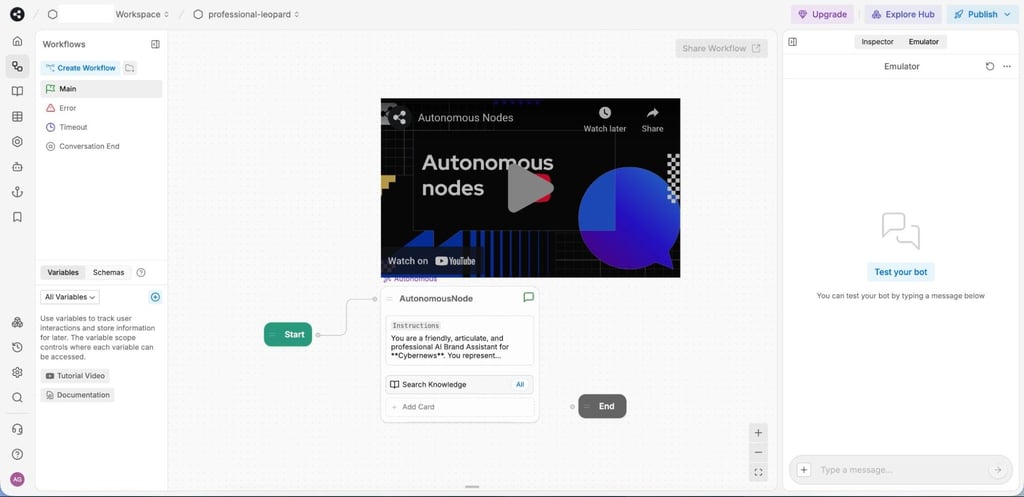
I found editing the workflow straightforward thanks to the visual builder. You can drag and drop elements, add new cards, actions, and responses without feeling overwhelmed. It’s very beginner-friendly.
There are also templates available, but the selection is very limited. You’ll mostly find options for education and telecommunications. That said, the auto-generated bot from onboarding is usually enough to get started.
Collaboration features depend on your plan. Free and Plus plans support bot import and export and basic project sharing. The Team plan adds role-based permissions and real-time collaboration, while Enterprise unlocks private workflows and staging environments.
Additionally, you can create versions of your bot and iterate easily. The pay-as-you-go plan lets you save 3 versions, and the Team plan allows up to 15.
Knowledge and retrieval
Your agent will only be as good as the information you give it. Botpress lets you add knowledge sources through uploaded files, URLs, or synced documentation. This content gives the bot all the information needed to deliver accurate, contextual answers.
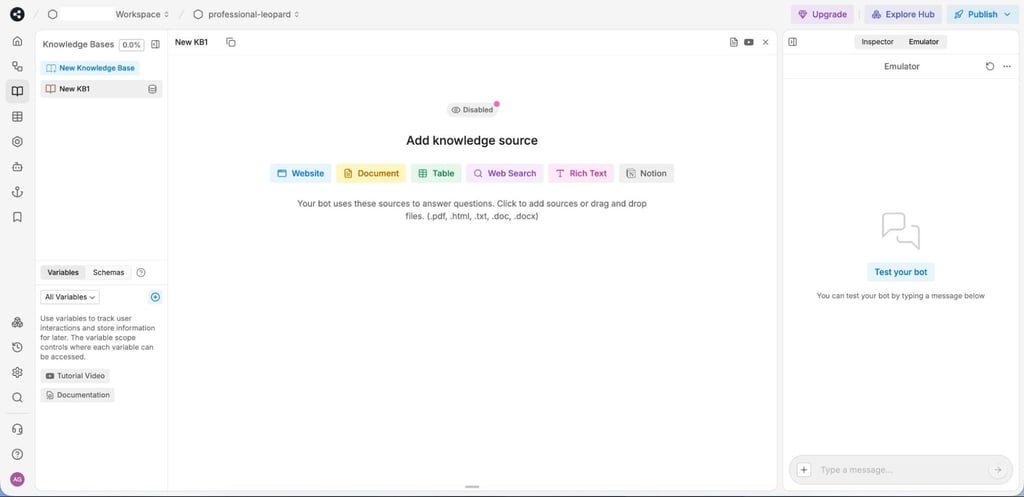
I was able to retrieve information easily by simply asking the bot. You can search one or multiple knowledge bases at the same time. That said, searching multiple knowledge bases simultaneously does consume more tokens.
Botpress has built-in systems to reduce AI hallucinations. It uses retrieval-augmented generation (RAG), two-way data syncing, and AI caching to give accurate answers. Also, you can limit responses to retrieved content only, set confidence thresholds, and define fallback behaviors when no strong match is found.
Automations and actions
I found that with Botpress, you have a lot of flexibility when it comes to automations and custom actions. You can set custom triggers or even scheduled ones. For example, you can run a daily check that syncs data or sends reminders. Triggers only work when a specific event happens, so they’re great for behind-the-scenes workflows. Just note they won’t run in the Studio emulator or while the bot is waiting for user input, so make sure to test before publishing.
Actions and tools take things even further. Actions are custom, AI-generated tools that extend your bot's capabilities. Think calling an external API multiple times, running calculations, or updating a system. The best part is you don’t have to write the code. You describe what you want, and the AI builds it. In my experience, it’s surprisingly accurate and saves a ton of time.
Tools are used during live conversations. If a user asks for an order status, the AI can retrieve it from a CRM. Botpress also easily connects through integrations, webhooks, APIs, or custom connectors.
On top of that, Botpress includes a Brand Safety Framework to keep things under control. With the Policy Agent, you can set rules for how the AI should behave and what it should avoid, helping prevent off-brand or risky responses, especially when the bot interacts with real systems and data.
Guardrails and control
Botpress gives you real control over how your AI behaves. You can set clear safety rules and response constraints that match your company’s standards. The Policy Agent works like a gatekeeper, filtering outputs and reducing hallucinations before replying to a user.
For sensitive situations, you can implement human handoff rules. I was able to set custom triggers for when the issue needs real human support, like when a user mentions a refund, and pass the conversation to an agent while keeping the experience seamless from the user's side.
As for security, Botpress uses strong encryption, anonymization, and secure APIs to help with privacy and compliance. You also get role-based permissions in Team and Enterprise plans, so only the right people can view, edit, or deploy agents. With the added monitoring and analytics, I found that it’s easy to spot issues early and adjust policies when necessary.
Multi-channel deployment
Integrating Botpress is incredibly easy. All you have to do is drop a small code snippet into your site, and it’s done. What I really like is how polished it looks right out of the box. You can choose a toggle or fully embedded chat, add your logo, tweak colors, set welcome messages, and switch between light and dark mode. If you want more control, custom CSS lets you match your brand exactly so your bot doesn't look generic.
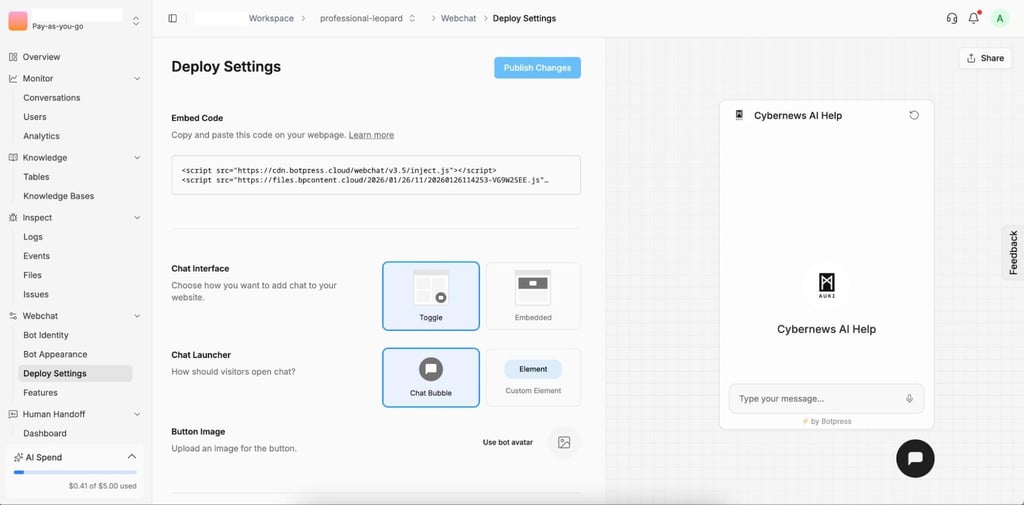
Botpress also works across such channels as WhatsApp, Facebook Messenger, Telegram, Slack, and Webflow. So, if your customers are already used to reaching out via Facebook, you don’t have to change that.
Human handoff is available on Plus and higher plans. One thing I recommend watching out for is message limits per plan. For example, the Plus plan comes with 5000 monthly messages, and an additional 5000 costs $20.00/month.
Collaboration and governance
Botpress offers solid collaboration tools and features. From the Team plan and up, everything is role-based, so people only get access to what they actually need. Here are the role types available:
- Viewer – view-only access
- Billing Manager – can manage billing information
- Developer – creates and updates bots, deletes only bots they created
- Manager – creates and updates bots, can view audit records
- Administrator – manages bots and workspace collaborators
- Owner – has full access to everything in the workspace
These roles are very useful in practice. For example, a junior developer can build flows without worrying about accidentally deleting someone else’s bot. A manager can review changes and check audit records without jumping into the editor.
On the Enterprise plan, you also get separate staging and production environments, which is useful for larger teams. You can test changes safely before pushing anything live.
Additionally, you can access logs in the dashboard and use filters to find issues fast. If you need deeper oversight, the Admin API gives you full audit records. As for publishing, you can do it directly from Botpress Studio.
How to use Botpress (step-by-step)
In this section, I’m going to walk you through how to get started with Botpress, based on my personal experience.
-
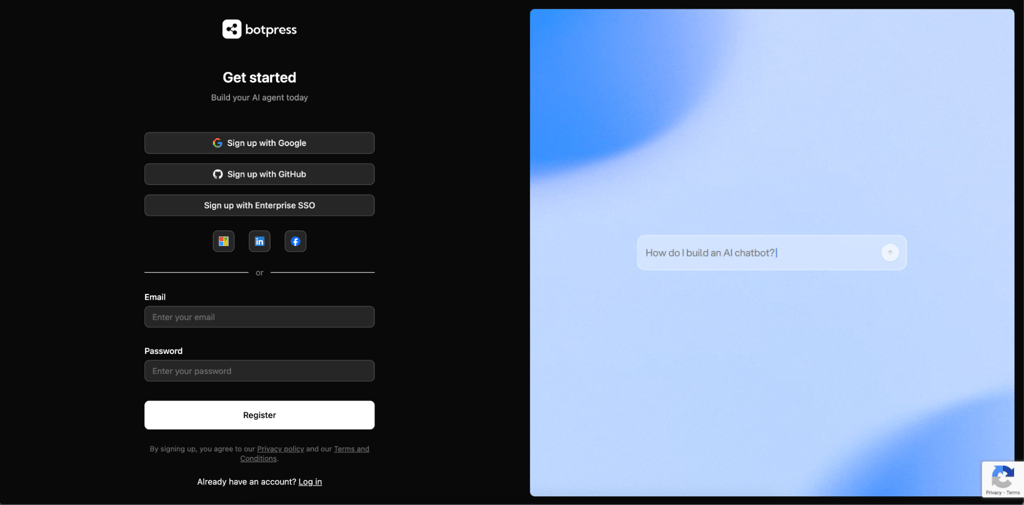
I started by creating a Botpress account. The signup is quick, and you can jump straight into building once you’re in.
-
Right after that, Botpress asks whether you want to build the AI yourself or hire a professional. I chose to build it myself to test the full setup flow.

-
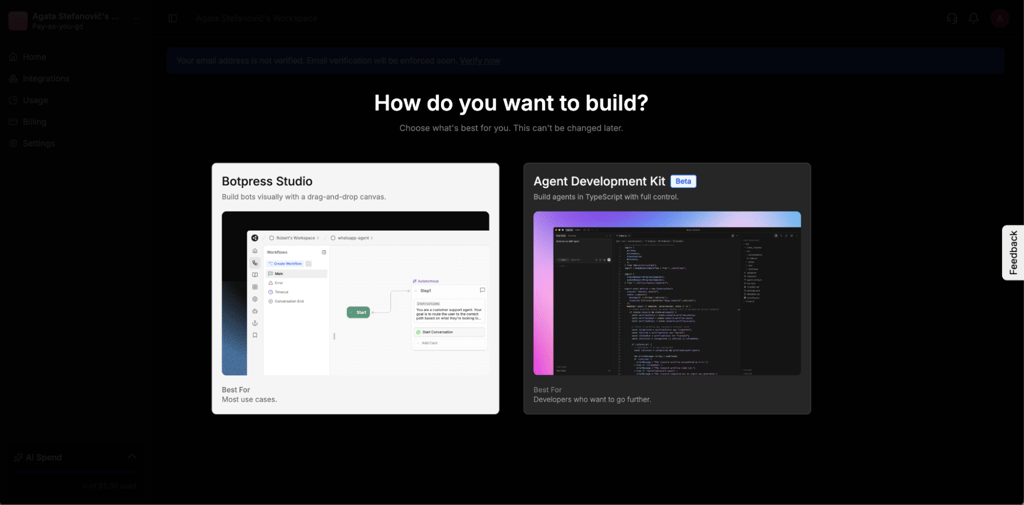
Next, you choose how you want to build. You can use Botpress Studio in the browser or work directly in TypeScript. Unless you’re a developer, I’d definitely recommend Botpress Studio. It’s much faster to get started.
-
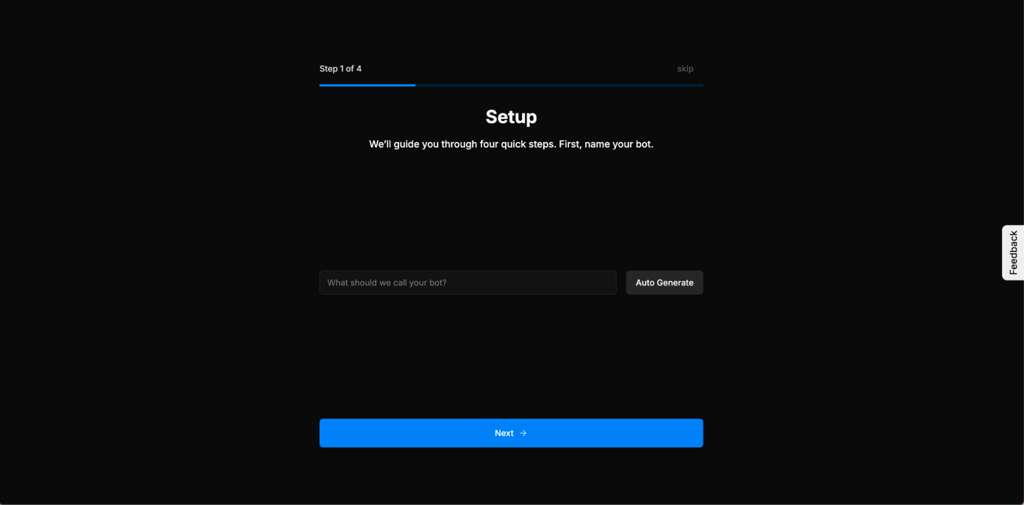
The setup wizard then walks you through a few basics. The first thing is naming your bot.
-
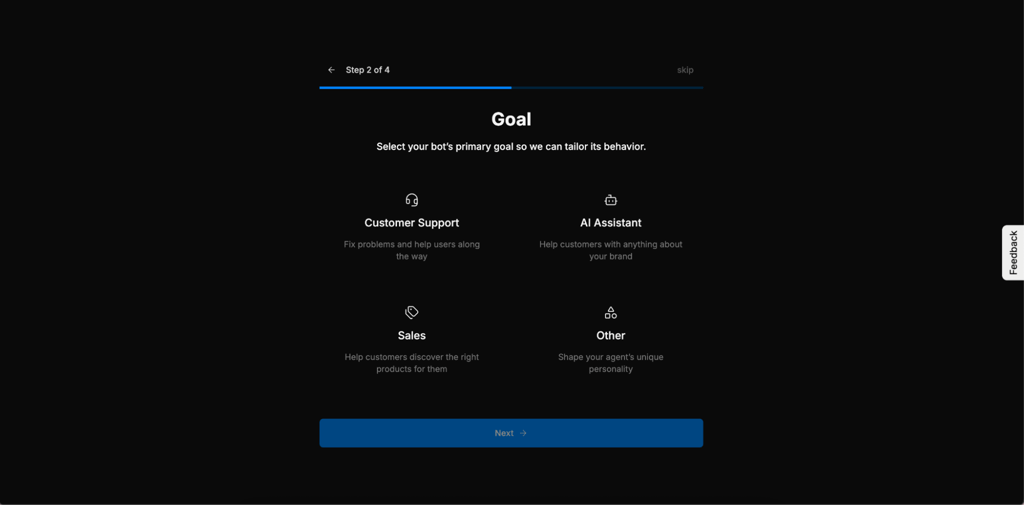
After that, you select the bot’s main goal. There are preset options, and if none fit, you can just pick Other.
-
You’re also prompted to define the bot’s personality early on. You can upload a document or paste your website URL, and the bot will automatically learn your tone and style. This part felt surprisingly smooth.
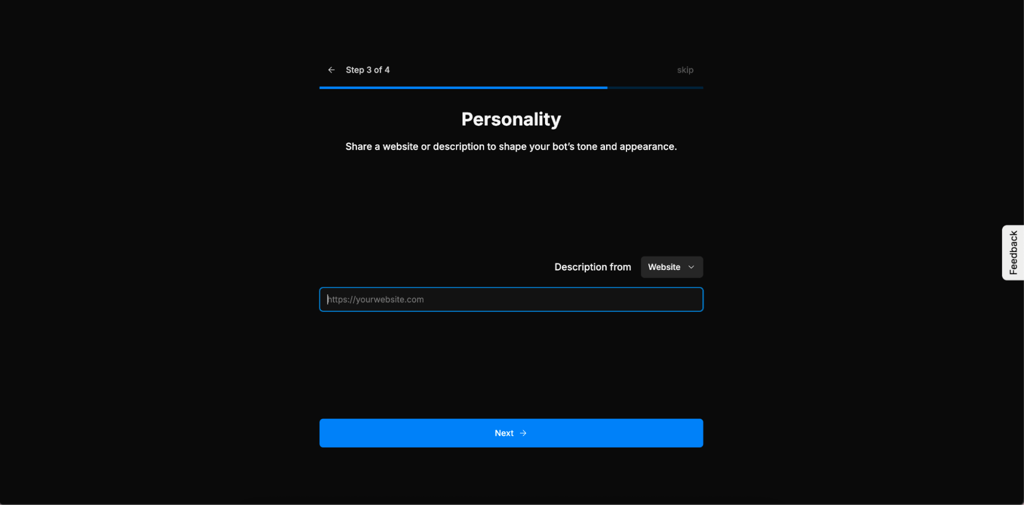
-
Once that’s done, you wait a couple of minutes while Botpress finishes setting everything up.
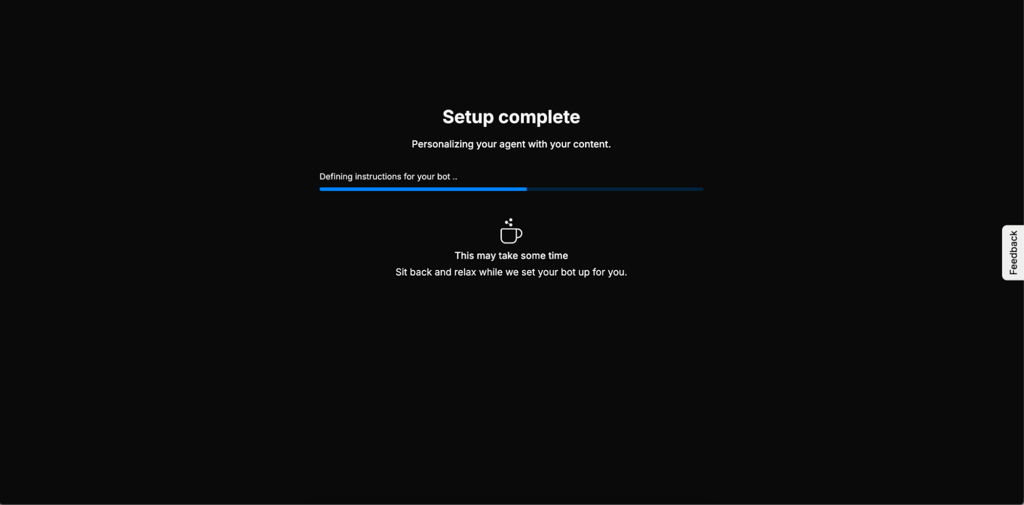
-
You’re then dropped into the main editor. This is where I added useful documentation, such as internal docs, files, and knowledge bases, so the bot has real context to work with.

-
From the Workflows panel, I created different flows, added responses, and tested actions. I also added a custom timeout message here.

-
In the Actions menu, I created a custom action. What I really like is that you can either code it yourself or let AI generate it. I used the AI option and asked it to create an API call to evaluate conversations.
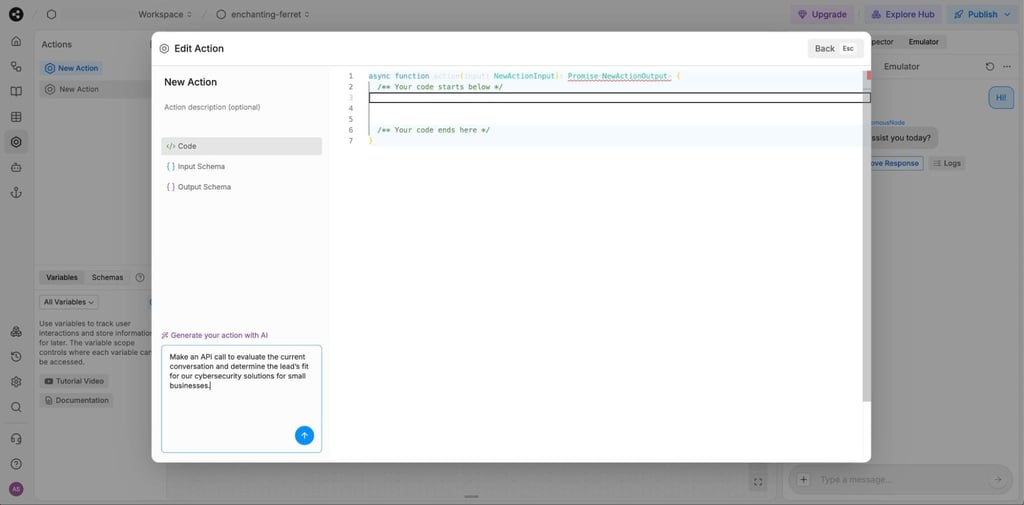
-
The emulator on the right lets you test everything in real time before publishing. I used this a lot to check changes.
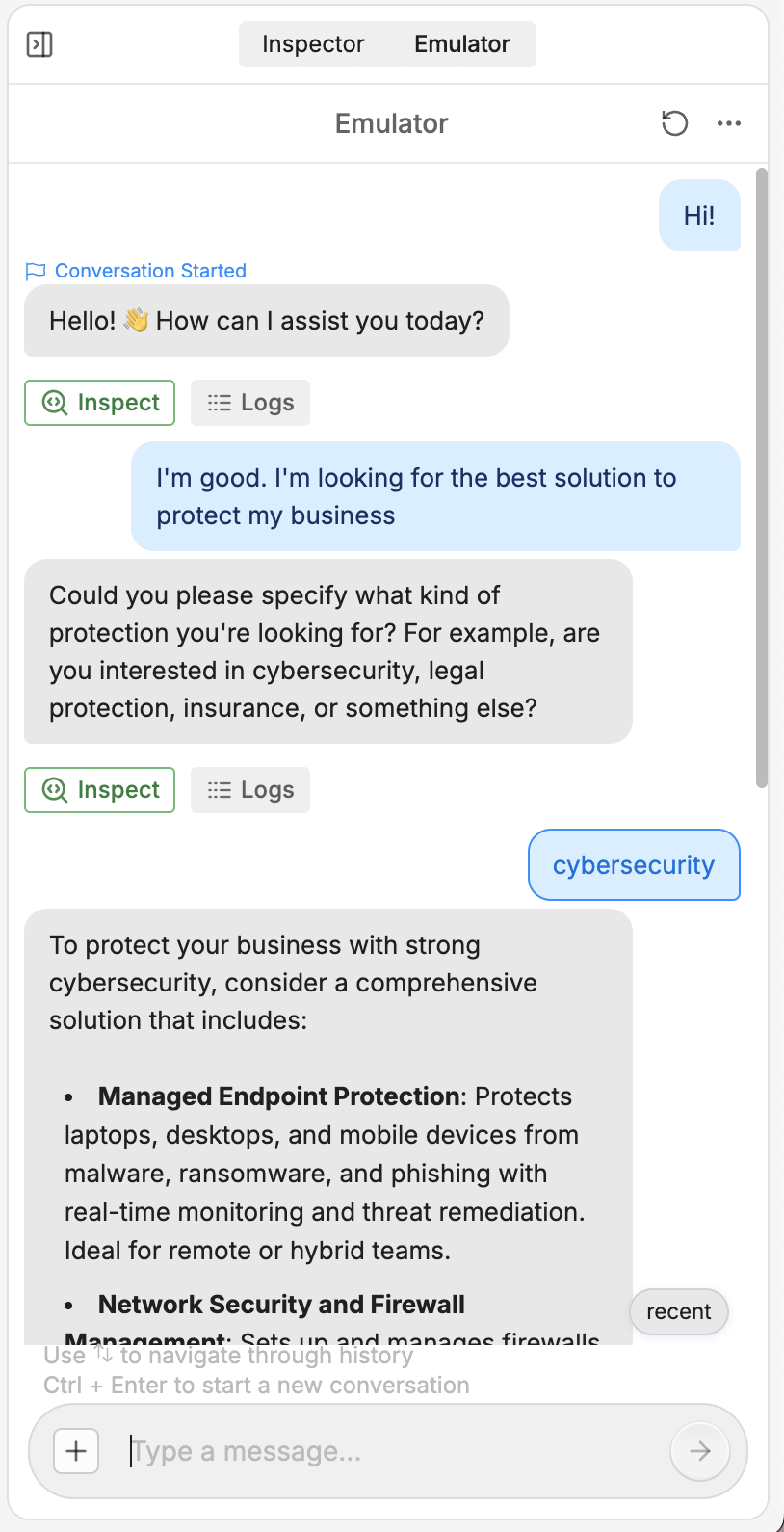
-
Once things looked good, I tested the bot in an actual chat window to see how it worked from the end user's perspective.

-
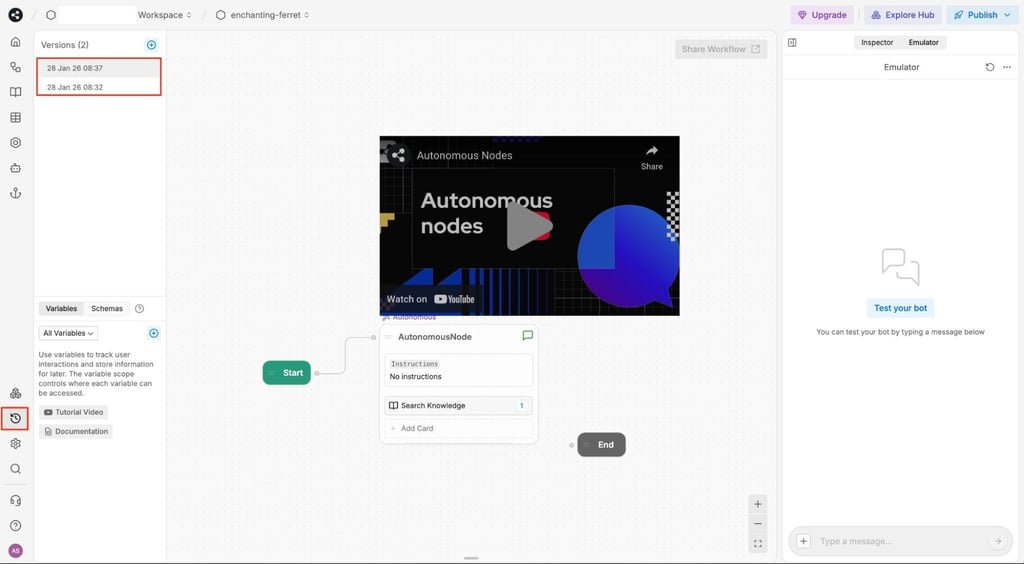
Botpress also lets you create multiple versions of the same bot. For each version, you can add a short description of what changed, which makes iterating and rolling back really easy.
-
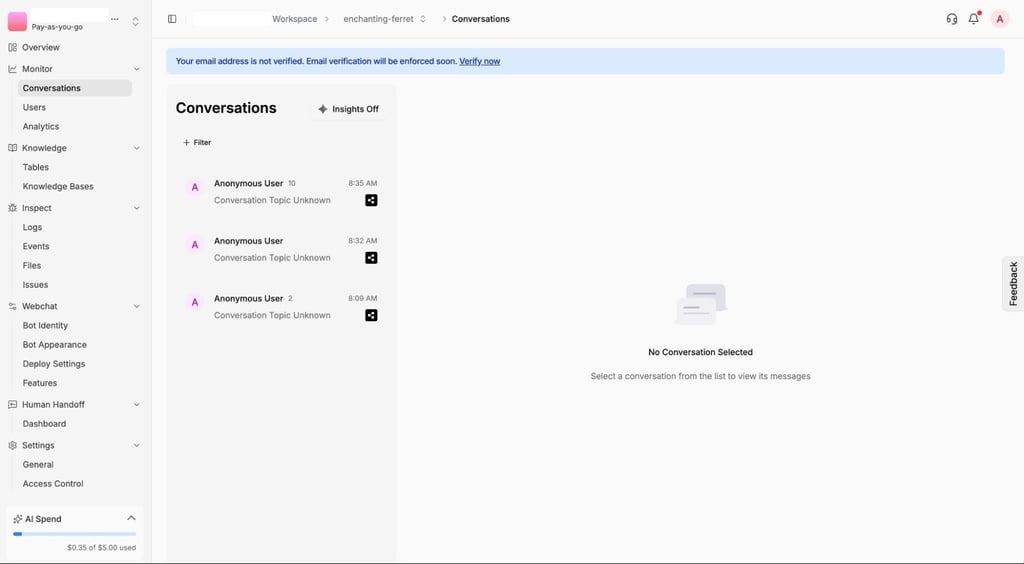
From the dashboard, you can review every conversation individually and spot issues or inconsistencies. You can also enable Insights, which gives a clean overview of key metrics and behavior.
- Finally, whenever I got stuck or wanted to go deeper, the Botpress documentation and YouTube tutorials were genuinely helpful. There’s a tutorial for pretty much every setup you’d want to build.
Botpress integrations
Botpress comes with a solid integration hub that lets you connect your bot to other tools in just a few clicks. There are over 200 integrations available, but if you don’t see the one you need, you can request a new integration from Botpress or connect it manually yourself. Honestly, the possibilities are endless. Below, I've listed some of the integrations you’ll find in Botpress.
| Helpdesk, CRM | Zendesk, HubSpot, Zoho Desk |
| Messaging channels | Facebook Messenger, WhatsApp, Slack, Twilio, Telegram |
| Automation, Zapier-like tooling | Make, n8n, and Pabbly |
| Data sources, webhooks, APIs | Webhook, Notion, Google Drive, Wikipedia, Chatwoot, Google Sheets |
Adding an integration is genuinely very straightforward. Click install, wait a few seconds, and it’s ready to go. In most cases, you’ll just need to log in to the service you’re connecting. For example, signing into your Facebook Page to connect the bot to Messenger. Other than that, there’s not much setup involved.

Once an integration is added, maintenance is minimal. You’ll occasionally need to update it, but Botpress makes that easy too. The integrations panel clearly shows whether something needs an update or if anything isn’t working properly, so you immediately know what needs attention.
Botpress analytics
The analytics section in Botpress gives you a really clear picture of how your bot is actually performing. The default analytics dashboard covers the essentials like user traffic, messages per session, LLM costs, and performance. It’s great for getting a quick overview and spotting problems early, whether that’s a sudden spike in costs or users dropping off faster than expected.

If you’re on a paid plan, you also get access to Custom Analytics. This is where things get more interesting. You can enable the analytics bot and set up custom tracking events for whatever matters to you. For example, tracking moments when the bot can’t answer a question or when a user gets stuck.
With custom analytics, you can uncover a lot of genuinely useful insights. You’ll see which questions come up the most, where users tend to drop off, and whether that’s because the bot’s answers aren’t clear or simply missing. You can even track customer satisfaction over time and see how your bot improves as you iterate and fine-tune it.
Pricing and deployment options
Botpress pricing depends on which plan you pick, making it easier to choose one based on your team size and use case. There’s pay-as-you-go, Plus, Team, Managed, and Enterprise. The pay-as-you-go plan means you only pay for AI usage, but the feature set is very limited. It’s mainly useful for testing the platform or running very small experiments.
The Plus plan is a solid starting point for individuals or small teams, while the Team plan is where collaboration really opens up. You get role-based access control, which makes it much easier to work with multiple people. Managed and Enterprise plans are fully custom, so you’ll need to talk to the Botpress sales team to work out the details.
| Plan | Price | Best for | Key limits | Key features | Expected cost drivers |
| Pay-as-you-go | $0.00/month + AI spend | Low-risk projects, proofs of concepts, early-stage MVPs | 500 messages/month, 1 bot, 1 seat, 100MB vector DB storage, no custom analytics | Visual builder, conversation history, basic integrations, community support | LLM token usage, message top-ups, additional bots, additional Vector DB storage |
| Plus | $89.00/month + AI spend | Solo builders, small teams launching first production bot | 5000 messages/month, 2 bots, 2 seats, 1 GB vector DB storage | Human handoff, visual KB indexing, branding removal, live chat support, analytics | AI Spend from growing traffic, extra messages, extra bots, storage |
| Team | $495.00/month + AI spend | Small-to-medium-sized teams with multiple collaborators | 50,000 messages/month, 3 bots, 3 seats, 2GB vector DB storage | Role‑based access control, multi‑user collaboration, advanced support | High AI token usage, large message volume, multi‑bot deployments, collaboration seats |
| Managed and Enterprise | $1495.00/month + AI spend/Custom pricing | Large teams, looking for reliable bots and custom solutions | Custom | Dedicated onboarding, custom development, stronger security/SSO, SLAs | Significant AI Spend, very high usage, premium support SLAs, custom dev work, advanced security/compliance needs |
No matter which plan you choose, AI spend is what usually drives most of the cost. There are also optional add-ons that can push the price up if you need them, such as extra messages, more bots, Always Alive, additional seats, or more storage.
When it comes to deployment, hosting is handled entirely by Botpress, and costs are already included. On Enterprise plans, Botpress runs on AWS to support large-scale setups. Self-hosting with Botpress is no longer supported.
Botpress vs alternatives
Below, I compared Botpress with other popular bot-building platforms. I highlight the key differences in features, pricing, and use cases, and also look at how it stacks up against top Botpress competitors.
| Tool | Best for | Setup difficulty | Customization | Analytics | Pricing |
| Botpress | Complex, production-ready bots | Medium | High (visual builder + code) | Built-in performance tracking | From $89.00/month |
| Chatling | Simple, no-code AI chatbots | Low | Medium | Basic conversation logs | From $29.00/month |
| Kore.AI | Enterprise-scale deployments | High | Medium (templates) | Advanced enterprise metrics | Custom |
| Botsonic | Website embeds and lead generation | Low | Medium (integrations) | Usage and engagement stats | From $16.00/month |
| Chatbase | Knowledge base Q&A bots | Low | Low (Zapier-based) | Simple query analytics | From $32.00/month |
| Quickblox | Real-time messaging and apps | Medium | High (SDKs) | Custom event tracking | From $50.00/month |
How we tested Botpress AI
Bottom line: is the Botpress AI the right tool for you?
After testing Botpress myself, I can confidently say it’s a strong platform for building chatbots. It lets you create production-ready bots that can grow with your business. You can start on a pay-as-you-go plan to experiment and validate ideas, then upgrade as your team, traffic, and needs expand.
Buy it if:
- You’re a freelancer or agency building AI agents for clients
- You want full control over logic, integrations, and guardrails
- You plan to deploy chatbots across multiple channels
- You’re comfortable with some setup complexity in exchange for flexibility
- You need a solution that can scale as your business grows
Skip it if:
- You only need a basic FAQ bot or a simple chat widget
- You want instant results with no learning curve
- You have no plans to integrate the chatbot with other tools or systems
Botpress works best for startups, agencies, and product teams building customizable AI agents who want flexibility and security now, with room to scale later.
Best alternative – nexos.ai
While Botpress is a highly capable tool, if your primary goal isn't necessarily building user-facing chatbots, it won’t suit you. When testing various tools with the Cybernews research team, I evaluated platforms that tackle AI automation from different angles. Among all, I liked nexos.ai – it functions as a broader operational AI workspace rather than a specialized conversation builder.
nexos.ai feels more focused on AI-native, no-code workflow automation. It provides an orchestration layer that lets teams deploy no-code AI agents connected to a variety of business integrations and use 99+ leading AI models. From my experience, it’s perfect for teams looking to automate internal tasks via AI.
FAQ
Is Botpress AI good for customer support chatbots?
Yes, Botpress is a strong choice for customer support chatbots because it’s highly customizable and built for real-world use. You can connect it to internal knowledge bases, control conversation flows, and integrate with APIs or external tools to automate common support tasks.
Can Botpress connect to my knowledge base or internal docs?
Yes, Botpress can connect to your knowledge base and internal documentation. You can upload files directly through the dashboard, allowing the chatbot to pull information from the docs and give accurate answers.
Does Botpress support human handoff and ticket creation?
Yes, Botpress supports human handoff and ticket creation on the Team, Managed, and Enterprise plans. This lets the bot escalate conversations to a human agent or create support tickets when it cannot resolve an issue on its own.
What’s the difference between cloud and self-hosted deployment?
Cloud deployment runs on a provider’s servers, while self-hosted runs on your own. Cloud is easier to set up and maintain, while self-hosted gives you full control over data and configuration.
How does Botpress compare to other AI agent builders?
Botpress stands out for its high level of customization and production readiness. Compared to many other AI agent builders, it offers strong scalability options, extensive collaboration features for teams, and extra control over how bots behave in real deployments.