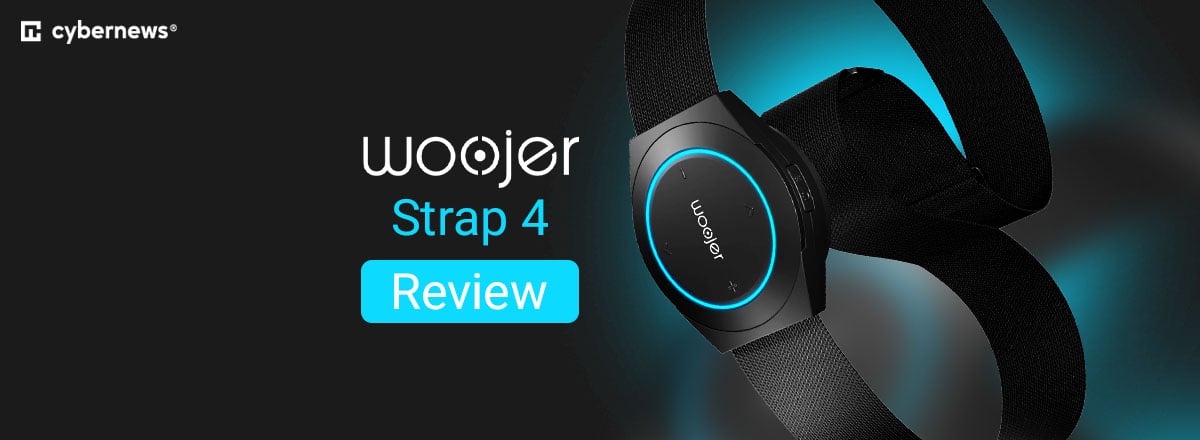
Woojer Strap 4 review: Can this affordable haptic strap make games feel more immersive?

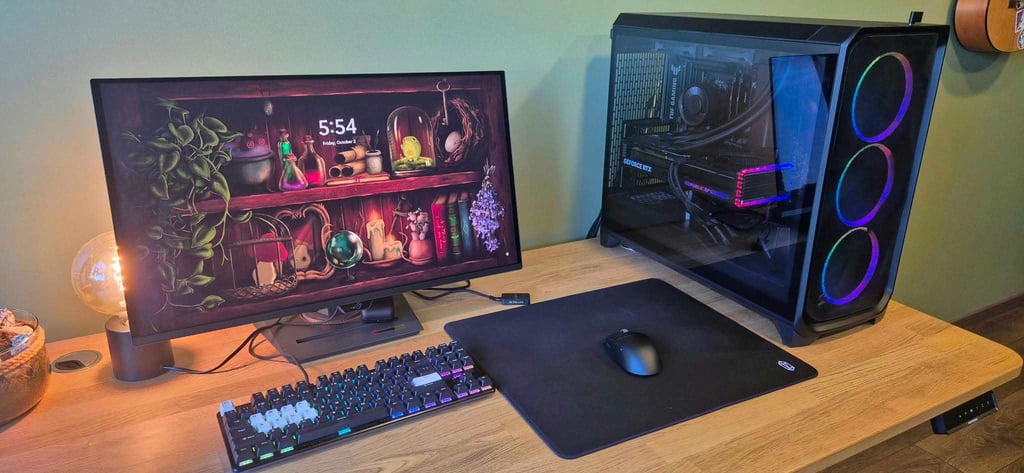
Probably like most gamers, I started with a pretty basic setup. Fast-forward to now, and I have a dedicated gaming space, my own headset, and a brand-new mouse. With only those upgrades, gaming started to be far more enjoyable, especially putting on an action or exploration game after a long day at work. But there’s always another piece of gaming tech promising to take immersion a step further.
That said, for a long time I thought haptic devices were expensive accessories mainly aimed at VR and console gamers rather than PC players. So when I got the chance to put together this Woojer Strap 4 review, I was curious to see whether its audio-based haptic feedback could actually add something to my usual Steam gaming sessions.
Together with the Cybernews team, I reviewed Woojer Strap 4 capabilities to see how well it works with PC games, what kind of games benefit most from the extra feedback, and whether it’s worth adding to your gaming setup.
| Device | Woojer Strap 4 |
| Price | $143 |
| Weight | Around 250g/8.5oz |
| Haptic system | Osci™ V2 TRX (1x) |
| Haptic frequency | 1–250Hz |
| Wireless connection | Bluetooth 5.0 |
| Wired connection | USB-C or 3.5mm |
| Battery life | Up to 10 hours (around 8 hours in our testing) |
| Charging time | Approximately 3 hours |
| App | Woojer Device Manager (iOS/Android) |
| Warranty | 1 year |
| Best for | Bass-heavy games, explosions, and other low-frequency effects |
What exactly is Woojer Strap 4?
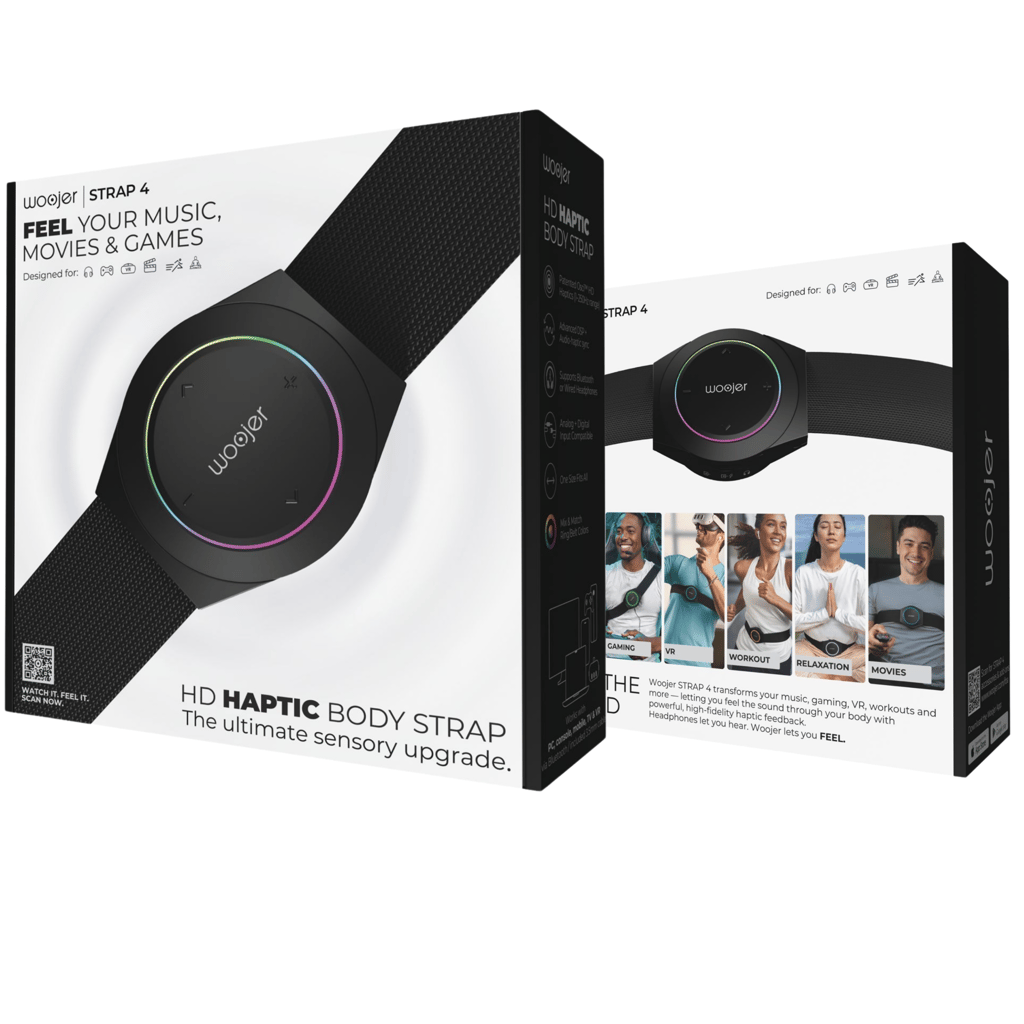
In simple terms, Woojer Strap 4 is a wearable haptic device that turns parts of an audio signal into physical vibrations. The approach relies on audio-driven haptic technology, meaning that the device listens to the audio you’re playing and converts low-frequency content into feedback you can feel on your body.
You don’t need a game to specifically support Woojer, so in theory it can work with any game as long as there’s suitable audio for it to respond to. And for gaming – that’s a very important distinction.
On the other hand, it’s also kind of a limitation. The device doesn’t know what’s happening in the game: whether you’ve fired a gun, crashed a car, or been hit by an enemy. It’s responding to the sound, not the action.
Where can you use the Strap 4?
Although this Woojer Strap 4 review focuses mostly on using the device for better gaming immersion, it’s not the only area where it can be used. According to the brand, the Strap 4 works with:
- Gaming. PC, consoles, and VR
- Video entertainment. Movies and TV series
- Music. YouTube, Spotify, and other audio platforms
- Wellness. Meditation, breathwork, and relaxation content
Generally, low-frequency and bass-heavy content produces the strongest sensations. So, for gaming, that can include explosions, gunshots, loud impacts, thunder, vehicle engines, and some game-specific soundtracks.
Woojer Strap 4 design specifications
Comfort and ease of use are also important. Woojer Strap 4 feels fairly light when worn, although it’s not completely unnoticeable at around 240g/8.5oz.
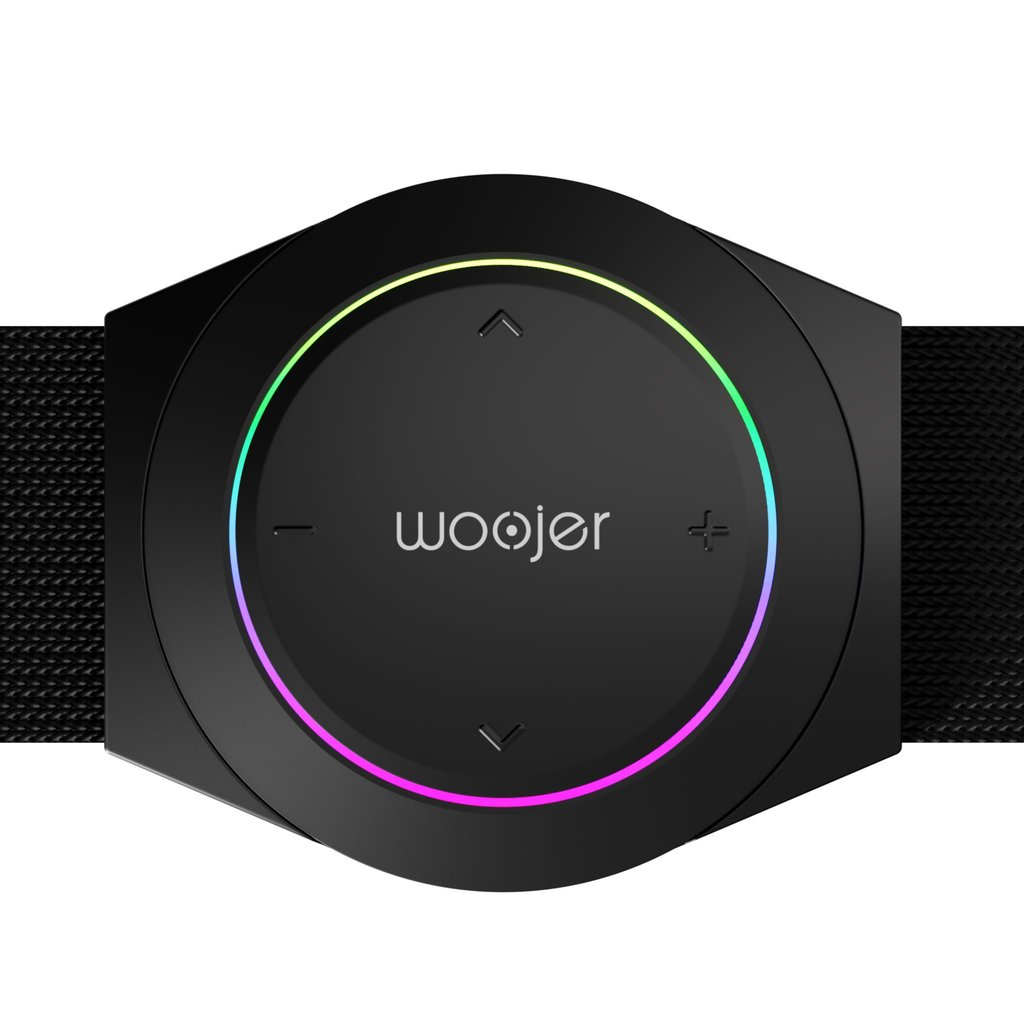
The elastic belt is adjustable from roughly 15–65 inches, making it one-size-fits-most wearable. Both the belt and decorative ring around the haptic transducer can be swapped, with Woojer offering limited-edition designs.
I found the elastic belt comfortable enough and not restrictive. You can wear it directly on the skin, over a T-shirt, and even over thicker clothing like a hoodie. I usually preferred wearing it over a shirt, to feel the transducer sitting firmly against my sternum. That said, Woojer Strap 4 can go around your waist, across your chest, or with the transducer positioned along your back.
Since I wasn’t moving around much while gaming, I can’t really comment on how securely it stays in place during running or VR. I did dance around at home while wearing it, though, and it generally stayed tight.
More about haptic device technology
If you’d like to know more technical and scientific information behind Woojer Strap 4, this is the dedicated section for that.
What is haptic technology?
Haptics is the broader technology of using touch and physical sensations to communicate information. Woojer Strap 4 specifically uses vibrotactile feedback, a type of haptic technology where vibration stimulates the skin through a transducer.
More advanced systems can vary the frequency, intensity, duration, pattern, and location of the feedback. Research into gaming haptics shows that these differences may help players associate different tactile patterns with different events, although their meaning is usually understood together with what you’re seeing and hearing.
This is where the Strap 4 somewhat differs from other game-integrated haptics. A controller such as PS5 DualSense can send specific haptic instructions from a supported game to produce different sensations. Woojer Strap 4 doesn’t need this kind of game integration because it works from the audio signal instead.
How does Woojer Strap 4 turn sound into haptic feedback?
Woojer Strap 4 has one Osci™ V2 TRX haptic transducer. Inside it, an oscillating frame and magnets create physical movement, producing the vibration you feel without audible sound.
The Strap 4 covers a 1–250Hz haptic frequency response, which is focused on the lower-frequency part of the audio experience. That should set your expectations of what type of games Woojer works best with. For example, you probably won’t get much feedback from footsteps or dialogue, while heavy impacts are more likely to produce noticeable vibrations.
Having only one transducer can also become a deal breaker for some gamers. The Strap 4’s feedback isn’t directional – you’ll feel the vibration where the transducer is positioned. So, you won’t know where the bullet, arrow, or magic fireball came from. Of course, that’s easily glossed over when playing with a good headset and relying on its directional audio.
Gaming with Woojer Strap 4
Now we’ve reached the main point of my Woojer Strap 4 review – testing it with PC games. Overall, I had the Strap 4 for around a month, although my testing schedule wasn’t strict. Since I tested it with three games and could only dedicate time to gaming after my 9-to-5, I spent roughly a week with each game.
I focused on the overall gaming experience, which sounds Woojer Strap 4 picked up well, where it disappointed me, and which settings worked best for each game.
How to control intensity and connect to a PC?
Before diving into gaming, there’s the question of control. The Strap 4 has separate controls for audio volume and haptic intensity. I found the companion mobile app especially useful for configuring supported settings.
My advice is to start with lower haptic intensity and adjust it by feel. Too much vibration may become distracting, especially when the Strap 4 reacts to the game's soundtrack. You’ll also probably want to adjust your game audio a little. I share my preferred game settings below for each game.
Woojer also offers three operation modes:
- Broad Mode. The default mode, covering a wider range of audio content. I preferred it for music and general listening.
- Focused Mode. A sub-bass-focused mode designed for louder, high-quality audio. Woojer positions it for things like high-fidelity PC gaming and movies.
- Gaming Mode. Uses a gaming-focused EQ and a low-pass filtering to emphasize the frequencies used for gaming. I mainly used Gaming Mode during testing.
You can connect the Strap 4 to a PC or other compatible device through Bluetooth 5.0, USB-C digital audio, and 3.5mm audio. I’m a casual gamer but I found Bluetooth less consistent for gaming, so I usually stuck with USB-C.
The Elder Scrolls V: Skyrim

Of course, after taking Woojer Strap 4 home, the first game I wanted to play was The Elder Scrolls V: Skyrim. It’s the first PC game I bought with my own saved-up birthday money, and I still hold it as one of my favorite games.
I started with 50% haptic intensity, increasing or decreasing it depending on what I was doing. I kept master volume, dialogue, and sound effects at 100%, but after Skyrim’s iconic opening scene, I lowered the music to 20% and environment sounds to about 60%.
I’d really recommend lowering the background music in most games if you want the game’s sound effects to stand out more clearly.
Haptic feedback in Skyrim
I’d say Skyrim is a pretty good choice for Woojer Strap 4. I’m not sure I felt more immersed all the time, especially when simply exploring or doing side quests, but there were several moments that made the experience much more interesting.
My favorite was, unsurprisingly, dragons. I liked that with the Strap 4, I could both hear and feel the dragon's roar. It made encounters feel more serious and added to the fear of suddenly meeting one. Dragon attacks and even their wing sounds created vibrations, while the strongest sensation for me came when a dragon fell to the ground for the last struggle.
Magic worked well too, particularly larger explosive spells. Sadly, weapons were less impressive. I occasionally felt heavier two-handed attacks and shield bashes, but most weapon sounds were something I heard rather than felt.
Wildlife and environmental sounds also sometimes triggered the Strap 4. I noticed this with thunder most prominently. That said, I use a thunder mod in my game, which produced such a strong vibration that I immediately lowered the haptic intensity.
Resident Evil Village
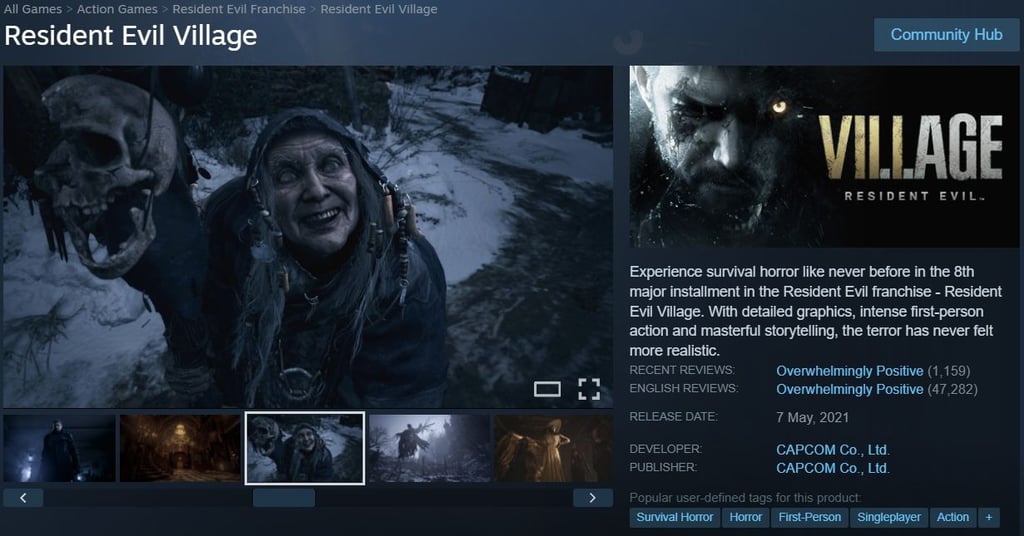
Testing Woojer Strap 4 with Resident Evil Village was a last-minute decision. After finishing the game previously, I had sworn I’d never play it again – not because I didn’t like it, but it was too scary for my taste.
After watching the trailer for the new 2026 Resident Evil movie and some interviews with Zach Cregger, though, I actually wanted to revisit the game. It also turned out to be a particularly good fit for a haptic device, since the game relies so heavily on atmosphere, sudden scares, combat, and low-frequency environmental audio.
I started at 50% haptic intensity and eventually lowered it to around 40%. If you want a much more intense horror experience, I believe 70–80% may make sudden sounds and impacts feel more physical. As with Skyrim, I lowered the background music to around 20% so it didn’t compete with the game's sound effects.
Haptic feedback in Resident Evil game
Woojer Strap 4 worked really well for me with sudden sounds and heavier impacts. In fact, I think horror games are one of the better genres to try with the Strap 4. They’re already designed to make you pay attention to every sound, and adding physical vibration might make those moments feel even more intense.
The best example was the Lycans. Their attacks and roars produced sudden pulses that made me jump a little. I also noticed some vibration from footsteps during the Lady Dimitrescu arc.
Not everything worked as well, though. Some jump scares created noticeable vibrations, while some gunshots and melee hits didn’t give me much feedback. That may partly be because I was using a lower haptic intensity for most of my playthrough.
Overall, playing Resident Evil Village with the Strap 4 was both fun and quite tiring. After a few hours of horror with physical feedback, I definitely needed a break.
Grand Theft Auto V

For my final week with Woojer Strap 4, I wanted to test something that most gamers have probably tried at least once: Grand Theft Auto V, or GTA 5 for short.
While Skyrim and Resident Evil Village often move between quieter atmospheres and sudden impacts, GTA 5 is almost constantly noisy. I was interested to see whether the Strap 4 would work better with that constant low-frequency audio or become too distracting.
My settings were similar again, with 50% haptic intensity throughout most of the week. My main advice here is to lower radio to 20% or even 10%, otherwise the Strap 4 can spend a lot of time reacting to the music.
Haptic feedback in GTA 5
The first few hours of GTA 5 give you a pretty good idea of what the Strap 4 can and can’t do. You’re driving around, getting into fights, shooting, escaping the police, and just causing destruction, so there’s plenty of low-frequency content to work with.
I felt the Strap 4 vibrating with engine rumble, some collisions, and shootouts, while larger impacts and explosions produced stronger sensations. However, the feedback wasn’t always as closely connected to what I was looking at on the screen.
That was the biggest problem for me. Because GTA 5 constantly has engines, music, traffic, and other sounds happening all at once, Woojer Strap 4 was often triggered. But that didn’t make the game feel more immersive in my opinion. The device works with the game’s audio, but in a busy open-world game that can sometimes mean more distraction than immersion.
What is Woojer Strap 4 like for music and movies?
To be honest, I didn’t spend much time exploring Woojer Strap 4 for music or movies. Just to get a feel for it, I put it on while listening to music as I cooked dinner one day and watched a few episodes of Solo Leveling too.
As expected, the Strap 4 works best with bass-heavy music. I actually quite enjoyed listening to my “hype” songs and EDM. Feeling the music in my body made me want to dance and definitely added to the excitement. Still, I don’t think the Strap 4 is necessary to feel more immersed in music, at least for me.
For video entertainment, I watched the first two episodes of Solo Leveling Season 2. Without spoilers, some of the action-heavy scenes created noticeable vibrations. It was fun, but I didn’t feel like it added much to the experience. I could see it working better in a cinema or with an action or horror movie on a larger screen, making everything feel more intense.
In my opinion, gaming is where Woojer Strap 4 feels most useful. Music, movies, and other audio-based entertainment are more like extra bonuses that may justify the purchase.
Woojer Strap 4 pricing
Speaking of value for money, Woojer Strap 4 is currently listed at $143. In my eyes, that’s a pretty good deal compared with some of the haptic devices I get ads for. But, as with anything gaming-related, it’s still another purchase you’ll want to mull over.
The good thing is that the brand frequently runs discounts, and you can also find Woojer coupon codes online.

With CNW20L at checkout, the Woojer Vest 4 costs 20% less, so you can feel games, movies, and VR content while saving money.
Enter CNW20L before checkout to make the Woojer Strap 4 20% cheaper, a fast way to enjoy better sound and vibration for less.
The Woojer MAT gets 20% cheaper the moment you use CNW20L, giving you rich haptic feedback for movies, music, and games for less.
The 12-month warranty and 30-day money-back guarantee are quite reassuring. I’m less keen on the return-shipping policy, though. In the US, Woojer provides a prepaid return label but deducts a $15 fee from your refund for the Strap 4. Other regions may require you to cover return shipping yourself.
Other related articles
Best Minecraft server hosting 2026
Rockstar drops extended look at AI-free GTA VI, amid leak heartache
My verdict on Woojer Strap 4: Buy or skip?
If you enjoy gaming, particularly action, horror, or racing games, and want an affordable entry point into haptic technology, Woojer Strap 4 may be worth serious consideration. For my first experience with a haptic gaming device, it was a great introduction, and I’m currently debating getting one for myself.
I found that the Strap 4 adds another layer of immersion to some of my favorite games, while also working with music and movies. I generally felt comfortable wearing it, without the bulk or restrictiveness I’d expect from larger haptic devices.
Overall, it’s easy to add to an existing gaming setup. It took me a few hours to read the instructions, try different settings, and find what felt the best for me.
If you’re still unsure about Woojer Strap 4 after reading my experience, you could also look at Woojer Vest 4 or other haptic devices. Your choice will ultimately depend on your gaming setup, budget, lifestyle, and how much extra immersion you want.
FAQ
What does Woojer Strap 4 do?
Woojer Strap 4 converts low-frequency audio from games, music, movies, and other audio content into physical vibration you can feel on your body. It uses a single haptic transducer and connects through Bluetooth, USB-C, or 3.5mm audio.
Does Woojer Strap 4 work with VR?
Yes. Woojer states that its Series 4 device – Strap 4 and Vest 4 – are compatible with VR headsets, including Meta Quest.
Can you use Woojer Strap 4 with Bluetooth headphones?
Yes. Woojer Strap 4 supports Bluetooth headphones and speakers, allowing you to hear the audio through headphones while feeling the haptic feedback through the transducer.
Does Woojer Strap 4 work with PS5 and Xbox?
Yes. Woojer Strap 4 works with PS5 and Xbox, as well as other compatible audio devices. You can connect using Bluetooth, USB-C audio, or a 3.5mm connection, but the brand recommends wired connections when low latency is important.
How long does the Woojer Strap 4 battery last?
Woojer claims that the Strap 4 has up to 10 hours of playtime on a single charge. However, actual battery life may vary depending on volume, connection, and haptic intensity.
Is Woojer Strap 4 better than Woojer Vest 4?
Neither is objectively better, as the choice depends on your expectations. The Strap 4 has one haptic transducer, but it’s smaller, less restrictive, and more affordable. The Vest 4 offers six haptic zones and 360-degree feedback, but you’ll have to pay considerably more for it.
-
i-Perception.
What role does touch play in active entertainment? A narrative review of tactile feedback in gaming.

