How to build a website for a small business: step-by-step guide


If you’re wondering how to build a website for a small business, the short answer is simple: it’s a must these days. Customers today type in the name of a business online before ever making contact. They check reviews, business details, and even compare competitors. Without a representative site, potential buyers will likely choose someone else.
A professional site builds trust immediately, displays your offerings 24/7, and gives you control over your brand. Instead of relying solely on social media or third-party directories, you own the narrative – whether it’s a site for selling your products, generating leads, or simply sharing information, it’s the foundation of your online presence.
The good news is you don’t need coding skills or a hefty budget to create a business website. With modern builders and tools, even total beginners can get started. In this guide, I’ve broken down how to create a business website step by step so you can build with confidence.
Step 1. Define your website’s purpose and audience
First, define your website’s end-goal and audience. Identify what’s needed: generating leads, selling products through ecommerce, or just offering visitors information. Having a clear initial vision – which you should jot down on paper – is essential before rushing into website design.

For example, a new business owner wants to sell rugs and carpets online. If the goal is sales, their site needs product pages, a shopping cart, and secure checkout. If the goal is to display designs for clients, then a portfolio layout with contact forms works better.
Once you have the vision down, tackle the audience next, which means asking yourself who you’re trying to reach and what they expect from your small business website. Think about the types of customers you’re trying to reach – maybe it’s first-time buyers looking for affordable rugs, or interior designers looking for premium pieces.
Set target groups and it becomes easier to build a website for business that speaks to those customers directly. As one web expert puts it, “A website without a purpose is like a ship without a compass.”
Step 2. Choose the right website builder
Once step one is down, you now have to figure out the right website builder to bring your small business website to life. Website builders in 2026 are designed for beginners – with drag-and-drop editors, customizable templates, and even AI content generators to speed things up. With over one million templates and simple design tools available across today’s platforms, website builders make it manageable for non-technical users to get their sites online fast.
As an example, Squarespace is a popular option. Squarespace has sleek, modern templates and an intuitive editor. You also get Squarespace AI, which can suggest text or design options to match your brand identity. It’s a good option to get going quickly.
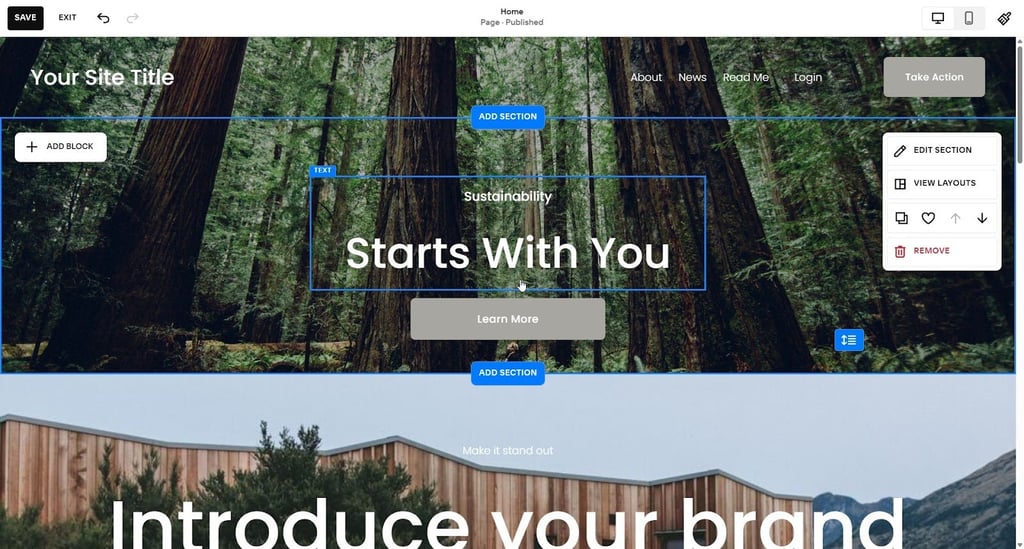
There’s also a powerful option called Wix, with hundreds more features and design options. It also has an AI builder that can generate a site based on your input, and it even includes AI image editing tools. However, for beginners, Wix may be overwhelming.
Finally, the most scalable choice is WordPress. This very well-known builder supports tons of plugins, and can grow with your business. However, to make the most of it, coding knowledge or hiring a developer is required.
To make an efficient decision, evaluate your budget, technical skill, and long-term needs. If you have a team to help manage your site, choose a platform with built-in collaboration tools to save time.
Step 3. Register your domain and set up hosting
After step two, it’s time to register your domain and set up hosting. A domain – the address where customers reach your site – needs a name that’s easy to remember and ideally includes your business name or a keyword that reflects what you do. For SEO purposes, avoid confusing abbreviations or odd extensions, since a simple .com or country-specific extensions usually work perfectly. In your first year, Squarespace, Wix, and WordPress all throw in a custom domain at no extra cost. But if you already have a domain, you can just transfer or connect it directly.
Also, be aware of the difference between domain registration and hosting. A domain is your site’s address, while hosting is the server space that keeps your site online. Several builders bundle hosting with their plans which reduces the hassles of managing it separately.
Finally, before you finalize your domain, double-check things like availability, spelling, and renewal costs. Don’t use hyphens, overly long names, or unreliable hosting providers because this can hurt your credibility and your search rankings.
Step 4. Design your business website
Now that you’ve completed step three and your domain is secured, it’s finally time to move on to the fun stuff: website design! Top website builders in 2026 let you start from professionally designed templates that you can customize through drag-and-drop features. That way, you don’t need to be a design expert, since you can arrange text, images, buttons, and layouts until they match your brand vision.
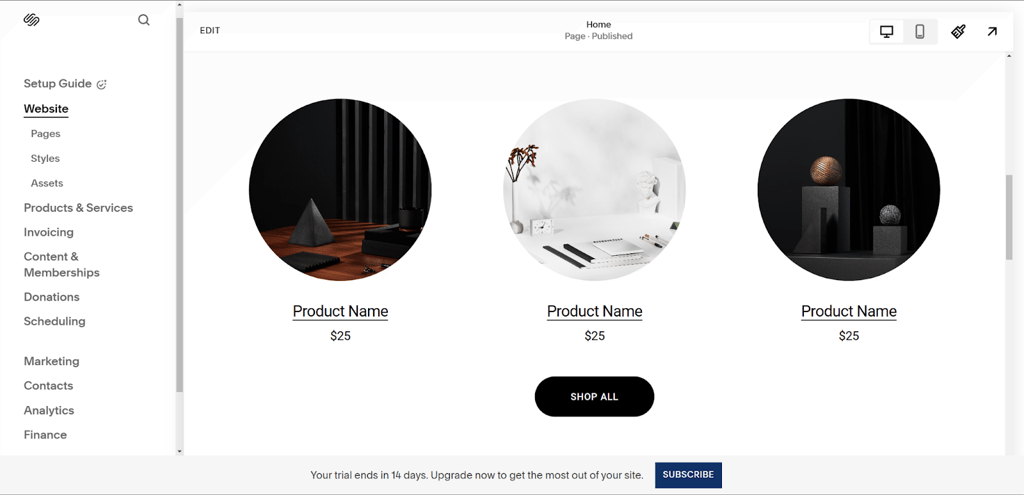
Let’s say you want a rug and carpet shop. The shop should use a clean layout that brings product photos forward, or highlights them, on the homepage, together with testimonials that will build trust. On the other hand, a portfolio-style business might display full-screen images or project galleries.
We live in the mobile era, so don’t forget that mobile responsiveness is crucial. Most customers will browse your small business website on their phones, so it must look good and load smoothly across mobile devices – including on-brand color schemes and fonts that make your branding cohesive. Thankfully, builders like Squarespace, Wix, and WordPress automatically adjust templates for mobile. However, always preview how your site works on different devices or screens before publishing.
Finally, ensure navigation isn’t a hassle. Use clear menus and call-to-action (CTA) buttons so your visitors always know where to go next, such as “Shop Now”, “Book a Call”, or “Learn More”. Clutter-free brand design increases trust, engagement, and conversion – making everything look professional.
Step 5. Add content and essential features
Following step four, now it’s time to give your website its substance: the content and features. A successful site is determined by what is on each page – which is what turns visitors into customers.
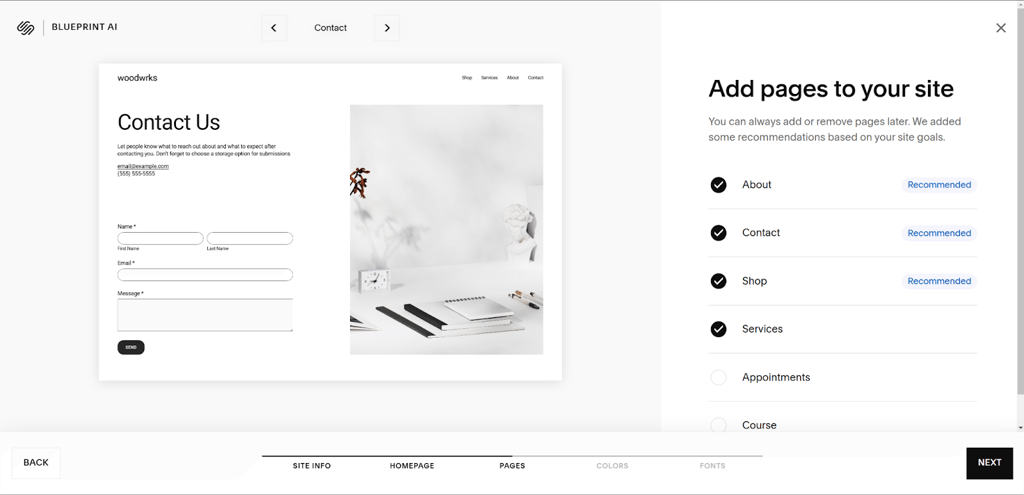
First, the fundamentals: every business website should have a homepage, about page, products or service page, and a contact page (minus other extras). If it’s an online shop you’re running, product pages must have clear descriptions, pricing, and high-quality images or video material.
Many builders now have AI content generators that can draft product descriptions, service blurbs, and even initial “about us” text. AI content generators will inspire you, but you must refine the copy so it sounds natural and reflects your brand’s voice.
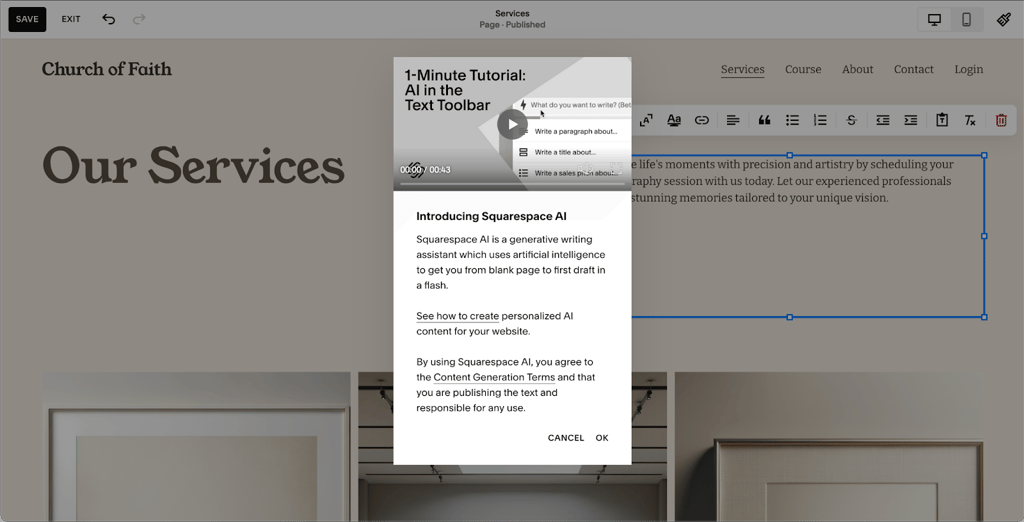
Then, there’s social proof. Add customer testimonials, reviews, or case studies to build credibility and reassure new visitors. Visuals are crucial, so add high-quality media of your products or services in action. For example, your rug and carpet business could show photos of popular designs together with a simple contact form for inquiries.
Finally, the legal part. Include a page like a privacy policy and terms of service to prove you’re professional. Calls-to-action are also critical – like “Contact Us”, “Request a Quote”, or “Add to Cart” – so that you naturally guide visitors to the next step.
Step 6. Optimize for SEO and launch
The last step is SEO optimization and launch. As one expert said, “Your website lets you own your narrative”. So, you’ll use SEO (search engine optimization) for the intended audience to find your story. If you don’t stand out on Google, your website is just another unvisited page.
Start with on-page SEO basics: weave your target keywords – which could be “rug shop in Chicago” or “affordable rugs online” – naturally into titles, headings, and page text. Every page needs a meta title and meta description that explains its content to Google and visitors.
Wix, WordPress, and Squarespace include SEO tools – from sitemaps to editable meta tags. For example, your rug shop could optimize its homepage title to “Handmade Rugs & Carpets – John’s Selection”. Also, ensure product photos/media use alt text like “affordable Persian rug.”
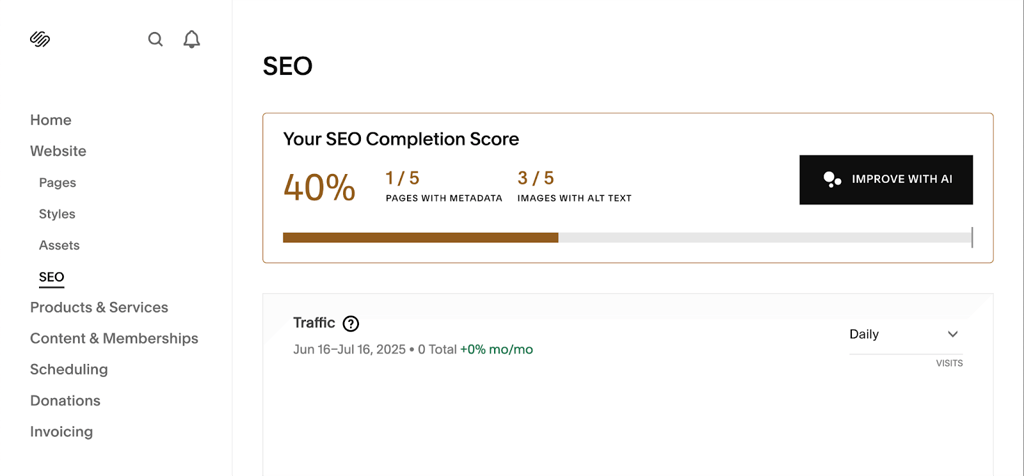
Next, insert internal links. Internal links to pages on your website guide visitors and help search engines crawl your site effectively.
Now, test everything before you launch. Click through every element of your website to confirm everything works. Preview your site on mobile and desktop to see if pages load smoothly.
Finally, publish your site. Blog the launch and email the news, and post on social media – you’ll attract visitors and increase your chances of them becoming customers.
Special offer – save with a Squarespace promo code
If you’re new to online business, saving money is important. Squarespace currently offers 10% off with the promo code “CYBERNEWS10” – so it’s easier for small business owners to get going. The promo code gives you access to everything Squarespace provides while reducing the initial investment.
Squarespace’s drag-and-drop editor is well-known – it lets beginners design pages without any coding skills. Squarespace’s beautiful, professionally designed templates can also be molded to any brand vision. On top of that, Squarespace AI helps you create website text, product descriptions, and even designs quickly. If you run into any issues, you’ll have access to 24/7 support – which can be a lifesaver.
Redeeming the discount is simple: enter “CYBERNEWS10” during sign-up. For even more savings, check for seasonal deals or holiday promotions that Squarespace runs throughout the year. Before committing, compare plan features carefully so you pick the plan that gives you the best value along with your discount.
Maintaining and updating your website
Launching your website is just the beginning. You want to stay fresh and secure, so regular updates are required. Apply software updates and security patches to avoid downtime or security breaches.
Remember to add new products, blog posts, or service details so your customers always find fresh information. Check analytics dashboards – Squarespace, Wix, and WordPress all have them – to see which pages need improvement.
Here’s a simple maintenance routine you can use:
- Weekly checks of forms and checkout flows
- Monthly content refreshes
- Quarterly reviews of analytics and design
- Regular software and security updates
Common mistakes to avoid when building your small business website
All of us sometimes repeat avoidable mistakes, particularly with technology. Regarding running a small business website, a big one is neglecting mobile optimization. Most people browse on their phones, so ensure you preview your site on multiple devices.
Another issue is weak or missing CTAs. Every page on your site should guide visitors clearly with CTAs like “Order Now” or "Call Us". Pages that load slowly are another issue that can cost you sales, so compress images with a high-quality plugin and test speed often.
Remember, customers look for businesses through search engines like Google and compare competitors before making contact. Try to keep your site optimized and mobile-friendly, so that they choose you and not another business.
How much does it cost to build a website for a small business?
Using a website builder like Squarespace, Wix, or WordPress runs from around $15-$25/month. Higher-tier plans with ecommerce or advanced tools can cost $99+.
Do I need to know coding to create a website for my business?
No, modern builders now have drag-and-drop editors and AI tools, so you can create and manage a site without any coding knowledge.
What is the best website builder for small businesses?
Squarespace, Wix, and WordPress are all excellent website builders. Each has their own strengths and signature styles.
How do I make my business website show up on Google?
Optimize your site with SEO. Use keywords in titles and headings, include meta descriptions, add alt text to images, and insert internal links.
Can I edit my website after it is published?
Yes, website builders let you update text, images, layouts, and content anytime, even after publishing.