Does 1Password offer a military discount?
1Password doesn’t currently offer military discounts. The only exception is for members of specific military-affiliated organizations, such as the Navy Federal Credit Union, who are eligible for a 50% discount for three years.
If you’re not part of the Navy Federal Credit Union, don’t worry. You can still get 1Password at a great price through other promotions and subscription deals.
Keep reading to learn how to save up to 50% on your 1Password subscription. And if you are a Navy Federal Credit Union member, check out our guide below to claim your special discount.

Score a 50% discount on the first year of your 1Password Individual account with this promo code, which automatically includes a 14-day free trial period.

A new school year comes with plenty of new accounts. Get back to school with 50% off your first year of 1Password Individual and keep your passwords secure all semester.
Make family internet safety affordable by applying our discount code to receive 50% off your first year of the comprehensive 1Password Families plan.
Discover the benefits of the 1Password Individual plan with a free 14-day trial. It syncs across all your devices, providing excellent privacy for your accounts.
Sign up for 14 free days of 1Password Families. This plan protects everyone under your roof, giving you a collaborative and safe way to use passwords.
Sign your company up for a 14-day free trial of 1Password Business. Your team can securely manage their credentials while you easily track company access.
How to get a 1Password military discount
As discussed earlier, 1Password doesn’t offer a dedicated military discount. The only exception is for members of the Navy Federal Credit Union, who can get 50% off for three years. However, veterans and active military members can still take advantage of 1Password’s discounts available to all users.
To get the best deal, follow these steps:
-
Click on the best discount from the coupon list above.
-
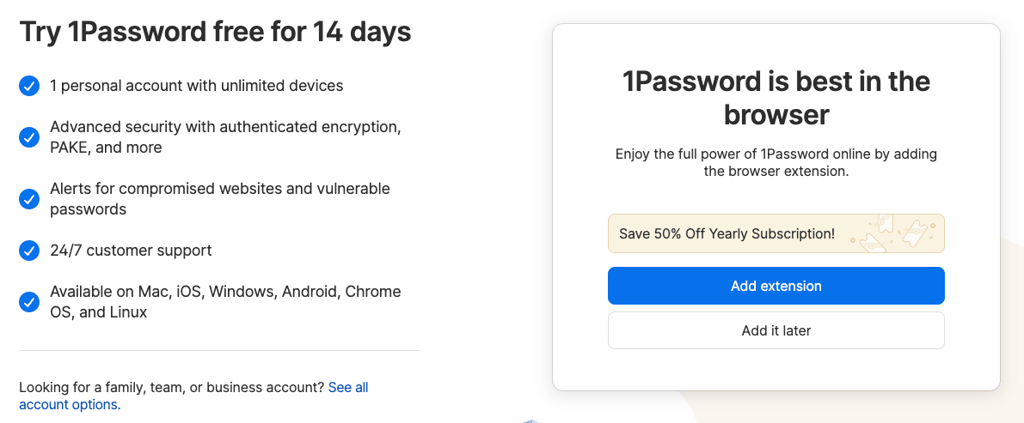
You’ll be automatically redirected to the 1Password website, where the discount will be automatically applied.
-
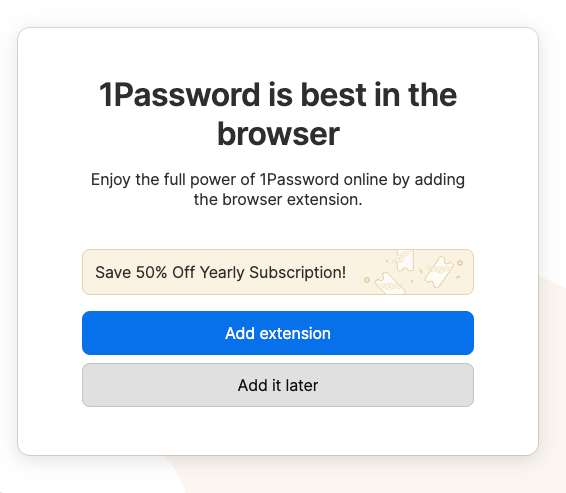
Click on Add extension to immediately install the 1Password browser add-on, or choose to Add it later.
-
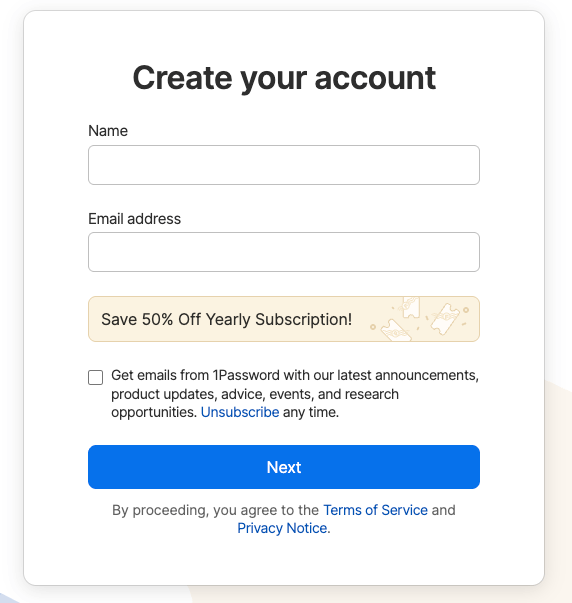
On the Create an account page, enter your name and email address and click Next.
-
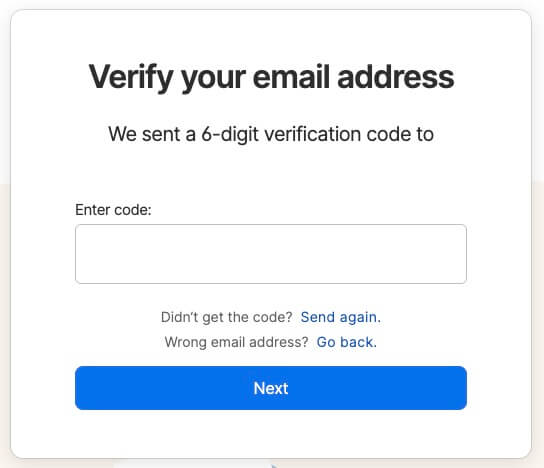
Check your inbox for a 6-digit verification code and enter it to verify your email address.
-
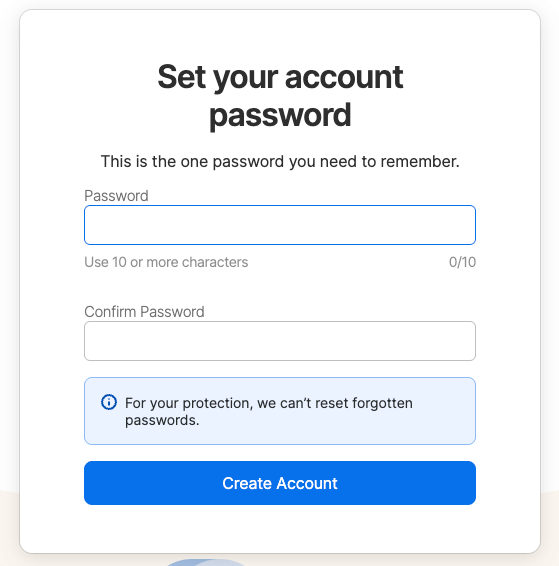
Create a strong password. This is the only password you’ll need to remember. 1Password requires a minimum of 10 characters, but I recommend adding a mix of uppercase, lowercase, numbers, and symbols.
-
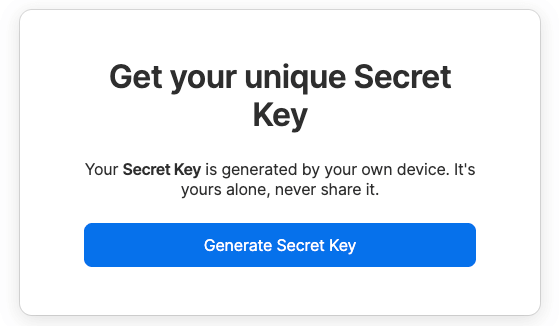
Generate your Secret Key. You’ll need this if you ever get locked out of your account. Keep it private and store it somewhere safe.
-
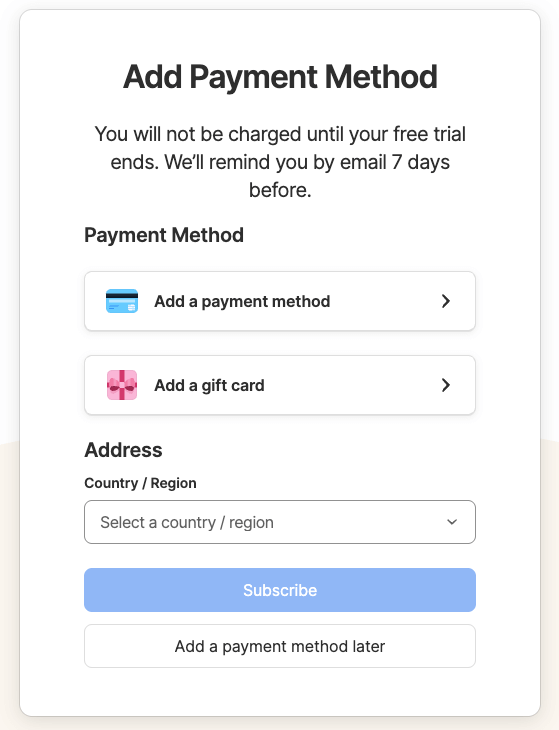
Add your payment method or skip it for now. 1Password includes a generous 14-day free trial, so you won’t be charged right away.
How to apply the 1Password discount for Navy Federal Credit Union
1Password offers an excellent discount for members of the Navy Federal Credit Union. However, you must be a member to qualify. If you are, follow these steps to claim your discount:
-
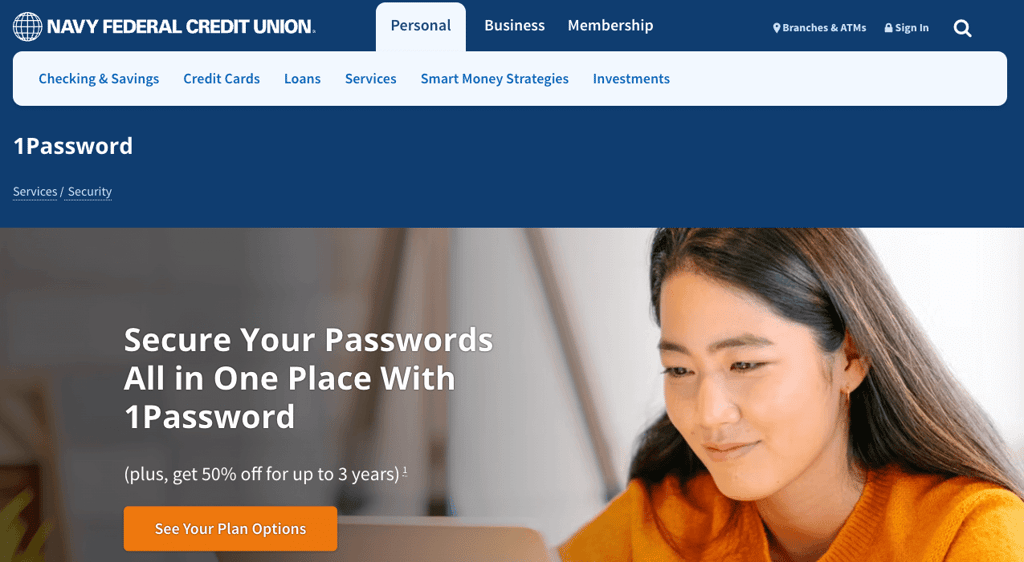
Visit the Navy Federal Credit Union website, find the 1Password discount page, and click on See Your Plan Options.
-
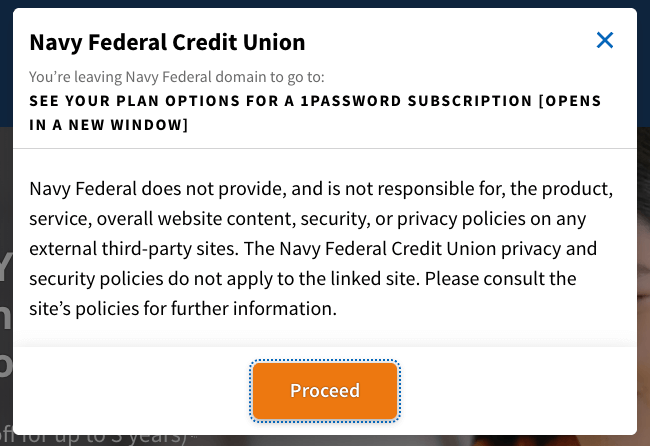
You’ll be redirected to the 1Password website to collect the offer. Click on the Proceed button to continue.
-
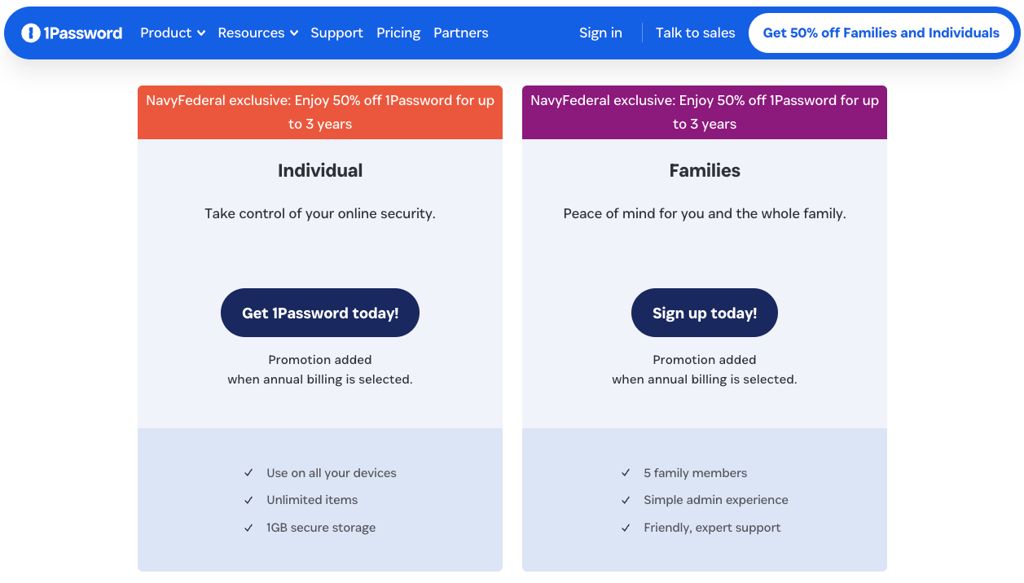
Select a plan that suits your needs best. You can choose an individual or a family package.
-
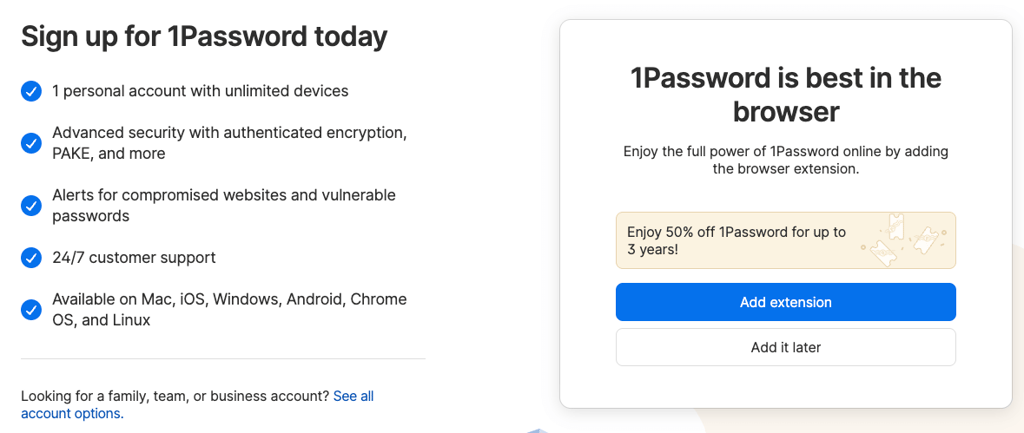
Click on the Add extension button to install the 1Password browser add-on or select Add it later.
-
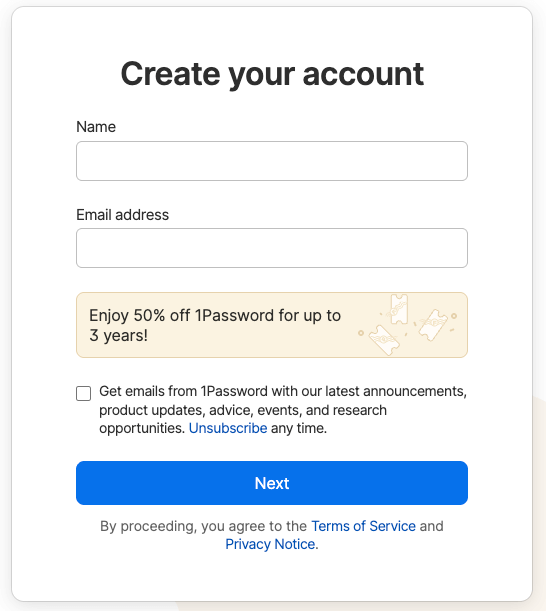
Create an account by filling out your name and email address.
-
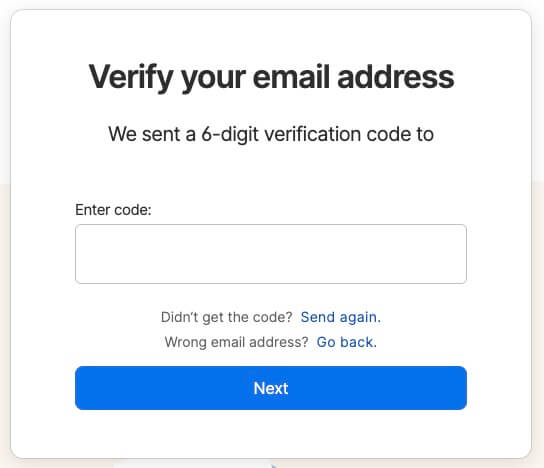
Enter the verification code you received in your email inbox.
-
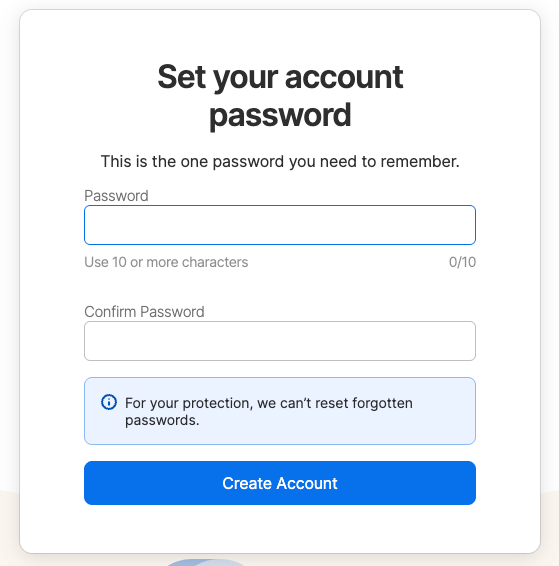
Set your account password. This will be the password to your vault, so make sure it’s highly secure.
-
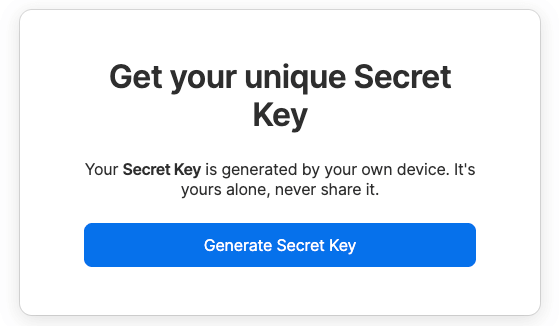
Generate a Secret Key. Store this document safely, as it’ll be the only way to recover access to your account if you ever forget your password.
-
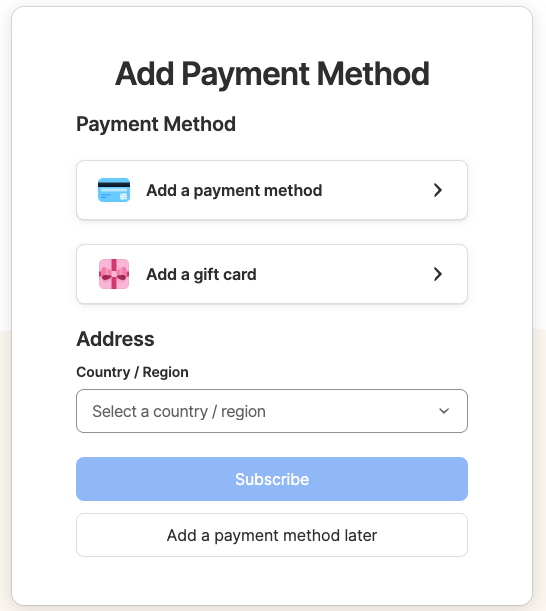
Fill out your payment information and click Subscribe to get started.
Alternative ways for military members to save
Military discounts aren’t the only way to save on 1Password plans. Here are several other easy ways to get the best value for your money:
- Use free trials. Every 1Password plan includes a 14-day free trial, so I highly recommend taking full advantage of it.
- Choose an annual plan. Like most subscription services, 1Password rewards long-term commitments. You can save up to 30% by choosing a yearly plan instead of paying monthly.
- Look for bundle deals. Occasionally, 1Password partners with other software or services as part of a bundle. Keeping an eye out for these offers can help you save even more.
- Take advantage of family or student discounts. If you’re a military member with a family or you’re also studying, check whether you qualify for 1Password’s family or student discounts.
- Watch for seasonal promotions. 1Password frequently runs special promotions during major sales events. For instance, with the 1Password Black Friday deals, you can often save up to 50% off regular prices.
- Subscribe to the newsletter. Signing up for 1Password’s newsletter is an easy way to stay informed about exclusive deals, upcoming sales, and limited-time offers available only to subscribers.
1Password for military use cases
While 1Password is useful for everyone, it’s especially important for military personnel who handle sensitive information daily. Whether you’re deployed, managing multiple devices, or sharing logins, a secure password manager protects your data from unauthorized access and potential breaches. Below are some key ways 1Password can support military users. You can also check our full 1Password review to explore all its additional features:
- Securely store deployment-related or personal data. Each account includes 1GB of encrypted storage, allowing you to safely keep private files and sensitive documents.
- Access credentials across multiple devices. 1Password lets you log in from an unlimited number of devices, so you can securely access your vault even while on deployment.
- Use Travel Mode for safe border crossings. This feature hides selected vaults from your device during travel, ensuring sensitive data stays protected if your device is inspected.
- Share encrypted passwords within family or units. With family or business plans, you can securely share passwords with others. All data is end-to-end encrypted, so only authorized users can access it.
How we look for and test 1Password military discounts
At Cybernews, we’re dedicated not only to finding the best cybersecurity products but also to helping our readers get the best deals on trusted tools like 1Password.
We work directly with 1Password to provide verified discounts and test each code manually to make sure it works before sharing it. Expired codes are removed right away, and new ones are added as soon as they become available, so you can always rely on up-to-date offers.
Our team also follows industry trends, considers user feedback, and researches reliable sources to ensure we feature only the most valuable and legitimate deals
FAQ
Does 1Password offer a military discount?
No, 1Password doesn’t currently provide a specific military discount. However, it regularly runs promotions open to all users, with savings of up to 50%.
Are 1Password discounts available for veterans?
No, 1Password doesn’t have a separate discount program for veterans. However, veterans can still benefit from the same public deals and seasonal promotions that offer up to 50% off.
Can military members still save on 1Password?
Yes, military members can save on 1Password. Even without a dedicated military discount, military personnel can take advantage of 1Password’s ongoing deals and annual plans to save up to 50% on a premium password manager.
Is there a 1Password discount for Navy Federal Credit Union members?
Yes, 1Password offers a 50% discount on a 3-year plan to Navy Federal Credit Union members. You can find the offer on the Navy Federal Credit Union website or follow our step-by-step guide to claim it.