Password Manager Coupons & Promo Codes of 2026
In October 2026, you can save up to 60% on top password managers. We have a variety of password manager coupons available for different providers so that you can pick the right one for you. Below, we’ve gathered only the best deals to help you protect your accounts at the lowest cost possible.

Enjoy a 33% discount off the NordPass Personal 1-year subscription. It includes end-to-end encryption, autosave and autofill, password health reports, and data breach scanning. Discount is applied at checkout.

Make family internet safety affordable by applying our discount code to receive 50% off your first year of the comprehensive 1Password Families plan.

Keep your private logins secure with RoboForm. This tool offers unlimited password storage, easy autofill, and a powerful password generator. Enjoy 60% off the 1-year Premium package for complete online organization and safety.

Keeper Personal offers premium password managment with a 50% discount.

Never worry about password theft again. Step up today to reduce your first year by 60% using this bespoke 60% for your private vault.
How to choose the best password manager coupon
Here are some key points to consider when choosing the best password manager coupon:
- Do you need the strongest security out there? Strong protection in a password manager comes in the form of strong encryption, like XChaCha20 or AES-256-bit. Also, it is useful for the software to have 2FA authentication and even biometrics for accessing your vault. And you’ve probably already heard that it is better for your passwords to be stored locally on your device’s vault. If those are the characteristics that you are looking for, then NordPass could be a match.
- Why do you need it? Do you need the software only for storing login items, credit cards, and some personal information? Or, perhaps, you want a password manager to be versatile software with a full pack of features? Do you need a built-in VPN, multiple login options, an unlimited number of active sessions, and other benefits? If so, our recommended providers on this page will cover most of these criteria. But if you specifically need a VPN, your best option is either a NordPass and NordVPN bundle (such as the Complete plan) or the Proton Unlimited plan, which includes the Proton Pass password manager and Proton VPN.
- How tight are you with the budget? Cybersecurity is becoming a priority nowadays. We know you understand the importance of a password manager. Yet, we also know that top password managers can be quite hard on your wallet. Nevertheless, there are great security options for a lower price. Luckily, options like NordPass offer powerful free plans, as well as very affordable premium solutions.
How to apply a coupon code
Here you will see how to apply a coupon code step by step:
1. The easiest way to apply a coupon code is to click the black Get Deal button on one of the coupons above, as it will take you straight to the provider’s page and apply the discount automatically. Alternatively, go to your chosen provider’s website, select a plan, and proceed to the checkout page.
2. Find Got a coupon? or a similar button below your order summary and click on it.
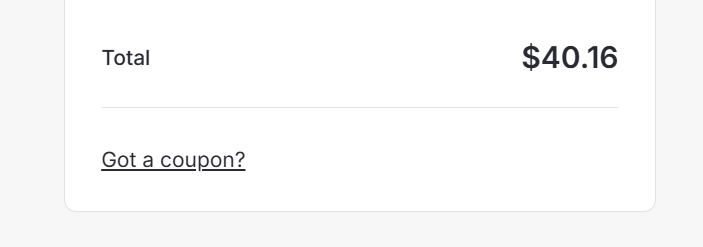
3. Type in the discount code and hit Apply
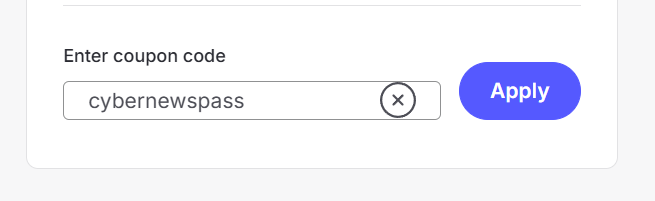
4. Enter the payment details and proceed. The deal will correspond to your applied coupon code.
Also, if you don’t have an account for a selected password manager yet, then you can create an account when you apply the code. You may have to activate your account via your personal email. Afterward, don’t forget to download the password manager application and start securing your items.
Are all of these password manager coupons up to date?
All the promo codes we share with you are up to date. We update the codes for password manager services regularly so that you can enjoy their benefits as much as possible.
If it happens that your code does not work, check whether you have typed it in correctly. Also, be aware that there is an expiry date, so keep an eye on it.
If you struggle to apply the code, do not hesitate to leave a comment below for us or contact your password manager’s support team.
FAQ
What is the best password manager coupon?
Our top choices for a password manager coupon are Nordpass and 1Password. They’re offering up to 56% and 50% discounts, respectively, for October 2026.
How do I know when the password manager coupon expires?
After clicking a coupon code link, you will be able to see whether there are any exclusive promotions that you could use or if they have already expired. Another option would be to navigate to your provider’s checkout page and type in the code. If your code has expired, you will receive a notification about it.
Are coupon codes legit?
All the coupon codes that we post on our website are legit. But if you find a code on a suspicious-looking website, then it is possible that the promo code is fake. Be careful using coupons from unofficial sites, as they could lead you to download malware or spyware onto your device.


