Best password managers with passkey in 2026
Being behind major reports like The Mother of All Breaches and WhatsApp Data Leak, our in-house cybersecurity experts conduct independent, unbiased testing and thorough analysis of password managers, helping users confidently manage their credentials and sensitive information.
We prioritize transparency by openly sharing detailed descriptions of our in-house testing procedures and methodologies.
Learn more
-
NordPass is the best passkey password manager overall, combining easy passkey management and polished apps with passkey storage included in its Free plan.
-
1Password combines passkey management with strong vault protection, Watchtower alerts for accounts supporting passkeys, and Travel Mode for sensitive vaults.
-
RoboForm offers affordable paid plans with passkey storage, one-click login, and secure sharing across supported devices.
-
Passkey support depends on the website, browser, and operating system, so check compatibility with your accounts and devices before choosing a password manager.
The best password managers with passkey support in 2026 are NordPass, 1Password, and RoboForm. These services let you create, store, sync, and use passkeys across compatible devices, making passwordless logins easier to manage. NordPass is the overall winner, while 1Password stands out for its security features, and RoboForm offers an affordable paid option.
For this guide, I tested leading passkey password managers with the Cybernews research team, comparing passkey creation, cross-device syncing, browser and mobile compatibility, security, and everyday usability. Below, I explain how the top five providers performed and what to consider before choosing where to store your passkeys.


Our in-house research team thoroughly analyzes password managers, and our team of experts uses the gathered insights and hands-on experience to evaluate each provider accordingly. Find out how we assess password managers.
Do you need a password manager with passkeys
Passkeys are rapidly replacing passwords across major platforms, making support for them in password managers increasingly essential. They’re phishing-resistant and protect against password-guessing attacks, and more websites are urging users to switch. What was once a useful feature is quickly becoming a must-have.
Unlike traditional passwords, which can be difficult to remember and are often reused across multiple sites, passkeys are unique cryptographic credentials stored securely. The service stores the public part of the passkey, while the private key remains protected on your device or in your password manager. Additionally, passkeys simplify your online experience. They eliminate the need to remember or input complex passwords, as authentication is often as simple as a click or a biometric check.
Adopting a password manager with a passkey is a proactive step toward leveling up your digital security. It streamlines your online interactions while significantly reducing the risk of cyber threats.
Top passkey managers 2026
To find the best password managers with passkeys, our research team and I meticulously looked into and tested various password managers with multiple features and capabilities. For an in-depth analysis of the 5 best password managers with passkeys available, check the detailed list below.
NordPass – overall best password manager with passkeys in 2026

| Rating: | |
| Max devices: | Unlimited |
| Browser plugins: | Chrome, Firefox, Safari, Opera, Edge, and more |
| Current deal: | Get NordPass, now with 56% OFF |
NordPass is the best password manager with passkey support in 2026. Its free version caters to budget-conscious users, while the paid plans deliver a reliable, feature-rich experience.
I found NordPass passkeys easy to manage thanks to the dedicated Passkeys section in the sidebar. I could create them on supported websites, then view and manage them separately from regular passwords in my vault.
Some of the key NordPass features also include multi-factor authentication and biometric login (which add an extra layer of security to protect your information), and strong XChaCha20 encryption to protect vault data. Its cross-platform compatibility lets you use NordPass on your desktop, mobile, and via browser extensions for Chrome, Firefox, Edge, and other Chromium-based browsers. There are also unlimited passwords, including credit cards, notes, and personal information for quick online form-filling. Premium users also get 3GB of file attachment storage.
During our NordPass review, what particularly impressed me was its ability to attach files like passports and IDs alongside passwords. It gives users a convenient way to keep sensitive documents alongside their vault items. However, NordPass Free only allows one active device session at a time, although your vault still syncs across multiple devices.
NordPass premium starts at just $1.29/month with a 30-day money-back guarantee. The free version, although limited to one account, includes passkey technology. NordPass is ideal for individuals or businesses transitioning from traditional passwords to more secure passkeys, especially when the NordPass Business plan costs just $2.87/month per person.
1Password – highly secure password manager with passkey support

| Rating: | |
| Max devices: | Unlimited |
| Browser plugins: | Chrome, Brave, Firefox, Edge, and Safari |
| Current deal: | Get 1Password, now up to 50% OFF |
1Password is a secure password manager with passkeys, combining encrypted vault storage with practical security tools like Watchtower and Travel Mode. Additionally, its shared vaults and support across major devices also make it a strong choice for families.
The 1Password passkey feature can be easily accessed in the browser extension when signing up for new accounts or within the Watchtower for existing logins. I could add a new passkey to an existing Login item or save it as a new one. I also liked that Watchtower can flag saved accounts that support switching to passkeys.
Some of the key features include biometric and 2FA options that offer secure access through biometrics and one-time passwords generated on your phone. 1Password also has wide browser extension support – it’s compatible with Chrome, Firefox, Edge, and Brave.
There’s also Watchtower and Travel Mode: Watchtower scans for compromised passwords and 2FA support on websites, while Travel Mode temporarily removes vaults from your devices while traveling, unless the vaults are marked as safe for travel.
What sets 1Password apart is its Travel Mode, a feature not commonly found in other password managers like RoboForm. As explained in our 1Password review, this mode is really convenient when traveling, as it safeguards sensitive information on the go. However, its lack of a free version could be a limitation for some users, unlike services like NordPass, which offer a free plan.
Starting at $2.99/month, 1Password also provides a Family plan for $4.49/month covering up to 5 users. Meanwhile, business plan subscribers can get unlimited device coverage for $8.99/month per user. Though it lacks a free version, a 14-day free trial. 1Password is an ideal choice for families or individuals seeking a robust and user-friendly password management solution.
RoboForm – affordable password manager with passkey support

| Rating: | |
| Max devices: | Unlimited |
| Browser plugins: | Chrome, Edge, Firefox, Opera, and more |
| Current deal: | Get RoboForm, save up to 64% |
Starting at only $0.89/month, RoboForm is one of the most affordable password managers with passkeys, offering competitively priced paid plans for both individual users and families. It stores passkeys alongside existing login details, making it easy to manage passwords and passkeys together without learning a separate system.
RoboForm made the passkey setup very easy because it uses the regular AutoSave flow. When I created a passkey for an existing account, RoboForm added it to the same Login record rather than creating a separate section.
RoboForm’s key features include two-factor authentication (2FA), which adds an extra layer of security to your vault, and strong AES-256 encryption – the leading encryption protocol for data security. The provider also includes applications for Windows, macOS, Android, and iOS, plus browser extensions for Linux and ChromeOS, and a frequently updated web app. Also, there’s one-click login and secure credential sharing, which simplifies login processes and enables secure credential sharing. Dark web monitoring and detailed reports keep an eye on data leaks and provide insights on password health.
During our testing, RoboForm's one-click login was exceptionally convenient, surpassing similar features in providers like Dashlane in terms of simplicity and speed. Unfortunately, unlike NordPass, RoboForm lacks a live chat support option for free users, which could be a slight drawback for those seeking immediate assistance.
Starting at an affordable $0.89/month (billed every year), RoboForm is an ideal solution for both businesses and individual users, offering a balance of ease of use and advanced security features. Those wanting to invest in a business plan can get this password manager for $3.33/month per user. Overall, RoboForm is a cost-effective, user-friendly password manager with the latest passkey technology.
Keeper – passkey password manager for businesses

| Rating: | |
| Max devices: | Unlimited |
| Browser plugins: | Chrome, Firefox, Opera, Edge, and more |
| Current deal: | Limited-Time offer! Get 50% OFF Keeper Personal and Family plans |
Keeper is a strong passkey password manager for businesses, combining zero-knowledge encryption with secure credential sharing. It ensures your data is encrypted on your device before it even reaches Keeper’s servers, offering an added layer of security.
With Keeper, I could save a passkey directly to the relevant vault record when creating it on a supported website. Afterward, the passkey appeared alongside the rest of the login details, which kept everything in one place.
Keeper's key features include multiple 2FA options, such as authenticator apps, SMS, security keys, and other supported authentication methods, cross-platform apps and extensions (it’s available for all major operating systems and browsers, including Edge), and a secure messaging app with self-destructing messages and private media galleries – KeeperChat. What I also liked was the multi-device support – one account can be used across unlimited devices.
As covered in our Keeper review, KeeperChat stood out as a unique feature not commonly found in other password managers like Dashlane or 1Password. One area where Keeper could improve is in offering more export options. Compared to services like 1Password, its export capabilities are somewhat limited.
Starting at $2.15/month for the personal plan, Keeper also offers business and family plans, with its Business Starter plan costing just $2.00/month per user. Its free version, which covers one mobile device with up to 10 password or passkey records and includes 2FA, is a great starting point. The premium service includes a 30-day free trial. Its passkey support and extensive device compatibility make Keeper a strong contender for individuals and businesses seeking a comprehensive security option.
Dashlane – easy-to-use password manager for passkey

| Rating: | |
| Max devices: | Unlimited |
| Browser plugins: | Chrome, Firefox, Safari, Edge, and more |
| Current deal: | Get Dashlane, save up to 25% |
Dashlane is an easy-to-use password manager with passkey support, offering clear prompts for saving and using passkeys. Its blend of advanced features and ease of use makes it a top choice, even if it's a bit pricier than some alternatives.
With Dashlane, I was prompted to save a passkey as soon as a supported website offered one. After creating my first passkey, a dedicated Passkeys section appeared in the web app, where I could easily view and manage it.
Dashlane has biometric and 2FA options that enhance security with biometrics like Touch ID or Face ID, in addition to 2FA. Dark web scanner feature monitors for leaks of personal data like passwords or banking details. What’s more, there’s access to Hotspot Shield’s VPN via a separate app, which provides added privacy and security by encrypting your internet traffic. Password health checker evaluates the strength of your passwords and prompts changes when necessary, and a secure sharing feature allows for safe credential sharing with friends, family, or coworkers.
When reviewing Dashlane, our team concluded that the included Hotspot Shield Premium VPN access sets it apart from other password managers like 1Password and Keeper, offering an extra layer of online protection. One limitation is that it has discontinued its free plan.
Priced at $4.06/month for the premium version, Dashlane offers a 14-day Premium trial rather than a permanent Free plan. This pricing is justified by its comprehensive feature set, including added VPN and dark web scanning capabilities that make it a solid choice for personal and professional use.
Compare passkey password managers
| NordPass | 1Password | RoboForm | Keeper | Dashlane | |
| Brand |  |  |  |  |  |
| Overall rating | |||||
| Passkey method | ✅ Yes | ✅ Yes | ✅ Yes | ✅ Yes | ✅ Yes |
| Free version available | ✅ Yes | ❌ No | ✅ Yes | ✅ Yes (limited) | ❌ No |
| Authentication options | Extensive | Biometric and OTP | Standard | Multiple | Biometric and OTP |
| Cross-platform support | Windows, macOS, Android, iOS | Windows, macOS, Linux, Android, iOS | Windows, macOS, Linux, ChromeOS, Android, iOS | Windows, macOS, Linux, Android, iOS | Windows, macOS, Android, iOS |
| Standout feature | File Attachments | Travel Mode | One-Click Login | KeeperChat | Hotspot Shield VPN access |
| Starting price | From $1.29/month | From $2.99/month | From $0.89/month | From $2.15/month | From $4.06/month |
| Money-back guarantee | ✅ 30 days | ❌ No | ✅ 30 days | ❌ No | ✅ 30 days |
| Suitable for | Individuals, families businesses, and beginners | Families, individuals, and businesses | Individuals and businesses | Individuals and businesses | Individuals and professionals |

How do passkeys work?
Passkeys, a revolutionary approach to digital security, are designed to replace traditional passwords with a more secure and convenient authentication method. A passkey is a cryptographic credential made up of a public and private key. The public key is stored by the service you sign in to, while the private key remains protected on your device or in your password manager.
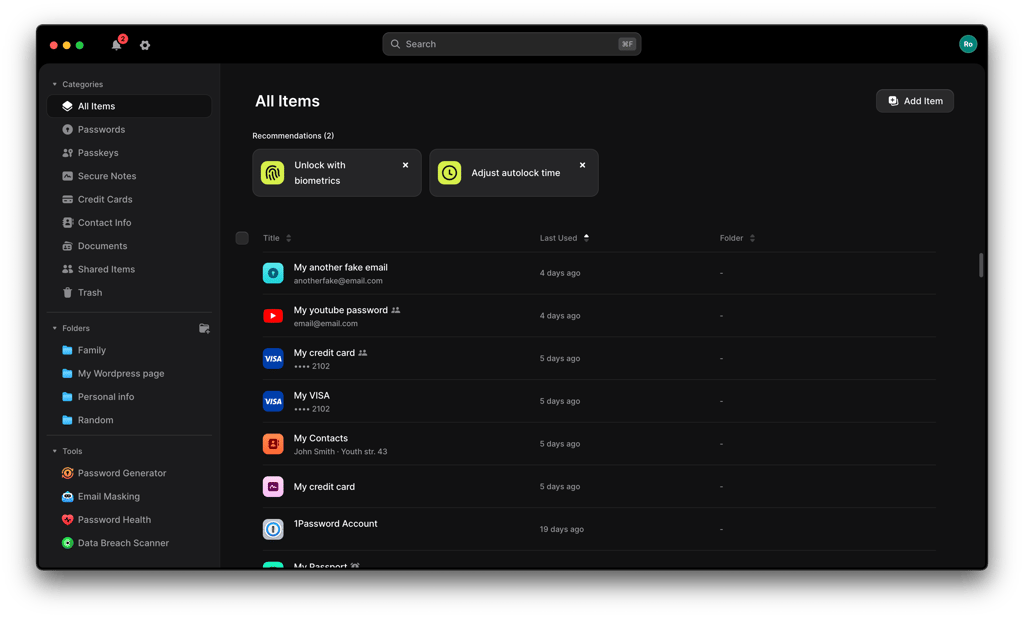
When you log into an account, instead of typing a password, the system requests your passkey. You then authorize its use using a supported device verification method, such as biometrics, a PIN, or another form of local authentication. This two-step process significantly enhances security. For example, if you're using NordPass, you'll find your passkeys on the main menu.
When you have NordPass enabled on your browser, it automatically pops up and lets you set a passkey on a selected website. Note that it only suggests passkeys if the website you're on supports passkeys.

Passkeys are designed to be more resistant to phishing than traditional passwords, but also more convenient. They eliminate the need to remember and enter complex passwords, streamlining the login process.
Passkeys are ideal for anyone looking to bolster their online security while simplifying their digital experience. They are particularly beneficial for businesses and individuals who manage sensitive information and seek to mitigate the risks of data breaches.
I recommend NordPass, as it syncs your passkeys across all of your devices as well as operating systems and enables you to safely share passkeys whenever needed.
What are the disadvantages of passkeys?
While passkeys offer enhanced security and convenience, they do have some drawbacks. Here's a quick summary of some of the disadvantages of passkeys:
- Account recovery. Losing access to the devices or password manager that stores your passkeys can make account recovery more complicated, although synced passkeys can remain available on your other connected devices.
- Limited applicability. Not all websites and services currently support passkey logins, requiring fallback to passwords in some cases.
- Learning curve. Transitioning from passwords to a new authentication method like passkeys can be initially confusing for some users.
- Temporary access issues. Biometric failures or technical glitches, though rare, can cause temporary login difficulties until resolved.
Can passkeys be hacked?
While the security of passkeys is significantly higher than traditional passwords, no system is entirely immune to hacking. Passkeys use public-key cryptography and are designed to resist phishing because authentication is tied to the legitimate website or app, and the private key is never sent to that service.
Their security still depends on the devices, operating systems, and password managers used to store and access them, so keeping those systems protected and up to date remains important.
For instance, if a device holding the passkey is compromised through malware or other sophisticated cyber attacks, the passkey could potentially be at risk. Additionally, the security of a passkey also depends on the integrity of the underlying technology, including the biometric system and the encryption method used.
While the likelihood of passkeys being hacked is considerably lower, it's crucial for you to maintain good cybersecurity hygiene, such as using secure and updated devices, to minimize risks. Regular security audits and staying informed about potential vulnerabilities in the passkey system are also advisable.
Final thoughts
NordPass is my pick for the best password manager with passkeys in 2026. I found the setup easy to follow, and its dedicated Passkeys section made saved credentials easier to find and manage. Passkey storage is also available on the Free plan, so you can check how it works with your accounts before upgrading.
1Password is a strong alternative if you want Watchtower alerts and Travel Mode, while RoboForm offers lower subscription costs. Before choosing, I’d check passkey compatibility with your websites, browsers, and devices, along with syncing limits and recovery options.

FAQ
Do all passkey password managers let you share passkeys?
No, passkey sharing is not available in every password manager. NordPass, 1Password, RoboForm, and Keeper support sharing stored passkeys, while Dashlane does not currently offer this feature. Check the sharing restrictions of your chosen plan before subscribing.
Which password managers let you transfer passkeys to another provider?
1Password and Dashlane support passkey transfers through Credential Exchange on compatible devices. Both the sending and receiving apps must support the transfer. Standard CSV exports do not preserve usable passkeys, so check the supported transfer method before switching providers.
Does passkey support mean I can unlock the password manager without a master password?
No, supporting website passkeys does not automatically mean a password manager offers passwordless vault access. For example, RoboForm provides this through its separate Passwordless Unlock feature, which uses a passkey verified with your face, fingerprint, or PIN.
Can I create multiple passkeys for the same account?
Yes, you can create multiple passkeys for the same account if the website or app allows it. This lets you register separate passkeys with different providers, giving you another way to sign in if one becomes unavailable.
Do passkeys expire?
Passkeys have no built-in expiration date. However, the website or app can revoke a passkey or require changes to your sign-in setup, so follow any account security notifications from that service.