How to opt out of Spokeo

 Follow us
Accessing information about someone is easier than ever today, emphasizing the need for online privacy. You must take control of how your information is shared on the Internet.
Data brokers like Spokeo collect data about you from various sources, such as public records, social media accounts, surveys, mailing lists, and more. They make this data readily available to the public; anyone who enters your name, email, phone number, or address can access information about you on Spokeo.
This means bad actors can use Spokeo to collect data for malicious purposes, such as cyberstalking, hacking, scams, identity theft, and more. It’s essential to remove your information from people search sites like Spokeo. In this article, we’ll guide you through the Spokeo opt-out process.



The Cybernews team consists of professional and highly skilled writers and an in-house research team. They’re the core of all our reviews, bringing the performance of each tool closer to you. Additionally, we stick to a transparent testing process, which includes investigating various services, their features, and disclosing our testing methodology with everyone. Discover more about our testing process.
What is Spokeo?
Spokeo is a popular people search platform that provides information about individuals, like their names, contact details, social media accounts, criminal records, financial data, location history, and health records. Sites like Spokeo can be valuable for reconnecting with friends or doing background checks on potential employees if you’re a business owner.
Unfortunately, the Internet also has malicious actors who can use the data on Spokeo to engage in harassment, identity theft, doxing, and other criminal activities. Stalkers can even use the platform to learn your address and gather information about you.
While Spokeo’s disclaimer says the information it provides shouldn’t be used for harassing someone, they can’t control what people do with the data. As a result, such sites pose a significant risk to your security.
How to opt out of Spokeo: Step-by-step instructions
Opting out of Spokeo is straightforward. There are two ways to do this. You can opt-out automatically using a data removal service like Incogni or manually by contacting Spokeo.
Keep in mind that each method has its pros and cons. While the automatic method is faster and easier, the manual method gives you more control over the process. We’ll provide step-by-step instructions for both methods below.
How to opt out automatically
The easiest way to remove your data from data broker sites is to opt out automatically with a data removal tool like Incogni. This method requires no manual intervention. You can just relax and have Incogni do the work of wiping your information from nearly 420+ (3,420 with custom removals) databases.
Here’s a step-by-step guide to using Incogni:
-
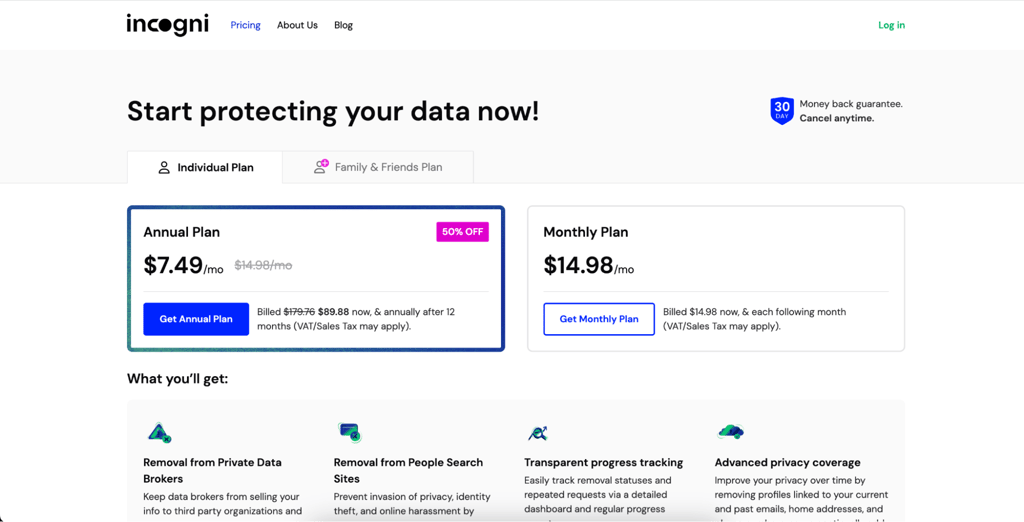
Go to the Incogni website, click “Get Started,” and select a plan that fits your needs and budget.
-
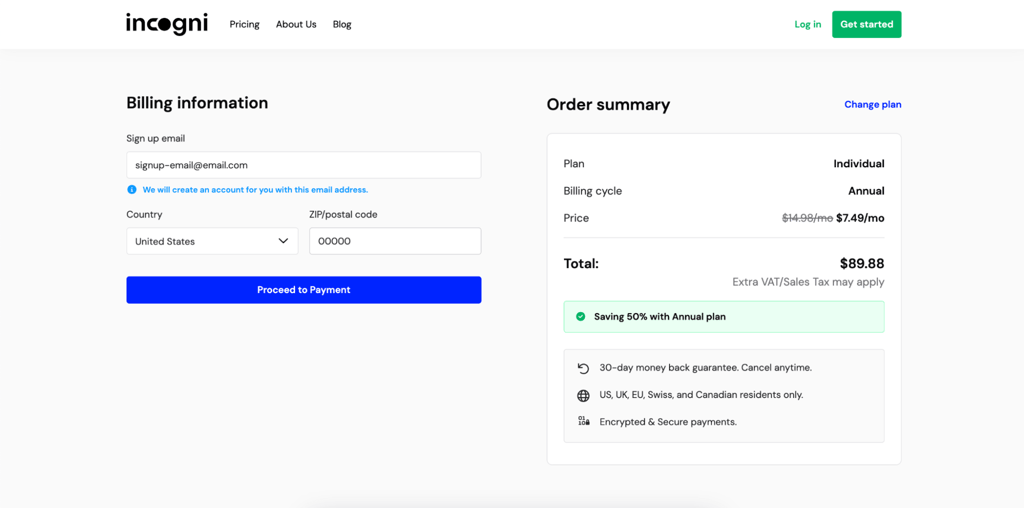
Enter your details, such as your email address, country, and ZIP code. Then, click on “Proceed to Payment.”
-
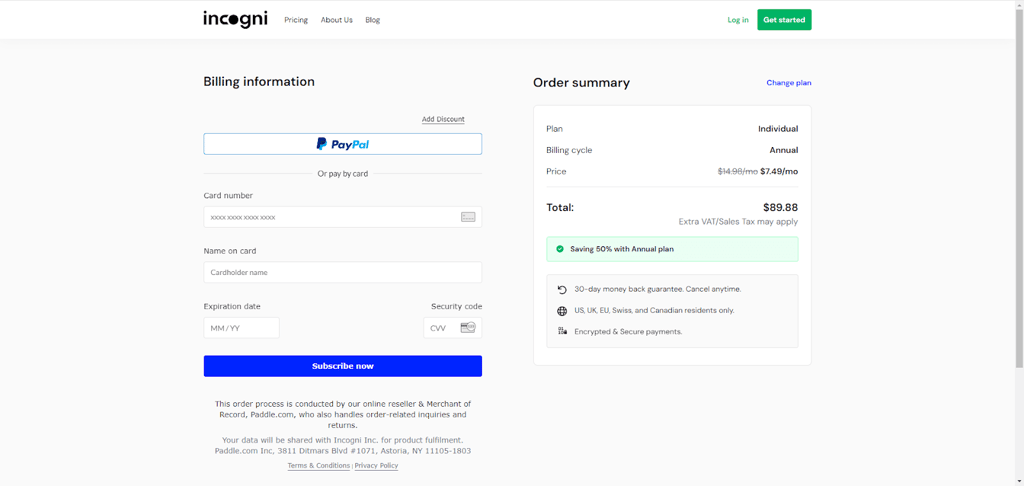
Fill out your billing details and click “Subscribe Now.”
- You’ll receive a verification email in your inbox. Click “Verify your email address” to complete the process.
-
The next step is to create an Incogni account. You’ll need to enter personal information like your name, phone number, and date of birth.

-
Sign the Power of Attorney form to authorize Incogni to contact data brokers on your behalf.

- Incogni will automatically send emails to nearly 420+ (3,420 with custom removals) data brokers, asking them to remove your data from their websites.
- You can see which data brokers have deleted your information on the Incogni dashboard. You can also see how many opt-out requests Incogni has sent out on your behalf.
How to manually remove your data from Spokeo
Compared to the automatic method, the manual Spokeo opt-out process might take more time and effort. However, it’s a viable method if you want to handle the process yourself and have total control over what’s happening.
To make things easier for you, we’ll provide you with a detailed, step-by-step guide on how to opt out of Spokeo manually:
-
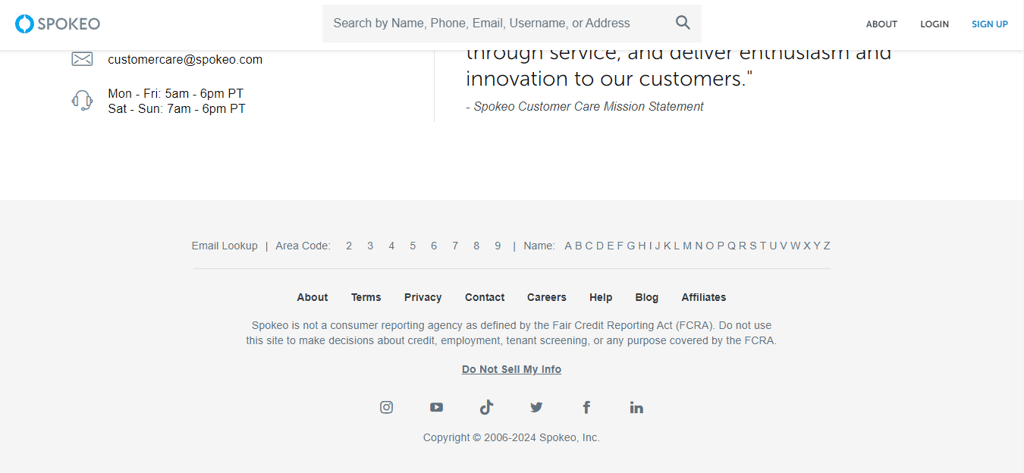
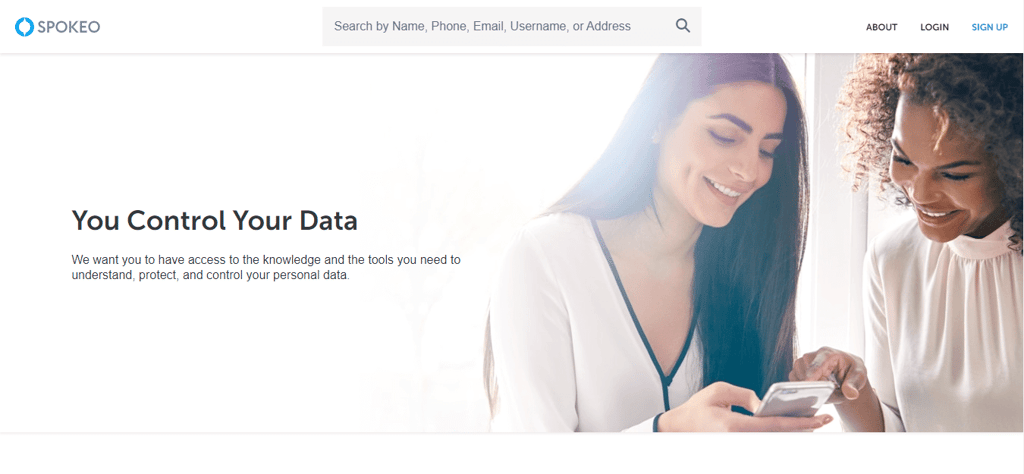
Go to the Spokeo opt-out page. You can find it at the button on their home page under “Do Not Sell My Info.”
-
To locate your listing, enter your name, email, or phone number in the search bar at the top of the page.
-
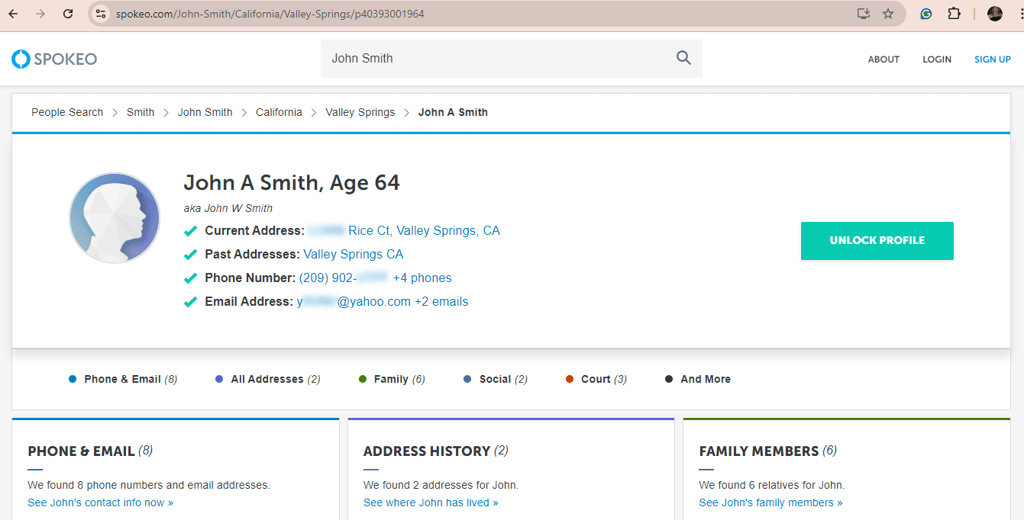
Once you find some data, copy the URL of the page.
-
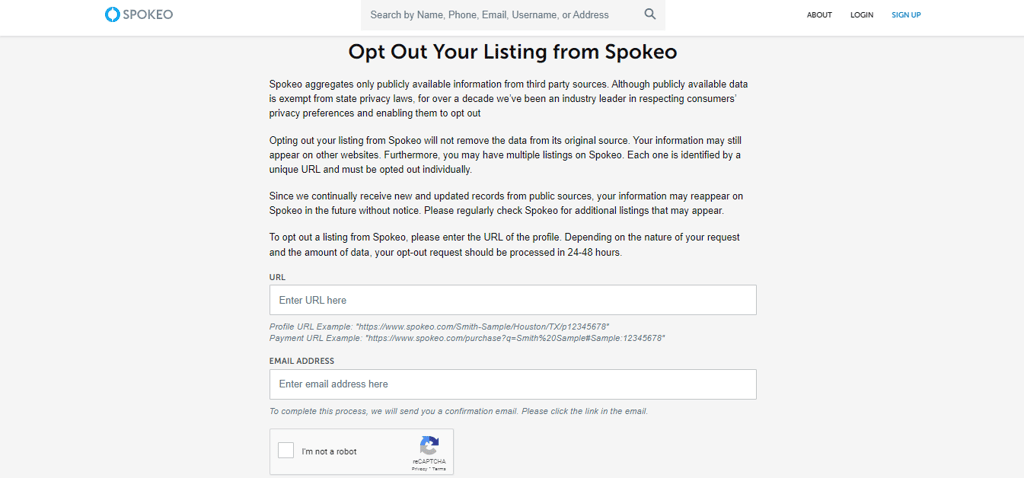
Enter the URL into the opt-out form on the Spokeo website.
-
Provide an email address where you can receive a confirmation link and tick the CAPTCHA button.
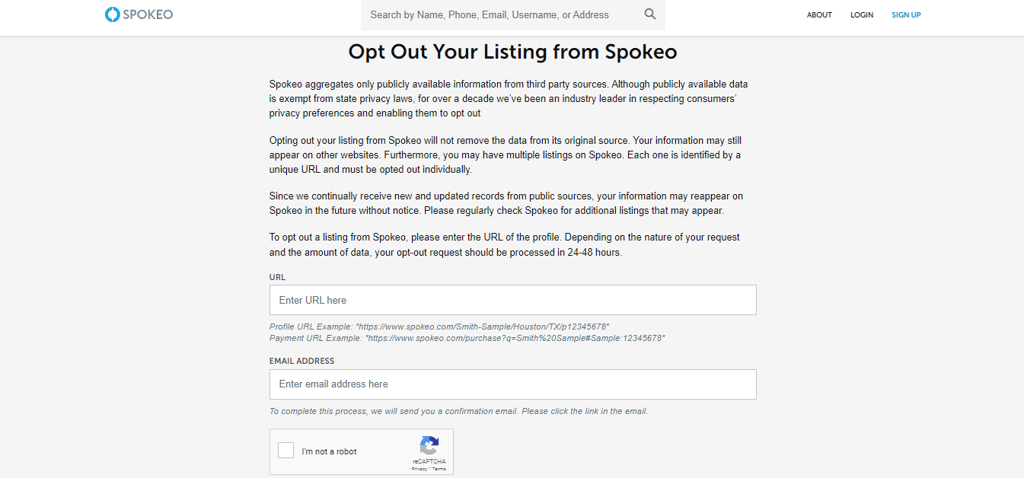
- Confirm the opt-out request via the link sent to your email, and that’s it!
Alternative Spokeo opt-out methods
You can also remove personal information from Spokeo by contacting the Spokeo support team. You can reach them via Spokeo’s 24/7 live chat option, phone number, or email. Explain precisely what you want when you contact Spokeo’s support staff.
Using a data removal service like Incogni is the most effective way to wipe your information from the databases of people search sites. All you need to do is create an account, and Incogni takes over. Even after getting your information scrubbed from people search sites, Incogni continuously scans brokers’ databases to ensure your data is not re-added to their records.
Reasons to remove your information from Spokeo
By opting out of Spokeo and similar platforms, you can significantly reduce the chances of your sensitive data falling into the wrong hands, whether it's strangers, scammers, or other malicious actors.
Beyond privacy, removing your information from Spokeo cuts down the likelihood of unwanted contact, protects you against identity theft, and allows you to maintain control over your digital footprint.
This can be especially important for individuals concerned about their online reputation or who wish to protect their privacy from employers, landlords, or other entities that may use online information to make decisions about them.
Overall, sharing data online can be very risky. According to research by UK university professors, once you share your personal information, anyone can know where you live, who you know, where you work, what your interests are, etc. Due to this, it’s crucial to opt out of websites like Spokeo that share records of your sensitive data.
Conclusion
Spokeo is a data broker that collects data about you from various sources and shares this information with its subscribers. While sites like Spokeo can be useful for finding a long-lost friend or family member, they expose your data to malicious actors.
Luckily, you can opt out of Spokeo and other data broker sites to protect your privacy. While you can directly contact Spokeo and request to have your data deleted, the process is time-consuming and can involve several steps.
The easiest and most effective way to remove your data from sites like Spokeo is by using a data removal service like Incogni. This tool contacts up to 190 data brokers and asks them to delete your information. Incogni continuously scans databases for your information and ensures your data is not exposed to the public.
Explore other opt out guides:
InstantCheckmate opt out: how to remove your info in minutes
How to opt out of CoreLogic: keep your personal information private
How to opt out of BeenVerified: a detailed guide for 2026
How to opt out of PeopleFinders: ultimate step-by-step guide
FAQ
Is Spokeo legal?
Yes, Spokeo is legal. The company collects data from public records, social media, and other resources.
How do I remove my information from Spokeo?
You can remove your information from Spokeo automatically using Incogni or manually by filling out the form on the Spokeo opt-out page.
Is there a way to use Spokeo for free?
No, you cannot use Spokeo for free. You need to sign up by purchasing its 1-month or 3-month plans.
How do I delete my Spokeo account?
Yes, you can delete your Spokeo account by contacting the Spokeo support team and asking for a cancellation.
Is it difficult to cancel Spokeo?
No, it’s not difficult to cancel your Spokeo account. Just reach out to the Spokeo support team with your request, and they’ll guide you through the process.