Best budget laptops in 2026: top 10 picks for every kind of buyer

If you only need a laptop for the web, email, and video calls, you can spend a lot less than you think. The trick is finding one that's affordable without compromising too much on performance, battery life, or build quality.
The top 10 laptops on my list range from a simple Chromebook to a 16-inch gaming machine, so instead of ranking them from cheapest to most expensive, I've organized them by use case and explained what you sacrifice with each one.
My pick for the best budget laptop for most people in 2026 is the MacBook Neo. It combines an all-aluminum build and long battery life with a starting price well below any other MacBook, though you'll sacrifice some ports and upgradeability to get there.
Apple isn't your only option, though. Whether you need something for everyday tasks, studying, or gaming, here's how to find a budget laptop that's worth buying.
Best cheap laptops 2026: shortlist
- MacBook Neo – best budget laptop in 2026 overall
- Lenovo IdeaPad Slim 3 – best for basic Windows needs
- HP Envy x360 – best budget 2-in-1 with a fingerprint reader
- Lenovo LOQ – best budget laptop for gaming
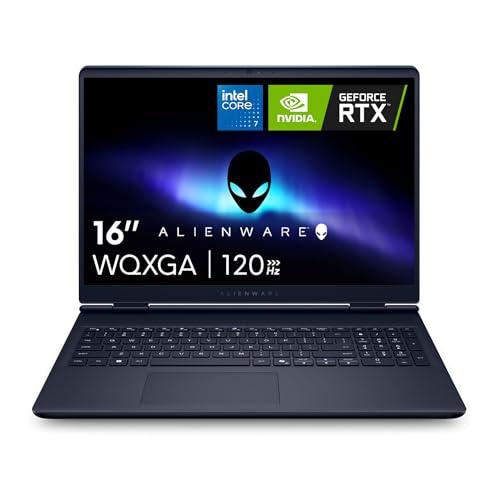
- Alienware 16 Aurora – best big-screen gaming laptop with long battery life
What to look for in a budget laptop
A budget laptop is less about finding the lowest price and more about avoiding a configuration you'll regret in six months. Here are the buying criteria I'd stick to:
- Avoid 8GB Windows laptops with soldered memory. 8GB is fine for a basic Chromebook or a laptop used mainly for email, video calls, and a few browser tabs, but 16GB gives you more room to multitask. If the listing says “LPDDR” or “soldered memory,” you can’t add more later, so choose 16GB up front.
- Buy an SSD, not eMMC. A 256GB SSD beats a 512GB eMMC drive because it loads Windows, apps, and files much faster. Look for NVMe SSD in the specifications, and avoid models that only mention flash storage
- Check how long a Chromebook will get updates. Google supports newer Chromebooks for up to 10 years, but the countdown starts when the model is released, not when you buy it. Look up the exact model on Google’s Auto Update Expiration list before buying, and skip any with less than four years of support left unless it’s heavily discounted.
- Don’t buy a 720p screen. A 1080p display should be the minimum in 2026, because lower resolution screens look blurry and leave less room to work. Look for Full HD, FHD, or 1920x1080 in the specs. If the listing doesn’t mention screen brightness, assume it’s a basic panel (you want 300 nits or more).
- Check what each port can do before buying. Two USB-C ports are not always the same: one may support fast data transfers and external displays, while the other may be limited to slower charging or data. Check the manufacturer’s specifications for each port on the laptop, and plan on a hub if there’s no HDMI or USB-A.
- Use Black Friday and other seasonal sales as a price target and not a reason to downgrade. If a good 16GB/SSD version reaches your target price before the sale, I recommend buying it rather than waiting for a smaller discount on a weaker model.
10 best budget laptops in 2026: detailed list
I chose laptops that cover different uses rather than the same machine at slightly different prices. For each one, I note the configuration worth buying and what you give up.
1. MacBook Neo – best budget laptop overall
The MacBook Neo is the easiest budget laptop to recommend if you want something that feels more expensive than it is. At this price, you get a compact all-aluminum body, a bright 13-inch Liquid Retina display, Apple’s A18 Pro chip, and up to 16 hours of claimed battery life, plus a fanless design that stays completely silent during everyday use.
In my testing, it was at its best as an everyday laptop: browsing with lots of tabs open, writing, video calls, streaming, and light photo editing all felt quick and effortless. I found the 500-nit display bright enough to use beside a window, and the 2.7-pound chassis made it easy to carry between classes, meetings, or rooms at home.
The compromises are the ones you’d expect at this price. The 8GB of memory and the 256GB base storage can't be upgraded. The keyboard has no backlight, which I noticed to be one of the most common hardware complaints among buyers, and Touch ID is available only on the 512GB model. The display covers sRGB only and lacks True Tone, so I’d skip it for color-critical work. It also has just two USB-C ports, so you’ll likely want a hub if you regularly connect external drives, monitors, or peripherals.
If your priority is a durable, long-lasting laptop for school, work, and everyday browsing, the MacBook Neo is the best value in Apple's lineup and one of the strongest budget laptops overall. I’d recommend choosing the 512GB version if you keep lots of photos, videos, or large apps locally, though.
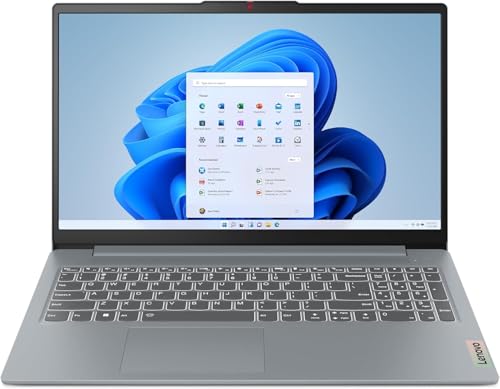
2. Lenovo IdeaPad Slim 3 – best for everyday Windows basics
The Lenovo IdeaPad Slim 3 is an excellent Windows choice if you want a larger screen, enough memory for multitasking, and the ports most people still use. The configuration I’d look for pairs a 15.6-inch 1920x1200 display with 16GB of DDR5 RAM and a 512GB SSD, which gives you more room to work than the typical 8GB/256GB budget laptop.
In use, it’s best for schoolwork, remote work, and everyday browsing. The USB-C, two USB-A ports, HDMI, and SD card reader mean you can connect a monitor, external drive, or camera without immediately needing to buy a dock. Unlike many thin budget laptops, the memory sits in a slot rather than being soldered, so you can add in a larger module later, and there are two M.2 storage slots.
It isn’t a premium laptop, though. Only the lid is aluminum, and the plastic chassis feels less solid than the MacBook Neo. The 300-nit display is functional rather than colorful, and I can say the same about its speakers. However, at about 3.3 pounds, it's lighter than most 15-inch budget laptops, so it works for both a bag and a desk.
Choose the IdeaPad Slim 3 over the MacBook Neo if you need Windows apps, a built-in SD card reader, or a more traditional selection of ports. Because the memory is upgradeable, an 8GB version is less of a dead end here than on most rivals, but 16GB and a 512GB SSD configuration are what make it feel like a good value.
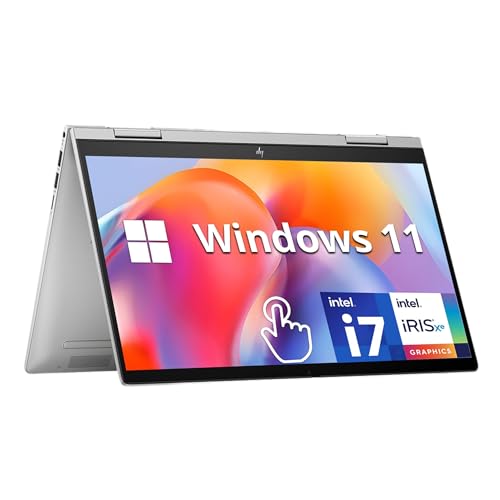
3. HP Envy x360 – best 2-in-1 for light everyday use
The HP Envy x360 is the right pick if you want a laptop that can also work as a tablet for note-taking, streaming, or presentations. Its 360-degree hinge and 14-inch Full HD touchscreen make it more flexible than a standard clamshell, and it stays easy to carry at 3.4 pounds.
In my opinion, it suits everyday work well: browsing, Office apps, video calls, and streaming. A fingerprint reader handles quick sign-ins, and there’s a physical camera privacy shield. For connections, you get two USB-A ports and an HDMI output, so you can plug in a mouse, flash drive, or monitor without a hub.
The main drawbacks are the screen and the ports. The IPS panel reaches only 250 nits, so this device struggles in bright light. The single USB-C port is data-only at 5Gbps, which means it can’t charge the laptop or drive a monitor. The 8GB of memory is soldered, so you can’t add more later. The laptop also ships in Windows 11 S mode, which only installs apps from the Microsoft Store until you switch out of it in Settings, and the camera is only 720p.
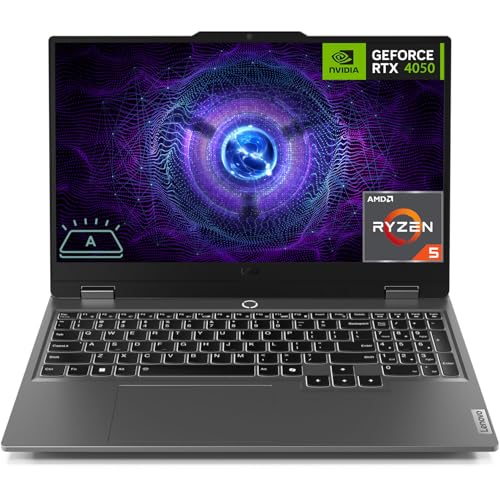
4. Lenovo LOQ – best budget gaming laptop
The Lenovo LOQ is the gaming laptop to choose if you want real 1080p gaming performance without jumping to a much more expensive machine. The configuration to look for pairs an RTX 5050 with 8GB of VRAM, a 144Hz display, 16GB of DDR5 memory, and a 1TB SSD. That’s enough power for newer games at medium-to-high settings and enough storage for several large installs.
In my testing, it felt best as a do-everything gaming laptop: esports titles should run very smoothly, while newer AAA games are playable at 1080p with settings adjusted and DLSS enabled. A high-refresh panel with strong sRGB coverage also makes it usable for casual photo or video editing, not just gaming.
Lenovo’s cooling is one of the reasons it stands out at this price. The Hyperchamber cooling system uses multiple fans and copper heat pipes, and the keyboard deck stays cooler than many budget gaming laptops during long sessions. At the same time, Lenovo’s performance modes also let you prioritize quiet operation for study or work, then switch to higher power for gaming.
Nonetheless, it’s still a gaming laptop, so the compromises are obvious. It’s heavy at roughly 5.3 pounds, battery life is best measured in hours rather than a full workday, and the 720p webcam is quite disappointing for a laptop at this price. You’ll also want to keep it plugged in for demanding games, since performance drops noticeably on battery. Also, expect the fans to get loud in higher-performance modes.
If gaming is your main reason for buying a laptop, the LOQ offers the best balance of GPU power, display quality, cooling, and upgradeability for the money. But I’d avoid configurations with less than 16GB of RAM or a 512GB SSD if you plan to install modern games.
5. Alienware 16 Aurora – affordable gaming laptop with a big screen
The Alienware 16 Aurora is the pick if you want a large, sharp gaming display and a laptop that lasts through a workday, without the premium price tag usually attached to Alienware's higher-end devices. Its 16-inch 2560x1600 screen delivers noticeably more detail for games and movies than a standard 1080p panel, while the 120Hz refresh rate keeps fast motion smooth.
With this one, configuration matters a lot, and battery life will also depend on that. If you go with an Intel Core 7 240H processor with an RTX 5050, 16GB of RAM, and a 512GB SSD, that should suit 1080p gaming and can handle the native 1600p resolution when you use DLSS or lower a few settings in demanding games.
It’s also more practical than many 16-inch gaming laptops. The aluminum lid and keyboard feel sturdy, the built-in number pad is useful for work (especially spreadsheets), and Alienware’s Cryo-Chamber cooling is designed to keep the main components from overheating during extended sessions.
At about 5.5 pounds, you wouldn’t want to carry it with you all day, though, and the 300-nit screen is fine indoors but can look dim beside a bright window. The 512GB SSD also fills quickly if you install several modern games, so I’d say a 1TB configuration is worth the extra cost.
If you need a bigger, sharper screen and longer battery life, I’d say choose the Aurora 16 over the Lenovo LOQ.
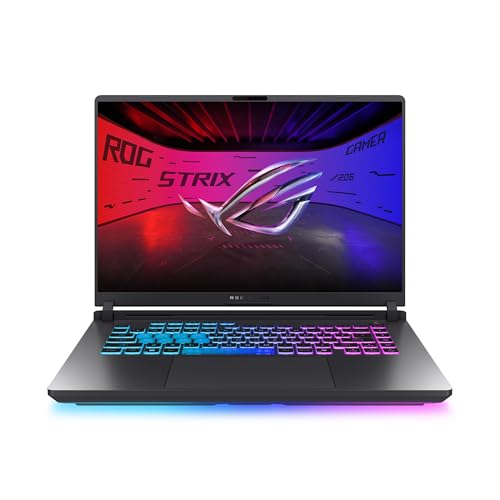
6. ASUS ROG Strix G16 – best for performance and heavy workloads
If gaming is only part of the job and you also need serious performance for video editing, 3D work, coding, or running several demanding apps at once, the ASUS ROG Strix G16 is a better fit. Its high-wattage Nvidia GPU, HX-class processor, and large battery make it much more capable than the Lenovo LOQ and Alienware 16 Aurora I mentioned earlier.
For the configuration, consider an RTX 5060 with 16GB of DDR5 memory, a 1TB SSD, and a 16-inch display with 1920x1200 resolution and a 165Hz refresh rate. This setup is ideal for high-refresh 1080p gaming, while the extra CPU power and memory make it a better fit for creative work than a standard budget gaming laptop.
ASUS’ cooling system is a major reason to consider it. The Tri-Fan system pulls air through the keyboard deck and chassis, helping to keep the WASD area and palm rest comfortable during long sessions. I also found that in Turbo mode, the RTX 5060 can run at around 130W, which is higher than many similarly priced gaming laptops.
As you already know, a gaming-suitable laptop won’t be a delicate device, and the ASUS ROG Strix G16 is no exception. At 5.5–6.2 pounds (depends on your final configuration) and more than an inch thick, it’s more of a desktop replacement, and the plastic chassis doesn’t feel as premium as its performance suggests. Battery life is good for light work, but for serious gaming sessions, you’ll need to use a charger.
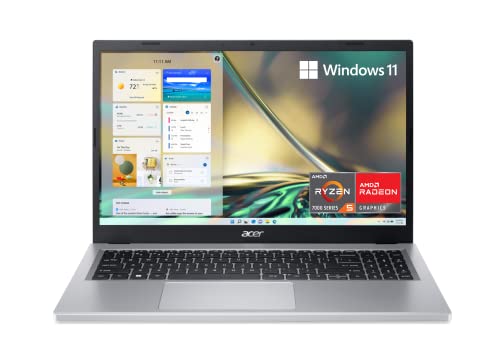
7. Acer Aspire 3 – budget-friendly Windows laptop
When keeping the price down matters more than premium build quality or high performance, the Acer Aspire 3 comes in handy. If you only need a Windows laptop for schoolwork, browsing, and casual streaming, a 15.6-inch 1080p display, a Ryzen 5 processor, 8GB LPDDR5 onboard memory, and a 256GB NVMe SSD is more than enough.
The large screen is comfortable for documents and browser tabs, and the keyboard is spacious for long typing sessions, making it a practical family or student laptop. The port selection includes USB-A, USB-C, HDMI, and an SD card reader, so you can connect common accessories without a hub. In addition, battery life is one of its strengths that users report at this price. Acer rates the battery at 11 hours, which is enough for a full day of classes or light work if you keep brightness moderate and avoid heavy multitasking.
The downsides of Acer Aspire 3 are quite obvious: the plastic chassis that feels basic, the 8GB of memory that’s soldered and cannot be upgraded, and the integrated graphics, which are only suitable for casual games and light photo editing. You might also come across some configurations that use slower storage or a low-resolution 1366x768 display, so I recommend double-checking the exact model number before buying.
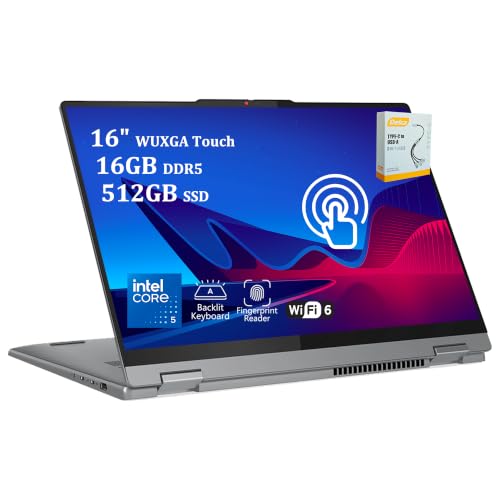
8. Lenovo IdeaPad Flex 5i – best 2-in-1 business laptop
The Lenovo IdeaPad Flex 5i is the best choice if you want the flexibility of a 2-in-1 without paying OLED-laptop prices. Its 16-inch touchscreen rotates through laptop, tent, stand, and tablet modes, and it supports Lenovo’s active pen for handwritten notes, sketches, and marking up documents.
To me, a 1920x1200 IPS touchscreen, an Intel Core i5 processor, 8GB of RAM, and a 512GB SSD were enough to cover basic laptop needs. I also liked how the taller 16:10 screen gives you more room for documents and web pages than a standard 1080p laptop. However, I need to admit that the touchpad sitting off-center was incredibly annoying while testing, although you might get used to it over time.
It’s also unusually well-connected for the price, as you get Thunderbolt 4, two USB-A ports, HDMI, an SD card reader, and a headphone jack. The 1080p webcam, fingerprint reader, and backlit keyboard are all great extras at this price.
The main limitation is memory: you cannot upgrade the 8GB of RAM later, and the Intel Iris Xe graphics aren’t suitable for demanding games or intensive creative work. Battery life is also average rather than exceptional: expect roughly 8 hours of mixed use, so bring the charger for a full day away from an outlet.
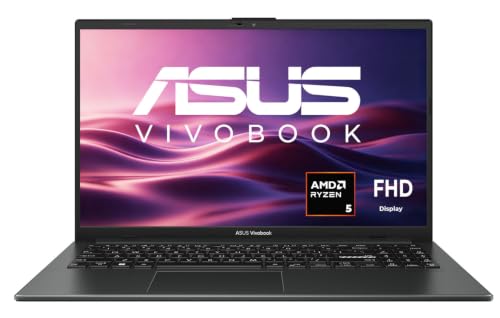
9. ASUS Vivobook Go 15 – best for light, portable basics
The ASUS Vivobook Go 15 is best for students, casual users, and anyone who wants a simple Windows laptop with dependable performance. The Ryzen 5 7520U handles normal multitasking well, while the 512GB SSD means you won’t immediately run out of space for documents, photos, and apps.
Portability is another reason to pick it: it’s only 3.6 pounds, so it’s lighter than many 15-inch Windows laptops. Besides, ASUS’ fast charging can bring the battery to 60% in under an hour, which was useful when I needed to be out and about quickly.
However, there are a lot of compromises. First of all, the 8GB version cannot be upgraded. Then the display is only 60Hz and relatively dim, and the USB-C port cannot charge the laptop or output video. Battery life is also far from impressive, with many users reporting closer to 5–6 hours than the manufacturer’s higher claims. For these reasons, I consider the Acer Aspire 3 and Lenovo IdeaPad Slim 3 to be both stronger all-around alternatives at this price.
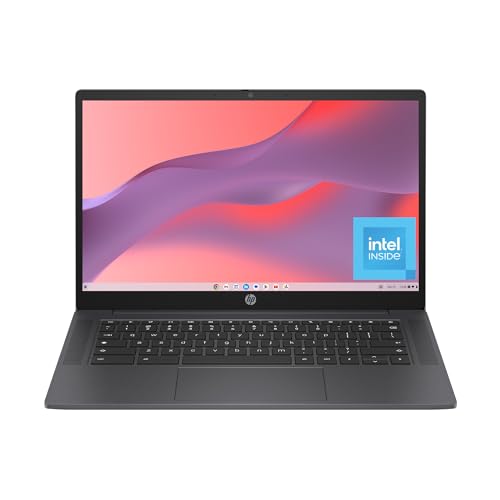
10. HP Chromebook 14a – best for web-only use and schools
The HP Chromebook 14a is the simplest and cheapest way to get a reliable laptop for Google Docs, email, streaming, and online classes. It boots quickly, stays easy to use, and its 14-inch screen gives you more room to work than most small Chromebooks. I’d go with the 8GB model with 128GB of UFS storage, as it’s far better for multiple browser tabs, video calls, and Android apps than the 4GB/64GB eMMC model, which slows down quickly once you start multitasking.
If you’re looking for the lowest-maintenance laptop for school, battery life is definitely a plus here: HP rates it for up to 12 hours and 30 minutes, and in my testing, it was often closer to 8–12 hours, depending on brightness and workload. That’s enough for a full day of classes without having to recharge on the go. It also has a good keyboard and trackpad for its very modest price, as well as upward-firing speakers that suit video calls.
However, the base model’s 1366x768 display looks soft, and its 220-nit brightness struggles in bright light. Moreover, storage is also limited, so this is a cloud-first laptop: be ready to keep files in Google Drive rather than expecting to store large photo, video, or game libraries locally.
10 best budget laptops in 2026 compared
In the table below, I compare my top 10 picks on the factors that determine whether a budget laptop remains useful: screen, memory, battery, and weight.

|
|
|
|
|
|
|
|
|
|
|
| Title | Apple 2026 MacBook Neo | Lenovo IdeaPad Slim 3 Laptop 2025 | HP Envy x360 2-in-1 14" FHD Touchscreen Laptop | Lenovo LOQ Gaming Laptop, GeForce RTX 4050 | Alienware 16 Aurora AC16250 | ASUS ROG Strix G16 Gaming Laptop | Acer Aspire 3 A315-24P-R2SC Slim Laptop | Lenovo IdeaPad Flex 5i 2-in-1 Business Laptop | ASUS Vivobook Go 15 Laptop | HP Chromebook 14 inch Laptop |
| Best for | Best overall | Everyday Windows basics | Light everyday use | Budget gaming | Big-screen gaming with long battery life | Performance and heavy workloads | Low-cost Windows laptop | 2-in-1 value | Light, portable basics | Web-only use and schools |
| Screen | 13" Liquid Retina, 500 nits | 15.3", 300 nits | 14" Full HD IPS touch, 250 nits | 15.3", 1920x1200 | 16", 2560x1600, 120Hz, 312 nits | 16", 1920x1200, 165Hz | 15.6" 1080p, panel varies (TN about 216 nits or IPS about 258 nits) | 14" 1920x1200 touch, 330 nits | 15.6" 1080p, 60Hz | 14" 1366 x 768 TN, about 250 nits |
| Memory | 8GB, not upgradeable | In a slot, up to 24GB | 8GB, soldered | 16GB (confirm slots) | Two SO-DIMM slots | 16GB, worth upgrading for heavy work | 8GB, soldered | 8GB | 8GB, soldered | 4GB or 8GB |
| Claimed battery life | Up to 16h | Up to 13.5h | Up to 12h | Up to 21h (less with gaming) | Up to 10h | Up to 7h | Up to 11h | Up to 13.5h | Up to 8h | Up to 12.5h |
| Weight | 2.7 lb | 3.3 lb | 3.4 lb | 4.6 lb | 5.5 lb | 5.2 lb | 3.5 to 3.9 lb | 3.7 lb | 3.6 lb | 3.2 lb |
| More info | Buy on Amazon | Buy on Amazon | Buy on Amazon | Buy on Amazon | Buy on Amazon | Buy on Amazon | Buy on Amazon | Buy on Amazon | Buy on Amazon | Buy on Amazon |
Final verdict
A good budget laptop should save you money without making everyday tasks frustrating. That means getting the right balance of performance, battery life, screen quality, and build quality, rather than simply choosing the cheapest model.
The MacBook Neo is my pick for the best budget laptop for most people in 2026. Its aluminum build, sharp display, reliable battery life, and excellent trackpad make it feel more expensive than it is. You can't upgrade the memory or storage later, and the limited ports won't suit everyone, but for studying, working, and everyday use, it's the one I'd recommend to most people.
If you need Windows, want to play games, or prefer a laptop you can upgrade, there are better options on this list. Whatever you choose, make sure to check the exact specifications before buying. Two laptops with the same name can have very different memory, storage, and display configurations, and those differences matter more than a small saving at checkout.
FAQ
What is the best budget laptop in 2026?
The MacBook Neo is the best budget laptop for most users, thanks to its aluminum build, long battery life, and bright display. If you need Windows, the Lenovo IdeaPad Slim 3 is the safer everyday choice, and for web-only use, the HP Chromebook 14a is the cheapest, simplest option.
Is 8GB of RAM enough in 2026?
Yes, for basic use. 8GB is fine for a Chromebook or a laptop used mainly for browsing, email, video calls, and a few apps, but 16GB is the better choice for a Windows laptop if you multitask heavily or plan to keep it for several years.
How long will a budget Chromebook get updates?
Until its Auto Update Expiration date, which depends on when the model was released, not when you buy it. Google states that with models from 2021 onwards, you get 10 years of automatic updates. However, it’s best to look up the exact model you’re interested in on Google's Auto Update Expiration list before buying.
Are budget gaming laptops worth it?
Yes, if gaming is your main use, but it’s important to check the configuration. The Lenovo LOQ is the value pick, while the Alienware 16 Aurora trades frame rates for a sharper screen and, on the larger 96Wh battery, much longer battery life. Still, I’d recommend keeping any of them plugged in for demanding games.