Best desktop computers for every budget and task: Cybernews expert picks for 2026


Heading back to school means more than just new notebooks and a fresh backpack – it’s also the perfect time to upgrade your tech. Whether you’re a student gearing up for essays and research, or a parent looking for a reliable desktop to support both homework and family needs, having the right computer can make all the difference.
However, not all desktop computers are worth your attention. That’s why as a Cybernews expert, I’ve teamed up with our research team to select the best desktop models in 2026. Together we analyzed performance, design, use case value, and long-term reliability to help you pick the best machine for your workflow and budget.
Whether you're an avid gamer, a student, building a home office, or editing video – the models on my list are versatile and equipped to handle a wide range of tasks.
Best desktop computers – shortlist
- ACEMAGIC M1 – best for office work
- KAMRUI E3 – best for light content creation
- ACEMAGICIAN W1 – best for low-latency gaming
- Apple Mac Mini – best for creatives and video editing
- GMKtec Mini – best for compact performance
- HP ProDesk 400 G9 – best for office productivity
- GMKtec M7 Mini – best for gaming on a budget
- Dell Optiplex 7060 – best refurbished deal
- Beelink SER8 Mini – best mini desktop for multitasking
The best desktop computers compared
To make choosing easier, I’ve compared the top models based on core specs and best use case. Here’s how they stack up:
| Model | Desktop class | Processor | Processor speed | RAM | Boot drive type | Boot drive capacity | Graphics card | Operating system | Best for |
| ACEMAGIC M1 | Mini | Intel Core i9-11900H | 4.9 GHz | 32GB | SSD | 1TB | Integrated Intel UHD Graphics | Windows 11 Pro | Office work |
| KAMRUI E3 | Mini | Ryzen 5 3500U | 3.7 GHz | 16GB | SSD | 1TB | AMD Radeon Graphics | OS | Light content creation |
| ACEMAGICIAN W1 | Mini | AMD Ryzen 7 | 4.9 GHz | 32GB | SSD | 1TB | AMD Radeon 780M Graphics | Windows 11 Pro | Low-latency gaming |
| Apple Mac Mini | Compact | Apple M4 | 4.4 GHz | 16GB | SSD | 512GB | Integrated | macOS | Creatives, video editors |
| GMKtec Mini | Mini | Intel Core i7-1195G7 | 2.9-5.0 GHz | 16GB | SSD | 1TB | Intel Iris Xe | Windows 11 Pro | Compact workstations |
| HP ProDesk 400 G9 | Small form | Intel Core i5-12500 | 3.0-4.6 GHz | 16GB | SSD | 512GB | Intel UHD 770 | Windows 11 Pro | Office setups |
| GMKtec M7 Mini | Mini | AMD Ryzen 7 PRO 6850H | 3.2-4.7 GHz | 32GB | SSD | 1TB | Radeon 680M | Windows 11 Pro | Budget gaming |
| Dell Optiplex 7060 | Small form | Intel Core i7-8700 | 3.2-4.6 GHz | 32GB | SSD | 1TB | Intel UHD 630 | Windows 10 Pro | Refurb buyers |
| Beelink SER8 Mini | Mini | AMD Ryzen 7 8845HS | 3.8-5.1 GHz | 32GB | SSD | 1TB | Radeon 780M | Windows 11 Pro | Efficient multitasking |
Your PC deserves proper online protection. NordVPN secures your internet traffic, encrypts sensitive data, and helps you stay private whether you are working remotely, shopping online, or using public networks.

9 best desktop computers – our detailed list
Below you can find our detailed picks for best desktop computers in 2026. These 9 desktops stood out for their balance of power, price, and reliability.
1. ACEMAGIC M1 – best mini PC for robust tasks
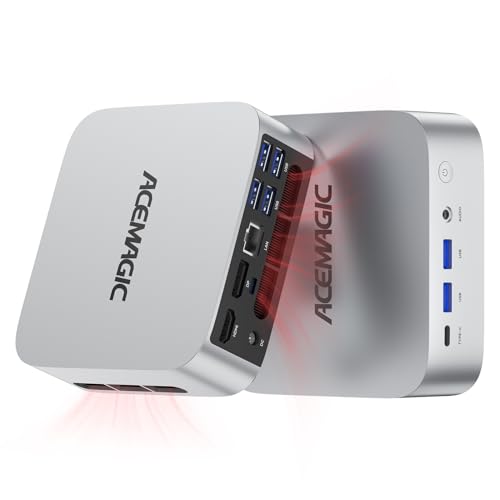
The ACEMAGIC M1 Mini PC is ideal if you work in home studios, compact offices, mobile workstations, photo editing, video editing, 3D modeling, and big data analysis. Although only palm-sized, it has a powerful Intel Core i9-11900H processor that makes it a powerhouse for robust tasks.
What’s more, this mini PC comes with 32GB DDR4 RAM and 1TB high transfer performance M.2 2280 SSD. However, if you want more storage space, you can also add another SSD to expand the memory to 4TB.
2. KAMRUI E3 – best desktop computer for daily use
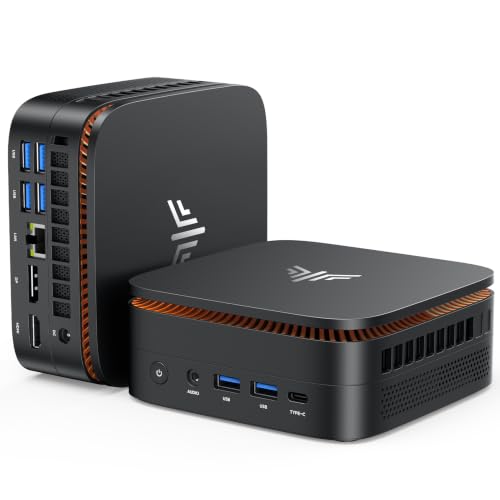
The KAMRUI E3 is a relatively affordable mini PC that delivers smooth and responsive performance for daily office work, multitasking, web browsing, and light content creation. Thanks to its AMD Ryzen 5 3500U processor, it provides fast response times, smooth operation, and high productivity.
Its AMD Radeon Graphics support 4K at 60Hz displays for stunning image quality and an immersive visual experience. You can connect 3 display screens simultaneously, and enjoy streaming, gaming, or browsing with crystal-clear resolution.
3. ACEMAGICIAN W1 – best mini PC for multimedia
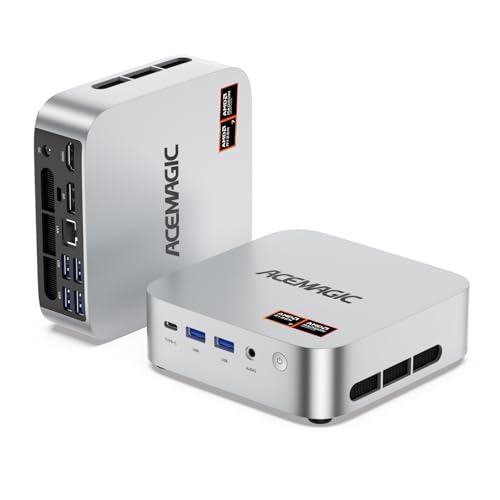
If you’re into casual gaming, then the ACEMAGICIAN W1 mini PC may come in handy. Its AMD Radeon 780M graphics offer stunning 8K visuals for exceptional clarity, immersive viewing, and maximum productivity.
Additionally, it utilizes an AMD Ryzen 7 H 255 processor and Hyper-Threading technology. As a result, it delivers enhanced single-core and multi-core performance perfect for offices or home environments.
4. Apple Mac Mini – best compact macOS desktop for creative workloads
| 🖥️ Desktop class: | Compact |
| ⚙️ Processor: | Apple M4 |
| 🚀 Processor speed: | 4.4 GHz |
| 💾 RAM: | 16GB |
| 📀 Boot drive type: | SSD |
| 🗄️ Boot drive capacity: | 512GB |
| 🎮 Graphics card: | Integrated |
| 🖱️ Operating system: | macOS |
| 🌟 Best for: | Creatives, video editors |
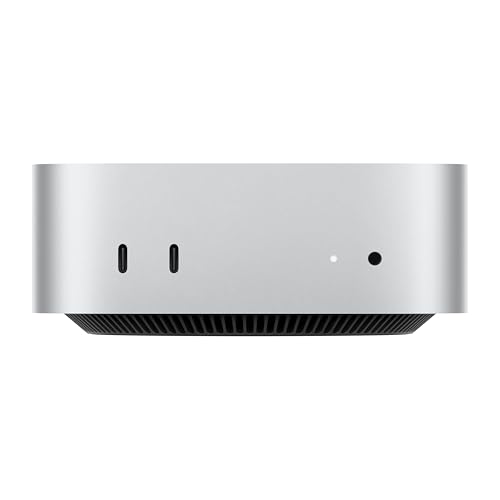
If you work in design, editing, or any Apple-based creative suite, the Apple Mac Mini is a compact yet powerful choice. I think it’s the kind of machine that quietly handles demanding tasks without the bulk of a tower or the heat of a laptop. With Apple’s M4 chip, you get top-tier performance and energy efficiency in a silent and minimalistic form.
The fanless build means it’s whisper-quiet even under load, and 16GB of RAM is more than enough for most creative software workflows. As a Mac user myself, I appreciate how plug-and-play this machine is – it boots fast, handles heavy apps smoothly, and keeps your desk clutter-free.
5. GMKtec Mini – best high-performance mini desktop for small spaces
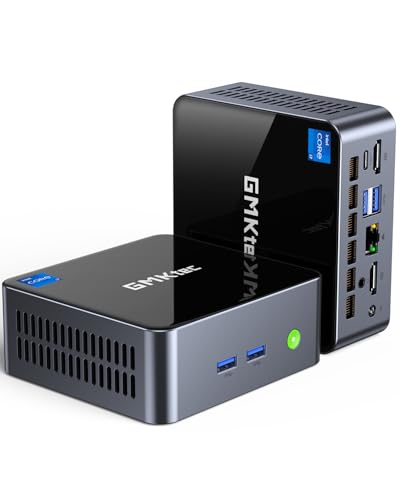
| 🖥️ Desktop class: | Mini |
| ⚙️ Processor: | Intel Core i7-1195G7 |
| 🚀 Processor speed: | 2.9-5.0 GHz |
| 💾 RAM: | 16GB |
| 📀 Boot drive type: | SSD |
| 🗄️ Boot drive capacity: | 1TB |
| 🎮 Graphics card: | Intel Iris Xe |
| 🖱️ Operating system: | Windows 11 Pro |
| 🌟 Best for: | Compact workstations |
The GMKtec Mini PC is surprisingly powerful for its size. From my perspective, it’s one of the most practical machines for anyone who needs performance without sacrificing space. It handles everyday productivity tasks, light media work, and even some light gaming with ease.
I believe its biggest win is the 1TB SSD paired with the efficient Intel Iris Xe graphics – you get fast load times and fluid multitasking in a truly tiny form factor. If your workspace is limited but you don’t want to compromise on specs, this model is an easy recommendation.
6. HP ProDesk 400 G9 – best small form business desktop for everyday use
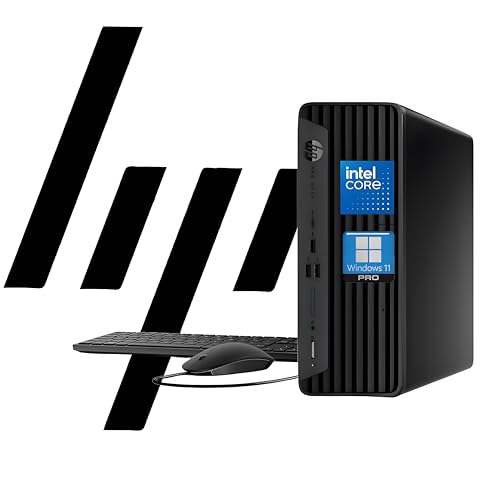
| 🖥️ Desktop class: | Small form |
| ⚙️ Processor: | Intel Core i5-12500 |
| 🚀 Processor speed: | 3.0-4.6 GHz |
| 💾 RAM: | 16GB |
| 📀 Boot drive type: | SSD |
| 🗄️ Boot drive capacity: | 512GB |
| 🎮 Graphics card: | Intel UHD 770 |
| 🖱️ Operating system: | Windows 11 Pro |
| 🌟 Best for: | Office setups |
The HP ProDesk 400 G9 is a business-focused machine that nails the balance between performance and practicality. I’d recommend it for users who want a dependable workhorse that can handle office apps, browser multitasking, and even video calls without lag.
What stands out to me is the form factor – it’s compact enough for under-desk mounting, yet accessible for light upgrades. The Intel i5-12500 is a very capable CPU for productivity workloads, and you get the reliability of HP’s business hardware line.
7. GMKtec M7 Mini – best budget-friendly gaming and multitasking mini PC
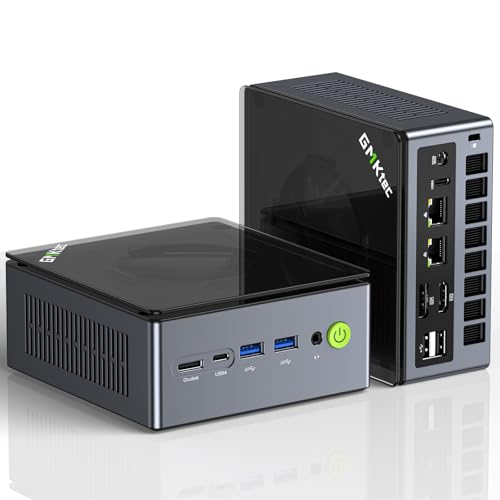
| 🖥️ Desktop class: | Mini |
| ⚙️ Processor: | AMD Ryzen 7 PRO 6850H |
| 🚀 Processor speed: | 3.2-4.7 GHz |
| 💾 RAM: | 32GB |
| 📀 Boot drive type: | SSD |
| 🗄️ Boot drive capacity: | 1TB |
| 🎮 Graphics card: | Radeon 680M |
| 🖱️ Operating system: | Windows 11 Pro |
| 🌟 Best for: | Budget gaming |
This GMKtec model proves that mini PCs can punch above their weight. It’s a solid fit for budget-conscious gamers or multitaskers who want high-end specs without breaking the bank. I like that it comes with 32GB of RAM by default – that’s rare at this price point.
Its integrated Radeon 680M graphics are surprisingly capable for a GPU-less system. You won’t get ultra settings in every game, but for eSports titles or general multitasking, it performs well. If you want a compact and capable desktop that looks good and performs even better, this is a smart pick.
8. Dell Optiplex 7060 – best refurbished pick for home or small office
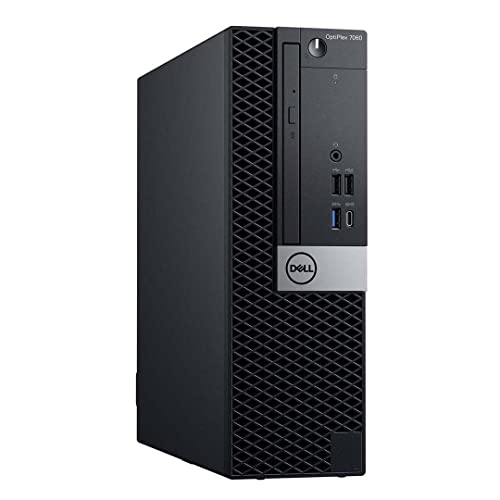
| 🖥️ Desktop class: | Small form |
| ⚙️ Processor: | Intel Core i7-8700 |
| 🚀 Processor speed: | 3.2-4.6 GHz |
| 💾 RAM: | 32GB |
| 📀 Boot drive type: | SSD |
| 🗄️ Boot drive capacity: | 1TB |
| 🎮 Graphics card: | Intel UHD 630 |
| 🖱️ Operating system: | Windows 10 Pro |
| 🌟 Best for: | Refurb buyers |
If you’re looking for a dependable desktop on a budget, the Dell Optiplex 7060 refurb is a reliable option. I think it’s ideal for anyone who wants solid performance for daily tasks without overspending.
The Intel Core i7-8700 is still more than capable in 2025 for office work, streaming, or light creative tasks. I like that it includes 32GB of RAM and a 1TB SSD – those specs make this refurb stand out in a sea of underpowered alternatives.
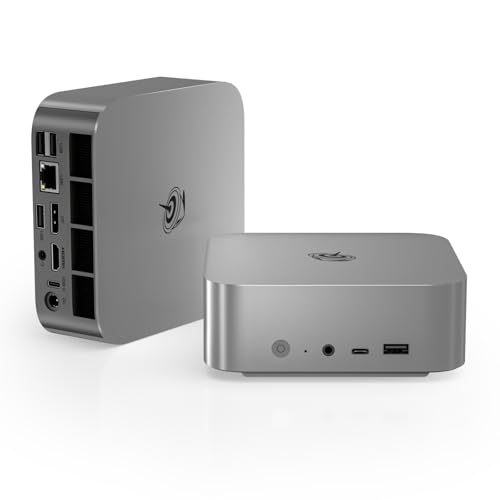
9. Beelink SER8 Mini – best all-around mini desktop for multitaskers and media users
| 🖥️ Desktop class: | Mini |
| ⚙️ Processor: | AMD Ryzen 7 8845HS |
| 🚀 Processor speed: | 3.8-5.1 GHz |
| 💾 RAM: | 32GB |
| 📀 Boot drive type: | SSD |
| 🗄️ Boot drive capacity: | 1TB |
| 🎮 Graphics card: | Radeon 780M |
| 🖱️ Operating system: | Windows 11 Pro |
| 🌟 Best for: | Efficient multitasking |
Beelink’s SER8 is built for performance-packed multitasking in a small form. To me, it feels like a sleeper PC – compact on the outside, but loaded with powerful internals.
You get a Ryzen 7 8845HS CPU, 32GB of RAM, and the solid Radeon 780M iGPU. This combo makes it great for media workflows, lightweight editing, and app-heavy multitasking. It’s quiet, efficient, and future-ready.
How did we select the best desktop computers?
I teamed up with the Cybernews research team to conduct a thorough analysis of the best desktop models available in October 2026.
Since there are many options available out there, it was important for us to develop a ranking and selecting system. To keep our choices objective and consistent, we applied a weighted scoring system – each factor below contributed to the final decision.
Here’s our main criteria:
- Performance across various tasks (35%). We looked into how each machine handles resource-heavy workflows such as video editing, rendering, and multitasking under load. Raw speed, thermal stability, and consistent benchmark scores were key metrics in our evaluations.
- Build quality and upgrade potential (25%). In our opinion, desktops should feel solid and be built to last. That’s why we prioritized models with accessible internals, tool-free access, and room for upgrades like extra RAM or storage. – A solid chassis and user-accessible components are essential for long-term value.
- Value for money (20%). We assessed how much performance you get per dollar. Systems with newer specs, SSDs, and more RAM at competitive prices scored higher.
- Customer satisfaction and reviews (10%). Real-world user feedback helped us evaluate day-to-day usability. We cross-checked major retailers and forums to ensure consistent positive sentiment.
- Brand reputation and warranty support (10%). We prioritized brands with a track record of reliability. Also, longer or more flexible warranty terms were a bonus.
What is a desktop computer?
Simply put, a desktop computer is a non-portable system meant to stay on your desk. It usually includes a tower, monitor, keyboard, and mouse. Although some models are compact mini PCs – and there are several of them on my list. Moreover, other desktop computers are all-in-ones with the computer built into the display.
To me, desktops are about stability and focus. They’re not built for mobility – instead, desktop computers are designed to deliver consistent power and a better overall experience at your desk. You get more space for cooling, stronger components, and easier upgrades.
If you’re looking for portability, I’d suggest opting for a laptop instead. But in my experience, desktops give you better performance for the price. They also last longer, especially if you maintain or upgrade parts.
For instance, I usually have a dozen tabs open, plus editing software or spreadsheets running in the background. My desktop handles all of it smoothly, without lag or overheating. That kind of consistency matters. I also like the freedom to upgrade RAM or storage down the line without having to replace the whole system.
If you want power, flexibility, and more control over your machine, a desktop is still the best investment. It’s reliable, adaptable, and ready for whatever you throw at it.
How much processing power is enough?
Choosing the right processor depends on what you plan to do. For most users, matching the CPU to your workload is the smartest upgrade you can make. That said, not everyone needs top-tier power – here’s how I’d break it down:
- Casual use for web, email, streaming. A dual or quad-core processor like an Intel Core i3 or AMD Ryzen 3 will do just fine. Clock speeds around 3.0 GHz and integrated graphics are usually enough for day-to-day tasks.
- Office work and multitasking. Go for at least a 6-core CPU like the Intel Core i5 or Ryzen 5. I find these chips strike the right balance between speed and efficiency, especially if you run several apps at once.
- Gaming or creative workloads. Go for an Intel Core i7 or AMD Ryzen 7 – or even higher. Look for high base clocks – at least 3.5 GHz – and 8+ cores. These processors can handle intensive software, high-res video editing, and modern games, ideally with a discrete GPU.
What wired and wireless connectivity does my PC need?
The right ports and wireless features make a big difference in how smooth your setup feels. However, you don’t need every port under the sun – just the right ones for how you work.
Here’s what I always look for when choosing or recommending a desktop:
- USB-A ports. These are still everywhere. You want at least 2 for peripherals like keyboards, mice, or flash drives.
- USB-C ports. A must-have in 2025. USB-C is faster, reversible, and often supports charging or display output. Great for connecting newer accessories or external drives
- HDMI and DisplayPort. These are essential if you plan to use more than one monitor or a 4K screen. I always make sure a PC has at least one of each.
- Ethernet port. Wired connections are still more stable for work, downloads, or gaming. I prefer a desktop that includes one by default.
- Wi-Fi and Bluetooth. Look for at least Wi-Fi 5 or ideally Wi-Fi 6 for faster, more reliable wireless. Meanwhile, Bluetooth 5.0 or better ensures stable connections with headphones, keyboards, and other devices.
Factors to consider when choosing a desktop computer
There’s no one-size-fits-all desktop – your choice depends on what you need and how you plan to use it. Here are the key factors I always recommend thinking about:
- Use case. Consider your needs and whether you are building a home office, gaming rig, or family PC. Your daily needs will shape everything from specs to form factor.
- Form factor. Towers are easier to upgrade and offer more power. Mini PCs save space and stay quiet. All-in-ones reduce cable clutter but are harder to customize.
- Upgradability. If you plan to keep your desktop for several years, look for one with accessible RAM, storage, and expansion slots. I always check whether a system allows easy upgrades before recommending it.
- Noise and cooling. High-performance desktops can run hot. Look for models with good airflow or quiet cooling systems – especially if you’re in a small or shared space.
- Warranty and support. Brand reputation matters. I prefer systems backed by at least a one-year warranty and responsive customer service. It’s peace of mind when something goes wrong.
Other reviews you might be interested in:
Final word on best desktop computers
Desktop computers remain one of the smartest investments you can make – especially if you value power, stability, and long-term flexibility. As a Cybernews expert, I’ve reviewed countless models, and the ones featured in this guide strike the right balance between performance, reliability, and value.
My top pick for 2026 is the ACEMAGIC M1 mini PC. With an Intel Core i9-11900H processor, compact design, and superb graphics, this mini desktop computer is ideal for anyone who works on robust tasks and seeks top-notch performance or simply wants a reliable PC for everyday tasks.
That said, whether you're a student, a remote worker, or someone who just wants a fast, dependable system – there’s a desktop here for you. And when you choose right, it’s a machine that’ll keep up for years to come.
FAQs
What’s the difference between a mini PC and a full desktop tower?
Compared to a full desktop tower, mini PCs are smaller and more portable but have limited upgrade options. Meanwhile, towers are larger, easier to upgrade, and generally more powerful.
Can I upgrade my desktop computer later?
Yes, most desktops allow upgrades. You can usually add more RAM, swap drives, or even upgrade the CPU or GPU.
Is a desktop computer better than a laptop for gaming?
Yes, desktop computers are better than laptops for gaming. Desktops typically offer better cooling, higher performance components, and support for powerful GPUs.
How long does a desktop computer last?
Most desktops last 5-8 years with basic maintenance. Upgrading parts can extend that lifespan significantly.