SwitchBot AI Art Frame review: features, pricing, and alternatives

A piece of art can transform any room. But looking at the same few things every day can grow stale over time.
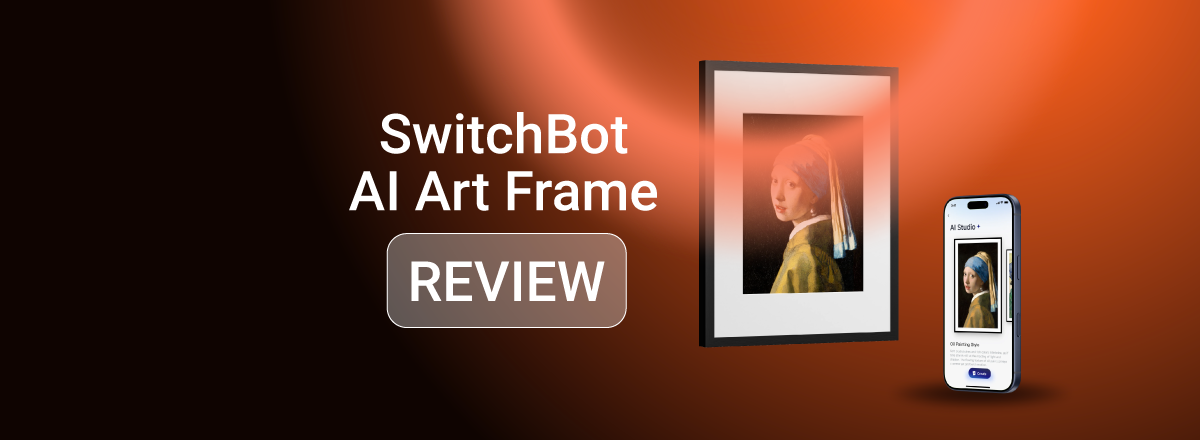
That’s precisely where the SwitchBot AI Art Frame makes its entrance, and the idea behind it is simple. The smart digital frame lets you display different art based on your mood and style, rather than locking you into a single picture.
As someone who tends to get bored with static décor, I just had to dig deeper. So I gathered the Cybernews researchers, and we conducted a thorough SwitchBot AI Art Frame review, paying close attention to spec sheets, brand claims, and real user feedback.
Below are our thoughts on the frame’s features, AI functionality, pricing, privacy, and user sentiment, along with a few alternatives you can try instead.
Quick overview of SwitchBot AI Art Frame
As always, I’ve summarized the key features to give you a sense of what SwitchBot AI Art Frame brings to the table before I dive into it:
| Overall rating | |
| Short description | SwitchBot AI Art Frame is a battery-powered smart digital picture frame with an E Ink paper-like display that quietly rotates your digital gallery and AI-generated artwork |
| Display size and resolution |
|
| AI art capabilities | Text-to-image and image-to-image AI art generation and AI-based filters for existing digital photo libraries |
| Smart home integrations | Home Assistant |
| Price range | From $149.99 |
Our methodology
To make this SwitchBot AI Art Frame review as objective and unbiased as possible, the Cybernews team and I used an exhaustive research-first evaluation system based on brand claims, app store and tech forum reviews, and user feedback. We paid attention to the following:
- Core features and AI functionality (30%). First, we looked at how the device stores and displays images, and what you can do with its AI-based art-generation features.
- Display quality and hardware (15%). Then, we reviewed the frame’s E Ink panel, evaluating the quality of its Spectra 6 display, including the texture, tone, and grain.
- Smart home and app integration (20%). Next up, we examined how well the SwitchBot app integrates with Home Assistant and the automation capabilities it offers.
- Ease of setup and everyday usability (15%). From there, we assessed how beginner-friendly the device setup and the SwitchBot app are.
- Price and long-term value (10%). The price tag also played an important role in our review, and we compared it with other similar products to gauge the device’s real value.
- User reviews and brand reputation (10%). Lastly, we looked into what its customers thought, both about the company and the device.
What is the SwitchBot AI Art Frame?
The SwitchBot AI Art Frame is a digital wall display with a full-color Spectra 6 E Ink panel. This removes backlight and glare from the equation and gives the displayed images that paper-like, real artwork feel. It also makes the device a great addition to living rooms, bedrooms, and home-based and traditional offices.
Powering the device is a 2,000mAh battery. This enables the wire-free frame to quietly rotate digital library images and AI-generated art with minimal interruption. In fact, SwitchBot claims the battery can last up to two years on a single charge with weekly image rotation.
To adjust what gets rotated and how often, you’ll have to use the SwitchBot app. Here, you can add up to 10 of your own images to the frame’s local storage. Meanwhile, the app’s AI Studio offers 11 presets for transforming your photos into all kinds of different styles.
Core SwitchBot AI Art Frame features
While more local storage would undoubtedly benefit the SwitchBot AI Art Frame, the device does have more than a few great features, including:
- AI-generated artwork and themes. If you’re feeling creative, the AI Studio offers both text-to-image and image-to-image art generation, so the sky’s the limit in terms of what you can display in the frame.
- Art scheduling and rotation. The app also lets you adjust how often the frame updates images. Here, gallery mode displays a single image or cycles through a few at a scheduled time, while slideshow mode auto-switches all images at a chosen interval.
- Glare-free full-color display. Equipped with an ePaper panel, the frame supports up to 65,000 colors with no blue light or glare. Its Spectra 6 E Ink display offers that unique paper-like experience, making your digital artwork feel like the real deal.
- App-based remote control. The SwitchBot AI Art Frame requires zero maintenance beyond setup. Everything is controlled within a beginner-friendly companion app, making image uploads and art rotation a breeze.
- Smart home integrations. Where the smart frame truly shines is its Home Assistant compatibility. This integration lets you set up automations so the frame quietly updates itself with zero work on your end.
What are the different options of the SwitchBot AI Art Frame?
The SwitchBot AI Art Frame comes in three different sizes with varying resolutions, including:
- A 7.3” frame with a resolution of 800 x 480
- A 13.3” frame with a resolution of 1600 x 1200
- A 31.5” frame with a QHD resolution of 2560 x 1440
You can also buy multiple frames at once, as SwitchBot offers 2-pack and 4-pack options. And if you prefer to mix and match different sizes, you’ll also find combo deals for:
- 7.3” and 13.3” frames
- 7.3” and 31.5” frames
- 13.3 and 31.5” frames
- A 7.3”, a 13.3”, and a 31.5” frame
Each frame comes with a back stand and supports both portrait and landscape modes. The included hooks with integrated nails make wall mounting a breeze, while renters can use the included adhesive plates.
All three frame sizes were specifically designed to be compatible with DIY and, notably, IKEA RÖDALM picture frames, so you can also customize them to your liking.
When it comes to charging the built-in 2,000mAh battery, any 5V/2A charging adapter and a USB-C cable will do, but SwitchBot includes them in the box as well. The brand even throws in three spare acid-free mat boards in case you damage the original one.
Who should buy the SwitchBot AI Art Frame?
While the SwitchBot AI Art Frame probably won’t replace your traditional wall art, it’s certainly a nice little accessory for:
- Smart home enthusiasts. People who enjoy automations and scene-based control are bound to love the SwitchBot AI Art Frame.
- Users interested in AI-generated décor. Those who want complete customization control and visuals that automatically change with seasons or mood will also find the frame a great purchase.
- Minimalists and modern setup lovers. Users who prefer clean aesthetics and wire-free décor that doesn’t pop out too much can also benefit from buying the frame.
On the other hand, the SwitchBot AI Art Frame might not be the right choice for art aficionados who prefer physical pieces over digital displays.
SwitchBot AI Art Frame price and availability
The smaller 7.3” SwitchBot AI Art Frame kicks things off at $149.99, which is affordable for an E Ink display. Meanwhile, the 13.3” frame costs $349.99, while the largest 31.5” model with a QHD resolution will set you back $1,299.99.
If you’re buying through the official site, it’s important to choose between US-, UK-, or EU-style devices, as it affects the included 5V/2A charging adapter.
As for ongoing costs, a subscription isn’t required unless you want AI-based art generation. But if you do, that’s an extra $3.99/month after the first 30 days, which are free.
SwitchBot’s privacy and data handling
Like all smart devices, the SwitchBot AI Art Frame gathers and processes data to improve its services. That data includes account info like emails and passwords, how you use the frame and the app, and text-to-image and image-to-image prompts you feed into its AI Studio.
If you’re concerned about privacy, I suggest reviewing the brand’s privacy policy page thoroughly before buying the gadget. There you’ll find exactly what goes into creating an account, which is mandatory for using the SwitchBot app and, thus, the frame as well.
The privacy policy also covers the permissions you’ll need to grant and the processing that happens on third-party cloud servers. So, it’s certainly worth investigating in detail before you commit.
User praises and complaints
As one of the newer smart gadgets on the market, the SwitchBot AI Art Frame doesn’t have too many user reviews. But from what little feedback the Cybernews team and I could find, things seem rather positive.
Most customers appreciate the frame’s AI-powered capabilities and find the generated art surprisingly entertaining. Smart home integrations are another positive aspect, with many users praising how easy it is to set up automations.
As you can imagine, negative feedback is also present. The main pain point here seems to be the price of the 31.5” model, with some users claiming it’s entering the territory of physical art pieces. The consistency of the AI-generated images is another major thing some users disliked.
SwitchBot AI Art Frame alternatives
If you’re unsure whether the SwitchBot AI Art Frame is right for you, there are a few other smart digital displays worth considering. So, let’s see how the SwitchBot device stacks up to these alternatives:
| Option | Best for | Key differences | Price range | Trade-offs |
| SwitchBot AI Art Frame | Minimalist smart home setups and paper-like AI-powered art pieces | Generative AI art and automations | Mid-range | Slower art rotation and less color accuracy |
| Netgear Meural Canvas II | High-quality color rendering for digital art lovers | High-quality TrueArt screen with a vast image library (30,000+) | High | No smart home integrations and a steeper price |
| Samsung The Frame | Users who want digital art and a TV in one | Full 4K TV with an Art Mode feature | Very high | A hefty price tag and overkill for art-only users |
Final verdict: is SwitchBot AI Art Frame worth it?
If you’re not a fan of static décor, the SwitchBot AI Art Frame is more than worth it. Its battery-powered design enables the frame to display and rotate digital images or text-to-image and image-to-image generative AI art with almost zero maintenance.
That said, its E Ink panel isn’t for everyone. It’s a low-res screen that even SwitchBot advises viewing from a distance. Then, there’s the fact that E Ink offers limited color accuracy. So, the focus here is obviously on mimicking real artwork with a paper-like finish and oil-painting-like grain, rather than your digital images.
FAQ
Does SwitchBot AI Art Frame require a subscription?
No, you don’t need a subscription to use the SwitchBot frame with your own pictures. That said, a $3.99 subscription is required if you want to take advantage of SwitchBot AI Art Frame’s AI-powered features and art generation.
Can I upload my own images or prompts?
Yes, you can. Besides letting you add up to 10 of your own photos, SwitchBot AI Art Frame also supports both image-to-image and text-to-image AI art generation. This gives you complete control over what you want to create and display on its smart digital frame.
Does the Frame work without Wi-Fi?
Yes, the SwitchBot AI Art Frame can display art without Wi-Fi. That said, you’ll have to connect the device to Wi-Fi during setup and when you’re uploading personal photos or generating new art in the SwitchBot app’s AI Studio.
How does it compare to traditional digital photo frames?
Unlike most digital wall displays, which primarily focus on family slideshows, the SwitchBot AI Art Frame is all about AI-generated art. Its Spectra 6 E Ink panel also gives it a more paper-like vibe, recreating the feel of physical art.
Is the SwitchBot AI Art Frame suitable for smart home beginners?
Yes, it is, as the companion SwitchBot app is super easy to use. So, you’ll have no issues setting up automations and smart triggers within the app, even if you’ve never dealt with Home Assistant before.