Shutterstock vs Getty Images: which stock library is best for your projects?


People looking for commercial design, marketing, or editorial publishing usually compare Shutterstock vs Getty Images. Both of these platforms provide content for ads, websites, social media, and print, but they differ in content production, licensing, and pricing.
Together with the Cybernews research team, I compared Shutterstock and Getty Images using publicly available plan details, licensing documentation, and aggregated user feedback. I focused on what each provider discloses and what customers consistently report online.
To help you identify your best option, I’ll evaluate each platform through its pricing, licensing, content, and legal nuances. I’ll compare both platforms’ libraries, extra features, subscription vs packs/credits, workflow, and what real customers think. I’ll also give you practical use case examples to help clarify your decision.
Shutterstock is my winner because it’s more affordable and accessible for common high-volume use with its broad library and self-serve model. On the other hand, Getty Images is a great choice if you’re after premium archival content and specialized licensing options like Market Freeze or rights clearance.
Shutterstock vs Getty Images overview
Before I go any further, let’s see what each platform delivers. Here’s a side-by-side snapshot comparing content, best use case, free trial info, and pricing tiers:
| Criteria | Shutterstock | Getty Images |
| Rating | 4.8 | 4.6 |
| Content | Over 580 million assets including videos, stock photos, illustrations, editorial images, vectors, AI-generated images, 3D models, music tracks, sound effects | Over 24 million video clips plus millions of photos, illustrations, editorial images, stock video footage, editorial video footage, music tracks, sound effects, curated collections, partner collections |
| Best for | High-volume commercial creative work with a self-serve workflow | Premium editorial depth, Rights & Clearance, Market Freeze options |
| Free trial info | No traditional free trial, but sign-up perk (three free images per month chosen for you by Shutterstock) and two free AI generations per month. | No traditional free trial, single-download purchases, UltraPacks, Premium Access. Free watermarked embed option for non-commercial sites. |
| Pricing | From $29/month for an image subscription (10 downloads/month on a 12-month contract) with on-demand packs available | Single images from $175 (small) to $499 (large), UltraPacks lower per-download cost |

About Shutterstock
Shutterstock is one of the most recognized stock content marketplaces in the world, founded in 2003. Today, it provides professionals and businesses with visual and audio assets.
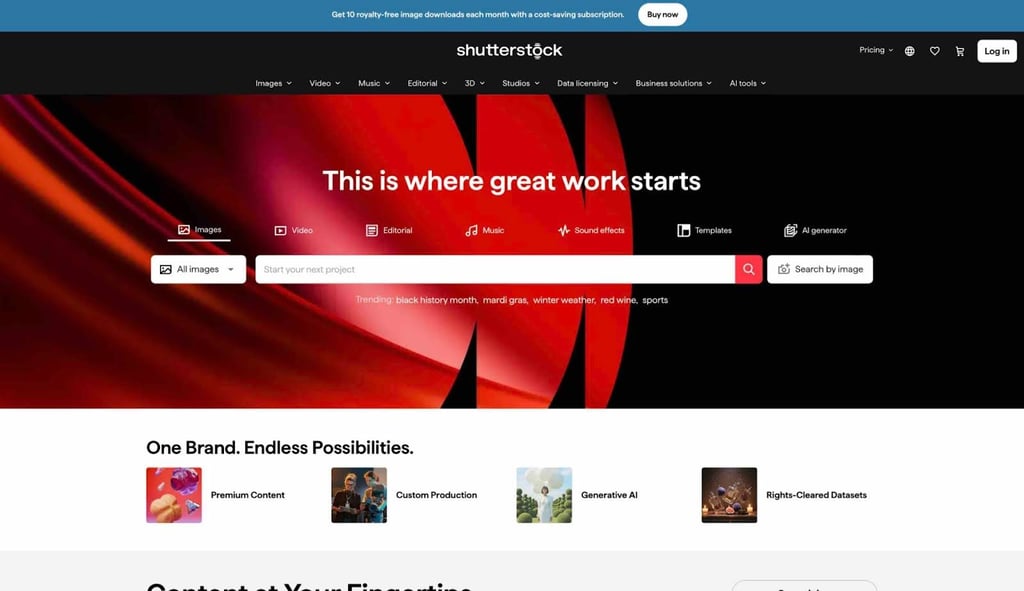
Since its inception, it has added hundreds of millions of assets arranged into content libraries like stock photos, vectors, illustrations, video footage, plus music and sound effects. It also provides 3D models.
Shutterstock's typical customers are marketing SMBs, creative agencies, and content creators. It can be used both for individual projects and campaigns such as social media content, video production, and presentations.
About Getty Images
Getty Images is a premium platform that excels in editorial and archival coverage, with millions of video clips available. Its strengths include authentic news, entertainment, sports, and celebrity content, backed by major media institutions.
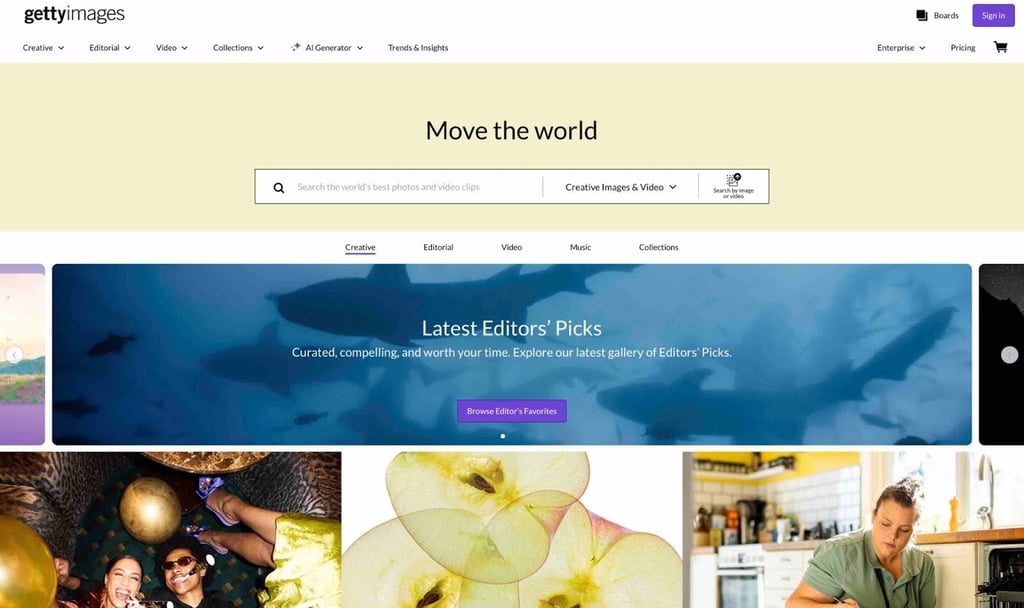
It’s known for exclusive content where usage rights are key. Licensing depends on the type of content. Getty references frameworks like “royalty-free” and “rights-managed,” so it’s important you’re familiar with the license terms for what you’re using. Rights-managed licenses can vary by geography.
Typical customers include publishers, media agencies, and high-end brands. These customers need premium visuals, editorial control, or legal protection for copyright claims.
Shutterstock vs Getty Images: features
Both platforms include essential features. However, the two differ significantly when it comes to licensing methods, editorial content, and how you pay. Here’s a quick side-by-side comparison:
| Criteria | Shutterstock | Getty Images |
| Content | Photos, vectors, illustrations, editorial images, video, music/SFX, templates, 3D, AI images | Creative plus editorial images and video, music, SFX, curated plus partner collections, generative AI, custom content |
| Available licenses | Standard, Enhanced, Media/Premier | Royalty-free (UltraPacks and single), Premium Access/Custom, Rights-Managed/Ready |
| Customer support | Support plus help center, team/enterprise options | Support plus sales and enterprise options |
| Videos | HD/4K | HD/4K |
| Photos, vectors, illustrations | Yes | Yes |
| Audio | Music plus sound effects | Music plus sound effects |
| Editorial | Yes | Yes (strong) |
| Price per image (subscription) | $29/month (10 image downloads/month, 12-month contract) | Custom sales quote |
| Price per image (on demand) | $29 (two downloads) | $175-$499 single images (size-based price) |
| Video price (on demand) | On-demand available, pricing N/A | UltraPacks low-resolution video as low as $130, 4K/HD packs available |
| Video price (subscription) | Video subscription exists, price N/A | Premium Access (custom sales quote) |
| Bonus features | Studios/Custom Production, AI tools, templates, 3D, teams/enterprise API | Rights & Clearance, Market Freeze, generative AI, custom content, enterprise tools |
Shutterstock’s balanced features mean it’s more practical for the average user. Getty Images excels at authentic clips, but isn’t as “all-purpose.”
Shutterstock vs Getty Images: libraries
Regarding libraries, Shutterstock wins in sheer breadth with over 580 million assets under its umbrella for everyday creative projects including photos, video, illustrations, templates, vectors, and 3D. Most content is general purpose, rather than partner-backed or deep historical collections. Cultural and event-driven archival material does exist in the library, but it’s not Shutterstock’s core specialty.
On the other hand, Getty Images focuses on depth and exclusivity for editorial and archival aspects, which is why its licensing is more layered. Getty has exclusive partnerships with AFP, major sports leagues like the NBA and NFL, and media organizations like the BBC Motion Gallery, NBC News Archives, and Bloomberg. It even has archival material from the mid-1800s. Getty Images is perfect for accurate historical storytelling, time-sensitive reporting, and documentary projects.
Both platforms perform well since both offer value in different ways. Neither is necessarily better. However, Shutterstock has broad, multi-format versatility for the everyday user.
Shutterstock vs Getty Images: image selection and quality
Both platforms have a large selection of high-resolution stills, plus HD and 4K video footage. Shutterstock’s “Photo Format” sizes vary (you set this at the download stage). You can choose from high-volume themes like conceptual, business, and lifestyle. To download, you need a subscription or an “image pack.”
Getty Images relies on size tiers (including Small, Medium, Large), and you need to purchase a license before downloading. Getty divides Creative and Editorial content more clearly, and contributor rules (3-256MP uploads) are tighter.
For contributors, both enforce model and property releases for commercial use, with Shutterstock rejecting near-duplicates, keyword spam, and irrelevant metadata. Getty Images is stricter about release misuses, serial similarity, and misleading captions.
When I search for “remote work team” or “healthcare portrait,” Shutterstock shows a larger selection with more refined filters. Getty turns up fewer but more focused results when I searched for “city skyline editorial.”
What to validate before downloading
- Is the image cleared for how you’ll use it (commercial/editorial)?
- Are releases in place for elements like people or brands?
- Are there limits on where it can appear (particularly for news and sensitive topics)?
For image selection and quality alone, Shutterstock’s breadth and fine-filtering flexibility shines. Getty Images still impresses with its curated, clearly separated content.
Shutterstock vs Getty Images: commercial and editorial content
Commercial use means using content (such as an image or clip) to support, promote, or sell something. Examples of this are ads, paid socials, or brochures. Editorial usage means using content to illustrate or report on something real. Examples of this are documentaries and news articles.
Editorial imagery often comes with more restrictions because it can lack model or property releases, so you can’t use it to promote, and it must not imply endorsement, sponsorship, or approval. Using editorial imagery is typical for illustrating context (event, location, subject). Altering that can violate your license.
As a writer or editor, I recommend you analyze the platforms’ license agreement and FAQ for usage notes. Below are some examples of how you could use each type.
When you should pay for editorial
- For a serious report on real people or events
- For covering current affairs or sports
- For authenticity in documentary-style pieces
When royalty-free commercial is enough
- For ads and branded material
- Social media campaigns
- Generic concepts using released models and locations
Both platforms fare well for commercial usage. However, Getty Images is the more professional solution.

Licences
Licenses are the risk category. Usually, stock licenses tell you where you can use an asset, how you can modify it, how widely you can distribute it, and if it’s allowed for merchandising or in sensitive cases (including controversy). Licenses also address visibility of identifiable people, property, or logos, and cover print runs.
Shutterstock mainly uses Standard and Enhanced licenses, and this can be a bit blurry. Standard covers general marketing, editorial, and web purposes, but you may need Enhanced if the asset links to merchandising or product packaging. Check the official descriptions for your exact use case to avoid triggering issues.
Getty Images uses a Content License Agreement system with royalty-free (RF), rights-managed (RM), and rights-ready (RR) frameworks. Generally, RF is for wider use, while RM and RR are more tightly controlled regarding use, duration, audience size, or geography. Again, check the exact terms. The checklist below will help.
License sanity checklist
- Intended channel
- Distribution scale
- Resale or for merchandising
- Logo and trademark visibility
- Is model or property release present
- Is it a sensitive use category
Getty Images has a clearly separated licensing system. Shutterstock is more practical for wider use.
Getty Images vs Shutterstock: extra features
Extra features, like tools that help with licensing, speed, and collaboration, can be the icing on the cake when choosing a platform. Shutterstock adds Generative AI with text-to-image editing plus brush edits, background removal, variations, and expansion.
Shutterstock also provides enterprise features like team member management, SAML-based SSO, API integrations, and storing content in company's Digital Asset Management (DAM). Another feature is Shutterstock Studios, a separate service where a team creates custom assets for you.
As for Getty Images, it’s more enterprise-geared. Premium Access provides unlimited seats and professional usage rights, while its Media Manager organizes assets and downloads licensed material automatically. It also provides Custom Content for commissioning and aligning content to your brief.
A Rights & Clearance service gets you permissions for trademarks, talent, copyrighted material, and unreleased archival material. Like Shutterstock, Getty Images has Generative AI, plus an enhanced search guide.
Shutterstock has immediately usable extra features that suit typical users. Getty Images is superior for enterprise workflows.
Shutterstock vs Getty Images pricing comparison
Shutterstock pricing revolves around subscriptions, packs, and team or enterprise plans. You get a monthly download allowance, and it’s usually single-seat.
For example, I found their 10-image annual subscription to be $2.90 per image, and the smallest two-image pack costs $14.50. Downloads don’t roll over, they reset every month. The packs are pay-as-you-go, available for 12 months, and can include Standard or Enhanced licenses. Pricing is different for Enhanced licenses.
More seats come with Teams and Enterprise tiers, plus options like administrator controls, SSO, and API integration. Shutterstock’s official documentation notes annual subscriptions with monthly billing and an early cancellation fee. Subscriptions can auto-renew unless you disable that option.
Getty Images requires you to purchase a single-image or video license or an UltraPack for discounted downloads. For example, a random Small image I found costs $175, whereas five large images or 4K and HD videos cost $350 (per download). Getty also lists Premium Access annual plans and custom solutions.
For both platforms, pricing can vary by pack size, region, and asset type. Shutterstock is much cheaper for individuals and small projects. Getty Images is geared towards enterprise buying.
What do users think about each platform?
After reviewing user sentiment online, I can say that users appreciate both platforms’ broad libraries and quality of search functions. Getty Images is consistently praised for rare editorial and news material, while Shutterstock’s sheer breadth of stock and more affordable pricing plans keep users coming back. Users particularly like Shutterstock’s search filters and keyword accuracy for finding visual content quickly.
However, cost is a recurring complaint. Users (SMBs, smaller teams) criticize Getty’s high pricing (often over $200). For both platforms, some users say renewals and billing can be hard to understand and cancel. Licenses are another theme, where users are often confused about what’s allowed and what’s not, and some caution that misunderstandings can lead to takedowns or legal risks. Others criticize Shutterstock for generic content, and some are confused about how to use editorial vs commercial rights on Getty Images.
Which stock library is best for your needs?
Pick Shutterstock if you or your team produce lots of typical creative assets, and you need affordable, stable pricing. It works for blogs, ads, websites, and social content without the licensing heaviness of Getty Images.
Pick Getty Images if you manage enterprise clients, need rights management, or are a newsroom that needs accurate editorial material. But expect costs to rise quickly.
When considering Shutterstock vs Getty Images, if you merchandise or work with resale rights, make sure you read the license limitations and cautions very carefully. With exclusive content, you’ll be paying more and waiting for approvals. For another alternative, check out our Shutterstock vs iStockphoto breakdown.
FAQ
Is Shutterstock or Getty Images better for commercial advertising use?
For most applications, Shutterstock fits better because it’s much more affordable and has a wide range of typical royalty-free content. Getty Images specializes in enterprise applications and exclusive or hard-to-find content, but it is significantly more expensive.
What’s the difference between royalty-free and rights-managed licensing on Getty Images?
With royalty-free, you can reuse material across several projects without worrying too much about limits. Rights-managed and Rights-Ready are use-limited, plus dependent on duration, audience size, and geography.
When do I need an enhanced license on Shutterstock (e.g., merchandising/resale)?
Usually, for merchandising, resale, packaging, or similar channels. Standard satisfies most editorial, marketing, and web uses.
Can I use editorial images from Getty Images or Shutterstock in social media ads?
Not typically. Editorial images don’t have releases. They normally can’t be used for promotion or advertising without additional permissions.
How can I reduce copyright risk when using stock images (especially AI-generated assets)?
With AI assets, make sure you’re on the correct license. Verify releases, and be careful around sensitive-use rules and context. Prefer a platform with indemnification and human review for that type of content.