5 best VPNs for travel in 2026
Our in-house cybersecurity experts and journalists, renowned for major reports like The Mother of All Breaches, conduct transparent, unbiased VPN testing and in-depth analysis.
With 750+ articles crafted based on real-world research, we empower readers to make informed purchasing decisions through first-hand expertise.
Learn more

-
In 2026, NordVPN ranks as the top VPN for travelers thanks to its ultra-fast performance, robust security features, and expansive worldwide server coverage that keeps you connected wherever you go.
-
When selecting a travel VPN, choose one that has many servers in the country you’re traveling to, as this will ensure the best speeds and stability.
-
Look for VPNs that deliver consistent performance across multiple devices and platforms, combined with user-friendly apps that make switching servers and staying protected effortless.
-
Additional features like built-in ad blockers, multi-hop connections, and split tunneling enhance both privacy and convenience, making your travel browsing safer and smoother.
Exploring new places is exciting, but staying connected on the go comes with real online risks. Public Wi-Fi in airports, hotels, and cafes can expose your personal data, which is why I always get a VPN before any trip. It protects your connection and lets you browse, stream, and access your usual sites as if you were back home, even when you’re overseas.
A VPN secures your internet traffic with encryption and masks your IP address, giving you a more private online experience wherever you are. From unlocking your streaming libraries to keeping your information safe on shared networks, it’s one of the most useful tools for any traveler.
At Cybernews, we’ve tested numerous VPNs in multiple countries to evaluate their speed, security, and reliability. In this updated October 2026 guide, I highlight the best VPNs for travel – services that deliver fast performance, strong privacy protection, and user-friendly apps across all your devices. Let’s dive in and find the right option to keep you secure and connected wherever your journey takes you.
Best VPNs for travel in 2026: detailed list
The following five VPNs have been thoroughly tested to ensure they deliver the best results when traveling anywhere abroad. Each has its unique benefits, which is why I highly recommend reading our detailed descriptions thoroughly. Otherwise, if you’re short on time, you can have a quick side-by-side comparison using our table below.
- NordVPN – overall best VPN for traveling in 2026
- ExpressVPN – fast and secure travel VPN
- Surfshark – affordable and speedy traveling VPN, discount code OFFCN
- Proton VPN – private travel VPN with extensive server fleet
- Private Internet Access (PIA) – beginner-friendly VPN for traveling with a wide server coverage




We spare no effort to test the products & their features. All information is gathered by our in-house research team & fact-checked by our team of experts. Discover the ins and outs of our testing procedures.
Why do you need a VPN for travel?
When traveling, a robust VPN should be your go-to companion for online privacy and to access geo-blocked content. Whether connecting to public Wi-Fi at an airport or hotel, a VPN provides encrypted communication. This way, you can browse securely, stream your favorite shows, and access your bank account without worrying about unwelcome snoopers.
Additionally, some banking sites might be unavailable abroad. With a VPN, you can set your location back home and access your accounts without issues. Plus, it adds an extra layer of security, which is crucial when dealing with financial information on public networks.
In short, a VPN is a must-have for any travel kit. Whether it's protecting your data, finding travel deals, or streaming your favorite shows, you'll quickly realize you can't travel without it once you start using it.
How to choose a VPN for traveling?
Traveling is different for everyone, and so are VPNs. Different providers cater to different traveler needs, so spending some time thinking about what VPN features matter to you is crucial. Here’s what I recommend paying attention to when considering VPNs for travel:
- Core VPN features. Ensure the VPN you’re considering has a solid foundation, such as strong AES-256 encryption, a kill switch, and DNS leak protection. It should also come with a no-logs policy that confirms that the provider doesn’t store your online activity data.
- Server coverage. Make sure the VPN has servers both in your travel destination for faster speeds and in the countries where your preferred content is available, so you can easily bypass geo-restrictions.
- Connection speeds. Check whether your VPN delivers good speeds and supports modern VPN tunneling protocols, such as WireGuard.
- Cross-device compatibility. Make sure your potential VPN service offers apps not just for PC and mobile, but also for smart TVs, gaming consoles, and other gadgets you might use while traveling.
- Bonus features. The best VPNs include unique extra features that improve your overall security or privacy. Notable examples include double VPN capabilities, split tunneling, and ad blocking. Details will vary for each service.
- Ease of use. Have a look at the VPN’s app interface and read some reviews to see whether the service is easy to use.
- Pricing. If you mainly want secure access to your accounts, streaming services, and public Wi‑Fi protection while abroad, a budget-friendly option like Surfshark covers all the essentials, and you can save even more by using the OFFCN discount code at checkout.
Traveling VPNs comparison table
Based on our in-depth testing and comparison, NordVPN delivers outstanding performance across the board, making it the best VPN for traveling. ExpressVPN is a strong premium alternative with excellent reliability, while Surfshark stands out as the most budget-friendly option without compromising on features.
| Our rating | Apple store rating | Simultaneous connections | Speed retention on nearby servers | Speed retention on intercontinental servers | Starting price | 24/7 support | Money-back guarantee | |
| NordVPN | 4.7 | 10 | 93% | 80% | From $3.49/month | ✅ Yes | ✅ Yes, 30-day | |
| ExpressVPN | 4.7 | 14 | 73% | 85% | From $2.99/month | ✅ Yes | ✅ Yes, 30-day | |
| Surfshark | 4.8 | Unlimited | 88% | 81% | From $2.49/month | ✅ Yes | ✅ Yes, 30-day | |
| Proton VPN | 4.6 | 10 | 91% | 78% | From $2.99/month | ✅ Yes (paid plans) | ✅ Yes, 30-day | |
| PIA VPN | 4.4 | Unlimited | 86% | 63% | From $2.03/month | ✅ Yes | ✅ Yes, 30-day |

1. NordVPN – overall best VPN for traveling in 2026

| Rating: | |
| Price: | From $3.49/month |
| Servers: | 8,000+ servers in 149 countries |
| Max devices: | 10 |
| Current deal: | Get 75% OFF NordVPN + 3 months free |
NordVPN is a top option if you want a reliable travel VPN that won't strain your budget. During testing, it maintained fast, stable speeds across different locations, making browsing and streaming smooth. It also adds extra protection on public Wi-Fi and lets you access region-locked shows and services.
Traveling with NordVPN
Personally, NordVPN has been my go-to VPN for years whenever I travel. Its server network is impressive and keeps expanding – there are now over 8,000 servers in 149 countries. I’ve never been in a situation where I couldn’t find a server I needed.
Thanks to NordVPN’s proprietary NordLynx protocol, speeds remain excellent. On average, I see around 80% of my original connection across different servers, and on local servers, it often hits 93%, so I barely notice a difference. The app is very user-friendly, especially on mobile – you can tap a country on the map or hit Quick Connect for the fastest server.
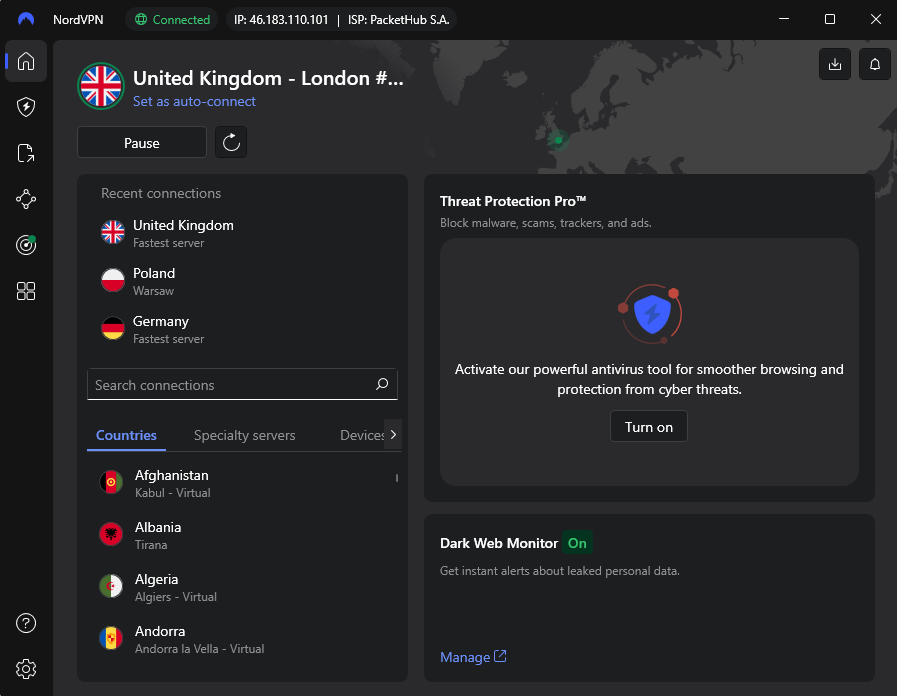
What I value most while traveling is streaming. NordVPN reliably unblocks platforms like Netflix, BBC iPlayer, and Hulu, giving me smooth, uninterrupted access to geo-restricted content.
It also comes with handy travel features. Its next-gen antivirus (formerly Threat Protection) blocks ads and trackers, improving privacy and browsing comfort. Auto-connect settings let me connect automatically whenever I join an unknown Wi-Fi network, giving me peace of mind without extra effort.
NordVPN plans and pricing
NordVPN’s pricing is average compared to competitors, starting at $3.49/month. You can upgrade for extra features, but the base plan already includes everything you need for traveling. There’s also a 3-day free trial on Android, and every plan comes with a 30-day money-back guarantee, so you can try it risk-free.
For more information, be sure to check out our full NordVPN review.
2. ExpressVPN – fast and secure travel VPN

| Rating: | |
| Price: | From $2.99/month |
| Countries: | Undisclosed number of servers in 113 countries |
| Max devices: | 14 |
| Current deal: | Now up to 80% OFF ExpressVPN + 4 months FREE |
ExpressVPN is built for travelers who want fast connections paired with strong security from the start. Its core protection features are included in the base subscription, making it a strong choice for anyone looking for a reliable travel VPN.
Traveling with ExpressVPN
When I tested ExpressVPN for this article, I immediately thought that it’s a perfect option for beginners, mainly because the app is simple, clean, and very easy to navigate. I never felt overwhelmed by settings or features, which made it especially convenient while traveling.

ExpressVPN offers servers in 113 countries. That’s fewer than NordVPN but more than Surfshark. While it doesn’t disclose the exact number of servers, I didn’t notice any overcrowding during my tests. Even when switching locations abroad, performance stayed consistent, averaging 85% of my base connection speed.
ExpressVPN’s interface looks nearly identical on desktop and mobile, which made it very easy to use since I didn’t have to relearn anything. To connect to a server, all I had to do was click the large button, and I was instantly secured.
Streaming also worked flawlessly. I had no trouble unblocking YouTube TV, Fubo, and Disney+, and streaming in HD was smooth and buffer-free. The built-in kill switch gave me extra peace of mind, while the added eSIM data on the Advanced and Pro plans made it a great travel-friendly deal.
ExpressVPN plans and pricing
ExpressVPN subscriptions start at $2.99/month. The standard plan covers up to 10 devices, while higher-tier options increase that number to 14. Additionally, the provider has recently brought back its 30-day money-back guarantee for first time users, making it a risk-free choice.
For a more in-depth analysis, see our complete ExpressVPN review.
3. Surfshark – affordable and speedy traveling VPN, coupon code OFFCN

| Rating: | |
| Price: | From $2.49/month |
| Servers: | 4,500+ servers in 100 countries |
| Max devices: | Unlimited |
| Current deal: | Now up to 85% OFF Surfshark + 3 months FREE |
Choose Surfshark if you’d rather keep your travel budget for experiences rather than pay for a VPN. It’s the most affordable option on the list, yet it still delivers impressive speed and solid security. With support for unlimited devices, you can protect everything you carry, from your phone to your laptop, and even share coverage with travel companions.
Traveling with Surfshark
When testing Surfshark, I was impressed by how much it offers at such a low price. It’s packed with useful features like MultiHop servers, IP Rotator, and NoBorders mode to bypass online censorship. Even the cheapest plan includes the Alternative ID feature, which helps protect your personal details from identity theft. Despite its many features, Surfshark remains beginner-friendly, with the most important tools easily accessible from the main screen.

The network isn’t the largest, but with servers in 100 countries, you can always find a nearby connection while traveling. Speeds were consistently strong, averaging 81% across multiple worldwide locations I tested.
Surfshark also excels at streaming, offering smooth, buffer-free playback and reliably unblocking platforms like Disney+, Amazon Prime Video, and Paramount+. With unlimited device support, everyone in your family or travel group can enjoy their favorite shows and movies without compromise.
Surfshark plans and pricing
Surfshark plans start at $2.49/month, making it one of the most affordable VPNs available. You can install it on unlimited devices, which makes it especially useful if you’re traveling with friends or switching between multiple gadgets. Mobile users can try it for free for 7 days, and every plan includes a 30-day money-back guarantee.
If you’re curious to find out all the features, read our extensive Surfshark review.
4. Proton VPN – private travel VPN with extensive server fleet

| Rating: | |
| Price: | From $2.99/month |
| Servers: | 20,700+ servers in 149 countries |
| Max devices: | 10 |
| Current deal: | Get up to 70% OFF Proton VPN |
I recommend Proton VPN for travelers who prioritize privacy. Based in Switzerland, it benefits from strong privacy laws and offers a suite of tools to enhance online security. With its extensive server fleet, I can always find a fast, reliable connection.
Traveling with Proton VPN
When I used Proton VPN while traveling, I felt my connection was completely private at all times. Its Secure Core servers, privacy-friendly jurisdiction, Forward Secrecy feature, and audited no-log policy gave me confidence that my online activity was secure no matter where I was.

Proton VPN also impressed me with its massive server network. With over 20,700 servers across 149 countries, it was easy to find fast connections wherever I traveled. Speeds were solid, maintaining about 78% of my usual connection. While not as fast as Surfshark or NordVPN, it was more than enough for everyday browsing and streaming.
I found the app to be very user-friendly. Even with all its advanced features, the main screen gave me quick access to the essentials. On mobile, I could create widgets for one-tap connections without opening the app, which was extremely convenient on the go.
Streaming was smooth during my trips. I easily unblocked different Netflix libraries and enjoyed Disney+, BBC iPlayer, and HBO Max with minimal buffering. I also loved the NetShield ad blocker – it blocks ads and trackers, making it faster to find travel information without dealing with endless pop-ups.
Proton VPN plans and pricing
Proton VPN plans begin at $2.99/month and are backed by a 30-day money-back guarantee. Although there’s no free trial, its free plan is a great way to get started – you can connect to servers in up to 10 locations without worrying about data limits.
Check out our full Proton VPN review for more insights.
5. Private Internet Access (PIA) – beginner-friendly VPN for traveling with a wide server coverage

| Rating: | |
| Price: | From $2.03/month |
| Countries: | 35,000+ servers in 90 countries |
| Max devices: | Unlimited |
| Current deal: | Watch Live Sports Securely, now with 83% OFF + 3 Months FREE |
Consider PIA VPN if you’re a traveler looking for a beginner-friendly VPN. Its simple interface makes setup effortless, while the extensive server network ensures fast, secure connections and easy access to your favorite apps anywhere.
Traveling with PIA VPN
After testing PIA VPN for travel, I found it very easy to use from the start. It felt like a great beginner option, with a simple layout and a large connect button that makes securing your connection quick. The interface actually reminded me of ExpressVPN, and I liked that the design stayed consistent across all my devices.
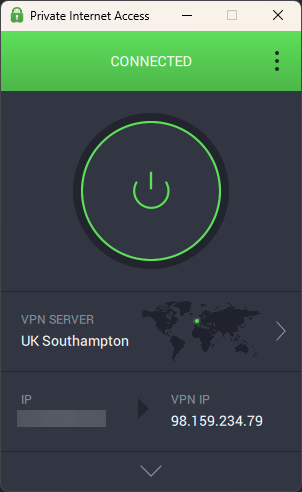
PIA has a massive network of over 35,000 servers across 90 countries. While the country coverage is slightly smaller than some competitors, I still had plenty of nearby servers to choose from when traveling.
In my speed tests, PIA retained about 63% of my base connection. This is noticeably slower than competitors, especially when streaming videos. Still, it successfully unblocked Peacock, multiple Netflix libraries, and Disney+, though occasionally I had to switch servers in order for streaming to work.
PIA includes useful travel security features, such as a reliable kill switch and Multi-Hop, which routes traffic through an extra server for stronger privacy.
Private Internet Access plans and pricing
PIA VPN starts at $2.03/month and supports unlimited device connections. It’s slightly pricier than Surfshark, which also offers unlimited connections at a lower rate. There’s no free trial, which I found disappointing, but it does include a 30-day money-back guarantee if you want to test it out first.
See our complete Private Internet Access review for expert insights.
How to set up a VPN on your device before traveling
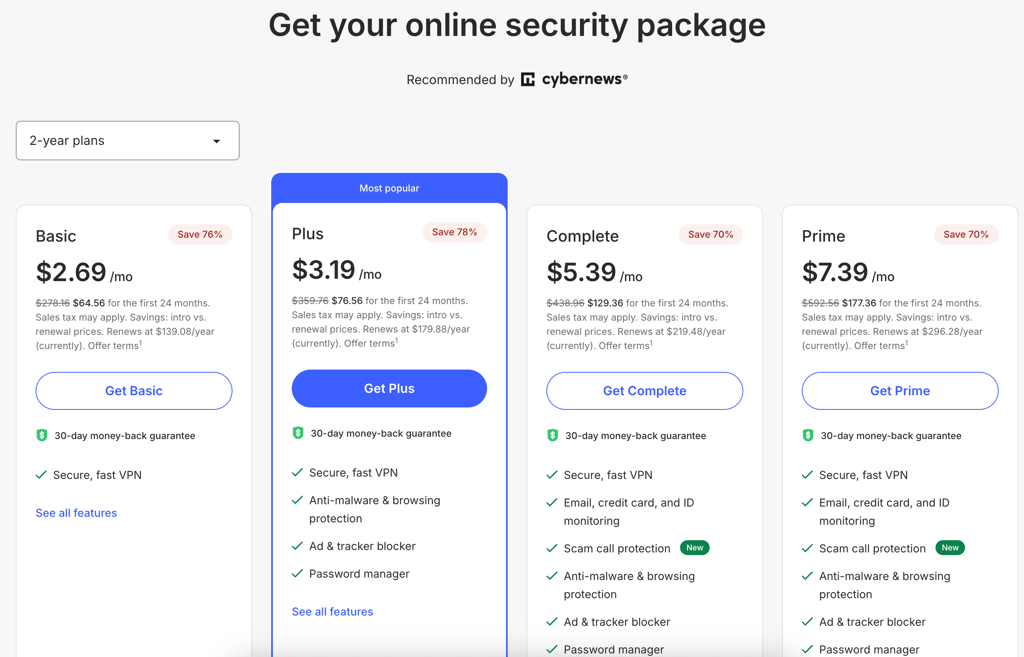
Before you travel, secure your devices, not just your luggage. That means you must pick a VPN service, subscribe, and install the app in advance to avoid any issues later. The provider choice will ultimately depend on your travel needs and budget.
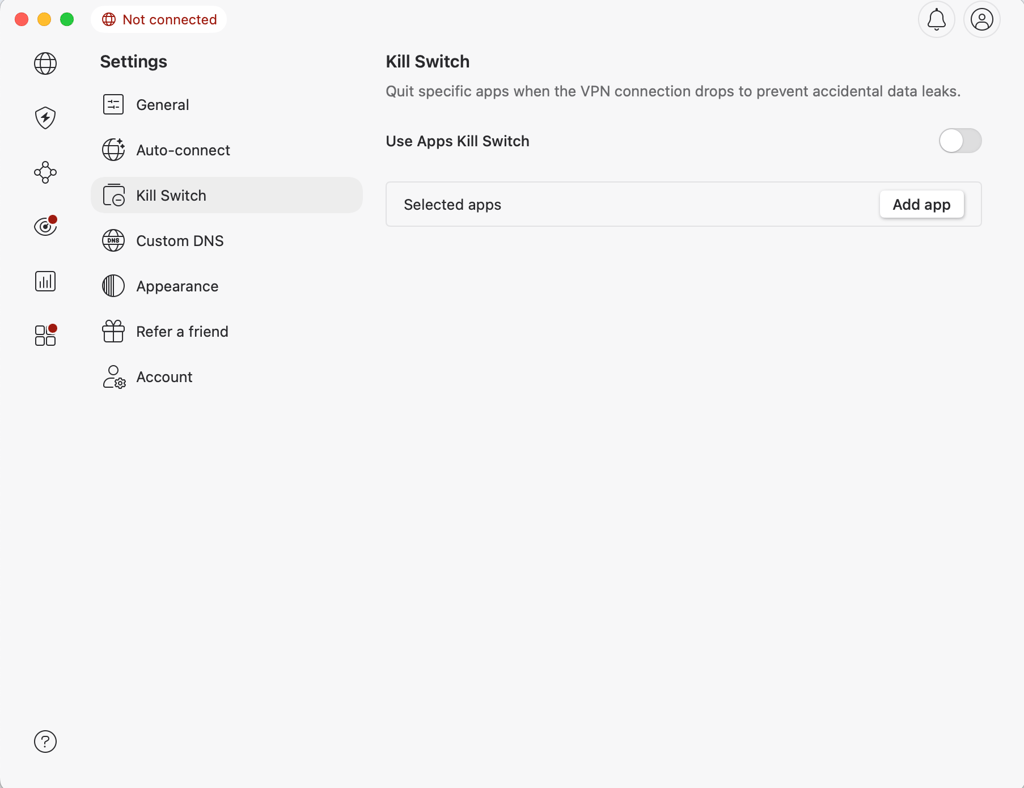
Once the app is installed, you’ll need to open it and log in to your account. After that, I suggest reviewing the app’s settings and enabling any extra security features that contribute to your online safety. For example, kill switches usually aren’t enabled by default, but they’re crucial for preventing IP leaks.
The last step is to connect to a VPN server to mask your IP address and encrypt your online activities.
Besides using a VPN, here are a few other steps you can take to protect yourself while traveling:
- Enable auto-connect. Set the VPN to auto-connect to a server when joining a new Wi-Fi network, ensuring security as soon as you connect to a public or unfamiliar network.
- Activate the kill switch. Ensure the VPN’s kill switch feature is enabled to automatically disconnect your device from the internet if the VPN connection drops, preventing potential data exposure.
- Update device software. Before travel, ensure your operating system and apps, including the VPN, are updated to prevent security vulnerabilities and improve overall performance.
- Back up important files. Before your trip, back up essential data (e.g., documents and photos) to ensure you don’t lose important information if your device malfunctions.
- Disable unnecessary apps. Disabling or uninstalling apps that unnecessarily use location services or background data can help improve battery life and save bandwidth while traveling.
- Pre-download content. Download offline content like maps, movies, or documents before traveling, so you’re not reliant on internet access in regions with poor or insecure connections.
- Enable 2FA. Having two-factor authentication enabled will keep your accounts secure even if your login credentials are leaked in a data breach.
- Check VPN legality in your destination. Ensure the country you’re visiting allows VPN usage and doesn’t have strict regulations against it.
Which countries allow the use of a VPN?
VPNs are legal in many places worldwide, including the US, the UK, Canada, and Europe. Most countries don’t restrict free speech, meaning they have no issues with VPN usage in most cases. Meanwhile, regions with strict online censorship laws typically impose severe limitations on VPN use. Below is a table highlighting a few countries where VPNs are restricted:
| Country | VPN status |
| China | Restricted/banned |
| Russia | Restricted/banned |
| Iran | Restricted/banned |
| UAE | Restricted |
| Turkey | Restricted |
| North Korea | Banned |
| Iraq | Banned |
In most countries, such as the United States, Canada, and much of Europe, VPNs are legal and widely used for privacy and accessing content. However, some countries, including China, Russia, and Iran, have strict regulations, and using an unauthorized VPN there can lead to fines or other penalties. These governments often block VPN services to stifle free speech and limit access to information.
Are free VPNs good enough for traveling?
I don’t recommend using free VPNs for travel. Most come with strict data limits, smaller server networks, slower speeds, and fewer features. More importantly, many free services offer weaker privacy and security protections, which can put your data at risk when you’re using public Wi-Fi abroad.
The only free VPN I can confidently suggest is Proton VPN, since it doesn’t compromise user privacy, even on its free plan. Still, this recommendation is very case-specific, as the free version comes with limitations. You only get access to a small number of server locations, and you can’t choose them manually. If the country you’re traveling to isn’t available, you may experience slower speeds and less reliable connections.
For short trips, I recommend using premium VPN free trials or money-back guarantees instead. This way, you get full features, stronger security, and better performance without paying long term or sacrificing your online safety.
Final thoughts
While traveling, your data is at constant risk. Airports, hotels, and cafes rely on public Wi-Fi networks that are easy targets for cybercriminals and data tracking. If you’re logging into banking apps, emails, or social media while abroad, your information can be exposed without proper protection.
A VPN creates a secure, encrypted connection wherever you go. It shields your activity on public networks and lets you access your usual apps and streaming platforms as if you were back home, so your online routine stays consistent while traveling.
From my testing and travel experience, NordVPN is the best overall VPN for travelers. It offers fast speeds, strong security, and wide server coverage at a reasonable price, making it a dependable choice for staying protected and connected abroad.
FAQ
Which VPN is best for travel?
NordVPN is the best VPN for travel because of its effective features and affordable price. Its fleet of 8,000 servers across 149 countries includes obfuscated servers, which are especially effective at bypassing online censorship. Alternatively, you can enable the NordWhisper protocol to circumvent network restrictions.
What is the best country to use for a VPN?
The best country to choose for your VPN connection depends on what you’re trying to achieve. If you want to access content that’s restricted in your location, connect to a country where that content is available. If privacy is your primary concern, choose a country with strong privacy laws like Switzerland or Panama to ensure your data is well-protected.
Do VPNs work internationally?
Yes, VPNs work internationally, allowing you to connect to servers in different countries no matter where you are. This lets you access content from other regions, secure your connection on public Wi-Fi, and maintain privacy while traveling. However, keep in mind that some countries restrict or ban VPN usage, so it’s important to check local laws before using a VPN in certain regions.
Can I avoid roaming with a VPN?
No, you can’t avoid roaming charges by using a VPN. Roaming charges are determined by your physical location and the mobile network provider you connect to. Instead, you should use an eSIM service like Saily if you want to avoid roaming charges when traveling abroad.
What is the safest VPN for travel?
NordVPN is the safest VPN for travel due to its numerous protection features. As expected, it includes a kill switch, DNS leak protection, and top-tier encryption to secure your connection. Crucially, it includes the next-gen antivirus, which blocks ads, malicious websites, and malware.