Could a website you trust be vulnerable to PHP2Shell?

You might have used the same online shop for years without a problem. You recognize the website, your saved login works, and your orders arrive. Naturally, you trust it with your details.
However, the recent PHP2Shell crisis is a reminder that even websites you trust can still have security flaws. It’s a good time to review your accounts, replace reused passwords, and check what personal information you’ve left stored online.
What does PHP2Shell mean for websites you use?
PHP2Shell refers to two critical vulnerabilities in PHP, software that runs behind the scenes on websites. These flaws can allow attackers to run their own code on an affected server without logging in. Website administrators, developers, and hosting providers are responsible for applying the fixes.
The scale of the potential exposure remains significant to this day. While it's been more than a week since the security fix was released, as of October 30th, Censys’s PHP2Shell tracker still flags approximately 29.6 million services as potentially vulnerable.
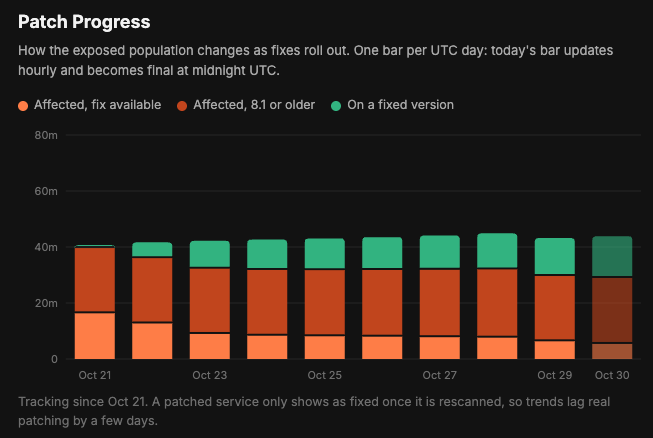
Of course, this doesn’t mean 29.6 million websites have been breached. Censys counts services, and its estimates rely on the software versions they report. Some may already have security fixes that aren’t reflected in those numbers, so the tracker does not guarantee whether a particular website is vulnerable.
For regular users, the concern is whether a website they trust has applied the fixes. If it remains vulnerable and attackers get inside, the personal information stored there, including contact details, messages, and login information, could be at risk.
Can you tell whether a website is vulnerable?
It’s hard to tell for certain whether a website is vulnerable, but checking its PHP version can give you a starting point. You can sometimes find it through your browser, depending on whether the website makes that information public. Many don’t, and even a visible version number won’t tell you whether all security fixes have been applied.
Here’s how to check in Chrome on a computer:
-
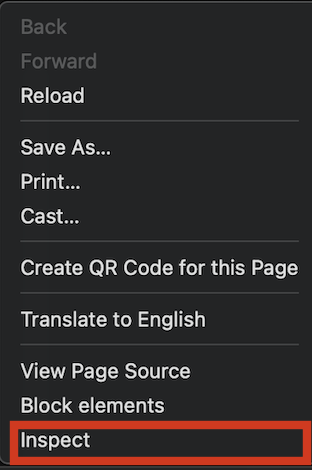
Open the website, right-click the page, and select Inspect. This opens the browser’s developer tools.
-
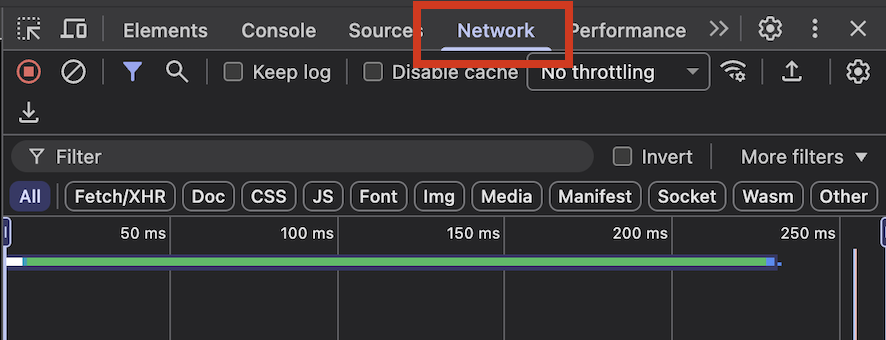
Select the Network tab, then refresh the page. A list of requests will appear.
-
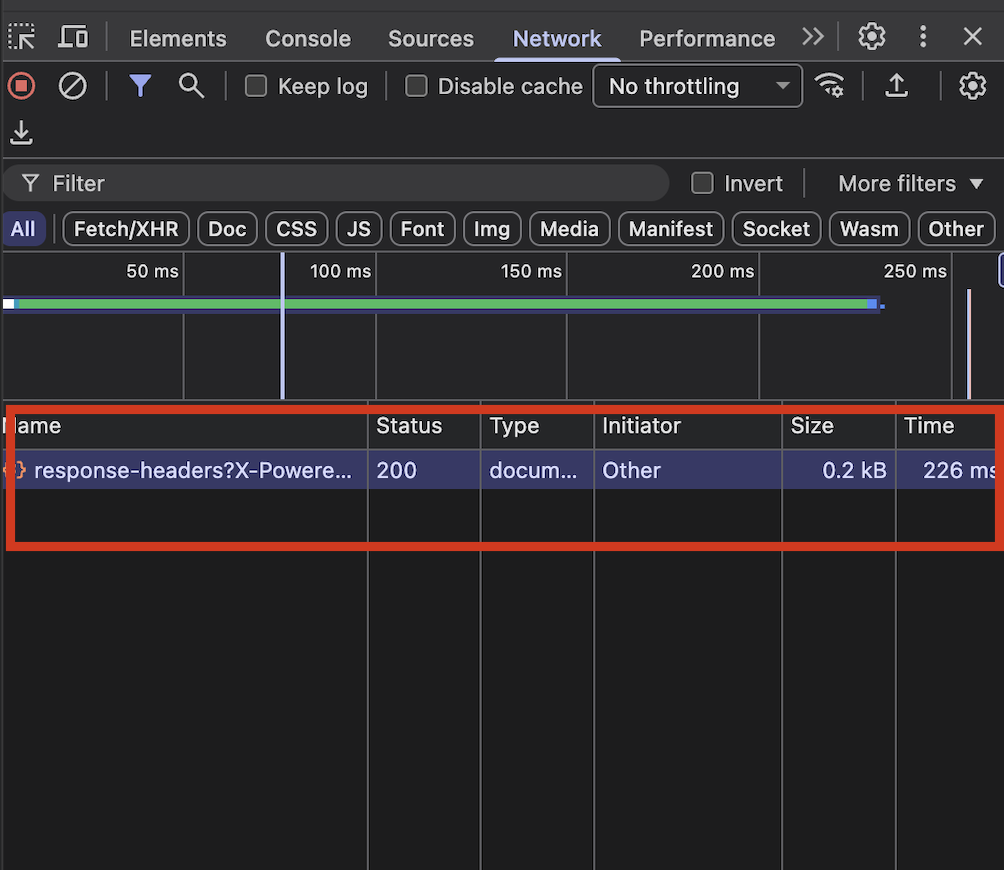
Click the main page request. It usually appears near the top, with “document” in the Type column. Under Headers, check that the Request URL matches the page you opened.
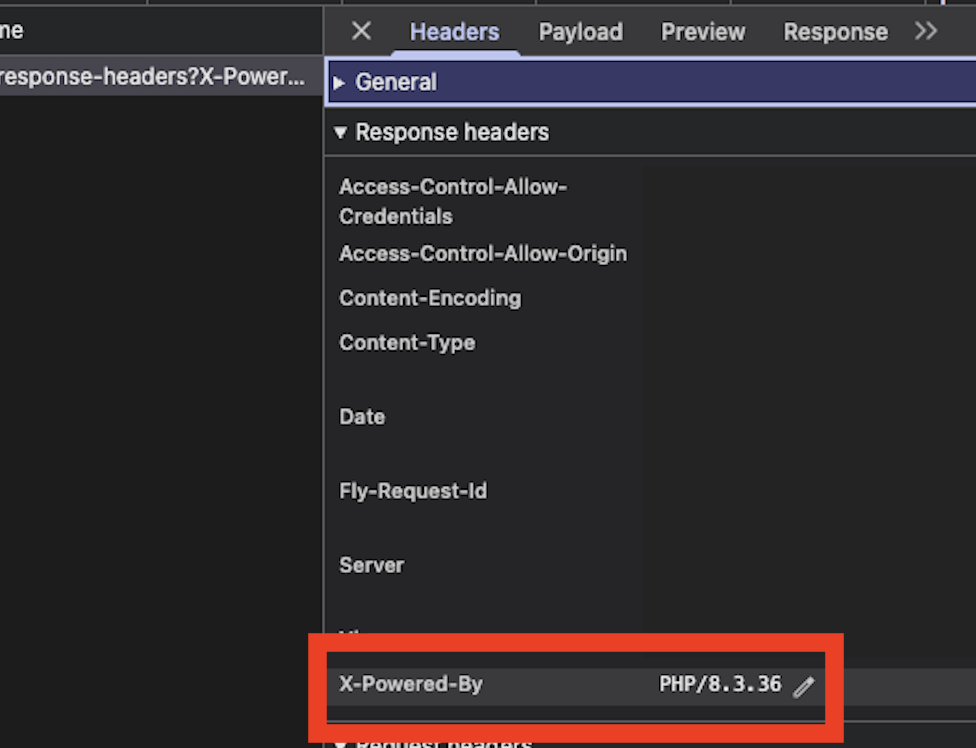
- Scroll down to Response Headers. Look for an entry called X-Powered-By or Server.
-
Check whether it includes a PHP version. For example, X-Powered-By: PHP/8.3.36.
If you find a version number, compare it with the releases listed in PHP’s official security advisory:
| PHP branch | First release with the PHP2Shell fixes |
| PHP 8.2 | 8.2.35 |
| PHP 8.3 | 8.3.36 |
| PHP 8.4 | 8.4.27 |
| PHP 8.5 | 8.5.12 |
Later releases within each branch also include the fixes. If the version you find is older, the website may require attention. However, some hosting providers apply security fixes without changing the main version number, so even that doesn’t give 100% guarantee. Nonetheless, an indicator to look for.
You can also check the website’s security notices or contact support and ask whether it has applied the PHP2Shell fixes. The browser check gives you something useful to ask about.
How could that put your passwords at risk?
The password risk begins if attackers steal a database containing login details. Reputable websites usually use modern password hashing, which stores a scrambled version of each password and makes the original much harder to recover.
However, an old, poorly maintained website, such as an old forum, might use weaker methods or even store passwords in plain text, making it a much easier target for attackers.
If attackers recover the password, they can try it elsewhere. Say that the old forum and your current email account share the same password, a breach at the forum could give attackers a way into your inbox, even if your email provider’s systems are secure. This is called credential stuffing.
That is why using a different password for every account reduces the risk of attackers using one stolen password to access your other accounts. Of course, remembering them all can be difficult. A password manager can generate and save them for you, making those good password management habits easier to maintain. Top password managers, such as NordPass, can even alert you when your monitored details appear in breach databases, so you can take action right from the get-go.

You don’t need to wait for a breach alert to get started. Check whether any websites share a password with your email or other important accounts, and replace those first. That reduces the potential damage from a stolen password while website operators are still handling the PHP2Shell fixes.
Should you stop using the website or change your password?
If a service warns that your login details may have been exposed, follow its recovery instructions and change your password. If you used that password elsewhere, replace it on those accounts too, starting with your email and other important services.
Of course, be aware that an email asking you to reset your password could itself be a phishing attempt designed to steal your login details. Before clicking any links, check for warning signs such as an unfamiliar sender address or pressure to act immediately. You can also open the service’s official website or app yourself to check for security notices and follow any recovery instructions there.
If your password is already unique and there is no indication that it was exposed, the PHP2Shell news alone does not require changing it. You can still check recent sign-ins, ensure your recovery details are up to date, and enable two-factor authentication where available.
That said, this is a good time to think about passwords you might still be sharing across websites. According to W3Techs, PHP is used by nearly 70% of websites (among the ones whose technology it could identify). You don’t need to wait for a confirmed breach to replace reused passwords and reduce the chances of one website’s security problem affecting several of your accounts.
It’s also worth checking what those websites still hold about you. Remove outdated addresses and saved payment details you no longer need, and close accounts you have stopped using. Before deleting one, check for active subscriptions, outstanding orders, or records you want to keep.