From holiday snapshots to scam targets: what your photos can reveal

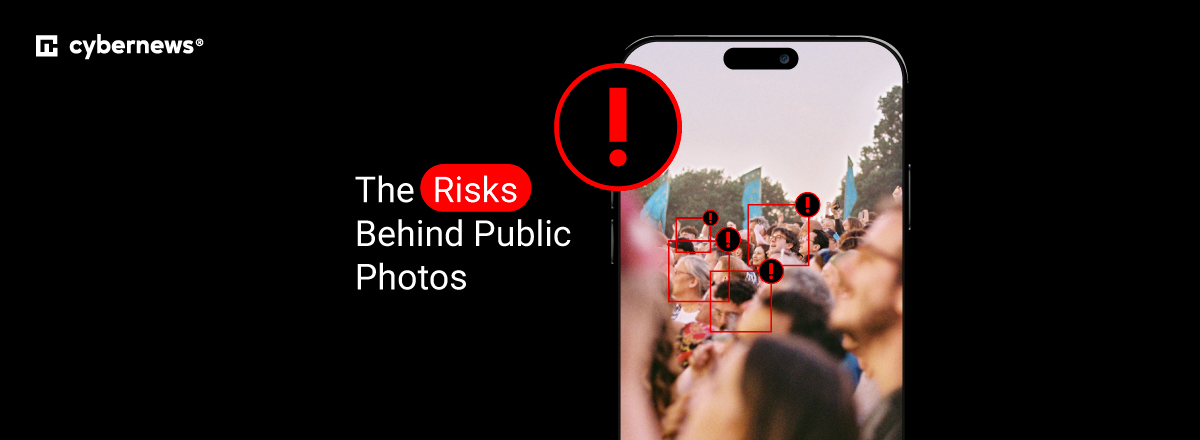
You land at the airport and immediately post a photo sharing the news about the amazing vacation you’re about to have. We’ve all done this. But did you stop to think that the image’s hidden data and visual cues just told strangers that your home is potentially empty.
You might be wondering – what can a scammer actually do with a picture? Unfortunately, posting vacation photos in real time can be dangerous. A single photo can leak GPS coordinates, home addresses, daily routines, workplace details, and even security-question answers, such as pet names, school logos, license plates, buried in the background or embedded metadata.
Thus, photo-sharing is as much a security decision as it is a social one. In this guide, I explore the hidden dangers behind posting holiday photos in real time and show how Bitdefender can be your privacy-first partner that will help you share memories without exposing yourself.
The hidden data inside every photo: understanding image metadata
Image metadata refers to the background information attached to a digital image. More precisely, our smartphone cameras automatically record much of it through EXIF (Exchangeable Image File Format) data.
This includes the date and time a photo was captured, the phone or camera model used, camera settings, and GPS coordinates. Some devices can also record the camera’s orientation or direction at the moment the picture was taken.
However, the metadata of images is not dangerous on its own. It’s what you do with the images that’s potentially risky. For example, if you hold off posting the photo in real time, you can potentially enhance your family’s security. On the other hand, if you’re careless, you could weaken it.
Fortunately, auditing images is easy, and here’s how you can do it on Windows and macOS devices:
- On Windows. Right-click the image and click Show more options > Properties > Details. In this tab, you will find information about the device, when the photo was taken, and what the camera settings were
- On macOS. Open the image in Preview and then Tools > Show Inspector < Photos. Here, you can find all information about the selected image.
You can also use a free online EXIF viewer by uploading a copy of the image, but make sure you avoid uploading sensitive family pictures to unfamiliar services. If you’re using a phone, you can check the file’s information and details screen to check metadata.
Beyond metadata: what scammers see with their own eyes
Aside from the hidden data, there are also many visible clues that require no technical skill to exploit. Street signs, house numbers, distinctive landmarks, reflections in sunglasses or windows, school uniforms, and mail on the counter can all reveal a home address or details about your daily schedule even after metadata is stripped by social platforms. All of these things can show scammers where you live, where your children go to school, or when your home is likely to be empty.
Someone can also use Google Reverse Image Search to find other versions of an image, while AI-powered geolocation tools can analyze visual clues and suggest where you took a certain picture.
So, photo privacy is much more than just EXIF data. It also requires you to consider what the image itself reveals and how it contributes to your digital footprint. To avoid unpleasant situations, I ensure privacy-first photo sharing in some of the following ways:
- Zoom in on the entire background and check every visible sign, number, document, screen, reflection, vehicle plate, and landmark.
- Look for clues that reveal your home, workplace, kids’ school, regular routes, or predictable daily routines.
- Crop or blur anything that can be identified, and take particular care when your kids are in the picture.
- Review the image from the perspective of a stranger who knows nothing about you and ask what they could figure out from the picture.
The Facebook photo scam playbook: how criminals weaponize your images
You might have heard of the Facebook photo scam. Basically, that’s any scam where criminals use the photos you share on Facebook to collect information, impersonate you or someone close to you, manipulate images, or make a targeted fraud attempt more convincing.
As this is a pretty common issue, I decided to come up with a list of the core scam types and help you self-diagnose them. These include:
- Burglary targeting. Real-time vacation posts confirm your home’s empty, which gives thieves a scheduling window to break in. The scammers can get even more context if you post photos with hotel locations and travel dates.
- Fake profile creation. Scammers download family photos to build convincing fake profiles. They can then use these accounts to catfish others, conduct romance scams, or make another person’s identity appear more credible.
- Grandparent and family-impersonation scams. Photos of children or grandchildren are used to fabricate emergency stories targeting relatives. Usually, criminals use those images to pressure a relative into sending money quickly.
- Sextortion and image manipulation. Scammers can edit an innocent photo of you, or even combine it with other material, to create something embarrassing or sexual. Then, you may receive threats demanding money in return for not having these photos posted publically.
- Identity verification fraud. A photo that accidentally captures your ID card, boarding pass, credit card, or other document can expose information that scammers may try to exploit. In fact, they may collect these details for identity theft, account-takeover attempts, or more convincing social-engineering messages.
- Location-based social engineering. Last but not least, public check-ins, landmarks, and location information can tell scammers where you are or what you’re doing. When you combine these clues with other information, you may receive phishing texts or calls that feel unusually relevant. For instance, the scammer can reference a recent trip or location to make the message seem legitimate.
Why family photos carry extra risk
Family photo security is at a great risk nowadays. You should be particularly careful about the images your kids post, as these are especially valuable to bad actors. Children tend to overshare school names, sports team logos, and daily routines without understanding the risks. Plus, scammers can repurpose kids’ images for impersonation or predatory targeting.
Of course, family privacy is a shared responsibility. Your grandparents may be unfamiliar with privacy settings, teens may post real-time locations, and even you yourself can accidentally reveal a school or daycare name through tags, captions, or background details.
The “sharenting” problem
“Sharenting” refers to the frequent sharing of your kids’ milestones online, from first days of school and birthdays to sports schedules and family holidays. On their own, these posts may seem harmless, but together they can create a detailed public record of your child’s name, interests, school, friends, locations, and routines.
Scammers can exploit all of this information for social engineering and, in rarer cases, contribute to identity fraud even before the child reaches adulthood.
Protecting the adults who consider themselves “too careful to be a target”
Being careful about what you post doesn’t make you completely safe from photo-based scams. What’s interesting is that even privacy-conscious adults can still appear in photos that their friends, relatives, coworkers, or other people uploaded. That’s because they can’t control other people’s habits.
So, simply put, a tagged holiday picture, workplace event, or family gathering may reveal personal information without your knowledge or consent. To preserve your photo security, it’s best to discuss your boundaries with the people around you.
Privacy-first photo sharing: a step-by-step action plan
Privacy-first photo sharing is all about treating every picture as more than an image. As we’ve discussed so far, each photo can contain hidden metadata, visible clues, names, locations, and information about your daily routine.
I prepared a practical checklist that moves from pre-capture habits to platform settings to post-sharing cleanup, so you can strengthen your family photo security. Let’s go through this step-by-step guide together.
1. Strip metadata before you share
First of all, make sure you turn off location tagging in your phone's camera settings if you don’t need GPS information attached to new photos. Before sending an existing image, use your phone's built-in “remove location data” option where available.
If you use desktop devices, you can also look for free metadata-scrubbing tools that can remove location, device, timestamp, and other embedded information before you upload the file online. Keep an untouched original privately if you may need its metadata later, and share a cleaned copy instead.
2. Delay your posts
One of the key things is to avoid posting vacation, travel, or weekend-away photos while you’re still at the location. Instead, consider sharing photos after you have returned home rather than revealing that your property is currently unattended.
Also, ask family members travelling with you to follow the same rule, since one real-time post can undermine everyone else's precautions.
3. Audit the background before you post
Before you press the share button, I recommend zooming in and checking for house numbers, street signs, mail, IDs, screens, and reflective surfaces (windows, mirrors, and sunglasses). You should also look for school names, uniforms, vehicle registration plates, workplace information, distinctive landmarks, or anything that reveals where you live or spend time.
The best way to ensure your safety is to crop, blur, or remove unnecessary identifying details before posting. It’s pretty simple. If you can identify your home, school, workplace, or regular location from the background, assume someone else may be able to as well.
4. Lock down platform privacy settings
One of my most sincere pieces of advice is to set your Facebook and Instagram posts involving personal or family photos to Friends Only rather than public whenever possible. You should also review tagging controls and disable or restrict automatic or public tagging so other people can’t freely associate your profile with photos.
You can also check location settings on the platforms you use and turn off automatic location stamps or location sharing for photos where you do not need them. Periodically review older public posts too, since a scammer can access an old photo long after you’ve forgotten about it.
5. Think before you tag kids or others
Ultimately, make sure you always ask parents or guardians for permission before tagging someone else’s kid in a photo. For photos involving minors, consider using initials, first names only, or no names at all in captions. Avoid combining their full name with their school, sports team, regular location, or schedule.
But most importantly, act the same with adults. If a picture reveals someone’s home, workplace, or location, ask before tagging or posting it.
What to do if a scammer already has your photos
If your photo was stolen and used in a fake profile, it’s crucial you stay calm. Here are the steps I recommend taking next:
- Run a reverse image search to find where the photo is being misused
- Report the fake profile or scam post directly to the platform
- Document evidence with screenshots and URLs
- Warn your friends/family who may be contacted by the impersonator
If you use a solution like Bitdefender Ultimate Security, which also offers Digital Identity Protection, you can expect alerts if your images or personal data resurface somewhere online.
How Bitdefender keeps your photos and family private
Bitdefender Premium Security is a privacy-first command center that acts as the essential privacy layer for everything you and your family share online. More precisely, this tool closes the gap between sharing memories and staying safe. All of this is possible due to a few different features, such as:
- Scam Protection Pro. Bitdefender's AI-powered anti-scam layer, including Scamio Pro, an AI scam assistant, plus Web Scam Protection and Email Protection, helps you identify suspicious links, messages, and impersonation attempts. As a result, you’re covered by another layer of protection when the scammer sends a supposedly familiar message that references information that feels eerily private.
- Unlimited VPN & Anti-Tracker. Bitdefender’s VPN offers a practical way to keep your network location private when uploading or backing up photos over public or hotel Wi-Fi while traveling. However, keep in mind that this feature doesn’t remove GPS metadata from a photo itself, it just works alongside. Its anti-tracker and ad blocker block trackers and ads that collect your browsing data across the websites you visit.
- Parental Controls. Bitdefender helps parents supervise what children post and tag, with content filtering and customizable routines. This reduces accidental oversharing of school names, routines, and location tags. It's included in both the Premium Security and Ultimate Security Family plans, which cover up to 5 accounts and 25 devices, which is useful if you're managing this across the whole household.
- Digital Identity Protection. Available with Bitdefender Ultimate Security, this adds continuous dark web and public web monitoring to alert you if your personal photos, images of your children, or identifying details resurface in breach dumps or scam profiles.
Conclusion
Every photo poses a risk of a small data disclosure, and stacking enough of them together builds a surprisingly complete profile for anyone willing to look. However, privacy-first photo sharing isn’t about avoiding social media. Instead, it’s about being deliberate, which includes stripping metadata, delaying posts, auditing backgrounds, and locking down settings.
The goal is to move from sharing everything instantly to sharing safely, on your terms, while treating your digital footprint with the same care you would give your front door. And if you can’t, there are tools specifically built to do the job for you. I recommend Bitdefender Ultimate Security, which monitors what leaks even after a photo is posted.
FAQ
Can a scammer really find my home address from a photo?
Yes, a scammer can find your home address from a photo. One way is through metadata, such as embedded GPS coordinates, while the other one is through visual cues, like house numbers, landmarks, and reflections.
How do I check the metadata of an image on my phone?
On an iPhone, open the photo in the Photos app and swipe up or tap the “Info” button to view details such as the date, time, device, and, when available, location. On Android, open the photo in Google Photos or your Gallery app, then swipe up or tap “Details” to see available metadata such as the capture date, file information, and location. If you want a more thorough check, make sure you upload a copy of the image to a free EXIF viewer, which may reveal additional information.
Does Facebook remove metadata from photos automatically?
Yes, Facebook removes metadata from photos automatically. However, while most platforms strip GPS EXIF data on upload, caption geotags, check-ins, and visual background clues can still remain fully visible.
Is it safe to post photos of my kids on social media?
No. Posting photos of your kids on social media can be pretty unsafe, especially if you engage in sharenting and give scammers your kids’ full routine. To keep posting while maintaining some security, I recommend limiting your audience, avoiding school/location tags, and considering blurring faces in public posts.
What should I do if someone is using my photo in a fake profile?
If someone is using your photo in a fake profile, you should start by running a reverse image search to find other profiles or websites using your photo. You should then report the fake account through the platform’s impersonation or scam reporting tools. Also, make sure you take screenshots and document any other evidence before the account or posts are removed. I also strongly recommend monitoring the web for identity misuse using Bitdefender.
Should I wait until I’m home to post vacation photos?
Yes, it’s best to wait until you’re home to post your vacation photos. That’s because real-time travel posts signal an empty home and increase burglary risk, as this gives scammers a bigger window to plan and execute the burglary.