How to watch Austrian TV abroad
Our in-house cybersecurity experts and journalists, renowned for major reports like The Mother of All Breaches, conduct transparent, unbiased VPN testing and in-depth analysis.
With 750+ articles crafted based on real-world research, we empower readers to make informed purchasing decisions through first-hand expertise.
Learn more
Wondering how to watch Austrian TV abroad, but not sure where to start? Whether you want to catch up on the latest episodes of your favorite show or keep up with your sports team's victories, geo-locks and regional licensing are hurdles that can easily be overcome.
With a reliable VPN, you can connect to global content no matter where you are. Easily access platforms like ServusTV or ORF ON to follow the FIFA World Cup 2026 for free, or unlock Austria’s libraries for paid services, such as Netflix or Disney+.
How to watch Austrian TV abroad with a VPN

- Find a trusted VPN provider with Austrian servers – my recommendation is NordVPN, now 76% OFF
- Download and install the VPN on your device
- Connect to an Austrian server to bypass regional restrictions
- Open an Austrian streaming service and, if it’s required, set up an account
- Start streaming and enjoy unrestricted access to ORF channels, Sky Austria and many more.
Why do you need a VPN to watch Austrian TV abroad?
Sometimes, content might be locked behind a regional block, making it inaccessible to users outside the region. More often than not, content restrictions are imposed because of licensing agreements. A good example is Netflix, as it offers different libraries to users in different regions, like the US, the UK, or Austria.
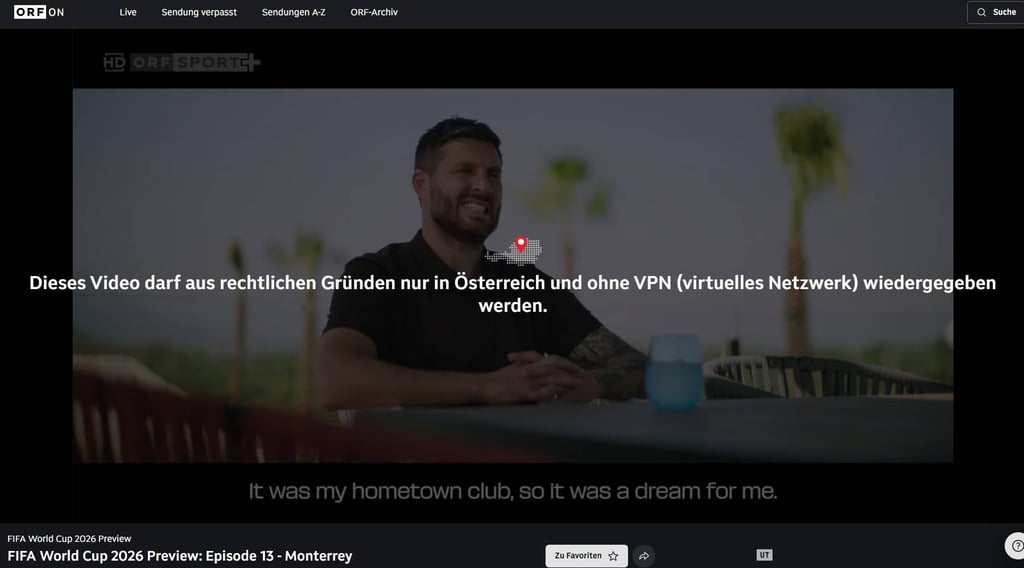
A workaround is provided by a reliable VPN that can help access geoblocked content. If you’re wondering how to watch Austria TV abroad, a VPN will give you an Austrian IP address, so the local streaming and broadcasting platforms will show you content that’s exclusive to the locals.

Best VPNs to watch Austrian TV abroad
When it comes to finding the best VPN for Austria TV, I can recommend 3 VPN services that offer a diverse server selection, a reliable connection, and additional security features. I checked whether they can safely connect to Austrian servers and unlock local streaming content without losing speed or compromising your privacy.
Top 3 VPN recommendations
- NordVPN – best overall VPN to watch Austrian TV abroad
- SurfsharkVPN – robust Austrian VPN with multi-device support
- Proton VPN – free VPN version with solid security features
NordVPN – best VPN to watch Austrian TV

| Based in: | Panama |
| Servers/countries: | Thousands of servers in 225 locations |
| Unblocks Austrian streaming: |
✅ Yes
|
| Current deal: | Get 75% OFF NordVPN + 3 months free |
NordVPN is the best overall VPN if you want to watch Austrian TV abroad. It has thousands of servers in 212 locations, so you can access global content without a hassle. The provider uses NordLynx protocol to sustain high streaming speeds, and during my testing with NordVPN, there was no buffering, and the videos played smoothly. The VPN can be installed on a variety of devices, from laptops to smart TVs, further improving the coverage.
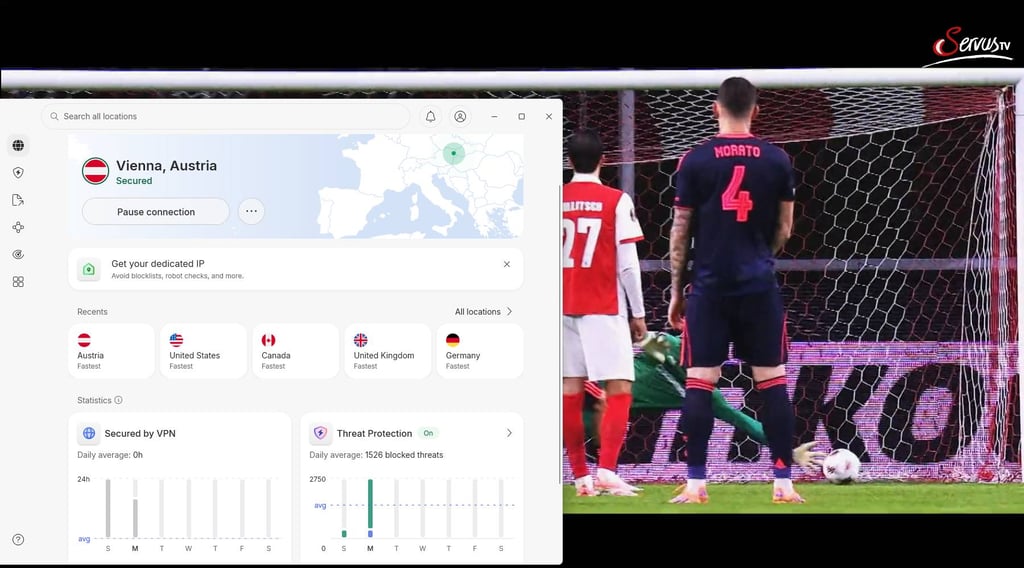
Based on NordVPN’s performance, I can safely say that it doesn’t focus solely on streaming. NordVPN also offers a myriad of additional features that make your browsing experience easier, such as threat protection and leak prevention.
A VPN inherently ensures your privacy because it assigns an IP address from a remote server, which makes your browsing more anonymous and private. On top of that, NordVPN doesn’t collect your data as it follows a strict no-logs policy. Combined with the built-in kill switch, the app keeps your privacy even if the VPN disconnects. NordVPN plans start at $3.49/month.
SurfsharkVPN – affordable VPN for multiple devices

| Based in: | Netherlands |
| Servers/countries: | 4,500+ servers in 100 countries |
| Unblocks Austrian streaming: | ✅ Yes |
| Current deal: | Now up to 85% OFF Surfshark + 3 months FREE |
When it comes to watching Austrian TV overseas, a good alternative to NordVPN is Surfshark. It’s one of the more popular VPNs, offering security and reliable performance. It’s an affordable VPN, with plans starting at $2.49/month, with a free 7-day trial and a 30-day money-back guarantee. Use the coupon code “OFFCN” to save even more and unlock Surfshark on multiple devices.

The app uses the WireGuard protocol with secure encryption to ensure a stable, reliable connection. The VPN fully supports streaming and can unlock platforms like Netflix and Disney+. After reviewing Surfshark’s connectivity, I saw firsthand how easily and quickly it secured the connection or switched to another server. Streaming was also smooth, with no buffering or lag.
Surfshark has a fleet of over 4,500 servers in 100 countries, so you will have no trouble accessing global content. The VPN also aims to enhance your online safety, with features such as a built-in antivirus and an ad blocker. You can also install Surfshark on an unlimited number of devices, so you can provide VPN service to your entire household with a single subscription.
Proton VPN – reliable and safe VPN with a free version

| Based in: | Switzerland |
| Servers/countries: | 20,700+ servers in 149 countries |
| Unblocks Austrian streaming: | ✅ Yes |
| Current deal: | Get up to 70% OFF Proton VPN |
Proton VPN is a solid, open-source VPN, with a huge server fleet – 20,700+ servers in 149 countries. This server variety ensures you can easily watch Austrian TV abroad, and the VPN keeps your data private while you watch content on some of the most popular streaming platforms, such as Paramount+ or Netflix. Streaming with Proton VPN is smooth, and there’s no buffering even during peak hours.
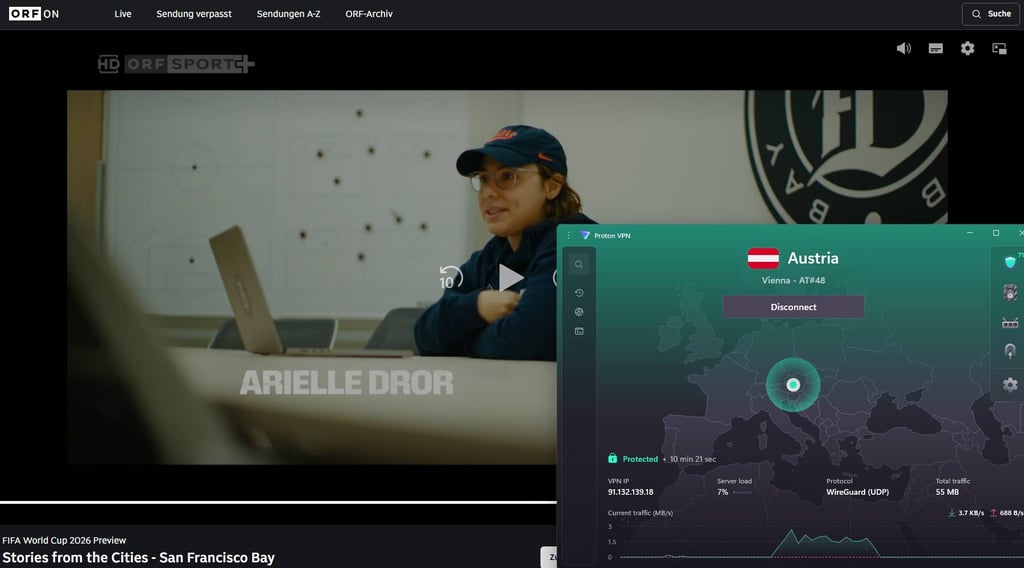
But Proton VPN isn’t limited to streaming only. With plans starting at $2.99/month, you can take advantage of ad and tracker blockers, as well as malware protection.
One thing that sets Proton VPN apart from its competitors is the free plan. Unfortunately, according to Proton VPN tests, the free version is limited to servers in just 10 countries, and Austria is not included. Overall, Proton VPN strikes a balance between online safety and an accessible VPN service.
How to watch Austrian TV live abroad – detailed guide
Here’s a step-by-step guide on how to watch Austria TV live overseas:
-
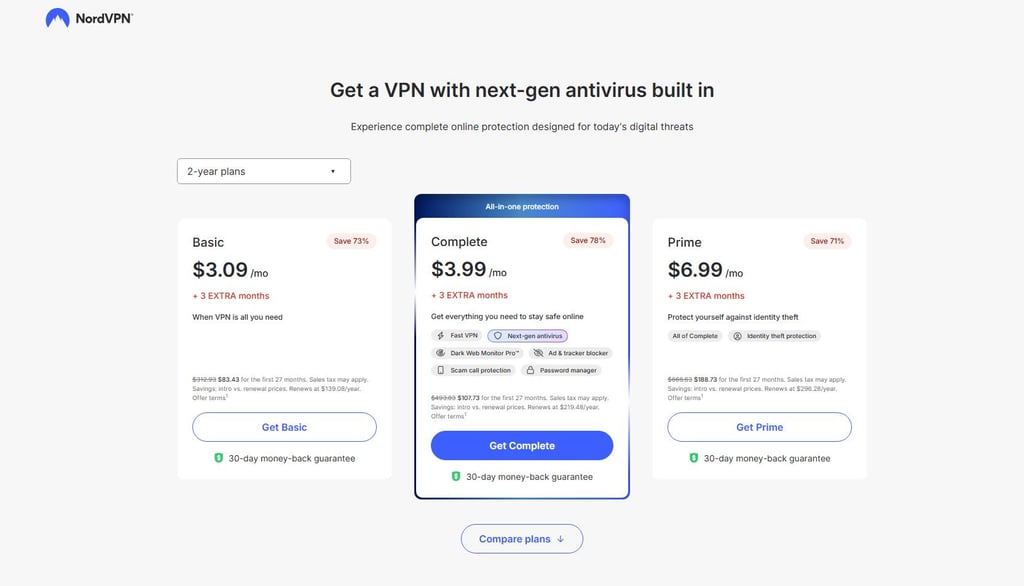
Select a VPN and subscribe to a plan you want. A reliable VPN, like NordVPN, offers several plans with different perks at each tier, so you can find the one that best matches your needs.
-
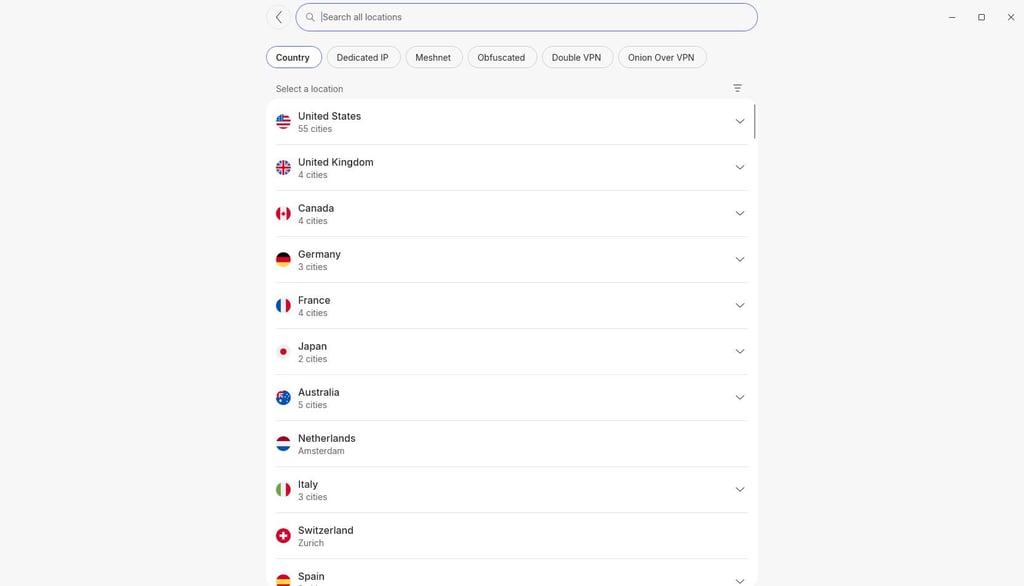
Install the app. Depending on your device, you might find different versions of the VPN you chose. It’s a good idea to choose a provider that supports several OSs, like Windows, macOS, Android, and iOS, so all your devices are compatible.
-
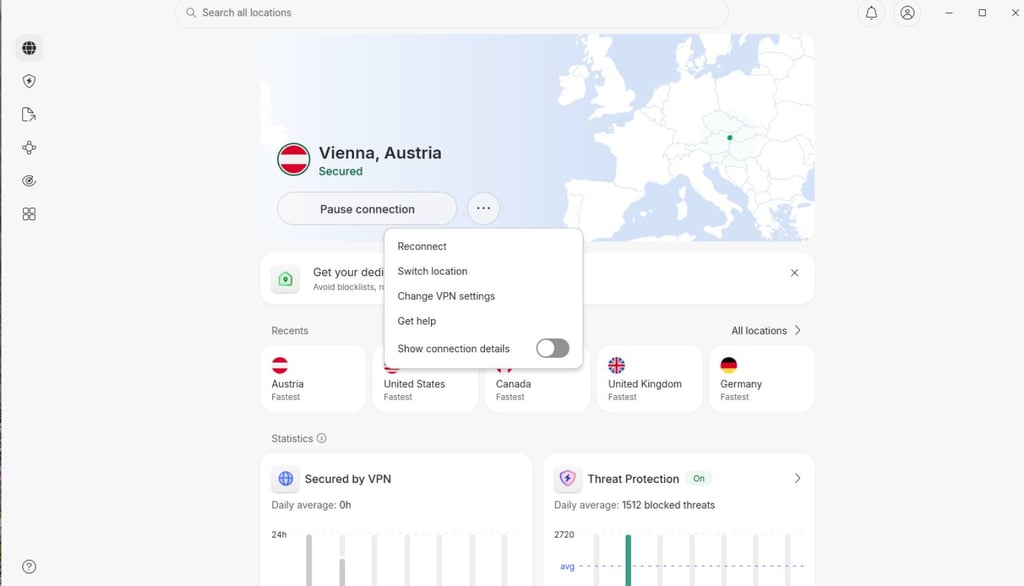
Connect to an Austrian server. The aforementioned NordVPN has servers in Vienna, Austria. You can even set the VPN to auto-connect, so you won’t have to do it manually.
-
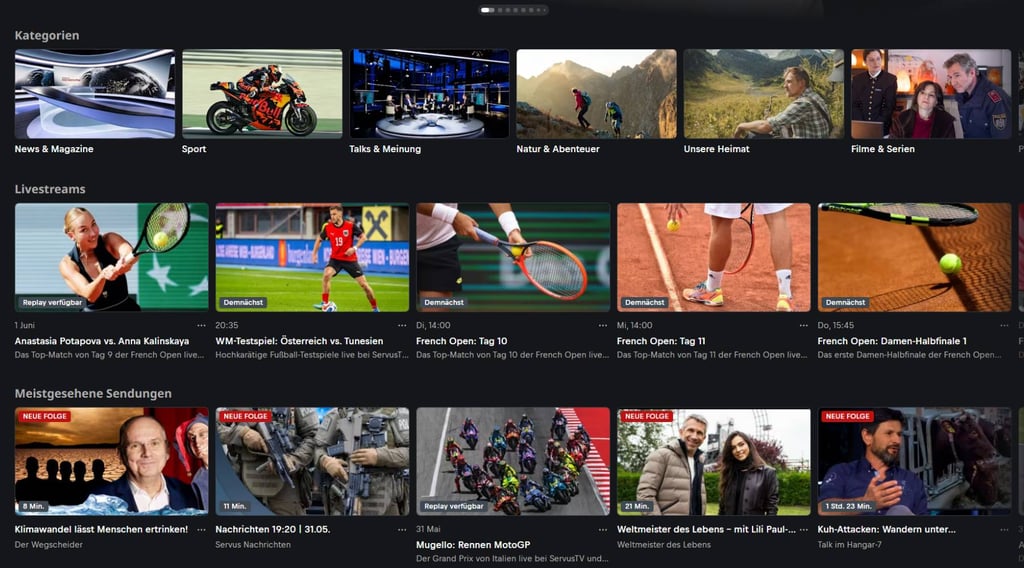
Access local streaming platforms. Once a VPN gives you a local IP address, you will be able to view content on Austrian platforms, including ServusTV.
-
Watch unlocked content. NordVPN, like other reliable VPNs, lets you enjoy services like ServusTV without your ISP throttling your connection during streaming.

What Austrian TV channels can you watch abroad?
| Streaming service | Free or paid | What you can watch | Notable sports/events | Account requirements |
| ORF ON / ORF-TVthek | Free | ORF channels and catch-up content | FIFA World Cup 2026 (half the matches), UEFA Euro 2028 (shared), Austrian national football team, Austrian Bundesliga highlights, ÖFB Cup, Olympics 2026–2032, Formula 1 (shared), FIS Alpine Ski World Cup, ICE Hockey League | Free account |
| ORF 1 / ORF 2 / ORF III / ORF Sport + | Free | Same ORF programming as available online | Formula 1 (shared with ORF), MotoGP, UEFA Champions League selected matches, FIFA World Cup 2026 (half the matches), UEFA Euro 2028 (shared), ATP/Grand Slam tennis (Australian Open, Roland-Garros), skiing, and Red Bull sports | Free account |
| ServusTV On | Free | ServusTV live streams, sports, shows, films | FIFA World Cup 2026 (half the matches), some football qualifiers, combat sports, occasional motorsport and sports magazine content | Free account |
| ATV / ATV2 online | Free | ATV programs and selected live/online content | NFL, UEFA Europa League/Conference League matches, tennis (US Open rights in Austria), sports news | Free account |
| PULS 4 / PULS 24 online | Free | Channel content, clips, selected live/online coverage | Mostly sports talk/news rather than premium live rights | Free account |
| oe24.TV online | Free | News, live updates, talk programming | Austrian Bundesliga, German Bundesliga, Premier League, Formula 1 (pay-TV coverage), ATP/WTA tennis, golf, NHL, NFL, international football competitions | Free account |
| Sky Austria | Paid | Premium sports, films, series | Aggregators carrying Sky, DAZN, ORF, ServusTV.; some include sports packages and football channels | Subscription required |
| Magenta TV / A1 TV / UPC | Paid | Provider channel bundles and on-demand libraries | Limited live sports: NFL Christmas games, WWE (in many countries), sports documentaries (Drive to Survive, Tour de France, tennis docs) | Subscription required |
| Netflix | Paid | Series, films, kids, documentaries | Mostly sports documentaries; in some regions ESPN integration adds live sports (not Austria currently) | Subscription required |
| Disney+ | Paid | Films, series, kids, factual content | UEFA Champions League matches in some markets, NFL Thursday Night Football (US), tennis and selected sports documentaries | Subscription required |
| Prime Video | Paid | Films, series, some sports depending on rights | UEFA Champions League, Bundesliga (Germany), boxing, MMA, NFL Game Pass, women’s football, international sports packages | Subscription required |
| DAZN | Paid | Sports, especially football and other premium events | UEFA Champions League (mainly US market), Serie A (US), NFL via CBS in US | Subscription required |
| Paramount+ | Paid | Films, series, kids content | MLS Season Pass (Major League Soccer), MLB Friday Night Baseball | Subscription required |
| Apple TV+ | Paid | Originals, films, series | Eurosport coverage: Olympics, cycling Grand Tours, tennis, winter sports, snooker, endurance racing | Subscription required |
What devices can you use to watch Austrian TV abroad?
If you want to successfully watch Austrian TV overseas, your experience depends on three things: platform availability, VPN reliability, and supported hardware. Here are some of the more widespread devices that support both streaming and VPNs:
- Computers. This is perhaps the most popular option on the list, encompassing both PCs and laptops. You can use a computer’s browser to access your favorite streaming content, including TV shows or specialized sports services, like ORF channels. Some of the more popular platforms, such as Netflix or Disney+, also have desktop apps.
- Mobile devices. The inherent way to watch content on a mobile device is through a mobile app. These devices often have official VPN and streaming platform applications, so you can easily watch global content on the go.
- Smart TVs. These devices can easily be set up for global streaming via Wi-Fi connection, and depending on the model, you might be able to use the native app store to download a VPN app. However, even if your TV doesn’t support a VPN app, you can install a VPN on a router to mask your connection and get easy access to platforms like Apple TV+ or Sky Austria.
- Routers. While a router might not be able to directly display video content, it can be used to set up a VPN connection, not on a singular device, but for the entire internet connection. This benefits all the other devices that don’t support VPN apps, which can now use a new IP address.
What to do if Austrian TV does not work with a VPN
If you set up a VPN and try to connect to an Austrian streaming platform but still get a connection error, here are some workarounds:
- Try switching servers within Austria. It’s possible the server you connected to was at capacity, and the VPN struggled to maintain a connection. If the connection is still spotty, try changing the VPN protocol.
- If you’re using a browser, consider clearing cookies or browser cache. Sometimes, the remnants of old data might reveal your true location and override the VPN’s connection. If clearing the cache doesn’t work, you can try viewing Austrian content in incognito mode.
- It’s possible that connection errors are caused by outdated software. Check if the VPN app needs updating. If you’re using a browser, you might want to update it as well.
- Lastly, you can always contact the VPN support team. They might be able to advise you on which server works best with a platform, e.g., which Austrian servers are best suited to watch World Cup matches on ServusTV.
Conclusion
When it comes to watching Austrian TV abroad, all you need is a stable internet connection, a supported device, and a reliable VPN to access local Austrian content, such as ORF ON. Due to regional restrictions, Austrian content is only available in the country, but a good VPN will mask your online activity, allowing you to catch up on local news and native content without compromising your security.
My personal pick is NordVPN, thanks to its server selection, stable connection, and ability to bypass global geo-locks, all while enhancing your privacy.
Which Austrian channel is showing the 2026 World Cup for free?
ServusTV and ORF ON are the official broadcasters of the FIFA World Cup 2026 in Austria. You might also be able to catch specific games on other specialized sports channels.
Is the 2026 World Cup free to watch in Austria?
Yes, you can watch the World Cup 2026 for free via ServusTV and ORF ON platforms. If you’re outside of Austria and would like to keep up with the championship, you can use a VPN, like NordVPN, to bypass geographical restrictions.
Can you watch Austrian TV abroad for free?
Yes, there are Austrian TV channels and platforms that provide free content. For that, you would need a reliable VPN that can connect to Austrian servers and unlock your desired content.
Can I watch Austrian TV abroad?
Yes, but you will likely need a good VPN to bypass restrictions and mask your connection. Most online content platforms, both in Austria and globally, comply with licensing rules and restrict their libraries to specific countries. If you want to access them from abroad, you will need a local IP address, which a good VPN can provide.
Why is ORF ON blocked outside Austria?
ORF channels are native to Austria, so streaming and broadcasting rights are limited to the country. If you want to gain access, you either have to reside in Austria or use a VPN to unlock blocked content.