Ellie
Last updated: June 16, 2026
What is Ellie?
Ellie is an AI-powered email assistant designed to seamlessly integrate with your existing email workflow and take the hassle out of replying, summarizing, and managing your inbox. Built using advanced natural language processing, Ellie automates responses while preserving your unique style and context, helping you deal with high volumes of emails without losing the personal touch.
Ideal for professionals, entrepreneurs, small teams, and even customer-support specialists, Ellie can draft replies, suggest improvements, summarize threads, and save canned responses for recurring queries. Whether you’re looking to increase productivity, reduce email fatigue, or streamline communication internally and externally, Ellie offers a robust solution adaptable to your needs.
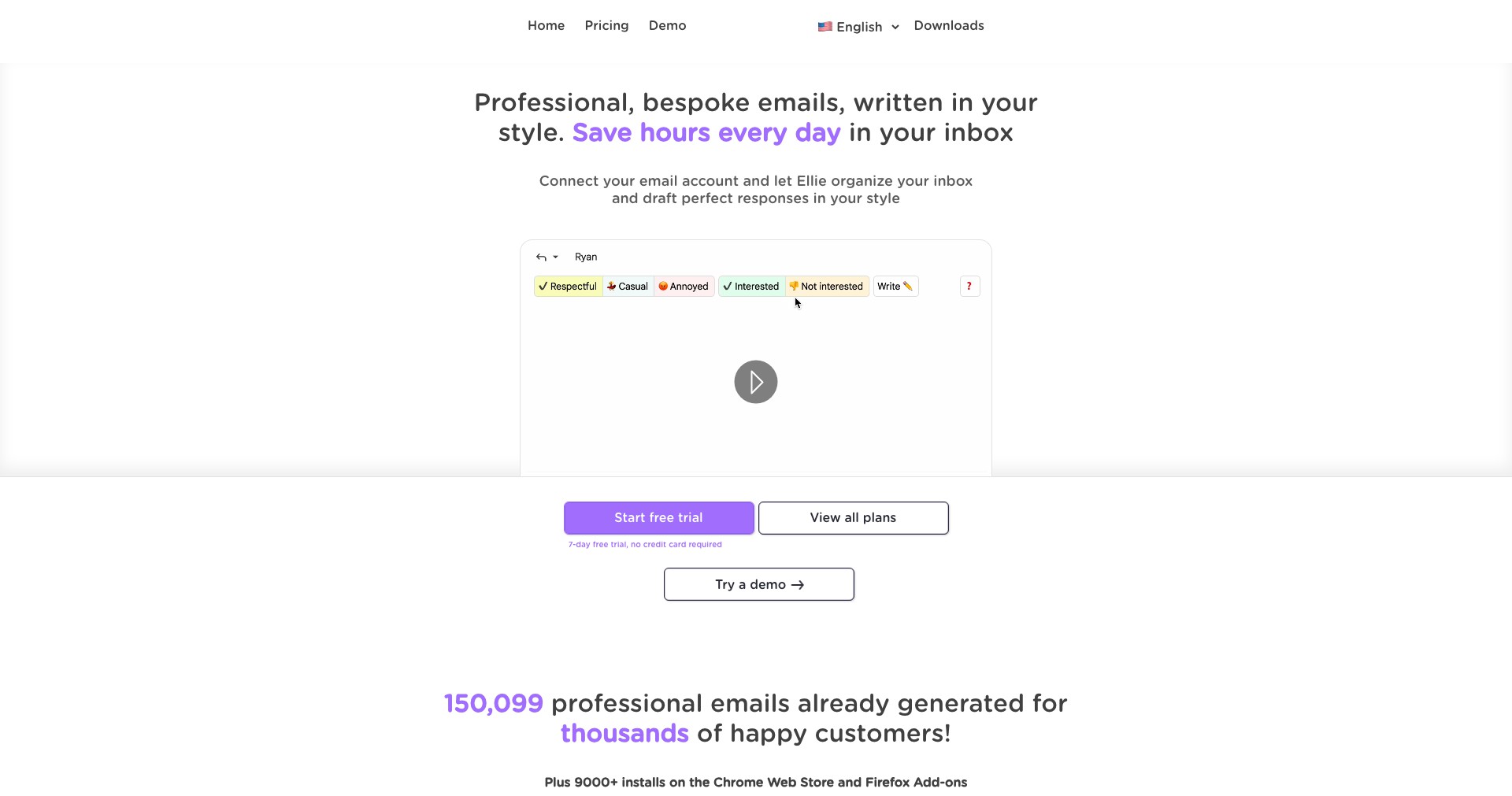
Key Features:
-
Personalized AI Replies:
Ellie generates tailored email responses by learning your writing style, ensuring replies sound authentically you. This saves time while maintaining professionalism and personal connections. -
Context-Aware Responses:
The AI integrates context from previous email threads, so replies are accurate and relevant even for complex conversations. Ellie ensures you never sound robotic or out of touch. -
Summarization Tools:
Ellie quickly summarizes lengthy email threads, highlighting key points and action items. No more sifting through old messages to decipher what needs your attention. -
Quick Canned Responses:
You can save and insert frequently used responses with a click, enabling efficient handling of repetitive emails without retyping or copying and pasting. -
Seamless Browser Extensions:
Ellie offers Chrome and Firefox browser extensions for easy integration with Gmail and other webmail services, letting you use its features directly from your inbox.
What makes Ellie unique?
Ellie's standout feature is its ability to learn and adapt to your personal communication style, unlike generic AI assistants that produce canned or impersonal responses. The continual style learning ensures every email response is uniquely tailored, fostering genuine interactions.
Moreover, Ellie's seamless integration as a browser extension means there's no complex setup—you simply add it to your browser, and it starts working inside your webmail client. Combined with context-awareness and advanced summarization, Ellie delivers a uniquely natural and helpful email management experience.
Pros and Cons
Who is using Ellie?
Busy Professionals: Executives, managers, and individual contributors facing high email volumes can use Ellie to triage responses and save time, letting them spend more time on high-value tasks.
Small Teams & Startups: Teams with limited administrative support benefit from Ellie by standardizing and speeding up customer support, sales, and internal communications.
Customer Support Agents: Support and helpdesk staff can leverage Ellie to manage repetitive queries, improve response times, and maintain consistency in communications.
Product Evolution
Since its launch, Ellie has continually expanded its feature set, starting with AI-generated replies and evolving to include deep style learning, advanced summarization, and seamless browser integration.
User feedback has driven enhancements in personalization and context-awareness, ensuring replies capture nuances from long, complex email threads and preserve brand or individual tone.
New integrations and workflow improvements are regularly added, with a growing set of tools designed to fit both individual and collaborative email management.
Pricing
| Plan | Price | About |
| Free Trial | Free | Limited access to core features for new users. |
| Pro Plan | $15/month | Full access to advanced AI replies, style learning, and summarization tools. |
| Teams Plan | Custom | Scalable solution for teams or businesses needing collaboration and centralized settings. |
Verdict
Ellie is one of the best AI email assistants available for those who prioritize both efficiency and personalization in their digital communication workflows. It’s user-friendly, powerfully adaptive, and continually enhanced based on genuine user needs.
While there are some limitations—such as reliance on browser extensions and subscription costs for advanced features—the trade-off is justified by the significant gains in productivity and professional polish. Ellie is ideally suited to business professionals, support teams, and anyone who wants to cut time spent in their inbox without sacrificing authenticity.


