Quiky Mail
Last updated: June 16, 2026
What is Quiky Mail?
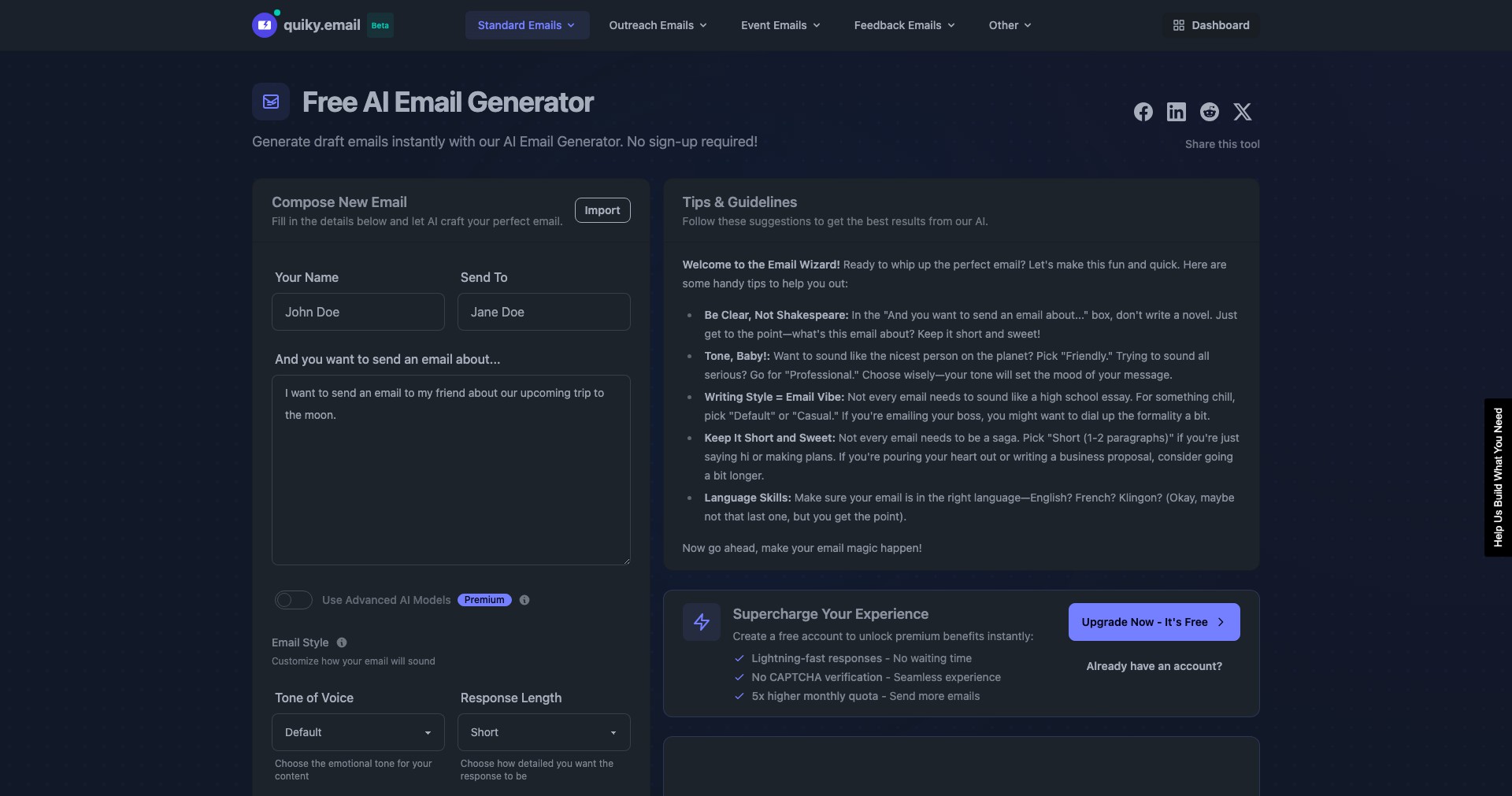
Quiky Mail is a smart email management solution tailored for people who want to process their emails faster and more effectively. Leveraging artificial intelligence, it offers an array of productivity features to cut down the time spent in your inbox and help you focus on high-priority tasks.
Ideal for professionals, entrepreneurs, and teams who struggle with overloaded inboxes, Quiky Mail introduces automation and intelligent organization without altering your existing email provider. Its simple integration and customizable options make it a sought-after tool for anyone looking to take control of their daily communications.
Key Features:
-
AI-Powered Email Sorting:
Quiky Mail utilizes AI to automatically categorize incoming emails by importance, sender, or subject, helping users focus on what truly matters and dramatically reducing clutter in the inbox. -
Workflow Automation:
The platform allows users to set up automated workflows for repetitive tasks such as archiving, flagging, or forwarding emails, ensuring routine jobs are performed seamlessly and consistently. -
Smart Templates:
Quiky Mail provides pre-designed and customizable email response templates that can be quickly inserted, saving time on composing regular replies and boosting efficiency in daily correspondence. -
Unified Inbox View:
Users can manage multiple email accounts from a single dashboard, eliminating the need to juggle tabs and improving oversight of all ongoing communications. -
Powerful Search and Filters:
The tool includes advanced search capabilities and customizable filters, enabling users to find specific messages or organize emails based on various criteria with just a few clicks.
What makes Quiky Mail unique?
What sets Quiky Mail apart from traditional email clients is its tight integration of AI-driven features, which go beyond simple categorization to offer intuitive automations and real-time suggestions. Its focus on personalized workflows ensures that users can tailor the platform to suit individual needs and preferences, boosting adoption and productivity.
Unlike many competitors that require users to switch platforms or use unfamiliar interfaces, Quiky Mail integrates directly with existing email services. This smooth setup, paired with robust automation capabilities and responsive AI, positions Quiky Mail as a top choice for those needing smarter, not just faster, email solutions.
Pros and Cons
Who is using Quiky Mail?
Busy Professionals: Executives, managers, and staff who deal with high volumes of email daily benefit from Quiky Mail’s automation and prioritization, enabling them to focus on mission-critical tasks.
Small Business Owners: Entrepreneurs and startup teams can manage customer queries, business communications, and multiple accounts efficiently to maintain productivity during growth periods.
Remote Teams: Distributed teams who need unified visibility and better coordination across different inboxes will find Quiky Mail’s unified inbox and collaboration features especially valuable.
Continuous Feature Evolution
Since its launch, Quiky Mail has steadily expanded its core feature set, moving from basic AI categorization to offering true workflow automations and smart templates, reflecting user feedback and evolving productivity challenges.
The platform has improved its integration support, now working seamlessly with more email providers and supporting both individual and team dashboards—key for remote and hybrid workplaces.
Recent releases have focused on refining the AI engine for smarter classification and enhancing the user interface to make onboarding and day-to-day use even more streamlined for all experience levels.
Pricing
| Plan | Price | About |
| Free Tier | $0 | Basic email sorting and unified inbox features are available for free with limited automation capabilities. |
| Pro Subscription | $9.99/month | Unlocks advanced AI features, custom workflows, and priority support for professional users. |
| Team Plan | $29.99/month (up to 5 users) | Designed for business teams; includes collaboration tools, organization-wide automation, and admin controls. |
Verdict
Quiky Mail stands out as a powerful assistant for anyone drowning in emails or looking for ways to automate their communication workflows. Its combination of AI-driven sorting, automation, and customizable options makes day-to-day email management far more manageable.
While some premium features are gated behind a subscription, the value offered—especially for busy professionals and teams—makes it well worth considering. Anyone serious about boosting email productivity should give Quiky Mail a try to see the time-saving difference firsthand.


