AliveMovement review 2026
Being behind major reports like The Mother of All Breaches and RockYou2024, our in-house cybersecurity experts and journalists provide unbiased, real-world testing and in-depth analysis.
We maintain complete transparency by openly sharing our testing methodologies with our audience.
Learn more
AliveMovement is an AI-powered image generator that transforms still photos into realistic, moving visuals. The platform utilizes advanced motion synthesis to bring life to static images, creating subtle gestures, natural facial movements, or even short video loops. It’s part of a growing wave of creative AI tools that bridge the gap between photography and animation.
What stood out most during testing was how smooth and lifelike the motion looked. Unlike many similar tools that produce uncanny or jittery results, AliveMovement handles micro-expressions and environmental motion (like hair or light shifts) with impressive precision. The process is also intuitive; you simply upload an image, choose the motion style, and the AI handles the rest within seconds.
When compared to Runway’s Motion Brush or Pika Labs, AliveMovement feels more focused and specialized. While other tools offer broader video editing or generative animation features, AliveMovement focuses on bringing single images to life.
Quick overview
| Feature | Details |
| Type | AI-powered image-to-motion generator |
| Main function | Turns static images into short, realistic animated clips |
| Best for | Creators, photographers, digital artists, and social media designers |
| AI technology | Motion synthesis and deep learning image mapping |
| Output quality | High-resolution, natural-looking animations |
| Ease of use | Beginner-friendly – simple upload & render process |
| Platform | Web-based (works on desktop and mobile browsers) |
| Pricing | Free plan available; premium tiers offer higher render limits |
| Notable feature | Realistic facial and environmental motion rendering |
How we test AI image generators
At Cybernews, our goal is to evaluate best AI tools like AliveMovement through a mix of technical, ethical, and hands-on testing. We focus on how these tools perform in real scenarios, from creative use cases to business applications, and assess their claims with transparent, measurable criteria.
Our testing framework is built around five key areas:
- Performance and usability (30%). Real-world testing involves using custom prompts across various industries to evaluate rendering quality, processing speed, and overall ease of use.
- Provider background and features (20%). Examining product claims, documentation, user feedback, and team credibility.
- Security and privacy (20%). We review authentication options, data handling policies, third-party audits, and ethical AI practices.
- Technology behind the tool (15%). We evaluate how the AI is built and deployed, including hosting models and infrastructure reliability.
- Pricing (15%). It is also assessed by comparing value for money, usage limits, and flexibility across different plans.
To learn more about our full evaluation process, read our how we test AI tools article.
What is AliveMovement?
AliveMovement is an AI-powered app that turns still photos into realistic, moving visuals. Using advanced motion synthesis, it adds natural gestures, facial expressions, and subtle environmental effects, bringing static images to life.
The process is fast and simple: upload a picture, choose a motion style, and the AI generates a lifelike animation in seconds. It’s a creative tool built for photographers, designers, and anyone who wants to bring more depth and emotion to their visuals.
Setting up and pricing
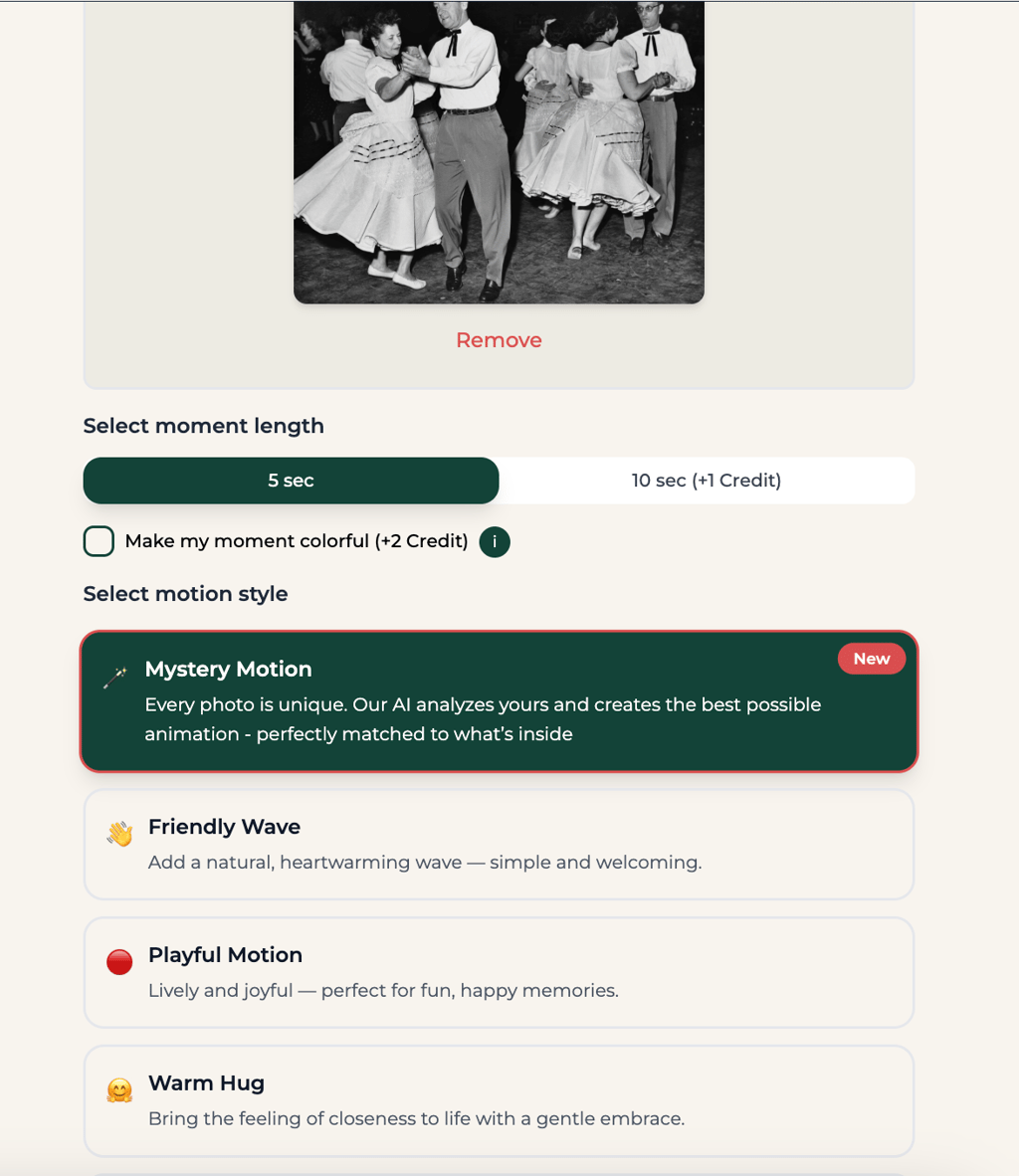
Setting up AliveMovement takes barely a minute. You can sign in using your Google, Apple, or Microsoft account, or just stick with email if you’d rather keep things simple.
The dashboard is clean and minimalistic, with a clear upload button and your past projects sitting neatly above. It feels intuitive from the start – the kind of interface you can navigate without watching a tutorial or digging through settings.
When it comes to pricing, AliveMovement runs on a credit-based system. Each plan gives you a set number of credits, which you use to generate animations:
| Plan | Credits | Price | Cost per moment |
| 2-month plan | 40 credits every two months | $1.85/month | $0.64 per moment |
| 1-month plan | 20 credits every month | $1.99/month | $0.79 per moment |
| Weekly plan | 4 credits every week | – | $2.47 per moment |
The pricing structure makes sense depending on how often you plan to use it. The 2-month plan offers the best value overall – good for regular creators who frequently animate new content. The monthly plan is slightly more flexible, while the weekly option caters to casual users who just want to test ideas or create an occasional motion effect.
How well the product performs in real use
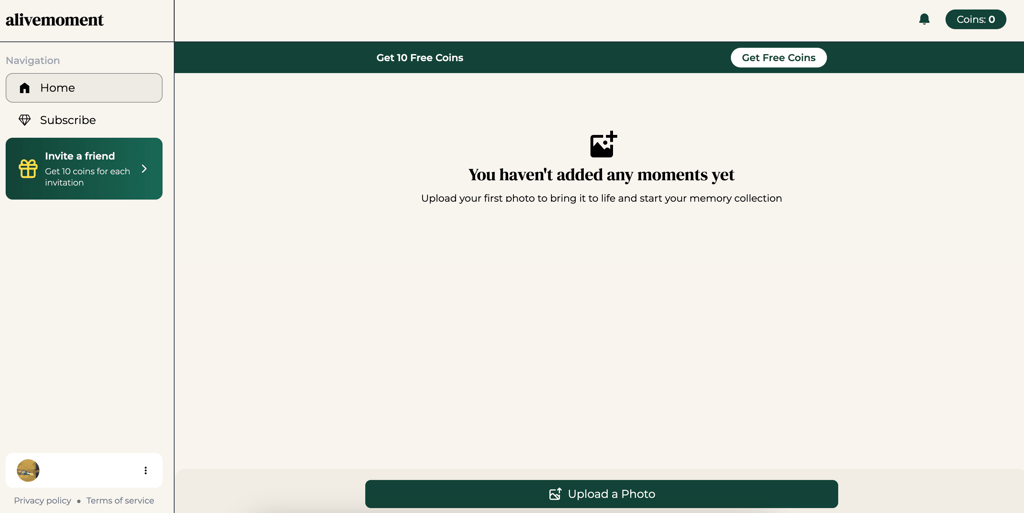
Testing AliveMovement gave me a clear sense of how the tool handles motion generation in real scenarios. I used an old photo of people dancing. It took just a few seconds to upload it. I dragged the image in, selected how long the animation should be, and then picked a motion style.
Once processed, the still frame began to move, but not in an exaggerated or cartoonish way, but with subtle gestures that felt believable. The AI didn’t distort the photo, although I noticed that one person’s expression changed slightly. It wasn’t distracting, just something to be aware of if you’re working with portraits.
I did notice that the main lady’s face seemed to shift slightly, her expression changing a bit, almost as if the AI had added a hint of a smile that wasn’t there. But honestly, it worked.
Next, I tried something more dynamic: a photo of a running corgi. The AI handled the motion well; the little dog’s legs and body had a nice, bouncy rhythm, but the result leaned a bit more into the AI look.
The fur color shifted slightly, and the texture around the edges looked softer than in the original image. Still, the movement itself was natural and full of energy.
Key AI features and capabilities
AliveMovement combines practical AI motion tools with solid technical design, making it more than just a basic photo animator. It’s aimed at users who want lifelike movement and quick results, but without the complexity or setup of professional animation software.
| Feature | What it does |
| Real-time rendering | Shows animation results instantly as changes are made |
| Facial animation controls | Adds realistic facial movements, eye blinks, and emotional expressions |
| Physics-based simulations | Simulates movement in hair, fabric, or lighting |
| Dynamic lighting effects | Recreates natural light shifts and shadows |
| Animation presets | Offers ready-made movement styles and transitions |
| 3D model import/export | Let's users bring in 3D assets or export creations elsewhere |
In real use, the real-time rendering and facial motion tools stand out most – they make the process feel immediate and intuitive. The app handles complex textures, like clothing or lighting, better than expected, and small details such as blinking or shifting posture often look surprisingly natural.
There’s still room for improvement: more customization for motion presets or finer control over physics would make it even better. But as it stands, AliveMovement feels polished, responsive, and genuinely creative – the kind of AI tool that turns casual users into confident creators.
User experience
After logging in to AliveMovement, the dashboard opens with a clean, minimal layout. The main option Upload Photo is visible right away.

You select an image, choose the video length, and decide what type of motion you want to apply.
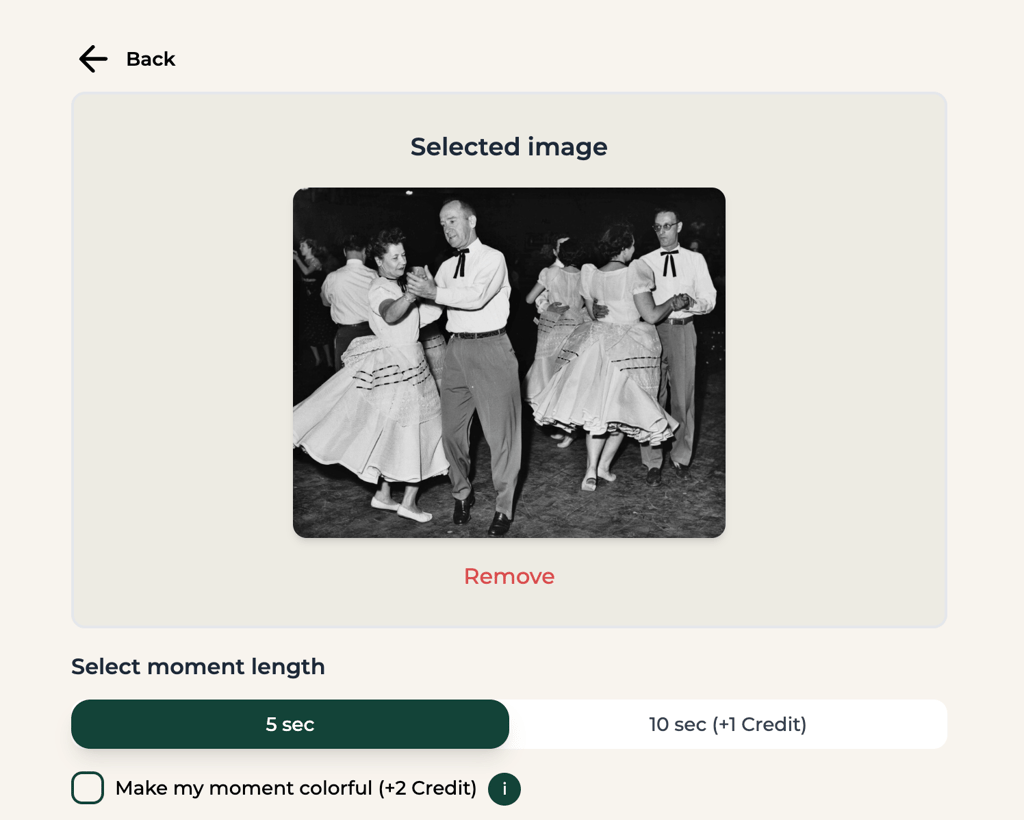
The process is simple and direct. Once settings are confirmed, the AI starts rendering. It usually takes about a minute. When it’s done, the animated version of your photo appears on the screen. You can preview it immediately or download it in one click.
Navigation feels smooth. Buttons are clearly labeled, and each step flows naturally into the next. The app doesn’t overwhelm you with menus or unnecessary tools.
The focus here is on speed and accessibility rather than advanced editing. There are no manual frame adjustments or deep motion controls, but the output quality makes up for it. The overall experience is efficient, reliable, and well-designed for quick creative use.
AliveMovement versus alternatives
| Feature | AliveMovement | Leonardo.ai | Midjourney |
| Primary use | Photo animation (animated photos) | AI-generated images & videos | AI image generation |
| Output type | Animated photos with lifelike motion | Photorealistic images, textures, and short videos | Artistic, hyper-realistic images |
| Art style | Realistic photo motions | Photorealism, detailed visuals | Stylized, artistic, creative outputs |
| Ease of use | Very easy (simple 3-step process) | Beginner-friendly with advanced options | Steeper learning curve (Discord-based) |
| Speed | Fast animation processing | Very fast image and video generation | Fast to moderate generation times |
| Customization | Limited to animation styles | Extensive custom models, style switching | Strong prompt-based artistic control |
| Notable strengths | Photo realism | Versatility, photo realism, speed | Creativity, detailed rendering |
| Content supported | Photos only | Images and short videos | Images and short clips |
| Pricing | Token-based options | Free tier and paid plans (token-based) | Subscription paid plans |
| Best for | Bringing photos to life with natural motion | Realistic visuals, game textures, and custom designs | Artistic expression, creative and abstract art |
Conslusion
AliveMovement takes a balanced approach to AI animation – technical enough to deliver strong results, yet simple enough for anyone to use. Its main advantage is how well it blends real-time rendering, facial motion synthesis, and physics-based effects into a lightweight interface. Motion mapping and lighting shifts are smooth, and the output looks convincing without putting much strain on your hardware.
Technically, the app is well-tuned. It relies on motion layers, automated rigging, and dynamic lighting to create a sense of depth and realism from static photos. Most renders finish in under a minute, which makes it practical for creators who need fast, repeatable results.
Still, the tool is built around automation, not manual precision. You can’t adjust rig points, camera paths, or animation depth in detail, and that limits fine control.
Even so, AliveMovement runs consistently well. It’s not meant to replace studio software, but it’s reliable, stable, and efficient at what it does, turning still images into lifelike motion with minimal effort.
FAQ
What makes AliveMovement different from other AI tools?
Unlike AI image generators such as Leonardo.ai or Midjourney, AliveMovement focuses on motion. It specializes in bringing existing photos to life rather than creating new images from text prompts. The app’s real-time rendering and facial motion tools make it stand out for quick, realistic results.
Does AliveMovement store uploaded photos?
Yes, according to its privacy policy, uploaded files may be stored temporarily for processing. However, users can delete their data at any time. It’s always best to review the data-handling section before uploading sensitive images.
Who is AliveMovement best for?
AliveMovement suits content creators, marketers, photographers, and AI enthusiasts who want to repurpose still images with realistic motion. It’s especially useful for short-form content on platforms like TikTok, Instagram, or promotional visuals.