Best AI for A/B testing
Being behind major reports like The Mother of All Breaches and RockYou2024, our in-house cybersecurity experts and journalists provide unbiased, real-world testing and in-depth analysis.
We maintain complete transparency by openly sharing our testing methodologies with our audience.
Learn more

If you’re wondering whether AI can help you with A/B testing, you’ve come to the right place. Together with our research team, I tested several AI experimentation and UX platforms to see where AI can add value – and where it’s only hype. In this review of the best AI for A/B testing, I’ll answer these questions:
- Can AI really speed up testing, or does it just add complexity?
- Will it help pick better variants or simply re-label what you already know?
- How does it integrate with your existing analytics and tech stack?
- And what should you watch out for regarding data privacy and sample sizes?
Now, let’s break it down why AI can come in handy with A/B testing, its key benefits and limitations, a step-by-step workflow for running AI experiments, how to select the right tool, and which platforms are fit for small businesses, medium-sized teams, or large enterprises.

Best AI for A/B testing – shortlist
- Plerdy – best overall AI A/B testing tool
- Contentsquare – best for deep behavioral and journey analysis
- nexos.ai – best for building custom AI agents for experimentation
- VWO – AI-driven testing built for scaling teams
- Unbounce – fast AI landing page experiments
- AB Tasty – next-gen AI personalization for large enterprises
Best AI tools for A/B testing compared
Before analyzing each tool in detail, I wanted to quickly compare them side by side, so you could see their differences. Here’s how they compare in terms of features, price, and suitability:
| Tool | Overall rating | Standout features | Starting price (billed monthly) | Free version/trial criteria | Best for |
| Plerdy | Heatmaps, session replays, funnels, SEO tools, visual A/B tests | From $32.00/month | Forever free version and a 14-day free trial | Small and medium-sized businesses, UX-focused teams | |
| Contentsquare | AI journey analytics, behavior clustering, anomaly detection, mobile/web insights | From $49.00/month | Free version and a 14-day free trial | Large enterprises, CX teams | |
| nexos.ai | Custom AI agents, multi-model access, no-code workflow automation, AI-powered data analysis, centralized AI workspace | From $9.75/month | No free trial, only a 14-day money-back guarantee | Teams using AI for experimentation and decision-making | |
| VWO | A/B and multivariate tests, targeting, heatmaps, recordings, goal tracking | Publicly undisclosed | 30-day free trial | Medium and large businesses, mature CRO teams | |
| Unbounce | Drag-and-drop landing pages, Smart Traffic AI, popups, sticky bars | From $23.00/month | 14-day free trial | Marketers, agencies, lead gen | |
| AB Tasty | A/B and split testing, personalization, segmentation, feature flags | Publicly undisclosed | 30-day free trial | eCommerce brands, enterprise optimization |

6 best AI tools for A/B testing – my detailed list
To write this review, our research team and I evaluated the leading AI tools for A/B testing. Below, I will go through tools that can bring you the most value, depending on whether you’re a CRO specialist or a part of a large business.
1. Plerdy – best all-around AI for A/B testing
| Overall rating: | |
| Standout features: | Heatmaps, session replays, funnels, SEO tools, visual A/B tests |
| Starting price (billed monthly): | From $32.00/month |
| Best for: | Small and medium-sized businesses, UX-focused teams |
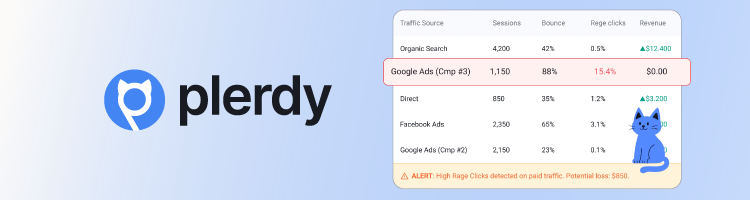
Plerdy is my first choice for AI A/B testing. That’s mostly because it’s an all-in-one tool, combining experimentation, UX analytics, and SEO insights. When testing this tool, I really appreciated not having to juggle between separate tools for heatmaps, session replays, and tests – everything lived in a single dashboard.
You can run A/B tests on any page element – banners or popups – even if you’re not a tech person with advanced coding knowledge. All you need is to decide what you want to test, change it in the editor, and run it. If you’re not sure where to start, you can rely on the predictive AI suggestions – it highlights which elements are likely affecting revenue or conversions. Additionally, real-time reporting can help you speed up iteration cycles, particularly for eCommerce pages.
I found the setup relatively easy and straightforward, especially on platforms like WordPress or Shopify, where you can install it and start collecting data quickly. Most marketers can begin tracking user behavior without heavy engineering support. Even so, it might take some time to fully understand and configure all features properly.
Overall, Plerdy is best for online shop owners, small agencies, SaaS teams, or budget-conscious marketers looking for unified CRO insights without enterprise pricing. It can help you beyond just running tests – you’ll be able to better understand user behavior and act on it.
2. Contentsquare – best for enterprise behavioral insights
| Overall rating: | |
| Standout features: | AI journey analytics, behavior clustering, anomaly detection, mobile/web insights |
| Starting price (billed monthly): | From $49.00/month |
| Best for: | Large enterprises, CX teams |
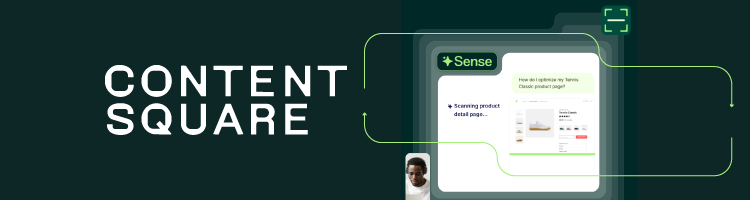
Contentsquare is a powerful AI platform for deep, visual insights into user behavior. So, it’s ideal for enterprise companies and high-traffic eCommerce sites, where understanding why users act a certain way is crucial. The platform translates complex analytics into digestible visualisations, helping to make confident decisions faster.
In my testing, I was most surprised by its AI feature Sense. What it does is analyze user data, highlight key findings, and suggest next steps, reducing the time spent digging through raw data. I also found the ability to link survey responses directly to session replays extremely valuable. It shows not just what users did, but why they felt frustrated or confused.
It’s worth noting, though, that the usefulness of these AI recommendations depends heavily on the quality of your data and how well everything is mapped. Poor data or mismatched mapping can lead to misleading insights.
Contentsquare’s interface is visually intuitive. Tools like sunburst journey maps and Zoning Analysis make complex journeys easier to understand, even if you’re not an analyst. However, the platform has a steep learning curve. The number of features can feel overwhelming at first, and manual page mapping requires careful setup to avoid misleading data. Ongoing data organization also takes time.
In short, the platform is best for teams that need detailed behavior insights, actionable AI recommendations, and visual proof to optimize digital experiences. Compared to Plerdy, it delivers deeper insights and more advanced visualisations, but it’s significantly more expensive.
3. nexos.ai – best for creating AI agents for testing and optimization

| Overall rating: | |
| Standout features: | Custom AI agents, multi-model access, no-code workflow automation, AI-powered data analysis, centralized AI workspace |
| Starting price (billed monthly): | From $9.75/month |
| Best for: | Teams using AI for experimentation and decision-making |
What I like about nexos.ai is that it offers a flexible environment for AI-powered experimentation. In its AI-native workspace, you can design, automate, and manage experimentation workflows using custom AI agents. What’s more, you don’t even need to build every test yourself – the AI agent can help generate hypotheses, analyze performance data, and surface optimization opportunities across your workflow.
One of its strengths is flexibility for different teams. You can connect multiple AI models and build structured workflows for tasks like generating test ideas, creating variants, analyzing results, and automating reports. This makes it a good fit for teams that want to build repeatable AI-powered experimentation processes – not just run a few A/B tests. Also, teams across marketing, product, and data can use it on a single platform.
nexos.ai works differently from most traditional CRO platforms that rely on a fixed visual editor or a single testing environment. Instead, it lets you embed AI into your existing processes. Whether you’re analyzing campaign performance, generating test ideas, or automating reporting, the platform helps simplify these steps into connected workflows. This not only reduces manual work but also saves tons of time.
Setting up nexos.ai is more about designing workflows than installing a traditional A/B testing tool. While it might take longer to configure, the long-term payoff is a more scalable, automated experimentation system. Once configured, you can reuse AI agents across different projects and refine how experiments are generated and evaluated.
All in all, nexos.ai is best for growth, product, and marketing teams that want to build AI-driven experimentation systems, not just run simple individual tests. It's especially useful for organizations looking to scale experimentation across teams, reduce manual analysis, and streamline decision-making with AI.
4. VWO – AI-powered testing for growing teams
| Overall rating: | |
| Standout features: | A/B and multivariate tests, targeting, heatmaps, recordings, and goal tracking |
| Starting price (billed monthly): | Publicly undisclosed |
| Best for: | Medium and large businesses, mature CRO teams |
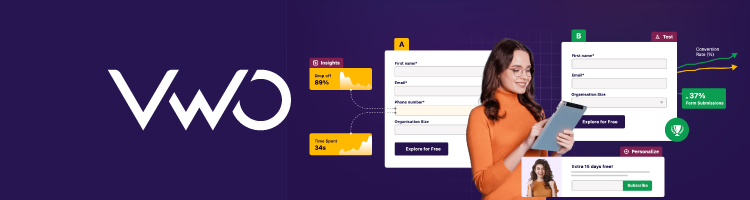
For growing businesses, Visual Website Optimizer (VWO) can be a reliable platform for both testing and gathering insights. Like Plerdy, it combines A/B testing, heatmaps, session recordings, and surveys under one roof, but it’s not as overwhelming as Contentsquare can get.
In my experience, VWO’s setup was smooth. It took me about 30 minutes to create a test, mainly because I’m not experienced in CRO. With AI Copilot, I generated a test in just 15 minutes. Its AI assistant can suggest test ideas, create variations from prompts, and summarize heatmaps or survey feedback. The platform also offers a Duration Calculator to estimate how long a test needs to reach statistical significance.
In terms of ease of use, the visual editor can help you make changes without code – even if you’re not a technical user. The onboarding process was also clear, and the interface was easy to navigate. On the downside, advanced features like behavioral targeting and multi-page funnel testing were more complex than the marketing suggests.
VWO is best suited for teams building a mature testing program – just note that costs can rise as traffic grows. Compared to Plerdy, VWO is less advanced in AI capabilities and overall insight depth. Plerdy is simpler to adopt and offers more intuitive AI-driven recommendations. Against Contentsquare, VWO focuses on structured A/B testing, while Contentsquare excels at deep behavioral tracking and journey analysis.
5. Unbounce – fast AI landing page optimization

| Overall rating: | |
| Standout features: | Drag-and-drop landing pages, Smart Traffic AI, popups, sticky bars |
| Starting price (billed monthly): | From $23.00/month |
| Best for: | Marketers, agencies, lead gen |
Unbounce is a best fit for marketing teams running paid ad campaigns and landing pages. Its AI-powered Smart Traffic feature routes visitors to the page variant most likely to convert, often after just 50 visits. Unlike traditional A/B testing, it’s much faster and flexible, especially for campaigns with lower traffic. So, if you’re a team focused on rapid ad testing and landing page optimization, this might be a smart option.
When testing Unbounce, I used its drag-and-drop to create page variants, which was pretty straightforward. The platform’s library of pre-built templates sped up the setup, and results from Smart Traffic appeared within a few days of launching a test.
I found navigation generally easy, though some functionalities required reading the documentation or watching tutorials to fully understand. But that’s mostly for advanced features. The platform also offers integrations with major CRMs, email tools, and ad networks, which can greatly simplify campaign management.
All in all, Unbounce is a practical tool for smaller teams needing rapid optimization of individual campaigns. However, compared to Plerdy and Contentsquare, Unbounce offers weaker analytics capabilities and more surface-level insights, so broader teams might not benefit from it much.
6. AB Tasty – advanced AI personalization for large enterprises
| Overall rating: | |
| Standout features: | A/B and split testing, personalization, segmentation, feature flags |
| Starting price (billed monthly): | Publicly undisclosed |
| Best for: | eCommerce brands, enterprise optimization |
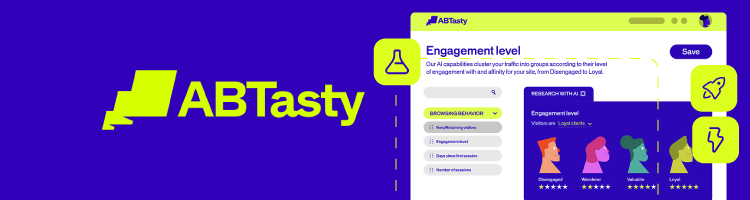
AB Tasty has a very clear target audience – and that’s large enterprises looking for deep personalization and advanced experimentation. Its standout feature is AI-driven emotional targeting. The platform analyzes a visitor’s mindset in about 30 seconds and serves a page version tailored to motivations such as urgency, safety, or competition. This makes AB Tasty one of the most advanced personalization tools on my list.
I couldn’t test the platform directly because access requires contacting the sales team. Pricing is custom and not publicly listed. Based on the official documentation, campaign management happens in a centralized dashboard. You can run A/B, multivariate, multi-page, and server-side tests. The setup process includes defining hypotheses, building variations in a Visual or Code Editor, setting goals, configuring targeting, and completing QA before launch.
From a usability perspective, AB Tasty offers a user-friendly visual editor and flexible test types. However, advanced features might require technical setup. For complex use cases, developer support is often needed. Therefore, it’s best suited for experienced teams with technical resources.
In short, enterprises ready to invest heavily in AI-driven personalization might find the most value with AB Tasty. In comparison with Plerdy and VWO, AB Tasty focuses more on high-level personalization and enterprise experimentation. Plerdy is more accessible and easier for small to mid-sized teams. VWO offers strong testing and AI support, but is less complex. AB Tasty stands out for advanced personalization, but it requires a larger budget and technical investment.
Why use AI in A/B testing?
A/B testing can be slow and tedious. You start by selecting testing variants and setting up experiments in your platforms. Then, you have to wait for enough traffic to generate tangible results. Finally, you can analyze the data and decide what works for you. Each step can be time-consuming, and scaling experiments across multiple pages or funnels can become too much for smaller teams.
AI can shorten this process, saving days of work. During my testing with our research team, I saw how AI can assist in generating hypotheses and creating new variants, allocating traffic to high-performing options, and interpreting results to show patterns. When traffic and measurement were set up correctly, AI also helped to run more simultaneous experiments and reach conclusions faster.
The difference between traditional and AI-powered A/B testing can be shown in a comparison table below. This perfectly illustrates why AI is becoming an essential part of modern experimentation workflows:
| Feature | Traditional A/B testing | AI A/B testing |
| Variant generation | Manual | AI suggests variants and hypotheses |
| Traffic allocation | Fixed | Dynamic, real-time |
| Analysis | Manual, slower | Automated insights and patterns |
| Speed | Weeks | Days or hours |
Benefits of AI in A/B testing
Using AI in A/B testing can save you time and generate more accurate insights faster, while eliminating human errors. Let’s look at the main benefits of AI-powered experimentation in detail.
Faster statistically meaningful results
One of the main benefits of using AI in A/B testing is the saved time. It can gather and analyze data in hours – and immediately act on it.
Let’s say, AI-based traffic allocation – such as bandit algorithms and smart routing – automatically directs more visitors to variants that perform better while reducing exposure to underperforming ones. With traditional A/B testing, you usually split traffic evenly and wait weeks for statistically significant results. However, with AI A/B testing, the system continuously learns and optimizes in real time.
In short, you spend fewer resources on losing variations and have faster results. From what I've noticed, this is especially evident on high-traffic pages, where small performance differences compound quickly.
Smarter test ideas and variations
As a long-time copywriter, I can say that coming up with different variations of the same idea can be hard. Not to mention that you always have to align marketing, product, and development goals with current campaigns and user behavior patterns. Here, AI can be useful by suggesting copy and design changes based on past performance data, behavioral patterns, and historical test results.
I appreciated that the AI provided data-backed recommendations for headlines, CTAs, layouts, and messaging angles that are more likely to resonate. Though I still had to polish them, I didn’t have to start from a blank page, which is always nice.
Additionally, you can generate multiple variant ideas – from alternative headlines and button text to different page structures – speeding up the ideation phase. In my testing, AI proved useful for creating strong first-draft variations that I could later refine and align with brand voice before launching experiments.
Better segmentation and personalization opportunities
The better your segmentation, the more effectively you can attract the right people. Some AI experimentation tools automatically identify audience segments with divergent behavior, such as new vs returning users or high-intent visitors. So, instead of treating all traffic the same, AI surfaces patterns that reveal where certain groups respond very differently to the same variation.
I also noticed that several platforms suggest personalized experiences for high-value or high-potential segments, aligning messaging, offers, or layouts accordingly. This way, you can move your basic experiments to more data-driven variations that maximize impact across different target groups.
Clearer insights from complex data
Once you have experimental data, AI can analyze and summarize it in plain language. You no longer need to manually dig through metrics – AI shows which variant won, how strong the uplift was, and whether the results are statistically reliable.
It also highlights which user segments responded best to each variation and flags anomalies or suspicious patterns like sudden conversion spikes or tracking inconsistencies. This reduces the cognitive load on analysts and marketers, making complex data easier to interpret and act on.
More experiments with the same team
Finally, AI speeds up experiment setup, automates traffic allocation, and simplifies performance analysis, reducing the manual work required at every step. Saving time on configuring variants or crunching numbers, you can focus on strategy and prioritization.
As a result, you can run more experiments in parallel and iterate faster without increasing headcount. In practice, this means you can run more tests and improve faster, even with a small team.
How to use AI for A/B testing
If you were relying on traditional A/B testing before, including AI in your workflow can be a game-changer. Below, I’ll walk you through how you can use AI for A/B testing.
Step 1 – define the outcome and primary metric
Start with a clear business goal. You should decide exactly what you want to improve – whether it’s increasing signups, driving purchases, or generating more demo requests. The more specific your goal, the easier it is to conduct meaningful experiments.
Next, define your primary metric. This is the single number the AI will optimize for – it can be conversation rate or revenue per visitor. Then, you can choose secondary KPIs like bounce rate, average order value, or time on page to ensure you’re not improving one metric while hurting others.
Keep in mind that this step is critical: without a clearly defined primary metric, AI has nothing meaningful to optimize. If the goal is vague, the output will be too.
Step 2 – set up clean tracking and connect your AI tool
Another important step before you launch your experiment is to ensure your events and goals are correctly configured in your analytics and experimentation platform. Check conversions, revenue tracking, button clicks, and funnel steps – otherwise the system will optimize around flawed data.
Also, make sure that your AI A/B testing tool is properly connected to your website and analytics system. This usually involves installing a script, verifying event tracking, and confirming that goals match your defined primary metric.
In my testing, misconfigured goals were the fastest way to get misleading decisions. If the data is wrong, the AI will confidently optimize for the wrong outcome – and scale the mistake.
Step 3 – generate and prioritize test ideas
In this step, use AI to analyze existing behavior data – heatmaps, funnel drop-offs, and click patterns – and identify friction points and areas for improvement. The AI highlights areas where users hesitate, abandon, or engage differently, giving you data-backed suggestions for your next experiments.
What’s more, it suggests ways to improve your messaging, CTAs, layouts, and UX elements, and even points out segments that may respond differently. At this stage, review AI suggestions and turn them into clear, testable hypotheses so your experiments are actionable and measurable before launch.
Step 4 – create variants with AI assistance
If you want to save time, you can generate copy variants – headlines, CTAs, and descriptions – and, in some cases, layout suggestions. AI can massively accelerate ideation by generating multiple options for testing.
Here, again, human review is also essential to ensure brand tone, accuracy, and compliance before launching any variant. In my testing, I used tools that integrate AI directly into their editors, so it’s easier to create, refine, and finalize variants without leaving the platform.
Step 5 – launch tests with AI-driven allocation and monitoring
Now, it’s time to choose the right experiment type – whether it’s a classic A/B test, a multi-armed bandit setup, or a personalization-based experiment. Your chosen format should align with your goal, traffic volume, and the speed at which you need actionable results.
Think about where AI can help you with traffic allocation by sending more users to better-performing variants while reducing exposure to weaker ones. At the same time, you still monitor the experiment for obvious issues, such as broken tracking, technical errors, or extreme anomalies that could distort results. AI can optimize performance, but human oversight ensures the data remains trustworthy.
Step 6 – interpret results and roll out learnings
The final step is interpreting results. Use AI-generated summaries and segment insights to understand not just which variant won, but why it performed better. AI can reveal which user groups responded the best and surface patterns that may not be obvious from raw metrics alone.
With these insights, you can decide whether to roll out the winning variant globally, target specific segments, or continue testing with new iterations. Finally, you can document the results and key takeaways in your internal experimentation log so that future tests build on proven insights rather than repeat old assumptions.
Limitations and considerations of AI in A/B testing
While AI can help you save time on some manual tasks, it doesn’t come without some trade-offs. For example, it can’t replace good experimental design, sufficient sample size, or clean data. Here are the key limitations I’ve noticed so far:
- Data and traffic requirements. AI routing and insights still rely on traffic and events, so if you want meaningful results, you have to wait for it to gather enough data.
- Risk of overfitting or premature decisions. Sometimes AI can suggest early winners before results are stable – that’s if guardrails are lax.
- Black box decision-making. Some AI features can make allocation decisions without clearly explaining the reason behind them.
- Complexity for small teams. Smaller teams that only need simple tests can be overwhelmed by advanced AI features.
- Cost and vendor lock-in. On the other hand, if you need advanced features, you'll have to pay extra for higher plans and deeper integrations.
From what I’ve observed, you should use AI more like an assistant than an autopilot to get the best results. As it stands today, AI still needs consistent guidance and double-checking to prevent results from going sideways.
How to pick the best A/B testing tools for your business
When choosing an A/B testing tool, you should think about a few crucial factors, like features, usability, and long-term value. The right platform should align with your team, traffic, and experimentation goals, while providing actionable insights without adding unnecessary complexity. Here’s a concise checklist to guide your decision:
- Platform and integration fit. Ensure the tool works with your CMS, eCommerce platform, tag manager, and analytics stack. Tools like Unbounce can act as separate landing hosts, while others integrate directly into existing sites for smoother workflows.
- Experiment types and AI capabilities. Check support for A/B, multivariate, multi-page, or bandit tests. AI features like auto-allocation, variant suggestions, and automated insights can speed up experiments and improve decision-making.
- Traffic level and pricing model. Consider how pricing scales with traffic, users, or feature access. Make sure your expected volume aligns with the plan to avoid surprise costs.
- Ease of use. The platform should allow marketers and product managers to run tests and read dashboards without constant analyst help.
- Depth of behavior insights. Built-in heatmaps, session replays, and UX analytics can help you generate better hypotheses and improve results.
- Security, governance, and support. Strong access controls, compliance, and responsive documentation are essential for scaling testing across teams.
Which AI A/B testing tool should you choose?
Based on my testing, the right tool depends on your goals and team structure.
Choose VWO if:
- You run structured A/B and multivariate experiments regularly
- You want AI help with test ideas and result summaries
- Your team is scaling a mature CRO program
- You need goal tracking and experiment planning tools, like a duration calculator
Choose Unbounce if:
- You focus on paid ads and landing page optimization
- You want AI traffic routing after just 50 visits
- Your marketing team needs fast campaign launches
- You prefer drag-and-drop building without developer support
Choose AB Tasty if:
- You’re an enterprise investing in advanced personalization
- You need server-side testing and segmentation
- Your team can handle the technical setup
- You want AI-driven emotional targeting
Choose Plerdy if:
- You want A/B testing plus heatmaps, SEO, and funnels in one tool
- You prefer a simple setup on WordPress or Shopify
- You need predictive AI suggestions without enterprise pricing
- Your team values unified UX insights
Choose Contentsquare if:
- You need deep behavioral and journey analytics
- You manage high-traffic, enterprise-level sites
- You rely on visual data to support decisions
- You want AI summaries of complex user behavior
Choose nexos.ai if:
- You want to automate experimentation workflows with AI
- You need custom AI agents for hypothesis generation, analysis, and reporting
- You need a shared AI workspace for marketing, product, and data teams
- You’re looking to scale experimentation without increasing the manual work
- You prefer building AI-powered workflows and don’t actually rely on traditional testing platforms
If you mainly need UX insight to generate ideas, choose Plerdy or Contentsquare. For strong experimentation frameworks, VWO or AB Tasty might fit better. If you focus on landing page campaigns, Unbounce is a strong option. If your goal is to automate experimentation processes and build AI-powered
No matter which tool you choose, AI should only support your strategy. It amplifies strong experimentation practices – it doesn’t replace them.
FAQ
Do I need a lot of traffic to benefit from AI-powered A/B testing tools?
Not necessarily. While higher traffic helps AI A/B testing tools reach statistically significant results faster, you don’t need massive volumes to see value. Even with moderate traffic, AI can optimize experiments, identify patterns, and help you make informed decisions with the data you have.
Can AI replace traditional statistical analysis in A/B testing?
No, AI can supercharge A/B testing with faster insights, pattern recognition, and automation, but it doesn’t eliminate the need for solid statistical foundations. Behind the slick dashboards and smart predictions, traditional statistics still deliver reliable, defensible results.
How do I know if AI-based traffic allocation is making the right decisions?
You should check the numbers – monitor your performance metrics, compare against control baselines, and see whether conversions, revenue, or engagement actually improve over time. If the AI consistently improves static allocations and its decisions align with statistically sound results, it means optimized execution.
Are AI A/B testing tools safe to use with sensitive user data and strict privacy rules?
Yes, if the platform follows strict data protection standards and complies with regulations like GDPR. My advice is to make sure encryption, access controls, and clear data policies are part of the package.
Which AI A/B testing platforms are better for small businesses vs large enterprises?
Tools like Plerdy and Unbounce are best for smaller businesses due to simpler visual editors, lower costs, and built-in UX insights that don’t require big teams or budgets. nexos.ai is a strong fit for growing teams and enterprises looking to automate experimentation workflows with AI. In contrast, powerful platforms like Contentsquare, VWO, and AB Tasty scale much better for larger enterprises with deeper analytics, personalization features, and complex experimentation needs.