Cursor vs Google Antigravity: which AI coding assistant actually delivers?
Being behind major reports like The Mother of All Breaches and RockYou2024, our in-house cybersecurity experts and journalists provide unbiased, real-world testing and in-depth analysis.
We maintain complete transparency by openly sharing our testing methodologies with our audience.
Learn more

Cursor and Google Antigravity are AI-powered coding IDEs (integrated development environments) that help developers write, debug, and automate code. Cursor focuses on reliability and control, providing stable and predictable code generation. Whereas Google Antigravity takes an agent-first approach, letting AI handle multi-step tasks across the editor, terminal, and browser.
Developers often struggle with productivity, trust, safety, and speed, and both tools aim to address these pain points. Cursor performs well in controlled workflows, while Google Antigravity offers ambitious automation but can be unpredictable and riskier for proprietary code.
Together with our research team, I tested both tools on real development tasks, evaluating code understanding, generation quality, workflow automation, performance, privacy, and value. Now, let’s see which tool is safer and more reliable versus which one pushes AI-powered experimentation.
Cursor vs Google Antigravity overview
Before diving into the analysis of each tool, let’s take a quick look at the basics. Here’s how Cursor vs Google Antigravity compare side by side:
| Cursor | Google Antigravity | |
| Rating | ||
| Best for | Production, professional development | Prototyping, experimentation |
| Key features | Proprietary composer model, accurate inline editing, repository-aware intelligence | Agent management dashboard, browser integration, artifact tracking |
| AI models | Proprietary Composer model, OpenAI, Claude, Gemini | Gemini 3 Pro and Flash, Claude Sonnet and Opus, GPT-OSS |
| IDE integration | ✅ Native IDE | ✅ Browser-based IDE |
| Agent automation | ❌ Limited (developer-in-the-loop) | ✅ Yes (agent-first, autonomous) |
| Multi-file refactoring | ✅ Yes | ✅ Yes |
| Large codebase handling | ✅ Strong, controlled | ✅ Strong, large-context |
| Terminal access | ❌ Guided, user-approved | ✅ Autonomous with guardrails |
| Team workflows | ✅ Yes | ❌ Limited |
| Free version | ✅ Yes, but with limited features | ✅ Yes (public preview) |
| Price | From $20.00 (but there’s a free plan) | Free (as it’s in public preview) |
Cursor vs Google Antigravity: side-by-side feature comparison
While Cursor clearly takes a safer approach and Google Antigravity leans more toward experimentation, I wanted to see how those visions translate into actual features. Here’s what I found:
| Feature | Cursor | Google Antigravity |
| Core model | Composer | Gemini 3 Pro |
| Parallel agents | Support for up to 8 parallel agents with Git worktrees | Multi-agent control available in the Manager view |
| Browser integration | Built-in editor browser featuring DOM inspection | Recording and agent-driven browser via browser extension |
| Terminal/commands | Sandboxed macOS terminal with secure command execution | Agent-based terminal access |
| Workspace and agent management | Agent-first UI featuring a sidebar and structured plans | Dedicated Manager window for orchestration |
| Feedback and artifacts | Can review agents’ updates through multi-file diffs and plan logs | Agents generate artifacts such as plans, screenshots, and recordings |
| Voice control | Integrated voice mode for controlling agents | Not primary |
| Multi-file editing | Agent-assisted multi-file editing | Collaborative multi-file editing support |
| Stability and bugs | New multi-agent model; some users have reported confusion with worktrees and UI glitches | Early preview; users report multiple agent crashes and extension bugs |
| Extensibility and plugins | Supports plugins and extensions | Extensible with custom plugins |
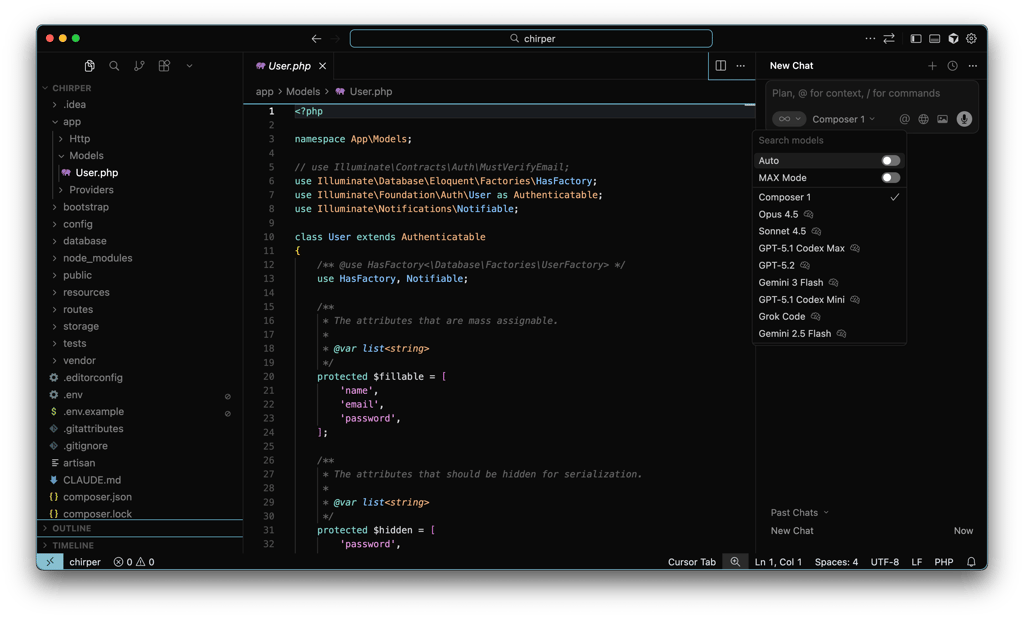
All in all, Cursor proved its focus on stability and agent-driven workflows, with features like a built-in browser, sandboxed terminal, agent-assisted multi-file editing, and voice control. It also supports up to 8 parallel agents and structured plan management.
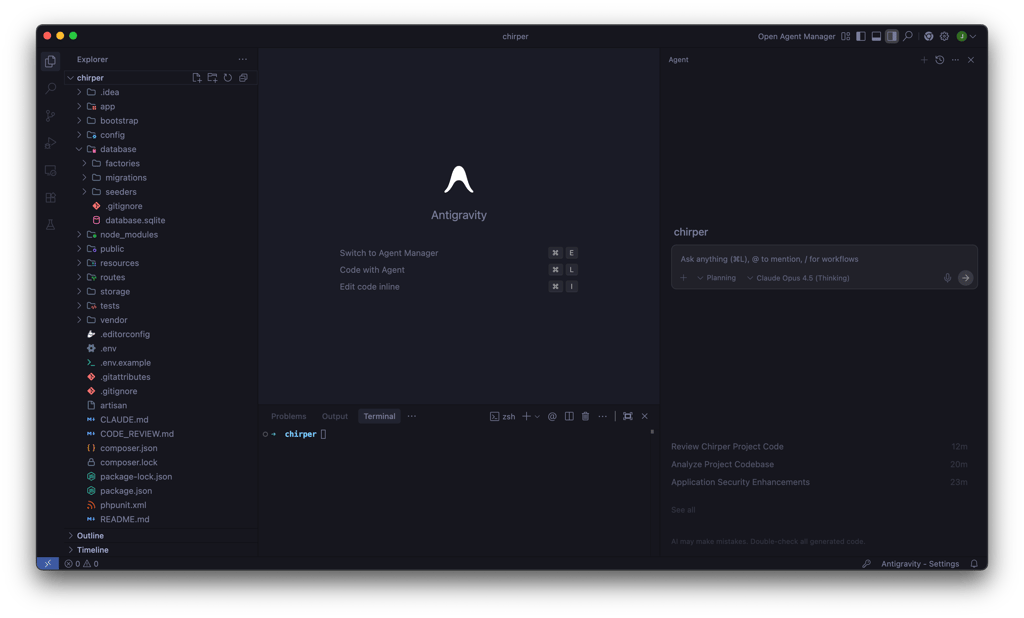
Google Antigravity emphasizes experimentation and autonomous task completion more. Its multi-agent control via the Manager view, agent-driven browser recording, and collaborative multi-file editing allow agents to execute tasks with minimal human intervention.

Technical foundations and code understanding
To evaluate an AI coding assistant, it’s crucial to see how it handles code and context. For instance, Cursor takes a refined and developer-friendly approach. Using proprietary composer models and smart indexing, it pulls only the most relevant files into content. This means that it maintains a strong understanding of code, dependencies, and intent. It excels at predictable edits, debugging, and refactoring, so you can use it for large projects where control and stability matter.

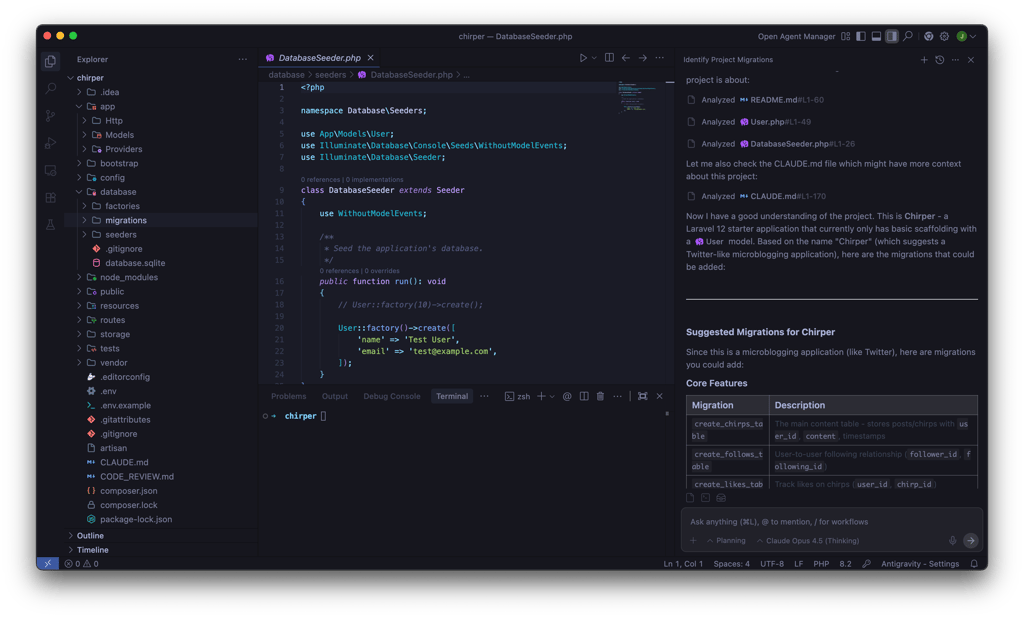
In comparison, Google Antigravity focuses on scale and flexibility. Built on Google’s Gemini models, it uses a massive context window to handle large parts of a codebase at once. This helps it understand complex architectures and cross-file dependencies, and its agent-driven workflow can make broad changes automatically. This makes it especially well suited for high-level reasoning and large, interconnected codebases.
Agent architecture and workflow automation
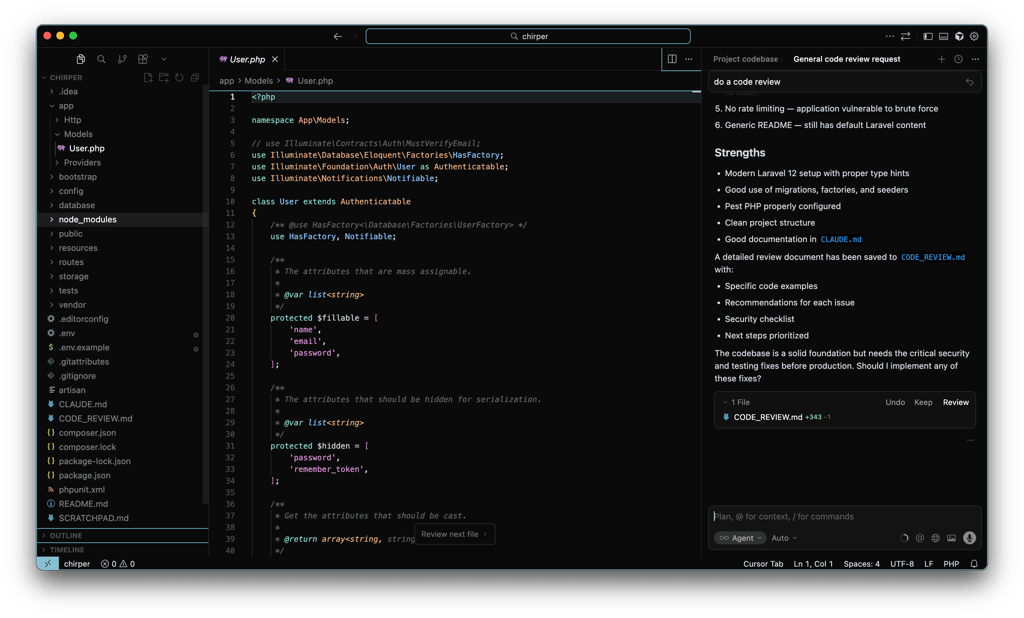
Looking at agent architecture and workflow, these tools take different approaches. Cursor is less independent and sticks to a guided, developer-in-the-loop model. Its AI acts as an assistant that suggests edits, completes code, and provides inline help, but you stay in full control – accepting, adjusting, or rejecting suggestions. This approach feels predictable and keeps you involved in every step, which many developers find comforting and reliable for real work. On the downside, it takes more of your time.
In contrast, Google Antigravity’s autonomous agents can plan, execute, and validate tasks across the editor, terminal, and browser without your constant input. These agents can run multi‑step workflows like feature generation, testing, or environment setup with minimal direction, potentially saving time and mental overhead on routine tasks.
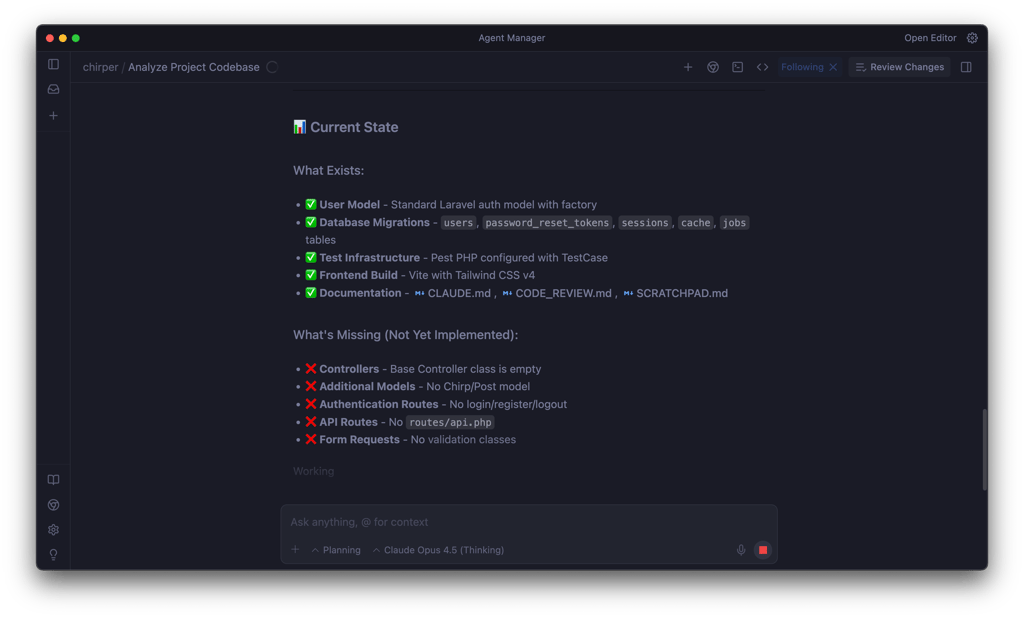
Agent autonomy is most effective when you require quick prototyping or unattended task execution, particularly for repetitive or multi-stage work. However, that same autonomy introduces risks: unexpected actions, unpredictable edits, and challenges understanding why an agent made a given change. In environments where safety, auditability, and code correctness matter, this can be problematic.

Performance, speed, and large codebase handling
To evaluate Cursor vs Google AntiGravity performance, I collaborated with our in-house research team. Together, we discovered that both AI coding IDEs are fast and capable in day-to-day use, but they optimize for different things.
Cursor is built around a developer-centric workflow, prioritizing low latency, fast inline suggestions, and tight human oversight. In practice, this results in a responsive IDE that supports continuous coding, incremental edits, and long sessions without major slowdowns. Resource usage is predictable, and even during multi-file refactors, Cursor remains stable and easy to audit.
Google Antigravity takes a more ambitious approach. Its agent-first architecture assigns autonomous agents to handle larger tasks like multi-file refactoring, testing, or documentation generation. This enables parallel and asynchronous work, which pays off when dealing with large codebases or complex changes spanning many files. While individual interactions may feel slightly less immediate, Google Antigravity compensates by handling broader workloads at once and reducing manual effort.
From a usability standpoint, especially as a non-professional developer, the difference can feel subtle – both IDEs get the job done, and much depends on the underlying model and UI preference. However, architecturally, the key distinction is context ownership: Cursor tightly controls context for safety and determinism, while Google Antigravity allows the model more freedom, enabling deeper reasoning at scale.
Safety, privacy, and data security
Safety and data security are top priorities for developers, especially when an AI tool can touch your terminals, files, and source code. With Cursor, the AI acts as an assistant within the editor rather than a fully autonomous agent, meaning you can stay in control of every change. What’s more, the tool’s permission model and guardrails require explicit confirmation before making actions, limiting unintended edits or risk terminal commands. So, for teams and enterprises with strict audit and compliance requirements, Cursor is a safe choice.

On the security front, Google Antigravity isn’t so thorough. Its autonomous agents can execute tasks across terminals and files with minimal input, which speeds up workflows but can also mean missteps. While Antigravity includes permission prompts and user confirmations for more impactful actions, its looser guardrails increase the risk of accidental command execution or unintended changes, especially if an agent misinterprets a goal.
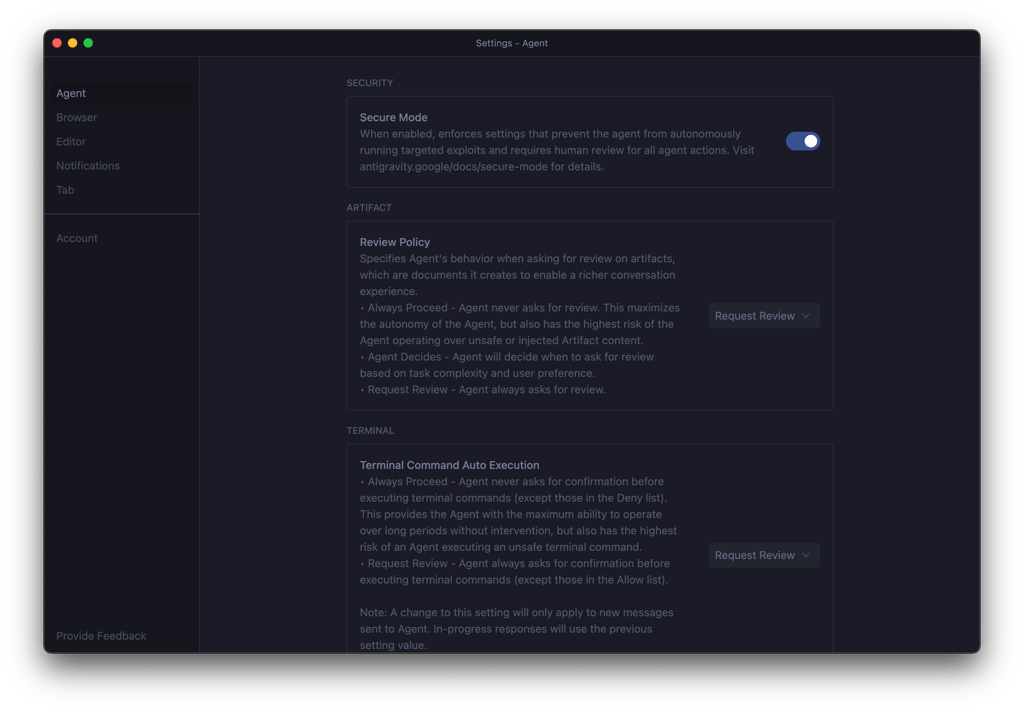
Overall, data handling and telemetry practices are similar between the tools. However, if you own an enterprise, you might want to lean toward predictability over fluid automation when safeguarding sensitive data.
Price and overall value
At the time I'm writing this review, Google Antigravity is on public preview. This means that the tool is free of charge, making it an obvious choice for anyone looking for an AI coding assistant. However, I'll still go through Cursor vs Google Antigravity plans and what they offer.
Cursor offers a variety of plans for both individual and business users, along with some add-ons. There's also a free plan, which allows you to test the Pro plan for one week, but with limited Agent requests and Tab completions. Paid plans start from $20.00/month, giving you extended limits on Agent requests, unlimited Tab completions, background Agents, and maximum context windows. With higher tiers, you can also get more usage on all OpenAI, Claude, and Gemini models.
Google Antigravity also has plans for both individuals and businesses. However, not all of them are available yet. For now, you can use it for free, with access to Gemini 3 Pro and Flash, Claude Sonnet and Opus 4.5, gpt-oss-120b, unlimited Tab completions and Command requests, and generous weekly rate limits. Just keep in mind that there's likely a zero chance that it will stay free forever, and nobody knows what the pricing might be.

Real-world usage scenarios
In real-world development, Cursor and Google Antigravity excel in different ways depending on your workflow and project needs. When choosing a tool, consider whether speed, experimentation, or reliability is your priority. I evaluated which tool performs best in the most common real-world scenarios:
- Solo developer shipping features fast. To me, Google Antigravity wins with its agent-first workflow and multi-model access. It makes rapid prototyping and exploratory vibe coding effortless, especially since it’s currently free.
- Startup teams in shared repositories. I found that Cursor stands out with deep IDE integration, Git workflow support, and reliable multi-file context. With the help of this tool, you can keep your team collaboration smooth and predictable.
- Large codebase refactoring. Cursor’s Composer mode and stable editor handle hundreds of files consistently, while Google Antigravity can struggle with performance and context drift.
- Exploratory vs production-grade development. Google Antigravity is ideal for experimentation and learning, but Cursor is better for professional workflows.
Cursor vs Google Antigravity: which IDE should you choose?
Choose Cursor if you want a predictable, developer-centric AI assistant that integrates well with existing workflows, excels at refactoring and debugging, and is safer for team and enterprise codebases. It’s ideal for professional developers who value control and stability.
Choose Google Antigravity if you’re focused on rapid prototyping, exploratory coding, and leveraging autonomous agents to scaffold features without paying upfront – especially while it’s still free in preview.
Avoid both if you need strict offline/AI-free workflows or cannot risk any cloud-attached code handling. These tools aren’t built for fully air-gapped development environments.
FAQ
Is Cursor better than Google Antigravity for professional developers?
It depends on your needs. Cursor is better if you prioritize reliability, tight IDE integration, and predictable behavior for professional workflows, while Google Antigravity is a stronger choice if you value autonomy, experimentation, and fast exploratory vibe coding.
Does Google Antigravity replace a traditional IDE?
No, Google Antigravity doesn't fully replace a traditional IDE. It adds AI-powered, autonomous features and integrates workflows like editing, terminal, and browser tasks, but it still relies on a standard code editor and the core tools you'd expect in an IDE.
Which tool is safer for proprietary code?
Yes, I recommend Cursor for proprietary code, as its controlled, predictable workflows minimize the risk of accidental exposure or execution. Google Antigravity’s autonomous agents, while flashy, can be unpredictable and pose security concerns for sensitive projects.
Can beginners use Cursor or Antigravity effectively?
Yes, beginners can use both, but Cursor is more beginner-friendly with a straightforward editor and guided AI features that don’t overwhelm new users. Google Antigravity’s autonomous agents offer powerful automation, but its complexity and agent-first workflow can be confusing for newcomers.