Best AI social media post generators in 2026
Being behind major reports like The Mother of All Breaches and RockYou2024, our in-house cybersecurity experts and journalists provide unbiased, real-world testing and in-depth analysis.
We maintain complete transparency by openly sharing our testing methodologies with our audience.
Learn more

AI social media post generators automatically generate captions for your social media pages. What makes them efficient substitutes for manual writing is their ability to stay consistent with your tone of voice and adapt to the context of different platforms. Without that, they neither save time nor help you overcome writer’s block – your resources will be wasted on reorganizing generated content.
I know it’s tough to find a tool that feels on par with a human social media writer. So, the Cybernews research team and I identified the six best AI social media generators. Our research showed that Nexos is the best unified platform for AI-powered social post generation, with advanced workflow automation. AIOSEO is the best WordPress plugin for repurposing your website content into social media posts, while Buffer works well for generating posts from scratch and publishing them from one centralized platform.
Read on for detailed overviews of all six platforms, including pricing, features, and drawbacks.

Best AI social media post generators – shortlist
- Nexos – best all-in-one platform for AI-powered social post generation
- AIOSEO – best for content repurposing in WordPress
- Buffer – best for cost-efficient post generation and scheduling
- SocialBee – best post and image AI generator for teams
- HubSpot – best for AI post generation with personal brand voice
- Copy.ai – best for free and simple AI post generation
The best AI social media post generators compared
Here’s my quick overview of all five AI social media post generators:
| Rating | Key features | Starting price | Best for | |
| Nexos | 4.8 | Multi-model AI access, custom workflow automation, and AI Agent builder | $18.00/month per user | AI social post generation with custom workflows and multi-model access |
| AIOSEO | 4.6 | Content repurposing without prompting and an AI writing assistant | $8.29/month | Content repurposing without prompting in WordPress |
| Buffer | 4.5 | Captions generation, scheduling, and a board with social media ideas | $5.00/month per channel | Cost-efficient centralized hub for social content generation and scheduling |
| SocialBee | 4.5 | Collaboration features, ready-made prompts, and image generation | $25.00/month | Generation of captions and images, and team collaboration |
| HubSpot | 4.4 | Setting up your personal brand voice and content repurposing | $20.00/month | Post generation and repurposing based on your brand voice |
| Copy.ai | 4.3 | Free social media post generation | $24.00/month | Free and fast caption generation |
6 best AI social media post generators – my detailed list
1. Nexos – best for automated social post generation with custom AI workflows

| Rating: | 4.8 |
| Standout feature: | Unified access to multiple leading AI models (GPT-4, Claude, Gemini) in one platform |
| Starting price: | $18.00/month per user |
| Best for: | Flexible AI social post generation with multiple models and custom workflows |
Nexos is an all-in-one AI platform that gives you access to the world's leading AI models for social media post generation — including GPT-4, Claude, and Gemini – all from a single unified interface. Unlike tools locked into one AI provider, Nexos lets you choose the best model for each task or experiment with different outputs to find what resonates with your audience.
What sets Nexos apart is its no-code workflow automation. You can build custom AI Agents that handle the entire social post creation process: from generating captions based on your brand voice to scheduling posts across multiple platforms. This means you're not just generating posts – you're creating repeatable, scalable workflows that save time and maintain consistency across all your social channels.
I like that Nexos combines powerful AI capabilities with practical team collaboration features. You can create custom workflows tailored to your approval process, deploy AI Agents that work autonomously, and give different team members access to the exact tools they need without overwhelming them with disconnected systems. For teams managing high volumes of social content or running multiple brands, this centralized approach eliminates the chaos of juggling separate tools for generation, editing, scheduling, and analytics.
Nexos offers a free 7-day trial with no credit card required, so you can test the platform's full capabilities before committing. Plans start at $18.00/month for individuals, with team and enterprise options available for larger organizations.
2. All In One Seo (AIOSEO) – best for generating posts from old content

| Rating: | 4.6 |
| Standout feature: | Website content repurposing for social media posts |
| Starting price: | $8.29/month |
| Best for: | Fast social media post generation based on existing website content |
AIOSEO is the WordPress plugin for SEO optimization. It has an AI Content tool that repurposes website content for various social media, FAQs, emails, summaries, and SEO meta tags.
I like that it doesn’t require prompting: you simply pick the social media platform, choose the audience and tone, and the tool creates a post. From a single article, you can create multiple posts for different social media platforms at once, copy the generated texts, and publish them. This feature speeds up content distribution and saves time for small businesses and solopreneurs with limited resources. Along with that, AIOSEO has an AI writing assistant that generates blog posts and website pages, a tool for optimizing authors’ bios, and a post preview for Facebook and Twitter.
AI content generation is credit-based, and the best thing is that AIOSEO shows exactly how many credits a certain generation will cost. You can purchase credits separately, starting from $9.99 for 10,000 credits, or buy a subscription to the whole tool starting at $8.29/month. AIOSEO has a free trial, but it doesn’t include access to AI content generation. Also, you can get a refund if you cancel the subscription within 14 days of purchase and if fewer than 500 AI credits have been used.
3. Buffer – best for cost-efficient social media post generation
| Rating: | 4.5 |
| Standout feature: | Generating captions based on prompts, scheduling, and publishing them |
| Starting price: | $5.00/month per channel |
| Best for: | Generating and managing posts for 11 social media platforms from a centralized tool |
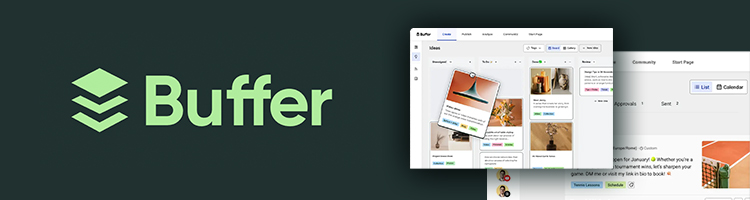
Buffer is a specialized tool for generating, repurposing, and publishing social media posts. It has an AI assistant that generates posts for any social media based on your prompt. Also, there are one-click tools to adjust the generated content’s tone and expand or shorten it.
I like that Buffer serves as a centralized platform for managing content across 11 social media platforms. There, you can not only generate posts but also schedule and publish them automatically and gather analytics. Also, you can have a board with all your social media ideas clearly organized – and if you struggle, the AI assistant can boost your imagination by generating new ideas.
Buffer uses OpenAI for its AI capabilities and may use your data to train AI models. Overall, it has a free plan with unlimited AI usage, 100 ideas, and 10 scheduled posts for each of three channels. The cost of subscriptions with unlimited scheduled posts and ideas, and advanced analytics starts at $5.00/month for one channel. The more channels you connect to Buffer, the more you’ll have to pay.
Buffer offers a 50% discount for non-profit organizations and charities, and a 14-day free trial. Moreover, you can request a refund within 7 days for a monthly subscription and within 30 days for a yearly subscription.
4. SocialBee – best AI post generator for teams

| Rating: | 4.5 |
| Standout feature: | Image generation and ready-made prompts for various social media platforms that can be customized |
| Starting price: | $25.00/month |
| Best for: | AI generation of posts, images, and content strategies |
SocialBee is a full-fledged social media management platform with AI-assisted content creation. Its main advantage is that the AI caption generator has over 1000 ready-made prompts you can reuse or tailor to your needs. Before the generation, you can select the tone of voice, the number of words, and whether to include emojis and hashtags in the post. You can also generate a few texts to compare and choose the best.
I like that in SocialBee, you can generate images with DALL-E 3, and it’s also integrated with Canva, GIPHY, and Unsplash. So, the entire post-creation process can be handled there. Also, it has a ChatGPT-powered copilot that helps you ideate and generate posts and social media strategies by talking to a chatbot. SocialBee lets you group posts into content categories and automatically recycle evergreen posts, such as FAQs and reviews.
What’s especially important for small teams is the collaboration features available on the plans for teams. You can set up your own approval workflows or share internal notes to make content management easier.
SocialBee has a 14-day free trial, after which you can buy a personal subscription that starts at $25.00/month and allows you to connect five social media accounts. Plans for agencies start at $82.00 and include 5 workspaces with 3 users each. SocialBee has a 30-day money-back guarantee, but only for new users – subscription renewals, generally, aren’t refunded.
5. HubSpot – best for AI posts with your personal brand voice
| Rating: | 4.4 |
| Standout feature: | Teaching the tool your personal brand voice via uploading text samples |
| Starting price: | $20.00/month |
| Best for: | Generating posts in bulk aligned with your style |
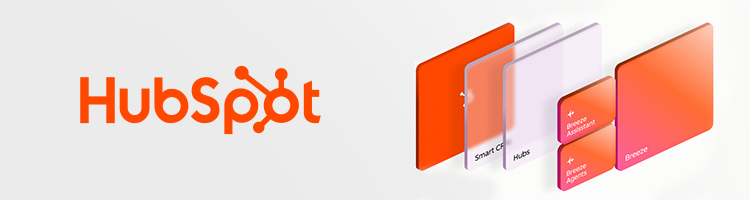
HubSpot is an online CRM software that has a built-in Breeze Assistant powered by OpenAI. Together with its other capabilities, it can generate texts for Twitter, Instagram, Facebook, and LinkedIn with emojis and hashtags.
The workflow is simple: you give the tool a prompt, set the tone, and it generates the post. Then, you can highlight some parts of the text and ask the tool to refine, expand, shorten, or do something else according to the additional prompt.
If you are a subscriber to a Professional or an Enterprise tier, you can set your brand voice by uploading a few content pieces that represent your unique style. The tool will replicate the learned voice in new generations. You can also repurpose the published blog articles on your website into shorter social media posts. Overall, you can generate 6 versions of texts from one article.
The best thing about HubSpot is that you can generate, edit, and schedule each post on one screen – it’s like a full observation base, where you can tweak things in real time. As your post goes live, you can measure its ROI and other performance metrics. Note, however, that your social media content will be labeled as AI-generated if you reused the generation as it is, or as AI-assisted if you manually edited it.
Breeze Assistant is a free tool included in most HubSpot subscriptions. The cheapest ones start at $20.00/month per seat. It also has a 14-day free trial. Getting a refund here isn’t that easy, as you have to prove that the tools didn’t work as described or that you faced security issues.
6. Copy.ai – best for free post generation
| Rating: | 4.3 |
| Standout feature: | Dedicated free tools for different social media platforms |
| Starting price: | $24.00/month |
| Best for: | Free online post generation |
Copy.ai is an AI-driven content workflow automation platform that has multiple online tools for generating social media captions. The platform is powered by Anthropic and OpenAI models.
In Copy.ai, you can either generate posts via a chat interface by typing prompts. Another way is to go for a free online post generator for a dedicated social media platform. Here, you describe the post and the image you plan to attach, choose the tone and length, and decide whether to include emojis and hashtags. Once the text is generated, you can manually edit the text and copy it. Copy.ai also includes paragraph and script generators, a sentence rewriter, and tools for writing emails.
Copy.ai’s paid version lets you build comprehensive workflows with separate steps to generate posts, publish them, and automatically gather analytics. So, it can be the right choice for businesses that need a fully automated workflow to produce and distribute large volumes of posts across multiple channels.
Copy.ai’s online generators are free and don’t require registration. Access to the chatbot costs $24.00/month, while the subscription that allows building automated content workflows is custom and depends on your requirements. You can also request a refund within 5 days of purchase.
What is an AI social media post generator?
It’s an AI-powered tool that generates social media posts based on your prompt, intent, or goal. Often, post generators are only a part of larger content management or AI platforms. That’s why you may find them bundled with post schedulers as well as design and social listening tools – all of them are separate tools that are applied together for comprehensive AI-assisted social media content creation.
How it works in practice
The workflow in every AI social media post generator is similar. Usually, it flows like this:
- You type a prompt, specifying the future post’s goal, content details, keywords, or anything else you’d like to include.
- You choose the tone of voice, number of words, if you’d like to include emojis and hashtags, and the target social media platform.
- Within a few seconds, the tool generates a post, after which you can manually edit it or ask AI to change some parts.
- You copy and paste the text to your social media account or schedule and post it directly from the generator.
What these tools usually include
AI social media generators can include:
- Templates for platform-specific formats and ready-made prompts to make post generation quicker and more precise
- Brand voice and style presets that allow you to choose the needed voice and style, instead of describing them in every prompt
- Hashtag and CTA suggestions that may improve engagement if they’re based on the highest-ranking posts
- Multi-language support to generate posts in multiple languages, instead of translating everything from English
Benefits of AI social media post generators
AI social media post generators have many benefits:
- Speed and consistency. Posting consistency is the cornerstone of high engagement. AI tools can generate hundreds of posts for various social media platforms within a few minutes. Even if some of them require manual edits, it takes less time than writing each post from scratch if the tool is chosen correctly.
- Better repurposing across platforms. Distributing one and the same text across platforms doesn’t result in high ROI, because each platform requires a different style, format, and length. Some AI tools know specifications of each platform and help you repurpose content and tweak the ideas to cater to different audiences.
- Better structure and clarity. Some AI generators are trained on large volumes of high-performing content, so they can follow proven post structures. They help include strong hooks that grab attention in the first line, clear CTAs that encourage clicks or comments, and scannable formatting with short paragraphs.
- Brand voice support. If several writers are creating content for your social media platforms, the brand voice can get lost. AI tools often have a customizable tone of voice, so you can teach them how you’d like to sound, and they’ll replicate the tone automatically.
- Repurposing content. A single article can be transformed into short LinkedIn updates, Instagram captions, X posts, or Facebook snippets, each adjusted for platform length and style. This helps you get more from content you’ve already invested resources into.
Limitations and challenges of AI social media post generators
The speed and automation come at a cost. Here are a few challenges that come with AI social media post generators:
- Generic content and AI voice. AI tools often produce lackluster content that sounds too AI. It’s especially obvious when a prompt doesn’t specify all the minimal details, so AI goes for generic, common phrasings. Often, AI generators are powered by cheaper models trained on a limited data range, so all your posts may use the same idioms, ideas, and CTAs that can easily bore your followers.
- Factual mistakes and hallucinations. Even the best OpenAI and Gemini AI models can hallucinate when generating texts. Factual mistakes, overgeneralized claims, and fake statistics can easily appear in your AI-generated posts, so it’s better to read and confirm each fact yourself.
- Brand safety, compliance, and copyright risk. As AI models are trained on publicly available data, they can accidentally reuse copyrighted slogans, phrases, and ideas. Also, wrong phrasings and insensitive claims may lead to compliance issues and lost trust from followers.
- Over-automation can hurt engagement. If you automate the whole social media routine, your content may lose authenticity. Most of the time, AI-generated content requires a human touch to sound natural, while community support and interaction with users should also be handled by people to not lose your audience’s trust.
How to choose the right AI social media post generator for your needs
Choosing the right tool is the biggest challenge – there are a few great tools, but if applied to the wrong workflow, they can destroy the whole process. Here are the aspects to look into when making a decision:
- Match the tool to your workflow. Start with how content is created and approved in your team. Some tools are built for solo creators and freelancers, while others are designed for teams and agencies. If your content goes through drafts, reviews, and approvals, check if the tools allow for adjustable approval workflows, internal comments, and real-time collaboration. Otherwise, you may end up copying text between tools just to get a sign-off.
- Platform fit. Some tools are optimized for short captions for Instagram and TikTok, while others handle longer, structured posts for LinkedIn or Facebook. So, identify your priority channel and make sure the tool can generate posts with the right tone.
- Voice control and customization. Make sure the tool has features for tone selection, setting up custom styles, or uploading example posts. The more control you have over voice and phrasing, the less time you’ll spend fixing AI outputs or creating long, detailed prompts.
- Integrations and publishing. Often, when the caption is generated, the only thing you can do is copy it and paste it into the social media platform manually. So, check if you can schedule posts or publish them from the AI tool without switching to the social media page. Also, make sure there’s a built-in social calendar and that it integrates with Canva, asset libraries, or popular social schedulers. If publishing isn’t built in, make sure exports are easy and don’t require extra formatting work.
- Pricing vs value. Free plans are great for testing, but pay attention to their limits, e.g., number of generations, platforms, or brand voices. Also, check how pricing scales per seat, per workspace, or based on usage. Some tools look affordable at first, but lock key features behind paid tiers and add-ons. The best value is a tool that actually fits your workflow, not the cheapest one on paper.
Other ways to use AI for social media posting
AI can be a great helper across a wide range of content-related tasks:
- Content pillars and monthly planning. AI is especially good at structuring ideas and planning tasks. You can ask it to generate or refine content pillars such as educational posts, behind-the-scenes updates, testimonials, product highlights, company culture, or opinion pieces. From there, AI can help turn those pillars into a 30-day content calendar with weekly themes, post ideas, and suggested formats.
- Turning long-form content into short-form one. AI is good at summarizing and extracting key points. So, you can turn one long article into a few short content pieces for a website blog or email chain.
- Improving hooks and retention. AI can rewrite the first lines of a post in multiple styles, like question-based hooks or story-driven intros. It can also help shorten long posts, simplify complex ideas, and add clearer CTAs that guide readers on what to do next. Even if you won’t use the generated text as it is, it can inspire you for something more creative.
- Comment and DM drafting (with caution). AI can be useful for drafting replies to common questions, product inquiries, or basic support issues in comments and DMs. However, these responses should always be reviewed by a human. Empathy and accuracy matter a lot in conversations with your audience, and AI can easily sound robotic or miss important context.
- Light analytics interpretation. While AI can’t replace proper analytics tools, it can help summarize patterns and insights. For example, you can ask it to review performance data and highlight which formats, topics, or hooks performed best, then suggest ideas for future experiments. Just try not to treat AI-generated insights as exact data unless the tool is directly connected to your analytics platform.
Best AI social media post generators according to users
Generally, users on Reddit say that AI social media post generators are useful for creating initial drafts and speeding up workflows, especially when managing multiple brands or accounts. Content repurposing as a feature gets a lot of positive feedback because it helps to recycle old content faster.
Buffer and SocialBee are praised the most because you can generate and publish content from a single dashboard without switching to other tools. SocialBee is also popular for its built-in calendar that helps with posting consistency.
The common downsides are robotic, repetitive outputs and the fact that AI generators can’t capture and replicate users’ nuanced tone of voice. In the end, they’re usually considered assistants good for quick ideas and jumping-off points rather than for creating final, high-quality copy.
Final verdict
My research showed that Nexos is the best overall choice for teams that need powerful, flexible AI social post generation. With unified access to multiple leading AI models and no-code workflow automation, Nexos eliminates the need for disconnected tools and lets you build custom AI Agents that handle everything from caption generation to publishing. It's the most comprehensive solution for teams managing high volumes of social content across multiple brands or platforms.
AIOSEO works best for generating hundreds of social media posts from a single piece of content. This plugin doesn't require prompting, works directly in WordPress, and costs $8.29/month. Finally, Buffer is your best choice for a centralized content generation and scheduling hub at a cost-efficient subscription price.
If you’re deciding in 30 seconds, here’s my lineup:
- Nexos for the most powerful all-in-one AI platform with multi-model access and custom workflows
- AIOSEO for fast content repurposing in Wordpress
- Buffer for cost-efficient generation of captions
FAQ
Are AI-generated social media posts safe for brand accounts?
Yes, AI-generated posts are safe if you add human checks into the workflow. AI can often make factual and stylistic mistakes or create generic posts, so a human touch is needed for a precise, on-brand tone of voice.
Do AI social post generators hurt engagement?
No, AI post generators don’t hurt engagement, unless the entire content workflow is left to AI without any human supervision. Robotic content without authenticity, though, definitely hurts engagement and user trust.
Can these tools schedule posts directly?
Yes, tools such as Nexos, HubSpot, and SocialBee have built-in calendars and scheduling features that let you schedule posts at whatever time you set.
How do I make AI posts sound like my brand?
Tools like HubSpot have a special section where you can set your brand voice by uploading a few characteristic texts. In other tools, you can regulate the brand voice by specifying in a prompt how you’d like the text to sound.
Which AI social media post generator is best for small businesses?
Nexos is excellent for small businesses wanting an all-in-one solution with multiple AI models and custom workflows that scale as you grow. SocialBee works well if you need approval workflows and team collaboration. For simpler needs, AIOSEO repurposes website content in WordPress.