Best prompt versioning tools
Being behind major reports like The Mother of All Breaches and RockYou2024, our in-house cybersecurity experts and journalists provide unbiased, real-world testing and in-depth analysis.
We maintain complete transparency by openly sharing our testing methodologies with our audience.
Learn more
The best prompt versioning tools help teams track how AI prompts change, perform, and move into production. Once a prompt powers a chatbot, agent, or workflow, it becomes part of the application logic. Even a small edit can affect accuracy, tone, formatting, compliance, or conversion rates.
I tested 6 prompt versioning and observability platforms together with the Cybernews research team: nexos.ai, PromptLayer, Mirascope, LangSmith, Agenta, and Helicone. We focused on version visibility, comparisons, rollbacks, and access control across environments.
Most teams ask the same questions: Which version is live? How do we measure a change? How do we roll back if performance drops? And which tool makes sense for our setup?
Keep reading to learn:
- What prompt versioning actually is
- Why it matters in production AI systems
- The practical benefits and trade-offs
- How to integrate versioning into your workflow
- Which platform fits your team and risk profile

Best prompt versioning tools – shortlist
- nexos.ai – best for teams that want one AI platform with LLM observability, model access, agents, and governance
- PromptLayer – best for teams that want UI-based prompt control without constant code deploys
- Mirascope – best for engineering-first teams that want prompts versioned directly in code
- LangSmith – best for full-lifecycle LLM app development with deep and experiment tracking
- Agenta – best for collaborative, self-hosted prompt management with human-in-the-loop
- Helicone – best for lightweight observability with minimal integration and cost-aware testing
The best prompt versioning tools compared
Before going tool by tool, it’s worth stepping back. Each platform approaches prompt versioning a bit differently. Some are built around evaluation workflows. Others focus on tracing, logging, or keeping prompts inside your codebase. Pricing and free access also scale in different ways as your usage grows.
Here’s a quick comparison:
| Tool | Overall rating | Standout features | Starting price | Free/trial version | Best for |
| nexos.ai | Prompt logs, model usage tracking, audit trails, and AI governance | ~$22,64/month | 14-day money-back guarantee | Teams that need prompt-level observability across AI models, agents, and work tools | |
| PromptLayer | UI-based prompt registry with tag-based deployment | $49.00/month | Free tier (2.5k requests/month, 5 users) | Fast-moving teams wanting no-deploy prompt updates | |
| Mirascope | Code-native versioning with Pydantic schema validation | $49.00/month | Fully open-source core | Engineering-first teams needing in-code control | |
| LangSmith | Deep tracing + experiment comparison across datasets | $39.00/seat/month | Developer tier (5k traces included) | Full-lifecycle LLM app development and monitoring | |
| Agenta | Human-in-the-loop side-by-side evaluations + self-hosting | $49.00/month | Free self-hosted OSS + Cloud Hobby tier | Privacy-conscious teams and collaborative iteration | |
| Helicone | Gateway-based logging with semantic caching | $79.00/month | Free tier (10k requests/month) | Teams wanting lightweight observability with minimal refactoring |
6 best prompt versioning tools – our detailed list
Here’s what working with these prompt versioning tools actually looks like once you connect them to a real AI application. I focused on version clarity, environment control, logging depth, evaluation workflows, and how safely you can ship changes into production. Below, you’ll see where each platform feels strongest and where trade-offs start to show.
2. nexos.ai – unified AI platform with LLM observability and governance

| Overall rating: | |
| Standout features: | Prompt logs, model usage tracking, audit trails, and AI governance |
| Starting price: | ~$22,64/month |
| Best for: | Teams that need prompt-level observability across AI models, agents, and work tools |
nexos.ai is best for teams that need a clear view of how prompts and AI models are used across the company. It logs prompts and responses, tracks model usage and costs, and gives admins one dashboard to review AI activity. The platform is most useful when AI runs across chats, agents, APIs, and connected work tools.
During nexos.ai review, the strongest part was admin control. The dashboard shows which prompt was sent, what response came back, which model handled it, who triggered the request, and how much usage it generated, giving teams a clearer way to check whether prompt changes affect output quality, costs, or compliance.
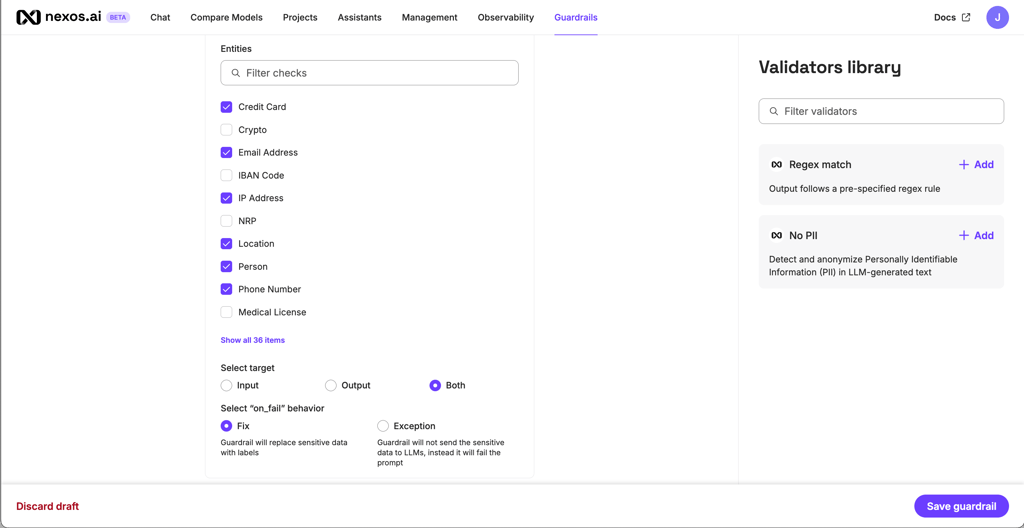
nexos.ai even helps when AI activity is spread across different teams. Admins can review token usage, model activity, user behavior, and audit logs from one place. For larger companies, SSO, role-based access control, guardrails, usage tracking, and secure data handling add the control needed for wider AI use.
nexos.ai takes a broader approach than a pure prompt registry. It does not stop at prompt diffs or rollback controls. The platform brings prompts, model usage, AI agents, costs, audit logs, and user activity into one place. Teams that only need Git-style prompt releases may prefer a specialist tool, but organizations managing AI across departments get more value from nexos.ai because it shows the full picture.
nexos.ai starts at ~$22,64/month on the 12-month plan. It includes 1000 monthly credits, unlimited AI Agents, access to 100+ AI models, and connected work tools. All plans include a 14-day money-back guarantee.
2. PromptLayer – flexible prompt registry with instant UI-based deployment
| Overall rating: | |
| Standout features: | Tag-based prompt deployment + visual version history |
| Starting price: | $49.00/month (Pro) |
| Best for: | Teams that want to update prompts without redeploying code |
PromptLayer separates prompts from code. You update versions in a dashboard and control which one runs through tags like production or staging – no redeploy required.
In my testing, the version history was easy to follow. Each edit appears on a timeline with clear visual diffs. You can attach metadata to versions, which helps when comparing experiments across models or parameter changes.
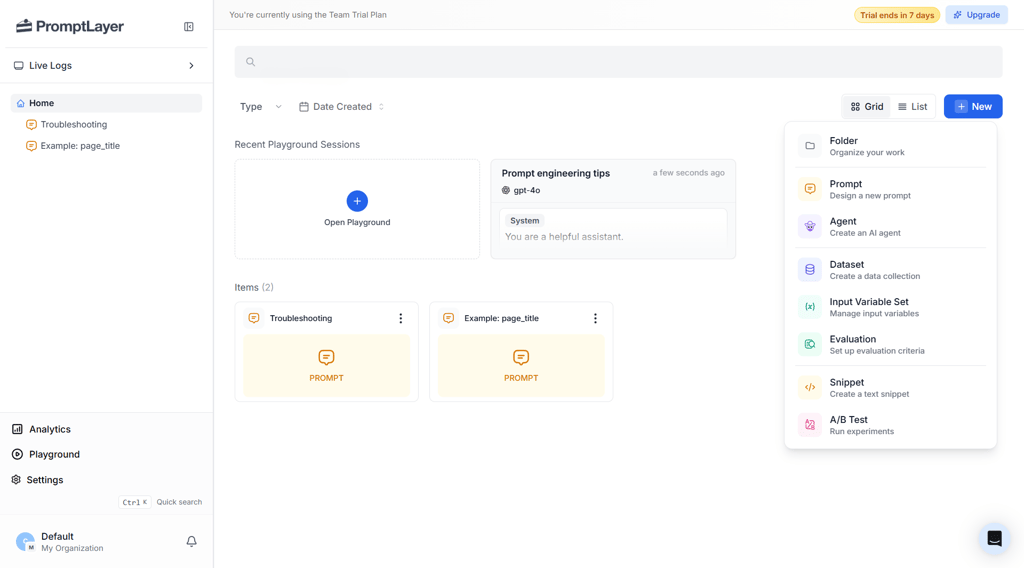
I loved its tag-based deployment. Your application points to a tag, not a fixed version ID. Updating what that tag references makes live changes without a redeploy. That's a practical workflow for teams iterating frequently on tone, flows, or logic.
PromptLayer also supports traffic splitting between versions and includes Eval Cells for automated scoring. It covers version control and lightweight experimentation in one place. The trade-off is architectural. It acts as middleware, so your app depends on fetching prompt templates before execution. Edge caching reduces most of the overhead, but it’s still part of the stack.
There’s a free plan available along with paid Pro, Team, and Enterprise tiers, so teams can start small and upgrade as their needs grow. The free plan includes limited usage and about 7 days of log retention, while higher plans provide longer retention and additional features. The Enterprise tier also introduces SSO, deployment approvals, and more advanced team controls, which help larger teams manage access and maintain visibility across prompt activity.
3. Mirascope – code-native prompt versioning with built-in schema validation
| Overall rating: | |
| Standout features: | Prompt versioning directly in code with Pydantic validation |
| Starting price: | $49.00/month (Pro) |
| Best for: | Engineering-first teams that want full in-code control |
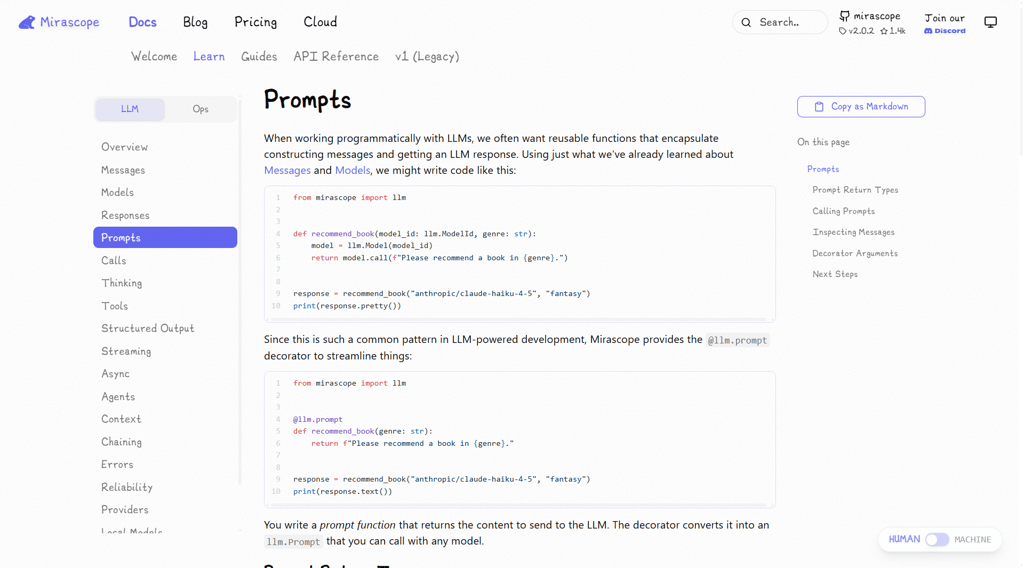
Mirascope takes a very different approach from UI-driven tools. Prompts live in your codebase as Python functions or classes, not in a remote registry. Versioning happens naturally through Git, pull requests, and commits.
In my testing, this felt clean and predictable. When you modify a prompt, you see the exact diff in your IDE or GitHub PR. You’re reviewing real code changes instead of comparing screenshots in a dashboard. For engineering-heavy teams, that alone can make more sense than managing prompts in a web UI.
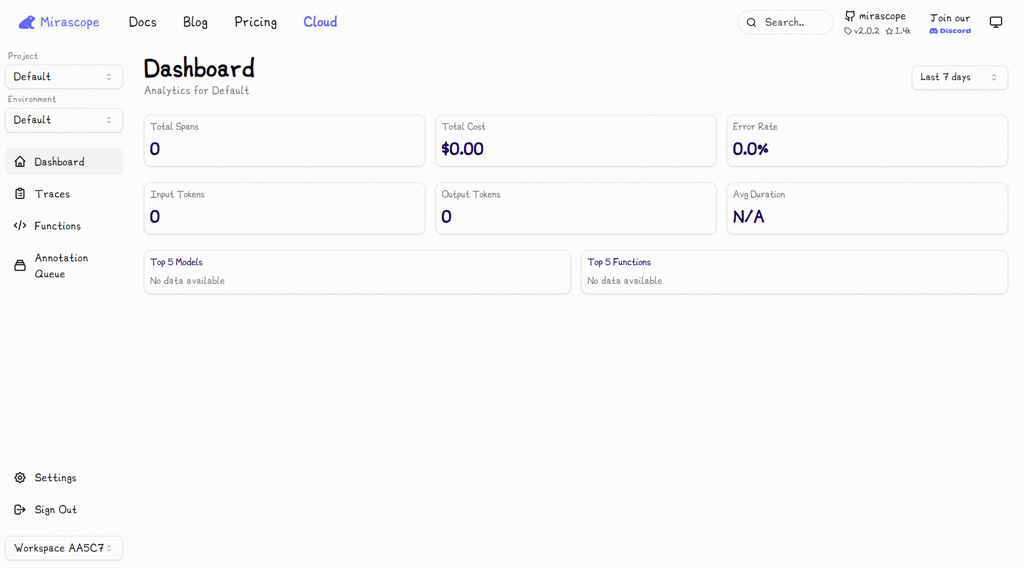
What sets Mirascope apart is its deep integration with structured outputs. It’s built around Pydantic, so prompt changes are tied directly to schemas. If a new prompt version breaks the expected JSON structure, validation fails immediately during testing. That prevents silent production issues, which are a common risk in LLM apps.
Mirascope supports logging via OpenTelemetry. You’re not locked into a proprietary backend. Traces can be routed to other observability platforms if needed. And since prompts are already in your runtime, there’s no network call to fetch a template before execution. That removes the middleware latency trade-off seen in registry-based tools.
The flip side is collaboration. Non-technical stakeholders won’t find a friendly playground where they can tweak wording. Everything flows through code review. That’s a feature for some teams and a barrier for others. The tool works best when prompts are tightly coupled to application logic and structured data extraction. It’s less suited to content-heavy teams that want rapid UI-based experimentation.
Mirascope follows a developer-friendly approach with free and paid plans that scale by usage and team needs, allowing teams to expand gradually as their projects grow. Because the platform is open source, organizations can control how their infrastructure and data storage are managed. This flexibility can be helpful for teams that want more control over security or deployment environments.
4. LangSmith – deep tracing and experiment management for full LLM workflows
| Overall rating: | |
| Standout features: | End-to-end tracing with dataset-based experiment comparison |
| Starting price: | $39.00/seat/month (Plus) |
| Best for: | Teams building complex LLM apps with multi-step chains and agents |
LangSmith feels like a full observability layer for LLM applications. Prompt versioning lives inside a broader workflow that includes tracing, dataset experiments, and performance analysis.
In my testing, I noticed how tightly versioning connects to tracing. When a prompt runs, LangSmith doesn’t just log the input and output. It captures retrieved documents, tool calls, nested steps, and intermediate chain states. If something breaks, you can trace the entire execution path, not just the top-level prompt.
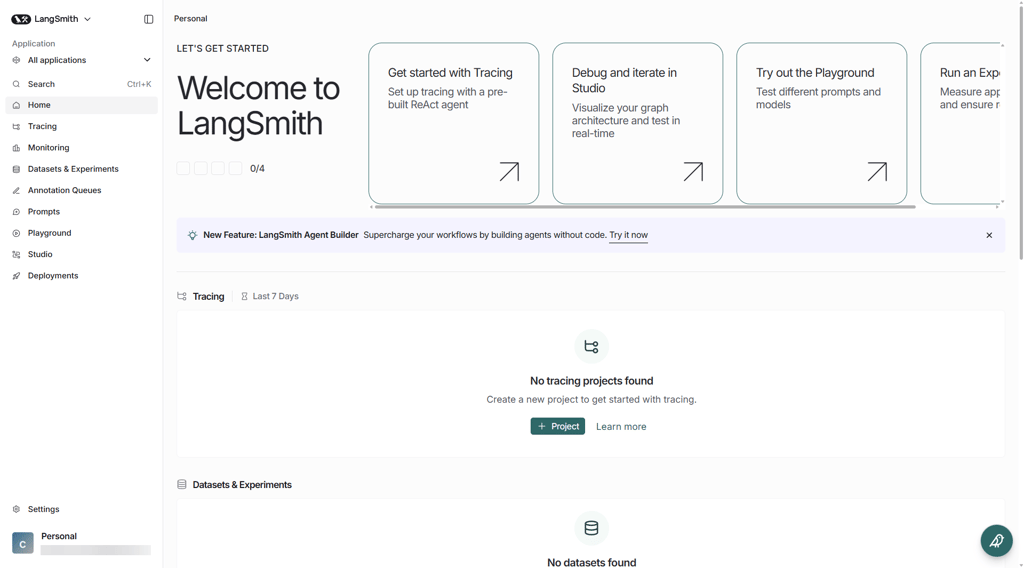
Version history follows a commit-style model. Each change creates a unique hash, and you can assign tags like prod or v2-test. That tag system allows controlled promotion without redeploying code. The visual diff view is clear and easy to interpret, even across larger prompt templates.
Where LangSmith really separates itself is experimentation. You can run structured experiments against a dataset and compare two prompt versions side by side. The heatmap-style comparison makes regressions visible fast. Built-in evaluators score outputs, and annotation queues let humans review them when needed.
It does assume you care about lifecycle management beyond versioning. The full tracing stack might feel heavy for simple projects. But it's ideal for multi-step agents or production-grade AI features.
LangSmith offers a free Developer plan and paid Plus and Enterprise plans starting at $39.00 per seat per month, which allows teams to scale as more users join. Pricing also scales with trace usage, meaning organizations pay more as their LLM workflows grow.
The platform captures detailed execution logs and traces, giving teams strong visibility and auditing of prompt activity in production systems. Security features scale well for larger teams, including regional hosting and enterprise RBAC options.
5. Agenta – collaborative prompt versioning with strong human-in-the-loop controls
| Overall rating: | |
| Standout features: | Side-by-side human evaluations and self-hosting option |
| Starting price: | $49.00/month (Pro) |
| Best for: | Teams that want collaborative iteration with infrastructure control |
Agenta sits somewhere between developer tooling and collaborative product workflows. It combines immutable prompt versioning with strong human evaluation features while still offering a self-hosted deployment model.
The side-by-side comparison interface stood out in my testing. You can present two prompt versions to a reviewer and collect structured feedback on which response is better. This human-in-the-loop setup adds real value when tone and nuance drive user experience. It turns subjective feedback into something trackable.
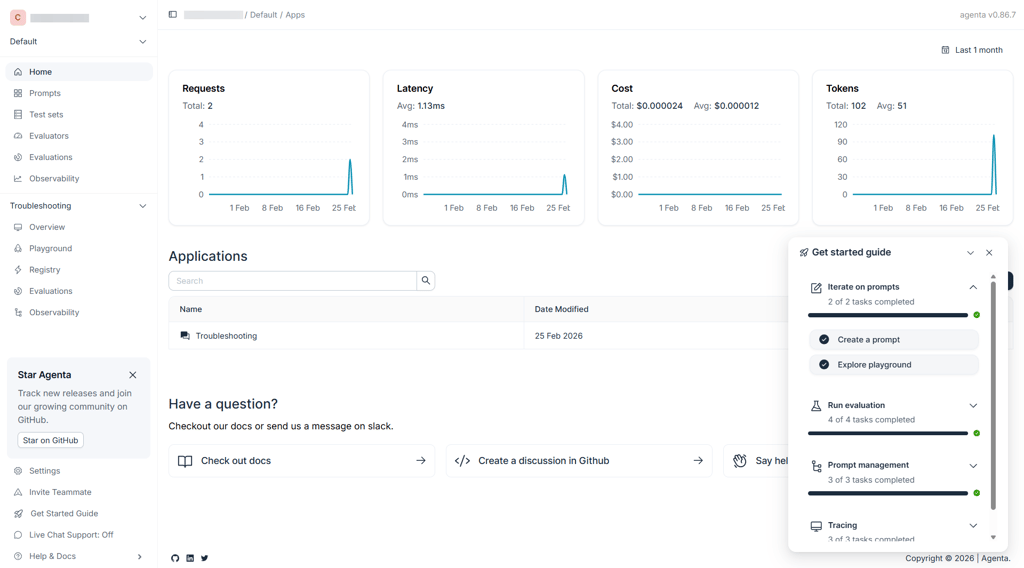
Versioning follows a commit-style approach. Every saved change creates a unique version hash, and you can map versions to environments like production or staging. Promotion happens through the UI without forcing code redeploys. The diff view is clear enough to track instruction-level edits and parameter shifts.
Agenta also treats test datasets as first-class objects. You can version evaluation sets alongside prompts, which helps maintain reproducibility when you’re iterating quickly. Automated evaluators are available too, but the human review flow is where the platform feels strongest.
From an infrastructure perspective, self-hosting is a major advantage. You can deploy it in your own VPC using Docker or Kubernetes. That's ideal for teams that can't send logs to a third-party SaaS. The trade-off is maturity. The ecosystem is smaller than LangSmith’s, and highly advanced tracing capabilities are more limited. It’s focused on collaborative iteration rather than deep execution analytics.
Agenta supports role-based access control, audit logs, and flexible deployment options, which gives organizations more control over how prompt data is stored and monitored. Its open-source model and scalable pricing tiers make it suitable for startups experimenting with prompts as well as larger teams that need stronger governance and infrastructure control.
6. Helicone – proxy-based prompt versioning with built-in observability
| Overall rating: | |
| Standout features: | Gateway-level logging with semantic caching |
| Starting price: | $79.00/month (Pro) |
| Best for: | Teams wanting fast setup with minimal refactoring |
Helicone takes a different architectural route. Instead of pulling prompts from a registry or embedding versioning inside your codebase, it works as a proxy layer. You point your LLM client to Helicone’s gateway, and it captures requests, responses, and metadata automatically.
In testing, the setup was fast. Changing a base URL was often enough to start logging traffic. That makes Helicone attractive for teams that want observability without restructuring their application. You don’t need to redesign how prompts are stored. You layer visibility on top of what already exists.
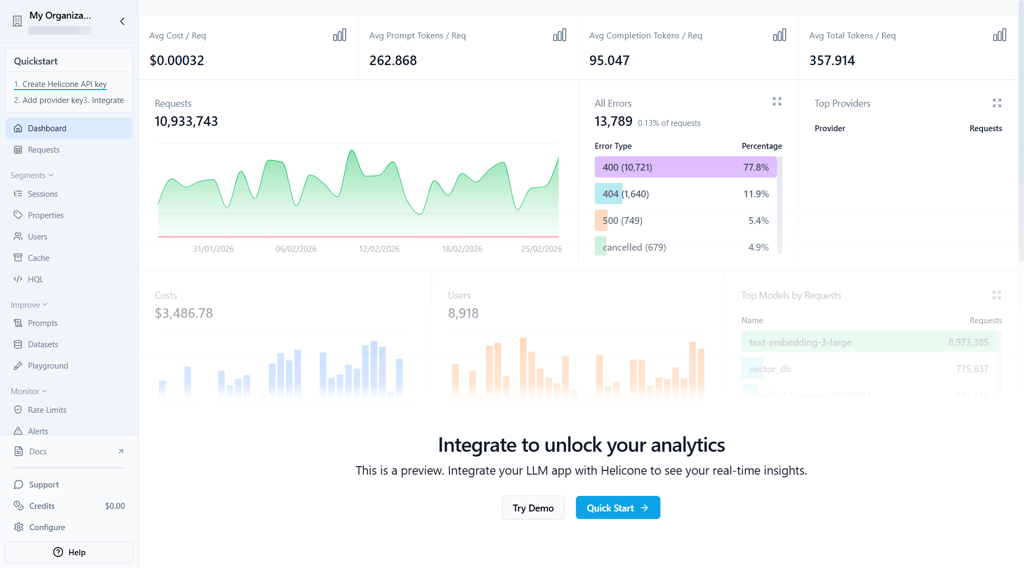
Version tracking happens through prompt IDs and headers. Each request can reference a specific version, and the dashboard lets you compare performance. The visual diff tool helps identify small wording changes that may affect latency, cost, or output quality.
One feature that stood out is semantic caching. During large evaluation runs, Helicone can reuse previous outputs for identical inputs. That reduces API costs when testing prompt variants repeatedly. This is practical for cost-conscious teams that need to iterate heavily.
Because it acts as middleware, Helicone captures logs reliably. Even if your application crashes after the request, the prompt and response have already passed through the gateway. It’s built for high-traffic environments and runs on infrastructure designed to add minimal latency.
The trade-off is depth. While Helicone has added evaluators and A/B support, it’s not as experiment-heavy as platforms like LangSmith. It shines in observability and cost tracking rather than full lifecycle management.
Helicone uses usage-based pricing, meaning costs increase primarily with the number of requests or AI calls processed by the platform. It’s also open source, which allows teams to self-host if they want full control over their infrastructure and data. This combination can make it attractive for startups and growing teams that want flexible scaling without committing to fixed seat-based pricing.
What is prompt versioning?
Think of prompt versioning as basic change control for AI instructions. When you edit a prompt, you don’t just replace the old text. You keep the previous state and assign the new one its own identifiable revision.
So, you always know which revision is active in production and how it differs from what ran before. You can see when the change happened and who pushed it. If output behavior shifts after an update, you’re not left piecing together what might've caused it.
In my testing, this was essential for teams running live AI features. Prompts get refined constantly – tightening instructions, adjusting tone, fixing edge cases. Without tracked revisions, even minor tweaks become hard to trace later.
This applies to simple chat prompts and complex system-level instructions used by agents and workflow pipelines. Once prompts influence real users, they need the same discipline as any other part of the application stack.
Key elements of prompt versioning
A solid prompt versioning setup needs more than saved drafts. It should give you visibility, context, and control across environments. Consider the following key elements of prompt versioning:
- Version IDs and naming. Each prompt should have a clear label or revision ID. Whether it’s v1.3 or Support prompt (June update), you should instantly recognize what you’re looking at.
- Metadata and context. A reliable system records who made the change, when it happened, and why. That context helps when you review experiments or investigate unexpected behavior.
- Change history and diffs. You need to compare revisions side by side. Line-level or block-level diffs make it easier to spot wording changes that affect outputs.
- Link to experiments and metrics. Each revision should tie back to real performance signals. When a prompt changes, you want to see what happened next: did output quality improve, did latency shift, did user-facing metrics move?
- Rollbacks and deployment status. You should have a clear view of what’s running in each environment. If a new revision causes issues, switching back to a known stable version shouldn’t require digging through code or rebuilding the app.
Why prompt versioning matters
As soon as an AI feature goes live, the prompt becomes part of the product. It influences tone, structure, safety behavior, and even how other systems interpret the output. Changing it isn’t the same as tweaking marketing copy. It can shift how the entire feature behaves.
During testing, I saw how small edits had outsized effects. Removing a sentence changed output consistency. Adding stricter wording reduced creativity but improved formatting. In one case, a prompt update meant to increase clarity led to a measurable drop in user engagement before the team realized what had happened.
Without version tracking, those moments turn into guesswork. Teams try to remember what changed last week. Engineers dig through old commits. Product managers search Slack threads for context. That’s not sustainable once you’re running AI at scale.
Versioning tools bring structure to that chaos. You get a clear change history, visibility into what’s currently running, and the ability to compare revisions against performance data. If an experiment goes wrong, you can roll back quickly instead of patching blindly.
The strongest teams we evaluated didn’t see this as optional. For them, prompt versioning was part of the production stack, right alongside logging and monitoring.
Benefits of prompt versioning
Once prompts are versioned properly, the benefits show up quickly. In my testing, the biggest improvements showed up in faster debugging, safer experiments, and clearer ownership across teams.
Better observability and debugging
When behavior shifts, you need to know what changed. Version tracking makes that easier. Instead of speculating, teams can look at recent revisions and compare them directly to previous ones.
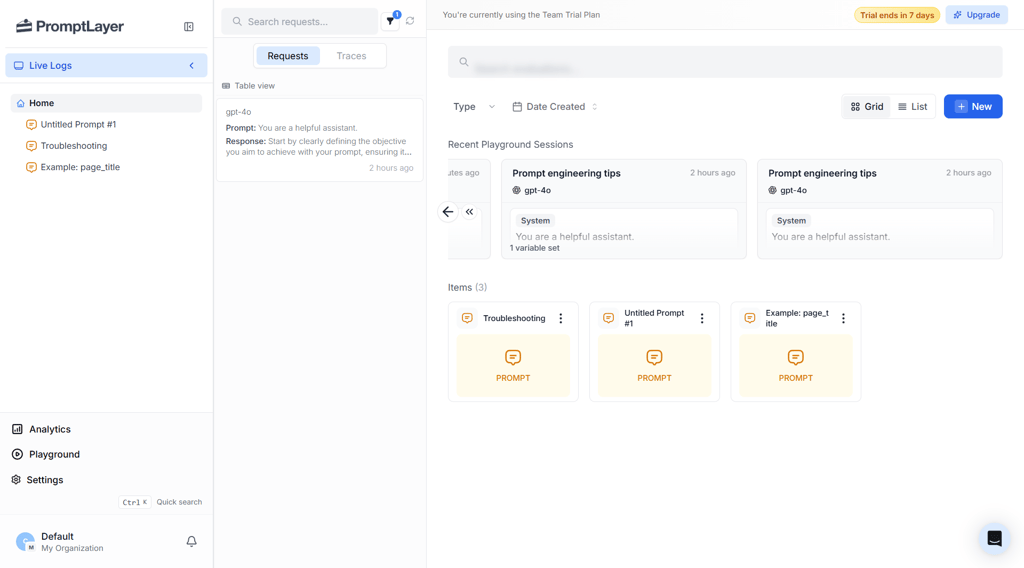
Small edits can have unexpected effects. A sentence added for clarity might reduce helpful detail. A stricter instruction might fix formatting but affect tone. With revision history in place, those links are easier to see and validate against real data.
Safer experimentation and iteration
Most prompt updates are experiments, even if they don’t look like formal tests. Teams adjust wording to improve consistency, reduce hallucinations, or increase engagement.
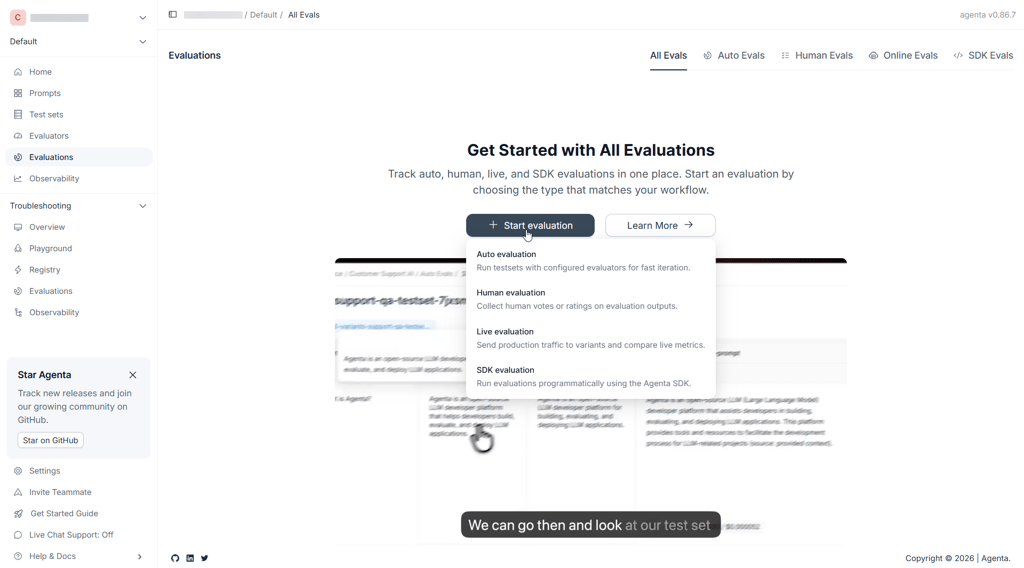
With version control, those changes don’t blur together. You can compare revisions, monitor results, and promote updates deliberately. If something underperforms, reverting is simple. That safety net encourages more frequent iteration without increasing risk.
Governance, compliance, and accountability
For teams operating in finance, healthcare, or other regulated areas, prompt instructions can influence customer-facing decisions. Keeping a clear record of changes adds structure to that process.
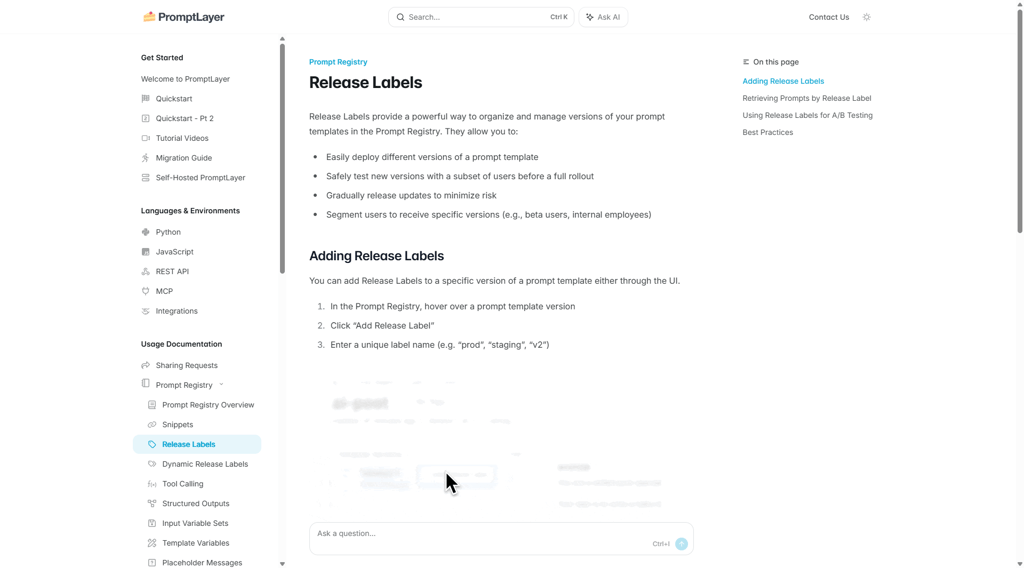
A revision log shows how instructions evolved. It also shows who reviewed or approved updates before they reached production. That transparency supports audits and internal reviews without scrambling to reconstruct history.
Collaboration across teams
Prompts rarely belong to one person. The product team may refine tone, the engineering team adjusts the structure, and the legal team reviews sensitive flows. Versioning keeps those contributions organized.
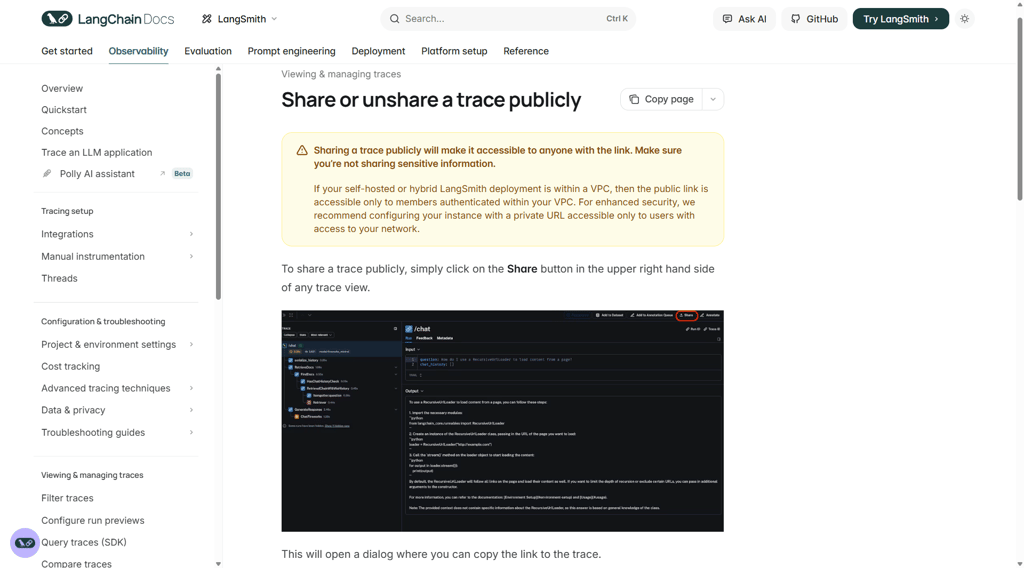
Instead of overwriting changes or passing around updated documents, teams work against tracked revisions. Many tools also support comments and review flows tied to specific versions, which reduces confusion during rapid updates.
Reuse and knowledge sharing
Some prompt versions consistently perform better. When those are clearly documented, they become assets.
Teams can reference proven instructions, adapt them to new use cases, and build internal libraries over time. That shared knowledge reduces trial and error and helps standardize AI behavior across products.
Prompt versioning challenges
Adding version control to prompts changes how teams work. It adds visibility but also introduces new steps. If the setup feels heavy, people will work around it. Here are the most common challenges teams run into:
- Overhead and process complexity. Too many required steps can turn small edits into long review cycles. When updating a sentence feels like filing paperwork, teams start making changes outside the system. The workflow has to stay lightweight, or it won’t stick.
- Syncing with code and configs. Prompts don’t run on their own. They depend on model versions, parameters, retrieval settings, and environment configs. If those pieces aren’t aligned, version history alone won’t explain behavior shifts.
- Metric attribution. Results rarely change for one reason. A prompt update might land the same week as a model switch or UX tweak. Without a clean experiment design, it’s hard to separate signal from noise.
- Tool sprawl and ownership. Prompt versioning can sit in an awkward spot between teams. If no one clearly owns it, accountability drifts. If too many teams control it, coordination slows.
- Data privacy in logs. Storing prompts and outputs means storing user-facing data. In shared SaaS environments, that raises practical concerns around access, retention, and compliance boundaries.
How to integrate a prompt versioning tool into your workflow (step-by-step)
Rolling out prompt versioning doesn’t require a full rebuild. It works best when layered into how your team already ships features. Here’s a practical roadmap based on what we saw in testing.
Step 1 – map where prompts live today
Start by identifying where prompts actually exist. Some sit in code. Others hide in config files, dashboards, or shared docs. Agent systems may generate prompts dynamically.
Separate critical production prompts from experimental ones. Anything tied to user-facing flows or revenue deserves tighter control than sandbox experiments.
Step 2 – choose where versioning will sit
Decide whether you’ll use a dedicated platform or manage versions inside your existing CI/CD and config pipelines. Both approaches can work.
Just as important is to assign ownership. Someone needs to be responsible for maintaining structure. That might be platform engineering, ML infrastructure, or a cross-functional AI team.
Step 3 – connect your applications and logs
Next, integrate the tool with your application layer. Prompts and responses should be logged alongside a version identifier.
Make sure you can view metrics per version. That includes technical signals like latency and error rates, along with business indicators tied to the feature.
Step 4 – define change and review workflows
Set simple rules. How are edits proposed? Which prompts require review before going live? How do versions move from development to staging and then to production?
Clear promotion paths prevent accidental overwrites and reduce last-minute fire drills.
Step 5 – use metrics to drive iteration
Version history only matters if it informs decisions. Review performance regularly. If a revision improves results, promote it confidently. If it underperforms, roll back or branch it for further testing.
Choosing the right prompt versioning tool
Different teams need different levels of control. Some care about deep tracing and evaluations. Others just want a clean version history without extra moving parts. Consider the following factors:
- Integration and SDK support. Check whether the tool works with your current stack. Does it support your language and LLM providers?
- Versioning model and UI. Look at how revisions are shown. Can you clearly see what’s live in production? Are diffs readable? If non-engineers need visibility, the interface shouldn’t feel like an internal debugging console.
- Experimentation and analytics features. If you plan to compare prompt variants, make sure performance data is tied to specific revisions.
- Security, compliance, and data handling. Prompt logs often contain user input. Know where your data lives and who can see it. Hosting and retention settings matter more with sensitive workloads.
- Scalability and operational impact. Think about traffic and team size. Logging and version tracking shouldn’t introduce instability or noticeable overhead as usage grows.
- Pricing and team fit. Look at how pricing scales. Some charge per seat, others per request volume. Free tiers can work for smaller projects, while enterprise plans focus on governance and infrastructure control.
Best practices and applications of prompt versioning
Versioning only helps if teams use it consistently. Below are patterns that work well in practice, followed by where different teams benefit the most.
Best practices
Make sure you follow these prompt versioning tips:
- Treat prompts like code. High-impact prompts deserve review before they go live. If a change can affect user-facing behavior, it shouldn’t ship without visibility.
- Tie prompts to tests and evaluations. Each revision should connect to some form of validation. That could be regression tests, automated scoring, or structured human review.
- Separate environments. Keep development and experimental prompts away from production. Clear promotion paths reduce accidental overwrites and confusion about what’s actually running.
- Document intent per revision. When updating a prompt, note what you were trying to improve. Was the goal to reduce hallucinations, tighten formatting, or adjust tone? That context saves time later.
- Limit sensitive data exposure. Prompt logs can contain user input. Redact where possible and avoid storing more than you need.
Applications across teams
Here’s how you can apply prompt versioning across teams:
- Product and engineering. Manage prompts powering user-facing features and multi-step agents with clearer ownership and change history.
- Support and operations. Track how chatbot or assistant prompts evolve and how updates affect ticket quality or resolution speed.
- Data and ML teams. Run controlled comparisons across prompt variants and model combinations without losing track of revisions.
- Risk and compliance. Review how AI instructions change over time, especially in regulated workflows where audit trails matter.
Which tool should you pick?
All of these tools handle prompt versioning. The difference comes down to workflow, control, and deployment style.
Choose nexos.ai if:
- You need visibility across prompts, models, agents, users, and costs.
- Admins need audit logs, usage tracking, and governance controls.
- You want one workspace instead of separate tools for model access, observability, and AI management.
Choose PromptLayer if:
- You want prompt edits without code redeploys.
- Non-engineers need dashboard access.
- Tag-based promotion fits your process.
Choose Mirascope if:
- Prompts belong in the codebase.
- Structured outputs must stay validated.
- Git reviews drive releases.
Choose LangSmith if:
- You run multi-step agents or pipelines.
- Deep tracing and dataset comparisons are part of your workflow.
Choose Agenta if:
- Human review is built into iteration.
- Self-hosting or infrastructure control is required.
Choose Helicone if:
- You want observability with minimal changes.
- Cost tracking and lightweight logging are enough.
Narrow it down like this:
- Structured releases -> evaluation-focused platforms.
- Fast UI edits -> registry-style tools.
- Code-first workflow -> in-code versioning.
- Sensitive data -> self-managed hosting.
- Basic visibility -> gateway logging.
The best tool is the one that matches your workflow. Depth if you need control. Simplicity if you don’t.
FAQ
Do I really need a dedicated prompt versioning tool, or can I use Git and docs?
No, you don’t necessarily need a dedicated prompt versioning tool. Git and docs can work early on, especially if prompts live in code and only engineers touch them. The problem shows up when prompts change often, multiple people edit them, or you need to connect revisions to production metrics. Dedicated tools make rollbacks, environment control, and per-version tracking much easier.
How is prompt versioning different from model versioning?
Model versioning tracks which model version you’re calling (model name/release). Prompt versioning tracks the instructions you give that model. You can keep the same model and still see major behavior changes from a prompt edit. In production, you usually need visibility into both.
Are prompt versioning tools safe for sensitive prompts and logs?
Yes, if you configure them properly. The risk isn’t versioning but what gets stored in logs. Check where data is hosted, who can access it, how long it’s retained, and whether redaction is supported. For stricter environments, self-hosting or VPC options reduce exposure.
Which prompt versioning tools are best for small teams vs enterprises?
Small teams usually want low setup effort and a cheap entry point. Enterprises tend to care more about RBAC, audit trails, SSO, data residency, and deployment control. Your compliance requirements usually decide this faster than feature lists.
How do I convince stakeholders that prompt versioning is worth the effort?
Frame it like basic change control: fewer production incidents, faster debugging, safer experiments, and clearer accountability. If prompts touch revenue, support volume, or regulated workflows, versioning is cheaper than the first avoidable incident.