Veed.io review 2026
Being behind major reports like The Mother of All Breaches and RockYou2024, our in-house cybersecurity experts and journalists provide unbiased, real-world testing and in-depth analysis.
We maintain complete transparency by openly sharing our testing methodologies with our audience.
Learn more

If you’re a video content creator, you should check out Veed.io. This AI-powered tool is a leading online video editor. Thanks to the numerous features and products it offers, its popularity among content creators, marketers, and educators is growing.
The best part is that you can start for free without adding your credit card, and that you can edit videos from your phone. Veed.io makes your videos come to life, allowing you to add subtitles, music, effects, and dub voices with ease.
To provide you with firsthand insights, I analyzed Veed.io and tested it with researchers. In this Veed.io review, you’ll learn everything about its features, pricing, and performance.

Up to 40% OFF VEED AI with code 'CYBERMONDAY'
Quick overview of Veed.io
| Overall rating: | |
| Key features: | AI-powered subtitles and transcription, avatars, dubbing, and video editing tools |
| Pricing: | From $12.00/month |
| Free trial or plan: | Free plan available (with limited functionality), demo version for the Enterprise plan available |
| Accessibility: | Available via browser or iOS app (Android app in works), allows collaboration between up to 3 users for regular plans, and 3+ for the Enterprise plan |
| Interface type: | Intuitive, with drag-and-drop elements, video recording available, and collaboration tools |
What is Veed.io?
Veed.io is an online video editing platform with a variety of AI features. The biggest number of functionalities is available on web browsers, but it also has a native iOS app.
In both versions, you can edit or create video content without any technical knowledge. Thanks to its simplicity and broad accessibility, Veed.io benefits a truly diverse audience.
For example, social media creators can make short multilingual videos. Educators and marketers can produce training videos, courses, and presentations. Beginners enjoy simple navigation, many personalization tools, and ready-made templates.
Pros and cons of Veed.io
Based on our research and testing of Veed.io, we have discovered a few advantages and drawbacks of the software. Keep reading below to discover what they are.
Veed.io pricing and plans
If you're wondering, “Is Veed free?” you should know that the service allows you to try it for free. However, if you’re looking for more features and options, you should check out its paid subscriptions.
At the moment, you can go for 3 Veed.io plans. Two of them have monthly and annual billings. So, let’s check out Veed.io’s pricing first and then move on to learn more details about them.
| Plan | Lite | Pro | Enterprise |
| 1-month plan | $24.00/month | $55.00/month | Custom |
| 1-year plan | $12.00/month | $29.00/month | Custom |
| Top features | No watermark, 1080p export, unlimited stock audio and video | AI video generation, 4K export, 4 hours/year of subtitle translation | Custom social media characters, custom quantity for subtitle translation, 3+ collaborato |
The Lite plan starts at $12.00/month and includes all the basic features: downloads in 1080p, unlimited stock audio and videos, and no watermark on the edited videos. Pro costs $29/month and offers the upgraded version of the editor with AI video generation, 4K video downloads, and all the AI editing tools, such as background removal and eye contact correction. Enterprise is a fully custom plan for teams with enhanced security features – you choose what and how much you want and pay accordingly.
Key Features Veed.io
Veed.io comes with a variety of AI features. They’re both basic and advanced, allowing you to find the most suitable functionalities for your needs. So, let’s delve into some of the key features of Veed and see what they do.
AI video editor
Veed’s AI video editor is packed with useful AI editing functionalities. Here are only a few of them:
- Background removal. You can replace the background of your video with a virtual one, selecting an option from Veed.io’s library.
- Filler words removal. You can remove ums, ahs, and other filler sounds from your video to sound confident and professional.
- Eye contact correction. If, for some reason, you weren’t looking in the camera when recording the video (for example, you were reading from a script), this feature alters your eyes’ direction.
- Clean audio. You can improve the audio quality by removing the background noises, such as doors opening and closing, or the voices of the video crew members.
- Voice clone. This tool lets you create an immersive clone of your voice. This is pretty useful for content creators who don’t have time for audio recording or need to create videos in multiple languages.
- Templates and customization. You can always find a template that suits your needs and customize it with your own videos.
- Video effects, filters, and stickers. This tool lets you transform the look and feel of your videos with emojis or nostalgic VHS, sepia, futuristic glitch, and dramatic filters.

AI avatars
In Veed, you can choose an AI avatar to speak instead of you. It works like this: you select an AI model from a big library, type your script, and it’ll pronounce the text in the voice of your choice. Veed’s AI avatar library is diverse, with models of different genders, ages, and races.
What’s more, you can create your own AI avatar by uploading your photo. So, instead of manually recording talking videos, you can just paste the text and download a ready video.

I was surprised to find that AI avatars speak very naturally, and the final videos are lip-synced. It’s a great option to streamline your video recording routine, especially if you need to release a series of videos in the same settings.
AI script generator
You can generate a video script by selecting the tone of voice, audience, and the platform you’re aiming at. I like that you can use the script immediately as a prompt to let Veed generate a video according to it.
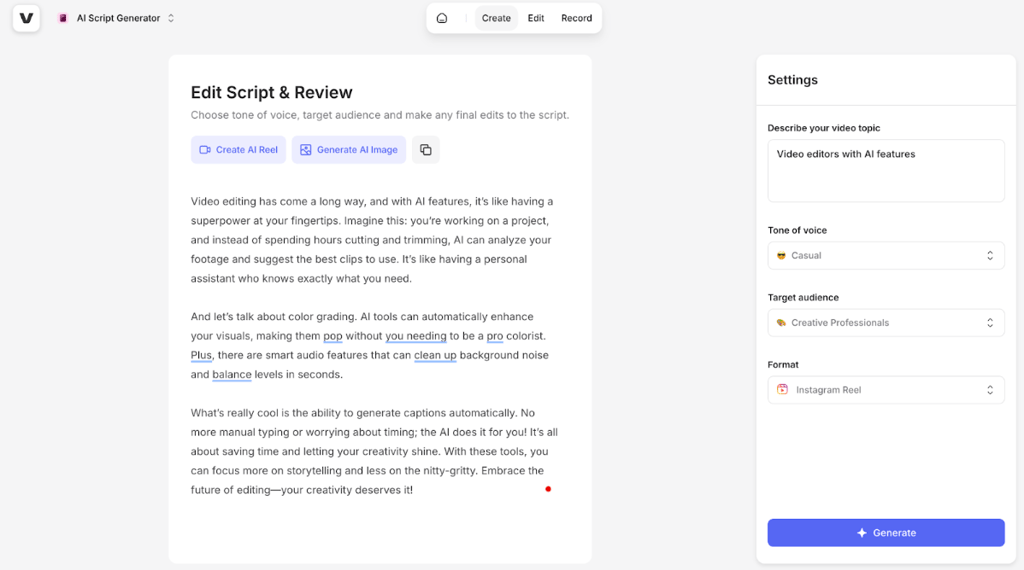
In my experience, the quality of generated scripts is consistently high, but sometimes you may need to tweak the text so it doesn’t sound artificial. Overall, the scripts come fast, and the more detailed your prompt, the better the result you get.
Subtitle tools and transcription
Veed allows you to add subtitles to your videos automatically. This helps you increase your content’s accessibility and SEO. To achieve this, Veed utilizes robust speech recognition software that lets you add captions with a single click. However, you can even manually upload a file (SRT, VTT, or TXT) or add subtitles.
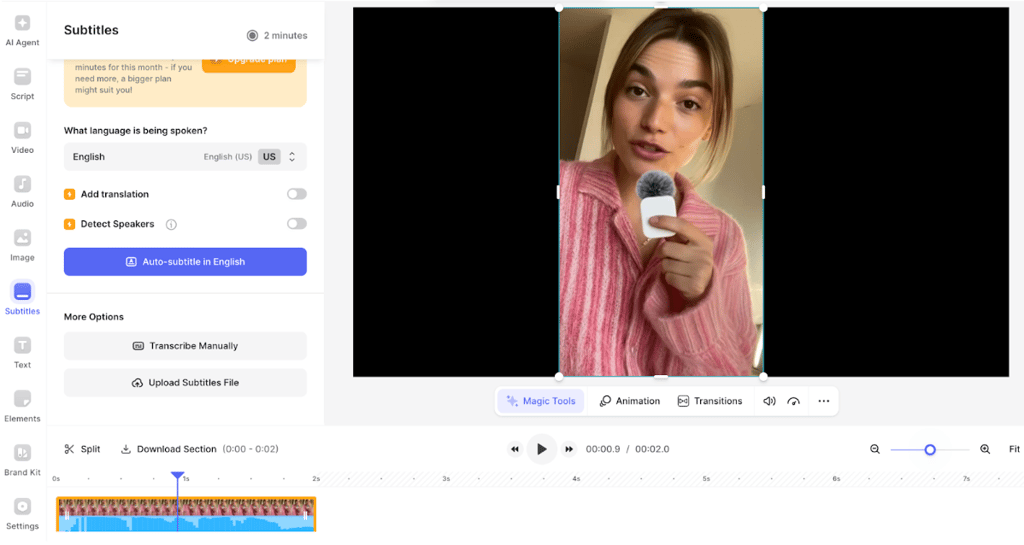
Another incredible feature is the AI-powered transcription, which Veed claims to be highly accurate thanks to its AI algorithms and machine learning. The transcript is created automatically, using voice recognition, and can then be either added directly to the video or downloaded as a separate file. You can also customize your subtitles: adjust their size, color, and font, or add visual effects to better fit your video’s style.
After reviewing the transcription feature, I could confirm the high quality of the subtitles. While inconsistencies are still possible, Veed notifies you when a certain word is hard to transcribe and requires a manual review.
AI video generator
Veed’s AI-powered video generator is quick to master and easy to use, letting you create fully personalized videos from scratch.
Essentially, all you need is a text prompt. After you write a description of the video you want, Veed.io generates the script, sound effects, and visuals for you. You can also select the specific AI voiceover and avatar to use.
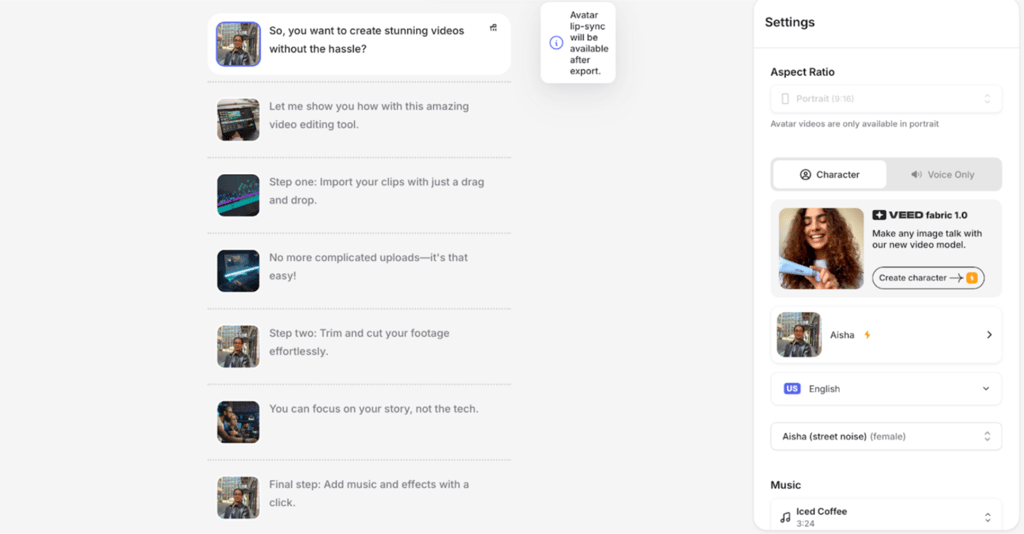
I tried out video generation, and the result came in a few seconds. The video itself had natural transitions and fitting clips, and the script itself could be manually edited line by line. Of course, it all depends on the prompt quality – the more detailed it is, the better the AI knows what to do.
Screen recorder and webcam integration
Veed’s screen recorder and webcam integration are a great way to create high-resolution videos on the spot. The software allows you to record your screen, webcam, and audio simultaneously, which is especially helpful if you’re in a rush and need a quick yet high-quality solution.
All you have to do is select the layout, like camera, audio, or screen, start recording, and then make the edits that your plan supports, such as changing the background or removing noise. You can also open additional windows or files on your screen when recording, which is especially useful when reading off script. And the eye contact correction tool easily changes your eyes’ direction later.
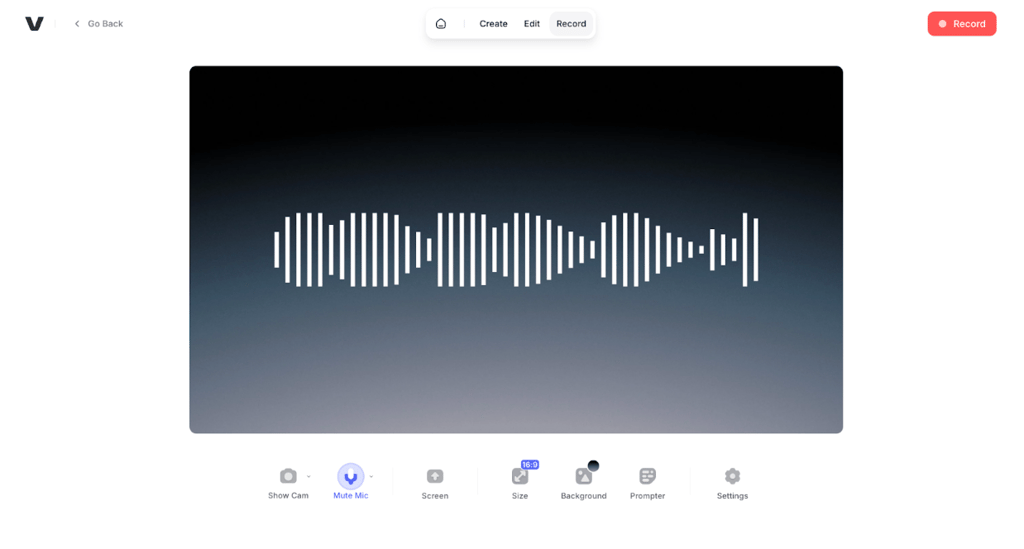
When done with recording and editing, you can either download the final video or share it online. My favorite thing about the screen recorder is definitely how smoothly the editing tools are integrated into it, making the feature a good fit for tutorials, online courses, and presentations.
Testing Veed.io: my personal experience
After using Veed.io even just a couple of times, I must say, the process is pretty simple and straightforward, without significant issues. Here’s what my experience with the dashboard was like:
-
The first thing I saw on the Veed.io home page of the official website was the Start for free button. After clicking it, I was asked to create an account or log in. I then entered my email and clicked the Enter button.
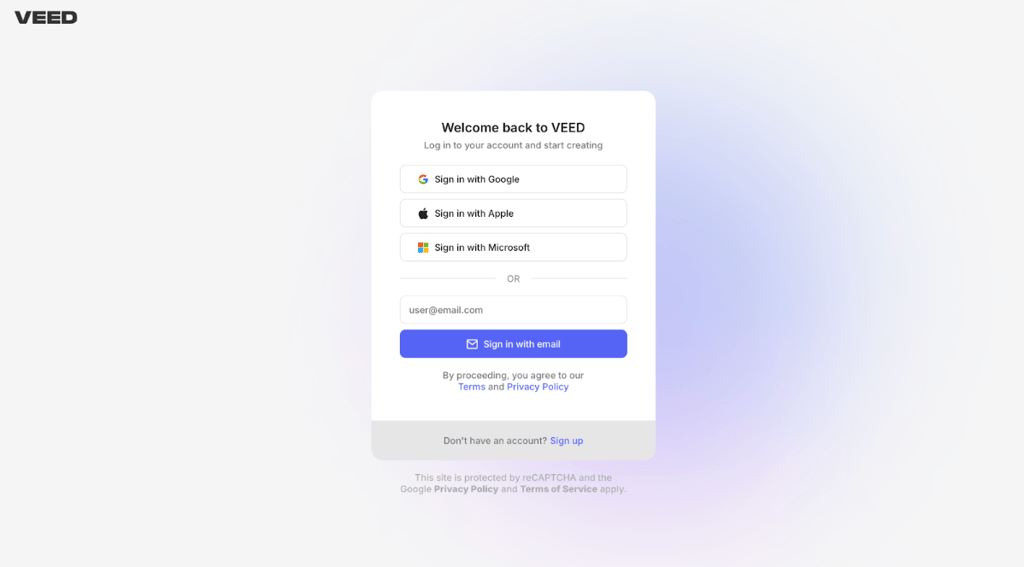
Veed login interface -
I then entered the verification code I received into my email. After this, I was asked to enter my name, invite editors, and answer a few short questions. The questions were pretty typical – what I’ll use Veed for, what the main purpose of my videos is, how often I plan to create them, and how I heard about the company. When finished, I pressed Continue.
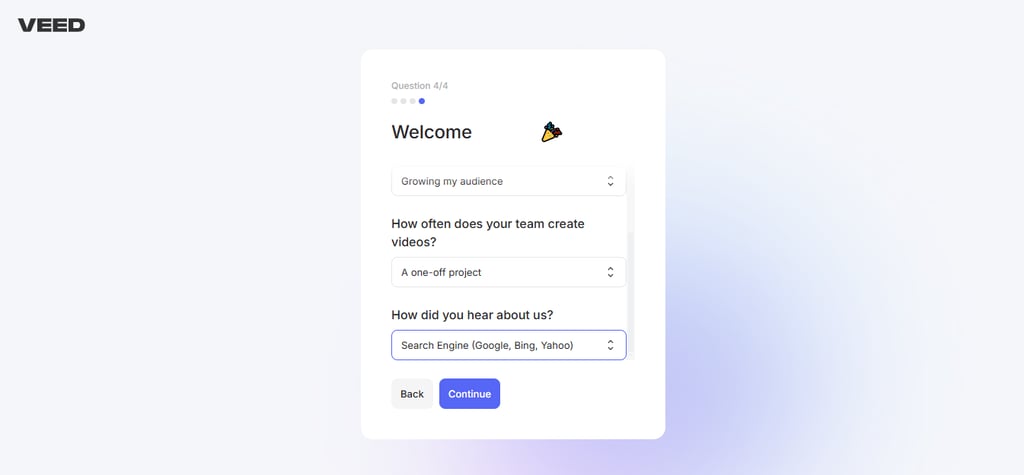
Veed welcome interface -
Now, I was able to upload a video. This could be done by either dragging and dropping it in the allocated space or by selecting a file from my PC. Additionally, I could record my own video through Veed.io, using the Start recording button.
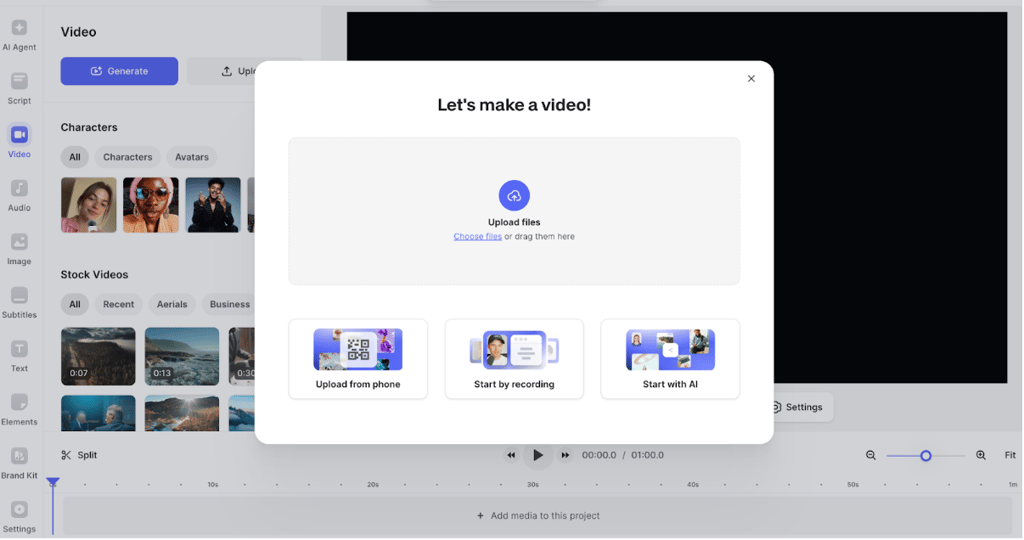
Veed video upload interface -
Thanks to the intuitive user interface, I was able to edit my video easily. Dragging the purple line at the bottom of the screen let me trim it, while clicking on the scissors above allowed me to split it. I could also add subtitles by pressing the Subtitle icon on the left-hand menu and choosing whether to upload a file or transcribe manually. And by clicking on Video and Customize templates, I could add effects to the video.

Veed’s video editor interface -
Then, I clicked the Play button on the bottom ribbon below the video to preview the result. Since I was pretty content with it and didn’t need additional changes, I pressed Done in the upper right corner and then on Export Video.
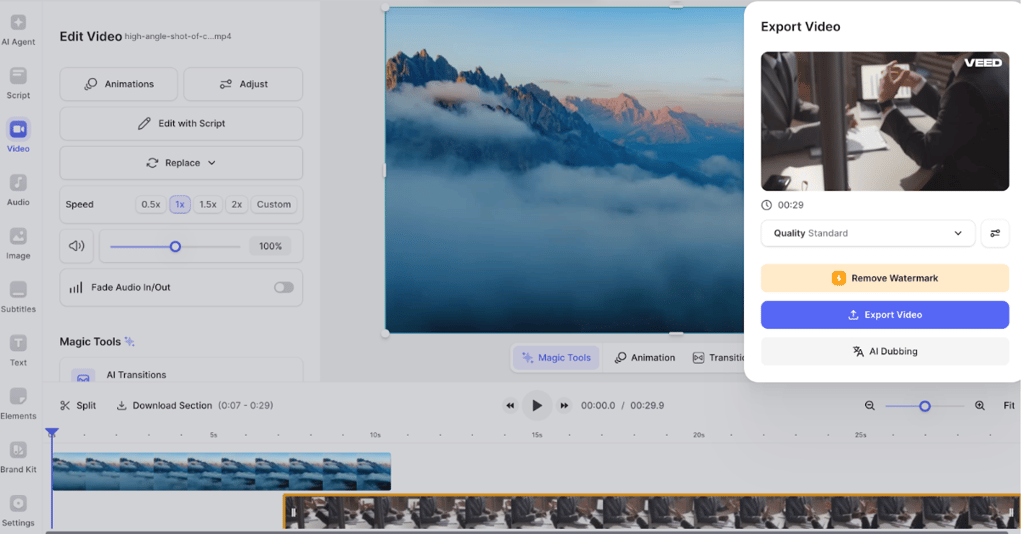
Veed video preview interface - After this, I was finally able to share the video by clicking the Share button on the right side of the screen. There was also an option to simply download it by clicking the icon below the Sshare button.
-
That’s it. In a few steps, I had a high-quality video ready.
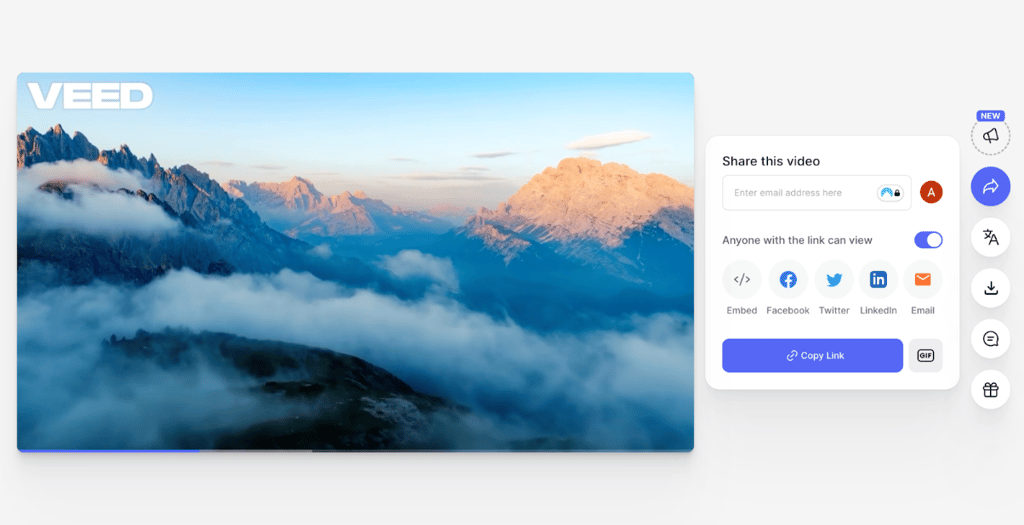
Veed’s video export screen
Veed.io: user experience
Aside from my tests and research, I wanted to get a different point of view on Veed.io. Therefore, I explored some user reviews to provide you with first-hand information about the most prominent aspects of this platform.
When it comes to the ease of use of the software, the overall impression is pretty positive. Thanks to Veed.io’s user-friendly interface, users claimed that they didn’t have issues navigating the platform, they could create video content with ease, and they could add different elements due to the drag-and-drop feature.
Another decent aspect is the performance and speed of Veed.io. While the app responds relatively fast and uploading content isn’t challenging, there are some issues with exporting videos. Most of the reviews show that exporting videos can be a bit tricky and that you may lose quite a bit of your work.
Overall, Veed.io is a decent video editor that allows you to create and edit videos with ease. However, there are some areas that need improvement, such as the video export process and the accuracy of some features. Still, the overall user experience is pretty great.
Veed.io alternatives
If you don’t find Veed.io suitable for your needs and preferences, you might want to try out another AI-powered editing tool. Therefore, I introduce 3 Veed.io alternatives and see how they compare:
- Synthesia AI: Synthesia is an AI-powered video generator and editor that supports text-to-video creation, offers translation to over 140 languages, and allows high content customizability. However, its strongest assets are the versatile AI avatars, slightly more advanced than Veed.io’s. For example, you can include several models in the video instead of just one.
- InVideo AI: This software comes with a library of thousands of templates, a full-fledged editor, millions of stock videos and images, and effects. Also, it has template-driven video editing for social media content. Due to this, you can communicate your brand values much more effectively.
- HeyGen: It’s an AI-powered video generator focused on AI avatars. Together with a giant library of AI faces and voices, you can also turn any image into a video and dub it into 175+ languages. It’s perfect if you need high-quality talking videos fast and without manual recording.
Video review
Prefer watching to reading? A comprehensive Veed.io video review is included directly below.
Final word on Veed.io review
After a thorough review of Veed.io based on different aspects, I finally reached my verdict. Veed.io is a worthy AI video editor. You’ll enjoy a lot of templates that help you align your video with your brand’s needs and preferences. Also, creating or editing videos is very straightforward, thanks to its intuitive user interface.
On top of this, Veed.io comes with numerous AI-driven features, such as effects, filters, a video editor, subtitles, translation, and even voice dubbing. Therefore, you can create the perfect video in no time.
Based on this, you can benefit from Veed.io if you’re a content creator, marketer, or social media manager looking to reach and engage your audience.
FAQ
Is Veed.io free to use?
Yes, Veed.io is free to use. However, the free version doesn’t offer all of its features. So, if you want a better video-creating experience, I would recommend going for some of its premium plans.
Can I remove watermarks from Veed.io videos?
Yes, you can remove watermarks from Veed.io videos. Still, this is only available if you’re a premium user. The free version doesn’t allow you to save content without a watermark.
How secure is Veed.io?
Veed.io is pretty secure. The company prioritizes your data security, which is why it utilizes sub-processors that meet its security standards. Veed.io also limits the amount of data it collects and stores.
Does Veed.io work on mobile devices?
Yes, Veed.io works on mobile devices. Due to this, you’ll be able to craft high-quality content even from your smartphone when you’re not at home.
How does Veed.io compare to traditional editing software?
Veed.io comes with a much lower learning curve than traditional editing software. As the platform doesn’t require you to have any technical knowledge, you should enjoy using it even as a beginner.